
HDMI Extender Over Ethernet 1080P 60Hz 164FT PoC EDID HT202P
4.4Editor score
Supports 1080P at 60Hz
Power over cable included
Edid copy for compatibility
This guide compares the top HDMI over Ethernet extenders for 2026 to help you choose the right solution for extending high definition video signals reliably.
HDMI over Ethernet extenders let you send high definition video and audio signals over long distances using standard network cables. This technology solves the distance limits of standard HDMI cables while keeping setup simple for homes and offices.
We evaluated ten top rated models based on video quality, distance support, and extra features like IR control and power over cable. Our comparison focuses on real world performance and compatibility with common devices like TVs and game consoles.
Each pick shows key strengths for different needs from budget friendly options to premium professional grade units. Product details and availability can change over time so check the linked pages for the latest information before buying.
4.4Editor score

4.6Editor score
4.2Editor score
The following table compares key specifications for all ten HDMI over Ethernet extenders to help you find the right model for your distance and quality needs.


This extender is a strong choice for users needing reliable 4K video transmission over standard network cabling. It earned high marks for maintaining signal integrity across distances where standard HDMI would fail.
We may earn a commission when you buy through this link, at no additional cost to you.
Its standout feature is the HDMI loop out which lets you connect a local display to the transmitter. This helps setup dual screen setups without extra gear. The power over cable feature simplifies installation by needing only one adapter.
Trade offs include a limit at 30Hz for 4K content which may not suit high frame rate gaming. It also lacks ARC support so audio return to soundbars may need alternate wiring.
Ideal for home theater or office setups where stability matters most. It balances performance and price well making it a top pick for general HDMI extension needs.
The loop out port allows you to keep a local monitor connected for quick checks while sending the main signal remotely.
Power over cable means the receiver gets electricity through the network cable reducing cable clutter around the display.
We may earn a commission when you buy through this link, at no additional cost to you.
This model offers solid value for users who need full HD video over long distances without paying for 4K features. It performs well in standard home or office AV setups.
We may earn a commission when you buy through this link, at no additional cost to you.
Key strengths include smooth 60Hz playback for gaming and video streaming. The power over cable feature reduces the need for extra outlets near the remote display. Edid copy helps avoid resolution handshake issues.
The trade off is lack of 4K support which limits future proofing. If your source or display is 1080P only this is not a concern.
Best for classrooms or budget home setups where cost matters most. It delivers reliable performance for standard HD content without extra fuss.
The 1080P 60Hz support ensures fluid motion for sports or fast paced games without screen tearing.
Edid copy and plug and play design mean no software configuration is needed to start using the extender.
We may earn a commission when you buy through this link, at no additional cost to you.
This unit delivers high fidelity video with true 4K at 60Hz and HDR support making it ideal for quality focused users. It maintains color accuracy and detail even over longer cable runs.
We may earn a commission when you buy through this link, at no additional cost to you.
Strengths include support for UHD 4K@60Hz YUV 4:4:4 which provides rich color rendering. The metal housing helps with heat dissipation and durability. Power over cable keeps the remote end clean.
Trade offs involve a higher cost and need for certified Cat6 or Cat7 cables for best performance. Shorter or lower grade cables may limit range.
Best for home theaters or professional displays where color and motion quality are priorities. It justifies the extra cost with superior visual performance.
Support for HDR10 and 4:4:4 color ensures vibrant images that match the source quality closely.
The compact metal housing protects internal components and helps dissipate heat during long use sessions.
We may earn a commission when you buy through this link, at no additional cost to you.
This extender uniquely supports one source to four displays over network cabling. It is designed for installations needing multiple synchronized screens like conference rooms or retail spaces.
We may earn a commission when you buy through this link, at no additional cost to you.
Key strengths include PoC on all receivers reducing the need for multiple outlets. Loop out allows a local monitor. IR passback helps control the source from a remote location.
Trade offs include a higher price and resolution limited to 30Hz at 4K. For high frame rate 4K this may not be enough.
Best for commercial or multi room home setups where one source feeds many screens. It simplifies cabling and control across large areas.
One transmitter with four receivers simplifies wiring when one source needs to reach multiple displays.
Included IR cables let you operate the source device from any receiver location without walking to it.
We may earn a commission when you buy through this link, at no additional cost to you.
This unit is built for users who need uncompressed high bandwidth video with modern HDMI standards. It supports HDMI 2.1 features for enhanced performance.
We may earn a commission when you buy through this link, at no additional cost to you.
Strengths include 18Gbps bandwidth and 4:4:4 color for precise visuals. It handles many audio formats. The loop out helps setup local monitoring.
Trade offs include a need for direct Cat6 connections without switches which limits flexibility. The price is higher than basic models.
Best for professional or high end home systems needing modern HDMI features. It balances bandwidth and compatibility well.
Support for HDMI 2.1 and 18Gbps ensures readiness for future devices and content.
Handles formats like Dolby TrueHD and DTS-HD for high fidelity sound alongside video.
We may earn a commission when you buy through this link, at no additional cost to you.
This extender prioritizes distance with up to 230 feet at 1080P which suits larger spaces. It also offers 4K at 30Hz for standard high definition use.
We may earn a commission when you buy through this link, at no additional cost to you.
Strengths include reliable transmission without extra power outlets at the remote end. Edid management helps maintain sync between source and display during long runs.
Trade offs include 30Hz at 4K which may feel less smooth for fast content. It works best for static or slower moving video.
Best for large rooms or spaces where distance is the main challenge. It balances cost and range well.
The ability to reach 230 feet at 1080P makes this ideal for large conference rooms.
Power over cable reduces outlet needs at the receiver making wall mounting easier.
We may earn a commission when you buy through this link, at no additional cost to you.
This model stands out by adding keyboard and mouse extension over the same cable. It is useful for remote PC control without extra wiring.
We may earn a commission when you buy through this link, at no additional cost to you.
Strengths include 4K at 60Hz and HDMI 2.0b compliance. Audio output on the receiver helps connect speakers. Loop out supports local checks.
Trade offs include KVM limited to USB 1.1 which may not support high end peripherals. The price is higher than video only models.
Best for workstations needing remote control. It simplifies setups where you need input control plus video.
KVM extension lets you control a PC from a distant location using a local keyboard and mouse.
A 3.5mm output lets you add external speakers or headphones at the remote display.
We may earn a commission when you buy through this link, at no additional cost to you.
This extender offers practical installation features like mounting holes making it suitable for fixed setups. It provides solid 4K performance over long distances.
We may earn a commission when you buy through this link, at no additional cost to you.
Strengths include flexible power and Edid management for stable signal. It works well with various cable grades. The loop out aids dual screen setups.
Trade offs include lack of native HDR which affects supported content. It is fine for standard SDR content.
Best for fixed installations needing easy mounting and reliable performance. It is a solid pick for offices or churches.
Built in mounting holes make it easy to secure the units in wall plates or racks.
Power over cable lets you power both ends from a single adapter reducing outlet needs.
We may earn a commission when you buy through this link, at no additional cost to you.
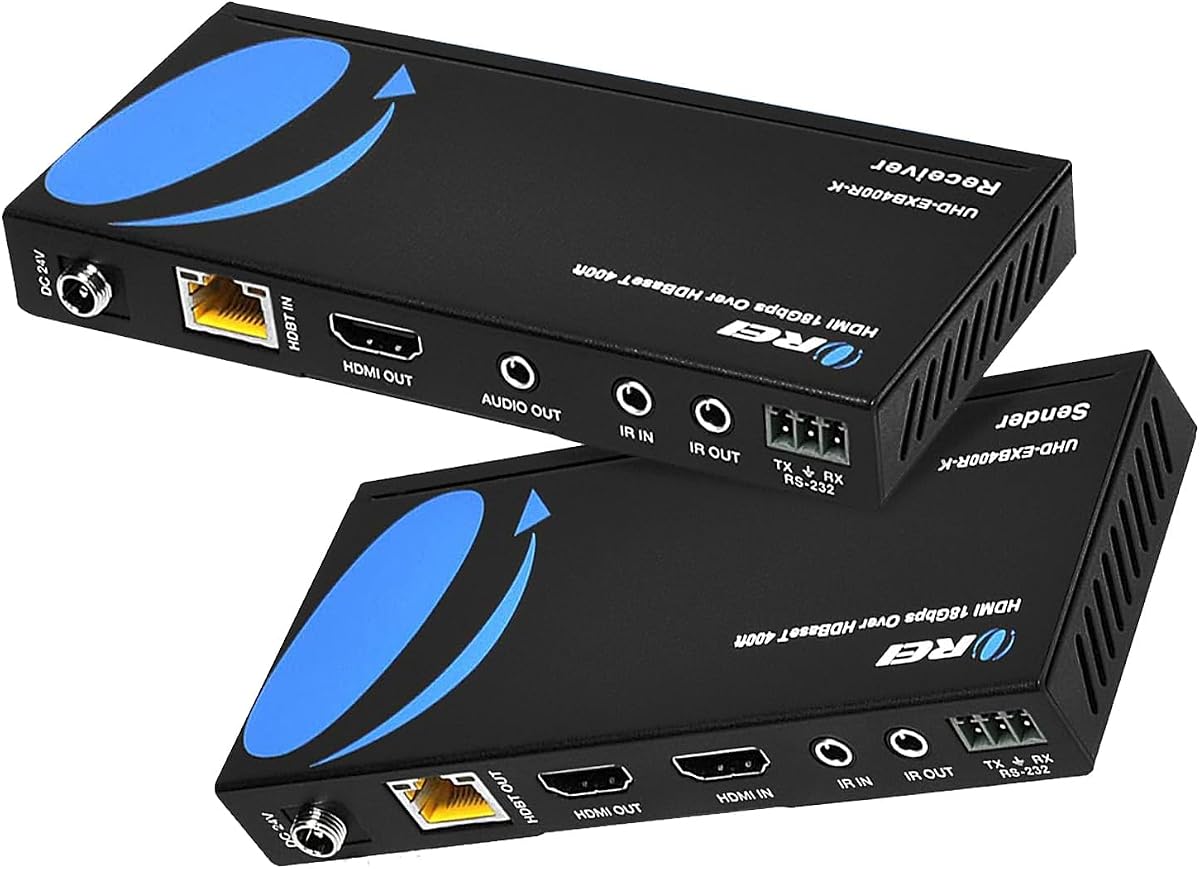
This model sets a distance record with up to 400 feet while supporting 4K at 60Hz. It is designed for large professional installations.
We may earn a commission when you buy through this link, at no additional cost to you.
Strengths include two-way IR and RS-232 for advanced control and integration. PoC keeps the remote end clean. HDR support adds dynamic range.
Trade offs include high cost and need for matching units due to chipset differences. This limits mixing brands.
Best for large venues or commercial installs needing maximum range. It is worth the investment for critical projects.
The 400 foot range makes this suitable for stadiums or large event halls.
RS-232 ports allow control by building automation systems or central controllers.
We may earn a commission when you buy through this link, at no additional cost to you.
This extender offers a practical set of features for standard use with a focus on easy installation. It delivers reliable performance for common AV needs.
We may earn a commission when you buy through this link, at no additional cost to you.
Strengths include mounting holes for secure fit and IR control for convenience. Loop out supports local viewing. PoC reduces outlet needs.
Trade offs include no 4K at 60Hz and limited advanced features. It is best for general use.
Best for home or small office setups needing a reliable extender. It balances price and functionality well.
Mounting holes let you secure the units easily to walls or mounts without brackets.
The included IR cable helps you control the source from the remote location easily.
We may earn a commission when you buy through this link, at no additional cost to you.
Choosing the right HDMI over Ethernet extender depends on distance needs resolution requirements and extra features for your setup.
Consider the highest resolution and refresh rate your source and display support. Some units offer 4K at 60Hz while others cap at 30Hz or 1080P.
For gaming or fast video choose 4K at 60Hz. For static displays or budget builds 1080P or 4K at 30Hz may suffice.
Check the stated maximum distance over Cat6 or Cat7 cables. Ranges vary from around 165 feet up to 400 feet depending on the model.
Always add some headroom to your measured distance. Use certified cables to achieve the listed range.
PoC lets you power the receiver through the network cable. This reduces outlet needs at the remote display and simplifies installation.
Look for PoC support especially for wall mounted setups. Ensure the included adapter matches your region's voltage.
A loop output on the transmitter lets you connect a local display. This helps with setup and dual screen use.
Choose a model with loop out if you need a local monitor or preview screen. Not all units include this.
IR cables allow you to control the source device from the receiver end. Some models support one way IR others two way.
Select IR support if you need to operate a player or PC from a remote location. Check for passback features.
Verify support for your HDMI version and features like HDR or CEC. Higher standards ensure better compatibility with modern devices.
Avoid mixing brands if the model uses proprietary tech. Stick to matching pairs to prevent handshake issues.
Metal housings help with heat dissipation and protection. Look for reputable brands with warranty support.
A solid build ensures reliable long term use. Consider professional grade units for commercial settings.
Some units provide audio outputs or support digital formats. Check if you need audio extraction or HDMI audio pass through.
For high fidelity sound confirm supported formats. Basic units may limit audio to stereo or compressed options.
Connect the transmitter to your source device and the receiver to your display. Use high quality Cat6 or Cat7 cables to ensure stable performance over long runs.
Plug power into the transmitter if using PoC or separate adapters as needed. Allow the units to power on before connecting HDMI cables for best handshake.
Keep the units in a well ventilated area to avoid overheating. If not using a remote source avoid blocking IR cables and secure cables to prevent strain.
Most HDMI over Ethernet extenders are designed for direct cable connections. They do not work with switches or routers. Using a dedicated cable ensures stable signal transfer.
Yes but only at lower refresh rates. For 4K at 60Hz use Cat6 or Cat7. Cat5e may suffice for 1080P or 4K at 30Hz but check the model specs.
PoC lets the transmitter send power to the receiver through the Ethernet cable. This reduces the need for a second outlet near the display.
Most do not support HDMI ARC. For audio return use a separate audio cable or a soundbar with optical input if available.
Ensure both units are powered on before connecting HDMI. Check cable quality and try restarting the source device to trigger a fresh handshake.
Some models support 3D at 1080P but it depends on the unit. Check product details for 3D support before buying.
The top picks cover a wide range of needs from budget full HD to premium 4K at 60Hz. Consider your required distance and video quality first.
Prioritize models with power over cable and loop out for easier setups. Ensure your cables match the model requirements to avoid signal loss.
Check current availability and product pages for the most up to date features before making your final selection.