
512MB Flash Drives 100 Pack Bulk and Wholesale USB Flash Drives
4.5Editor score
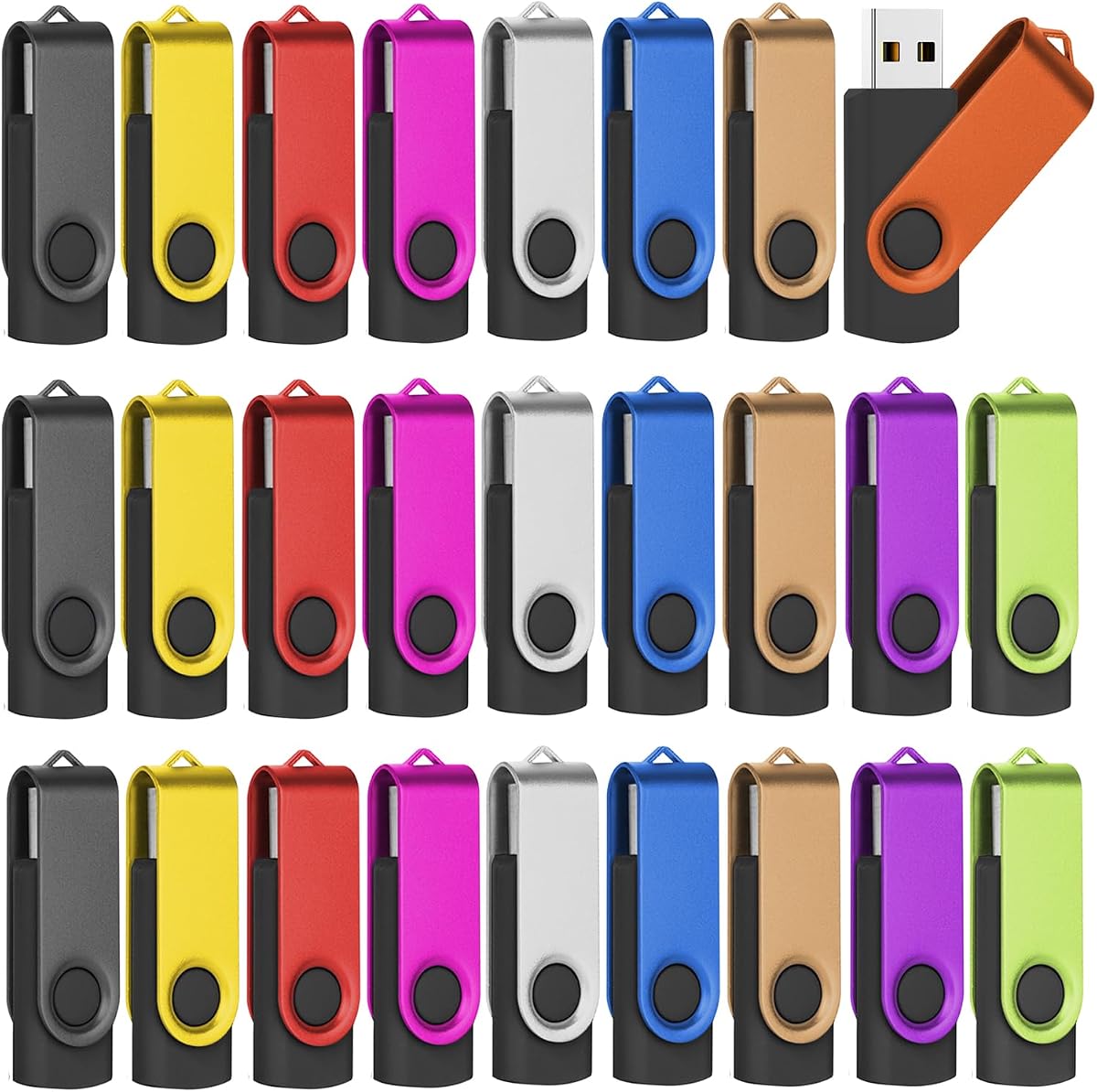
100 pack for large scale distribution
Metal clip with 360 degree rotation
Plug and play without software installation
This guide compares the top bulk USB flash drives for businesses and events, evaluating speed, capacity, durability, and value to help you choose the right
Bulk USB flash drives are essential tools for businesses, schools, and event planners who need reliable portable storage for many users. Selecting the right bulk pack involves considering capacity, transfer speeds, build quality, and compatibility across different operating systems and devices.
We have analyzed ten leading bulk USB flash drive options available on the market to help you make an informed decision. Our comparison focuses on real-world performance metrics, user ratings, and specific features that matter most for high-volume deployment scenarios.
Each product entry in this guide highlights key specifications, advantages, and potential limitations to guide your purchasing process. Please note that availability and specific configurations may vary over time, so verifying current stock before ordering is recommended.
4.5Editor score

4.6Editor score

4.6Editor score
The following table provides a side by side overview of all ten bulk USB flash drive options we evaluated. It highlights key specifications such as capacity, interface speed, and included accessories to assist in quick decision making.


The PNY 32GB Turbo Attaché 3 stands out as a top choice for bulk storage needs due to its USB 3.0 performance and robust build. With a rating reflecting user satisfaction, this ten pack offers a balance of speed and durability ideal for enterprise environments.
We may earn a commission when you buy through this link, at no additional cost to you.
Its standout feature is the transfer speed, which is up to ten times faster than standard USB 2.0 drives. The sliding collar mechanism ensures the connector is protected without the risk of losing a cap, making it highly practical for daily use.
While it lacks included lanyards, the capless design reduces the risk of misplacement. The 32GB capacity is sufficient for most document and media files, though users needing more space should consider higher capacity models.
This drive is best suited for businesses or organizations requiring reliable, high-speed storage for multiple users. We recommend it for those prioritizing performance and durability in a bulk purchase scenario.
The USB 3.0 interface ensures rapid data movement, significantly reducing wait times during large file transfers.
The sliding collar protects the connector effectively while maintaining a sleek and compact profile for easy portability.
We may earn a commission when you buy through this link, at no additional cost to you.
This 100 pack of 512MB drives is an excellent budget solution for large scale distribution where high capacity is not the primary concern. The metal clip design adds a touch of durability and ease of attachment to keychains or bags.
We may earn a commission when you buy through this link, at no additional cost to you.
These drives offer a plug and play experience with no software installation required. They are ideal for distributing small files such as brochures, images, or short videos to a large audience efficiently.
The main limitation is the storage capacity, which restricts the size of files you can store. Additionally, USB 2.0 speeds mean transfers will take longer compared to USB 3.0 options available in other packs.
For events, conferences, or giveaways where cost per unit is critical, this pack is a strong contender. It provides a practical way to distribute digital information to many people without breaking the bank.
With 100 units in one package, you can easily cover a large event or audience without placing multiple orders.
The integrated metal clip allows users to secure the drive to their personal items, reducing the risk of loss.
We may earn a commission when you buy through this link, at no additional cost to you.
The Micro Center SuperSpeed 64GB drives deliver premium performance with their USB 3.0 interface and substantial storage capacity. This twenty pack is ideal for users who need significant space for media files or backups across multiple devices.
We may earn a commission when you buy through this link, at no additional cost to you.
These drives support transfer speeds up to 70MB/s, which is significantly faster than standard USB 2.0 models. The hard plastic cover provides physical protection for the connector, ensuring longevity in rough handling environments.
While the cost is higher than basic models, the included two year warranty offers peace of mind for bulk purchases. The blue color also helps in visually identifying these drives from other storage options.
We recommend this pack for businesses or schools needing reliable, high capacity storage for projects or data backups. The combination of speed, capacity, and warranty makes it a top tier choice.
The 64GB capacity allows for storing large video files or complete software suites without needing multiple drives.
Backing the product with a two year warranty demonstrates confidence in the quality and durability of the components.
We may earn a commission when you buy through this link, at no additional cost to you.
This 50 pack includes lanyards and offers ten color choices, making it easy to categorize files by department or user group. The frosted metal cover not only looks professional but also helps prevent fingerprints and smudges.
We may earn a commission when you buy through this link, at no additional cost to you.
The plug and play functionality ensures compatibility with Windows, Linux, and Mac systems without additional software. The hole design allows for secure attachment to lanyards or keychains, enhancing portability for users on the go.
The primary drawback is the 128MB capacity, which limits the types of files that can be stored. Transfer speeds are typical for USB 2.0, which may be slow for larger datasets but acceptable for small documents.
This pack is well suited for educational settings or corporate events where visual distinction and easy portability are key. The inclusion of lanyards adds value by ensuring the drives can be worn securely.
The ten color options allow you to assign different colors to different teams or projects for quick identification.
Included lanyards mean users can wear the drives around their neck, reducing the chance of misplacing them.
We may earn a commission when you buy through this link, at no additional cost to you.
These 128MB drives are a practical solution for distributing small files across a wide audience. The black design is simple and professional, and the included lanyards facilitate easy carrying for recipients.
We may earn a commission when you buy through this link, at no additional cost to you.
Compatibility is extensive, supporting various versions of Windows, Linux, and Mac OS. This makes them versatile for diverse technical environments where different operating systems might be in use.
Users should be aware of the capacity reservation which reduces the available space slightly for system integrity. This is a standard practice to ensure drive longevity and should not significantly impact general usage.
Ideal for educational or promotional use, this pack provides a straightforward way to share digital content. The combination of compatibility and convenience makes it a reliable choice for basic storage needs.
Support for legacy and modern operating systems ensures these drives work in almost any computing environment.
Including twenty lanyards in the pack adds practical value and ensures users can carry the drives safely.
We may earn a commission when you buy through this link, at no additional cost to you.
The KOOTION 16GB pack offers a good balance of storage and price for general bulk usage. The swivel design eliminates the need for a separate cap, reducing the risk of losing it during transport.
We may earn a commission when you buy through this link, at no additional cost to you.
Each drive is securely packaged with dividers, which ensures they arrive in pristine condition. This attention to packaging makes them suitable for gifts or professional distribution where appearance matters.
While the swivel cap protects the USB end, some users may find the mechanism slightly loose over time. Additionally, the absence of lanyards means users must find their own way to secure the drive.
This pack is recommended for personal or small business use where 16GB is sufficient for most tasks. The reliability of the design and packaging adds confidence to the purchasing decision.
The integrated swivel cap protects the connector without requiring a separate part that can get lost easily.
Individual compartments in the box keep drives organized and protected during shipping and storage.
We may earn a commission when you buy through this link, at no additional cost to you.
EASTBULL focuses on quality control with double testing to ensure each drive functions correctly before shipment. This reliability is crucial when dealing with bulk orders where a defective unit can disrupt workflow.
We may earn a commission when you buy through this link, at no additional cost to you.
The 16GB capacity is suitable for a variety of tasks including storing documents, music, and small video files. The lightweight body makes them easy to carry, and the included lanyards prevent accidental loss.
These drives support a wide range of devices from cars to cameras, making them versatile beyond just computer use. The FAT32 format ensures compatibility across different operating systems without requiring reformatting.
For businesses needing a dependable bulk option with minimal risk of defects, this pack is a solid choice. The combination of testing and accessories adds significant value to the purchase.
Double testing ensures that you receive fully functional drives, minimizing downtime and frustration.
Compatible with a broad array of USB devices, these drives work seamlessly in cars, cameras, and more.
We may earn a commission when you buy through this link, at no additional cost to you.
The LED indicator on these drives provides a visual cue during file transfers, helping users avoid unsafe removal. This feature is particularly useful for less tech-savvy users who might otherwise interrupt the process.
We may earn a commission when you buy through this link, at no additional cost to you.
With a 4GB capacity, these drives are ideal for storing documents and photos. The swivel design ensures the USB port is protected without the risk of losing a cap during daily use.
Users should note that 4GB limits the size of individual files they can store due to file system constraints. However, for standard document distribution or simple backups, this capacity is adequate.
We recommend this pack for basic office or home use where tracking transfer activity is beneficial. The LED light adds a layer of user confidence that is often missing in budget drives.
The LED indicator lights up during read or write activities, providing a clear signal of drive usage status.
Seeing the light helps users avoid ejecting the drive prematurely, which can prevent data corruption.
We may earn a commission when you buy through this link, at no additional cost to you.
This blue variant offers a distinctive look that helps distinguish these drives from others in shared storage environments. The consistency in performance across the pack is ensured by rigorous quality control measures.
We may earn a commission when you buy through this link, at no additional cost to you.
With 16GB of storage, these drives are suitable for a wide range of tasks from school projects to office documents. The included lanyards make it easy to keep them attached to bags or keys.
While they do not offer the speed of USB 3.0 drives, they are reliable for general file transfers. The blue color also aids in quick visual identification in a mixed bag of storage devices.
For organizations that need color coding to manage assets, this pack is a practical solution. The balance of capacity and accessories makes it a convenient option for bulk distribution.
The blue color helps in quickly identifying these drives among other storage devices in a collection.
Using color to manage assets can simplify inventory tracking for businesses and educational institutions.
We may earn a commission when you buy through this link, at no additional cost to you.
This pack offers ten drives with 64GB capacity each, allowing for significant storage across multiple users. The multicolour design helps in assigning drives to different projects or individuals easily.
We may earn a commission when you buy through this link, at no additional cost to you.
The swivel cap protects the USB port while maintaining a sleek profile. Additionally, the LED indicator provides visual feedback during data transfer, ensuring safe handling of files.
The 64GB capacity is ideal for storing large media files such as movies or high resolution photos. However, the USB 2.0 interface may result in longer transfer times for very large files.
We recommend this pack for individuals or small teams needing high capacity without the cost of USB 3.0 drives. The color variety adds a functional element that aids in organization.
With 64GB per drive, you can store extensive amounts of data on each unit without frequent backups.
Different colors make it simple to assign drives to specific users or departments for better tracking.
We may earn a commission when you buy through this link, at no additional cost to you.
Selecting the right bulk USB flash drives involves considering several key factors to ensure you get the best value and performance for your needs.
Capacity is one of the most critical factors. Determine whether you need drives for simple documents or large media files. Options range from 512MB for basic distribution to 64GB or higher for extensive data needs.
Choose a capacity that aligns with your typical file sizes to avoid running out of space.
USB 3.0 drives offer significantly faster transfer speeds compared to USB 2.0 models. This is important if you are handling large files regularly or have limited time for data transfers.
USB 2.0 drives are more budget friendly but may slow down workflows involving large volumes of data.
Look for drives with robust casing, metal clips, or swivel designs to protect the USB connector. A durable build ensures the drives can withstand frequent use in various environments.
Protective features help prevent damage to the connector and extend the overall lifespan of the drive.
Some packs include lanyards or keychains which add value by making the drives easier to carry. These accessories help prevent loss and improve the user experience significantly.
If lanyards are important to your use case, verify that they are included in the package before purchasing.
Ensure the drives are compatible with your operating systems such as Windows, Mac, or Linux. Universal compatibility reduces the need for additional drivers or software installation.
Most modern drives are plug and play, but checking system requirements is still a wise precaution.
Bulk purchases should come with guarantees of quality control to minimize the risk of defective units. Brands that test each drive ensure better reliability across the entire pack.
Reliability is crucial for business or educational deployments where downtime can be costly.
Packs with multiple colors or color options help you organize drives for different projects or users. This visual management tool can simplify inventory and distribution processes.
Selecting color variants based on needs can streamline how you manage assets.
Check if the product comes with a warranty to protect your investment. A longer warranty period indicates the manufacturer's confidence in their product quality.
A warranty provides peace of mind in case any drives fail prematurely after purchase.
To use your bulk USB flash drives, simply plug them into an available USB port on your computer or compatible device. Wait for the system to recognize the drive before attempting to transfer files.
Avoid ejecting the drive while files are being transferred to prevent data corruption. Use the safe remove hardware option if available to ensure all processes are complete.
Store the drives in a cool dry place away from direct sunlight. Keep them in a protective case or the original packaging when not in use to extend their lifespan.
Yes, most bulk USB drives are compatible with Mac computers without the need for additional software. They typically support plug and play functionality across various operating systems including macOS.
Yes, drives with higher capacities like 64GB are suitable for storing large video files. Ensure the drive supports the file size limits and has sufficient space for your specific needs.
Most bulk USB flash drives are plug and play devices that do not require installation of drivers or software. This makes them easy to use across different computers and systems immediately.
You can organize multiple bulk USB drives using color coding if the pack offers different colors. Additionally, using lanyards or keychains helps keep them attached to specific users or groups.
USB 3.0 bulk drives offer faster transfer speeds compared to USB 2.0 models. This difference is significant when transferring large files or when speed is a priority in your workflow.
Many bulk USB drives feature durable designs such as metal clips or swivel caps that protect the connector. These features enhance durability making them suitable for daily use and frequent handling.
Some models offer physical write protection switches, but this feature is not standard on all bulk drives. You may need to check specific product details to confirm if write protection is included.
You can purchase bulk USB flash drives from reputable online retailers that offer clear product descriptions and reliable customer support. Choosing established sellers ensures you receive quality products as advertised.
The best bulk USB flash drives depend on your specific requirements for capacity, speed, and budget. Our top picks highlight options that balance performance with value to suit various needs.
Prioritize factors such as transfer speeds and build quality to ensure reliability in your use case. Choosing the right capacity and accessories like lanyards can significantly enhance the user experience.
Always check current availability and compatibility before placing an order. Taking the time to select the right bulk USB flash drives will provide lasting value for your projects.