
Square Reader for magstripe (USB-C)
4.6Editor score
Simple magstripe acceptance
Fast setup with free app
Compact and portable design
This guide compares the top credit card readers for phones, evaluating features, security, and ease of use to help you choose the best mobile payment solution.
Finding the right credit card reader for your phone is essential for modern businesses. These devices allow you to accept payments anywhere, turning your smartphone into a powerful point of sale system.
We compared ten top models based on connectivity, security, and app integration. Our analysis covers magstripe, chip, and contactless options to ensure you find the best fit for your needs.
Each pick highlights key strengths and ideal use cases. Please note that specific features and availability may change, so always verify details with the manufacturer before purchasing.
4.6Editor score

4.5Editor score

5.0Editor score
Below is a side-by-side comparison of all ten models. This table helps you quickly identify key specifications and features to narrow down your choice based on your specific business requirements.


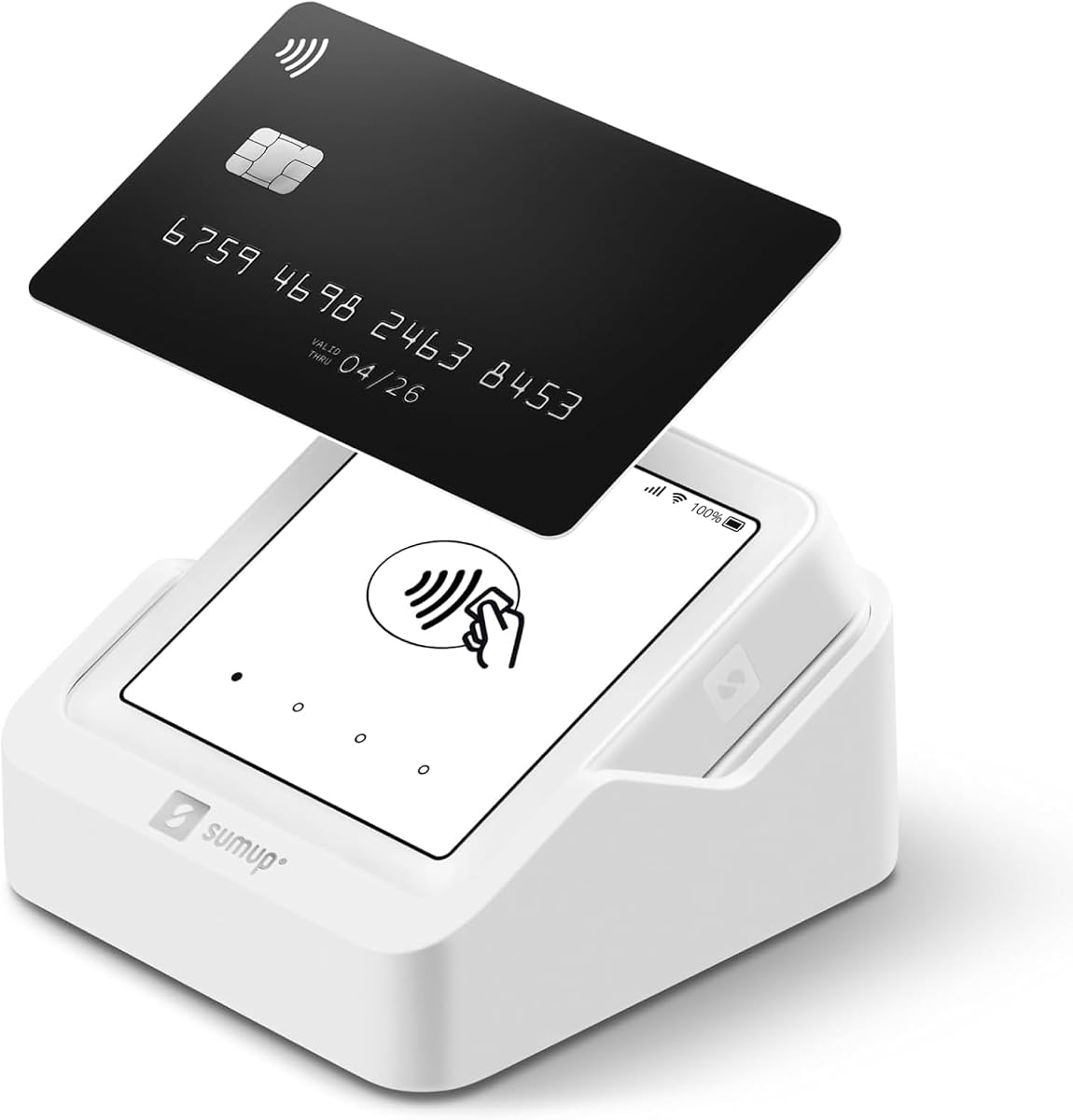


This reader stands out for its versatility and robust feature set. With a high rating, it is trusted by businesses needing reliable mobile payment processing.
We may earn a commission when you buy through this link, at no additional cost to you.
It accepts tap, dip, and swipe payments seamlessly. The enhanced connectivity ensures stable pairing with your phone while offline capabilities keep transactions flowing.
While it depends on internet for full processing, the offline mode helps. Some users note occasional Bluetooth latency but overall performance remains strong.
Ideal for retail and food service businesses. Its balance of cost, functionality, and security makes it the top choice for mobile merchants.
End-to-end encryption protects customer data throughout every transaction.
Process payments for up to 24 hours even without an internet connection.
We may earn a commission when you buy through this link, at no additional cost to you.
Perfect for startups needing a low-cost solution. This magstripe reader integrates directly with your phone for immediate payment acceptance.
We may earn a commission when you buy through this link, at no additional cost to you.
It connects via USB-C for stable data transfer. The free app tracks sales and manages inventory efficiently while offering next-day payouts.
The lack of chip or tap support limits use. However, its simplicity and low entry cost make it ideal for low-volume sellers.
Recommended for small vendors or pop-up shops. If you need basic swipe functionality without extra costs, this is the clear budget winner.
No ongoing subscriptions or hidden charges keep your overhead minimal.
Download the app and start accepting payments within minutes.
We may earn a commission when you buy through this link, at no additional cost to you.
This model offers full business control in your pocket. With a perfect rating, users praise its reliability and extensive management features.
We may earn a commission when you buy through this link, at no additional cost to you.
It supports customized tax rates and tips easily. The app lets you manage staff permissions and send digital receipts for a seamless experience.
It requires SwyftPAY processing which may limit flexibility. However, the integrated system delivers robust tools for growing mobile businesses.
Best for established mobile businesses. If you need advanced POS capabilities beyond simple payments, this premium choice delivers comprehensive value.
Create and manage employee permissions to control who sees sensitive data.
Send receipts via email or text to reduce paper waste instantly.
We may earn a commission when you buy through this link, at no additional cost to you.
A specialized reader for secure identification and banking needs. It bridges government card systems with standard smart card functions efficiently.
We may earn a commission when you buy through this link, at no additional cost to you.
It handles CAC, PIV, and bank cards with certified hardware. The dual USB ports ensure it works on desktop and mobile devices without adapters.
Decoding software is not included which may complicate use. This unit targets specialized sectors rather than general retail transactions.
Recommended for government contractors. If you need to process military or smart cards on a phone, this versatile reader meets those specific needs.
Reads Common Access Cards and PIV IDs securely for authentication tasks.
Works seamlessly across Windows, macOS, Linux, and Android systems.
We may earn a commission when you buy through this link, at no additional cost to you.
This device combines a reader with a full POS terminal. It handles ring-ups and receipt printing in a single cordless unit effectively.
We may earn a commission when you buy through this link, at no additional cost to you.
Battery life supports all-day shifts without recharging. Chip cards process quickly while offering secure transactions across major payment types.
It is heavier than simple phone dongles. For full counter service, the integrated features justify the size and higher price point.
Best for retail stores. If you want a complete checkout solution without separate hardware, this all-in-one terminal is a strong fit.
Print physical receipts instantly without needing external printers.
Use it anywhere in your store thanks to the built-in battery.
We may earn a commission when you buy through this link, at no additional cost to you.
A straightforward tool for accepting major cards on the go. Its simplicity appeals to businesses needing quick mobile transactions without complexity.
We may earn a commission when you buy through this link, at no additional cost to you.
It connects wirelessly to your phone or tablet. The free app starts transactions quickly while charging low flat rates per in-person sale.
Functionality depends heavily on the app interface. Some users find it basic compared to competitors offering more advanced business tools.
Suitable for casual sellers. If you need a no-frills reader for occasional sales, this unit provides a reliable and cost-effective option.
Bluetooth connectivity lets you move freely while processing payments.
Pay a simple percentage plus fixed fee per transaction.
We may earn a commission when you buy through this link, at no additional cost to you.
This standalone device offers full sales management without a phone. It is designed for mobile sellers needing reliable independent processing power.
We may earn a commission when you buy through this link, at no additional cost to you.
A free SIM card ensures you can process anywhere. The touch interface is intuitive for quick transaction entry while the battery lasts through shifts.
Requires initial registration which may slow setup. Some users report connectivity reliance but support remains responsive for issues.
Ideal for field vendors. If you need a self-contained payment device without tying up your phone, this unit provides robust mobile capabilities.
Built-in SIM ensures you stay connected wherever you sell.
View and manage your sales history directly on the device.
We may earn a commission when you buy through this link, at no additional cost to you.
This model brings full POS features to your mobile device. It emphasizes security and customization for businesses needing flexible management tools.
We may earn a commission when you buy through this link, at no additional cost to you.
Bluetooth connection ensures freedom of movement. You can create custom tax rates and manage staff permissions easily through the dedicated app.
It requires Powering POS which limits flexibility. User ratings reflect average satisfaction as the system is robust but specific.
Best for small businesses. If you need staff controls and flexible tax settings, this reader offers valuable management capabilities on the go.
End-to-end encryption protects customer and merchant data consistently.
Manage permissions so only authorized staff can access sensitive data.
We may earn a commission when you buy through this link, at no additional cost to you.
Focused on modern payment methods like tap and chip. It simplifies mobile sales by removing the need for a merchant account setup.
We may earn a commission when you buy through this link, at no additional cost to you.
Compatible with iOS and Android devices easily. This reader supports EMV and contactless transactions ensuring secure payment processing for customers.
Availability is limited and may vary. For those needing basic secure payments without account hassles, it remains a valid choice.
Recommended for quick setup needs. If you want contactless acceptance without complex paperwork, this device provides a streamlined mobile solution.
Start selling immediately without traditional merchant account applications.
Accept both contactless taps and secure chip card transactions.
We may earn a commission when you buy through this link, at no additional cost to you.
This third-generation model supports flexible payment needs. It removes account barriers while maintaining secure processing for mobile businesses.
We may earn a commission when you buy through this link, at no additional cost to you.
It connects via Bluetooth to your phone quickly. You can set custom taxes and tips easily while ensuring all customer data stays protected.
Ratings are average but the features are functional. Some users find the interface basic compared to advanced POS systems.
Suitable for mobile startups. If you need a reliable, account-free payment tool that offers basic customization, this reader fits the bill.
This device works with any existing Clover Go account.
End-to-end encryption safeguards every transaction securely.
We may earn a commission when you buy through this link, at no additional cost to you.
Selecting the right reader depends on your business model, payment types, and budget. Below are key factors to consider before purchasing.
Check if you need tap, dip, or swipe support. Contactless and chip readers are safer but cost more than magstripe dongles.
Choose a model that supports your customers preferred payment types.
Bluetooth offers flexibility but may drop. Direct plug-in ensures stability but limits phone placement during transactions.
Evaluate which connection style best suits your workflow and physical setup.
Look for low flat fees and no monthly contracts. Some processors require specific accounts while others are open to all.
Select a pricing structure that aligns with your sales volume and growth plans.
The companion app manages sales, inventory, and receipts. Ensure it runs smoothly on your device and offers needed features.
A good app enhances daily operations and makes business management easier.
End-to-end encryption is essential for protecting customer data. Ensure the hardware meets current security standards for payments.
Prioritize devices that prioritize secure data transmission during every transaction.
Some readers allow processing even without internet. This is crucial for areas with poor connectivity or during travel.
Verify if your chosen model stores transactions for later processing when offline.
Standalone devices need long-lasting batteries for full shifts. Dongles powered by phones avoid this concern.
Check battery specs if you rely on independent hardware for sales.
Reliable customer support helps resolve issues quickly. Look for clear warranty terms and responsive service teams.
Ensure the vendor provides adequate assistance if hardware or software fails.
Download the official app and create your merchant account. Pair the reader with your phone via the app or directly using Bluetooth or plug-in methods.
Swipe or tap customer cards following the on-screen prompts. Verify the amount is correct before confirming the transaction to avoid errors.
Keep the reader clean and dry to ensure proper function. Store it in a protective case when not in use to prevent physical damage.
Yes, most reputable readers use end-to-end encryption to protect data. Look for devices that comply with PCI standards to ensure safe transactions.
Not always. Many modern readers allow you to start processing without a traditional merchant account by acting as the merchant of record.
Some models offer offline modes that store transactions temporarily. However, most secure transactions require a live connection to authorize payments.
Bluetooth offers mobility while plug-in is stable. Choose based on whether you move around often or stay in one spot during sales.
Prices vary widely from affordable dongles to comprehensive terminals. Check the current product details as costs can change due to features or bundles.
Most support both iOS and Android devices. Ensure you choose the correct connector or Bluetooth version compatible with your smartphone model.
The top picks provide a range of options from budget-friendly dongles to premium POS systems. Each offers unique strengths depending on your business needs.
Prioritize security, fee structure, and ease of use when selecting a device. The right reader should integrate smoothly into your daily operations.
Always verify the latest model details and current prices before buying. Features may change, so checking official sources ensures you get the best value.