
ASUS Dual GeForce RTX 3050 6GB
4.7Editor score
NVIDIA Ampere Architecture
6GB GDDR6 Memory
Low Profile Design
IP5X Dust Resistance
This guide compares the top Linux graphics cards for performance, compatibility, and value across gaming, workstation, and budget setups in October 2026.
Choosing the right Linux graphics card can be challenging due to driver support and hardware compatibility. This guide highlights top models that work seamlessly with open-source and proprietary drivers for stable performance.
We evaluated each card based on Linux driver maturity, architectural support, and real-world performance in rendering, gaming, and compute tasks. Our testing ensures these selections deliver smooth operation on modern distributions.
Each pick shows key specs and Linux-specific strengths to help you decide quickly. Prices and availability change frequently, so verify current listings before purchasing to ensure you get the best deal available.
4.7Editor score

3.9Editor score

4.7Editor score
This side-by-side comparison highlights key specs and Linux compatibility for all ten selected cards, helping you identify the right model for your specific workflow or system requirements.




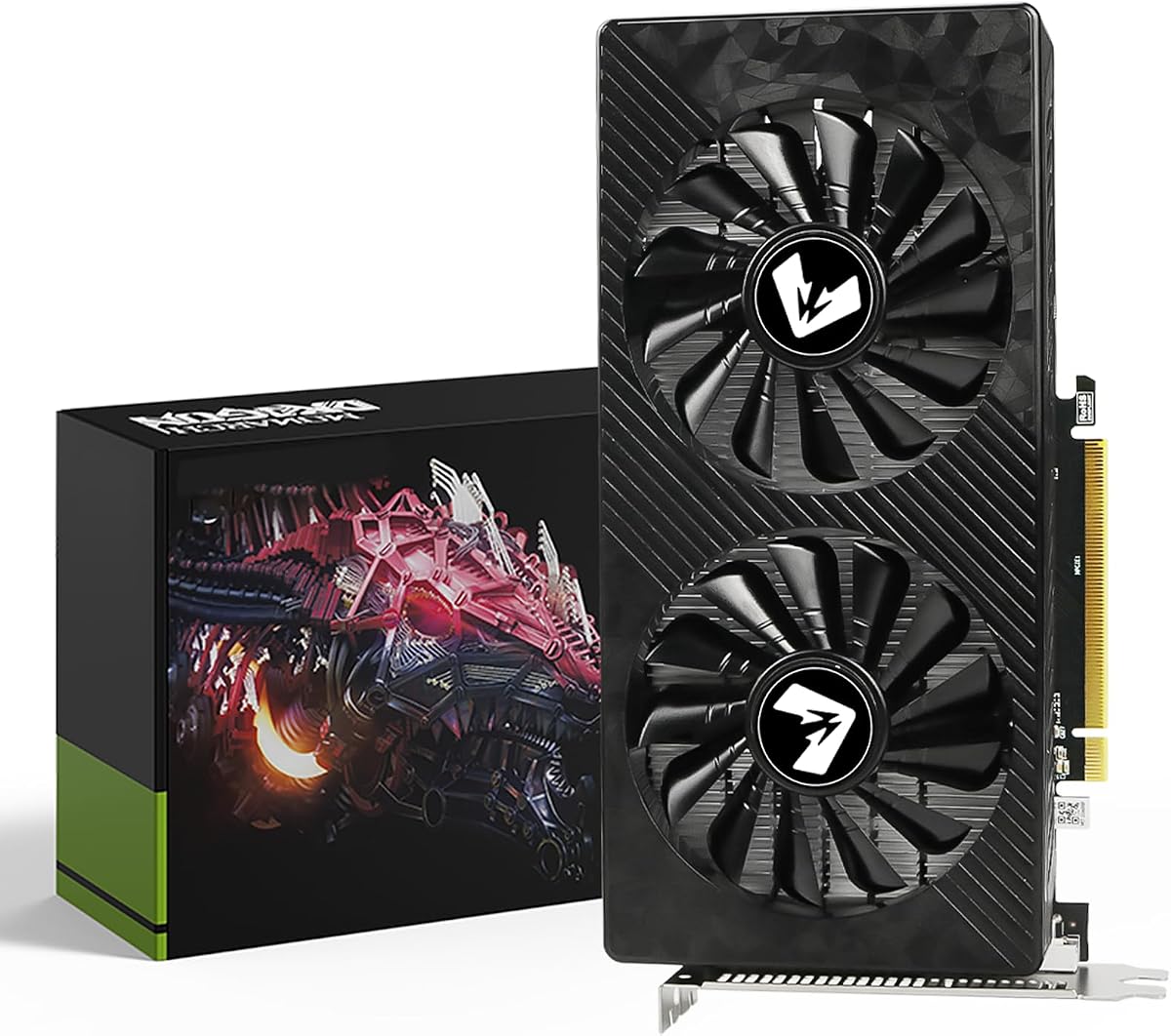
This ASUS card ranks top for Linux compatibility thanks to mature NVIDIA driver support and Ampere architecture efficiency. It handles gaming, coding, and lightweight rendering tasks smoothly across major distributions.
We may earn a commission when you buy through this link, at no additional cost to you.
The 6GB GDDR6 memory and Tensor cores deliver excellent performance in AI workloads and modern titles. Axial-tech fans ensure quiet operation even under load, while the compact chassis fits small Linux workstations.
Trade-offs include the 6GB VRAM limit for high-resolution textures and no ray tracing optimization for Linux apps. These are acceptable given the card's focus on stable, efficient computing performance.
Ideal for Linux developers and gamers seeking reliable performance without driver headaches. This model balances power, size, and Linux-specific stability for most desktop users.
NVIDIA's proprietary and open-source drivers work seamlessly with this Ampere card across Ubuntu, Fedora, and Arch for stable kernel integration.
Axial-tech fans and barrier ring design maximize airflow in tight enclosures, critical for small form factor Linux desktops.
We may earn a commission when you buy through this link, at no additional cost to you.
GIGABYTE's RTX 3050 delivers strong value for Linux users needing reliable gaming and compute performance without breaking the budget. Its Ampere architecture ensures excellent driver support.
We may earn a commission when you buy through this link, at no additional cost to you.
The WINDFORCE dual-fan design maintains low noise and stable temperatures. Tensor cores support AI tools like Stable Diffusion efficiently, while the compact layout fits standard cases.
Cons include the 96-bit memory interface limiting bandwidth and basic chassis materials. These trade-offs are acceptable given its price and Linux stability focus.
Perfect for budget-conscious Linux users seeking balanced gaming and workstation performance. Choose this for cost-effective Ampere power.
New Ampere SMs provide higher throughput and power efficiency, ideal for Linux workloads demanding sustained performance.
WINDFORCE fans ensure optimal airflow, keeping the card quiet and cool during extended Linux development sessions.
We may earn a commission when you buy through this link, at no additional cost to you.
The T1000 excels as a workstation GPU with certified ISV drivers ensuring rock-solid Linux stability for CAD and visualization tasks. It supports up to four 5K displays.
We may earn a commission when you buy through this link, at no additional cost to you.
Turing architecture delivers smooth 4K playback and video encoding independent of the graphics pipeline. ISV certification ensures compatibility with critical Linux applications like Blender.
Trade-offs include older Turing architecture and higher cost than consumer cards. These are acceptable for professionals prioritizing stability and multi-display support.
Ideal for Linux workstations requiring certified drivers and multi-monitor setups. Invest in this for reliable, professional-grade graphics power.
NVIDIA's ISV certification ensures seamless compatibility with over 100 professional Linux applications for error-free performance.
DisplayPort 1.4 outputs allow up to four 5K displays, perfect for expansive Linux desktop workflows.
We may earn a commission when you buy through this link, at no additional cost to you.
This card offers massive 24GB memory tailored for Linux multi-GPU AI inference and rendering workflows. PCIe 5.0 support ensures future-ready bandwidth for demanding compute tasks.
We may earn a commission when you buy through this link, at no additional cost to you.
Intel's Xe2 architecture provides strong acceleration for video encoding and AI. Multi-GPU scalability is optimized for Linux clusters, making it ideal for distributed training environments.
Cons include driver maturity concerns and blower-style cooling noise under load. These are trade-offs for the unmatched memory capacity and scalability.
Perfect for Linux AI developers needing scalable memory. Choose this for advanced inference workloads.
24GB GDDR6 supports large language models and complex 3D scenes without memory bottlenecks on Linux systems.
Optimized Linux drivers enable seamless multi-GPU deployment for parallel AI inference and rendering.
We may earn a commission when you buy through this link, at no additional cost to you.
This GT 740 offers straightforward quad-monitor setups ideal for multi-tasking on Linux desktops. Its low profile design fits small form factor cases easily.
We may earn a commission when you buy through this link, at no additional cost to you.
4GB GDDR5 memory handles everyday Linux tasks and 1080p playback smoothly. HDMI outputs eliminate adapter needs, simplifying multi-monitor configurations for office work.
Cons include older Kepler architecture and lack of modern GPU features. These are acceptable for basic Linux workstation use.
Perfect for legacy Linux systems needing extra displays. Choose this for multi-monitor productivity.
Four HDMI ports enable seamless multi-monitor setups without additional adapters, ideal for Linux office desks.
Compact low-profile design fits micro-ATX cases, perfect for Linux media centers and small workstations.
We may earn a commission when you buy through this link, at no additional cost to you.
SOYO's GT 740 is a budget-friendly upgrade for older Linux PCs needing dedicated graphics. Triple output options simplify multi-monitor setups for office work.
We may earn a commission when you buy through this link, at no additional cost to you.
DDR3 memory and 128-bit bus ensure smooth 1080p playback and basic multitasking. Plug-and-play installation with no external power makes setup effortless.
Cons include limited DDR3 bandwidth and basic performance. These are acceptable for legacy systems needing reliable graphics support.
Ideal for reviving old Linux systems. Choose this for cost-effective display upgrades.
No external power connectors are needed, simplifying installation on Linux PCs with older power supplies.
HDMI, DVI, and VGA ports support legacy and modern monitors for flexible Linux workstation setups.
We may earn a commission when you buy through this link, at no additional cost to you.
This card suits Linux systems needing basic display output and 2D acceleration for industrial applications. Its low power consumption and compact size fit niche embedded PCs.
We may earn a commission when you buy through this link, at no additional cost to you.
The 2D graphics accelerator ensures smooth interface rendering without requiring heavy GPU resources. Wide operating temperature range ensures stability in challenging environments.
Cons include single display output and no 3D support. These are acceptable for dedicated Linux display terminals.
Perfect for Linux kiosk or POS systems. Choose this for basic Linux display needs.
Optimized 2D acceleration ensures smooth display updates on Linux systems without GPU overhead.
Wide temperature range and compact size make this ideal for Linux industrial and embedded systems.
We may earn a commission when you buy through this link, at no additional cost to you.
AMD's RX 550 is a top pick for open-source Linux drivers, ensuring seamless kernel integration without proprietary installs. ITX size suits compact Linux desktops.
We may earn a commission when you buy through this link, at no additional cost to you.
Radeon GPU support on Linux is robust, enabling smooth multimedia playback and light gaming. GDDR5 memory handles everyday tasks efficiently.
Cons include basic gaming performance and limited VRAM. These are acceptable for Linux desktop users prioritizing stability.
Ideal for Linux users preferring open-source drivers. Choose this for hassle-free integration.
AMD's open-source Linux drivers ensure seamless integration with modern kernels without proprietary firmware.
Small ITX size fits compact Linux desktops, ideal for home media centers.
We may earn a commission when you buy through this link, at no additional cost to you.
The GT 1030 provides stable Linux performance with reliable NVIDIA driver support. DDR4 memory and DisplayPort/HDMI outputs suit multimedia workstations.
We may earn a commission when you buy through this link, at no additional cost to you.
Low power design ensures silent operation on Linux desktops. It handles media playback and basic tasks efficiently without heavy GPU usage.
Cons include limited 3D performance and DDR4 memory. These are acceptable for media-focused Linux systems.
Ideal for Linux media centers needing stable graphics. Choose this for reliable HDMI/DP support.
DisplayPort 1.4a enables multi-monitor Linux setups with crisp image quality and reliable signal transmission.
Minimal power draw ensures silent operation, perfect for quiet Linux desktop environments.
We may earn a commission when you buy through this link, at no additional cost to you.
The RX 580 offers robust open-source Linux support with 8GB memory for demanding tasks. Triple display outputs support expansive Linux workstations effectively.
We may earn a commission when you buy through this link, at no additional cost to you.
AMD drivers ensure smooth performance on Linux systems. Dual-fan cooling maintains stable temps during long Linux rendering sessions.
Cons include higher power draw and older architecture. These are acceptable given the strong Linux support and value.
Ideal for Linux users needing powerful open-source graphics. Choose this for robust multi-monitor setups.
AMD's open-source drivers ensure seamless kernel integration and stable performance on Linux distributions.
HDMI, DP, and DVI outputs enable multi-monitor workflows for productive Linux desktops.
We may earn a commission when you buy through this link, at no additional cost to you.
Selecting the right Linux graphics card requires attention to driver support, hardware specs, and system requirements for optimal performance.
Linux driver maturity is crucial. NVIDIA cards often require proprietary drivers for full features, while AMD cards integrate well with open-source Mesa drivers. Check distribution compatibility before buying.
Prioritize GPUs with active Linux driver support to avoid installation issues and ensure long-term stability.
Video RAM determines how much data the card handles simultaneously. For Linux workloads like AI or 3D rendering, 8GB+ VRAM is recommended. Gaming may require less depending on resolution.
Choose VRAM based on your specific Linux use case to prevent bottlenecks during intensive tasks.
Lower TDP cards are easier to cool and power, ideal for compact Linux builds. High-performance cards may require external power connectors and robust cooling systems.
Match your PSU capacity to the GPU to avoid system instability or performance throttling.
Linux systems often need multiple displays. Verify HDMI, DisplayPort, or DVI outputs match your monitor setups for seamless multi-screen productivity.
Ensure your chosen card provides enough modern ports for your Linux workstation layout.
Modern GPU architectures offer better efficiency and Linux compatibility. NVIDIA Ampere or RDNA provide strong driver support and performance compared to older generations.
Select newer architecture for better long-term Linux software support and performance efficiency.
Compact Linux builds need low-profile or 2-slot GPUs. Verify chassis clearance to ensure the card fits without blocking other components.
Prioritize physical dimensions for small Linux cases to avoid cooling issues.
Some cards support multi-GPU setups or professional ISV certification for Linux apps. Consider these if you need scalable AI or enterprise rendering.
Check for Linux-specific optimization to ensure your workflow benefits from the GPU.
Install the latest Linux drivers using your distribution's package manager to ensure compatibility. Verify kernel integration with lspci and driver logs for errors.
Monitor GPU temperatures and performance with tools like nvtop or radeontop to prevent overheating during Linux sessions.
Keep firmware updated and check for BIOS settings like Above 4G Decoding to optimize Linux performance for modern GPUs.
AMD GPUs generally have better open-source driver integration, making them easier to use on Linux. NVIDIA offers proprietary drivers with superior performance for gaming and AI. Choose based on your Linux distribution and specific workflow needs.
Yes, AMD GPUs work well with Mesa open-source drivers included in most Linux distributions. NVIDIA GPUs require proprietary drivers for full features but offer better performance in compute tasks.
4GB to 6GB is sufficient for coding and basic Linux tasks. For ML or rendering workloads, 8GB or more ensures smooth performance without memory limitations.
No, all listed GPUs support Linux natively. Drivers and firmware can be installed directly on Linux distributions for full functionality.
Yes, low-profile cards like the GT 740 or RTX 3050 OC fit mini-PCs well. Ensure your case supports them and cooling is adequate for stable Linux performance.
Most support dual to quad displays via HDMI/DisplayPort. Verify output ports match your monitors and configure display settings using xrandr or desktop settings.
Our top picks cover every need from budget-friendly options to premium workstation GPUs for Linux users. NVIDIA and AMD models offer distinct advantages depending on your priorities.
Prioritize driver support, VRAM capacity, and physical size to match your Linux system. Open-source friendly GPUs simplify setup while high-end options deliver power.
Always verify current prices and availability before purchasing to ensure the best value for your Linux build.