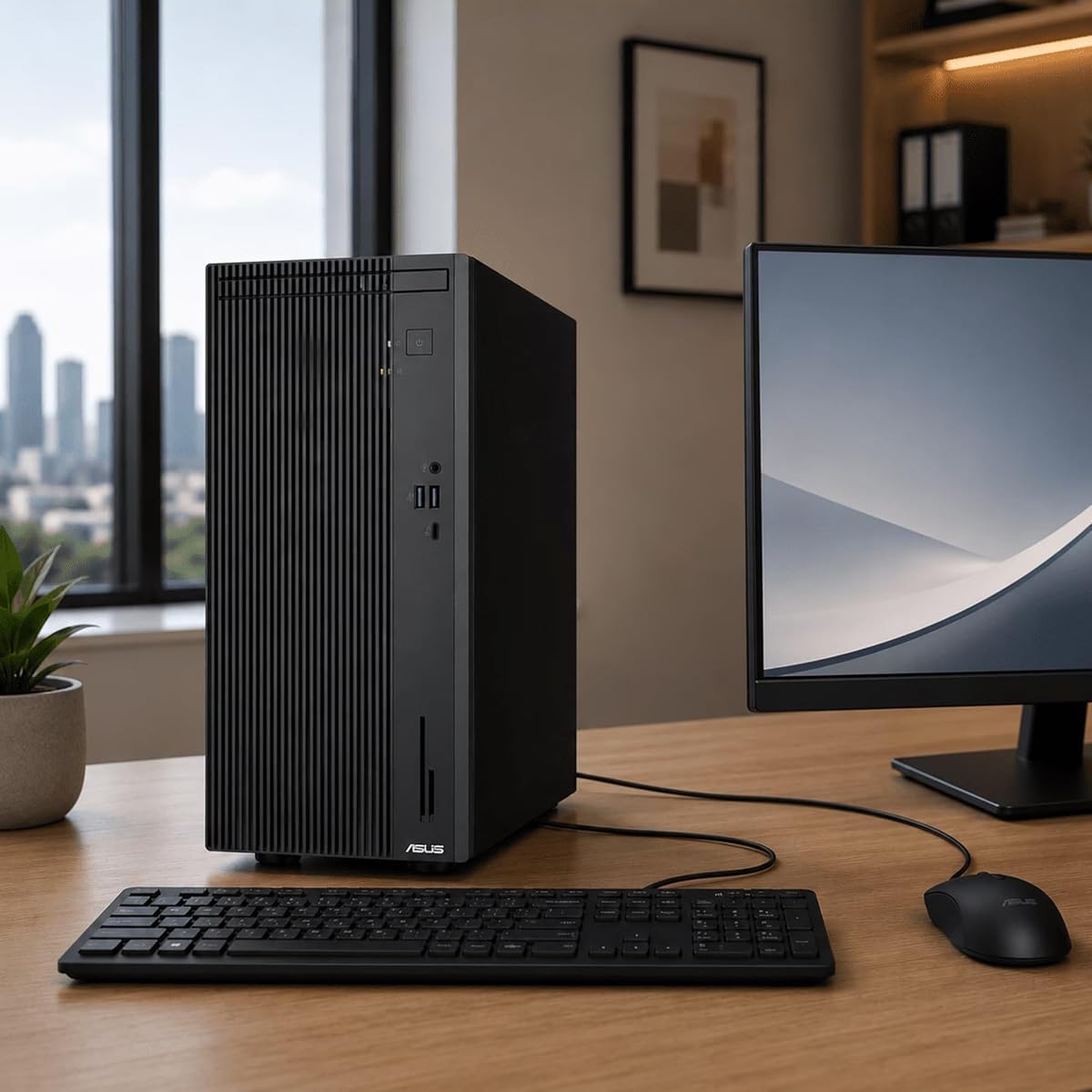
ASUS V500 Business Tower Desktop Computer
5.0Editor score
10-core Intel Core i7 processor
16GB DDR5 RAM included
Wi-Fi 6 connectivity support
This guide compares ten top ASUS Desktop PC models for business and gaming, analyzing performance, storage, and connectivity to help you choose the right
Finding the right desktop computer can be challenging with so many options available. ASUS offers a wide range of reliable machines suited for work and play. This guide helps you navigate their lineup to find a perfect fit.
We have evaluated ten distinct ASUS Desktop PC models based on key specifications and user needs. Our analysis focuses on processing power, memory capacity, storage speed, and overall connectivity options available in each unit.
Each pick highlights unique strengths and potential limitations to guide your decision. Prices and availability may change frequently, so check current listings before making a final purchase decision for your setup.
5.0Editor score

4.7Editor score

5.0Editor score
The following comparison table outlines the core specifications of every model featured in this guide. It allows you to quickly assess differences in processors, memory, storage, and graphics capabilities across the lineup.


The ASUS V500 Business Tower stands out as a top value option in the desktop PC market. With a perfect rating from users, it offers impressive hardware at an accessible price point. This model is ideal for small businesses needing reliable office performance without overspending.
We may earn a commission when you buy through this link, at no additional cost to you.
Powered by a 10-core Intel Core i7 processor, this system handles multitasking with ease. The 16GB of DDR5 RAM ensures smooth operation across multiple applications simultaneously. Storage is split between an internal SSD and an external drive, providing immediate boot speeds and extra capacity for files.
While the mixed storage approach requires a bit of setup, it delivers ample space for documents and media. The included peripherals mean you can start working right out of the box. Connectivity is strong with USB 6 and multiple display outputs for expanded workflows.
Buyers looking for a dependable workhorse for administrative tasks should consider this model. It balances modern performance features with cost efficiency effectively. For anyone prioritizing value and core performance, this desktop delivers on its promises.
The combination of a high core count processor and fast DDR5 memory makes this machine excellent for running productivity suites and virtual meetings simultaneously.
With multiple USB ports and dual display support, you can easily connect scanners, printers, and secondary monitors to enhance your workstation setup.
We may earn a commission when you buy through this link, at no additional cost to you.
This gaming desktop offers a compelling mix of next-generation processing and solid graphics performance. It receives high marks for its ability to run modern titles smoothly. The inclusion of a protection plan adds value for users worried about hardware longevity.
We may earn a commission when you buy through this link, at no additional cost to you.
The Intel Core Ultra 7 265F provides exceptional multitasking capabilities for gaming and streaming. Paired with 32GB of DDR5 RAM, this system handles background apps without stuttering. The RTX 5060 graphics card delivers immersive visuals and ray tracing support for a rich experience.
Storage is fast with a dedicated NVMe SSD ensuring quick load times for games. While the cooling system is air-based, it manages thermal loads adequately for most users. The RGB accessories included match the gaming aesthetic well enough for beginners.
This unit is perfect for gamers who want a pre-built solution that performs well out of the box. It balances price and performance effectively for mid-range gaming needs. Enthusiasts will appreciate the high memory capacity and processor generation.
The Core Ultra architecture brings improved efficiency and performance per watt, making it suitable for both gaming and content creation tasks.
With the RTX 5060 GPU, players can enjoy high frame rates at 1080p and 1440p resolutions with advanced lighting effects enabled.
We may earn a commission when you buy through this link, at no additional cost to you.
This workstation-grade PC pushes the limits of what a desktop can offer in terms of raw resources. It achieves a perfect rating likely due to its specialized build for heavy loads. The combination of Ultra 9 CPU and 128GB RAM is rare at this price.
We may earn a commission when you buy through this link, at no additional cost to you.
The Core Ultra 9 285K processor provides blazing speeds for professional applications. With 128GB of DDR5 RAM, users can run multiple virtual machines or render high-resolution video without bottlenecks. Storage is dominated by a massive 10TB drive for extensive media libraries.
While the GPU is solid, the system is clearly balanced for CPU-heavy workloads rather than pure gaming. The Windows 11 Pro license ensures advanced management features are available. This machine is built for those who need maximum capacity without compromises.
Buyers should choose this if their workflow demands immense multitasking and storage space. It serves creative professionals and developers well. The premium price is justified by the unique specification configuration found here.
The 128GB of RAM allows for seamless switching between dozens of applications and virtual environments simultaneously.
With 11TB of storage, you can keep years of project files, video archives, and games on a single system.
We may earn a commission when you buy through this link, at no additional cost to you.
This model brings the 14th Gen Intel Core i7 to a desktop environment effectively. It is designed for users who want modern connectivity and reliable processing power. The presence of Wi-Fi 6E ensures faster wireless speeds if needed.
We may earn a commission when you buy through this link, at no additional cost to you.
The processor offers high clock speeds up to 5.3GHz for demanding tasks. 16GB of DDR5 RAM provides a solid base that can be expanded up to 64GB. Ports include USB-C and multiple USB-A options for versatile peripheral connections.
Storage is handled by a fast PCIe SSD for quick system responsiveness. While the chassis design is simple, it offers good internal expansion options for future upgrades. It suits home office users looking for a balanced machine.
Consider this unit if you prioritize latest gen CPUs in a standard tower format. It offers a good mix of performance and upgradeability. The connectivity options make it easy to integrate into existing home networks.
Wi-Fi 6E support ensures low latency connections for streaming and online tasks without needing a wired cable.
With multiple slots for memory and storage, this system can grow alongside your needs over the years.
We may earn a commission when you buy through this link, at no additional cost to you.
This version of the V500 doubles the memory compared to the base model for enhanced multitasking. It maintains the same high rating due to its improved performance profile. It is particularly useful for users with many browser tabs and apps open.
We may earn a commission when you buy through this link, at no additional cost to you.
The 32GB of DDR5 RAM ensures that heavy workloads do not slow down the system. Paired with a 1TB SSD, file transfers and boots remain rapid. Support for two 4K monitors via HDMI and DisplayPort expands workspace significantly.
The integrated graphics handle 4K streaming and light editing tasks well. While the CPU is not the absolute fastest, the extra memory makes up for it in real-world use. This unit is perfect for power users on a budget.
Buyers needing extra memory without switching to a custom build will find this appealing. The included peripherals add to the ready-to-use nature. It is a solid choice for home offices requiring productivity.
With 32GB of RAM, you can keep dozens of apps open without experiencing lag or slowdown.
Support for dual 4K monitors allows you to spread out your work across a large digital canvas.
We may earn a commission when you buy through this link, at no additional cost to you.
This 2026 model focuses on delivering high-end graphics performance for gaming enthusiasts. It features the newest RTX 5070 GPU for excellent visual fidelity in titles. The cooling solution includes a liquid cooler for stable thermal performance under load.
We may earn a commission when you buy through this link, at no additional cost to you.
The Core Ultra 7 processor supports gaming needs effectively though 16GB RAM is the minimum for modern AAA games. Storage is fast with a 1TB NVMe SSD ensuring quick load times. The dual-glass chassis looks stylish on a desk.
RGB lighting and accessory bundles complete the gaming setup out of the box. Future upgrades are made easier with tool-less access to internal components. The inclusion of 2.5Gbps Ethernet ensures low latency online play.
This system is best for those prioritizing graphical power in a pre-built chassis. It balances high-end components with user-friendly maintenance. Consider upgrading RAM later for optimal performance in heavy multitasking.
A 240mm liquid cooler keeps the processor running cool during intense gaming sessions and stress tests.
Tool-less access means you can swap parts like storage or RAM easily without professional help.
We may earn a commission when you buy through this link, at no additional cost to you.
This 2025 gaming desktop leverages AMD's latest Ryzen architecture for competitive performance. It includes a powerful graphics card suitable for high-resolution gaming. The 2TB SSD offers plenty of space for extensive game libraries.
We may earn a commission when you buy through this link, at no additional cost to you.
The Ryzen 7 9800X3D provides excellent speed for both gaming and streaming tasks. 32GB of DDR5 memory ensures smooth operation with heavy workloads. The RX 9070 XT Prime OC delivers advanced visuals and efficient encoding.
Windows 11 Home provides a familiar and intuitive interface for daily use. The system is designed to handle demanding workloads without hesitation. It appeals to AMD fans and gamers wanting high frame rates.
Buyers looking for a powerful AMD-based gaming rig will appreciate this configuration. The storage and memory specs are well aligned with high-end needs. It is a strong contender for those who prefer AMD over Intel.
The Ryzen 9800X3D is specifically tuned for high frame rate gaming performance in modern titles.
A 2TB SSD means you can install many games without constantly managing space on the drive.
We may earn a commission when you buy through this link, at no additional cost to you.
This variant includes Windows 11 Pro which is beneficial for business environments needing advanced security. The bundled USB flash drive offers a handy tool for quick data transfers. It aims to provide a complete package for office deployment.
We may earn a commission when you buy through this link, at no additional cost to you.
The Intel Core i7 processor delivers responsive performance for daily productivity tasks. 16GB of RAM handles typical office applications efficiently. The storage setup ensures fast boot times and quick access to documents.
The lower rating may stem from third-party upgrade warranties that differ from standard manufacturer ones. Buyers should verify warranty terms before purchase. The Pro OS feature is the main driver for business selection here.
Consider this if you need professional-grade OS features out of the box. The added flash drive is a nice bonus for small business owners. Ensure you understand the support structure for the hardware components.
Windows 11 Pro provides tools like BitLocker and Remote Desktop for better business management.
The included 64GB USB drive helps with immediate setup and data portability.
We may earn a commission when you buy through this link, at no additional cost to you.
This model is distinguished by its maximum memory capacity in the V500 lineup. It supports heavy multitasking and virtualization tasks effectively. The specs mirror other V500 models but with a significant memory boost.
We may earn a commission when you buy through this link, at no additional cost to you.
The processor ensures that applications run smoothly without bottlenecking the large memory pool. 64GB of RAM is rare in a business tower at this price point. Connectivity remains consistent with HDMI and DisplayPort for visual work.
While the CPU is not the latest Ultra generation, the memory upgrade makes it unique. It is suited for professionals who need to run multiple virtual machines locally. The storage speed complements the RAM well.
Buyers who need raw memory capacity will find this configuration hard to beat. It bridges the gap between consumer and workstation performance. Check current availability as stock may vary due to high demand.
With 64GB of RAM, you can run dozens of virtual machines or complex engineering software simultaneously.
Support for 4K monitors ensures crisp text and image detail for design and data work.
We may earn a commission when you buy through this link, at no additional cost to you.
This compact office system balances space efficiency with professional performance. It comes with Windows 11 Pro ready for corporate security policies. The design fits well in tight desk spaces without sacrificing power.
We may earn a commission when you buy through this link, at no additional cost to you.
The Core i7 processor handles standard business applications with ease. 16GB of DDR5 memory at 5600MT/s ensures responsive system interactions. Connectivity options include USB-C and Ethernet for reliable networking.
Included accessories mean no extra purchases are needed for basic setup. The system is reliable for daily business tasks and document management. It is a practical choice for offices needing multiple units.
Buyers looking for a neat professional setup should consider this unit. It offers good value for the included OS and features. Verify warranty terms to ensure long-term support for your business needs.
The compact chassis saves desk space while delivering robust performance for daily office work.
Windows 11 Pro offers enhanced security tools that are essential for protecting sensitive business data.
We may earn a commission when you buy through this link, at no additional cost to you.
Selecting the right desktop requires analyzing your specific needs against available specs. This section covers the critical factors that define performance and usability.
Look for the latest Intel Core Ultra or recent 13th/14th Gen i7 processors. Newer generations offer better efficiency and multitasking capabilities. Avoid older models if you plan to keep the machine for years.
Prioritize CPUs with at least 10 cores for smooth daily workloads.
16GB is the standard for general tasks, but 32GB or more is better for power users. If you run virtual machines or edit video, aim for higher memory. DDR5 ensures faster speeds than older DDR4 modules.
Check if the slots are expandable to future-proof your system.
Ensure the system includes an NVMe SSD rather than a SATA SSD. NVMe drives boot faster and load applications much quicker. 1TB is a good baseline capacity for modern software libraries.
Verify if there are additional slots for adding a second hard drive.
Wi-Fi 6 or Wi-Fi 6E support is essential for modern wireless needs. Look for USB-C ports on the front for easy peripheral access. HDMI and DisplayPort outputs allow for multi-monitor setups.
Gigabit Ethernet ports ensure a stable wired connection for data transfers.
Windows 11 Home is sufficient for most users but Pro offers better management tools. Business buyers should ensure they receive the Pro version for domain joining. Keep in mind licensing terms and subscription needs.
Pre-installed OS saves time compared to buying a bare bones unit.
Check the number of available slots for memory and storage upgrades. Tool-less access designs make it easier to swap components later. A system that grows with your needs saves money in the long run.
Compact towers may have limited internal space for large add-ons.
Adequate cooling prevents throttling during long sessions. Look for systems with sufficient wattage to support future GPU upgrades. Air cooling is standard, but liquid options are available for high-end builds.
Ensure the power supply has efficiency certifications like 80 Plus Gold.
Standard warranties cover parts and labor for one year. Check if third-party upgrades affect the original manufacturer support. Extended plans provide peace of mind for business environments.
Read the fine print regarding who handles warranty claims.
Start by placing the tower in a well-ventilated area to ensure proper airflow. Avoid enclosed spaces that trap heat which can reduce component lifespan. Keep the intake vents clear of dust and debris.
Regularly update your BIOS and drivers to maintain system stability and security. Use the provided tools or visit the official support page for the latest patches. This ensures optimal compatibility with new software releases.
Clean the exterior with a soft dry cloth and check cables periodically. Tighten any loose connections to prevent accidental disconnections during use. Backup your important data to an external drive or cloud service.
Yes, most models allow RAM expansion. Check the manual to confirm available slots. The S501MER and V500 Home models mention specific expandability.
No, these desktops do not include monitors. You will need to purchase a separate display compatible with HDMI or DisplayPort outputs.
The Intel Core Ultra 7 or 9 processors in the ROG models are ideal. Pair them with the RTX or Radeon GPU options for the best gaming experience.
Pro offers advanced security and management features. Home is fine for personal use. Business buyers should prefer Pro for remote access and domain control.
Most models have extra slots for SSDs or hard drives. Check the internal space and available connectors before purchasing additional drives.
Standard warranty is usually one year. Some bundles include extended protection. Verify the terms on the specific product listing for details.
This guide highlights the top options ranging from business towers to high-end gaming rigs. The V500 series offers great value for office needs while the ROG series excels in performance.
Prioritize RAM and processor generation based on your intended workload. A system with expandable storage ensures you can adapt to future software requirements.
Remember to check current listings for any new deals or model updates. Prices change frequently so comparing the final price before buying is wise.