
Light Gaming Laptop AMD Ryzen 7
4.6Editor score
Ryzen 7430U Processor
16GB RAM memory
512GB SSD storage
Choosing the right laptop for Enscape requires balancing processing power, graphics capability, and screen fidelity. Architects and designers need machines that can handle real-time 3D rendering without lag or crashes during critical project phases.
We evaluated ten top models based on CPU strength, GPU performance, RAM capacity, and display accuracy. Our analysis focuses on devices that deliver smooth viewport navigation and reliable export speeds for demanding architectural visualization workflows.
Each pick highlights key strengths and trade-offs to help you find the perfect fit. Note that product availability and pricing fluctuate frequently, so verify current deals before making your final decision to ensure value.
4.6Editor score

4.5Editor score

4.1Editor score
As an Amazon Associate we earn from qualifying purchases.
This side-by-side comparison highlights the core specifications of each selected laptop to help you quickly identify which model aligns with your specific rendering needs and budget constraints.






This HP 17 inch Business Laptop stands out as a top choice for those needing screen real estate and reliable multitasking. With a solid 4.5 rating, it offers a balanced mix of performance and usability for design workflows.
We may earn a commission when you buy through this link, at no additional cost to you.
The 16GB RAM ensures smooth operation when running Enscape alongside other design tools. The 17.3 inch FHD display provides ample room for viewing detailed architectural models without constant panning.
While it lacks a dedicated high-end GPU, the integrated graphics handle basic rendering tasks effectively. The long battery life and fast charge capabilities make it suitable for on-the-go design reviews.
Ideal for students and professionals prioritizing screen size and battery life over raw rendering speed. It serves well as a secondary device or for lighter visualization tasks.
The full-size keyboard with numeric keypad streamlines data entry and CAD workflows.
Anti-glare display ensures comfortable viewing during long design sessions.
We may earn a commission when you buy through this link, at no additional cost to you.
The Light Gaming Laptop with AMD Ryzen 7430U delivers impressive value for budget-conscious designers. Its 4.6 rating reflects strong performance relative to its cost, making it a compelling entry-level choice.
We may earn a commission when you buy through this link, at no additional cost to you.
Featuring 16GB RAM and a 512GB SSD, it handles multitasking efficiently. The integrated UHD graphics clocked at 1200MHz provide better-than-average rendering capabilities for its class.
The brilliant FHD display offers a thin-bezel design that maximizes screen space. Connectivity options include HDMI and Type-C for expanding your workspace when needed.
Best for students or freelancers needing a portable yet capable machine. It balances cost and performance effectively for smaller projects.
NVMe SSD ensures rapid application loading and system responsiveness.
WiFi 6 and Bluetooth 5.2 offer strong and reliable connections.
We may earn a commission when you buy through this link, at no additional cost to you.
The HP OmniBook 3 14 inch represents a new generation of AI PCs with exceptional battery efficiency. Its OLED display delivers rich colors ideal for visual presentations and color-critical work.
We may earn a commission when you buy through this link, at no additional cost to you.
Powered by the Snapdragon X processor, it offers essential performance with long-lasting battery life. The Qualcomm Adreno GPU handles UI responsiveness and mobile graphics applications smoothly.
Despite 256GB storage, the fast Gen4 SSD ensures quick access to files. The included Otter.ai assistant helps organize meetings and notes automatically for better workflow management.
Perfect for designers who travel frequently and prioritize screen quality and battery life. Its Copilot+ experience introduces advanced AI features for productivity.
OLED technology offers deep blacks and vibrant color reproduction.
Up to 41 hours of battery life supports extended mobile work.
We may earn a commission when you buy through this link, at no additional cost to you.
This HP 14 inch Laptop offers a budget-friendly entry point for basic computing tasks. While rated 4.3, it is better suited for light work than demanding rendering software.
We may earn a commission when you buy through this link, at no additional cost to you.
The Intel N150 processor handles web browsing and streaming well. Limited 4GB RAM might restrict heavy multitasking with resource-intensive design applications.
Its HD display and small storage are adequate for document processing but insufficient for detailed visualization. The included Office 365 adds immediate value for productivity.
Recommended for users needing a secondary device for documentation or browsing. Not ideal for primary architectural visualization workflows.
Lightweight and compact for easy transport and daily use.
Multiple ports including USB-C and HDMI for versatile connections.
We may earn a commission when you buy through this link, at no additional cost to you.
The Lenovo V15 Gen 4 Business Laptop offers robust performance with its Intel Core i5 processor. Rated 4.3, it provides reliable multitasking capabilities for professional environments.
We may earn a commission when you buy through this link, at no additional cost to you.
Featuring 16GB RAM and a 512GB SSD, it ensures smooth workflow management. The integrated Intel UHD Graphics handle basic visualization without significant strain.
The 15.6 inch FHD display offers a balanced workspace for design tools. Windows 11 Pro provides enhanced security features suitable for enterprise use.
Ideal for business professionals needing a secure and capable machine. Good for moderate rendering tasks but may struggle with complex scenes.
Windows 11 Pro includes advanced management and security tools.
Designed for consistent performance in demanding office settings.
We may earn a commission when you buy through this link, at no additional cost to you.
This HP 2025 model stands out for its substantial memory and storage capacity. With 32GB RAM and 1.5TB total storage, it is built for handling large design files comfortably.
We may earn a commission when you buy through this link, at no additional cost to you.
The AMD Ryzen 5 processor ensures smooth multitasking across multiple applications. The 17.3 inch display provides ample space for complex architectural models.
While it lacks a dedicated high-end GPU, the high RAM capacity compensates for complex datasets. The included portable SSD offers flexible expansion for project files.
Best for professionals managing extensive libraries of textures and assets. Its heavy weight may limit mobility but enhances stability on desks.
32GB RAM supports heavy multitasking and complex scene loading.
Includes portable SSD for secure off-site backup and storage.
We may earn a commission when you buy through this link, at no additional cost to you.
The HP OmniBook 3 16 inch offers a compelling touchscreen experience for design work. With a 4.5 rating, it combines visual clarity with interactive features for enhanced productivity.
We may earn a commission when you buy through this link, at no additional cost to you.
The 2K IPS touchscreen delivers incredible detail and wide viewing angles. AMD Radeon 610M graphics provide smooth visuals for streaming and basic editing tasks.
Eight gigabytes of RAM suffice for moderate multitasking. Fast charge capability restores half battery in 45 minutes ensuring you stay connected longer.
Suitable for creative professionals who prefer direct screen interaction. It balances display quality and battery life effectively for daily tasks.
Touchscreen allows intuitive navigation through design tools and apps.
2K resolution ensures sharp details in complex layouts.
We may earn a commission when you buy through this link, at no additional cost to you.
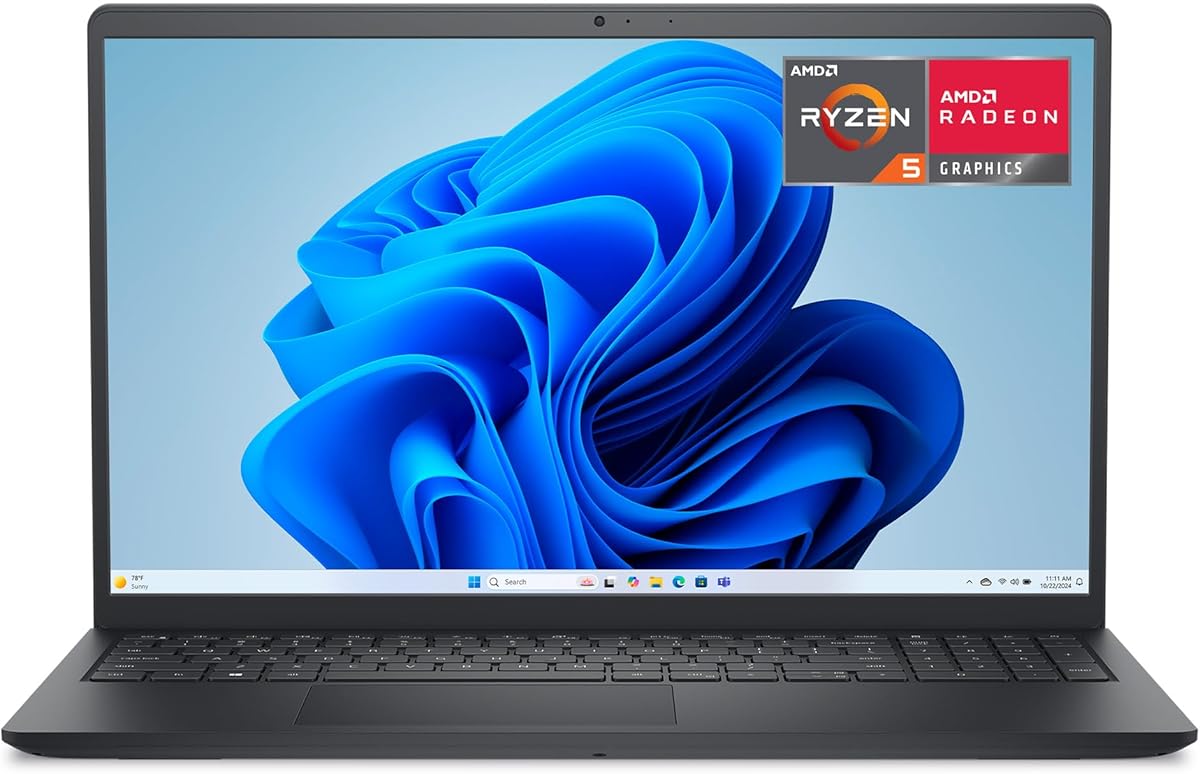
Dell 15.6 Laptop provides chic design and efficient everyday computing. Rated 4.3, it features adaptive thermals for maintaining performance during extended use.
We may earn a commission when you buy through this link, at no additional cost to you.
The AMD Ryzen 5 processor ensures reliable task handling for standard workflows. Integrated Radeon 610M graphics support smooth visuals for basic design work.
ComfortView Plus technology reduces blue light emissions to protect eyes. Onsite service support ensures quick resolution if hardware issues arise.
Ideal for general office use and light design projects. Its ergonomic hinges provide comfortable typing angles throughout the day.
Lifted hinges offer comfortable typing angles for extended periods.
Adaptive thermals adjust power to keep performance smooth.
We may earn a commission when you buy through this link, at no additional cost to you.
The Dell 16 Laptop delivers expansive visuals with its FHD+ display and 16:10 ratio. Rated 4.4, it provides all-day comfort for users managing multiple windows.
We may earn a commission when you buy through this link, at no additional cost to you.
Intel Core 7 processor and 16GB RAM support responsive performance. ComfortView Plus technology preserves color accuracy while reducing harmful blue light.
Built-in adaptive thermals adjust power usage based on surface stability. The FHD camera offers crisp images for virtual meetings with teams.
Perfect for professionals needing a large workspace without a desktop. It balances screen real estate with portable form factor effectively.
16:10 aspect ratio provides more vertical space for multitasking.
ComfortView Plus ensures long sessions without eye strain.
We may earn a commission when you buy through this link, at no additional cost to you.
This HP OmniBook 3 17.3 inch model offers a large screen at a budget-friendly price. With a 4.5 rating, it balances essential features for everyday work.
We may earn a commission when you buy through this link, at no additional cost to you.
The 17.3 inch FHD display ensures crystal-clear images with wide viewing angles. AMD Ryzen 3 processor handles basic multitasking with reasonable efficiency.
Eight gigabytes of RAM may limit heavy rendering tasks but suffice for lighter projects. Fast charge and long battery life keep you productive longer.
Recommended for casual designers or students needing screen space without high cost. It serves as a good companion device for presentations.
Full HD IPS display offers wide viewing angles for collaboration.
AI Noise Reduction ensures clearer conference call communication.
We may earn a commission when you buy through this link, at no additional cost to you.
Selecting the right laptop for Enscape requires understanding specific hardware demands to ensure smooth 3D rendering and efficient workflow.
Enscape relies heavily on single-core CPU speed for viewport navigation. Look for modern processors like Intel Core i5/i7 or AMD Ryzen 5/7 that offer high base and boost clocks.
Prioritize CPUs with higher clock speeds over core count for real-time rendering performance.
While Enscape supports integrated graphics, a dedicated GPU significantly improves frame rates and texture handling. NVIDIA RTX or AMD Radeon Pro series are preferred for complex scenes.
Check minimum VRAM requirements; 4GB is standard but 6GB+ is better for large assets.
Sufficient system memory is crucial to prevent bottlenecks when loading large files. Aim for at least 16GB of RAM to keep applications running smoothly alongside Enscape.
Consider laptops with upgradable RAM slots for future-proofing as project sizes grow.
Accurate color reproduction and high resolution are vital for architectural presentations. FHD or 2K displays with good sRGB coverage ensure designs look as intended.
Anti-glare coatings help maintain visibility under bright lighting conditions during client meetings.
Fast SSD storage reduces boot and load times significantly. PCIe Gen4 NVMe SSDs offer faster data transfer rates compared to SATA SSDs.
Aim for at least 512GB capacity to store software and project files locally without external drives.
If you travel often, weight and battery life become key factors. Lighter laptops under 4 pounds ease transport between sites and offices.
Ensure the machine can handle rendering without thermal throttling when unplugged for extended periods.
Multiple ports like HDMI, USB-C, and SD card slots allow connecting monitors and peripherals easily. WiFi 6 ensures fast transfers for large rendering files.
Check for Thunderbolt support if you plan to use external GPU docks or fast storage drives.
Sustained performance depends on efficient cooling. Laptops with advanced thermal designs prevent heat throttling during long render sessions.
Look for models with good ventilation and stable chassis to maintain consistent performance.
Ensure your laptop drivers are always updated to maximize performance. Check both graphics and BIOS updates regularly to prevent compatibility issues with new software versions.
Keep your laptop in a well-ventilated environment to avoid overheating. Avoid using it on soft surfaces like beds or carpets that block airflow vents on the bottom.
Regularly clean your screen with a microfiber cloth to maintain clarity. Avoid harsh chemicals that might damage anti-glare coatings or touch sensitive surfaces.
Enscape recommends at least 8GB of system RAM for basic use. However, 16GB is preferred for smooth multitasking and handling larger 3D models efficiently without performance drops.
While integrated graphics can run Enscape for simple scenes, a dedicated GPU is highly recommended for better frame rates. Dedicated cards handle complex lighting and textures more effectively.
A larger screen like 15 inches or 17 inches provides more space for toolbars and previews. This reduces the need for constant switching between windows during detailed design work.
Enscape can run on ultrabooks with integrated graphics but expect lower performance on complex projects. For serious architectural work, a thicker chassis with better cooling is preferable.
Enscape is optimized for Windows 10 and 11. Ensure your system is fully updated to avoid driver conflicts or stability issues during rendering sessions.
Rendering tasks require significant power which drains batteries quickly. Consider keeping your laptop plugged in during heavy usage to prevent unexpected shutdowns and thermal throttling.
Choosing the right laptop for Enscape ultimately depends on your specific workflow needs. The HP 17 inch Business Laptop offers excellent screen real estate while the Light Gaming Laptop provides exceptional value.
Prioritize RAM and CPU speed if you handle complex scenes often. For those needing mobility, battery life and screen quality should take precedence in your decision process.
Remember to verify current pricing and availability before purchasing. Technology evolves quickly so checking the latest models ensures you get the best performance for your investment.