
SANSUI 24 Inch Curved 160Hz Gaming Monitor
4.4Editor score
160Hz Refresh Rate
1500R Curved Design
FreeSync Compatibility
Finding the right curved 160Hz gaming monitor can transform your gaming setup into a competitive advantage. These displays offer high refresh rates and immersive curves that reduce distortion and enhance focus during intense sessions. Whether you play fast-paced shooters or expansive open-world titles, the right screen matters.
We evaluated ten top-rated curved monitors featuring 160Hz refresh rates or higher to help you find the best fit. Our analysis covers panel types, response times, color accuracy, connectivity options, and ergonomic stand features. This guide ensures you understand what each model offers before making a decision.
Each selection below highlights key strengths, ideal use cases, and potential trade-offs based on verified product data. While specific prices fluctuate based on sales and availability, these models represent strong value across different budgets. Check current listings for the most up-to-date offers and bundle deals.
4.4Editor score
4.5Editor score

4.6Editor score
As an Amazon Associate we earn from qualifying purchases.
This side-by-side comparison evaluates ten leading curved gaming monitors focusing on refresh rates, resolution, and immersive design. Each entry lists critical specifications to help you quickly identify the model that matches your performance needs and desk space.






The SANSUI 24 Inch Curved 160Hz Gaming Monitor offers excellent entry-level performance for gamers seeking high refresh rates without breaking the bank. With a 4.4 rating, users appreciate the smooth visuals and immersive curve. It delivers solid FHD clarity and responsiveness for competitive titles.
We may earn a commission when you buy through this link, at no additional cost to you.
Key strengths include the 160Hz refresh rate which ensures fluid motion during fast-paced gameplay. The 1500R curvature wraps around your field of view reducing distortion. Built-in game modes like FPS and RTS tailor color and brightness for specific genres enhancing immersion.
Trade-offs include the lack of built-in speakers meaning you will need external audio solutions. The stand offers tilt adjustment but lacks height or swivel options. These compromises are acceptable given the budget-friendly positioning and strong core performance metrics.
This monitor is ideal for students or casual gamers who prioritize frame rate over advanced ergonomic features. Its compact 24-inch size fits smaller desks easily. Overall it represents a reliable choice for those entering high refresh rate gaming on a strict budget.
The 1500R curve matches the human eye's natural field of view reducing strain during long sessions.
With 1ms MPRT response time and FreeSync support motion blur and tearing are significantly minimized.
We may earn a commission when you buy through this link, at no additional cost to you.
The SANSUI 27 Inch model builds on the budget success by offering a larger 27-inch display while maintaining high refresh rates. Rated 4.4 stars it appeals to users wanting more screen real estate for gaming or work. The 160Hz rate ensures smooth motion across various titles.
We may earn a commission when you buy through this link, at no additional cost to you.
Its standout features include Game Assistant tools such as black level adjustment and crosshair overlays which enhance competitive play. The HDR mode when enabled via HDMI adds depth to supported content. Anti-flicker and low blue light features protect eyes during extended use.
Despite the larger size it lacks built-in speakers requiring external audio setup. The stand supports tilt but not full ergonomic adjustability. However the price point remains competitive for a 27-inch curved gaming monitor with these performance specs.
This monitor suits gamers needing a bigger view without upgrading to ultrawide resolutions. It balances performance and cost effectively. For those expanding their setup from 24 inches this model provides a noticeable jump in immersion and productivity.
Integrated crosshair and timer features help track time and aim precisely in strategy or shooter games.
Anti-flicker technology reduces eye strain allowing comfortable extended gaming sessions without headaches.
We may earn a commission when you buy through this link, at no additional cost to you.
This SANSUI 24-inch model stands out with a 4.5 rating and impressive color accuracy covering 97% of DCI-P3. It combines gaming performance with creative utility making it versatile for mixed use cases. The 160Hz refresh rate ensures smooth gameplay while colors remain vivid and precise.
We may earn a commission when you buy through this link, at no additional cost to you.
Key strengths include the wide color gamut which enhances photo editing and media consumption. The 1500R curve adds immersion without distortion. Flicker-free and blue light reduction technologies make it suitable for long work or play sessions without eye fatigue.
The stand offers tilt adjustment and VESA compatibility for wall mounting but lacks height adjustment. While it does not include speakers the color and speed performance justify the compromise for many users. It remains a strong budget-friendly option for quality visual fidelity.
This monitor is perfect for gamers who also create content or watch media frequently. Its compact size fits small desks while delivering rich colors. For those seeking balanced performance and color accuracy on a budget this model delivers significant value.
Covering 97% DCI-P3 ensures vibrant and accurate colors that enrich both gaming and creative work.
Blue light reduction and flicker-free modes help maintain comfort during prolonged daily use.
We may earn a commission when you buy through this link, at no additional cost to you.
The CRUA 32-inch monitor delivers a rare combination of 4K resolution and 160Hz refresh rate in a curved design. Rated 4.3 it appeals to users wanting sharp visuals and fast performance. The 1500R curve enhances immersion for open-world games and media consumption.
We may earn a commission when you buy through this link, at no additional cost to you.
Key strengths include the 4K UHD resolution offering razor-sharp detail and built-in speakers that reduce desktop clutter. HDMI 2.1 and DP 1.4 ports support next-gen consoles and PCs for flexible connectivity. AMD FreeSync ensures tear-free gameplay across supported titles.
Trade-offs involve the need for a powerful graphics card to drive 4K at high refresh rates. While speakers are included their quality may not satisfy audiophiles. However the sheer resolution and speed make it a standout for enthusiasts willing to invest in hardware.
This monitor suits console and PC gamers wanting next-gen visuals without flat-screen compromises. It is ideal for those who also stream or multitask. For users seeking high resolution and refresh rate together this model offers a compelling all-in-one solution.
3840×2160 resolution provides intricate detail perfect for exploring landscapes and high-fidelity media.
HDMI 2.1 ensures compatibility with modern consoles delivering high bandwidth for smooth gameplay.
We may earn a commission when you buy through this link, at no additional cost to you.
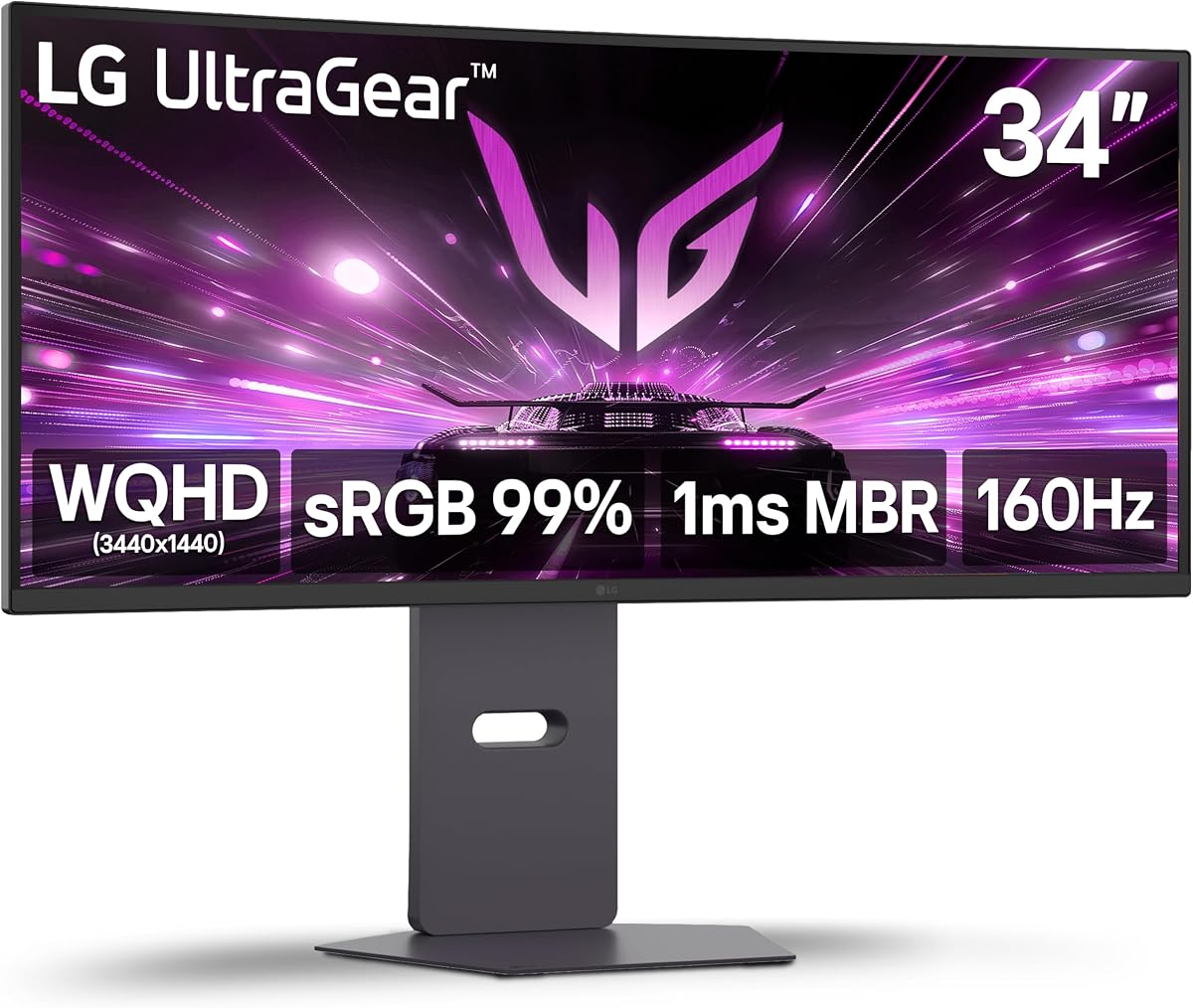
The LG 34G600A-B stands out as a premium ultrawide option combining WQHD resolution with 160Hz speed. With a 4.5 rating users love its immersive 1800R curve and professional stand adjustability. It delivers smooth tear-free gameplay with HDR10 and rich color coverage.
We may earn a commission when you buy through this link, at no additional cost to you.
Key strengths include AMD FreeSync Premium which minimizes input lag and tearing even in HDR scenes. The stand offers height swivel and tilt adjustments for optimal viewing angles. Stereo speakers with Waves MaxxAudio provide quality sound without extra hardware.
Trade-offs include the higher price point and large footprint requiring ample desk space. WQHD resolution needs more GPU power than FHD. Yet the combination of ergonomics, color, and refresh rate makes it a top choice for serious gamers and creators.
This monitor is ideal for users wanting an immersive experience with premium build quality. It fits well in streaming setups or productivity stations. For those prioritizing performance and ergonomics this model delivers exceptional value and lasting satisfaction.
The 34-inch 21:9 display expands your field of view for competitive edge and multitasking.
Height swivel and tilt adjustments reduce strain allowing comfortable viewing from any position.
We may earn a commission when you buy through this link, at no additional cost to you.
The renewed version of the LG 34G600A-B offers the same premium features with a perfect 5.0 rating from buyers seeking value. It provides WQHD ultrawide immersion with 160Hz speed at a reduced price point. Certified refurbishment ensures reliable performance with tested hardware.
We may earn a commission when you buy through this link, at no additional cost to you.
Key strengths include all the original ergonomic stand features and connectivity options at a lower cost. AMD FreeSync Premium and HDR10 support remain intact ensuring high-quality visuals. The certified process includes quality checks giving confidence in durability.
Trade-offs involve limited stock availability and verifying cosmetic condition upon arrival. While it lacks the polish of brand new units the functional performance is identical. This makes it ideal for budget-conscious users who refuse to compromise on screen quality.
This option suits buyers wanting premium ultrawide performance without the full retail price. It works for home offices or gaming setups. For those comfortable with refurbished goods this model delivers top-tier experience with significant savings.
Renewed items undergo rigorous testing to ensure they meet original performance standards.
Buyers save money while still accessing high-end features like HDR and full ergonomics.
We may earn a commission when you buy through this link, at no additional cost to you.
Samsung's Odyssey G55C features a deep 1000R curve designed to match human eye geometry for maximum immersion. Rated 4.4 it delivers QHD resolution and 165Hz refresh rates. The tight curve wraps visuals around your peripheral vision ideal for racing and flight sims.
We may earn a commission when you buy through this link, at no additional cost to you.
Key strengths include the 1000R curvature which minimizes distortion and enhances focus on screen centers. Eye Saver Mode reduces blue light helping users stay comfortable during long sessions. HDR10 support adds vibrant color depth to compatible content.
Trade-offs include the extreme curve making flat document work less comfortable compared to flatter monitors. The stand offers tilt but lacks height adjustment. Yet for gamers prioritizing immersion and reaction speed this model delivers a distinct and engaging experience.
This monitor suits hardcore gamers wanting the most immersive curved experience. It fits racing and strategy games well. For those focused purely on gameplay immersion the 1000R curve provides a unique advantage.
The 1000R curve fills peripheral vision pulling you deeper into virtual worlds.
Blue light reduction and anti-flicker tech help prevent fatigue during extended use.
We may earn a commission when you buy through this link, at no additional cost to you.
The Sceptre 34-inch offers an ultrawide WQHD panel with refresh rates up to 180Hz delivering fast smooth visuals. Rated 4.2 it provides excellent value for users wanting more screen space without overspending. The 1500R curve enhances depth for gaming tasks.
We may earn a commission when you buy through this link, at no additional cost to you.
Key strengths include the high refresh rate and dual DisplayPort connections allowing flexible setups. Built-in speakers and LED backcover lights add modern flair and audio convenience. It covers 99% sRGB ensuring decent color accuracy for general multimedia use.
Trade-offs include average color accuracy compared to premium panels and a basic OSD design requiring more navigation. However for those wanting speed and space on a budget the Sceptre delivers solid performance without unnecessary extra costs.
This monitor is ideal for gamers wanting ultrawide immersion with high frame rates. It supports multitasking and productivity. For those balancing cost and performance it provides an accessible entry into high refresh ultrawide gaming.
Up to 180Hz refresh ensures fluid motion crucial for competitive titles and racing sims.
LED backcover lights and machine black finish add a unique look to any desk setup.
We may earn a commission when you buy through this link, at no additional cost to you.
The Alienware 34-inch model delivers top-tier performance with 180Hz refresh rates and exceptional build quality. Rated 4.6 it excels in color coverage and motion clarity. Its WQHD resolution and curve offer immersive visuals ideal for competitive and cinematic gaming alike.
We may earn a commission when you buy through this link, at no additional cost to you.
Key strengths include 180Hz refresh rate for fluid motion and VESA DisplayHDR 400 certification for better dynamic contrast. Dedicated console mode and low blue light solutions enhance comfort for long sessions. 95% DCI-P3 ensures vivid colors in games and videos.
Trade-offs include the premium price point and a stand that lacks height adjustment. Yet the sheer performance and color fidelity justify the cost for enthusiasts. It delivers a refined experience suited for serious gamers needing the fastest reliable visuals.
This monitor suits users prioritizing performance and premium build over budget savings. It is excellent for streaming and console gaming. For those seeking the ultimate combination of speed and quality Alienware provides a reliable high-end option.
95% DCI-P3 coverage ensures rich and accurate color reproduction across diverse content.
Console mode optimizes settings for next-gen consoles enabling seamless and immersive play.
We may earn a commission when you buy through this link, at no additional cost to you.
The AOC 34-inch model tops the list with a 200Hz refresh rate and 0.3ms response time. Rated 4.5 it delivers ultra-fast visuals for competitive gaming. Its UWQHD resolution and 1500R curve provide clarity and immersion for demanding titles.
We may earn a commission when you buy through this link, at no additional cost to you.
Key strengths include the highest refresh rate available among top choices ensuring unmatched fluidity. The height adjustable stand allows perfect ergonomic positioning. VA panel tech delivers deep blacks and high contrast enhancing dark scenes and detail.
Trade-offs include HDR Ready rather than full HDR certification and higher power consumption. Yet the speed and responsiveness make it a top choice for esports enthusiasts. It prioritizes motion clarity and frame rates for competitive advantage.
This monitor suits competitive gamers needing the fastest refresh rates available. It fits esports and racing games well. For those prioritizing speed and clarity over HDR depth AOC provides a high-performance option.
200Hz refresh delivers unmatched fluidity for competitive players tracking fast motion.
VA panel technology ensures deep blacks and rich detail for immersive dark scenes.
We may earn a commission when you buy through this link, at no additional cost to you.
Selecting the right curved 160Hz gaming monitor requires balancing refresh rates, resolution, and ergonomic features. This section explains key factors to consider.
Refresh rate determines how many frames per second your monitor displays affecting motion smoothness. Higher rates like 160Hz or 200Hz provide fluid visuals essential for competitive games.
Prioritize refresh rates matching your GPU output to ensure consistent performance without lag.
Resolution defines pixel density and sharpness. FHD is affordable while QHD and 4K offer more detail. Ultrawide WQHD adds screen space for multitasking.
Choose resolution based on your GPU capability and desired image sharpness.
VA panels deliver deep blacks and high contrast suitable for immersive gaming. IPS offers wider viewing angles and better color accuracy. TN provides fast response times but lower color fidelity.
VA or IPS panels are recommended for most gamers seeking balanced performance.
Curvature measured in R units ranges from 1000R to 1800R. Lower R values offer more immersive wraps while higher values feel flatter. Choose based on desired peripheral engagement.
Select curvature matching your seating distance and immersion preference.
Ports like HDMI 2.1 and DisplayPort 1.4 ensure compatibility with next-gen consoles and PCs. Multiple inputs allow flexible multi-device setups without constant cable swapping.
Verify port types match your devices for full bandwidth and features.
Stands with height tilt and swivel adjustments improve posture and viewing comfort. VESA compatibility lets you mount monitors for more desk space flexibility.
Look for adjustable stands or VESA mounts if ergonomics matter.
Response time measured in ms affects ghosting and blur. Lower values like 1ms or less ensure crisp fast motion critical for action games.
Prioritize low response times for competitive gaming.
HDR support enhances dynamic range for brighter highlights and deeper shadows. HDR10 or VESA DisplayHDR certifications indicate better visual fidelity in supported content.
Choose HDR if media consumption and vibrant visuals are priorities.
To start connect your PC or console using HDMI or DisplayPort cables ensuring ports match the required refresh rates. Install monitor drivers or update graphics card settings to enable 160Hz or higher refresh rates.
Adjust the stand tilt and height to align the screen center with your eye level reducing neck strain. Calibrate brightness and contrast using preset modes like FPS or movie for optimized viewing conditions.
Clean the screen with a microfiber cloth and avoid harsh chemicals. Turn off power before cleaning. Avoid touching pixels directly and keep ventilation holes clear to prevent overheating during extended sessions.
Refresh rates of 160Hz or higher offer smoother visuals reducing motion blur and enhancing reaction times. Competitive players benefit most from monitors with 160Hz and above.
Curved screens match the human eye's field of view reducing distortion and glare. This ergonomic design helps reduce eye strain during long gaming or work sessions.
Yes but your GPU must support the required refresh rate via compatible ports. Ensure HDMI 2.1 or DisplayPort 1.4 connections for full bandwidth.
HDR enhances contrast and color depth in supported titles. While not essential for all genres it adds visual fidelity for immersive gameplay and media.
Ultrawide WQHD offers a balance of sharpness and screen space for multitasking. Higher resolutions like 4K provide more detail but require stronger graphics performance.
Use preset modes like FPS or RTS to adjust brightness and color profiles. Enable FreeSync or G-Sync to prevent screen tearing and reduce input lag.
This guide highlighted ten top curved monitors delivering immersive visuals and high refresh rates. From budget SANSUI models to premium LG and Alienware options each provides unique strengths tailored to specific needs.
Prioritize refresh rate, resolution, and ergonomic stand features based on your gaming style. Consider curvature and HDR support for enhanced immersion and visual fidelity during extended sessions.
Check current prices and availability before purchasing as deals fluctuate. Verify port compatibility and GPU requirements to ensure optimal performance for your setup.