
Seagate 8TB BarraCuda Internal Hard Drive
4.7Editor score
8TB storage capacity
190MB/s sustained transfer
Proven reliability for PCs
Choosing the right hard drive for RAID 0 is critical for maximizing speed and storage capacity. You need drives that can handle high throughput without bottlenecks during intense read write operations.
We analyzed ten top-rated models based on capacity, cache size, RPM, and compatibility with RAID controllers. Our comparison highlights drives suited for NAS, gaming, and enterprise environments.
Each pick below shows key specs and real-world performance notes. Remember that prices fluctuate frequently, so check current listings before making your final purchase decision.
4.7Editor score

4.0Editor score

3.9Editor score
As an Amazon Associate we earn from qualifying purchases.
Here is a side-by-side look at all ten drives. Compare specs like cache, RPM, and workload ratings to find the best match for your RAID 0 configuration needs.





This drive delivers solid performance for general computing and light RAID configurations. With a 4.7 rating, users praise its reliability and large storage capacity.
We may earn a commission when you buy through this link, at no additional cost to you.
The sustained transfer rate of 190MB/s ensures smooth file access for everyday tasks. Its 20 years of innovation background adds confidence for long-term use.
While it lacks NAS-specific features, it works well in standard desktop RAID 0 setups. The anti-static packaging simplifies initial installation significantly.
Choose this if you need bulk storage on a budget without compromising basic speed. It remains a top pick for value seekers.
BarraCuda drives are known for consistent uptime across years of use.
190MB/s rate helps maintain steady throughput during large file moves.
We may earn a commission when you buy through this link, at no additional cost to you.
This 4TB drive excels in multi-user environments needing consistent speed. Users rate it highly for its balance of performance and reliability features.
We may earn a commission when you buy through this link, at no additional cost to you.
With speeds up to 214MB/s, it outpaces standard desktop drives. The built-in health management helps prevent data loss before it happens.
The inclusion of Rescue Data Recovery Services adds peace of mind for critical data. Noise levels remain low even under heavy load.
Ideal for small businesses or power users building a RAID 0 array. Its specialized features justify the cost for serious workloads.
Designed for 24/7 operation in demanding NAS server environments.
Integrated health system monitors drive status for proactive maintenance.
We may earn a commission when you buy through this link, at no additional cost to you.
This 16TB drive stands out for its combination of capacity and speed. Rated 4.0, it offers professional features for serious data management needs.
We may earn a commission when you buy through this link, at no additional cost to you.
All-CMR technology ensures consistent performance without SMR slowdowns. The 256MB cache accelerates data processing during intensive RAID operations.
With a workload rating up to 550TB/year, it handles heavy usage. The three-year rescue data recovery service protects against unexpected failures.
Best for users prioritizing capacity and reliability in a RAID setup. Its enterprise-grade features make it a top choice for pros.
CMR recording delivers steady throughput for continuous data writes.
IronWolf Health Management tracks metrics to prevent potential issues.
We may earn a commission when you buy through this link, at no additional cost to you.
This 12TB drive is built for small to medium business NAS systems. It balances capacity with performance for standard RAID workloads effectively.
We may earn a commission when you buy through this link, at no additional cost to you.
With 7200 RPM and CMR tech, it offers reliable throughput. The NASware firmware ensures compatibility across various enclosure manufacturers.
Users appreciate the dedicated support for up to 8 bays. While heavier than desktop drives, it runs cooler under continuous load.
Choose this for a mid-range RAID 0 solution with enterprise features. It is a strong contender for business users needing stability.
Firmware tuned specifically for NAS environments and RAID arrays.
Supports up to 180 TB per year workload rate safely.
We may earn a commission when you buy through this link, at no additional cost to you.
This 16TB model targets high-intensity environments with unlimited bays. It delivers top-tier performance for professional RAID configurations needing massive data.
We may earn a commission when you buy through this link, at no additional cost to you.
Rated for 550TB/year workload, it handles constant read writes. The 512MB cache supports faster data access during peak usage.
Western Digital partners with vendors to ensure broad compatibility. Its design focuses on uptime and speed for multi-user access.
Premium choice for those needing ultimate capacity without compromise. The cost reflects its professional-grade engineering and reliability standards.
Built to sustain heavy daily usage without performance degradation.
Designed to handle simultaneous requests from many network users.
We may earn a commission when you buy through this link, at no additional cost to you.
This drive offers class-leading capacity for hyperscale environments. With a 4.6 rating, it stands out for durability and massive storage needs.
We may earn a commission when you buy through this link, at no additional cost to you.
Designed for 24/7 operation, it supports demanding server workloads. The 512MB cache aids in efficient data handling for cloud storage.
Renewed status brings lower costs without sacrificing specs. It remains ideal for those needing the highest density available today.
Select this if you need extreme capacity for data centers. Its enterprise engineering ensures reliability in critical systems.
Engineered for massive scale-out and cloud storage applications.
2.5 million hours MTBF ensures long-term operational stability.
We may earn a commission when you buy through this link, at no additional cost to you.
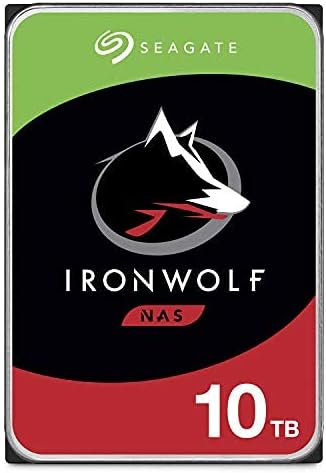
This 10TB drive balances capacity and speed for multi-user NAS. It features CMR for consistent performance under heavy load.
We may earn a commission when you buy through this link, at no additional cost to you.
With up to 210MB/s sustained transfer, it handles media files easily. AgileArray optimization ensures smooth operation in RAID configurations.
RV sensors reduce vibration issues in multi-bay setups. The 95% recovery success rate adds confidence for critical data.
Pick this for a balanced setup requiring speed and safety. Its high rating proves strong user satisfaction over time.
Dual-plane balancing reduces errors during intensive RAID access.
Sustained 210MB/s ensures fast file loading and saving.
We may earn a commission when you buy through this link, at no additional cost to you.
A versatile option for multi-user NAS environments needing more space. Users rate it well for reliability and efficient file sharing.
We may earn a commission when you buy through this link, at no additional cost to you.
The 256MB cache supports smoother data access during peak times. It delivers less wear and tear compared to desktop alternatives.
Health management tools allow proactive drive monitoring easily. It fits well in standard 8-bay enclosures without issues.
Select this for a reliable mid-range storage solution. Its balance of capacity and performance suits most home office needs.
Optimized for multi-user access and network throughput.
Minimal noise and vibration during normal use.
We may earn a commission when you buy through this link, at no additional cost to you.
This drive maintains strong user trust with a high rating. It offers similar specs to the V2 but with updated packaging.
We may earn a commission when you buy through this link, at no additional cost to you.
Purpose-built for NAS enclosures, it ensures long-term stability. The 256MB cache helps maintain speed during concurrent access.
Low power consumption keeps operating costs manageable over time. It handles RAID tasks effectively without overheating concerns.
A solid pick for reliable network storage setups. Its performance matches expectations for professional home office use.
Optimized for lower power usage during standard operations.
CMR technology ensures reliable write speeds over time.
We may earn a commission when you buy through this link, at no additional cost to you.
This drive prioritizes quiet operation with substantial storage. Users rate it highly for its low noise and smooth performance.
We may earn a commission when you buy through this link, at no additional cost to you.
The 5400 RPM class means lower heat and noise. It still supports up to 180 TB/year workload for steady daily use.
CMR technology ensures reliability despite the lower speed. It fits well in multi-bay systems needing large volume storage.
Best for setups where noise and capacity matter most. It provides a balanced solution for media and archival storage.
5400 RPM class ensures minimal noise during operation.
14TB space supports massive file libraries and archives.
We may earn a commission when you buy through this link, at no additional cost to you.
Selecting the right hard drive for RAID 0 requires balancing speed, capacity, and reliability. Consider the following factors before making your decision.
Determine how much total storage you need for your array. RAID 0 combines drives, so two 4TB drives make 8TB total.
Choose capacity based on your data growth plans and budget constraints.
Always prefer CMR drives for RAID configurations to avoid write slowdowns. SMR drives can degrade performance significantly during data transfers.
Look for CMR listed in specs to ensure consistent throughput.
Higher RPM like 7200 ensures faster data access speeds. Transfer rates above 200MB/s are ideal for demanding RAID 0 workloads.
Check sustained transfer rates for realistic performance expectations.
Larger cache (256MB or more) buffers data for smoother reads. It helps maintain speed during heavy multi-tasking or data backups.
Aim for 256MB or higher for best RAID performance.
RAID 0 has no redundancy, so warranty is critical for replacement. Look for 5-year warranties or data recovery services included.
Prioritize brands offering strong protection plans for peace of mind.
Higher workload ratings mean better endurance for 24/7 use. RAID 0 arrays often handle constant data transfers requiring durability.
Select drives rated for 180TB/year or higher if possible.
Ensure the drive fits your enclosure size (3.5 inch vs 2.5). Check compatibility with your RAID controller and NAS system.
Verify physical and interface compatibility before purchase.
RAID arrays often house multiple drives which can amplify noise. Look for models with vibration sensors and low noise designs.
Consider quiet drives if the system is in a living space.
Install the drives in a stable environment with proper cooling. Ensure power connections are secure and cables are tightly fastened.
Set up your RAID 0 array using your controller or software interface. Follow the manufacturer steps to stripe the drives correctly.
Back up your data externally since RAID 0 offers no redundancy. Schedule regular backups to protect against drive failure.
RAID 0 is best for performance where redundancy isn't needed. If you need speed for editing or gaming, it can be worth it.
You can mix but speed and capacity will match the lowest drive. Consistent drives ensure optimal performance and stability.
All data is lost if any single drive fails. Always keep backups because there is no redundancy in RAID 0.
Standard SATA cables work fine but ensure they are high quality. Good cables prevent data corruption during transfers.
Use tools like SMART monitoring or manufacturer software. Most modern drives report errors before they happen.
NAS drives are optimized for 24/7 use and vibration. They often last longer in multi-drive arrays than desktop models.
We compared ten top drives ranging from budget to premium options. The Seagate IronWolf Pro 16TB stands out for capacity and reliability.
Prioritize CMR technology and warranty coverage to protect your data. Look for 7200 RPM models if speed is your top goal.
Always check current prices before buying since costs change frequently. Ensure your selected drive fits your specific RAID controller setup.