
Razer Core X V2 External Graphics Enclosure
4.0Editor score
Up to 80 Gbps bandwidth
4 Slot wide GPU support
Active cooling steel chassis
This guide compares the top Egpu Enclosures for Thunderbolt 5 and USB4 to help you choose the right external graphics solution for your laptop needs.
Modern laptops often lack the internal power needed for demanding tasks like gaming or video editing. An external GPU enclosure solves this by letting you connect a desktop graphics card to your portable machine for a massive performance boost.
We evaluated ten leading models based on bandwidth speed power support, and overall connectivity. Each unit offers unique strengths whether you need raw AI power, compact portability, or a complete dock solution for your workflow.
Every selection below highlights key strengths and tradeoffs to guide your decision. Keep in mind that availability and specific features can change over time so always verify compatibility with your specific host device before purchasing.
4.0Editor score
5.0Editor score

3.9Editor score
The following table offers a side-by-side view of the top ten external GPU enclosures available today. We compare key specifications like bandwidth speed power supply support and connectivity options to help you find the perfect match for your setup.


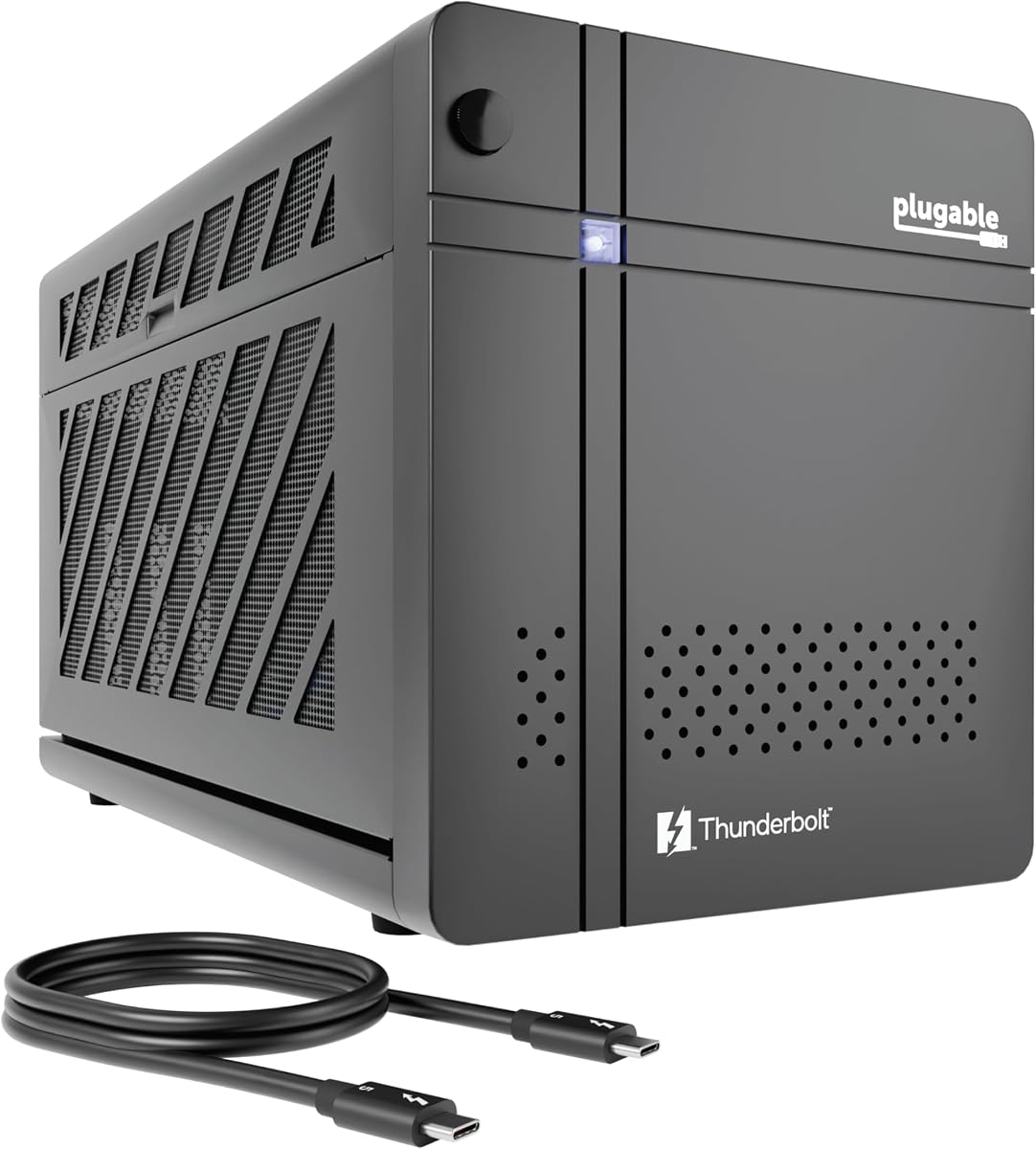
The Plugable TBT5-AI stands out as a top performer in the latest generation of external graphics enclosures. It offers an impressive 80Gbps connection speed and is designed specifically for users who need secure offline AI model processing.
We may earn a commission when you buy through this link, at no additional cost to you.
This enclosure allows you to build a system that runs large language models locally without relying on the cloud. It supports various open-source AI tools and provides a stable environment for developers and privacy-conscious professionals.
While it is an excellent tool for AI workflows, it is not compatible with macOS or older systems. Users should ensure their laptop supports Thunderbolt 5 or USB4 before making a purchase decision.
If you need high performance and data privacy for AI projects this is the ideal choice. It combines powerful hardware with thoughtful software features that set it apart from standard gaming enclosures.
Run models like Llama 3 with an air gap to ensure your data never leaves your device.
Leverage 80Gbps Thunderbolt 5 bandwidth for double the speed of previous generations.
We may earn a commission when you buy through this link, at no additional cost to you.
The Razer Core X V2 is built for users who demand the highest levels of performance and flexibility. It supports massive graphics cards and offers next-gen Thunderbolt 5 connectivity for the smoothest experience possible.
We may earn a commission when you buy through this link, at no additional cost to you.
Its modular design lets you swap out graphics cards easily without needing tools. The steel chassis includes active cooling to keep your components running at peak performance during long gaming or editing sessions.
Keep in mind that you need to buy the graphics card and power supply separately. Also note that Mac devices with M1 chips do not support this eGPU solution.
For Windows power users who want a premium upgrade path this enclosure delivers. It future-proofs your laptop for years to come with its advanced connectivity and spacious design.
Enjoy ultra-fast bandwidth of up to 80 Gbps for demanding AAA games and creative apps.
Accommodates wide desktop graphics cards up to 4 slots for maximum performance.
We may earn a commission when you buy through this link, at no additional cost to you.
This mini enclosure is a great option for users looking to add GPU power without breaking the bank. It works with standard Thunderbolt 3 and 4 connections and includes the necessary cable to get you started quickly.
We may earn a commission when you buy through this link, at no additional cost to you.
While it is compact it requires some technical knowledge to set up correctly. You will need to match the power supply to your chosen graphics card to ensure stable operation.
Some users may find the setup process tricky if they are not comfortable with hardware compatibility checks. It is also not recommended for use with handheld game consoles.
If you are on a tight budget and want to experiment with eGPUs this is a solid choice. Just be prepared to do your homework before installing your graphics card.
Get external graphics power at a fraction of the cost of premium enclosures.
Includes a USB-A port to connect additional peripherals to your system.
We may earn a commission when you buy through this link, at no additional cost to you.
The Sonnet Breakaway Box 850 T5 is designed for professionals who need substantial power and connectivity. It comes with a powerful 850W power supply and supports triple-wide graphics cards for maximum performance.
We may earn a commission when you buy through this link, at no additional cost to you.
Beyond GPU power it includes a built-in dock with USB and Ethernet ports. This makes it an all-in-one solution that can replace multiple peripherals on your desk.
The price is higher than many other options but the included power supply justifies it. It is optimized for Windows 11 and may have limited utility for Mac users.
If you need a desktop replacement for your laptop this box delivers. Its combination of raw power and connectivity makes it perfect for creative workflows.
Includes Thunderbolt 5 peripheral port and USB Type-A ports for expanded connectivity.
The 850W supply handles today's hungry cards and tomorrow's upcoming models.
We may earn a commission when you buy through this link, at no additional cost to you.
This complete kit is perfect for users who want a plug-and-play solution without buying extra parts. It includes a 240W power supply and even comes with a custom carrying case for easy transport.
We may earn a commission when you buy through this link, at no additional cost to you.
The enclosure is designed for smaller graphics cards making it ideal for compact setups. Its aluminum shell provides durability while keeping the weight low for travelers.
Check your GPU dimensions carefully as it only supports cards up to 205mm in length. Also note that standard Type-C ports are not compatible unless they support Thunderbolt protocols.
If you need portability and all-in-one convenience this is a great pick. The carrying case adds real value for those who move between home and work often.
Includes a custom carrying case to protect your setup on the go.
Power supply cables and Thunderbolt cable are all included in the box.
We may earn a commission when you buy through this link, at no additional cost to you.
The ANQ-L336 is a versatile mini enclosure that works with a wide range of power supplies. It supports both ATX and SFX formats giving you flexibility in how you power your GPU.
We may earn a commission when you buy through this link, at no additional cost to you.
With two Thunderbolt 4 ports it can serve as a hub for other devices. It also offers 85W PD charging so you can keep your laptop powered while using the graphics card.
Be aware that support for RTX 50 series cards is currently limited. You will need to provide your own power supply which adds to the setup complexity.
This model is great for users who want a flexible mini setup. Its broad compatibility makes it useful across different systems and power requirements.
Supports DC ATX SFX and FLEX power supplies for customization.
Two Thunderbolt 4 ports let you connect devices and the GPU easily.
We may earn a commission when you buy through this link, at no additional cost to you.
This enclosure is built for reliability with an official Intel controller and high-quality PCB. It offers two Thunderbolt ports with different charging speeds to suit your specific needs.
We may earn a commission when you buy through this link, at no additional cost to you.
Uniquely it enables running LLM models on Apple Silicon Macs via TinyGPU. This makes it a specialized tool for AI development rather than general gaming.
Be aware that it is intended for learning and development use only. It does not support gaming or 3D rendering on Mac devices.
For AI enthusiasts on Mac this is a unique option. It opens up possibilities for local development without requiring cloud subscription fees.
Run LLM models on Apple Silicon via the TinyGPU application.
ENIG PCB ensures superior conductivity and long-term oxidation resistance.
We may earn a commission when you buy through this link, at no additional cost to you.
The Sonnet Breakaway Box 750ex is a reliable classic for users with Thunderbolt 3 systems. It comes with a robust 750W power supply to handle most professional graphics cards.
We may earn a commission when you buy through this link, at no additional cost to you.
It includes four USB-A ports and an Ethernet port making it a great hub for your desktop setup. This reduces clutter by connecting multiple devices through the enclosure.
Keep in mind that M1 Macs are not compatible with this model. It is designed for Intel Macs and Windows PCs with TB3 ports.
If you have an older TB3 laptop this is a solid upgrade path. Its connectivity options make it more than just a GPU box.
Four USB-A ports and Ethernet let you connect peripherals through the dock.
Handles power needs of latest GPU cards for editing and rendering.
We may earn a commission when you buy through this link, at no additional cost to you.
This dock offers a dual-link approach with both USB4 V2 and OCuLink interfaces. You can switch between all-in-one mode and pure performance mode instantly with a hardware switch.
We may earn a commission when you buy through this link, at no additional cost to you.
The built-in M.2 NVMe slot lets you store AI models directly on the dock. This keeps your workspace synchronized when you switch between different host devices.
You will need to provide your own power supply and handle some setup steps. It is best suited for advanced users who need specific performance modes.
For users who want both speed and storage integration this is excellent. It simplifies workflow by combining storage and GPU power in one unit.
Switch between 80Gbps TB5 and 64Gbps OCuLink for pure performance.
Built-in M.2 slot allows direct storage of projects and models.
We may earn a commission when you buy through this link, at no additional cost to you.
This enclosure offers a complete kit with power supply cables and a carrying case. It is ready to use right out of the box with minimal setup required.
We may earn a commission when you buy through this link, at no additional cost to you.
The aluminum shell is durable yet lightweight making it easy to carry around. It includes multiple Thunderbolt ports with different charging speeds for flexibility.
It supports smaller GPUs only which limits it to less power-intensive cards. Check your card dimensions before purchasing to ensure compatibility.
For travelers who need a ready-to-go setup this is ideal. The included accessories save you from buying extra parts separately.
Enclosure power supply cables and case are all included for quick setup.
Lightweight aluminum shell combines portability with premium protection.
We may earn a commission when you buy through this link, at no additional cost to you.
Choosing the right eGPU enclosure involves checking connectivity power needs and compatibility with your specific laptop. Here are the key factors to consider before you buy.
Look for Thunderbolt 5 or USB4 if you need the fastest speeds up to 80Gbps. Older Thunderbolt 3 or 4 models offer 40Gbps which is still good for most tasks.
Ensure your laptop has a compatible port before buying. Standard USB-C ports do not work unless they support Thunderbolt or USB4 protocols.
Decide if you want a unit with an included power supply or one where you must provide your own. Pre-packaged units are easier but custom ones offer flexibility.
Check that the power supply wattage matches your GPU needs. High-end cards require more watts so a larger PSU is essential for stability.
Measure your GPU dimensions against the enclosure limits. Some boxes only fit single or double-slot cards while others accept massive triple-wide designs.
Consider how much space you have for the unit itself. Mini enclosures are portable but may limit your upgrade options later.
Check that the enclosure supports your operating system. Windows 11 and Linux have broad support while macOS has specific limitations with newer chips.
Mac users should verify M1 or M2 chip compatibility as older models are not supported by many enclosures.
Look for extra USB ports Ethernet or display outputs built into the unit. These features turn the enclosure into a docking station reducing desk clutter.
Charging passthrough lets you power your laptop through the enclosure. This single-cable setup keeps your workspace clean and efficient.
Active cooling fans keep your graphics card from overheating during long sessions. A steel or aluminum chassis helps dissipate heat better than plastic.
Build quality matters for durability. Stronger materials ensure the unit lasts longer if you move it frequently.
Set a realistic budget that includes any additional components you need to buy. Sometimes a cheaper unit ends up costing more if you need extra parts.
Compare what is included in the box. Units with cables and cases offer better value than those requiring extra purchases.
Choose a model that supports newer standards like Thunderbolt 5. This ensures you can upgrade your GPU later without buying a new enclosure.
Look for modular designs that allow easy swapping of parts. This flexibility extends the life of your investment.
Connect your enclosure to your laptop using the provided Thunderbolt cable. Ensure your graphics card is installed securely inside the box before powering it on.
Install the necessary drivers for your GPU on your host computer. These updates enable your system to recognize and utilize the external graphics card.
Keep your enclosure in a well-ventilated area to prevent overheating. Regularly clean the air vents to maintain optimal airflow and performance.
Not all cards work with every enclosure. Most support standard desktop GPUs but size and power requirements vary. Always check the maximum card dimensions and wattage limits before buying.
Mac compatibility depends on the model and chip. Intel-based Macs generally work well but M1 and newer Apple Silicon chips have limited or no support. Verify compatibility before purchasing.
Thunderbolt 4 offers the same bandwidth as version 3 but includes better security and reliability standards. Both work with most eGPUs but TB4 ensures stricter certification requirements.
Yes most enclosures allow you to connect a monitor to the graphics card itself. This setup reduces latency and frees up your laptop screen for other tasks.
Some enclosures include a power supply while others require you to provide one. Check the product details to see if the PSU is included or sold separately.
Thunderbolt 5 offers up to 80Gbps bandwidth which is double the speed of Thunderbolt 4. This allows for smoother performance with high-end graphics cards and demanding apps.
No using an eGPU requires an external power source and consumes more electricity. It will not improve battery life but it boosts performance when plugged in.
Most modern units are plug-and-play with minimal setup. You may need to install drivers first but the physical connection usually involves just one or two cables.
We have reviewed the top ten enclosures to help you find the right fit for your needs. Whether you prioritize speed power or portability there is a model that suits every user.
Focus on compatibility with your laptop and the power requirements of your chosen graphics card. Selecting the right enclosure ensures a smooth experience and long-term performance.
Prices and availability can change quickly so check current listings before buying. Always verify the latest specs to confirm your setup remains compatible.