
Lamicall Adjustable iPad Stand for Desk
4.6Editor score
Ultra-slim foldable design
360 degree rotation base
Adjustable tilt and height
Finding the right iPad stand for desk use is essential for maintaining comfort and productivity throughout your day. A good stand elevates your screen to eye level, reducing neck strain during long video calls or reading sessions. It also keeps your device secure and stable while freeing up your hands for typing or note-taking tasks.
We evaluated ten top-rated tablet holders based on stability, adjustability, build quality, and compatibility. Our analysis focused on real-world usage scenarios like home offices, kitchens, and travel setups to ensure each pick delivers reliable performance. We considered materials, folding mechanisms, and base weight to determine which stands offer the best value and durability for daily use.
Each selection below highlights unique strengths such as portability, rotation features, or heavy-duty construction suited for specific needs. You will find detailed pros and cons to help you match a stand to your device size and workspace requirements. Please note that availability and stock levels can change frequently so check current listings before purchasing your ideal accessory.
4.6Editor score

4.8Editor score

4.5Editor score
As an Amazon Associate we earn from qualifying purchases.
The following table provides a side-by-side overview of key specifications for each recommended tablet holder to simplify your decision process.



The Lamicall iPad Stand Adjustable Tablet Holder stands out as a top choice for its exceptional build quality and versatility. With a rating of 4.8 stars users appreciate its ability to hold devices securely without wobbling. Its spaceflight Al-Ti alloy construction ensures durability while maintaining a lightweight profile for easy portability.
We may earn a commission when you buy through this link, at no additional cost to you.
This model features a multi-angle design that supports both vertical and horizontal viewing modes. The rubber pads and feet protect your device from scratches and prevent sliding on desk surfaces. It is compatible with a wide range of tablets and phones from 4 to 13 inches making it a universal solution for mixed device households.
While the stand is highly stable it has a specific hook width of 18mm which may limit use with thick cases. Users with tablets larger than 12 inches should note that horizontal placement might be less stable than vertical use. These minor trade-offs are acceptable given the overall robustness and price value offered.
Anyone looking for a reliable daily desk accessory will find this stand meets their needs effectively. It is ideal for office workers students and home users who need a stable viewing platform for video calls media consumption or reading. We recommend it as the best overall option for most users seeking quality and performance.
The use of spaceflight Al-Ti alloy and strengthened alloy steel provides higher strength and lighter weight compared to standard plastic stands.
Rubber pads on the hook and base ensure your tablet stays secure and scratch-free during daily use.
We may earn a commission when you buy through this link, at no additional cost to you.
The COOPER TabHolder Tablet Holder is designed to end neck pain by bringing screens to eye level. Its premium build includes a weighted metal base that prevents tipping even on soft surfaces. The triple stability design ensures that your device remains secure throughout the day of prolonged use.
We may earn a commission when you buy through this link, at no additional cost to you.
This stand features a 40% wider holding plate that accommodates various device sizes securely. The EVA non-slip padding grips any surface to prevent accidental movement. Additionally the cooling vents help dissipate heat during extended video calls or media streaming sessions which is a thoughtful addition for device longevity.
While its stability is excellent the weight that makes it less ideal for frequent travel. It is more suited for stationary setups like kitchens desks or home offices where portability is not a priority. The bulk is a fair trade-off for the enhanced stability and ergonomic benefits it provides.
Users seeking relief from neck strain during long work sessions will find this stand invaluable. It works well for Zoom calls cooking recipes and entertainment. We recommend it for anyone prioritizing ergonomics and stability over lightweight portability in a desktop environment.
Bringing the screen to eye level reduces neck strain and promotes better posture during all-day work.
Exclusive cooling vents help prevent overheating during extended use which keeps your device running smoothly.
We may earn a commission when you buy through this link, at no additional cost to you.
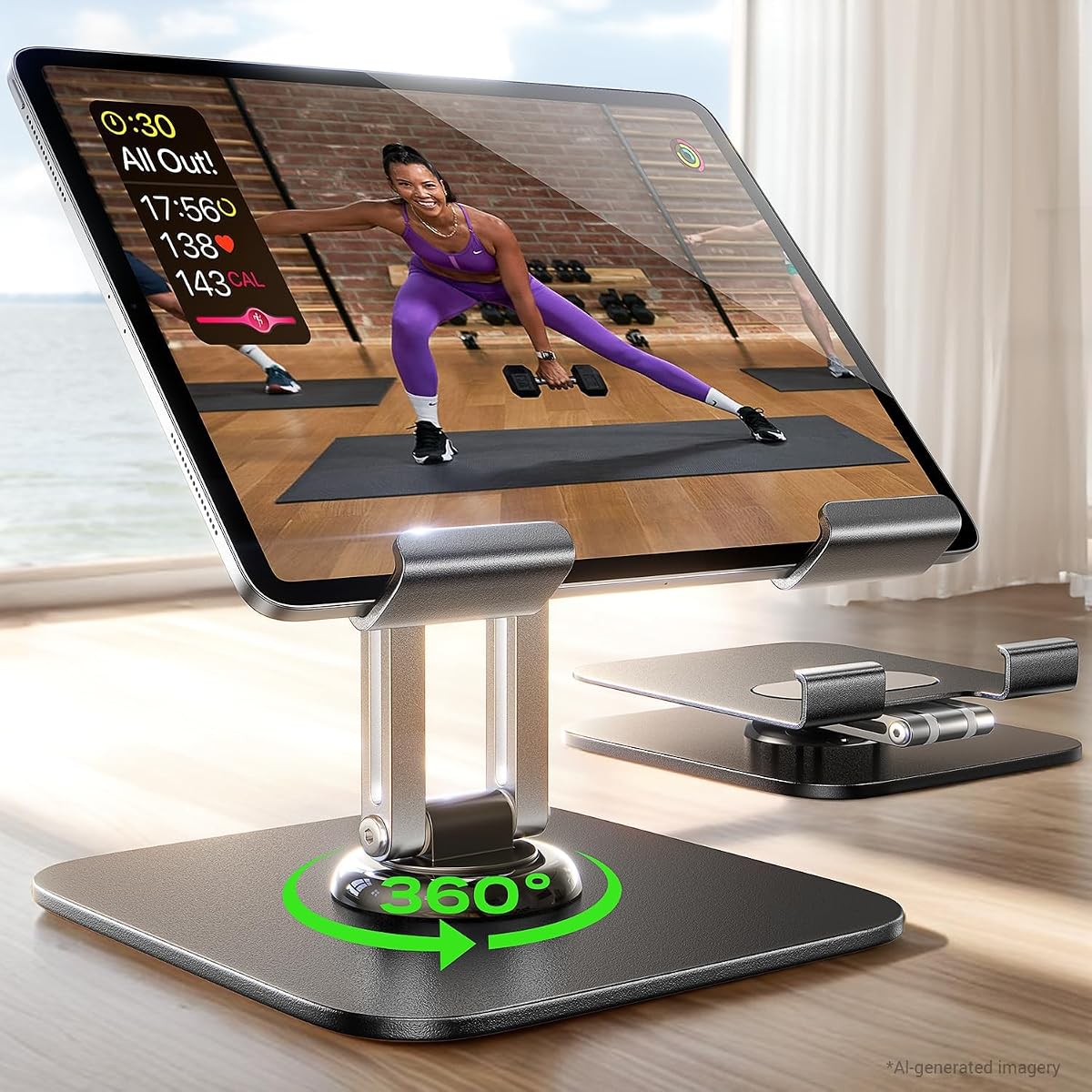
The Lamicall Adjustable iPad Stand for Desk offers an ultra-slim foldable design that makes it perfect for travel. We folds flat to just 0.59 inch thick allowing it to slip easily into backpacks or laptop bags. Despite its slim profile it uses high-strength alloy to maintain durability and support for various devices.
We may earn a commission when you buy through this link, at no additional cost to you.
One of its standout features is the 360 degree rotating base which allows effortless screen sharing without moving the tablet. The two adjustable hinges let you customize tilt and height for video calls or drawing tasks. An included wrench allows you to set hinge tightness to match your device preferences ensuring stable support.
Users should note that unfolding it for the first time requires a bit of firm force due to tight hinges. While this adds to stability it may be inconvenient for some. However the ability to adjust tightness over time helps compensate for any looseness that might develop with regular use.
This stand is ideal for travelers commuters and remote workers who need a compact yet reliable solution. It supports devices from 4.7 to 13 inches including those with cases. We recommend it as the best budget option that does not compromise on essential features like rotation and adjustability.
Folding flat to less than 0.6 inches makes it easy to carry anywhere without adding bulk to your bag.
The 360 degree rotation allows you to share your screen with colleagues or clients seamlessly.
We may earn a commission when you buy through this link, at no additional cost to you.
The tounee Tablet Holder Stand is engineered to support a wide range of devices up to 16.9 inches including portable monitors. Its all-metal alloy base ensures stability and long-lasting use without wobbling. The innovative locking mechanism allows you to adjust height and angle securely for custom viewing experiences.
We may earn a commission when you buy through this link, at no additional cost to you.
Non-slip silicone pads on both the base and holder prevent accidental slips and protect your desktop from scratches. The stand folds flat for easy storage making it compact enough for travel bags. This combination of sturdiness and portability makes it suitable for professionals who travel frequently.
While it handles large devices well it is not designed for laptops which have different weight distributions. Some users might find the height adjustment range exceeds standard desk needs. However for multitasking reading or watching videos hands-free it offers excellent flexibility and secure positioning.
This stand is perfect for users with larger tablets or portable monitors who need reliable support. It works well for reading drawing and video conferencing. We recommend it for those needing extra size compatibility without sacrificing build quality and convenience.
Supporting devices up to 16.9 inches makes it versatile for tablets portable monitors and various e-readers.
The locking mechanism and anti-slip pads ensure your device stays in place during vigorous use.
We may earn a commission when you buy through this link, at no additional cost to you.
The LISEN iPad Stand Tablet Holder uses a gravity-based system to keep your tablet secure without clips or magnets. It features a bridge screw adjustment truss rod that helps maintain stability over time even after months of use. The foldable design allows it to fold into a pocket size for easy travel.
We may earn a commission when you buy through this link, at no additional cost to you.
Constructed from high-quality ABS plastic with a metal panel base it is both lightweight and durable. The anti-slip silicone bottom prevents sliding on smooth surfaces. This stand is compatible with a wide range of devices including iPads iPhones and Kindles making it a versatile choice.
While effective for most cases it does not support heavy-duty cases due to width limitations. Also phones are only supported in landscape mode which may limit use for some. These constraints are minor considering the overall portability and ease of use it offers for daily tasks.
Remote workers and travelers will appreciate its compact size and reliable hold. It is ideal for video conferencing watching videos and reading. We recommend it for those who need a portable stand that balances stability with easy storage capabilities.
The bridge screw adjustment truss rod ensures the joints remain tight and secure over extended periods of use.
Folding into a pocket size makes it easy to carry in any bag without adding bulk.
We may earn a commission when you buy through this link, at no additional cost to you.
The AboveTEK Retail Kiosk iPad Stand is designed for professional settings where flexibility and durability are crucial. Its 360 degree rotatable base and folding arm offer unparalleled adjustment for typing or showcasing. The weighted base and hard folding arm provide a sturdy structure to withstand weights of large tablets and heavy operation.
We may earn a commission when you buy through this link, at no additional cost to you.
This model is business-oriented with features like a dedicated space for power cord charging and easy attach and detach holders. The quick attach/detach holder with a simple push of a button creates no hassle for easy storage. It fits tablets from 6 to 13 inches making it suitable for various commercial uses.
However the clips require cases less than 0.5 inch thickness which might limit use with thicker covers. The higher price point reflects its commercial grade build which may not be necessary for home users. These limitations are acceptable for businesses needing reliable POS or reception solutions.
Retailers offices and restaurants will benefit from its ability to interact with customers confidently. It allows you to type press view and swivel with great stability. We recommend it for professional environments requiring robust frequent-use tablet docking capabilities.
Built to withstand frequent operation and heavy use in busy retail or office environments.
Dedicated space for power cord charging keeps your workspace organized and clutter-free.
We may earn a commission when you buy through this link, at no additional cost to you.
The Urmust Tablet Stand for Desk is built with aircraft-grade aluminum alloy to ensure incredible stability. It features a fully adjustable height and angle allowing you to match your posture and reduce neck strain. The integrated cable clips help keep your workspace organized and clutter-free during use.
We may earn a commission when you buy through this link, at no additional cost to you.
A 360 rotation feature lets you adjust your tablet for optimal viewing in any setting from office to kitchen. It supports devices from 4.7 to 15.6 inches securely and can handle up to 2.42 lbs. The anti-slip base keeps your device steady on flat stable surfaces.
Users should note it is designed for tabletop use only and tightening requires the included wrench. Avoid using it on headboards to prevent wobbling. These restrictions ensure safety and performance but may limit flexibility for some bed setups.
Anyone needing a reliable adjustable stand for various devices will find this model effective. It works well for movies gaming and recipes. We recommend it for users prioritizing stability and customization in a home or office setting.
Fully adjustable height and angle allow you to personalize your viewing experience and reduce strain.
Integrated cable clips help maintain a tidy workspace by keeping cords organized and accessible.
We may earn a commission when you buy through this link, at no additional cost to you.
The LISEN for iPad Stand Holder offers a 360 degree smooth rotation allowing you to adjust your view to perfection. Its heavier and wider base ensures stability without falling even with vigorous shaking of the desktop. The innovative adjustment locking mechanism keeps your tablet securely in place at any angle.
We may earn a commission when you buy through this link, at no additional cost to you.
Constructed from all-metal aluminum alloy it includes soft silicone non-slip pads to protect your desktop. The bridge screw adjustment truss rod helps maintain stability over months of use. It fits devices from 4.7 to 12.9 inches making it compatible with most iPad and tablet sizes.
While it is robust for phones it supports landscape mode only which might limit portrait use. The weight provides stability but may be less portable than lighter options. These trade-offs are acceptable given the enhanced sturdiness and premium build quality.
Users wanting a secure and premium feel for their desk setup will appreciate this model. It works well for video conferences and online education. We recommend it for those who prioritize durability and smooth rotation features in a stand.
All-metal construction with military-grade material certification ensures long-lasting durability and reliability.
The heavier and wider base with weighted design prevents tipping during active interaction.
We may earn a commission when you buy through this link, at no additional cost to you.
The UGREEN Tablet Stand Holder is exceptionally compact with a size of 4.7 by 4.2 inches. Its foldable design allows it to slip into your pocket for travel easily. With multiple viewing angles from 15 to 100 degrees you can find a comfortable position for videos reading or calls.
We may earn a commission when you buy through this link, at no additional cost to you.
Made from premium ABS material it offers durability in usage. Silicone pads on the bottom protect your phone or tablet from sliding and scratches. It is compatible with a wide range of devices from 4 to 11 inches including various iPhone and iPad models.
While it is great for travel it is limited to smaller tablets which may not suit all users. The fixed angles are less flexible than adjustable hinge stands but are sufficient for most needs. These constraints make it ideal for portability rather than complex home office setups.
Commuters and travelers will find this stand convenient for quick viewing tasks. It is perfect for watching videos or taking calls on the go. We recommend it for those needing a lightweight and pocketable option for daily use.
Folding into a tiny 4.7 by 4.2 inch size makes it easy to slip into pockets or bags.
Choosing from multiple viewing angles ensures you find a comfortable position for any activity.
We may earn a commission when you buy through this link, at no additional cost to you.
The COOPER TabStand 20 Inch Tall iPad Stand reaches perfect eye level for dual monitors and video calls. It is crafted from aircraft-grade aluminum and supports up to 4.4 lbs including heavier portable monitors. The weighted anti-slip base ensures stability on any desktop surface.
We may earn a commission when you buy through this link, at no additional cost to you.
This stand offers a 360 degree rotation to switch from portrait to landscape in seconds. It comes in frustration-free zero-plastic eco packaging and assembles in just 30 seconds. The reinforced silicone-padded clamp keeps your device secure and protects it from damage.
While its premium features are excellent the higher price might not suit budget-conscious buyers. Its tall height may not fit all desk configurations. However for professionals needing ergonomics and heavy-duty support these costs are justified.
Traders designers and healthcare workers will benefit from its ergonomic benefits. It is ideal for face-level video calls and dual-screen setups. We recommend it as the best premium option for those prioritizing height and build quality.
Raising the screen to 20 inches eliminates neck pain by achieving perfect eye level for long sessions.
The zero-plastic eco packaging reflects a commitment to sustainability and reduces environmental impact.
We may earn a commission when you buy through this link, at no additional cost to you.
Selecting the right stand involves evaluating build quality adjustability and compatibility with your specific device and workspace.
Look for stands made from aircraft-grade aluminum alloy or high-strength steel which offer better stability and longevity than plastic. A weighted base prevents tipping during vigorous use ensuring your device stays secure.
Prioritize metal or reinforced bases for daily use to ensure the stand does not wobble or tip over easily.
Choose a stand that offers multiple angles for height and tilt to suit your ergonomic needs. Some models allow full 360 degree rotation which is useful for presentations or sharing screens.
Ensure the stand has locking mechanisms or friction joints to hold your chosen angle firmly in place.
Check the maximum and minimum dimensions supported by the stand to ensure it fits your specific iPad or tablet model. Consider case thickness limits if you plan to use the stand without removing your protective cover.
Verify that the stand accommodates devices with cases if you prefer not to remove them before use.
If you travel frequently opt for foldable designs that are lightweight and compact enough to fit in a bag. Heavier stands with large bases offer better stability but are less suitable for on-the-go use.
Balance weight and foldability based on whether the stand will stay on a desk or travel with you.
Stands with silicone pads on the base and holding clamps protect your device from scratches and prevent sliding. These features are essential for stability especially when interacting with the screen frequently.
Look for textured or padded contact points to ensure your tablet remains secure during use.
Consider stands that elevate your screen to eye level to reduce neck strain and promote better posture during long sessions. Features like telescoping ranges help align the display with your natural viewing height.
Prioritize designs that reduce physical fatigue during extended video calls or reading activities.
Quick assembly or tool-free installation saves time and ensures you can start using the stand immediately. Some models come with included wrenches or bridge screws for precise adjustments.
Ensure the setup process is simple and requires minimal effort for regular use.
Compare features relative to the price to ensure you are getting a product that meets your specific requirements. Reputable brands often provide customer service and warranties for peace of mind.
Invest in a reliable stand that offers good longevity rather than the cheapest option available.
Place the stand on a flat stable surface and adjust its angle and height to match your viewing preference. Ensure the base is fully in contact with the desk to maximize stability and prevent tipping.
Clean the stand regularly with a soft dry cloth to remove dust and debris from its surface and contact points. Avoid using harsh chemicals that might damage the coating or padding materials over time.
Check all hinges and locking mechanisms occasionally to ensure they are secure and functioning correctly. If your stand includes screws or bridges tighten them as needed to maintain stability during use.
The Lamicall Adjustable iPad Stand for Desk is highly recommended for travel due to its ultra-slim foldable design and lightweight build. It folds flat to less than 0.6 inches thick making it easy to fit in a backpack or carry-on.
Most stands support cases up to a certain thickness ranging from 0.5 to 0.75 inches. Check the compatibility details of the specific model to ensure it fits your device with its case securely.
Ensure the stand has a weighted base and rubber or silicone pads for grip. Tighten any adjustable joints or screws properly and place the stand on a flat stable surface to maximize stability.
Rotating stands offer greater flexibility for sharing screens or switching between portrait and landscape modes. They are ideal for collaborative environments but fixed stands may suffice for single-user stationary setups.
Metal stands are generally more durable stable and resistant to wear than plastic models. They offer better weight distribution and longevity making them preferable for daily heavy use in office settings.
Yes many iPad stands are compatible with iPhones within the specified width and thickness range. Ensure the model supports phone dimensions and features like landscape-only modes for best results.
We have reviewed ten top-rated stands ranging from budget-friendly portable options to premium heavy-duty models. Each product offers unique strengths such as rotation adjustability or sturdy construction to suit different needs.
Prioritize stability and ergonomic design to protect your posture and device during long periods of use. Consider your workspace size and travel habits when deciding between foldable lightweight stands and larger fixed models.
Remember to check current availability and stock levels before purchasing your preferred stand to ensure you get the best deal. With the right accessory you can elevate your workspace and enjoy a more comfortable viewing experience.