
UGREEN Ethernet Coupler 10Gbps
4.7Editor score
10Gbps support
PoE compatible
328ft extension
Compare top Ethernet Line Extender options for home and business networks. We review powerline adapters, VDSL extenders, and cable solutions to find the best
Ethernet Line Extender devices help you connect your network to rooms where cables cannot reach easily. These tools use existing wiring or specialized kits to bridge gaps across large homes or office spaces without drilling holes or running new lines.
We evaluated ten real products based on speed, distance capabilities, ease of setup, and reliability. Our analysis includes powerline adapters that use electrical wiring, VDSL kits for twisted pairs, and couplers for direct cable joining to help you choose wisely.
Each pick shows key specs, pros, and cons so you can match the device to your needs. Prices change frequently online so check current listings before buying. We focus on performance and compatibility to ensure stable connections for streaming gaming and work.
4.7Editor score

4.2Editor score

4.8Editor score
This side by side comparison highlights the core strengths of each extender type. Powerline kits use outlets while VDSL units extend over copper phone wires. Couplers simply join cables for longer runs without active electronics.



This TP-Link kit delivers reliable network extension using existing electrical wiring. It earns a solid rating for homes needing wired connections without new cabling. The kit supports AV1000 speeds for smooth streaming and gaming.
We may earn a commission when you buy through this link, at no additional cost to you.
The HomePlug AV2 technology ensures stable data transfer across rooms. It comes with Gigabit ports for modern devices like PCs and consoles. The Nano size keeps outlets free for other plugs while you extend your network.
Performance depends on your home wiring quality and circuit consistency. Avoid using power strips which block signals. AFCI breakers in newer homes may reduce speed or block connectivity entirely in some cases.
Choose this if you want quick wired access in hard to reach rooms. It suits most households seeking reliable speeds without expensive cabling work.
No software installation needed. Just connect both adapters to outlets on the same circuit and press the pair button to secure the connection.
The compact form factor ensures your other wall outlets remain accessible for lamps or chargers while maintaining the powerline link.
We may earn a commission when you buy through this link, at no additional cost to you.
The NETGEAR PLP2000 offers top tier powerline performance for bandwidth heavy tasks. Its high speed rating supports 4K streaming and lag free gaming. It uses HomePlug AV2 standards for consistent connectivity.
We may earn a commission when you buy through this link, at no additional cost to you.
MIMO with Beamforming helps direct signals better through complex wiring. The extra outlet allows you to plug in other devices without losing power. Setup requires no configuration or driver installation.
Like most powerline units it needs direct wall outlet access. Avoid surge protectors which can interfere. Speeds vary by distance and circuit noise but it remains a strong choice for high demand uses.
Pick this for premium powerline speeds when wiring limits your options. It works well for gamers or streamers needing reliable throughput.
Built in pass through lets you keep your outlet usable for other devices while the adapter works in the background.
Multiple data streams help strengthen signal quality so your connection remains stable even with electrical noise nearby.
We may earn a commission when you buy through this link, at no additional cost to you.
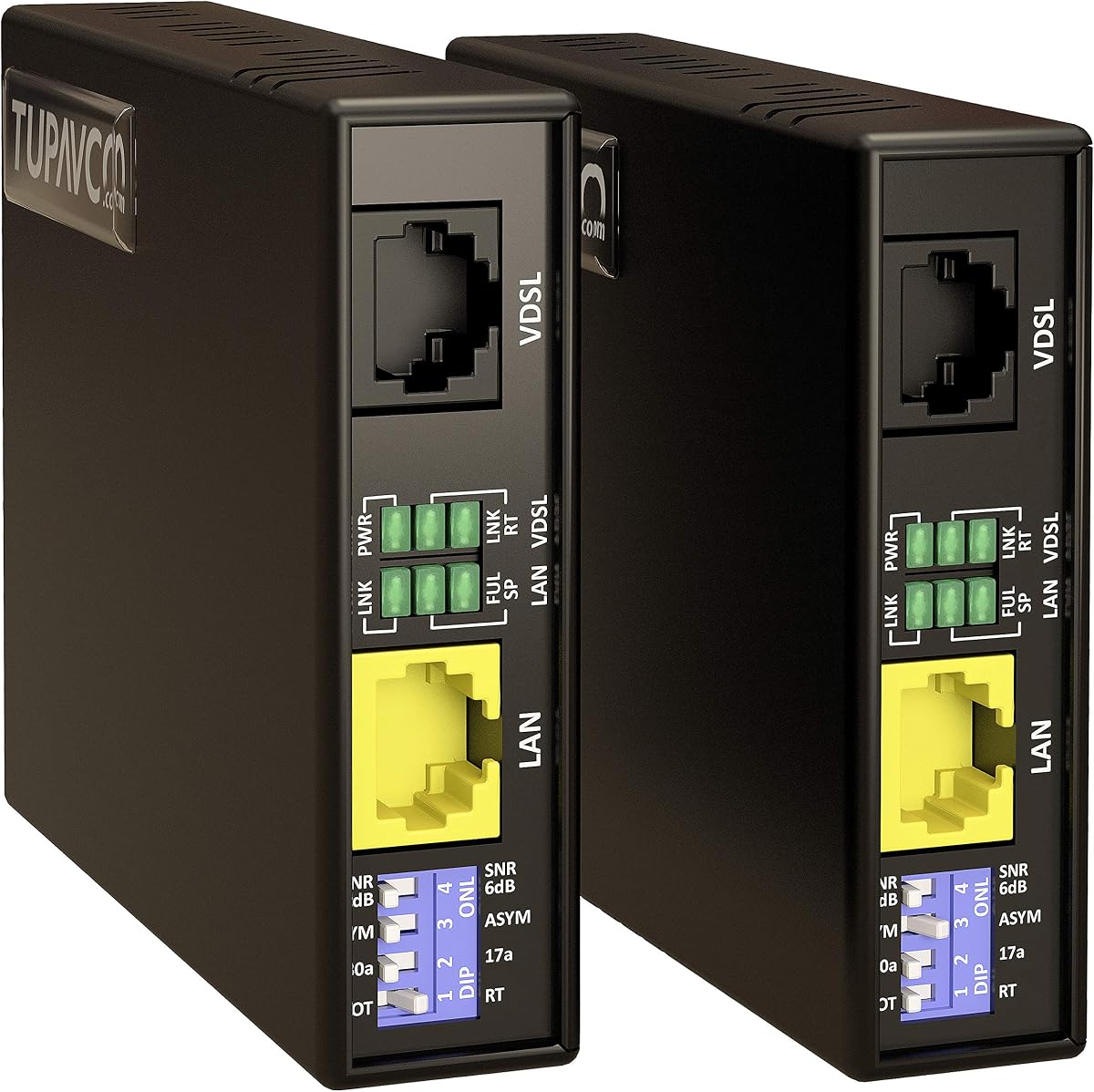
This VDSL kit extends Ethernet range far beyond standard cable limits. It reaches up to 7000 feet using twisted copper or phone lines. Ideal for barns garages or remote outdoor points.
We may earn a commission when you buy through this link, at no additional cost to you.
It uses existing twisted pair or phone wiring to pass signals. The kit comes ready to use with presets for central and remote units. No software is needed to establish the link.
Cable quality affects actual performance and distance limits. You need two units to complete the connection which raises cost slightly. Still it solves tough distance issues powerline can not.
Choose this for remote network access where cabling is impractical. It ensures stable connections for cameras or remote computers.
Leverage phone or twisted pair wires already in place to run network signals to distant locations without new infrastructure.
The bridge technology regenerates the signal so it stays reliable across long runs without data loss or dropouts.
We may earn a commission when you buy through this link, at no additional cost to you.
StarTech delivers a premium Ethernet extender with robust construction. It reaches half a mile over copper wires. TAA compliance makes it ideal for government or secure projects.
We may earn a commission when you buy through this link, at no additional cost to you.
It supports standard Ethernet protocols with VLAN pass through. DIP switches allow configuration for remote or master mode. LEDs show power and link status for easy monitoring.
Speed caps at 100Mbps which may limit fast internet use. But for surveillance or remote control it is more than enough. The range and reliability justify the cost for pro users.
Select this for mission critical or long distance applications. Its quality ensures minimal downtime in network infrastructure.
Meets Trade Agreements Act rules so you can use it in government projects requiring compliant hardware sources.
Visual indicators make it simple to verify power link and speed status without needing a software tool.
We may earn a commission when you buy through this link, at no additional cost to you.
This budget friendly kit offers basic powerline extension for light use. AV600 speeds suit browsing and HD streaming. It connects with existing outlets for simple wired access.
We may earn a commission when you buy through this link, at no additional cost to you.
The 100 Mbps port works well for standard internet plans. Power saving mode reduces energy when idle. Setup is fast with no configuration steps needed.
Gigabit speeds are not supported so high bandwidth apps may lag. Still it is perfect for devices needing reliable but modest connections. The small size fits most outlets well.
Buy this if you need affordable extension for basic tasks. It works for IoT devices or older PCs needing a stable link.
The device automatically lowers power draw when not in use saving energy without impacting network readiness.
Its small footprint keeps your outlets free while still providing the necessary wired connection link.
We may earn a commission when you buy through this link, at no additional cost to you.
This kit combines powerline wired connection with Wi-Fi 6 extension. It brings fast wireless and wired options to one unit. Ideal for whole home coverage where walls block standard signals.
We may earn a commission when you buy through this link, at no additional cost to you.
Wi-Fi 6 supports many devices at once with high speeds. The powerline part ensures a stable backhaul. You can clone your router settings quickly with one click.
It works best when adapters sit on the same circuit. If walls are too thick performance may drop. Still the hybrid nature makes it versatile for various layouts.
Choose this for homes needing both wired backhaul and extended Wi-Fi. It simplifies setup while keeping modern speed standards.
Dual-band Wi-Fi 6 ensures smooth streaming and gaming even when many devices connect at once.
Connect with other EasyMesh routers to create a seamless network that covers every room automatically.
We may earn a commission when you buy through this link, at no additional cost to you.
This AV1000 model adds Wi-Fi extension with powerline reliability. The passthrough outlet saves a plug socket. It supports AC1200 speeds for everyday online activities.
We may earn a commission when you buy through this link, at no additional cost to you.
Gigabit port connects consoles or PCs directly. Clone your router SSID to keep one network name. Mesh compatibility helps extend coverage further across multiple devices.
Wi-Fi 5 may limit speeds compared to newer standards. The kit needs direct outlet access and same circuit for best results. Still it is great for basic wireless and wired needs.
Pick this for balanced wired and wireless range. It works well for households needing more signal without full mesh systems.
Keep using your wall socket for other devices while the adapter handles network tasks in the background.
Instantly match your router SSID so all devices switch networks seamlessly without new password entries.
We may earn a commission when you buy through this link, at no additional cost to you.
This coupler joins Ethernet cables to reach further without active electronics. It supports 10Gbps so high speed networks stay intact. Ideal for simple cable extensions in offices or homes.
We may earn a commission when you buy through this link, at no additional cost to you.
PoE support lets it pass power to cameras without extra adapters. The design is compact and fits most Cat5 to Cat8 cables. No setup or power adapter is required.
It does not boost signals so distance is limited to 328 feet total. For longer runs active extenders are better. But for joining two cables it is fast and cheap.
Choose this for short distance cable joins needing PoE or high speed. It is a simple fix for missing cable length.
Power over Ethernet passes through so cameras get power from the same link without needing a local outlet.
Works with all standard Ethernet cable types so you do not need to match exact models.
We may earn a commission when you buy through this link, at no additional cost to you.
This kit extends network over any two conductors. It works with twisted pair or coax lines. Active regeneration helps maintain link up to 600 meters.
We may earn a commission when you buy through this link, at no additional cost to you.
Transparent data flow ensures VLAN tags pass through. Power comes from external adapters which are included. No config is needed just plug in power and connect wires.
Rate drops with distance but the link remains up. This active unit outperforms passive couplers for longer runs. Ideal for security systems or remote sensors.
Pick this when standard Ethernet cable cannot run. It brings network signals to remote points using spare wires.
Each unit receives regenerates and retransmits the signal so distance does not weaken the connection.
Data passes unaltered so VLANs DHCP and camera streams work without needing custom settings.
We may earn a commission when you buy through this link, at no additional cost to you.
This VDSL kit offers fast speeds over existing phone or network cables. It reaches 5000 feet with 300Mbps throughput. Useful for extending network across large properties.
We may earn a commission when you buy through this link, at no additional cost to you.
G.INP reduces noise sensitivity to keep speeds steady. DIP switches offer eight profiles for different setups. LED indicators help monitor status without extra tools.
Setup requires no software but needs both ends powered. The two unit requirement adds to cost. Yet it is a strong option for long runs needing higher bandwidth.
Select this for large homes or buildings needing distance and speed. It balances performance and ease of use well.
The G.INP protocol makes the signal more resilient to noise so you keep consistent performance.
Switch DIP settings to match your distance and cable type for the best connection stability.
We may earn a commission when you buy through this link, at no additional cost to you.
Selecting the right extender depends on your distance needs wiring type and speed goals. Understanding each technology helps you avoid compatibility issues and wasted money.
Most Ethernet cables max out at 328 feet. If your room is farther choose active extenders like VDSL kits or powerline. Powerline works inside homes. VDSL covers outside long runs.
Check the max range for your model. Active units regenerate signals while passive couplers do not. Longer runs need active units.
Powerline uses electrical outlets. VDSL uses phone or twisted pair. Passive couplers join Ethernet cables. Coax extenders use RG6 lines. Match your available wiring to the kit.
If you lack Ethernet runs use powerline or VDSL. If you have long wires but short Ethernet use extenders.
Gigabit ports suit fast internet and gaming. 100 Mbps works for standard browsing. AV1000 VDSL300 offer good balance. Avoid 100 Mbps models if you stream 4K.
Confirm port speed matches your internet plan. Even great extenders cap at lower port speeds.
Powerline uses wall outlets. Active VDSL units need power adapters. Passive couplers need no power. Ensure you have power at both ends.
In remote sheds use mains powered models. For simple joins pick passive couplers.
Powerline must share same circuit. VDSL needs paired units. Wi-Fi extenders need compatible routers. Check for Mesh support if needed.
Match brands for best pairing. Most kits require identical devices.
Old or noisy wiring reduces powerline speeds. VDSL works best on twisted pair. Check wire gauge for range.
Avoid AFCI breakers if possible. They may block signals.
Plug and Pair models need no tools. VDSL kits need wiring connections. Passive couplers join cables quickly.
Choose plug and play for speed. Active units suit tech savvy users.
Passive couplers cost least. Powerline kits are mid range. Long range VDSL kits cost more. Match price to need.
Avoid overspending on high speed if 100 Mbps suffices.
Install powerline adapters directly into wall outlets on the same circuit. Avoid power strips as they block signals. Press pair buttons to secure the link. Wait for LEDs to show stable connection.
For VDSL kits connect one unit to router and another to remote device. Use existing phone wires between them. Ensure both units receive power. Check LEDs for link status before adding devices.
Keep adapters away from large appliances to reduce noise. Update firmware via vendor tools if available. Clean with a dry cloth. Do not expose to moisture. Check cables regularly for wear.
Powerline models work best on the same electrical circuit. If rooms share a circuit they connect well. If separated by main panels speed may drop. Active VDSL extenders work across rooms without circuit limits as long as wiring runs.
No power strips filter signals and block powerline connectivity. Always plug directly into wall outlets. Surge protectors also interfere. This rule ensures stable speeds and avoids connection drops.
Passive couplers will fail to transmit. Active extenders may reduce speed but keep link up. Signal loss increases with distance. Use higher grade cables to improve range within limits.
Most do not unless specified. Powerline kits with Wi-Fi units combine both. Check model specs. Standard powerline and VDSL units offer wired only access for stable links.
Plug one unit to router and other to remote device. Run existing phone or twisted pair wire between them. Power both units. LEDs indicate link. No software is needed to start.
Yes many support PoE so cameras get power and data. VDSL extenders work well for remote cameras. Use PoE compatible models for best results. Ensure power adapters supply needed wattage.
Mixing is possible but not ideal. Same brands pair more reliably. Use HomePlug AV2 for best cross brand support. For stability use matched kits when possible.
The TP-Link AV1000 offers best overall powerline balance. The UGREEN Coupler fits tight budgets. StarTech leads for long industrial range. Match your home wiring to each type for best results.
Prioritize distance needs first then speed. Powerline suits standard homes. VDSL covers long remote runs. Passive couplers work for short joins. Avoid overspending if 100 Mbps works.
Prices change often online. Check current listings for best deals. Ensure adapters match before buying. Read wiring warnings carefully. With the right extender every room can stay connected.