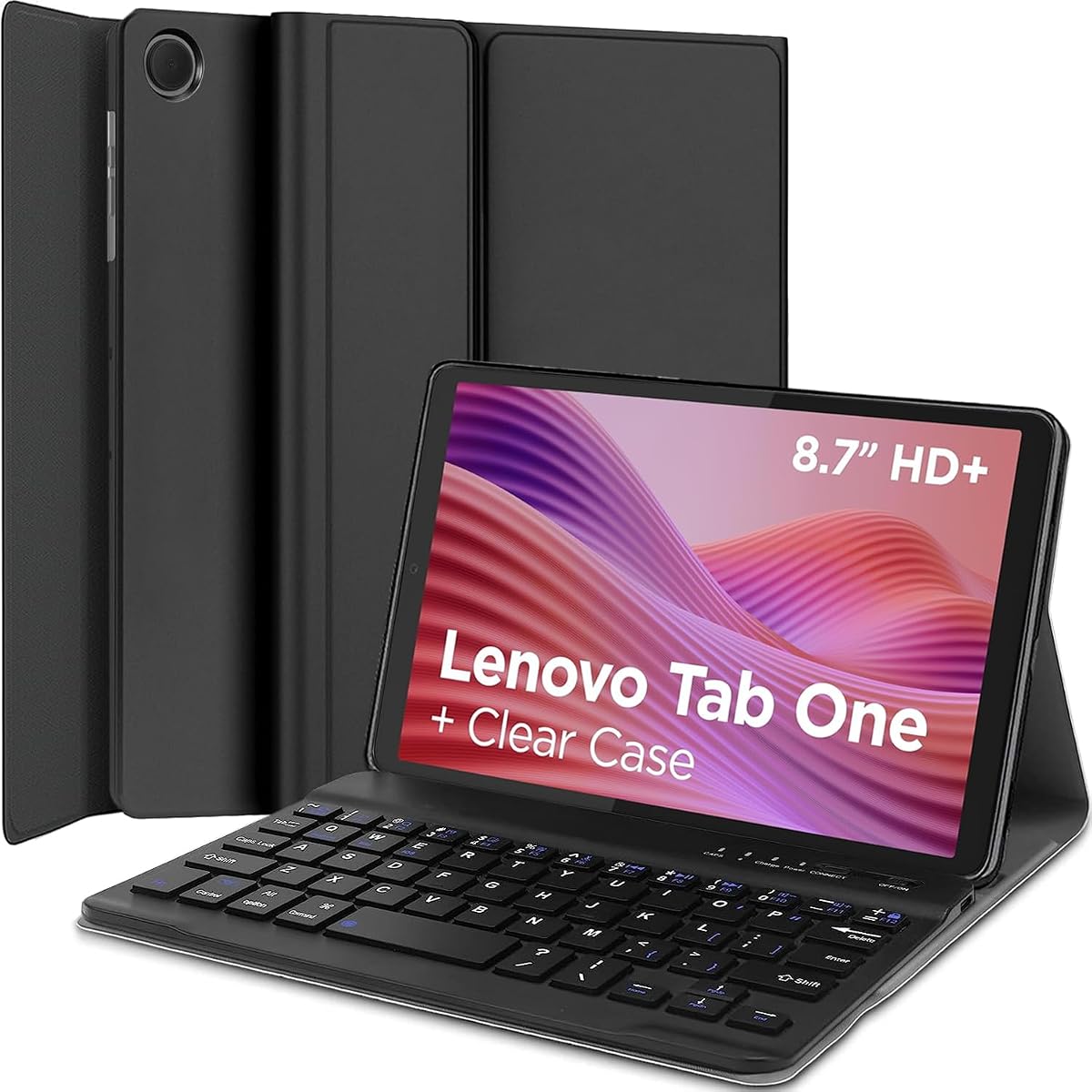
Case with Keyboard for Lenovo Tab One 8.7 Inch 2025 Tablet
5.0Editor score
Magnetically detachable
Long battery life
Laptop style typing
Finding the right keyboard for your tablet can transform your device into a powerful workstation. A good keyboard offers tactile feedback, durability, and seamless connectivity to boost your daily efficiency.
We evaluated ten top-rated options based on compatibility, build quality, battery life, and user feedback. Our analysis ensures you get a reliable tool tailored specifically for your Lenovo Tab One experience.
Each pick highlights unique features and potential trade-offs to guide your decision. Remember that prices and availability change frequently, so verify current details before making your final purchase decision.
5.0Editor score

4.8Editor score

4.3Editor score
As an Amazon Associate we earn from qualifying purchases.
The following table provides a side-by-side comparison of all ten products to help you quickly identify key specifications and features for your specific needs.


This keyboard case transforms your Lenovo Tab One into a powerful productivity tool. With a 4.8 rating, it stands out for its comprehensive feature set and robust construction.
We may earn a commission when you buy through this link, at no additional cost to you.
The seven-color backlight system allows you to customize your typing environment to match your mood or lighting conditions. The magnetic detachment mechanism ensures quick transitions between tablet and laptop modes.
While the build quality is excellent, the added weight might be noticeable during extended handheld use. However, this is a minor trade-off for the stability and protection it provides.
If you need a reliable typing solution that offers versatility and protection, this keyboard case is a top recommendation for your Lenovo Tab One.
The ergonomic design ensures comfort during long typing sessions.
Switch effortlessly between typing and media consumption modes.
We may earn a commission when you buy through this link, at no additional cost to you.
Budget buyers will find this option highly appealing due to its perfect fit and solid performance. It offers a 5.0 rating indicating strong user satisfaction and reliable functionality.
We may earn a commission when you buy through this link, at no additional cost to you.
The keyboard features a laptop-style design with ABS material keys that provide tactile feedback superior to touchscreens. The detachable magnet ensures stability during typing while allowing easy removal for media viewing.
Although it lacks backlighting, this trade-off contributes to its longer battery life of up to 100 hours. This makes it ideal for users who prioritize longevity over aesthetic lighting.
For those seeking a cost-effective solution with premium protection and typing comfort, this keyboard case delivers exceptional value.
The wood grain TPU exterior provides a premium look and feel.
The long battery life supports uninterrupted work sessions without frequent charging.
We may earn a commission when you buy through this link, at no additional cost to you.
This premium pack offers a full laptop experience with a dedicated trackpad and seamless pogo pin connection. While it is designed for Idea Tab Pro, its quality sets a high standard.
We may earn a commission when you buy through this link, at no additional cost to you.
The spacious trackpad supports intuitive gestures for navigation and multitasking, enhancing productivity significantly. The adjustable kickstand allows for hands-free viewing at various angles from 0 to 165 degrees.
Note that this product does not fit the Tab One, but it represents the peak of keyboard accessory design for compatible devices. The ergonomic keys ensure precise typing with minimal fatigue.
Investing in this pack is ideal for power users who need a complete typing and navigation solution without compromises.
Pogo pin connectors enable instant data transfer without pairing or charging.
Dedicated hotkeys streamline tasks like screen locking and screenshot capture.
We may earn a commission when you buy through this link, at no additional cost to you.
This standalone keyboard is perfect for users who already have a protective case. It emphasizes portability and connectivity across multiple devices efficiently.
We may earn a commission when you buy through this link, at no additional cost to you.
With the ability to switch between three devices instantly, this keyboard facilitates seamless workflow between tablets, phones, and laptops. The slim design ensures it is easy to pack for travel.
The low travel distance of 1.3mm may feel shallow to some users accustomed to mechanical keyboards. However, the quiet operation and responsive keys are ideal for professional environments.
Choose this option if you prioritize multi-device compatibility and portability over integrated protection features.
Effortless switching keeps your productivity flowing between different platforms.
The lightweight build makes it a perfect companion for on-the-go professionals.
We may earn a commission when you buy through this link, at no additional cost to you.
This keyboard case offers a comprehensive solution with an included screen protector for added safety. It is designed for the 11-inch Idea Tab but shares similar features with other models.
We may earn a commission when you buy through this link, at no additional cost to you.
The seven-color backlight system enhances typing in low light while the PU leather provides durable protection against drops and scratches. The detachable keyboard allows for flexible viewing angles.
Users should verify model compatibility as it is exclusive to specific 11-inch variants. However, the value added by the screen protector makes it a strong contender for similar sizes.
Ideal for users seeking an all-in-one package that protects both the screen and the keyboard effectively.
The combination of a keyboard case and screen protector ensures total device safety.
The tempered glass protector maintains optical clarity without interfering with touch sensitivity.
We may earn a commission when you buy through this link, at no additional cost to you.
This case stands out with an integrated multi-touch trackpad, offering a true laptop experience directly on the device. However, lower ratings suggest potential user experience issues.
We may earn a commission when you buy through this link, at no additional cost to you.
The 3-zone backlight allows for unique visual customization. While the trackpad integrates well with Android gestures, some users may find the control layout challenging initially.
The battery life is robust, supporting long work sessions without frequent charging. Still, reliability concerns indicated by user feedback should be weighed before purchase.
Consider this option if you prioritize having a dedicated trackpad and backlight customization over immediate reliability.
The multi-touch trackpad simplifies navigation without needing a separate mouse.
3-Zone backlighting adds style to your workspace in any lighting condition.
We may earn a commission when you buy through this link, at no additional cost to you.
This keyboard case is designed for portability and convenience with its sleek pink finish. It offers standard magnetic detachment and secure hold for typing stability.
We may earn a commission when you buy through this link, at no additional cost to you.
The Type-C charging ensures compatibility with modern devices for quick power-ups. Its slim profile makes it easy to carry without adding bulk to your setup.
While specific performance data is limited, the focus on basic protection and portability makes it a viable option for casual users who value design aesthetics.
Opt for this if you want a stylish, no-fuss solution that keeps your device protected and functional.
The slim and lightweight build ensures you can take your workspace anywhere easily.
Premium PU leather is easy to clean with a damp cloth for lasting hygiene.
We may earn a commission when you buy through this link, at no additional cost to you.
This keyboard case distinguishes itself by including a wireless mouse and pen slot, offering a comprehensive accessory set. It is tailored for the 11-inch Idea Tab models.
We may earn a commission when you buy through this link, at no additional cost to you.
The wireless mouse provides precise control while the backlit keyboard enhances visibility. The multi-angle stand ensures comfortable viewing for watching videos or attending calls.
Users should note that this package adds some bulk to the device due to the included accessories. However, the convenience of having multiple tools in one case is significant.
Choose this if you want a complete package with mouse and pen storage without buying accessories separately.
The included wireless mouse offers precise control for detailed tasks and browsing.
A built-in pen slot ensures your stylus is always secure and accessible.
We may earn a commission when you buy through this link, at no additional cost to you.
BoxWave offers a dedicated Bluetooth keyboard designed for portability and comfort. It features an LED backlight that makes typing in dim environments significantly easier.
We may earn a commission when you buy through this link, at no additional cost to you.
The compact design ensures it fits easily into bags or pockets. Bluetooth 3.0 provides a stable connection though it is an older standard compared to modern options.
While it lacks an integrated case, this standalone keyboard offers flexibility if you already have a protective cover for your device. The power switch helps extend battery life effectively.
If you need a lightweight, standalone typing device with backlighting, this keyboard is a solid choice.
The lightweight build makes it easy to carry for travel or daily commuting.
LED backlighting improves accuracy and comfort in low-light environments.
We may earn a commission when you buy through this link, at no additional cost to you.
This SlimKeys keyboard focuses on slimness and responsive typing without backlighting. It features chiclet-style keys that offer a tactile feel similar to full-sized keyboards.
We may earn a commission when you buy through this link, at no additional cost to you.
The ultra-thin profile ensures minimal bulk in your bag while Bluetooth 3.0 ensures reliable connectivity. The energy-efficient design helps preserve battery life during idle periods.
Without backlighting, using this keyboard in dark environments might be challenging. However, the sleek design and responsive keys make it suitable for professional use.
Opt for this model if you prioritize a sleek and minimalist typing solution over aesthetic lighting.
Chiclet-style keys provide a comfortable and familiar typing experience on the go.
Fast pairing ensures you can start typing immediately without long wait times.
We may earn a commission when you buy through this link, at no additional cost to you.
Selecting the right keyboard requires considering several factors to ensure compatibility and usability with your device.
Always verify the model number of your tablet before purchasing. Many keyboards are designed for specific model codes such as TB305FU to ensure proper alignment and functionality.
Check the product description carefully to confirm it matches your exact device model to avoid compatibility issues.
Decide between Bluetooth and Pogo Pin connections based on your needs. Bluetooth offers flexibility while Pogo Pin ensures instant connection without pairing.
Choose the method that best suits your workflow and device capabilities.
Consider how long the keyboard lasts on a single charge. Options range from 60 hours to over 100 hours depending on usage and backlight features.
Longer battery life reduces the need for frequent recharging which is crucial for travelers.
Backlit keyboards are essential for typing in low-light conditions. Look for customizable colors and brightness levels to suit your environment.
Prioritize backlight if you frequently work in dim environments.
Materials like PU leather and ABS plastic contribute to durability. A sturdy case protects your tablet from drops and scratches.
Choose robust materials to ensure long-lasting protection for your investment.
If you travel often, prioritize lightweight and slim designs. Detachable keyboards add flexibility for carrying just the keyboard when needed.
Assess the weight and thickness before buying to ensure it fits your bag comfortably.
Some keyboards include a trackpad for easier navigation. This feature mimics a laptop experience but adds to the overall weight.
Decide if a trackpad is necessary based on your navigation preferences.
Prices vary significantly depending on features and brand. Balance cost with necessary features to find the best value for your budget.
Review customer feedback to ensure the price matches the reliability and performance offered.
First ensure the keyboard is fully charged before initial use. Follow the manufacturer instructions to pair the device via Bluetooth or attach it magnetically.
To clean the keyboard use a soft dry cloth to wipe away dust and debris. Avoid using liquids directly on the keys to prevent internal damage.
Store the keyboard in a cool dry place when not in use. Keep it away from direct sunlight or extreme temperatures to maintain battery health and material integrity.
Most keyboards listed are designed specifically for the Lenovo Tab One model codes. Always check your tablet model number before purchasing to ensure a perfect fit and functionality.
Most keyboards use USB-C or proprietary cables for charging. Follow the included instructions to connect to a power source and fully charge before first use.
Detachable keyboards allow you to use the typing component independently. Ensure you have a way to stand your tablet securely when using it without the case.
While some keyboards support multiple systems, compatibility depends on the connection type. Most are optimized for Lenovo Tab One models for full functionality.
Warranty terms vary by manufacturer and seller. Check the product details or contact the seller to confirm warranty coverage and return policies.
Most keyboards do not support individual key replacements. If a key fails contact the seller or manufacturer for support or replacement options.
Battery life ranges from 60 to over 100 hours depending on usage. Using backlight features may reduce overall battery life significantly.
These keyboards are optimized for productivity and typing. While basic gaming is possible, they may lack the specialized features required for high-performance gaming.
We reviewed ten top options to help you enhance your Lenovo Tab One experience with reliable typing solutions. Each model offers unique benefits tailored to different needs and budgets.
Prioritize compatibility and build quality to ensure long-term satisfaction with your purchase. Consider features like backlighting and battery life based on your daily usage patterns.
Always check current prices and availability before buying to get the best deal. With the right keyboard your tablet can transform into a powerful workstation for any task.