
K7 Cassette Player
4.2Editor score
Built-in microphone included
16GB SD card provided
Rechargeable battery support
This guide compares the top cassette to MP3 converters for preserving your analog music. Find the best portable player and digital transfer tool for your needs.
Cassette tapes hold precious memories and music that deserve preservation. Modern converters let you digitize these analog gems easily. Look for reliable playback, easy file storage, and clear audio quality.
We analyzed ten popular cassette to MP3 converters based on user feedback and features. Each device offers unique strengths like Bluetooth, SD card support, or USB connectivity. This list covers various budgets and usage scenarios.
Every pick highlights key specifications and real-world performance insights. You will see what makes each unit stand out. Keep in mind that availability and terms may shift over time.
4.2Editor score

4.5Editor score

4.3Editor score
The following table offers a quick side-by-side look at the top devices. Compare their main capabilities to decide which one fits your workflow best.

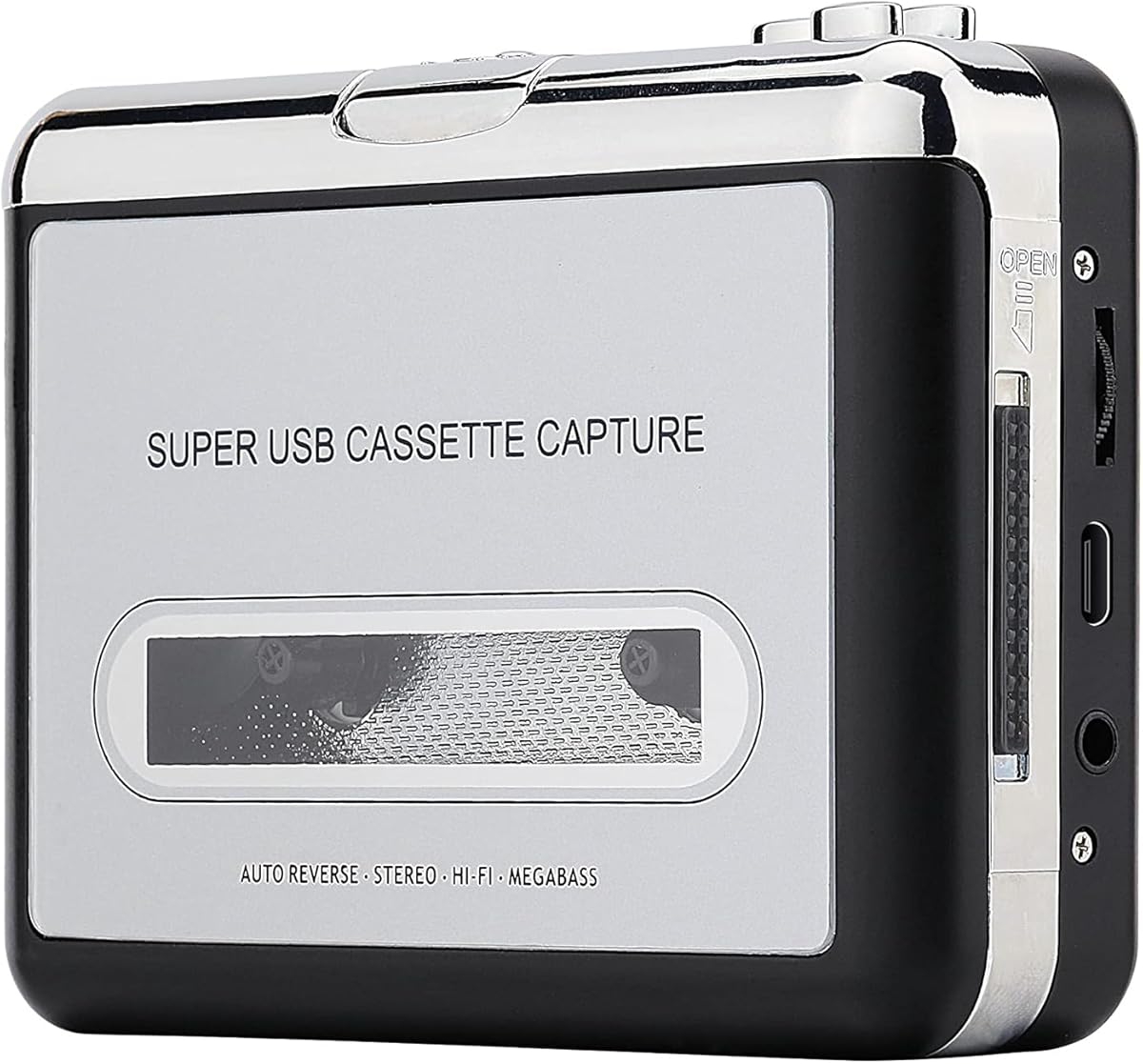
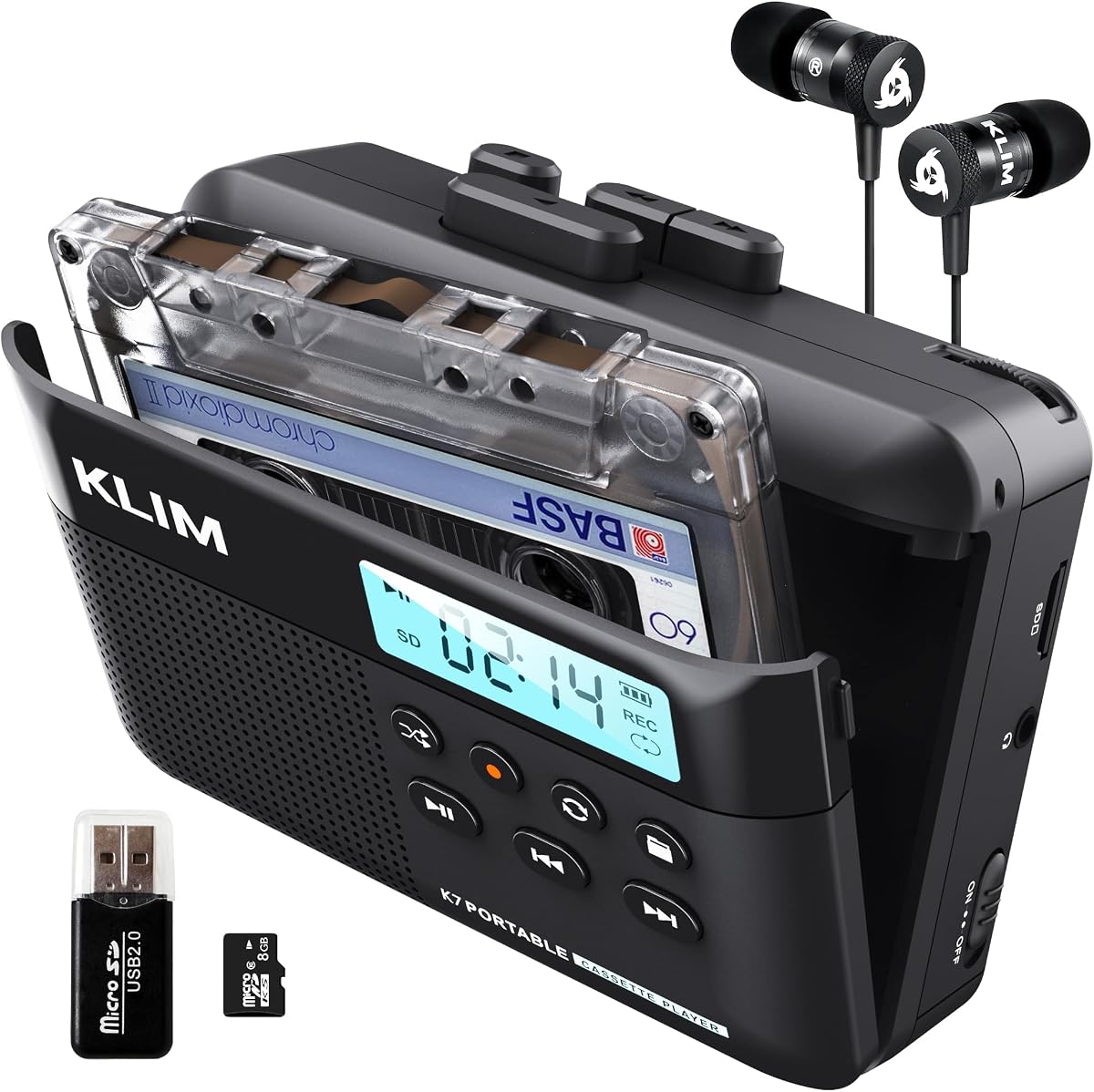


This K7 player offers a straightforward way to turn tapes into digital files. It has a solid rating and includes necessary accessories like an SD card. Users appreciate its simplicity and portability for home or travel use.
We may earn a commission when you buy through this link, at no additional cost to you.
The device allows you to record directly onto the SD card without needing a computer. This feature saves time and reduces setup complexity. The built-in microphone also lets you capture other audio beyond just tapes.
One limitation is the inability to record onto cassette tapes themselves. Additionally, the battery capacity is standard but not exceptional. These trade-offs are acceptable given the low cost and ease of use.
If you need a basic tool to preserve music without extra software, this is a strong choice. It suits casual users who want a quick solution. We recommend it for those seeking value and reliability.
You can follow the manual to save MP3s directly to the card. No extra hardware or software installation is required for this process.
The bundle includes earphones and a USB cable for charging. This ensures you have everything needed to start converting immediately.
We may earn a commission when you buy through this link, at no additional cost to you.
The SEMIER player stands out for its tiny footprint and dual functionality. It allows recording to tapes and converting them. The LCD screen helps manage settings easily without confusion.
We may earn a commission when you buy through this link, at no additional cost to you.
You can use a USB cable with Audacity or save to SD card directly. This flexibility appeals to users who want both analog recording and digital capture. The included software makes PC transfer straightforward.
Limitations include incompatibility with Type IV metal tapes and average audio fidelity. These factors might matter for audiophiles or collectors of rare formats. For standard tapes, it performs well enough.
Choose this if portability and dual recording modes are your top priorities. It fits well in small spaces and travel bags. It is a practical pick for versatile users.
Record thoughts to a tape or convert old songs to MP3. The device handles both tasks with decent ease for daily use.
Run it via USB-C or standard AA batteries. This ensures you can use it anywhere without searching for a wall outlet.
We may earn a commission when you buy through this link, at no additional cost to you.
ClearClick offers a streamlined solution for digitalizing tapes with high ratings. Its automatic track splitting saves manual effort significantly. The device works without computers or drivers for instant setup.
We may earn a commission when you buy through this link, at no additional cost to you.
Users save MP3s directly onto the included USB flash drive. This simplicity makes it ideal for non-tech-savvy users. The portable design doubles as a personal tape player too.
The main drawbacks are a higher price tag and reliance on USB storage. However, the convenience often outweighs these costs for many buyers. The quality of conversion is noted as high.
We recommend this for anyone prioritizing ease and reliability over cost. It removes technical barriers to preserving music effectively. It is a top choice for stress-free digitization.
The device cuts songs into individual files automatically. This saves you from manually editing audio tracks later on.
No installation or software is needed to convert tapes. Just insert the drive and start recording immediately.
We may earn a commission when you buy through this link, at no additional cost to you.
Reshow provides a budget-friendly way to transfer tapes to digital formats. It connects to computers via USB for file transfer. The silver finish gives it a clean look.
We may earn a commission when you buy through this link, at no additional cost to you.
Users can enjoy clear sound quality in a quiet room. The kit includes necessary software and guides. You can also use it as a regular portable player with headphones.
The need for software installation and lower user ratings are downsides. It might require more patience to set up. However, the price point makes it accessible for many.
This option suits those on a tight budget willing to learn a bit. It works well for standard transfers and casual listening. It is a functional choice for entry-level users.
Connect to laptops or PCs easily for conversion. The system supports standard inputs for flexible file management.
Use it as a regular tape player without conversion. The 3.5mm jack supports various headphones for private listening.
We may earn a commission when you buy through this link, at no additional cost to you.
The K7 player with an 8GB card balances cost and storage well. It has a strong rating and similar features to other models in the series. The battery ensures portable use away from outlets.
We may earn a commission when you buy through this link, at no additional cost to you.
You get a microphone for capturing notes or music directly. The device plays back from the card as well. It is lightweight and includes earphones for personal listening.
Storage may be limited if you have many tapes. Also, you cannot record back to tape with this unit. For most digital needs, the 8GB is sufficient for many.
Choose this if you need a middle ground between price and space. It fits well for casual converters and travelers. It remains a dependable choice for daily use.
The lightweight design and rechargeable battery make it easy to carry. You can convert or listen on the go with comfort.
Built with durable components for long-term use. A five-year assurance offers peace of mind for buyers seeking reliability.
We may earn a commission when you buy through this link, at no additional cost to you.
This version offers a generous 32GB card for extensive music libraries. It maintains the same portable features and high rating. You can store many albums without needing to delete files often.
We may earn a commission when you buy through this link, at no additional cost to you.
The device records directly to the SD card with ease. It functions as a standard music player too. The battery life supports several hours of operation per charge.
Cost increases slightly for the extra space but adds value. Users with large collections will appreciate the storage capacity. The convenience remains high with no app downloads required.
If you have many tapes to convert, this model is ideal. It reduces the need to transfer files often. It is a smart investment for serious collectors.
With 32GB you can save many hours of audio. This reduces the hassle of managing space during conversion.
Convert tapes without any software or PC connection. The built-in reader handles file transfers to your computer later.
We may earn a commission when you buy through this link, at no additional cost to you.
The black version of the Reshow player offers a classic aesthetic. It works similarly to the silver model with USB conversion. It is designed to revive old tapes into modern formats.
We may earn a commission when you buy through this link, at no additional cost to you.
You can enjoy clear sound quality in a quiet room. The device connects easily to laptops for file transfer. It includes a full kit with guides for setup.
Ratings are slightly lower due to potential setup friction. It requires software to be installed on your computer. For many users this remains a minor hurdle given the price.
This choice is good for those who prefer a dark finish. It suits entry-level conversion tasks well. It is reliable for basic needs and budget constraints.
The classic design fits well in any room decor. It blends functionality with a nostalgic look for users.
Transfer music with high fidelity when in a quiet space. This ensures even old tapes sound good on playback.
We may earn a commission when you buy through this link, at no additional cost to you.
This converter handles dual-sided tapes with auto reverse mode. It saves you from flipping sides manually. Files store directly to a USB drive without a PC.
We may earn a commission when you buy through this link, at no additional cost to you.
You can adjust volume while recording for better quality. It supports high capacity drives up to 128GB. A fast USB drive is recommended to avoid skipping.
Ratings are lower which may reflect usability issues or quirks. The need for specific USB performance might be a hurdle. However the auto feature adds significant convenience.
If you have many full-length tapes this model helps a lot. It reduces hands-on time during conversion. It is a functional tool for efficiency focused users.
The auto reverse saves effort during long tapes. You can set it and let it run without flipping.
Volume controls let you tweak levels as needed. This helps prevent distortion during the capture process.
We may earn a commission when you buy through this link, at no additional cost to you.
This Gracioso unit bridges vintage tapes with modern Bluetooth tech. It offers dual modes for streaming in or out. The battery capacity is large for long sessions.
We may earn a commission when you buy through this link, at no additional cost to you.
You get a powerful speaker for loud playback anywhere. It records to USB drives without needing a computer. You can also play phone music through the cassette player.
The price is higher than basic models. Also USB drives must be FAT32 formatted. These minor limits do not affect core performance for most users.
Choose this if you want wireless freedom and strong sound. It is versatile for both playback and recording. It is a top pick for tech-savvy users.
Transmit audio from tape to Bluetooth speakers or headphones. Or play music from your phone through the player speaker.
Enjoy up to ten hours in Bluetooth mode. The large battery supports extended use without frequent charges.
We may earn a commission when you buy through this link, at no additional cost to you.
This K7 model offers dependable conversion for many users. It includes essential features like a microphone and card. The design is portable and sturdy for long term use.
We may earn a commission when you buy through this link, at no additional cost to you.
You can convert tapes directly to an SD card. The built-in speaker helps share music easily. The battery charges quickly and lasts for typical sessions.
Like others it does not record back to tape. The feature set is standard for the price. It remains a solid pick for straightforward needs.
If you need a dependable player for music and digitization this fits. It combines functionality with durability. We recommend it for general home use.
High quality components ensure the player lasts. The assurance offers support in case of issues.
Only two hours are needed to full charge. This gets you back to converting quickly after use.
We may earn a commission when you buy through this link, at no additional cost to you.
Selecting the right converter depends on your goals and technical comfort. Consider these factors to find the perfect match.
Decide if you prefer SD cards or USB drives for storage. Each has pros like portability or ease of transfer. Some models include the card while others do not.
Pick a media type that matches your existing tech.
Look for rechargeable batteries if portability matters. Others may use AA cells for longer runtime. Charging time varies between models significantly.
Choose a power option that fits your travel needs.
Microphones enable recording beyond tapes alone. Some allow line inputs for external audio sources. Check what inputs your workflow will require.
Ensure the device accepts your desired audio sources.
Some units need computer software while others do not. Plug and play devices save time for simple tasks. Consider your technical comfort level before buying.
Opt for models that minimize setup complexity.
Sturdy plastics or metal housings last longer. Check for warranty terms and customer support. Durability matters for frequent use over years.
Invest in a unit built to withstand handling.
Automatic track splitting saves manual editing time. Others may record continuous files you must edit. This feature is vital for large music collections.
Prioritize auto splitting if you dislike editing.
Wireless streaming adds modern convenience. You can listen without wires to phones. Not all models include this capability though.
Check if Bluetooth fits your listening habits.
Models vary from budget to premium options. Higher cost often brings better features. Balance cost with the must-have features you need.
Set a budget before comparing models closely.
Insert your tape and storage media properly. Press record or convert to start digitizing. Follow on-screen prompts if present.
Clean tapes and heads with a soft cloth. Dust can affect audio quality. Keep the unit away from moisture.
Store the device in a cool dry place. Charge the battery fully when not in use. Avoid dropping it during travel.
No, many converters work without computers. They save directly to USB or SD cards. This makes the process quick for most users.
Yes, MP3 files play on most devices. Transfer them via card reader or USB cable. Modern phones support these formats easily.
Most work with standard Type I tapes. Some may not support Type IV metal tapes. Check specs before using rare formats.
Conversion time usually matches tape length. A thirty minute tape takes roughly thirty minutes. Faster rates are not standard for quality.
Quality varies by model. Higher rated devices offer clearer results. Using a quiet room helps reduce noise.
Yes, files are standard MP3s. Use editing software if needed. Some units auto-split tracks for convenience.
Check the manual and contacts. Many have warranty support. Return policies also apply if needed.
Some models allow this feature. Others only play or convert. Check if bidirectional recording is supported.
We explored ten top converters for every need. ClearClick leads for ease while K7 offers value. Gracioso brings modern Bluetooth power.
Prioritize storage and power based on your usage. A reliable unit ensures smooth digitization. Look for features that match your workflow.
Always check current availability and terms before buying. This guide helps narrow your choices. Enjoy your preserved audio collection.