
HUION Artist Drawing Glove, One Size, Left or Right Hand
4.5Editor score
Soft Lycra and Nylon Material
Ambidextrous Fit
Soiling Resistant Color
This guide compares the top digital drawing gloves for artists using tablets and screens to prevent smudges and friction while ensuring comfort during long
Digital drawing gloves are essential accessories for artists who use graphic tablets or touchscreen devices. They reduce friction between your hand and the screen, preventing smudges and scratches. A good glove offers comfort, breathability, and a snug fit for both left and right-handed users.
We compared ten popular digital drawing gloves based on material quality, design features, and user feedback. Each product was evaluated for its ability to minimize friction and maintain screen clarity. Our list covers various price points and styles to suit different artistic needs and preferences.
Each pick in this guide highlights key strengths and potential trade-offs to help you choose wisely. We focus on comfort, durability, and compatibility with common drawing tools. Please note that availability and costs may vary, so check current listings before purchasing.
4.5Editor score

4.6Editor score
4.4Editor score
Here is a side-by-side comparison of all ten digital drawing gloves to help you see their key specifications at a glance.


This glove stands out for its 3-layer anti-slip design that keeps your screen spotless. With a 4.6 rating it offers reliable performance for both iPad and tablet users. The ambidextrous design ensures comfort regardless of which hand you use.
We may earn a commission when you buy through this link, at no additional cost to you.
The moisture-wicking properties help keep hands cool during extended drawing sessions. Users appreciate the smooth glide across surfaces without smudges or scratches. The inclusion of an extra cleaning cloth adds value to the package.
While the fabric is stretchy it may feel thin to users preferring thicker materials. Size deviations are minimal but checking measurements is advised. Overall the benefits outweigh these minor trade-offs for most artists.
Digital artists seeking a reliable accessory should consider this top pick. It balances performance and comfort effectively for various drawing needs. Check current availability to ensure you get the right size for your hand.
The 3-layer design minimizes accidental touches and keeps your work area clean.
Moisture-wicking fabric ensures your hands stay dry and comfortable over time.
We may earn a commission when you buy through this link, at no additional cost to you.
The HUION Artist Drawing Glove offers an accessible entry point for artists needing anti-smudge protection. It receives a 4.5 rating for its comfort and reliability. The soft Lycra and nylon materials provide flexibility during use.
We may earn a commission when you buy through this link, at no additional cost to you.
Its classic black color resists soiling reducing the need for frequent washing. The glove reduces friction between your hand and the tablet surface effectively. Many users find it suitable for inking and coloring tasks.
Some users may find the single size less ideal for very large or small hands. The lack of color variety limits aesthetic choices but functionality remains strong. These factors are minor compared to its budget-friendly nature.
Beginners or budget-conscious artists will appreciate this practical accessory. It delivers solid performance without breaking the bank. Verify size compatibility before purchasing to ensure a comfortable fit.
Get essential anti-smudge features at a price point suitable for all users.
Soft fabric ensures longevity and comfort during everyday drawing activities.
We may earn a commission when you buy through this link, at no additional cost to you.
XPPen offers a glove designed with high elastic material for excellent air permeability. Its 4.5 rating reflects user satisfaction with comfort and functionality. The soft texture prevents smudging while allowing easier glide across surfaces.
We may earn a commission when you buy through this link, at no additional cost to you.
Available in multiple sizes it ensures a better fit for different hand shapes. The black color resists dirt making maintenance simple. Artists can choose between sizes to optimize their drawing experience.
The fabric may feel slightly slippery to some users initially. Limited color options might not appeal to those seeking variety. However these do not detract from its core performance capabilities.
Artists valuing comfort and a custom fit will find this glove appealing. It supports both left and right-handed usage seamlessly. Check size charts to select the best option for your needs.
Breathable fabric keeps hands cool during long creative sessions.
Multiple sizes ensure the glove fits your hand comfortably and securely.
We may earn a commission when you buy through this link, at no additional cost to you.
OTraki provides a 4-pack of gloves offering excellent value for multiple users or replacements. Rated 4.6 it appeals to artists needing durable and reliable protection. The high-elastic lycra fiber ensures strong tensile strength.
We may earn a commission when you buy through this link, at no additional cost to you.
Its peaceful black color is soiling resistant reducing maintenance needs. Users report smoother sliding over screens which improves work efficiency. It is ideal for sketching inking and coloring on various devices.
Note that palm rejection is not guaranteed so device settings may need adjustment. Size deviations exist due to manual measurement but are minimal. These points are manageable for most art workflows.
Families or teams sharing a studio will benefit from the bulk pack. It offers versatility across different devices and tasks. Ensure you check size options to fit every user correctly.
Receive four gloves in one purchase for flexibility and shared use.
High-quality fiber resists wear and tear during heavy usage.
We may earn a commission when you buy through this link, at no additional cost to you.
This product entry lacks complete data in current listings. Users should check the Amazon page for updated details before buying. It may represent a new or niche option worth exploring.
We may earn a commission when you buy through this link, at no additional cost to you.
Without specifics it is difficult to assess features like material or sizing. Potential buyers will need to rely on current reviews. Availability might fluctuate so verification is essential.
Uncertainty about specs is a trade-off for potentially unique offerings. Buyers must research actively to confirm suitability. Patience in checking updates will ensure a safe purchase.
Consider this if standard gloves do not meet specific needs. Keep an eye on the product page for new information. Always verify current details to avoid mismatches.
Verify current details to ensure this option fits your specific needs.
Explore if you need features not found in standard digital drawing gloves.
We may earn a commission when you buy through this link, at no additional cost to you.
This glove combines functionality with a charming cat print design for unique style. Rated 4.5 it maintains the same high-quality material as other XPPen gloves. The flexible cloth offers excellent air permeability and comfort.
We may earn a commission when you buy through this link, at no additional cost to you.
Artists who enjoy expressive accessories will love this distinctive look. It prevents smudging and allows easier glide just like standard models. The black base color remains resistant to dirt.
Those preferring plain designs might not connect with the cat motif. Performance wise it matches typical gloves without extra features. However style adds personal flair to your setup.
Choose this if you want both protection and a fun touch. It suits creative users who value individuality. Check sizing to ensure it fits your hand properly.
Stand out with a cute cat print while maintaining professional performance.
High elastic material ensures comfort during long art sessions.
We may earn a commission when you buy through this link, at no additional cost to you.
This item currently lacks detailed product information on major platforms. Users are advised to visit the listing for any recent updates. It may be an upcoming or discontinued item needing verification.
We may earn a commission when you buy through this link, at no additional cost to you.
Without clear specs it is hard to recommend definitively. Keep checking the product page for news or restocks. Reviews may provide insights if available.
The lack of data limits immediate usefulness for decision-making. Buyers should be cautious and patient when considering this option. Future listings might offer more clarity.
Monitor this entry if you seek alternative options. It could represent a new development in digital gloves. Always confirm current status before purchase.
Monitor product pages for new details that might emerge soon.
Ensure you have all necessary info before committing to this item.
We may earn a commission when you buy through this link, at no additional cost to you.
Another entry currently missing key product details in listings. Users should verify its status before considering purchase. It could be a new release or an item needing updates.
We may earn a commission when you buy through this link, at no additional cost to you.
Without data we cannot assess comfort or material quality. Check reviews for user experiences if any exist. Availability may change so keep an eye on the page.
Uncertainty makes it difficult to compare with other gloves on this list. Buyers might need to look elsewhere until more info appears. Patience could lead to better visibility.
Add this to your watchlist if interested in alternatives. Confirm all details when ready to buy. Regular checks will help you avoid surprises.
Continue checking for updates to see if this option becomes viable.
Ensure you have the full picture before adding to cart.
We may earn a commission when you buy through this link, at no additional cost to you.
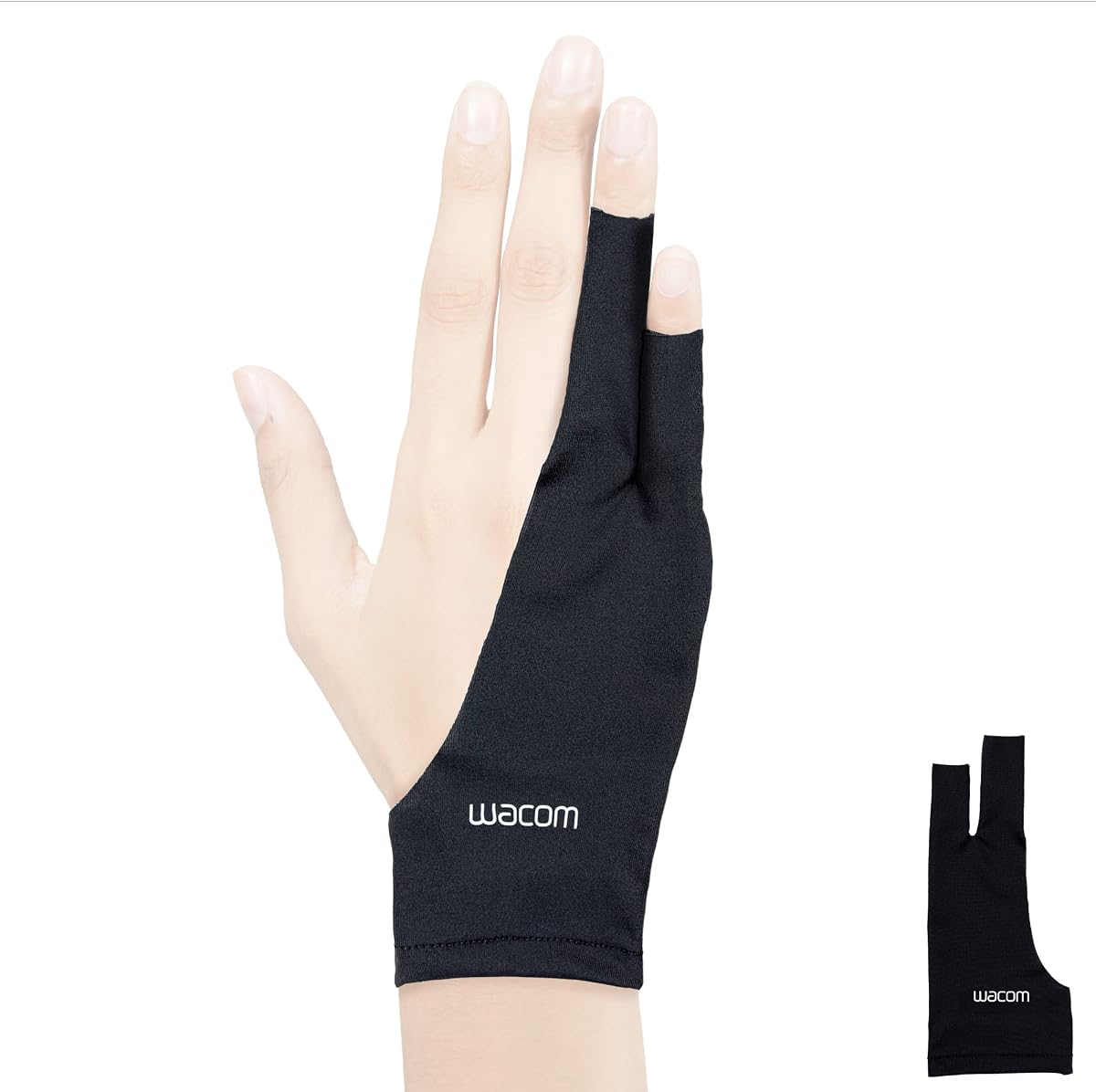
Wacom delivers a premium glove featuring exposed fingertips for touchscreen access. Its 4.4 rating highlights user satisfaction with comfort and eco-friendly construction. The recycled polyester and spandex offer durability and stretch.
We may earn a commission when you buy through this link, at no additional cost to you.
Users can type or access touch features without removing the glove. It glides smoothly over screens minimizing friction and smudges. The one-size design suits many but not every hand perfectly.
Pricing may be higher than standard options which could deter budget buyers. Fit consistency might vary for very large or small hands. These are acceptable trade-offs for the added functionality.
Professionals needing touchscreen compatibility will value this choice. It merges environmental responsibility with practical performance. Check fit reviews to confirm sizing suitability for your hand.
Exposed fingertips let you use touch features without taking off the glove.
Made from recycled materials for a sustainable and comfortable experience.
We may earn a commission when you buy through this link, at no additional cost to you.
This OTraki pack offers five size options ensuring a perfect fit for most users. Rated 4.6 it features soft high-elastic lycra that wicks moisture. The dexterous two-finger design maintains focus during creation.
We may earn a commission when you buy through this link, at no additional cost to you.
Users appreciate the moisture-wicking fabric for long comfort. Stain resistance reduces maintenance needs effectively. The black color remains consistent and professional for all settings.
Buying in bulk might not suit solo users preferring single packs. Minor size variations exist but are generally acceptable. These factors do not detract from its overall utility.
Teams or households benefit from the variety of sizes included. It supports different hand shapes well for shared use. Verify your measurements to pick the correct size.
Choose from five sizes to find the perfect fit for every hand.
Fabric wicks moisture to keep hands dry during extended sessions.
We may earn a commission when you buy through this link, at no additional cost to you.
Selecting the right digital drawing glove depends on several factors that affect comfort and performance. Understanding these elements helps you find a glove that suits your specific workflow.
High-quality materials like Lycra or nylon provide flexibility and durability. Breathable fabric keeps hands cool during long sessions. Look for soft textures that prevent skin irritation.
Prioritize materials that balance stretch with resilience for lasting use.
A snug fit ensures the glove stays in place without restricting movement. Some brands offer multiple sizes while others use one-size-fits-all designs. Check measurements to confirm comfort.
Choose a size that matches your hand dimensions to avoid slippage.
Left and right-handed users need gloves that work for both hands. Ambidextrous designs save money and increase versatility. Confirm the product states it supports both hands.
Look for labels confirming ambidextrous use to avoid buying multiple items.
The primary purpose of these gloves is to reduce friction between hand and screen. Smooth gliding improves drawing precision and speed. Test reviews mentioning ease of movement.
Ensure the glove minimizes drag without feeling too slippery.
Smudge guard features keep screens clean from oils and sweat. Some designs include anti-slip layers to enhance grip. Check if users report clean screens after sessions.
Pick options with proven smudge resistance for clearer visuals.
Gloves should withstand regular use without tearing. Stain-resistant colors reduce the need for frequent washing. Look for strong tensile strength in product descriptions.
Opt for materials that hold up well to daily creative work.
Compare price against features like pack size and material quality. Budget options may suffice for casual users while premium ones suit pros. Consider if extras like cleaning cloths are included.
Balance cost with long-term benefits to get the best value.
Ensure the glove works with your specific tablet or touchscreen. Some gloves allow fingertip access for typing. Verify compatibility before purchasing.
Check user reviews confirming support for your device model.
To use your digital drawing glove correctly wear it on your drawing hand with fingers aligned through the two-finger openings. Adjust the fit so it feels snug but not tight. Ensure your palm rests comfortably on the screen or tablet.
For best results clean your screen before starting a session to avoid transferring dust. Avoid pulling the glove too hard as this may stretch the fabric. If it gets dirty gently wash it by hand and air dry.
Store your glove in a cool dry place when not in use. Avoid exposing it to direct sunlight or heat which can damage elastic fibers. Regular checks for wear will help maintain its performance over time.
Most digital drawing gloves work with capacitive touchscreens found on iPads and drawing tablets. However compatibility depends on device settings. Some tablets require you to disable palm rejection features for optimal use. Always check your device manual.
Wash your glove by hand using mild soap and cold water. Avoid machine washing which can damage elastic fibers. Air dry the glove completely before wearing it again. This extends its lifespan and maintains comfort.
Many drawing gloves are ambidextrous and work for both left and right-handed users. Look for product descriptions confirming this feature. Some brands provide specific sizing for different hand shapes.
Yes they prevent smudges and reduce friction for smoother drawing. They protect both your screen and artwork during long sessions. For artists using touchscreens regularly they are a practical accessory.
Check the product size chart to match your hand dimensions. If unsure choose a stretchy fabric for a better fit. Some brands offer multiple options for more comfort. Measure your hand carefully.
Most gloves are thin enough not to impact touch sensitivity significantly. Some designs include exposed fingertips for better access. Test on your device to confirm compatibility before use.
With proper care a drawing glove can last months or years. Replace it if the fabric wears thin or loses elasticity. Regular cleaning and storage will extend its usability.
Our top picks include the Artist Drawing Glove with 3-Layer rejection for overall performance and the HUION glove for budget-friendly entry. Each option offers unique benefits suited to different creative needs.
Prioritize comfort material quality and fit when making your decision. Ambidextrous designs and moisture-wicking features improve usability over time. Consider how often you draw to choose durability levels.
Always check current listings for the latest pricing and availability. Reviews can provide extra insights into real-world usage. With the right glove you can enjoy smoother and more productive drawing sessions.