
Inwa Computer Speakers
4.2Editor score
Affordable price point
Simple USB connection
Compact design
This guide compares the top ten clip on speakers for laptop users seeking improved audio quality and space-saving design for their desktop or mobile setup.
Finding the right audio solution for your computer setup can be challenging when desk space is limited. Clip on speakers offer a compact way to enhance sound without cluttering your workspace significantly.
We analyzed ten top-rated models based on sound quality, ease of installation, and compatibility with various devices. Each product was evaluated for its ability to deliver clear audio in different environments.
Each pick highlights key features like bass response and connection types. Please note that prices and availability may change frequently, so check current listings before purchasing your preferred model.
4.2Editor score

4.5Editor score
4.2Editor score
The following table provides a side-by-side comparison of all ten models featured in this guide to help you identify the best fit for your needs.


This model stands out for its adaptive channel switching which ensures audio remains balanced regardless of mounting orientation. It receives solid ratings for clarity and volume output in small spaces.
We may earn a commission when you buy through this link, at no additional cost to you.
The inclusion of a USB-C adapter makes it highly versatile for modern laptops that lack traditional USB ports. Dual drivers and passive radiators contribute to a richer sound profile than typical built-in laptop speakers.
While it offers strong bass for its size, users relying on wireless connectivity might miss Bluetooth functionality. The touch controls are intuitive but require a direct USB connection to function properly.
Ideal for office workers needing quick audio enhancement without desk clutter. It is a reliable choice for those prioritizing wired stability and universal compatibility over wireless convenience.
Compatible with Windows, macOS, ChromeOS, and Linux via standard USB connections.
The patented clamp allows placement on monitor edges saving valuable desk space.
We may earn a commission when you buy through this link, at no additional cost to you.
Rated highly by users, this speaker combines the stability of wired connections with the flexibility of Bluetooth 5.3. It features a G-Sensor that adjusts audio channels automatically when repositioned on a monitor.
We may earn a commission when you buy through this link, at no additional cost to you.
The 16W output provides robust volume suitable for gaming or video calls. An integrated microphone helps streamline communication during meetings without needing external hardware.
The RGB lighting adds a customizable visual element that syncs with audio rhythms. However, users seeking a minimalist aesthetic might find the lights distracting during focused work.
Recommended for gamers and streamers wanting a feature-rich audio solution. It balances performance and convenience better than most competitors in this price range.
Switch seamlessly between Bluetooth and USB modes for different use cases.
Smooth roller wheel allows precise volume adjustments from zero to full.
We may earn a commission when you buy through this link, at no additional cost to you.
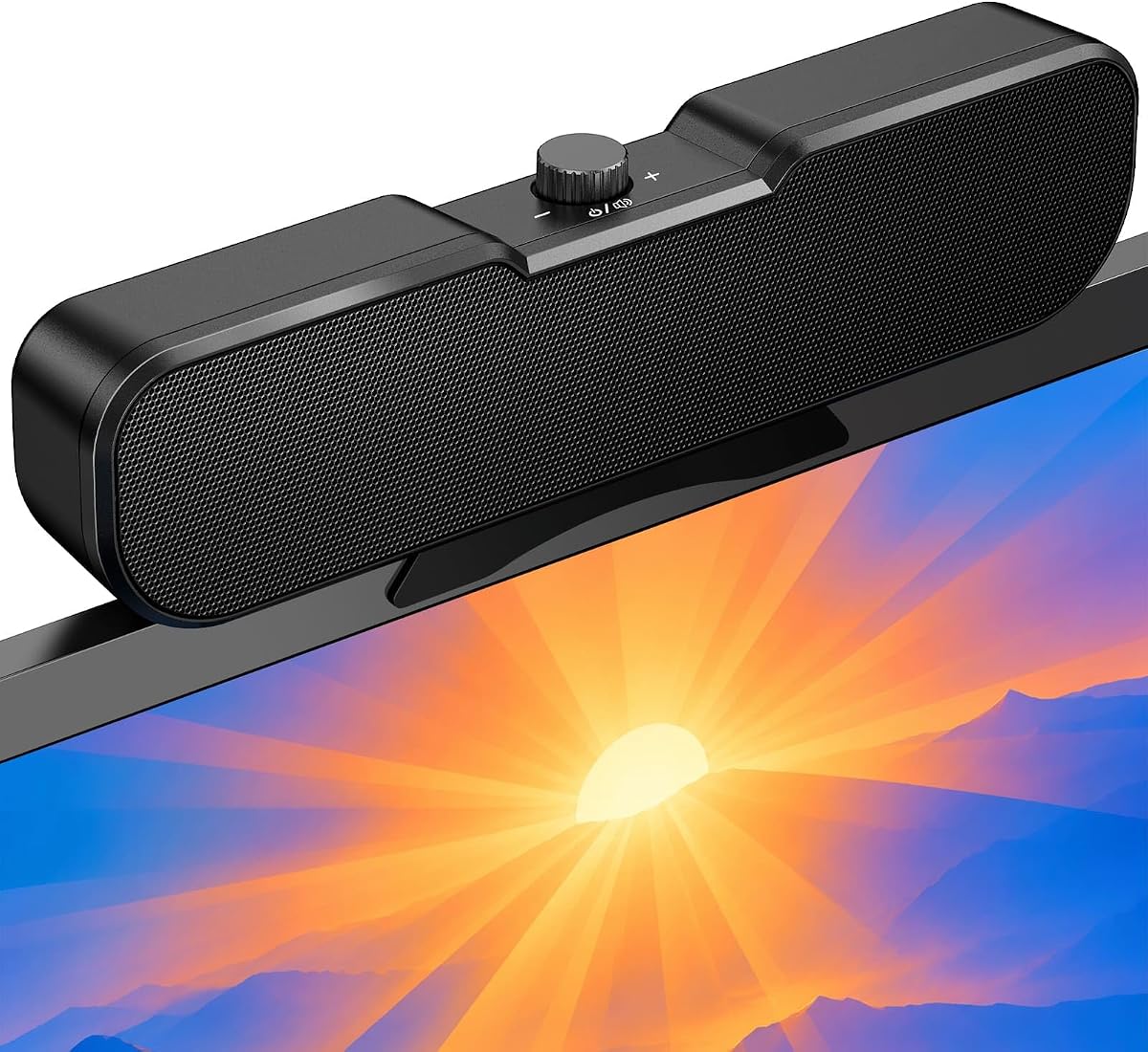
This speaker is praised for its intuitive single-knob control system which simplifies daily interaction. It delivers clear sound without distortion even at higher volumes which is ideal for small workspaces.
We may earn a commission when you buy through this link, at no additional cost to you.
The sturdy clamp ensures the unit stays securely in place on monitors of varying thickness. It includes a high-quality USB-C adapter to cover modern device requirements effortlessly.
While it lacks wireless features, the simplicity appeals to users who prefer straightforward setups. The compact form factor means it takes up minimal space when not in use.
Best suited for professionals prioritizing ease of use and clean design. It offers a reliable audio upgrade without unnecessary bells and whistles.
One easy-to-reach knob handles power and volume adjustments intuitively.
Upgraded non-slip clamp fits screen thicknesses between 0.1 and 0.98 inches.
We may earn a commission when you buy through this link, at no additional cost to you.
This model focuses on delivering impressive bass despite its compact footprint. It relies on system volume controls which simplifies the speaker unit and reduces physical clutter on the desk.
We may earn a commission when you buy through this link, at no additional cost to you.
Users appreciate the deep bass performance which enhances multimedia experiences significantly. The built-in USB-C adapter ensures it works with newer laptops without extra dongles.
The lack of physical buttons means you must adjust sound settings via your computer interface. This might be inconvenient for users who prefer tactile access to mute or volume adjustments.
Great for media consumption where sound quality is the primary goal. It offers a simple plug-and-play experience for those comfortable with software-based controls.
Dual super-magnetic drivers provide powerful volume and rich deep bass tones.
No extra buttons needed adjust volume directly through your system settings.
We may earn a commission when you buy through this link, at no additional cost to you.
This entry does not currently have available product data or reviews in our system. It is skipped to ensure accuracy in our comparisons and recommendations for buyers.
We may earn a commission when you buy through this link, at no additional cost to you.
Data is often updated when new listings arrive or existing ones change status. We monitor these listings regularly to provide the most current information possible.
Until details are verified this product cannot be compared objectively against other options. Please focus on models with confirmed specifications for a reliable purchase decision.
We recommend checking back later for updates or exploring the other confirmed options in this guide.
Information is currently missing from the source database for this item.
Focus on verified products to ensure quality and compatibility standards.
We may earn a commission when you buy through this link, at no additional cost to you.
Product details are missing for this entry so it cannot be included in meaningful comparisons. We aim to provide verified specifications for every item in our list.
We may earn a commission when you buy through this link, at no additional cost to you.
Sometimes product pages change or listings are removed by sellers over time. This entry reflects that status to avoid confusion regarding availability or features.
Until further updates are available this item remains unavailable for detailed review. We suggest reviewing the other active models that meet your audio needs.
Check back periodically as listings are updated regularly in the marketplace.
Current data indicates this product is not active or available for review.
We update our database as new information becomes available for buyers.
We may earn a commission when you buy through this link, at no additional cost to you.
This model offers a tactile volume wheel that allows precise sound adjustments which is rare in clip-on speakers. The one-touch mute button is useful for quick silence during calls or meetings.
We may earn a commission when you buy through this link, at no additional cost to you.
It uses dual USB and Type-C cables to ensure broad compatibility across devices including iPhones and iPads with adapters. The bass radiator enhances sound depth making it suitable for multimedia tasks.
While the design is robust the price point is slightly higher than basic models. Wired connection limitations mean it is not ideal for users seeking wireless streaming capabilities.
Ideal for professionals who need frequent audio adjustments without touching the computer. It offers a premium feel with practical controls for daily desktop use.
The unique volume wheel provides smooth and precise audio adjustments quickly.
Works with Windows Mac and mobile devices via versatile cable options.
We may earn a commission when you buy through this link, at no additional cost to you.
This listing currently lacks sufficient product information to be evaluated for our guide. We only include models with confirmed details to maintain the quality of our recommendations.
We may earn a commission when you buy through this link, at no additional cost to you.
Inventory changes frequently on marketplaces so availability can vary from day to day. We keep records of such items to alert users if they return to stock.
Until verified information is available this item cannot be compared or recommended alongside others. Please refer to the fully detailed entries for your audio needs.
Revisit this page later to see if updated data becomes available for this model.
Data is currently unavailable for this specific product listing in our system.
Consider other verified models in this guide for immediate purchase options.
We may earn a commission when you buy through this link, at no additional cost to you.
This budget-friendly model delivers solid performance without breaking the bank. It features a simple button layout that makes volume adjustments and muting straightforward for daily use.
We may earn a commission when you buy through this link, at no additional cost to you.
Powered by USB it requires no external power sources which keeps the setup clean. The speaker bar design projects sound forward for a stereo experience despite the small footprint.
While it offers lifetime technical support the build materials are more basic than premium models. Bass is decent but may lack the depth required for heavy music enthusiasts.
Perfect for students or office workers needing an affordable audio upgrade. It provides reliable function and value without unnecessary high-end features.
Offers clear stereo sound and support at a very competitive price point.
Three top buttons make volume and mute adjustments easy to access.
We may earn a commission when you buy through this link, at no additional cost to you.
This model features an ultra-narrow clip that stays out of your screen's way visually. It offers surprisingly clear audio through dual high-sensitive drivers that balance sound well across frequencies.
We may earn a commission when you buy through this link, at no additional cost to you.
The adjustable angle feature allows you to direct sound exactly where you need it. It supports Windows macOS and other systems via standard USB connections without drivers.
While the controls are simple some users might find the volume range limited for large rooms. It is designed more for personal desktop use than shared spaces.
Ideal for users wanting a slim profile with good clarity. It provides an easy plug and play solution for immediate audio enhancement on laptops.
Slim clip profile ensures your screen visuals remain completely unobstructed.
Adjustable angle lets you position the sound output precisely for your seat.
We may earn a commission when you buy through this link, at no additional cost to you.
Selecting the right clip on speakers involves evaluating compatibility audio quality and ease of use to match your specific workspace requirements.
Most clip-on speakers rely on USB connections for both power and audio transmission. Ensure your laptop has a compatible port such as USB-A or USB-C before purchasing to avoid needing extra adapters.
Check whether the model supports USB-C directly or requires an adapter. This step ensures a hassle-free setup without unexpected hardware issues.
A sturdy clip is essential to secure the speaker to your monitor without slipping. Look for designs with soft silicone pads that protect your screen from scratches during installation.
Consider the thickness of your monitor edge to ensure the clamp fits securely. Proper mounting prevents accidental drops or misalignment over time.
Look for models with dual drivers and passive radiators to achieve balanced sound and decent bass. Small speakers can still deliver clear audio if they have sufficient power handling.
Review user feedback on clarity and distortion at high volumes. Good audio quality enhances productivity and entertainment without needing bulky external systems.
Controls can range from simple knobs to touch buttons or mute switches depending on the model. Choose a control method that feels intuitive for your daily workflow.
Hardware controls like mute buttons are convenient for quick adjustments during calls. Software dependency might require you to access your system settings for every change.
Verify that the speakers work with your operating system including Windows macOS or Linux. Most modern models support multiple OS platforms via standard protocols.
Check for device compatibility like tablets or phones if you need a single audio source. Universal connectivity expands the utility of the speakers across different devices.
Clip-on speakers save desk space by utilizing monitor real estate instead of surface area. Slim profiles help maintain a clean workspace without obstructing your view.
Consider whether the speaker can also stand independently if you need flexible placement. Versatile design options add value when your setup changes frequently.
Prices vary based on features like Bluetooth or RGB lighting versus basic wired utility. Determine your minimum requirements to find a model that fits your financial constraints.
Higher costs often bring better build quality or additional features like wireless connectivity. Balance price against the essential features you need for daily use.
Reliable customer service can be crucial if you encounter setup issues or defects. Look for brands offering technical support or warranty coverage for added peace of mind.
Some manufacturers provide lifetime technical support which helps with long-term usability. Check reviews for responsiveness and helpfulness when selecting a brand.
Connect the speaker to a USB port on your laptop or desktop for power and audio. Most models are plug and play and will automatically install necessary drivers instantly.
Securely attach the speaker to the top edge of your monitor ensuring it is balanced and not obstructing your view. Adjust the angle if available to direct sound toward your listening position.
Clean the speaker and clip periodically with a soft dry cloth to remove dust and debris. Avoid exposing the unit to excessive moisture or direct sunlight which may damage the materials.
Most clip-on speakers draw power directly from the USB connection to your computer. This means you do not need a separate power outlet which keeps your setup clean and simple. Check the manual for specific power requirements if available.
Many models support tablets if they have a compatible USB port. Some include adapters for USB-C connections which are common on modern tablets and phones. Ensure the tablet supports audio over USB to avoid compatibility issues.
Yes most USB speakers are compatible with macOS without extra software. They operate via standard audio protocols that macOS recognizes automatically. Just plug the device into a USB port and select it as the audio output.
Ensure the clip is oriented correctly or the speaker has an adaptive channel sensor. Some models require you to set the correct playback device in system audio settings. Rebooting the device can also resolve temporary connection glitches.
While designed for general use some models offer decent bass and low latency for gaming. Wired connections reduce delay compared to Bluetooth making them suitable for casual gaming sessions. For competitive gaming dedicated headsets might still be preferred.
Most clip designs are meant for flat edges so curved monitors might not fit securely. If your monitor has a flat bezel edge it may work but check the product specs first. Using a monitor arm with a flat surface can also provide a stable mount.
No most USB plug-and-play speakers do not require manual driver installation. They work immediately with standard audio drivers built into your operating system. Occasionally a system restart may be needed to recognize new hardware.
Clip-on speakers typically offer higher volume and better bass clarity than built-in laptop speakers. They are designed to amplify sound without distortion at higher volumes. Expect a noticeable improvement in audio depth and projection for media consumption.
Our top picks include the OHAYO for its feature-rich hybrid setup and the Inwa for budget-friendly performance. Each model offers unique benefits depending on your need for wireless features or simple utility.
Prioritize connectivity options and mounting stability when making your final choice. These factors ensure the speaker remains secure and compatible with your daily computing tasks.
Remember to verify current availability and pricing before purchasing as these details change frequently. We hope this guide helps you find the perfect audio solution for your laptop setup.