ARCTIC P8 PWM PST
4.7Editor score
Multi-pack value
Static pressure optimized
PWM sharing tech
Explore our expert comparison of the top 80mm case fans for quiet performance and cooling efficiency in compact builds and server racks this month.
Selecting the right 80mm case fans is crucial for maintaining optimal airflow in compact systems. These small yet powerful units ensure your components stay cool without generating excessive noise during operation.
We evaluated ten top models based on airflow efficiency, acoustic performance, and build quality. Our analysis covers diverse options ranging from silent desktop replacements to high-pressure server solutions.
Each pick highlights specific strengths like PWM control or static pressure. Note that availability and pricing may fluctuate, so check current listings before finalizing your purchase decision today.
4.7Editor score

4.9Editor score

4.8Editor score
This side by side comparison highlights key specifications across all ten models to help you identify the best fit for your specific cooling requirements and budget constraints.


The Noctua NF-A8 PWM stands out as the top choice for anyone seeking premium cooling in an 80mm format. With a near perfect rating, it delivers silent performance backed by advanced acoustic engineering.
We may earn a commission when you buy through this link, at no additional cost to you.
Its Flow Acceleration Channels and optimized frame reduce turbulence while maximizing airflow efficiency. The 4 pin PWM interface ensures smooth speed adjustments based on system temperature needs.
While the cost is higher than generic options, the longevity and noise reduction justify the investment. It lacks RGB lighting which may appeal to users preferring functional minimalism.
This fan is ideal for compact HTPCs or NAS devices where silence matters most. Choose it when reliability and acoustic comfort are your highest priorities.
Advanced noise reduction techniques ensure the fan remains nearly silent even under load conditions.
Comes with extension cables and Y splitters for flexible installation options.
We may earn a commission when you buy through this link, at no additional cost to you.
The ARCTIC P8 five pack offers incredible value for buyers needing multiple fans for extensive cooling setups. Each unit features a robust motor and redesigned blades for efficient airflow.
We may earn a commission when you buy through this link, at no additional cost to you.
Optimized for static pressure, these fans perform well on heatsinks and radiators. The Fluid Dynamic Bearing ensures long life while maintaining low friction and energy usage.
Lacking PWM control means speeds are fixed based on voltage. This limits integration with motherboard monitoring systems compared to premium 4 pin alternatives.
Select this pack for cost effective bulk cooling in servers or PC builds where manual speed adjustment is acceptable or unnecessary.
Oil capsule technology prevents lubricant leakage and extends operational lifespan significantly.
Blade design ensures air pushes through dense components without losing momentum.
We may earn a commission when you buy through this link, at no additional cost to you.
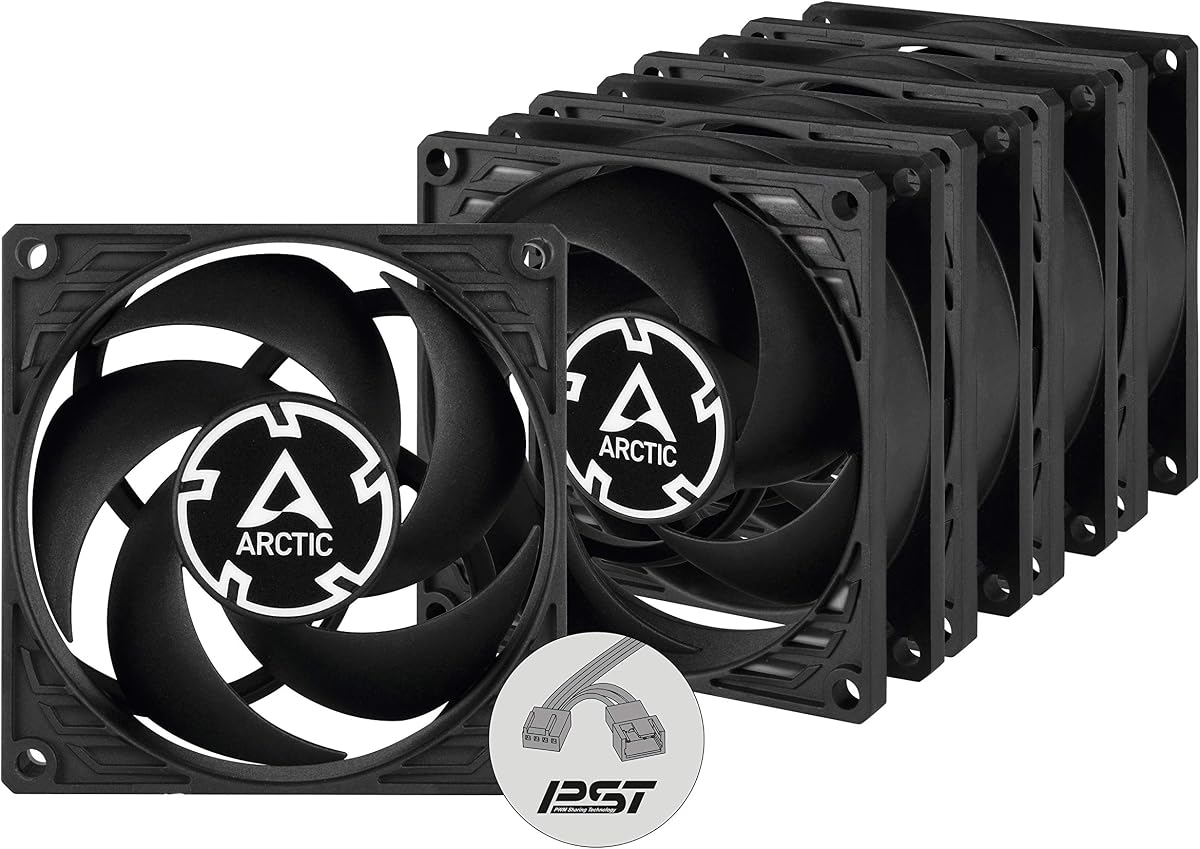
The ARCTIC P8 PWM PST combines the value of a multi pack with advanced PWM Sharing Technology. This lets you control multiple fans from a single header efficiently.
We may earn a commission when you buy through this link, at no additional cost to you.
With speeds ranging from 200 to 3000 RPM, users get precise thermal management. The Neodym magnet motor ensures efficiency and quiet operation at low speeds.
While the bundle is excellent, the wiring can be intricate for novices. Ensure your motherboard headers support PWM splitting or use the PST daisy chain.
Choose this for server builds or cases requiring synchronized fan speeds without cluttering your motherboard with individual connections for each unit.
Daisy chain fans to synchronize speed changes across multiple units via one cable.
Latest generation magnets provide better efficiency and lower vibration levels.
We may earn a commission when you buy through this link, at no additional cost to you.
The Noctua NF-R8 redux-1800 brings top tier quality at a more accessible price point. It maintains the renowned quiet performance while stripping away some accessory packaging.
We may earn a commission when you buy through this link, at no additional cost to you.
Running at 1800 RPM, it balances airflow and noise effectively. The 4 pin PWM connection allows for smart speed adjustments to keep systems cool without noise.
As a redux model, it lacks some of the premium extras of the A series. However, the core cooling performance remains identical for most standard use cases.
Ideal for users who want Noctua reliability without paying for the full retail presentation. It fits perfectly into budget conscious builds requiring silent operation.
Over 100 awards confirm this model's consistent performance in real world tests.
Streamlined design reduces costs while keeping the motor and blades high quality.
We may earn a commission when you buy through this link, at no additional cost to you.
The Kingwin 80mm Silent Fan is a straightforward solution for basic ventilation needs. It focuses on delivering decent airflow without unnecessary complexity or high costs.
We may earn a commission when you buy through this link, at no additional cost to you.
Its optimized blade design ensures consistent air movement for standard computer cases. The long life bearing provides durability for environments like mining rigs where systems run constantly.
While it lacks advanced features like PWM, it serves well as a simple replacement for failed units. Expect decent noise levels for the price bracket.
Choose this for utility PCs or office desktops where premium features are unnecessary. It is a practical choice for basic airflow maintenance.
Designed to fit standard 80mm mounts across various PC chassis and coolers.
Built to handle high performance environments without overheating risks.
We may earn a commission when you buy through this link, at no additional cost to you.
The ARCTIC P8 Silent is engineered specifically for users prioritizing silence above all else. Its motor is developed to minimize noise generation significantly at lower speeds.
We may earn a commission when you buy through this link, at no additional cost to you.
Operating at 1600 RPM, it keeps the sound level near zero sones. This makes it perfect for noise sensitive environments like recording studios or quiet libraries.
Static pressure optimization ensures it works well even with restricted airflow zones. However, the lower speed means less air moved compared to high RPM models.
Select this for quiet builds where low noise is critical. It offers exceptional value for a silent motor that outperforms competitors in decibel tests.
Advanced bearing design reduces friction to near zero noise at idle.
Effective on heatsinks where air resistance might otherwise block airflow.
We may earn a commission when you buy through this link, at no additional cost to you.
The Noctua NF-A8 chromax.Black.swap brings the same legendary performance as the brown A series but in a sleek black finish. It fits modern builds perfectly without clashing colors.
We may earn a commission when you buy through this link, at no additional cost to you.
It includes red pads by default but allows swapping for black, white, blue, or other colors. This customization adds a unique touch to your case interior.
The premium price reflects both the aesthetic focus and the top tier motor quality. It stops at zero PWM for semi-passive systems adding versatility.
Choose this for black themed builds where style matches function. It is the ultimate choice for users who demand silence and custom aesthetics.
Customize vibration pads to match your case color scheme perfectly.
Flow Acceleration Channels maintain peak efficiency even in compact chassis.
We may earn a commission when you buy through this link, at no additional cost to you.
This five pack of ARCTIC P8 Silent fans offers the benefits of individual silent units at a reduced total cost. Ideal for covering multiple slots with silent ventilation.
We may earn a commission when you buy through this link, at no additional cost to you.
Each fan runs at 1600 RPM to minimize noise output significantly. The static pressure optimization ensures efficiency even with restricted intake paths.
Without PWM control, fans run at a set speed based on power input. This simplicity is a trade off for the price and silence focus.
Select for server or office setups needing uniform quiet cooling. It avoids the hassle of sourcing multiple individual low noise units.
Affordable multi pack solution for whole case silent airflow.
German engineering ensures consistent performance across the entire pack.
We may earn a commission when you buy through this link, at no additional cost to you.
The ARCTIC P8 Max is the most powerful 80mm fan available with speeds reaching 5000 RPM. It delivers exceptional cooling for high density server racks.
We may earn a commission when you buy through this link, at no additional cost to you.
PWM control allows variable speed from quiet idle to max performance. The Fluid Dynamic Bearing ensures this high speed operation remains smooth and long lasting.
Noise levels rise significantly at top speeds which is acceptable for industrial use. It handles high air resistance better than standard models.
Choose this for 2U servers or heavy compute tasks. It solves overheating issues where standard fans simply cannot provide enough airflow.
Designed to dissipate heat in high density server racks efficiently.
Infinite variability between 500 and 5000 RPM via PWM header.
We may earn a commission when you buy through this link, at no additional cost to you.
The Thermalright TL-8015 offers a 15mm slim profile ideal for tight CPU coolers or low clearance cases. It provides efficient airflow despite its thin frame.
We may earn a commission when you buy through this link, at no additional cost to you.
Using S-FDB V2 bearings, it ensures stability and low vibration. PWM control keeps speeds low when needed and maxes out at 2200 RPM.
Airflow is slightly lower due to the thinner blades but sufficient for cooling dense heatsinks. It balances cost and performance effectively.
Select this for compact builds where standard 25mm fans do not fit. It is a practical solution for limited clearance CPU cooling.
Fits in tight spots without sacrificing cooling performance significantly.
Advanced bearings reduce shake and extend fan life in demanding setups.
We may earn a commission when you buy through this link, at no additional cost to you.
Selecting the right fan involves balancing size, noise, and airflow capabilities. Here are key factors to consider for your specific needs.
Fan speed dictates how much air is moved. Higher RPM units like the P8 Max push more air but generate more noise.
Choose speeds based on your cooling needs. Idle systems prefer lower RPMs while servers need high RPMs.
Quiet operation is vital for home users. Look for decibel or sone ratings to compare how loud a fan is.
Fans with advanced bearings or low noise ratings ensure a peaceful environment.
Static pressure measures air push against resistance. High static pressure fans work best on radiators or dense components.
Select these if your case has restricted airflow paths.
PWM fans offer precise speed control via 4-pin headers. DC fans use 3-pin connections and are simpler.
PWM is better for automatic temperature control.
Bearings determine lifespan and noise. Fluid Dynamic or Sleeve bearings offer longevity.
High quality bearings reduce friction and vibration over time.
Multi-packs save money for bulk installations. Single units are better for specific replacements.
Choose packs for server racks or full case overhauls.
Standard 80mm fans are 25mm thick. Slim models like 15mm fit in tight spaces.
Check clearance requirements before buying to ensure fit.
Install fans with correct orientation to ensure proper airflow. Intake fans push air in while exhaust fans pull it out.
Connect fans securely to motherboard headers to prevent disconnection vibrations. Use zip ties for neat cable management.
Clean fans periodically to prevent dust buildup. Use compressed air to maintain performance and reduce noise.
Yes, 80mm fans are ideal for ITX and HTPC cases. They fit standard 80mm mounts and provide necessary cooling in tight spaces without excess noise.
PWM fans can work on DC headers at full speed but lose control. Use a PWM header for speed adjustments to ensure efficiency.
Static pressure is better for restricted spaces like radiators. Airflow is better for open cases where air moves freely without resistance.
High quality fans last 150,000 hours or more. Fluid dynamic bearings extend life significantly compared to standard sleeve bearings.
Yes, but matching speeds helps avoid noise discrepancies. Try to use similar brands or models for consistent performance across the system.
Premium fans use better bearings and acoustic designs. The price reflects noise reduction and reliability for sensitive builds.
We highlighted top picks from Noctua and Arctic for performance and value. These models deliver silent cooling suitable for diverse system needs.
Prioritize PWM control and static pressure for advanced cooling. Silent builds benefit from lower RPMs and noise ratings.
Always check current prices and stock before buying. Ensure your specific model matches your case constraints today.