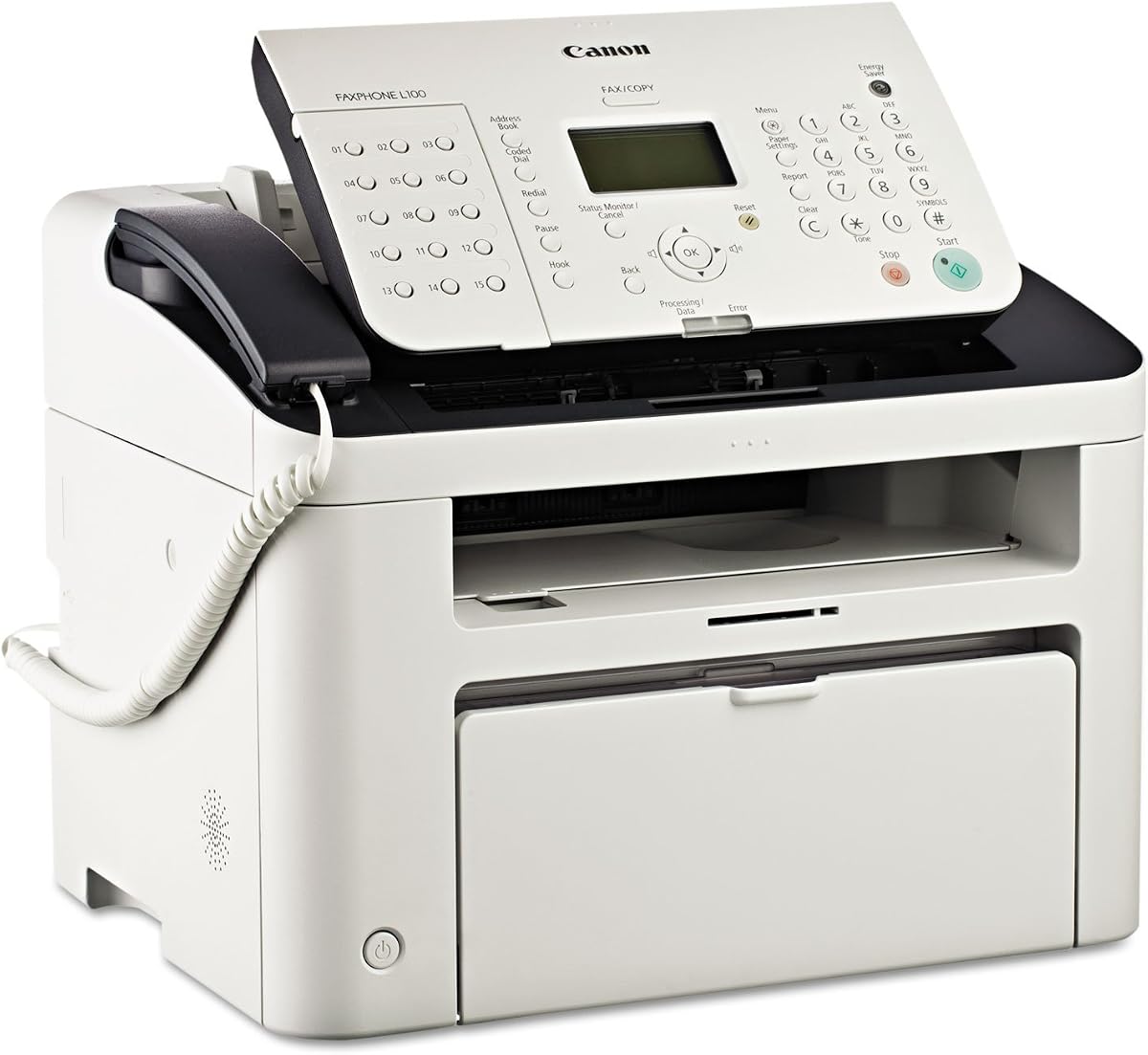
Canon FAXPHONE L100
4.1Editor score
Affordable pricing
Solid performance
Easy operation
Finding a reliable fax machine with phone capabilities is essential for many businesses today. These devices streamline communication by combining faxing, printing, and calling into one unit. Whether you need basic functionality or advanced features, choosing the right model ensures efficient operations.
We compared ten top-rated models based on performance, reliability, and user feedback. Our analysis covers laser and inkjet options, document feeders, and memory capacity. Each product was evaluated for ease of use and connectivity to help you make an informed decision.
Each review highlights key strengths, drawbacks, and ideal use cases for every model. Prices may fluctuate due to market demand or seasonal promotions. Always check the latest pricing before purchasing to ensure you get the best value for your investment.
4.1Editor score
4.2Editor score

4.4Editor score
As an Amazon Associate we earn from qualifying purchases.
This table provides a side-by-side comparison of all ten models. Look closely at specs like memory, speed, and paper capacity to find the best fit for your workspace needs.


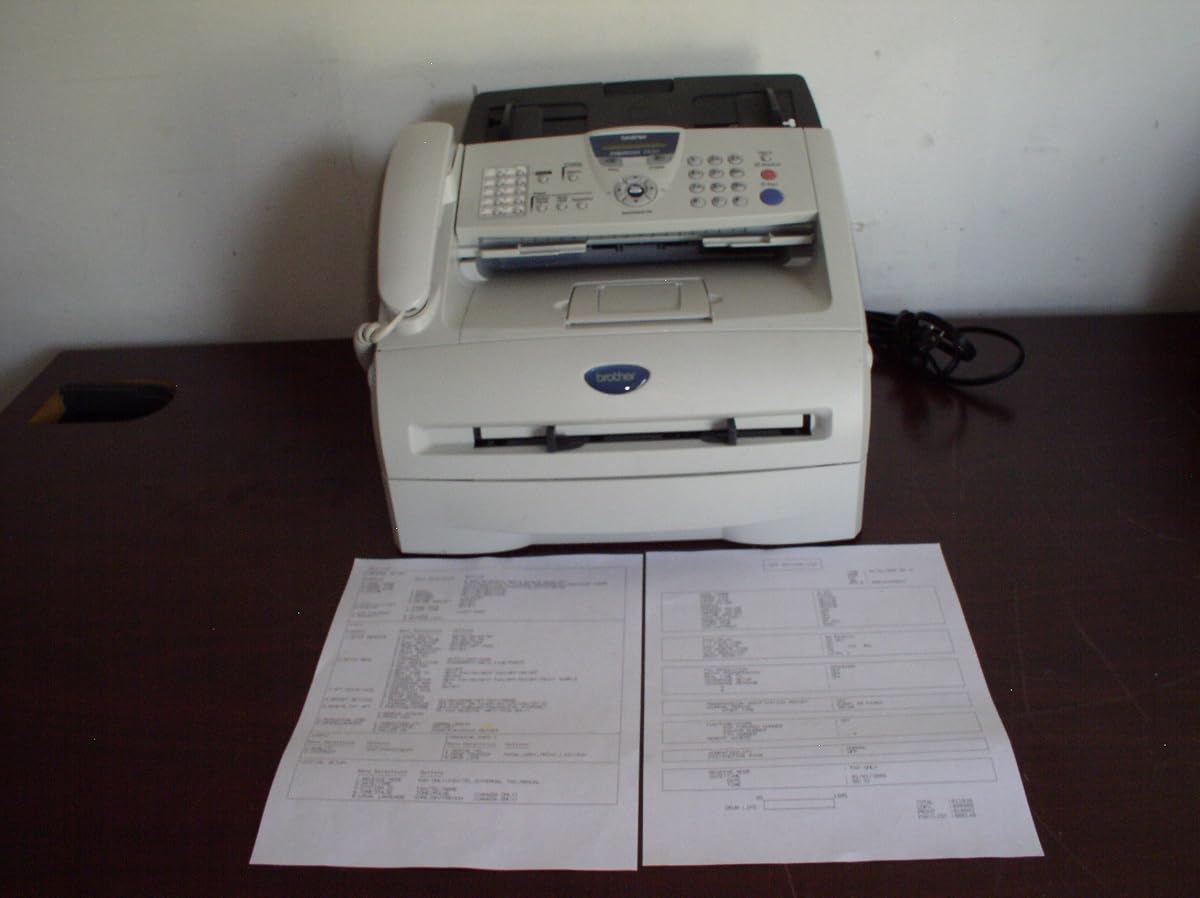
The Brother IntelliFax 2820 is a standout device for small to medium businesses. With a 4.2 rating, it offers reliable laser faxing and copying. Its standout quality is the massive memory that holds up to 500 pages.
We may earn a commission when you buy through this link, at no additional cost to you.
It features a 20-page auto document feeder and 250-sheet input capacity. The 220-station auto dialing allows quick broadcasting to multiple locations. USB 2.0 interface supports optional drivers for future printing needs.
While it lacks color scanning and is somewhat bulky, these trade-offs are acceptable for office use. The monochrome laser output ensures crisp documents. Memory capacity reduces the risk of lost faxes during busy periods.
This model is ideal for offices needing high-volume faxing without internet dependence. It balances speed and reliability well. We recommend it for users prioritizing document storage and transmission efficiency.
The 8 MB memory stores up to 500 pages, ensuring no faxes are lost during outages.
With 220-station auto dialing memory, you can broadcast up to 270 locations quickly.
We may earn a commission when you buy through this link, at no additional cost to you.
The Canon FAXPHONE L100 offers excellent value for basic fax needs. Rated at 4.1, it provides fast monochrome printing up to 19 pages per minute. It includes a telephone handset for integrated calling.
We may earn a commission when you buy through this link, at no additional cost to you.
It features a 30-sheet automatic document feeder and 150-sheet paper capacity. The 512-sheet memory allows multiple faxes to be stored safely. Energy saver mode uses less than 2 watts, saving power costs.
While it lacks advanced features like color scanning, it performs core tasks well. The use of genuine Canon toner 128 ensures quality output. The limited warranty provides peace of mind for new buyers.
Ideal for home offices or small businesses, this model delivers speed and simplicity. It is a top choice for those needing a functional device without extra costs. We recommend it for budget-conscious buyers.
Print up to 19 pages per minute for quick document handling and reduced waiting times.
Includes a telephone handset, making it a true all-in-one communication center for your desk.
We may earn a commission when you buy through this link, at no additional cost to you.
The Brother PPF4750E is a high-performance business-class laser fax. With a 4.4 rating, it stands out for reliability and speed. It uses Super G3 technology for crisp plain paper faxing.
We may earn a commission when you buy through this link, at no additional cost to you.
It prints up to 15 pages per minute, making it efficient for daily use. The monochrome laser ensures sharp text and graphics. It is built for demanding office environments needing consistent performance.
While priced higher than basic models, the durability justifies the cost. It lacks internet faxing but excels at traditional lines. The design fits well in professional settings without taking up excessive space.
This model is perfect for businesses prioritizing document quality and uptime. It offers a premium experience with proven reliability. We recommend it for users needing a robust communication tool.
Super G3 fax ensures high-speed transmission with superior image quality on plain paper.
Built for heavy daily use, this fax machine offers long-term reliability for your business.
We may earn a commission when you buy through this link, at no additional cost to you.
The Brother FAX-575 is designed for personal use and small setups. With a 4.1 rating, it offers convenient faxing, phone, and copying. The black-and-white copying reaches up to 400 x 400 dpi resolution.
We may earn a commission when you buy through this link, at no additional cost to you.
It uses a 9,600 BPS fax modem, transmitting pages in about 15 seconds. The 512 KB memory stores up to 25 pages. A 50-sheet paper capacity ensures fewer reloads during work.
While memory is limited compared to business models, it suits personal needs well. The ease of operation makes it accessible for non-technical users. It balances performance and simplicity effectively for home desks.
This model is ideal for individuals needing reliable personal faxing. It provides essential features without complexity. We recommend it for home offices requiring occasional document transmission.
The modem transmits at 9,600 BPS, sending a page in roughly 15 seconds.
Designed for convenience, this unit is easy to operate even for first-time users.
We may earn a commission when you buy through this link, at no additional cost to you.
The Brother MFC7240 combines printing, scanning, copying, and faxing. Rated at 4.2, it supports wired connectivity via USB. It prints and copies at up to 21 ppm for efficient document handling.
We may earn a commission when you buy through this link, at no additional cost to you.
It features a 20-page auto document feeder and 250-sheet paper tray. The scanning resolution reaches up to 19200 x 19200 dpi interpolated. The compact form factor fits easily in tight spaces.
While it lacks wireless connectivity, the USB connection is stable and reliable. The high-quality monochrome scanning ensures clear copies. It is a versatile choice for small offices needing multiple functions.
Ideal for users needing a full suite of tools in one device, this model delivers. It balances speed with multifunctionality. We recommend it for small teams prioritizing desk space efficiency.
Print and copy at up to 21 pages per minute to keep up with busy workflows.
Scan up to 19200 x 19200 dpi interpolated for crisp and detailed digital documents.
We may earn a commission when you buy through this link, at no additional cost to you.
The Panasonic KX-FHD331 is a plain paper fax machine with phone functions. Rated at 2.8, it offers basic communication features. It uses plain paper, avoiding thermal rolls for standard documents.
We may earn a commission when you buy through this link, at no additional cost to you.
It is compatible with Caller ID and includes an answering machine interface. The modem speed is 9.6 Kbps for standard fax transmission. It comes with a 6-month warranty with an exchange program.
While it uses standard paper, the low rating suggests reliability issues compared to newer models. The exchange program adds some value to the purchase. It is best suited for users needing simple plain paper faxing.
This model is a backup or low-volume choice due to performance limitations. It works well for those needing specific plain paper support. We recommend checking reviews before purchase.
Uses plain paper instead of thermal rolls, making documents easier to file and store.
Caller ID compatible, helping you screen calls and faxes efficiently without extra costs.
We may earn a commission when you buy through this link, at no additional cost to you.
The Brother PPF-2800 is a reliable office fax with phone capabilities. Rated at 3.6, it offers basic printing at 10 pages per minute. It supports auto document feeding up to 20 pages.
We may earn a commission when you buy through this link, at no additional cost to you.
It features 108-station auto dialing and stores up to 90 pages in memory. You can make up to 99 copies at once. The plain paper output ensures professional document quality.
While speed is moderate, the memory and dialing features support office workflows well. The 20-page feeder reduces manual loading frequency. It is a functional choice for moderate fax volume.
Ideal for small offices needing organized transmission, this model is practical. The memory capacity helps during busy times. We recommend it for users needing basic office automation.
With 108-station auto dialing, you can quickly send faxes to frequent contacts.
Stores up to 90 pages in memory, ensuring you never miss an important fax.
We may earn a commission when you buy through this link, at no additional cost to you.
The CimFAX A5 is a modern paperless fax machine. Rated at 4.0, it sends faxes from Windows/Mac and Android/iOS devices. You can send and receive faxes anytime, anywhere via line.
We may earn a commission when you buy through this link, at no additional cost to you.
It allows right-click drag and drop sending in just three steps. Incoming faxes are auto-saved to a local or shared folder as PDF. Auto forwarding to email as PDF adds convenience.
While it lacks a physical handset, the digital approach suits modern workflows. The lifetime tech support ensures you stay connected. It eliminates the need for paper storage or toner replacements.
Ideal for digital-first offices, this solution streamlines transmission. It is perfect for those wanting to reduce paper waste. We recommend it for users comfortable with digital tools.
Send and receive faxes from your computer or phone anytime via line 24/7.
Auto save faxes as PDF to shared folders or forward them directly to your email.
We may earn a commission when you buy through this link, at no additional cost to you.
The Canon FAXPHONE L80 is a compact laser fax and printer. Rated at 3.6, it includes a telephone handset for calls. It features a 33.6 Kbps modem for standard fax transmission.
We may earn a commission when you buy through this link, at no additional cost to you.
It prints at 6 pages per minute, which is slower than newer models. The laser output ensures high quality. It uses a USB interface and comes with a 1-year warranty with exchange.
While slow, its compact size makes it great for tight spaces. The included handset adds value without extra costs. It is a basic choice for low-volume faxing needs.
Ideal for users needing small footprint and standard laser quality, this model works. It is best for those with limited desk space. We recommend it for small home offices.
Includes a telephone handset so you can make calls directly through the device.
Designed with a small footprint, this fax fits easily into any home office desk.
We may earn a commission when you buy through this link, at no additional cost to you.
The Brother FAX-575 Renewed is a cost-effective choice for personal faxing. Rated at 3.8, it offers the same features as the new model. It transmits faxes in about 15 seconds per page.
We may earn a commission when you buy through this link, at no additional cost to you.
It has 512 KB memory storing up to 25 pages. The black-and-white copying reaches 400 x 400 dpi. It includes convenient easy-to-operate faxing features.
While it is a renewed unit, it retains functionality. The warranty may be limited compared to new units. It suits users wanting reliability at a lower price point.
Ideal for budget buyers, this model provides value. It is recommended for those comfortable with refurbished electronics. We recommend checking warranty terms before purchase.
Get the same performance as the new unit for a lower cost with a solid rating.
Transmits a page in about 15 seconds, keeping your workflow moving quickly.
We may earn a commission when you buy through this link, at no additional cost to you.
Choosing the right fax machine involves considering speed, memory, and connectivity. This guide breaks down the key factors to help you select the best device.
Fax speed determines how quickly documents are sent. Models with 33.6 Kbps modems or Super G3 technology transmit faster, reducing wait times. This is crucial for businesses handling high volumes.
Look for transmission speeds above 15 seconds per page to ensure efficiency in your workflow.
Memory allows you to store faxes when paper runs out or the line is busy. Larger memory like 500 pages prevents lost documents. This feature is vital for reliability during peak hours.
Choose a model with enough memory to buffer your daily fax volume comfortably.
Paper capacity affects how often you need to refill trays. Models with 250 sheets reduce interruptions. Document feeders simplify sending multi-page faxes without manual feeding.
Select a device with a feeder and tray that matches your workload frequency.
Connectivity options include USB, phone lines, or digital lines. Traditional phone lines are standard for faxing. USB connections allow easy printing from computers.
Ensure the connection type matches your current phone and computer setup.
Print quality varies between laser and thermal options. Laser machines offer better resolution for professional documents. Thermal paper can fade over time, affecting long-term storage.
Prefer laser models for sharp text and durable document copies.
Auto dialing allows quick broadcasting to multiple numbers. Features like station memory reduce manual entry errors. This saves time when sending faxes to regular contacts.
Look for models with auto-dialing memory for faster outgoing fax transmission.
Paperless options use email or digital lines for sending. Traditional models print hard copies. Consider your preference for physical records or digital storage.
Digital solutions save space, while traditional models provide immediate hard copies.
Warranty coverage protects against defects and malfunctions. Lifetime support or exchange programs add value. Check terms before purchasing to ensure long-term reliability.
Select a model with a warranty that offers peace of mind for your purchase.
Connect the fax machine to a phone line and power outlet. Ensure the handset is plugged in. Follow setup instructions to configure auto dialing numbers.
Load paper correctly into the tray and adjust guides. Check settings for transmission speed and resolution. Clean the scanner glass regularly with a soft cloth.
Keep the device in a dry, cool area to prevent paper jams. Update firmware or drivers if needed. Replace toner when print quality drops to maintain sharp output.
Most traditional fax machines require a landline for transmission. However, some modern digital options work over VoIP or internet connections. Check your model's compatibility before connecting.
Transmission time varies by modem speed. Standard 33.6 Kbps modems take 15 seconds per page. Faster models reduce this time significantly. Network quality also affects speed.
Most models in this list are monochrome only. Color faxing requires specific equipment not common here. Check specs carefully if color is a must-have feature for you.
Models with memory store incoming faxes until paper is replaced. You can print them once loaded. Without memory, faxes may be lost unless configured to hold.
Paperless faxes save space and time by using email. Traditional faxes provide hard copies. Choose based on your need for physical documents versus digital storage.
Open all doors gently and remove stuck paper. Check for torn pieces inside. Close doors properly to avoid future jams. Use smooth paper to reduce issues.
Our top picks include the Brother IntelliFax 2820 for reliability, the Canon FAXPHONE L100 for value, and the Brother PPF4750E for premium performance. Each offers unique benefits for different needs.
Prioritize memory and paper capacity if you handle high volumes. For smaller offices, speed and ease of use matter more. Consider your budget and space constraints carefully.
Prices change frequently, so always verify current offers before buying. The best model is the one that fits your workflow seamlessly. Check our links for the latest deals.