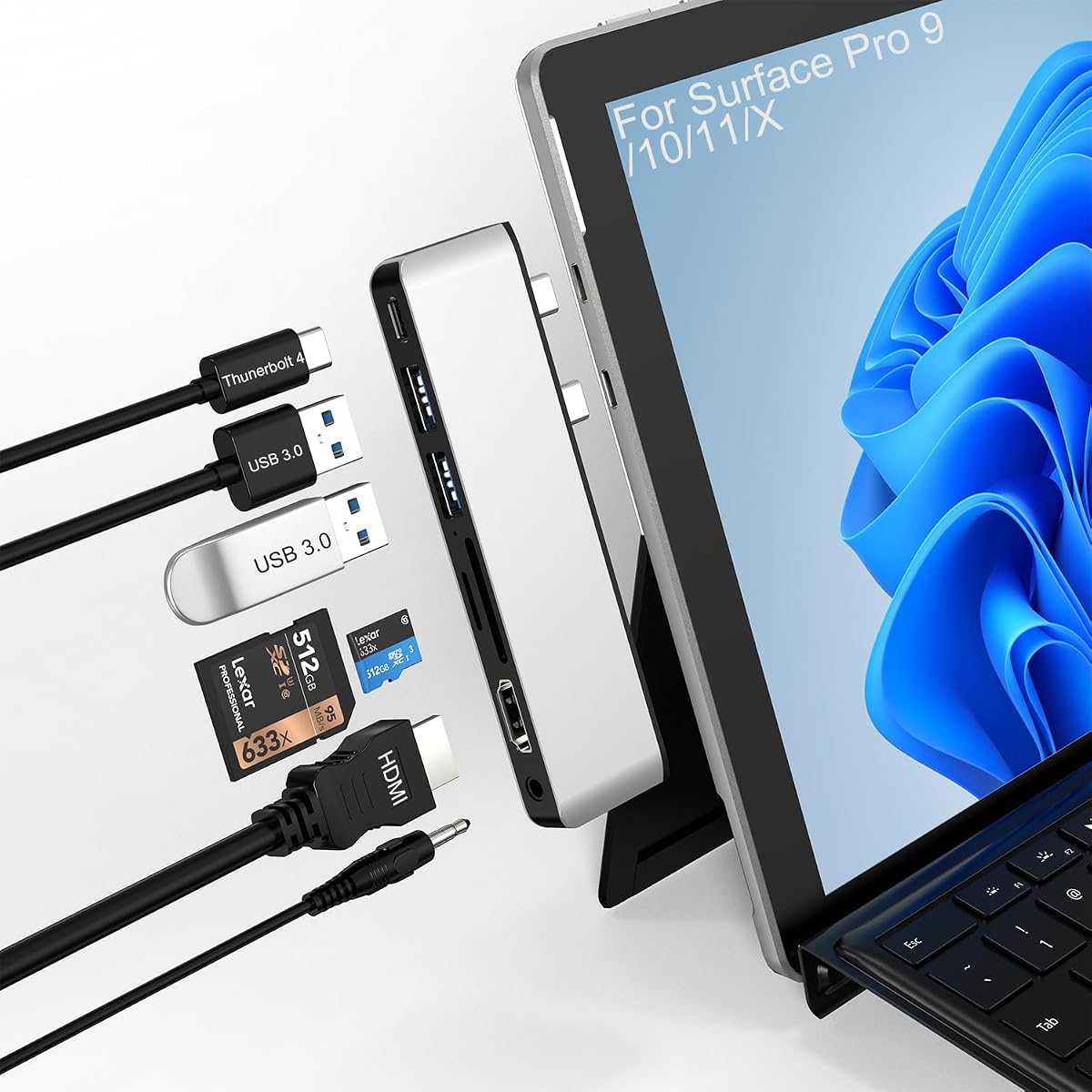
Surface Pro 2026 Docking Station
4.2Editor score
Thunderbolt 4 Support
100W USB-C Charging
Compact Aluminum Design
This guide compares the top 10 docking stations for Surface Pro 11, evaluating connectivity, display output, power delivery, and compatibility for optimal
Finding the right docking station for your Surface Pro 11 is essential for transforming your portable tablet into a powerful desktop workstation. A good hub expands limited ports into multiple displays, high-speed data connections, and stable network access without compromising mobility.
We have evaluated the leading models based on port variety, video output capabilities, charging power, and build quality. Our analysis focuses on how well each device integrates with the Surface Connect port and supports modern workflows including multitasking and media creation.
Each selection in this list highlights specific strengths like triple display support, Thunderbolt integration, or compact designs for travel. Remember that specifications and availability can change over time, so always verify details before making your final purchasing decision.
4.2Editor score
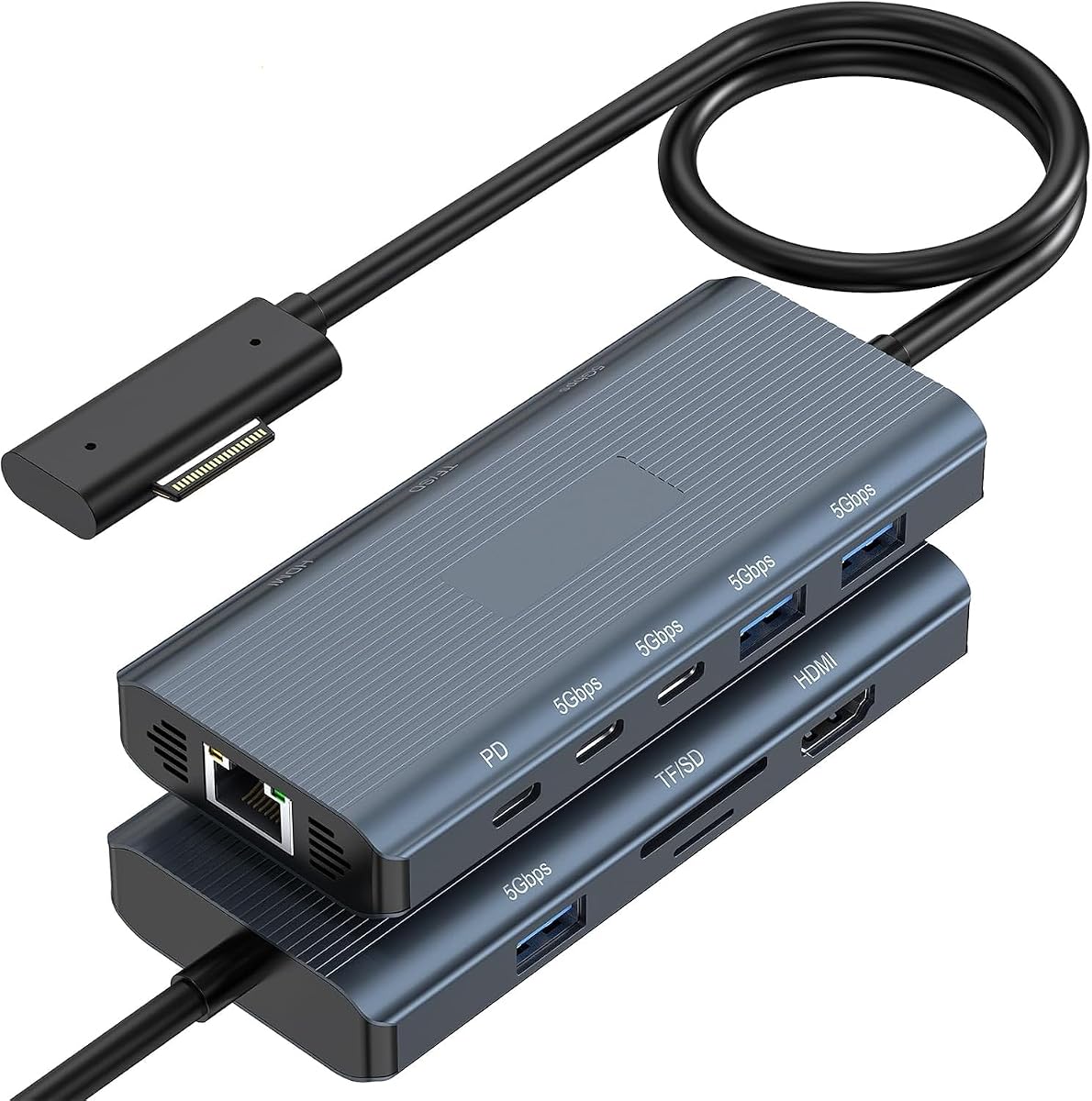
4.8Editor score

4.3Editor score
This side-by-side comparison helps you quickly identify which docking station matches your specific needs for screen real estate, data transfer speeds, and power delivery requirements.



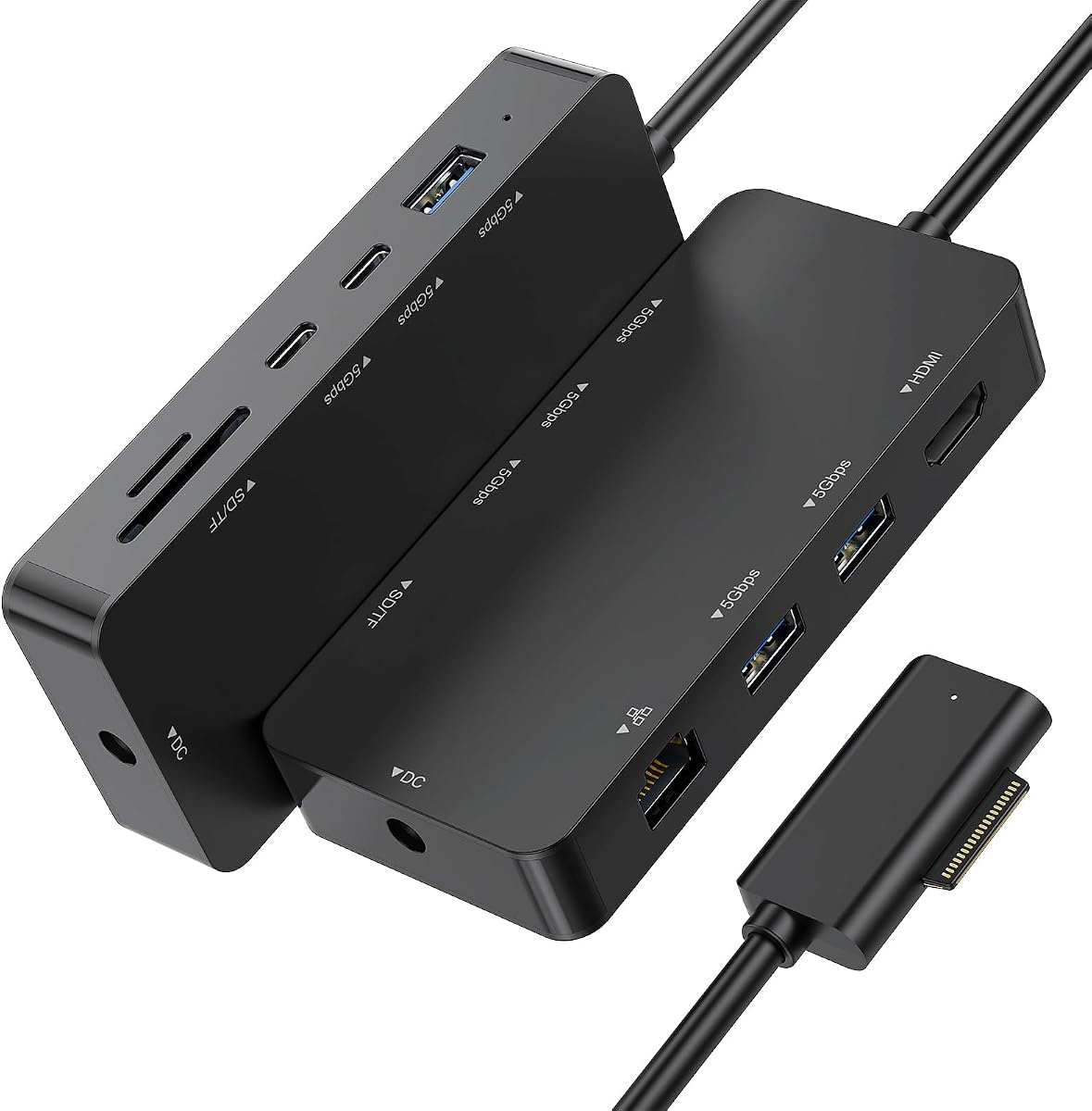
This docking station stands out for its ability to deliver smooth 4K visuals at 60Hz which is rare in this category. Its robust port selection ensures you can connect almost any peripheral without needing additional adapters for your daily workflow.
We may earn a commission when you buy through this link, at no additional cost to you.
The inclusion of a Gigabit Ethernet port ensures you get reliable internet speeds essential for video calls or large file downloads. Users appreciate the fast data transfer capabilities allowing quick movement of media files between drives and your Surface device.
While the 45W power supply is included you must remember to connect it properly to ensure full functionality. The magnetic connection requires attention to orientation but once set it offers a secure and stable link between your laptop and accessories.
Ideal for professionals who need reliable connectivity and high-quality display output this hub transforms your tablet into a desktop powerhouse. It remains a top recommendation for those balancing portability with the need for expanded workstation capabilities.
Enjoy crisp visuals with support for 4K resolution at 60Hz enabling smoother motion and sharper text for extended work sessions.
With multiple USB 3.0 and USB C ports you can connect external drives keyboards and mice simultaneously without performance bottlenecks.
We may earn a commission when you buy through this link, at no additional cost to you.
This model is specifically designed for users who demand maximum screen real estate for multitasking and complex workflows. It allows you to connect three external displays simultaneously providing ample space for code spreadsheets or design tools.
We may earn a commission when you buy through this link, at no additional cost to you.
The addition of a 3.5mm headphone jack adds convenience for audio monitoring without needing extra dongles. Card readers for SD and TF formats make it easy for photographers to offload footage directly into the hub.
The Ethernet port is limited to 100Mbps which may not suffice for very high bandwidth tasks compared to Gigabit options. Video output caps at 30Hz on 4K which is suitable for static work but less ideal for high frame rate media.
If your primary goal is extending your desktop across multiple monitors this dock delivers excellent value. It simplifies your workspace by centralizing connections into one clean cable solution for your Surface Pro 11.
Connect up to three monitors to significantly boost productivity by viewing multiple applications side by side without constant window switching.
Built-in slots for SD and TF cards provide quick access to storage media making file management straightforward and efficient.
We may earn a commission when you buy through this link, at no additional cost to you.
Designed for newer Surface devices this hub leverages USB-C connections to offer powerful features in a small footprint. Its Thunderbolt 4 support ensures future proofing and very high data speeds for demanding applications.
We may earn a commission when you buy through this link, at no additional cost to you.
The ability to charge your device at 100W through a single cable means you do not need to carry your original charger when traveling. The aluminum build helps dissipate heat effectively maintaining performance during long use sessions.
Users note that using a protective case on your Surface might affect the fit of the connection so care is needed when connecting. While it has fewer ports than larger models it covers the essentials for most mobile professionals.
This option is perfect for travelers who want robust connectivity without bulk. It delivers high performance and reliable charging at a price point that fits most budgets effectively.
Thunderbolt 4 technology supports extremely fast file transfers ideal for moving large video projects or datasets quickly between devices.
Receive up to 100W of power through the hub keeping your laptop charged while running multiple connected peripherals simultaneously.
We may earn a commission when you buy through this link, at no additional cost to you.
This docking station is engineered to handle complex office setups requiring multiple displays for efficient workflow management. It supports three external monitors simultaneously allowing you to keep different projects visible at once without clutter.
We may earn a commission when you buy through this link, at no additional cost to you.
The included 72W adapter provides sufficient power to run connected devices and charge your Surface reliably. Its compact design helps keep desks organized which is vital for maintaining a clean and focused work environment.
While it does not support Gigabit Ethernet it is still suitable for standard office internet needs. The USB-C ports are for data only so charging must be routed through the main power input which is standard for this type of hub.
Ideal for office workers who need to extend their desktop significantly this hub simplifies connections. It offers a reliable and tidy solution for expanding your workspace capabilities effectively.
Running multiple screens reduces the need to switch windows constantly making it easier to manage complex tasks and research.
The compact build minimizes desk footprint leaving more space for notebooks and other workspace essentials while staying tidy.
We may earn a commission when you buy through this link, at no additional cost to you.
Creative professionals will appreciate the wide range of ports and high-speed data transfer capabilities this model offers. It supports three external displays which is critical for editors working with timeline and reference windows simultaneously.
We may earn a commission when you buy through this link, at no additional cost to you.
The 72W power supply ensures that even when driving multiple screens the dock maintains stable performance and charges your device efficiently. Card slots allow quick access to camera media reducing downtime during critical creative processes.
The audio jack allows for precise monitoring during editing tasks which is a feature often missing in similar hubs. However the Ethernet connection is limited to 100Mbps which might be a constraint for cloud-based heavy asset workflows.
This dock is tailored for users who need robust connectivity and reliable power without constant interruptions. It stands as a solid choice for those balancing high output needs with daily mobility requirements.
Multiple displays let you keep tools open on one screen while working on the main canvas improving editing efficiency and accuracy.
A dedicated 72W adapter keeps your device running at full performance even under heavy load from external peripherals and screens.
We may earn a commission when you buy through this link, at no additional cost to you.
This premium dock delivers exceptional visual performance with dual 4K displays at 60Hz ensuring smooth scrolling and video playback. It is designed for users who demand the highest quality visuals for design and entertainment work.
We may earn a commission when you buy through this link, at no additional cost to you.
The Gigabit Ethernet port guarantees a stable and fast internet connection essential for high bandwidth activities like streaming or large cloud syncs. It includes robust card readers supporting up to 2TB storage for extensive media libraries.
The 100W power input ensures your laptop stays charged while powering multiple peripherals without throttling performance. While the cost is higher the reliability and speed it provides justify the investment for power users.
If you require top tier video output and network stability this docking station is a worthy investment. It provides a professional grade experience that matches the capabilities of high-end Surface devices.
Dual 4K at 60Hz ensures crisp and fluid visuals essential for professional color grading and high detail design tasks.
Gigabit Ethernet and high speed card readers eliminate bottlenecks allowing rapid data access and network performance.
We may earn a commission when you buy through this link, at no additional cost to you.
This versatile hub combines a wide range of ports with reliable networking and charging capabilities in a straightforward package. It supports 4K output ensuring you get clear visuals on external monitors for presentations and extended work.
We may earn a commission when you buy through this link, at no additional cost to you.
The Gigabit Ethernet port provides a stable connection that is often preferred over wireless for critical tasks. With multiple USB 3.0 and USB-C ports you can connect a full suite of peripherals without needing extra hubs.
The included 65W PD power adapter charges your device while keeping all connected accessories running smoothly. While it may lack the triple display options of others it excels at standard connectivity needs for general office use.
For most users seeking a reliable and comprehensive connection solution this dock hits the right balance. It offers great performance and convenience without unnecessary complexity or cost.
Gigabit Ethernet ensures consistent high-speed internet access essential for uninterrupted streaming and large file transfers.
Multiple USB ports allow simultaneous connection of keyboards mice drives and printers for a complete desktop experience.
We may earn a commission when you buy through this link, at no additional cost to you.
This dock provides an affordable way to expand your workspace with support for up to three external screens simultaneously. It is a solid choice for those who need extra screen real estate for multitasking without breaking the bank.
We may earn a commission when you buy through this link, at no additional cost to you.
The 72W power input ensures your device remains charged even when running multiple displays and peripherals. The compact design makes it easy to fit into various desk setups without taking up valuable space.
Users should note that the Ethernet port is limited to 100Mbps which might not meet the needs of high-speed internet users. However for most standard office tasks it provides stable and consistent network connectivity.
Ideal for students and professionals needing budget-friendly multi-monitor setups this dock delivers strong value. It simplifies your connections while providing essential features for a productive desktop experience.
Extend your desktop across three screens to handle multiple tasks without constant window switching improving workflow efficiency.
A robust power adapter ensures your Surface stays charged even when running multiple screens and external devices together.
We may earn a commission when you buy through this link, at no additional cost to you.
This docking station caters to advanced users who need the highest level of connectivity and visual fidelity. It supports multiple display types including HDMI and DisplayPort ensuring compatibility with a wide range of monitors and projectors.
We may earn a commission when you buy through this link, at no additional cost to you.
The 120W power adapter provides more than enough power to charge your device while running high-end peripherals. This ensures that performance remains stable even under heavy loads like video editing or rendering tasks.
The Gigabit Ethernet port offers reliable network speeds for large data transfers and uninterrupted streaming. Audio/Mic jack allows for direct connection of headsets reducing clutter and improving communication quality during calls.
For power users needing maximum flexibility and performance this hub is an excellent choice. It delivers professional grade features that support demanding workflows and high-end hardware configurations effectively.
Support for 4K at 60Hz across multiple ports ensures crystal clear visuals for professional design and media consumption.
120W power input guarantees your device stays charged during intensive use while powering all connected accessories.
We may earn a commission when you buy through this link, at no additional cost to you.
This dock stands out with its magnetic Surface Connect cable which ensures a secure and stable link to your device. It simplifies attachment and detachment making it ideal for users who frequently switch between laptop and desktop modes.
We may earn a commission when you buy through this link, at no additional cost to you.
The 4K HDMI output at 60Hz delivers smooth visuals that are perfect for presentations and media consumption. Ethernet connectivity ensures you get fast and reliable internet speeds essential for modern professional workflows.
With three USB 3.0 ports you can connect multiple peripherals like drives and printers without performance loss. The PD charging support keeps your device powered while using all the hub features simultaneously.
Ideal for users prioritizing connection stability and high-speed performance this dock offers a premium experience. It balances modern features with practical design to enhance your daily computing routine.
Magnetic connection ensures your dock stays attached securely preventing accidental disconnections during work or transport.
Gigabit Ethernet and USB 3.0 ports ensure rapid data transfer and stable network performance for high demand tasks.
We may earn a commission when you buy through this link, at no additional cost to you.
Selecting the right docking station involves considering your specific workflow needs and device compatibility to ensure seamless integration.
Evaluate the number and type of ports available including USB 3.0 USB-C and Ethernet to match your peripheral requirements. Fast data transfer speeds are essential for moving large files efficiently without slowing down your workflow.
Look for a hub that offers enough high speed ports to connect all your essential devices like external drives and printers simultaneously.
Check if the dock supports multiple displays and the maximum resolution and refresh rate available. High refresh rates like 60Hz provide smoother visuals which is beneficial for video editing and design tasks.
Ensure the HDMI or DisplayPort outputs match the resolution of your monitors to get the best visual experience possible.
Verify that the dock supports Power Delivery to charge your Surface Pro while in use so you do not need an extra charger. Higher wattage inputs ensure stable performance even when multiple high power peripherals are connected.
A reliable power adapter included with the dock simplifies setup and ensures your device stays charged throughout the day.
A Gigabit Ethernet port is highly recommended for stable and fast internet connections especially for remote work or large downloads. Wired connections often provide better reliability and lower latency compared to Wi-Fi.
Choose a model with a wired network option if you rely heavily on consistent internet speeds for your daily tasks.
Durable materials like aluminum help with heat dissipation ensuring the dock performs well during extended usage periods. A compact design saves desk space making it suitable for both home and office environments.
Prioritize docks with solid construction to avoid hardware issues and ensure long term reliability for your workspace.
Confirm that the docking station explicitly supports your Surface Pro 11 model to avoid connection issues or driver problems. Surface Connect ports vary across generations so matching the connector type is crucial for proper functionality.
Always check the official compatibility list before buying to ensure a seamless plug and play experience with your device.
Plug and play functionality without requiring driver installation is a significant convenience for quick setup and daily use. Simple connections and intuitive layouts help you manage peripherals without technical hassles.
Choose a hub that minimizes setup time and offers straightforward management of connected devices for efficiency.
Features like SD card readers or audio jacks can add value depending on your specific needs for media work or audio monitoring. Consider these extras if they eliminate the need for additional adapters dongles or peripherals.
These convenience features enhance the overall utility of the dock making it a more complete solution for your needs.
Connect the power adapter to the dock before plugging it into your Surface Pro 11 to ensure stable power delivery for all connected devices. Proper power sequencing prevents potential connection drops or performance issues during use.
Securely attach the magnetic Surface Connect cable ensuring the alignment is correct to avoid wear on the port. Gentle handling will extend the life of the connector and keep your connection reliable over time.
Avoid overloading the hub with more devices than it supports to prevent potential power or data bottlenecks. Regularly check for firmware updates and keep the area around the dock clear of dust to maintain optimal performance.
Many docking stations support Power Delivery to charge your Surface Pro 11 so you may not need a separate charger. However always check the power wattage to ensure it meets your device requirements for efficient charging during use.
Yes many of these docks support dual or triple monitor setups using HDMI VGA or USB-C ports. Ensure your Surface Pro supports MST to extend your display across multiple screens without performance issues.
Most docking stations are designed for plug and play use without needing to install additional drivers. Simply connect the dock and your peripherals to start using them immediately for seamless integration with your device.
Some models support 100Mbps Ethernet rather than Gigabit which may be slower for high bandwidth tasks. If you need faster speeds check the specifications of your dock to confirm it supports 1000Mbps connections.
Thick protective cases might prevent a secure magnetic connection so it is recommended to remove them when docking. Always verify fit and stability with your specific case to ensure reliable connectivity during use.
Check the battery icon on your Surface Pro 11 to confirm that the battery is charging while using the dock. You may also see a charging indicator light on the dock itself if it has that feature included.
The 11-in-1 Surface Pro Docking Station stands out for its balance of performance and features making it our top choice for most users. Its high refresh rate video output and reliable networking make it a strong contender for professional workflows.
For those needing maximum screen space the 12-in-1 Triple Display options provide essential capabilities for multitasking and creative work. Consider your budget and specific connectivity needs when narrowing down your final selection.
Always verify current specifications and availability before purchasing to ensure the dock meets your latest requirements. Prices and stock can change so checking the latest details guarantees you get the best product for your setup.