
MFi Certified USB 3.0 Flash Drive
4.3Editor score
128GB storage capacity
Lightning and USB-A ports
Compact metal keychain design
Discover the top flash drives for iPhone in 2026. We compare speed, compatibility, storage, and security across ten models to help you save space easily.
iPhone storage fills quickly with photos and videos. External drives offer portable backup without monthly fees. Choose models with Lightning or USB-C ports for seamless connection.
We evaluated ten drives for speed, build, and app support. Compatibility with iOS 12 plus matters. Look for MFi certification to ensure reliable data transfer.
Each pick shows capacity, connector type, and key features. Prices vary by storage and brand. Check current listings before buying to confirm compatibility and deals.
4.3Editor score

4.4Editor score

4.3Editor score
The following table compares all ten models by capacity, connector type, speed, and special features. Use this overview to find the right drive for your device.


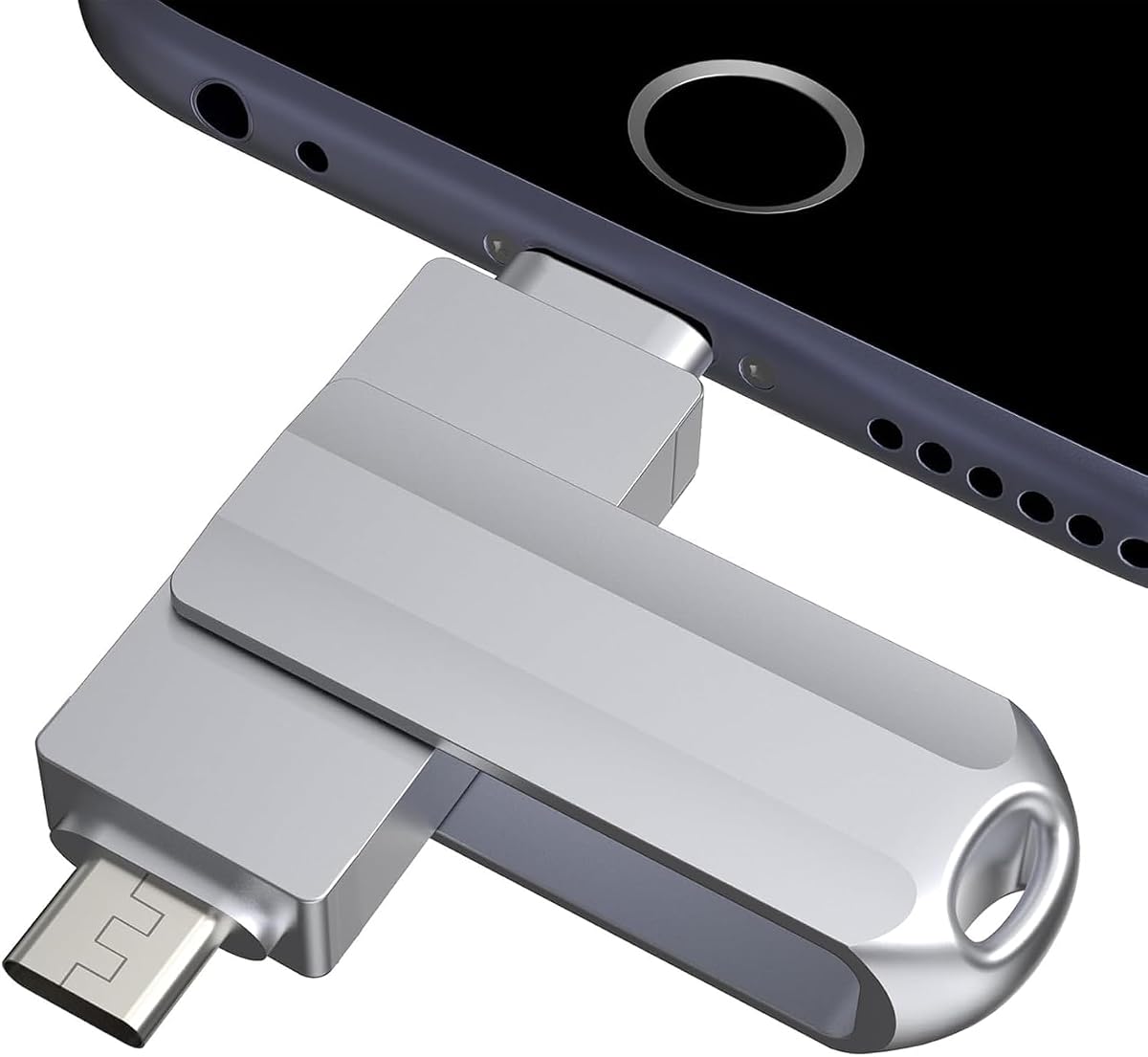


This MFi certified drive offers 256GB storage with Lightning and USB-C ports. It rates highly for reliable data transfer between iOS devices and PCs.
We may earn a commission when you buy through this link, at no additional cost to you.
Its metal casing protects connectors while the app enables one-click backups. You can encrypt files and share media directly to social platforms easily.
The app requirement adds a step for iOS users. However the security features and storage ease make it worth the minor inconvenience for most.
Buy this if you need secure high capacity storage for photos and videos. It balances performance and compatibility well for daily mobile backup needs.
Use Touch ID or passcode to lock files. Protect sensitive data from unauthorized access easily.
Save photos and videos directly to the drive. Free up iPhone space instantly without cables.
We may earn a commission when you buy through this link, at no additional cost to you.
This 128GB drive provides essential backup at a low cost. It features MFi certification for safe Lightning connections across iOS devices.
We may earn a commission when you buy through this link, at no additional cost to you.
Its design includes a keychain to prevent loss. You can store photos videos and files for transfer to Android phones or PCs easily.
The capacity suits light users but may not hold large video libraries. However for daily photo backups this remains a strong affordable value pick.
Buy this for cost effective storage expansion. It works well for travelers needing quick file swaps without heavy capacity requirements.
Attach to keys or bags for easy access. Keep your backup drive secure and on hand always.
Connect directly to older iPhones without adapters. Fast data transfer through certified Lightning ports.
We may earn a commission when you buy through this link, at no additional cost to you.
SanDisk offers premium quality with dual USB-C and Lightning connectors. This 256GB drive suits both new and older iPhone models well.
We may earn a commission when you buy through this link, at no additional cost to you.
Its Memory Zone app manages backups and file access. Password encryption keeps your most important content secure from prying eyes.
The cost is higher than generic options. But the build quality and dual connector flexibility justify the investment for power users.
Buy this if you switch between Lightning and USB-C devices often. It delivers reliable premium storage for professionals needing versatile access.
Use USB-C for iPhone 15 or Lightning for older models. One drive covers multiple device generations easily.
Choose automatic or manual file transfers. Track progress in real time for confidence.
We may earn a commission when you buy through this link, at no additional cost to you.
This Lexar drive boasts speeds up to 400MB/s for quick file transfers. It uses USB-A and USB-C ports for broad device compatibility.
We may earn a commission when you buy through this link, at no additional cost to you.
Its metal body resists drops and heat. You can manage photos with the Lexar app though iCloud backup remains unsupported currently.
The lack of direct iOS file encryption limits security. However for raw speed and durability on mixed platforms this performs excellently.
Buy this for fast data movement between Mac and mobile. It suits users prioritizing speed over advanced encryption features.
Move large videos four times faster than USB 3.0. Save time during bulk file transfers.
Protect connectors with rugged metal shell. Withstand daily travel wear and tear.
We may earn a commission when you buy through this link, at no additional cost to you.
This drive features a retractable design protecting connectors when unused. It offers four ports including USB Lightning Micro USB and Type-C adapters.
We may earn a commission when you buy through this link, at no additional cost to you.
MFi certification ensures safe connection to iPhones. You can back up files instantly using the included app on iOS devices.
The multiple ports require separate adapters for some devices. But the convenience of no exposed connectors makes it travel friendly.
Buy this if you need a rugged drive for varied ports. It suits tech users managing mixed hardware setups regularly.
Retract ports to prevent damage during transit. Keep connectors safe in pockets.
Access USB Lightning and Type-C options. Transfer files across diverse systems.
We may earn a commission when you buy through this link, at no additional cost to you.
The D40E features a 360-degree swivel for easy connector access. It supports USB-A and USB-C for standard and modern laptops.
We may earn a commission when you buy through this link, at no additional cost to you.
Secure files with AES encryption software. Backed by a 3-year warranty this offers reliable protection for important documents.
iOS support lacks dedicated apps like other models. But for PC and Mac users needing a secure compact drive this is ideal.
Buy this for secure storage between computers. It suits office users prioritizing data protection and warranty coverage.
Rotate connectors smoothly without caps. Prevent losing caps during transfers.
Protect files with 256-bit AES encryption. Secure sensitive data on the drive.
We may earn a commission when you buy through this link, at no additional cost to you.
This drive provides massive 512GB storage for videos and photos. It supports both USB-C and Lightning connections directly on iPhones.
We may earn a commission when you buy through this link, at no additional cost to you.
The mFlash app manages file transfers. You can move files between iPhone iPad and computer without cables easily.
The high capacity suits heavy media users best. However iOS users must install the app to access storage fully.
Buy this for extensive media storage needs. It suits content creators capturing large volumes daily.
Store thousands of photos videos files. Eliminate storage concerns for months.
Included for PC transfers. Connect to traditional USB ports easily.
We may earn a commission when you buy through this link, at no additional cost to you.
This metallic drive combines style with function. It features Lightning USB and Type-C ports via independent adapters.
We may earn a commission when you buy through this link, at no additional cost to you.
Use one-click backups for photos. videos. App support ensures quick transfers without complex steps.
Separate adapters can be lost easily. But the build quality and reliable connection maintain steady performance daily.
Buy this for reliable style. It suits users wanting attractive backup hardware with proven compatibility.
Save files instantly with one tap. No manual copying needed.
Durable stylish design protects internals. Looks premium in hand.
We may earn a commission when you buy through this link, at no additional cost to you.
This drive offers speeds up to 550MB/s for quick transfers. It uses USB-C and USB-A ports for modern devices only.
We may earn a commission when you buy through this link, at no additional cost to you.
Its zinc alloy shell resists shocks. Compatible with Macs Android and Windows but not older iPhones.
The lack of Lightning limits iOS use. But for USB-C iPhones and computers this delivers blazing fast performance.
Buy this for speed focused transfers. It suits users prioritizing rapid file movement over legacy support.
Ten times faster than USB 3.0. Move HD video instantly.
Withstand drops and scratches. Ensure long term durability.
We may earn a commission when you buy through this link, at no additional cost to you.
This drive works without app installation on iOS. Files move via the native Files app directly.
We may earn a commission when you buy through this link, at no additional cost to you.
Its four port interfaces connect to iPhones Android phones and PCs. No internet or fees required.
Transfer speeds are moderate compared to premium drives. But the simplicity makes access easy for all users.
Buy this for simple backup needs. It suits users who prefer native app support.
Use native Files app for iOS. Skip third-party installs.
USB Lightning Micro USB Type-C. Connect to almost any device.
We may earn a commission when you buy through this link, at no additional cost to you.
Choosing the right drive depends on compatibility speed and storage needs.
Ensure the drive matches your iPhone model. Older devices use Lightning while newer models like iPhone 15 use USB-C.
Look for dual connectors to support both generations and reduce accessory needs.
MFi certification guarantees safe connections and prevents errors. Non-certified drives may damage ports or fail.
Always check for the MFi logo on packaging for reliable performance.
Choose capacity based on your media volume. 128GB suits basic photos while 512GB is better for videos.
Plan ahead for growth to avoid running out of space quickly.
Higher read write speeds save time during backups. Look for drives rated above 100MB/s for large files.
Fast transfers reduce lag when moving high resolution videos.
Some drives need dedicated apps for iOS. Others work directly with the native Files app.
Decide if you prefer app features or simple native access.
Metal bodies and keychains improve durability and portability. Plastic models may break easily.
Choose rugged options for travel or daily carry.
Encryption and password protection protect sensitive data. Some drives offer app-based file locking.
Use encryption for private photos or business files.
A warranty covers defects and ensures reliability. Brands often provide 1 to 3 years of support.
Check warranty terms before purchase for peace of mind.
Plug the drive into your iPhone port and launch the required app. Grant permissions to access photos and files easily.
Select files to backup or transfer. Tap the backup button to save data to the drive instantly.
Eject the drive via the Files app before removal to prevent corruption. Store it in a cool dry place.
Most drives require an app for full functionality on older iPhones. Newer models may work with the native Files app. Check the product specs for app details.
Many drives support Android with OTG enabled. They work with USB-C phones or via adapters. No app is usually required for Android devices.
Some models feature water resistance but none are fully waterproof. Avoid submerging them in water to prevent damage. Check ratings before water exposure.
Move photos to the drive then delete them from iPhone. Use the backup app to verify files are saved first. This reclaims local space.
Thick cases can block the port. Remove the case before connecting the drive. This ensures a secure connection and prevents errors.
Yes if the app supports playback. Store media on the drive and open it via the app. This allows playback without using internal storage.
The top picks offer secure high capacity options for most needs. SanDisk and Lexar lead with reliable connectors.
Prioritize MFi certification and storage size over minor cost differences. Ensure you support both Lightning and USB-C.
Check current prices for deals before purchase. Verify compatibility with your exact iPhone model.