
CORSAIR RS120 ARGB 120mm PWM Fans – Daisy-Chain Connection – Low-Noise – Magnetic Dome Bearing – Triple Pack – Black
4.6Editor score
Daisy-chain connection
Eight LEDs per fan
AirGuide technology
This guide compares the top Corsair case fans for cooling performance, airflow, and RGB lighting to help you choose the right model for your build.
Choosing the right case fans is crucial for maintaining optimal system temperatures and ensuring longevity. Corsair offers a wide range of options designed to balance performance with aesthetics.
We evaluated ten top models based on airflow, static pressure, noise levels, and lighting features. Each product was analyzed for build quality and compatibility with modern motherboards.
Every pick highlights key strengths and ideal use cases for different builds. Note that availability and pricing may vary, so check current listings before purchasing.
4.6Editor score

4.6Editor score
4.4Editor score
This table provides a side-by-side comparison of the ten selected models, detailing key specifications and features to help you decide quickly.



The CORSAIR RS120 ARGB fans represent an excellent entry point for users seeking reliable cooling without breaking the bank. With a strong rating of 4.6 stars, these fans are praised for their balance of performance and ease of use.
We may earn a commission when you buy through this link, at no additional cost to you.
Key strengths include the streamlined daisy-chain connection, which simplifies cabling significantly. The eight LEDs per fan deliver vibrant lighting effects that synchronize well with compatible motherboards. The included Anti-vortex vanes direct airflow efficiently toward hot components, ensuring targeted cooling.
While they offer high static pressure of 2.8mm-H2O, they might be slightly less powerful than premium models for dense radiators. However, this trade-off is acceptable for standard air cooling setups and general case ventilation needs.
These fans are ideal for budget-conscious builders who still want RGB aesthetics and decent airflow. We recommend them for mid-tower cases where simplicity and value are top priorities.
Daisy-chain technology allows multiple fans to connect via a single connector, reducing clutter inside your case.
AirGuide technology focuses airflow precisely where it is needed, improving overall system thermal performance.
We may earn a commission when you buy through this link, at no additional cost to you.
The CORSAIR iCUE Link LX120 RGB fans set a new standard for modern PC cooling. They combine advanced connectivity features with high performance, earning a 4.6 star rating from users who appreciate their design.
We may earn a commission when you buy through this link, at no additional cost to you.
The standout feature is the iCUE LINK system, which connects fans directly without messy wiring. The included hub simplifies setup further. Dual light loops with 18 LEDs per fan provide stunning visual effects that are highly customizable through the iCUE software.
While the price is higher than basic models, the convenience of the LINK technology justifies the cost. The only minor drawback is the reliance on specific software for full functionality, which may deter users preferring BIOS control.
We recommend these fans for enthusiasts looking for a clean build aesthetic and top-tier performance. They are perfect for complex setups where cable management and RGB synchronization are critical.
iCUE LINK bridge connectors allow seamless connection of fans to a hub with just a single cable.
Dual Light Loops create a unique visual depth that enhances the overall look of your PC build.
We may earn a commission when you buy through this link, at no additional cost to you.
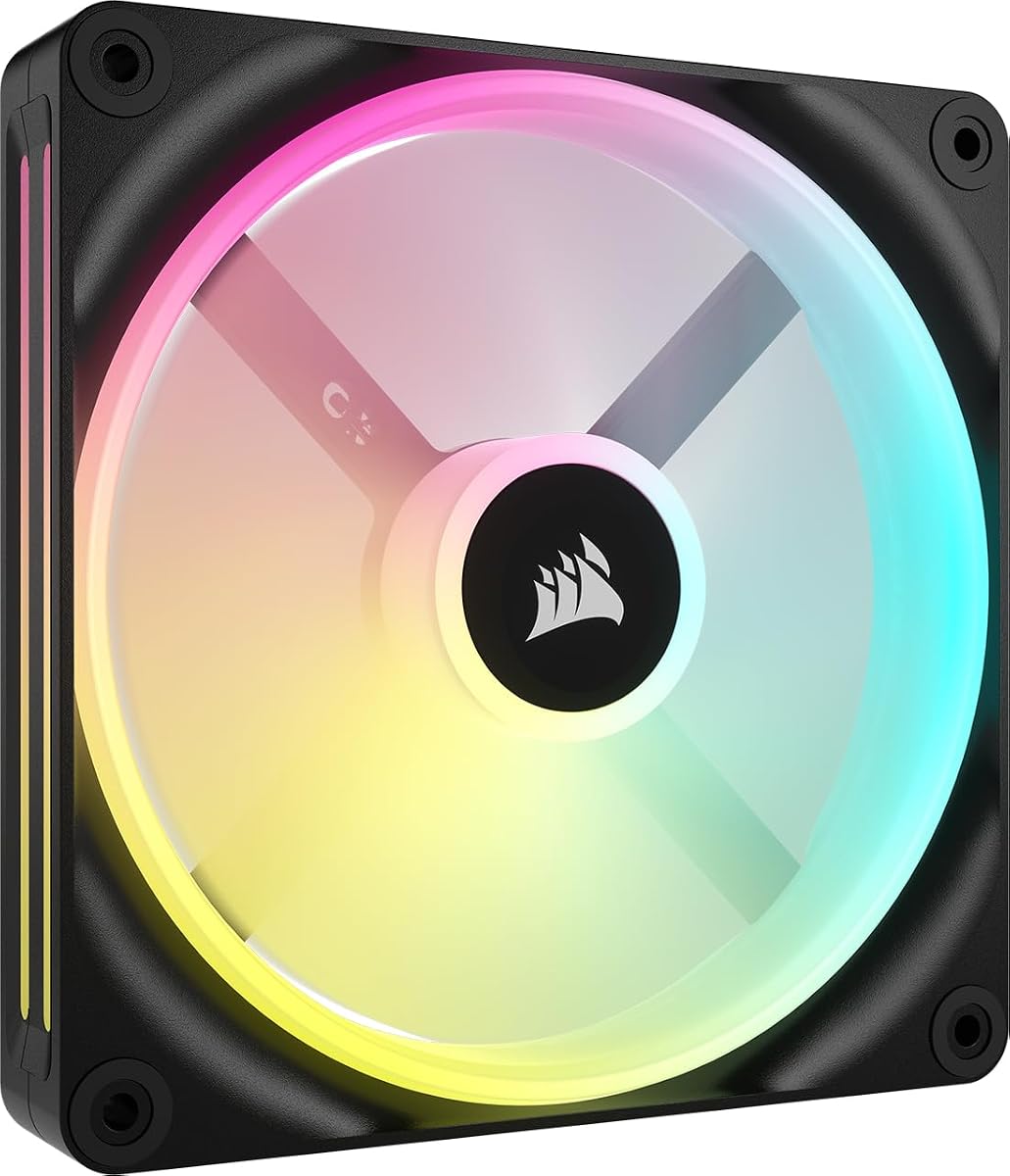
The QX140 RGB fan is a premium option designed for those who demand the best in cooling and visual performance. With a 4.4 rating, it delivers impressive airflow and unique lighting features that set it apart.
We may earn a commission when you buy through this link, at no additional cost to you.
Its 34 RGB LEDs enable exclusive modes like Time Warp, which requires the iCUE LINK system hub. The fan pushes up to 82.5 CFM of air, making it highly effective for cooling large cases or high-performance systems.
One limitation is that the hub is sold separately, adding to the overall cost. Additionally, the price point is higher than standard fans. However, the build quality and performance justify this investment for dedicated users.
These fans are best suited for custom loop builders or enthusiasts who want maximum control over cooling and lighting. We recommend them for high-end builds where every component needs to excel.
Exclusive Time Warp mode offers a strobing effect that adds a dynamic visual element to your setup.
Zero RPM mode ensures the fan stops completely at low loads, eliminating noise when cooling demands are low.
We may earn a commission when you buy through this link, at no additional cost to you.
The RS120-R ARGB Reverse Fans are designed to solve the common aesthetic issue of visible fan frames when mounted as intake. Rated at 4.7 stars, they are highly appreciated for their clean and seamless look.
We may earn a commission when you buy through this link, at no additional cost to you.
By reversing the rotor, the RGB lighting faces forward even when pulling air in. This ensures a flawless appearance from all angles. The white color option offers a fresh alternative to traditional black fans for bright builds.
Performance is solid with decent airflow and static pressure. The only downside is the slightly higher cost compared to standard fans. This price is justified by the unique design and visual benefits it offers.
We recommend these for users building white-themed PCs who prioritize aesthetics. They are perfect for cases with large front mesh panels where the fans are highly visible.
The reverse rotor design ensures the RGB ring remains fully visible even when mounted for intake.
Magnetic Dome bearings minimize noise and friction, allowing for quiet operation at various speeds.
We may earn a commission when you buy through this link, at no additional cost to you.
This black variant of the RS120-R ARGB fans offers the same aesthetic benefits as the white model but for traditional dark builds. It holds a 4.6 star rating, reflecting user satisfaction with its quality and look.
We may earn a commission when you buy through this link, at no additional cost to you.
The reverse rotor design eliminates the visibility of fan blades from the front, maintaining a sleek appearance. The RGB lighting is controlled via motherboard headers, providing flexibility for customization without extra hubs.
The main trade-off is the need for specific mounting orientations to achieve the desired look. However, this is a minor constraint for most builders. The performance remains consistent with other RS fans.
We recommend these for gamers who want a clean look without paying for the iCUE LINK ecosystem. They are ideal for budget-friendly reverse fan solutions.
Daisy-chain connections make installation easy by linking multiple fans with just one connector.
High static pressure ensures effective cooling even when air must pass through radiators or filters.
We may earn a commission when you buy through this link, at no additional cost to you.
The LX120-R RGB Triple Fan Kit combines the reverse rotor aesthetic with the advanced connectivity of the iCUE LINK system. With a 4.7 star rating, it is a top choice for enthusiasts seeking both form and function.
We may earn a commission when you buy through this link, at no additional cost to you.
Dual Light Loops provide incredible customization options for RGB effects. The included QuikTurn Screws make installation faster and more secure. The fan's high static pressure ensures it handles dense cooling setups effectively.
The main drawback is the premium price and the need for a separate hub to fully utilize the LINK features. However, the visual results and ease of cable management justify the investment.
We recommend this kit for high-end builds where RGB aesthetics are as important as cooling. It is perfect for users already invested in the iCUE ecosystem.
QuikTurn Screws allow for quick and tool-free installation, saving valuable time during assembly.
Inner and outer LED loops create a unique visual effect that enhances the depth of your case interior.
We may earn a commission when you buy through this link, at no additional cost to you.
The RX140 MAX RGB is designed for users who need maximum airflow without compromising on noise levels. Rated at 4.5 stars, it stands out for its unique thick blade design that moves more air at slower speeds.
We may earn a commission when you buy through this link, at no additional cost to you.
The 5mm increased thickness allows for larger blades, improving cooling efficiency. It delivers an impressive 102.9 CFM of airflow, making it suitable for high-performance cooling requirements. The RGB lighting is vivid and well-integrated into the frame.
However, the thick design requires specific mounting conditions like 50mm thick radiators. This limits its versatility for standard cases. Additionally, it is sold as a single fan, which may increase total cost for multiple units.
We recommend this fan for specialized water-cooled systems where space allows for thick fans. It is ideal for silent enthusiasts who prioritize efficiency over standard form factors.
The thick fan blade design moves more air at the same speed as thinner fans, enhancing cooling potential.
By spinning slower to produce the same airflow, the RX MAX reduces noise while maintaining high performance.
We may earn a commission when you buy through this link, at no additional cost to you.
The RS120 MAX fan is engineered for situations requiring high static pressure, such as dense radiators or filter-heavy cases. With a 4.6 star rating, it is recognized for its durable build and cooling efficiency.
We may earn a commission when you buy through this link, at no additional cost to you.
The 30mm thickness provides larger blades that improve airflow. The Liquid Crystal Polymer construction adds strength and reduces vibration. AirGuide technology ensures air is directed efficiently toward hot components.
Its main limitation is the lack of RGB lighting, which may not appeal to users wanting a flashy aesthetic. The thick design also requires compatible mounting space. However, for pure performance, it excels.
We recommend this fan for silent, high-performance air cooling setups. It is perfect for users who prioritize quiet operation and thermal efficiency over RGB effects.
Liquid Crystal Polymer frame reduces vibration and increases performance with excellent rigidity.
Anti-vortex vanes direct airflow precisely where needed, reducing turbulence and improving cooling.
We may earn a commission when you buy through this link, at no additional cost to you.
The iCUE Link RX140 RGB offers a balance of high performance and elegant design. With a 4.7 star rating, it is a reliable choice for users who want strong airflow and seamless connectivity.
We may earn a commission when you buy through this link, at no additional cost to you.
The Magnetic Dome bearing ensures quiet operation even at high speeds. The fan delivers 95.7 CFM of airflow and maintains significant static pressure for radiators. The white frame complements light-themed builds effectively.
Similar to other LINK models, it requires a hub for full features. While this adds cost, it streamlines cabling significantly. The single fan format is ideal for small expansions or replacements.
We recommend this fan for custom loop users who prefer white aesthetics. It is perfect for cases with 140mm mount points requiring efficient cooling.
With nearly 96 CFM of airflow, this fan effectively cools large areas of your system.
Bridge connectors enable easy connection to other LINK fans for a cleaner build environment.
We may earn a commission when you buy through this link, at no additional cost to you.
The QX140 RGB Double Fan Starter Kit is a convenient entry point for those new to the iCUE LINK ecosystem. While it is a renewed product, it offers significant savings with a hub included in the package.
We may earn a commission when you buy through this link, at no additional cost to you.
The kit includes two fans and the hub, making it a complete solution for a quick upgrade. The white color option matches modern clean builds perfectly. It retains the same high performance as the new version.
The main drawback is that it is renewed, which means it may show minor signs of use. There is also a risk of variable quality compared to new products. However, it provides excellent value for the price.
We recommend this kit for budget shoppers willing to buy renewed for savings. It is perfect for users needing a quick LINK system setup without spending extra on the hub.
Includes both fans and the system hub, eliminating the need to purchase the hub separately.
The white frame offers a clean, modern look that stands out in dark cases.
We may earn a commission when you buy through this link, at no additional cost to you.
Selecting the right Corsair case fans involves considering airflow, static pressure, and control options to match your system needs.
Airflow, measured in CFM, determines how much air moves through the case, while static pressure measures force against obstructions. High airflow is best for general ventilation, whereas high static pressure suits radiators and filters.
Choose high static pressure fans for liquid cooling setups and high airflow fans for open case areas.
Corsair offers fans in 120mm and 140mm sizes. Ensure your case supports the size you prefer. Larger fans can often move more air at lower speeds, reducing noise.
Always verify case dimensions before purchasing to ensure a proper fit without clearance issues.
Standard fans use 4-pin PWM headers, while modern models use iCUE LINK connectors. LINK systems reduce cable clutter but require a compatible hub. PWM allows direct motherboard control without extra hardware.
Consider whether you prefer simplicity with PWM or the clean look of LINK connections with a hub.
Some fans offer basic RGB while others feature Dual Light Loops or Time Warp modes. Check if your motherboard or hub supports the required control protocols for full customization.
Ensure lighting sync options align with your other components to achieve a cohesive visual effect.
Magnetic Dome bearings reduce friction and noise, ensuring silent operation. Fan speed settings allow you to balance cooling needs with noise tolerance.
Opt for models with Zero RPM support to eliminate noise completely when the system is idle.
Reverse rotor fans keep RGB rings visible even when pulling air in. Standard fans may show blades. Choose based on your visual preference and case window placement.
White or black finishes should match the overall color scheme of your build for a polished look.
Daisy-chain and bridge connectors simplify wiring. LINK systems reduce cables significantly. Regular fans may require multiple headers.
Check if the package includes necessary screws or tools to ease the installation process.
Triple packs often offer better value than single units. Starter kits with hubs can save money. Weigh the cost against features like RGB and advanced control.
Assess your needs carefully to avoid overspending on features you won't use.
Begin by ensuring your case is powered off and unplugged. Align the fan correctly so arrows point in the desired direction for airflow. Use screws to secure it firmly to avoid vibrations.
Connect the fans to a PWM header or iCUE LINK hub as required. Install the iCUE software to configure lighting and speed profiles for optimal performance.
Regularly clean dust from the fan blades using compressed air to maintain efficiency. Check for any rattling or unusual noises periodically to ensure smooth operation.
No, only models specifically labeled with iCUE LINK require the hub. Standard PWM fans connect directly to the motherboard. However, using the hub simplifies cable management for LINK models.
They are worth it if you want a clean look with RGB facing forward when mounted as intake. Standard fans may show blades. The choice depends on your aesthetic priorities.
High static pressure fans are best for radiators. Models like the RS120 MAX or RX series perform well with dense radiator fins.
Yes, you can mix models, but ensure connectors are compatible. For consistent lighting, use fans from the same series and software control.
PWM fans work with BIOS controls. LINK models require the hub and iCUE software for full control unless configured manually via headers.
Most models are designed for low noise. At maximum RPM they are audible but not excessive. Magnetic Dome bearings help reduce operational noise.
The top picks include the RS120 ARGB for budget savings, the LX120 RGB for overall value, and the QX140 for premium performance. Each offers unique benefits for different builds.
Prioritize cooling needs, aesthetics, and connectivity features when making your decision. Balance airflow with quiet operation to ensure a comfortable system.
Remember that prices and availability fluctuate. Always check current listings before purchasing to secure the best deal for your needs.