
HP 14 inch Laptop 2027 Edition
4.5Editor score
14 inch anti-glare display
Intel N150 processor
4GB DDR5 RAM
Lightweight and portable
Finding a laptop with an anti glare screen is essential for anyone who spends long hours working or studying on a computer. These displays reduce harmful reflections and eye strain, ensuring a comfortable viewing experience in various lighting conditions.
We have carefully compared ten top-rated models based on their display quality, processing power, battery life, and overall value. Our analysis focuses on how well each device handles everyday tasks while maintaining clear and vibrant visuals without distracting glare.
Each pick highlights key strengths and potential trade-offs to help you make an informed decision. Please note that product availability and pricing can change frequently, so verify the latest details before finalizing your purchase today.
4.5Editor score
4.1Editor score

4.5Editor score
As an Amazon Associate we earn from qualifying purchases.
The following table provides a side-by-side comparison of all ten laptops featured in this guide, highlighting their core specifications and key features to assist your selection process.




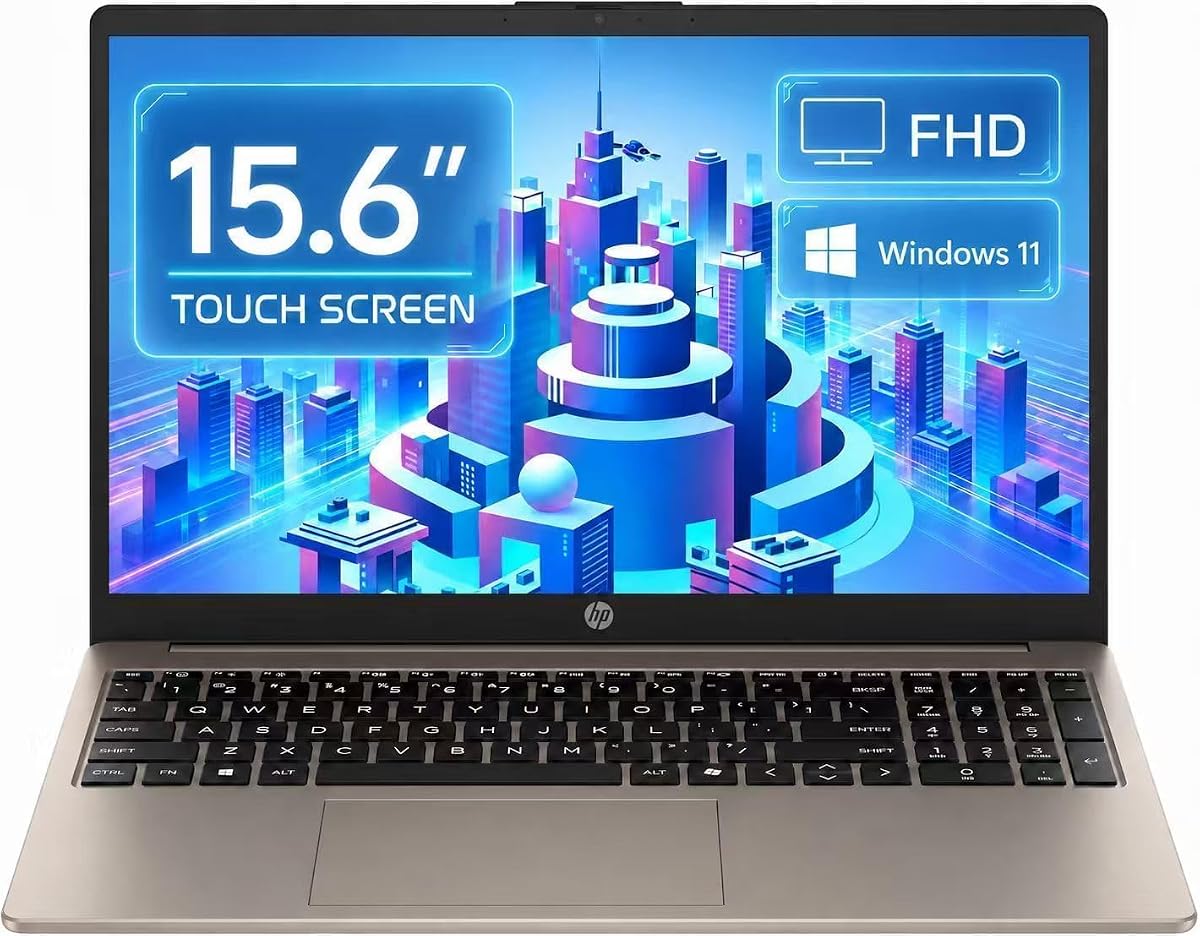
This HP Pavilion model stands out as an excellent choice for users seeking a balance of performance and display quality. With a strong rating and robust specifications, it handles daily computing tasks efficiently while providing a comfortable viewing experience.
We may earn a commission when you buy through this link, at no additional cost to you.
The standout feature is the 15.6 inch Full HD anti-glare display that supports touch input. This allows for intuitive navigation and interaction with apps directly on the screen. The IPS technology ensures clear views from different angles, which is vital for collaborative work or media consumption.
While the Intel Core i3-N305 processor is capable of handling everyday tasks like browsing and document editing, it may struggle with heavy video editing or gaming. However, the generous 16GB RAM helps mitigate this by allowing smooth switching between multiple applications without lag.
This laptop is ideal for students and professionals who need a reliable machine for office work and media consumption. The combination of ample memory, fast storage, and an eye-friendly display makes it a top contender in this category.
The anti-glare coating significantly reduces reflections from overhead lights or windows, making it easier to focus on content for extended periods without eye fatigue.
With 16GB of RAM and a 1TB SSD, you can keep numerous files and applications open simultaneously while enjoying fast boot times and quick file access.
We may earn a commission when you buy through this link, at no additional cost to you.
For those on a tight budget, this HP 14 inch laptop offers surprising value. It delivers essential features like an anti-glare screen and cloud storage integration, making it a practical option for basic computing needs.
We may earn a commission when you buy through this link, at no additional cost to you.
The Intel N150 processor provides efficient performance for web browsing and word processing. The 4GB DDR5 RAM is a modern upgrade that helps with basic multitasking, though it may be limiting for power users running many applications at once.
One significant benefit is the inclusion of 1TB Cloud Storage and a one-year Microsoft 365 subscription. This ensures you have access to essential software and storage space without additional upfront costs, which is a rare find at this price.
This device is best suited for students or casual users who primarily work online. Its lightweight chassis makes it easy to carry to class or work, and the anti-glare screen ensures comfort during long reading or writing sessions.
The generous cloud storage allocation allows you to save files securely online, reducing the need for local drive space and enabling easy access from multiple devices.
Weighing only 3.24 lbs with a slim profile, this laptop is designed for mobility, fitting easily into backpacks for on-the-go productivity.
We may earn a commission when you buy through this link, at no additional cost to you.
This HP 17.3 inch model is designed for users who prioritize screen real estate and performance. The larger display combined with an anti-glare coating provides a premium viewing experience ideal for detailed work and entertainment.
We may earn a commission when you buy through this link, at no additional cost to you.
The AMD Ryzen 5 7430U processor is a robust 6-core chip that handles multitasking and media creation with ease. Paired with 16GB RAM, it ensures smooth performance even when running demanding applications or keeping many browser tabs open.
The 300 nits brightness level on this IPS LED display is particularly impressive for an anti-glare screen, ensuring colors remain vibrant and visible even in brightly lit rooms. The dedicated Copilot key also streamlines access to AI tools for productivity.
This laptop is best for desktop replacements or home office setups where portability is less critical than visual comfort. The large screen reduces the need for external monitors, making it a self-contained workstation.
The 17.3 inch Full HD IPS panel delivers wide viewing angles and lifelike color reproduction, enhanced by the anti-glare coating to minimize distractions.
The built-in Copilot key offers instant access to AI assistance, helping you optimize workflows and complete tasks more efficiently without navigating menus.
We may earn a commission when you buy through this link, at no additional cost to you.
The Dell 15.6 laptop focuses on efficiency and comfort for everyday computing. It offers a reliable platform for students and home users who need a dependable machine without unnecessary bloat.
We may earn a commission when you buy through this link, at no additional cost to you.
One of its strongest features is the ergonomics. The lifted hinges provide a comfortable typing angle, and the keypads are designed for speed with a separate numeric keypad. Additionally, ComfortView software reduces harmful blue light to keep eyes comfortable.
Performance is handled by the Intel Core 3 100U processor, which is suitable for web browsing, email, and document editing. The 8GB RAM supports smooth multitasking for typical users, though heavy workloads may require careful application management.
This laptop is an excellent choice for budget-conscious buyers who value long-term support. The inclusion of 1 Year Onsite Service adds significant peace of mind, ensuring help is available if hardware issues arise.
Dell ComfortView technology helps reduce blue light emissions during extended viewing times, contributing to reduced eye strain during long work sessions.
The ergonomic design includes a roomy keypad and an adjustable hinge angle, promoting better posture and comfort while typing for hours.
We may earn a commission when you buy through this link, at no additional cost to you.
This HP model brings advanced features to a mid-range laptop, focusing on communication quality and display performance. It is ideal for remote workers who rely heavily on video conferencing and clear visuals.
We may earn a commission when you buy through this link, at no additional cost to you.
The AI noise reduction software is a standout feature, filtering out background noise during calls to ensure your voice comes through clearly. This is paired with a high-quality webcam that includes a privacy shutter for security when not in use.
The 15.6 inch IPS touchscreen offers vivid colors and wide viewing angles with 300 nits brightness. AMD FreeSync technology ensures fluid visuals during media consumption or light gaming, making it a versatile device for entertainment.
This device is perfect for professionals who need reliable connectivity and clear communication tools. The anti-glare touch display adds a layer of interaction and comfort, while the recycled materials align with sustainable purchasing goals.
AI noise reduction software tracks your voice during calls and automatically filters out background noise for distinctively focused communications.
AMD FreeSync Technology syncs the display and refresh rate to deliver fluid, artifact-free visual performance at virtually any framerate.
We may earn a commission when you buy through this link, at no additional cost to you.
This HP laptop offers robust performance with a 13th Gen Intel Core i7 processor, making it capable of handling more demanding tasks than typical entry-level models. It is designed for users who need speed and efficiency in their daily workflow.
We may earn a commission when you buy through this link, at no additional cost to you.
The Intel Iris Xe graphics provide impressive performance for light gaming and content creation without requiring a discrete graphics card. The 16GB RAM ensures that you can run multiple applications simultaneously without slowdown, boosting overall productivity.
HP Fast Charge technology is a practical feature that allows the device to go from 0 to 50% in about 45 minutes. This minimizes downtime and ensures you can return to work quickly during busy days.
This model is ideal for power users who want a reliable anti-glare screen without breaking the bank. It balances processing power and storage capacity effectively, offering a professional experience for home or office use.
The 13th Gen Intel Core Processors advance real-world computing and deliver ultra-efficient multi-tasking for complex workloads.
HP Fast Charge powers down your device to go from 0 to 50% charge in approximately 45 minutes when low on power.
We may earn a commission when you buy through this link, at no additional cost to you.
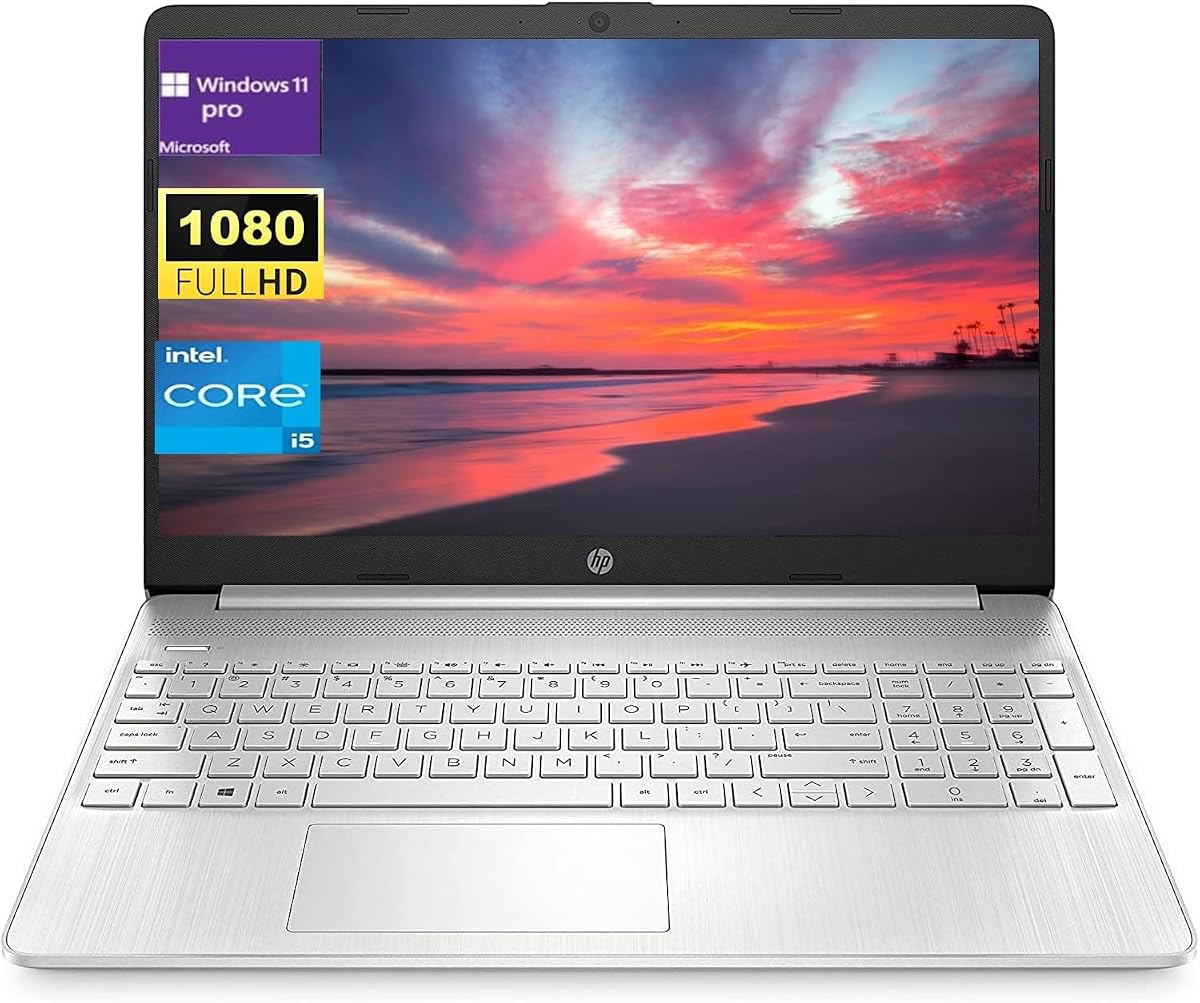
This HP laptop is tailored for business users who need specific software capabilities and reliable hardware. Windows 11 Pro offers enhanced security and management features that are essential for professional environments.
We may earn a commission when you buy through this link, at no additional cost to you.
The 11th Gen Intel Core i5-1135G7 processor provides a good balance of speed and efficiency. With 8GB RAM and a 512GB SSD, you get fast boot times and enough space for essential applications and documents.
The inclusion of an SD card reader is a convenient feature for photographers or creative professionals who need to transfer data from cameras or other devices quickly. The anti-glare display ensures visibility in various office lighting conditions.
This device is a solid choice for corporate users or freelancers who require professional-grade features. Its battery life supports a full workday away from a power outlet, maintaining productivity throughout the day.
Windows 11 Pro provides advanced security and management tools that are critical for businesses handling sensitive data.
The SD card reader allows for quick data transfers from digital cameras, reducing the need for external readers.
We may earn a commission when you buy through this link, at no additional cost to you.
The Dell Latitude 5420 is a rugged business laptop designed to withstand daily wear and tear. As a renewed model, it offers high-end features at a reduced cost, making it an attractive option for enterprise users.
We may earn a commission when you buy through this link, at no additional cost to you.
Its 14 inch anti-glare touchscreen provides precise input options, which is helpful for note-taking and navigation. The Intel Quad-Core i5 processor ensures stable performance for office work and online learning without compromising efficiency.
Connectivity is robust with Thunderbolt 4 ports allowing for fast data transfer and external display support. The anti-glare display reduces light reflections in all scenes, keeping images clear even in bright office environments.
This laptop is best for IT departments or businesses needing reliable hardware without the price of new models. The renewed status often includes testing to ensure it meets performance standards similar to new units.
Built for reliable daily use, this laptop is designed to withstand physical stress and maintain performance over time.
Thunderbolt 4 ports provide versatile connectivity options for external monitors and fast storage devices.
We may earn a commission when you buy through this link, at no additional cost to you.
This Lenovo business laptop is built to withstand challenging conditions while providing a reliable computing experience. It is an excellent choice for students or field workers who need a tough device that is gentle on the eyes.
We may earn a commission when you buy through this link, at no additional cost to you.
The anti-glare coating reduces eye strain in bright environments, making it suitable for varied workspaces. The display is TÜV Low Blue Light certified, ensuring that harmful blue light is minimized during long work sessions.
Durability is a key focus, with MIL-STD-810H military-grade testing ensuring reliability. The laptop includes a 1TB OneDrive storage subscription, which helps expand your file capacity beyond the limited local storage.
This device is ideal for users who prioritize reliability and eye comfort over high-end graphics. It delivers efficient performance for web browsing and document editing with a chassis that can handle daily wear and tear.
TÜV Low Blue Light certification helps protect your eyes from harmful emissions during extended screen usage.
MIL-STD-810H military-grade tested construction ensures the laptop withstands physical stress and challenging conditions.
We may earn a commission when you buy through this link, at no additional cost to you.
This HP 17 inch laptop is perfect for those who prefer a larger screen for productivity and media. The anti-glare technology ensures that the wide viewing angles and vibrant colors remain visible without distracting reflections.
We may earn a commission when you buy through this link, at no additional cost to you.
The AMD Ryzen 5 7430U processor with 16GB RAM handles multitasking with ease. You can run multiple browser tabs, office applications, and streaming services simultaneously without significant lag or slowdowns.
Fast storage speeds are provided by the PCIe NVMe SSD, ensuring rapid boot-ups and instant application launches. This reduces wait times and keeps your workflow efficient, especially when managing large files or media libraries.
This laptop is best for home offices or study areas where screen real estate is a priority. The ergonomic design and long battery life make it a comfortable and reliable choice for extended work or study sessions.
The 17.3 inch Full HD anti-glare screen offers vibrant color accuracy and flicker-free technology perfect for entertainment.
Blazing-fast 512GB PCIe NVMe SSD ensures rapid boot-ups and instant application launches.
We may earn a commission when you buy through this link, at no additional cost to you.
Selecting the right laptop with an anti-glare screen involves considering display specs, performance, and portability to match your specific needs.
Larger screens like 17 inches offer more workspace but increase weight, while 14-inch models are portable. Ensure the resolution is at least 1920×1080 for sharp text and images.
Choose a size that balances visual comfort with portability based on where you will use the device most.
High-quality anti-glare coatings reduce reflections without making the screen look grainy. Look for terms like matte or anti-reflective in the product details.
Verify that the coating is durable and does not degrade over time with cleaning.
Processors like Intel Core i5 or AMD Ryzen 5 offer a balance for general tasks. For heavy workloads, consider higher-end models with more cores.
Ensure the CPU matches your usage patterns to avoid unnecessary costs or performance bottlenecks.
8GB of RAM is the minimum for smooth multitasking, while 16GB is recommended for power users. SSD storage is crucial for fast boot times compared to traditional hard drives.
Prioritize SSD capacity if you store large files locally to maintain system responsiveness.
Look for laptops promising at least 8 hours of battery life to ensure you can work throughout the day. Real-world usage often varies, so read detailed reviews.
Select a model with a battery that supports your typical work duration away from a charger.
A sturdy chassis with MIL-STD certification indicates better durability for travel. Check for essential ports like USB-C, HDMI, and an SD card reader.
Ensure the laptop has enough connectivity options to support your peripherals without extra adapters.
Ergonomic keyboards with good key travel reduce finger fatigue during long typing sessions. A backlit keyboard is useful for low-light environments.
Test the keyboard feel or read reviews regarding typing comfort before purchasing.
Windows 11 Pro offers better security features than Home for business use. Check if Microsoft 365 is included to save on software costs.
Ensure the operating system matches your workflow requirements for security and functionality.
Clean the screen regularly with a soft microfiber cloth to remove dust and smudges. Avoid using harsh chemicals or paper towels that could scratch the anti-glare coating.
Adjust your screen brightness to match the ambient light in the room to minimize eye strain. Using the built-in blue light filter settings can also help reduce fatigue during late-night work.
Keep the laptop in a protective sleeve when transporting to prevent scratches on the screen. Avoid placing heavy objects on top of the closed laptop to protect the screen and keyboard.
An anti-glare screen reduces reflections from external light sources like windows or overhead lights. This helps improve visibility and reduces eye strain, allowing you to work comfortably for longer periods.
Yes, they significantly reduce glare which is a common cause of digital eye strain. By minimizing reflections, the screen remains clearer, reducing the need to squint or adjust your position frequently.
High-quality anti-glare coatings maintain good color accuracy while reducing reflections. However, some matte screens may make colors appear slightly less vibrant compared to glossy displays.
Use a soft, dry microfiber cloth to gently wipe away dust and fingerprints. Avoid spraying liquid directly on the screen and never use window cleaners or abrasive materials.
Sizes between 14 and 15.6 inches offer a good balance of portability and screen real estate. Larger screens like 17 inches provide more space but may be less convenient to carry.
Yes, you can attach a privacy filter to an anti-glare laptop. Just ensure the adhesive is gentle to avoid damaging the anti-glare coating on the screen surface.
We have highlighted ten excellent laptops that combine anti-glare displays with strong performance and features. Each option offers a unique balance of price, size, and capability to suit different needs.
Prioritize display size and processor power based on your primary tasks. If you work in bright environments, a high-brightness anti-glare screen is essential for maintaining productivity.
Remember to verify current pricing and availability before purchasing as these details can change frequently. We hope this guide helps you find the perfect laptop for your comfort and productivity.