
SUPVAN E11 Keyboard & Bluetooth Label Maker Machine with 4 Tapes
4.5Editor score
Keyboard and Bluetooth printing
One month battery life
Minimal margin printing
This guide compares the top label printers with clear tape for home and office organization. Find the best portable, Bluetooth, and handheld makers for your
Finding the right label printer with clear tape can transform how you organize your home, office, or workshop. Clear labels offer a sleek look that blends seamlessly with shelves and containers while remaining highly readable.
We evaluated ten top-rated models based on print quality, ease of use, battery life, and tape compatibility. Each product was selected for its ability to deliver crisp text on transparent media without excessive cost.
Every pick below highlights key features and ideal use cases to help you decide quickly. Keep in mind that availability and pricing may vary over time, so checking current listings is always recommended.
4.5Editor score

4.6Editor score

4.6Editor score
The following table provides a side-by-side look at the ten models featured in this guide. Use this to quickly compare specs and decide which fits your labeling workflow best.




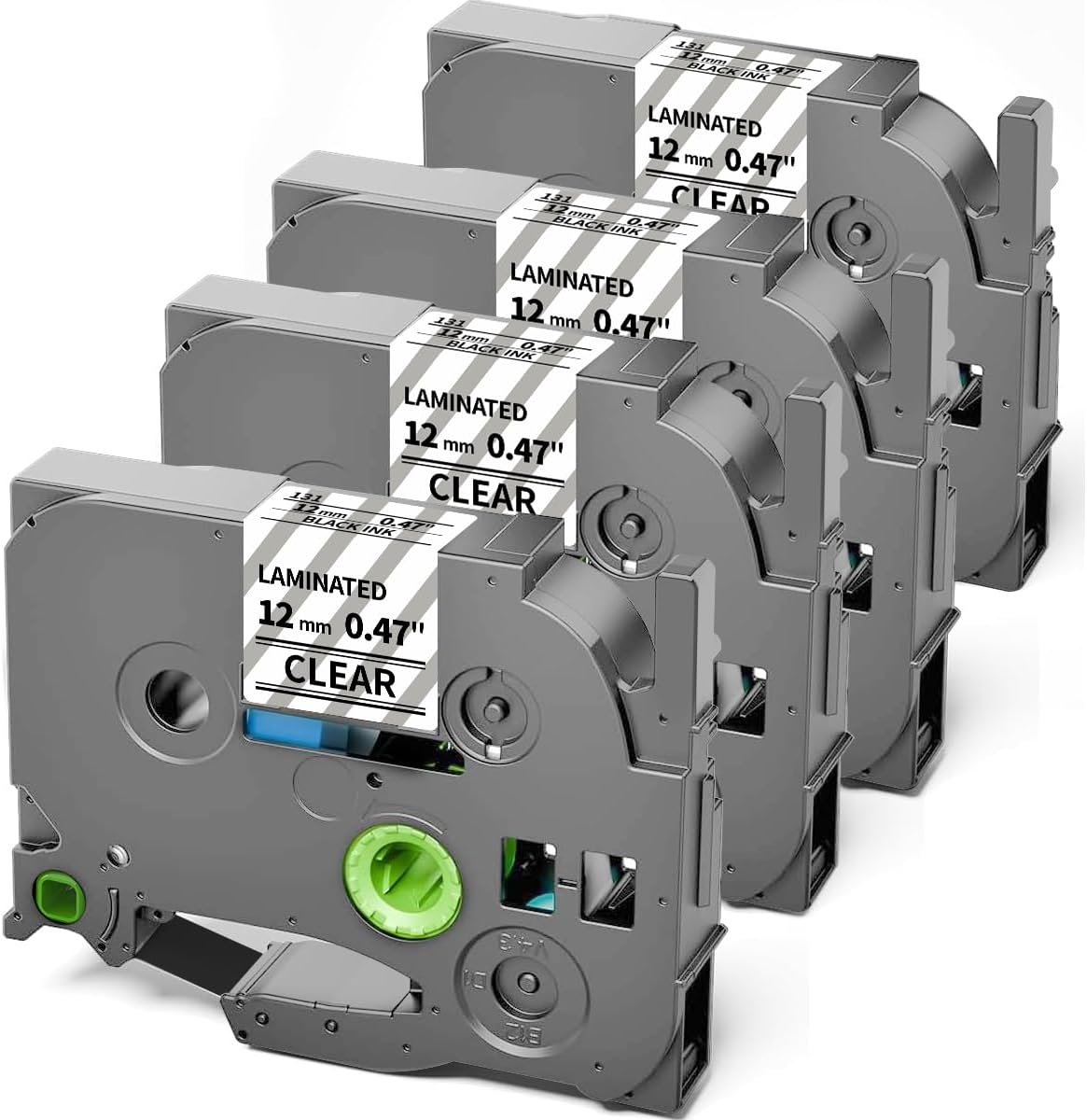
The SUPVAN E11 is an affordable solution for users who need clear tape printing without breaking the bank. With a 4.5 rating from buyers, it combines keyboard speed and app customization effectively.
We may earn a commission when you buy through this link, at no additional cost to you.
Its standout feature is the minimal margin printing, which uses only 0.2 inches of space around text. This design saves material over time while keeping labels tidy and professional.
Trade-offs include reliance on the mobile app for Bluetooth features and lack of a built-in cutter. However, for basic organization tasks, the included tapes and long battery life make these minor.
This model is ideal for home users and students needing a budget-friendly option. Buy it if you value speed and tape efficiency alongside basic clear tape functionality.
Printing with a 0.2 inch margin maximizes label area and reduces waste compared to wider borders found on other devices.
Use the physical keyboard for quick tasks or switch to the app for designs. This dual input supports both speed and creativity.
We may earn a commission when you buy through this link, at no additional cost to you.
The DYMO LetraTag Bundle offers a classic labeling experience with a dedicated QWERTY keyboard and clear tape included. Its 4.6 rating reflects strong user satisfaction with its simplicity and reliability.
We may earn a commission when you buy through this link, at no additional cost to you.
Users appreciate the graphical display that shows fonts and effects before printing. The included black-on-clear tape makes it perfect for transparent labels on shelves or glass jars.
Drawbacks include reliance on AA batteries and fewer font styles than app-based printers. However, the convenience of immediate printing without setup often outweighs these limitations for many households.
Choose this bundle if you want a no-fuss handheld tool. It is especially useful for those who prefer physical typing over smartphone connectivity for quick labels.
This kit includes both black-on-white and black-on-clear tapes so you can start labeling different surfaces right out of the box.
See exactly how your label will look on the 13-character screen before you print to avoid mistakes and save tape.
We may earn a commission when you buy through this link, at no additional cost to you.
The DYMO 100H LetraTag stands out by including three different tape types, with one clear plastic option. Its 4.6 rating highlights trust in its build quality and labeling versatility.
We may earn a commission when you buy through this link, at no additional cost to you.
The graphical display ensures you can check text alignment and style before printing. This reduces waste and frustration, especially when creating multiple labels for different tasks.
Lack of Bluetooth limits remote editing options, but the device remains highly functional for on-the-go labeling. The auto-off feature also helps extend battery life significantly.
This model suits users who want a versatile kit without app dependencies. It is a solid choice for office desks or home workspaces where clarity and ease matter.
Get started with paper, white plastic, and clear plastic tapes. This variety covers most common labeling needs in one package.
The compact size makes it easy to carry to different rooms or take with you for events and storage projects.
We may earn a commission when you buy through this link, at no additional cost to you.
The SUPVAN T50M Pro focuses on wireless convenience with a robust app for designing labels. Its 4.5 rating shows strong performance for users who want visual customization without extra costs.
We may earn a commission when you buy through this link, at no additional cost to you.
The app allows importing images and choosing from hundreds of icons and frames. High-resolution output ensures professional results suitable for small businesses or branding projects.
Pairing requires a smartphone which may not be ideal for everyone. However, the free software and image capabilities provide excellent value for creative labeling needs.
Buy this if you want to create branded or image-heavy labels easily. It is ideal for entrepreneurs or crafters needing flexible design options.
Import logos or pictures from your phone to personalize labels for products or packaging projects.
Beyond standard strips, you can print round square and other shaped labels for specialized storage or product needs.
We may earn a commission when you buy through this link, at no additional cost to you.
The Brother P-Touch PT-N20 stands out for its exclusive Btag tapes that offer vibrant color options. With a 4.3 rating, it suits creative users who want personalized labels for their personal spaces.
We may earn a commission when you buy through this link, at no additional cost to you.
The built-in cutter ensures clean edges on every label. Combined with a full keyboard and preview screen, it streamlines the labeling process for frequent use.
The tape width is limited to half an inch which might not fit all needs. Additionally, its design is more suited for desktop use than carrying around.
Choose this if you want colorful labels and clean cuts. It fits best for decorative labeling tasks in dorm rooms or home studios.
Access 17 colorful tape options to add a personal touch to organizational projects in any room.
The integrated cutter delivers smooth edges automatically, saving time compared to manual scissors.
We may earn a commission when you buy through this link, at no additional cost to you.
The Brother PTD220 is designed for reliability in office and home settings. Its 4.5 rating reflects trust in its ability to handle frequent labeling tasks efficiently.
We may earn a commission when you buy through this link, at no additional cost to you.
Memory functions allow saving 30 labels for quick reprinting. This feature is ideal for standardized items like folders or storage bins in busy workspaces.
The fixed width may limit use for larger text but works well for standard labeling. Battery power allows portability but requires separate purchase.
Buy this for consistent office labeling needs. It is a strong choice for those needing speed and memory features for routine tasks.
Save up to 30 frequent labels to reprint instantly without retyping common content repeatedly.
Genuine TZe tapes are laminated and durable ensuring your labels last in varied environments.
We may earn a commission when you buy through this link, at no additional cost to you.
The DYMO LT-100H Starter Kit provides a straightforward entry into clear tape labeling. With a 4.3 rating, it is praised for simplicity and immediate usability upon unboxing.
We may earn a commission when you buy through this link, at no additional cost to you.
Thermal technology eliminates the need for ink cartridges reducing long-term costs. The included clear plastic tape is ideal for transparent labeling tasks.
Memory and connectivity options are limited but sufficient for basic home projects. Users often appreciate the intuitive button layout for quick access.
This kit is perfect for beginners. It offers everything needed to start organizing without technical complexity or setup hassles.
Direct thermal printing means no ink or toner required keeping maintenance simple and cost-effective.
Add current dates to labels easily which is useful for tracking food or item expiration dates.
We may earn a commission when you buy through this link, at no additional cost to you.
The Phomemo D30 is a compact thermal printer designed for portability and fun labeling. Its 4.3 rating highlights ease of use and rich creative features for everyday tasks.
We may earn a commission when you buy through this link, at no additional cost to you.
With over 1000 symbols and voice recognition, it offers extensive customization options. The rechargeable battery supports long sessions without needing replacement cells.
Output is monochrome which limits color options. Also, thermal media can fade if exposed to heat or light for long periods.
Choose this for mobile use and creative projects. It is a great pick for travelers or those who value battery life.
Built-in rechargeable power means you avoid buying disposable batteries making it more cost and and eco-friendly.
Convert spoken words to text in the app for quick and hands-free label creation on the go.
We may earn a commission when you buy through this link, at no additional cost to you.
The DYMO LT-100H Premium Kit tops the list with a 4.7 rating due to its complete tape selection. It offers white plastic paper and clear tapes in one package for diverse needs.
We may earn a commission when you buy through this link, at no additional cost to you.
Users love the ability to switch between tape types for different surfaces. The graphical display ensures accuracy before committing to print.
Lack of smart features may deter tech users but simplicity remains a strength for many. Auto-off ensures power savings during idle times.
This premium kit is best for comprehensive home labeling. It is ideal for those who want options without multiple purchases.
White plastic paper and clear tapes cover most common surfaces providing maximum versatility right out of the box.
With a 4.7 rating this model is one of the highest rated in the lineup for reliability and value.
We may earn a commission when you buy through this link, at no additional cost to you.
The Brother TZe Tape is a standalone accessory for users seeking clear tape refills. Its 4.6 rating speaks to its durability and compatibility with a wide range of machines.
We may earn a commission when you buy through this link, at no additional cost to you.
Lamination protects labels from water heat and abrasion. This makes it perfect for harsh environments like kitchens or garages.
It is an accessory rather than a printer which means it suits existing device owners. The split backing simplifies application significantly.
Buy this if you already own a Brother printer. It is the best choice for durable clear tape refills for your current setup.
Lamination ensures your labels withstand spills temperature changes and wear for long-lasting clarity.
The split backing allows you to peel and stick easily reducing frustration during application.
We may earn a commission when you buy through this link, at no additional cost to you.
Selecting the right printer involves understanding tape types connectivity and build quality. These factors determine how well a device meets your labeling needs.
Ensure the printer supports clear tape specifically. Some models come with black-on-clear rolls while others require separate purchases. Verify dimensions match your surface requirements.
Always check that the printer accepts clear tape to avoid compatibility issues.
Thermal printers use heat and need no ink while others may use ribbon. Thermal is generally more cost-effective and faster for regular use.
Thermal printing saves money by eliminating ink cartridges for routine labeling.
Bluetooth models allow app-based design which is great for logos. Keyboard-only models are simpler and faster for plain text tasks.
Choose Bluetooth for designs and keyboard for quick text only.
Rechargeable batteries offer convenience but disposable cells are widely available. Consider usage frequency to decide which power type suits best.
Rechargeable is better for frequent use while disposable works for occasional tasks.
Graphical displays let you see fonts and layout before printing. This prevents waste and ensures your label looks correct first time.
A clear display helps avoid mistakes and tape waste.
Memory functions save frequently used text. This speeds up labeling for recurring items like folders or pantry bins.
Memory saves time for repeat labels.
Compact handheld units are easy to carry for multi-room use. Desktop models offer more features but are stationary.
Choose handheld for mobility and desktop for feature-rich use.
Look for auto-off for power savings and built-in cutters for clean edges. These conveniences improve overall labeling experience.
Auto-off and cutters add value and convenience to your workflow.
Insert the clear tape roll carefully ensuring it aligns with the printer guides. Press the latch to secure it before powering on.
Type your message using the keyboard or app then preview on the screen. Print only when the layout matches your expectations.
Keep the printer in a cool dry place to avoid thermal damage. Replace tape promptly when empty to maintain print quality.
Not all printers support clear tape. Verify compatibility in the product specs before buying. Some devices accept standard TZe tapes while others use specific proprietary types.
Laminated clear tapes offer water and heat resistance ideal for kitchens. Look for lamination in specs to ensure labels survive spills and steam.
Most thermal label printers do not use ink or toner. They use heat-sensitive tape making maintenance simpler and costs lower over time.
Turn off the device and use a soft cotton swab with isopropyl alcohol to wipe the head. Do this gently to avoid scratches or damage.
Some Bluetooth models allow images to be printed on clear media via app. Check for image import features in the model description to confirm.
Many use AA or AAA disposable batteries while others have built-in rechargeable packs. Check the product specs for exact power requirements before purchasing.
The top three picks cover budget efficiency bundle value and premium features. Each model offers clear tape capabilities suitable for different labeling scenarios and preferences.
Prioritize connectivity power type and tape options based on your needs. A clear printer enhances organization across home office and retail spaces effectively.
Always verify current availability and compatibility before buying. Labels vary by region so checking local listings ensures you get the right match.