
SATA to 4 Pin Power Cable Adapter 3 Pack
4.7Editor score
Seven inch cable length
SATA fifteen pin male connector
Simple plug and play use
This guide compares the top LP4 Molex SATA Power Adapter options for upgrading legacy systems with modern drives, ensuring reliable power delivery and
When upgrading older computers, you often need an LP4 Molex SATA Power Adapter to connect modern drives to legacy power supplies. These cables bridge the gap between old Molex connectors and new SATA devices, ensuring stable power without replacing your entire system.
We compared ten top-rated adapters based on connector quality, cable length, durability, and user feedback. Our list covers various configurations including single, dual, and Y-cable designs to help you find the perfect fit for your specific build needs and hardware requirements.
Each pick highlights key features like copper conductors, locking latches, and insulation standards. Keep in mind that prices and availability change frequently, so always verify current listings before purchasing to ensure you get the best value for your hardware upgrade project.
4.7Editor score

4.7Editor score

4.6Editor score
The following table provides a side-by-side comparison of all ten selected adapters, highlighting their specific connector types, cable lengths, and key specifications to help you quickly identify the right model for your upgrade scenario.

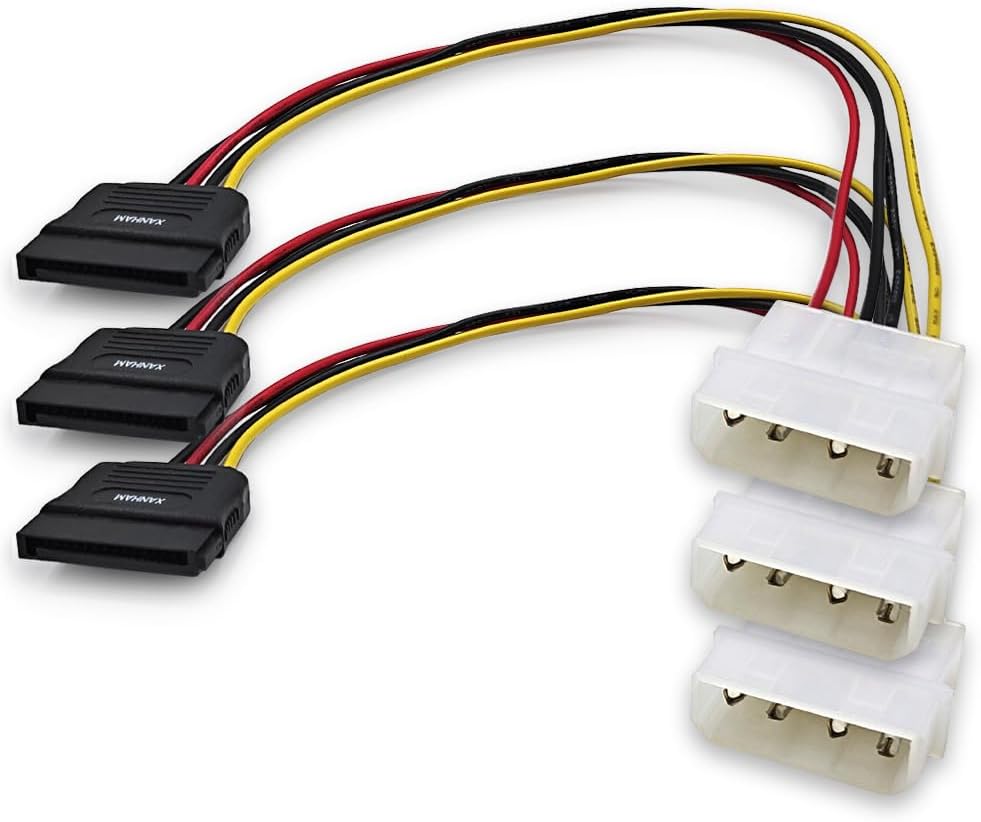


The Cable Matters 3-Pack 4-Pin Molex to SATA Power Cable stands out as a top choice for users seeking reliable connectivity between legacy power supplies and modern drives. With a strong rating of 4.7 stars, this adapter offers a practical solution for internal drive connections without compromising stability.
We may earn a commission when you buy through this link, at no additional cost to you.
Its compact six-inch design is specifically engineered to reduce clutter inside PC cases while ensuring efficient connection between SATA devices and Molex-based power supply units. The flexible cable material allows for easy routing around other components, making it perfect for tight spaces in older desktop builds.
While the six-inch length is ideal for most standard cases, it might be too short for larger chassis or complex routing paths. Additionally, the single output design means you need separate cables for each drive, which could increase cable count in multi-drive setups.
This adapter is an excellent choice for DIY builders and IT technicians upgrading older systems with multiple drives. If you prioritize stable power delivery and clean cable management in a cost-effective package, this set provides the reliability needed for long-term storage operations.
The compact six-inch design ensures the cable fits neatly inside most PC cases without creating unnecessary bulk or blocking airflow to other components.
Designed for safe operation with 5V SATA devices powered by 12V ATX systems, this cable ensures consistent performance for hard drives and optical drives.
We may earn a commission when you buy through this link, at no additional cost to you.
The SATA to 4 Pin Power Cable Adapter 3 Pack delivers solid performance for budget-conscious users needing to connect IDE hard drives to SATA power supplies. Rated at 4.7 stars, it provides a straightforward seven-inch cable solution for legacy hardware compatibility.
We may earn a commission when you buy through this link, at no additional cost to you.
This adapter features a standard SATA fifteen pin male connector that connects to a Molex LP4 female port, allowing you to power modern drives from older PSUs. The seven-inch length offers a bit more reach than some competitors, helping with basic routing needs.
However, the basic cable material lacks premium features like locking latches that prevent accidental disconnections. This might be a concern in cases where cables are frequently accessed or in high-vibration environments where secure connections are critical.
If you are looking for a no-frills solution to get your legacy system running without spending much, this pack is highly recommended. It is perfect for simple upgrades where secure connections are necessary and the primary goal is functional connectivity rather than advanced features.
The adapter bridges the gap between SATA power supplies and IDE hard drives, allowing you to utilize older PSU ports effectively.
Packed with three cables, this set ensures you have spare options available for multiple drive connections or future replacements without extra cost.
We may earn a commission when you buy through this link, at no additional cost to you.
The StarTech 12in SATA to LP4 Power Adapter Cable is a premium option designed for professionals and enthusiasts who need extended reach and proven reliability. With a 4.6 rating, this cable offers twelve inches of length, making it versatile for complex routing scenarios.
We may earn a commission when you buy through this link, at no additional cost to you.
StarTech is known for high-quality cables that withstand rigorous use in business and server environments. This adapter supports powering LP4 Molex devices from SATA power connections, offering reverse functionality that some other adapters do not provide.
The main trade-off is the price point, which is higher than budget alternatives, and it is sold individually rather than in a multi-pack. If you need multiple cables, you will need to purchase several units, which can add up quickly for larger setups.
For enterprise systems or cases where cable length is a critical constraint, this StarTech adapter is worth the investment. Its professional-grade construction ensures it handles heat and movement better, making it suitable for 24/7 operation and high-reliability environments.
With twelve inches of cable length, this adapter allows for flexible routing across larger chassis or when the power supply is distant from the drive bays.
Unlike many competitors, this adapter can power LP4 Molex devices from a SATA connection, expanding its utility beyond just connecting SATA drives to Molex ports.
We may earn a commission when you buy through this link, at no additional cost to you.
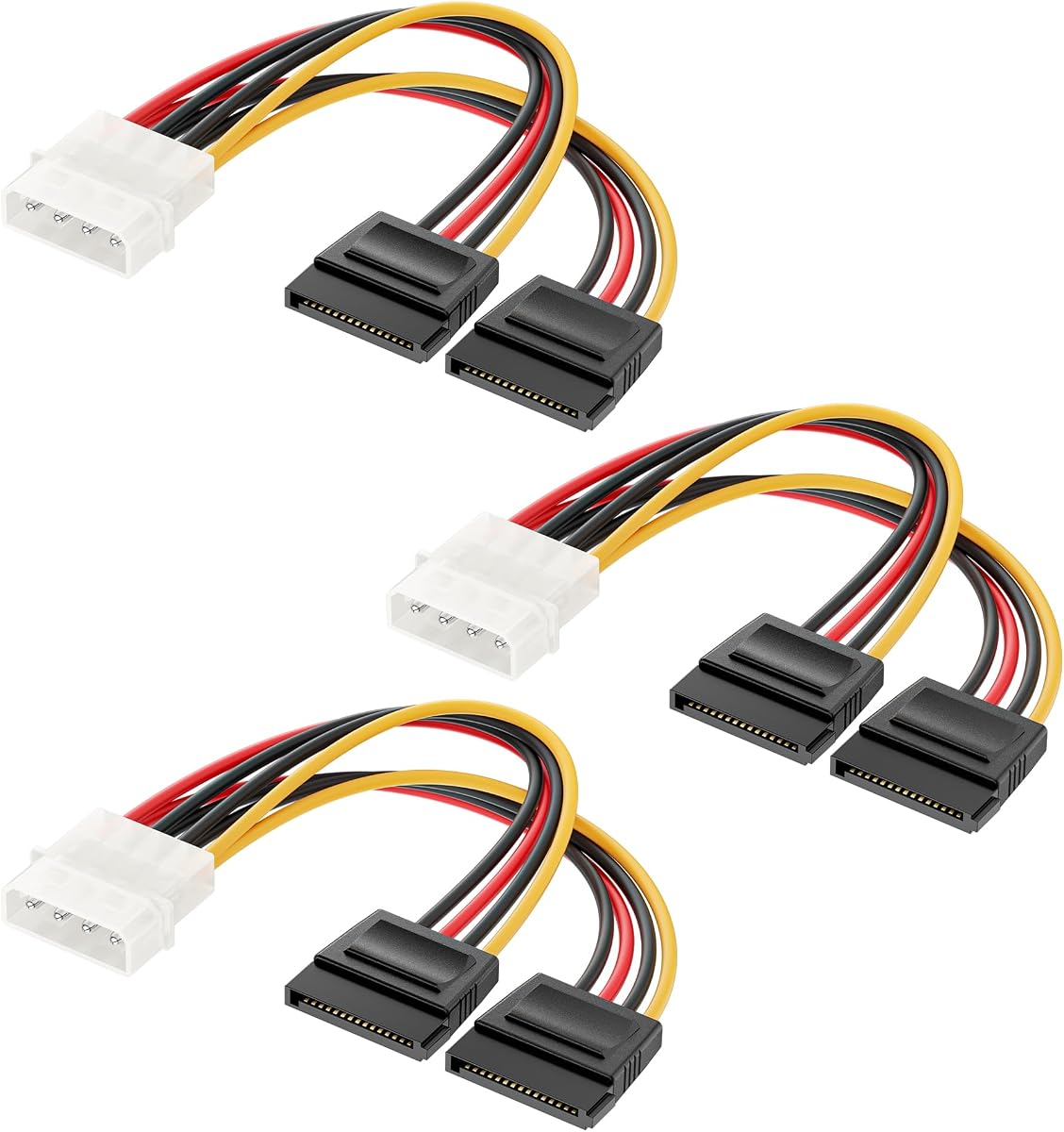
The Cable Matters 3-Pack Molex to Dual SATA Power Y-Cable is specifically designed for users who need to connect multiple drives from a single legacy Molex port. Rated 4.6 stars, it offers a practical solution for expanding storage without replacing the power supply.
We may earn a commission when you buy through this link, at no additional cost to you.
By converting one Molex LP4 connector into two SATA power outputs, this adapter helps maximize the utility of older PSUs. The six-inch design ensures minimal clutter while providing enough reach for most internal drive connections in standard cases.
However, splitting power means both drives share the same source, which could be a concern for high-power devices. Additionally, the six-inch length might limit placement options if the drives are located far from the Molex ports on the PSU.
This adapter is ideal for users upgrading older systems to include multiple HDDs or SSDs without adding new cables. It is perfect for NAS builds or media centers where drive density is high and saving PSU ports is a priority.
This Y-cable converts a single Molex port into two SATA power outputs, effectively doubling the number of drives you can connect to one PSU connector.
With a six-inch length and dual output design, you reduce cable clutter and improve airflow compared to running separate single adapters for each drive.
We may earn a commission when you buy through this link, at no additional cost to you.
This 3 Pack 4 Pin Molex to Dual SATA Power Y-Cable Adapter offers a cost-effective way to expand storage on older systems. With a 4.3 rating, it provides seven-inch cables with copper conductors and secure latching interfaces to ensure stable connections for multiple drives.
We may earn a commission when you buy through this link, at no additional cost to you.
The seven-inch length gives slightly more flexibility than six-inch alternatives, allowing for better routing in various case configurations. The secure latching interfaces prevent accidental disconnections, which is a notable upgrade over standard friction-fit connectors.
The lower rating compared to premium options suggests some variability in build quality or longevity over time. Users should monitor temperatures if connecting high-power drives through the splitter, as shared power lines can lead to voltage drops under heavy load.
For hobbyists looking to expand storage on a tight budget, this adapter pack is a strong contender. It is best suited for secondary storage drives or light usage scenarios where cost savings are prioritized over premium features or heavy-duty performance.
The secure latching interfaces ensure the adapter remains firmly connected, reducing the risk of accidental disconnections during maintenance or transport.
Engineered with copper conductors, this adapter ensures minimal voltage drop and protects sensitive SATA drives from power fluctuations during operation.
We may earn a commission when you buy through this link, at no additional cost to you.
Safety is paramount in power connections, and this 3-Pack 7.8 Inch 4 Pin Molex to SATA Power Cable delivers with UL listing and fire resistance. Rated 4.4 stars, it offers reliable connectivity for DIY builders and tech repair professionals needing tested and certified components.
We may earn a commission when you buy through this link, at no additional cost to you.
The 22 AWG copper conductors protect devices across the connection, ensuring safe power delivery to sensitive hardware. The 7.8-inch length is a unique middle ground between shorter 6-inch and longer 12-inch options, providing decent reach for many case layouts.
However, the slightly longer cable might create more slack in very small form factor cases compared to the 6-inch alternatives. Also, while fire resistance is a strong plus, the overall build quality feels standard compared to premium brands.
If you prioritize certified safety standards and reliability in your builds, this adapter is an excellent choice. It is particularly well-suited for professional repair shops or home offices where equipment safety and compliance with safety standards are critical.
UL listed with VW-1 fire resistance, this cable ensures your devices are protected against electrical hazards and overheating risks during operation.
Each power cable is tested before packing, reducing the risk of defective units and ensuring you get a working adapter every time you buy.
We may earn a commission when you buy through this link, at no additional cost to you.
With an impressive 4.8 rating, this 4 Pin Molex to SATA Power Cable stands out for its secure locking latch design. It is perfect for ensuring your SATA devices stay powered and connected even during system maintenance or transport.
We may earn a commission when you buy through this link, at no additional cost to you.
The locking latch on the SATA side prevents accidental disconnections, addressing a common pain point in standard friction-fit adapters. The seven-inch length and copper core wire ensure safe power delivery while keeping internal routing clean and manageable.
The bulk added by the latch mechanism might make routing tighter in some narrow cases. Also, without dual outputs, you will need to manage multiple cables if you plan to connect more than one drive to a single Molex port.
For users prioritizing connection security and reliability in high-use environments, this adapter is highly recommended. It is ideal for portable PCs, workshop setups, or any system where secure connections are more important than extreme compactness.
The locking latch design ensures the adapter stays firmly seated, reducing the risk of accidental disconnections during system movement or maintenance.
Built with copper core wires, the adapter ensures safer power delivery and minimizes the risk of electrical issues compared to generic alternatives.
We may earn a commission when you buy through this link, at no additional cost to you.
The SATA Power Cable Adapter 3PCS 8Inch offers a unique eight-inch length that bridges the gap between short and long adapters. Rated 4.7 stars, it provides a robust 18 AWG copper conductor design for users needing slightly more reach in their builds.
We may earn a commission when you buy through this link, at no additional cost to you.
The eight-inch length is particularly useful in larger mid-tower cases where standard 6-inch cables might not reach comfortably. The 18 AWG specification ensures sufficient wire thickness for reliable power delivery without excessive bulk or resistance.
However, the 8-inch length is less common than 6 or 12 inches, which can make finding replacements harder in the future. Additionally, the design is standard without unique features like locking latches or dual outputs.
If your PC case requires a specific cable length for optimal routing and airflow, this adapter is a great fit. It is perfect for builders who need a middle ground between compact and long cables for their specific internal layout.
With eight inches of cable, this adapter provides a middle ground for routing in cases where six inches is too short and twelve inches is too much.
Made of strong copper wire, the adapter ensures consistent power flow and long-term durability even with frequent insertion and removal.
We may earn a commission when you buy through this link, at no additional cost to you.
The Duttek SATA to Molex Adapter focuses on secure connections with its latch design. Rated 4.4 stars, it offers a durable PVC construction that is environmentally friendly and ensures stable connections for hard drives and optical drives.
We may earn a commission when you buy through this link, at no additional cost to you.
The latch design on the SATA end prevents accidental disconnections, providing peace of mind for users who access their case frequently. The high-quality PVC material ensures the adapter is stronger and wear-resistant compared to standard rubber jackets.
However, the two-pack bundle is smaller than the three-pack options found elsewhere, meaning you get fewer cables for the price. Also, the average rating suggests some minor quality control variations that may affect long-term performance.
This adapter is a good choice for users who value secure latching connectors and eco-friendly materials. It works well for standard desktop builds where connection stability is a key concern and you only need a couple of adapters for your drive count.
The latch design on the adapter end ensures a firm connection that prevents accidental disconnections during system use or transport.
Made of high-quality PVC and metal, this adapter is environmentally friendly and designed to withstand wear and tear over extended periods of use.
We may earn a commission when you buy through this link, at no additional cost to you.
This CRJ adapter features premium black sleeving for a cleaner look inside your PC case. Rated 4.7 stars, it provides a 12-inch cable to power 4-pin peripheral Molex devices using a 15-pin SATA power supply connector, enabling reverse functionality.
We may earn a commission when you buy through this link, at no additional cost to you.
The all-black connectors and high density black sleeving reduce wire visibility, contributing to a professional and tidy build aesthetic. It also supports powering Molex devices from SATA, which is rare and useful for legacy peripheral power.
The lower tolerance nature of the legacy 4-pin connector requires careful alignment during insertion. This can be a bit tricky for beginners, and without locking latches, the connection relies on friction which may not be secure enough for moving cases.
For users who care about aesthetics and need to power legacy Molex devices from a modern PSU, this adapter is an excellent choice. It is ideal for custom builds where cable visibility is a priority and specific legacy hardware compatibility is needed.
High density black sleeving and all black connectors ensure minimal wire visibility, giving your PC internals a clean and professional appearance.
Unlike most adapters, this model allows you to power 4-pin Molex devices from a SATA connection, providing unique flexibility for legacy hardware.
We may earn a commission when you buy through this link, at no additional cost to you.
Choosing the right adapter requires considering connector type, cable length, build quality, and your specific drive configuration needs to ensure reliable power delivery.
Most adapters convert a Molex LP4 port to SATA, but some reverse this to power Molex devices from SATA. Check which direction your PSU and drives need to confirm compatibility before buying.
Always verify whether you need SATA from Molex or Molex from SATA to ensure the adapter matches your specific hardware requirements for power delivery.
Cable length typically ranges from 6 inches to 12 inches. Measure the distance from your PSU's Molex ports to your drive bays to avoid cables that are too short to reach or too long and create clutter.
Opt for the length that minimizes slack without creating tension on the connectors to ensure a neat and functional internal layout.
Look for copper conductors to ensure safe power delivery. Insulation material like PVC or UL listed fire resistance adds protection against short circuits and overheating.
Quality build ensures longevity and safety, so prioritize materials that are durable and meet safety standards for electrical components.
Standard connectors use friction fit, but some adapters offer locking latches to prevent accidental disconnection. Latches are vital for cases that are accessed frequently or moved often.
If your system is stationary, friction fit may suffice. If you move your PC often, locking latches provide extra security against connection loss.
Single adapters connect one drive, while Y-cables split one Molex into two SATA outputs. Y-cables help maximize PSU port usage but split power which could risk performance under heavy loads.
Use Y-cables for low-power drives like SSDs, but avoid splitting high-power HDDs on a single port to prevent voltage drops.
Many adapters come in 2-pack or 3-pack bundles. Buying in bulk ensures you have spares for multiple drives and future repairs without needing separate orders.
Always check the pack count to ensure you get enough cables for all your drives and still have a backup option on hand.
Known brands like StarTech or Cable Matters often offer better quality control and support. Less known brands may offer lower prices but could have inconsistent build quality over time.
Consider investing in a reputable brand for critical system stability and longevity of your storage setup.
Turn off your computer and unplug the power cord before opening the case. Locate the Molex LP4 connector on your power supply and the SATA port on your drive or cable.
Align the pins carefully and insert the adapter firmly. If the adapter has a locking latch, press it down to secure the connection. Ensure the SATA end is fully seated on the drive.
Close the case and reconnect the power cord. Start your computer and check if the drive is detected in your system settings. If the adapter is not recognized, recheck the alignment and connection security.
Yes, they are safe when used correctly. Ensure the adapter is from a reputable manufacturer with copper conductors and proper insulation. Always turn off your computer before connecting or disconnecting adapters to avoid electrical shorts.
You can, but it depends on the power draw of the drives. Y-cables work well for low-power SSDs or one SSD and one HDD. Avoid powering two high-power 3.5-inch HDDs on a single Molex port to prevent voltage drops.
LP4 refers to the 4-pin peripheral power connector commonly called Molex. It provides 12V and 5V power lines to older drives and optical drives. These adapters convert this to the 15-pin SATA power standard.
No, most standard SATA power connections do not support hot swapping. You should power off your computer before connecting or disconnecting adapters to avoid damaging the drives or the power supply.
The locking latch secures the adapter to the drive's SATA port. This prevents the cable from accidentally coming loose, which is especially useful if you access your case frequently or if the PC is mobile.
Measure the distance from your PSU to your drive bays. Six inches is common for compact builds, while 12 inches suits larger cases or complex routing. Choose the shortest length that still reaches comfortably to avoid excess slack.
Yes, these adapters support 3.5-inch and 2.5-inch SATA drives. Just ensure the adapter provides sufficient power and the PSU can handle the additional load without causing system instability.
We reviewed ten top-rated adapters ranging from budget-friendly packs to premium professional cables. Each option provides a reliable way to connect modern drives to legacy power supplies with different features like length and locking mechanisms.
Prioritize cable length and connector security based on your build needs. If you have multiple drives, consider Y-cables or multi-pack options to save PSU ports and streamline your internal setup effectively.
Always check the current prices and availability before purchasing to ensure you get the best value. With the right adapter, you can extend the life of your system and enjoy reliable storage performance.