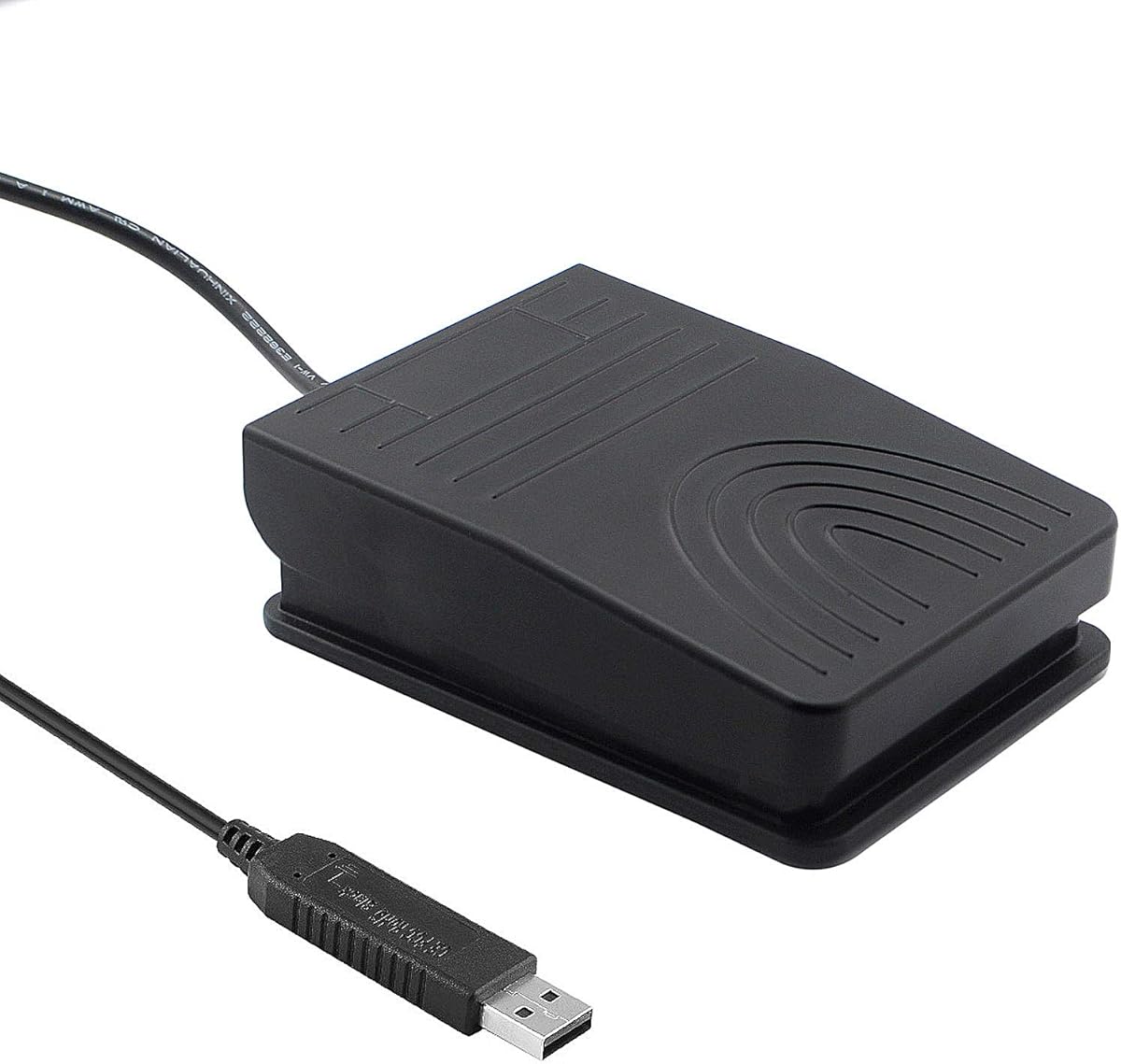
iKKEGOL USB Foot Pedal Switch
4.3Editor score
Affordable single key control
USB HID device ready
Wide ergonomic pedal design
This comprehensive guide compares the top foot pedals for Star Citizen players looking to optimize their flight control and hands free interaction experiences.
Foot pedals offer a unique way to enhance your Star Citizen gaming experience by allowing hands-free control over various actions and commands during intense space battles.
We have carefully evaluated ten distinct models based on build quality, responsiveness, ease of programming, and overall durability to help you find the perfect companion for your cockpit.
Each selection in this list highlights specific strengths and potential limitations so you can make an informed decision before purchasing while keeping in mind that market prices fluctuate regularly.
4.3Editor score

4.5Editor score

4.3Editor score
The following table provides a side-by-side look at the key specifications and capabilities of each model to help you quickly identify which one fits your specific gaming setup requirements.
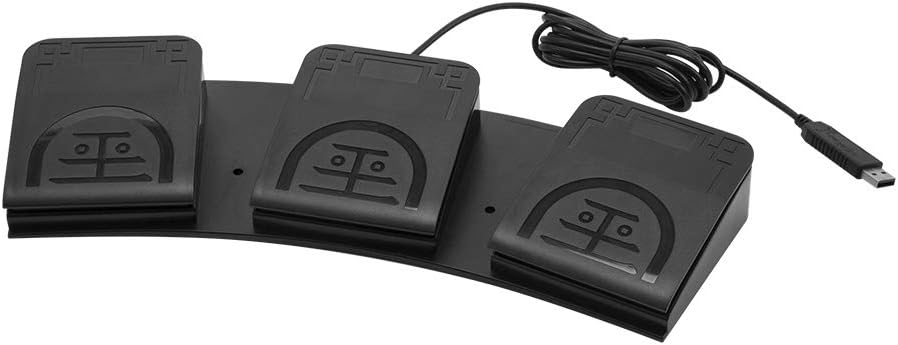


The iKKEGOL Upgraded USB Triple Foot Pedal stands out as a top contender for Star Citizen pilots who need reliable hands-free control without breaking the bank.
We may earn a commission when you buy through this link, at no additional cost to you.
Its optical switch technology ensures that each press is registered silently and quickly which is essential during high intensity combat scenarios where audio cues matter.
While the software setup is straightforward it does require a one time configuration step which might be slightly tedious for non technical users initially.
This pedal is ideal for gamers who want three distinct actions mapped to their feet such as thrust control sensor toggling and voice communication without ever touching the keyboard.
Optical switches reduce noise significantly making them perfect for quiet gaming sessions where you need to hear game audio clearly.
The wide surface area distributes foot pressure evenly reducing fatigue during long flight simulation sessions.
We may earn a commission when you buy through this link, at no additional cost to you.
For pilots who only need a single dedicated action like push to talk this iKKEGOL pedal offers exceptional value without compromising on build quality.
We may earn a commission when you buy through this link, at no additional cost to you.
The optical switch mechanism ensures silent operation so you can communicate with your crew without adding mechanical noise to your gaming environment.
Its primary limitation is the single key input which might not suffice for complex flight maneuvers requiring multiple simultaneous foot commands.
This model is perfect for newcomers to foot pedals or those looking to add just one specific macro to their setup quickly and affordably.
The low price point makes it an excellent entry point for testing foot pedal utility in Star Citizen.
Silent optical switches ensure your voice comms remain clear without interference from mechanical clicking sounds.
We may earn a commission when you buy through this link, at no additional cost to you.
This digital optical pedal shines for users who switch between different operating systems offering robust compatibility across platforms without needing reconfiguration every time.
We may earn a commission when you buy through this link, at no additional cost to you.
The three key programmable inputs allow you to map distinct flight controls like landing gear thrusters and sensors to your feet effectively.
While the overall user rating is slightly lower than competitors it still offers a solid experience for those prioritizing cross platform functionality over brand reputation.
Ideal for multi system gamers who need consistent control across machines this pedal delivers reliable performance with minimal fuss after initial setup.
Configure once on Windows and use seamlessly on Mac or Linux without additional software dependency.
Rubber feet keep the pedal firmly in place during intense gaming sessions.
We may earn a commission when you buy through this link, at no additional cost to you.
This model emphasizes silent performance with optical switches that make almost no sound when pressed ensuring your mic remains clear during voice chats.
We may earn a commission when you buy through this link, at no additional cost to you.
Three programmable keys let you manage critical functions like speed control camera views and chat toggles without ever lifting your hands from the stick.
The ergonomic wide design ensures comfort over extended periods so your feet do not get sore during long exploration or combat missions.
If silence is a priority for your gaming environment this pedal delivers exceptional performance while maintaining all the functionality you need.
Optical sensors detect presses without physical contact reducing noise significantly.
Large surface area reduces pressure points on the foot during long sessions.
We may earn a commission when you buy through this link, at no additional cost to you.
This USB pedal stands out for its broad compatibility and flexible shaftless design which allows for natural foot movement and quick reaction times.
We may earn a commission when you buy through this link, at no additional cost to you.
Photoelectric switches provide reliable feedback without the wear and tear associated with mechanical parts ensuring long term usability for frequent gamers.
While the build feels slightly less premium than higher end options it delivers consistent performance for the price with robust waterproofing protection.
Gamers looking for a versatile device that works across multiple operating systems will appreciate its flexibility and durability in daily use.
Anthropomorphic joints allow for more natural foot articulation reducing strain.
Works across Windows Mac Linux and mobile platforms after one time setup.
We may earn a commission when you buy through this link, at no additional cost to you.
Elgato brings its renowned build quality to foot pedals with a heavy duty chassis and customizable spring tension that feels solid underfoot every time.
We may earn a commission when you buy through this link, at no additional cost to you.
The extensive plugin support allows for deep integration with streaming software and game macros making it a powerhouse for advanced users.
While the price is higher than generic alternatives the robust construction and software ecosystem justify the investment for serious streamers or sim pilots.
This pedal is the best choice for those who want a polished reliable device that integrates seamlessly with their existing digital workflow tools.
Interchangeable springs let you tune pedal pressure to your preference.
Access thousands of plugins to automate complex tasks easily.
We may earn a commission when you buy through this link, at no additional cost to you.
Mechanical switches provide a satisfying tactile click that confirms actuation giving you confidence that your input was registered every single time.
We may earn a commission when you buy through this link, at no additional cost to you.
This feedback is particularly useful for Star Citizen where precise commands like deploying landing gear or toggling shield modes need to be accurate.
While the click is louder than optical alternatives many gamers prefer the certainty that mechanical feedback provides during critical gameplay moments.
If you want a pedal that feels responsive and substantial this mechanical model delivers that robust sensation at a reasonable price.
Physical switch actuation provides clear feedback confirming each input.
Designed to withstand heavy use over many years of daily gaming.
We may earn a commission when you buy through this link, at no additional cost to you.
The 2023 upgrade brings refinements to the optical switch mechanism ensuring smoother operation and improved reliability for modern gaming setups.
We may earn a commission when you buy through this link, at no additional cost to you.
Its single key input is perfect for dedicating one essential action like push to talk or emergency thrusters without cluttering your foot space.
The wide pedal surface and durable rubber feet ensure stability and comfort even during long gaming sessions on hard floors.
For users who want the most recent version of this reliable pedal this model offers peace of mind with updated manufacturing standards.
Updated 2023 model ensures better compatibility and reliability.
Simple plug and play with one time software configuration.
We may earn a commission when you buy through this link, at no additional cost to you.
The blue color variant adds a touch of personality to your desk setup while maintaining the same reliable optical switch technology found in other models.
We may earn a commission when you buy through this link, at no additional cost to you.
Three programmable keys allow for a robust set of controls for flight systems ensuring you never have to lift your hands during critical moments.
While the user rating is slightly lower than the black version the core functionality remains identical offering great value for visual customization.
If you want a pedal that stands out visually while delivering strong performance this blue model is a solid choice for your cockpit.
Distinct blue color helps it stand out in a sea of black peripherals.
Matches the performance of standard models while adding style.
We may earn a commission when you buy through this link, at no additional cost to you.
This model simplifies the setup process with a straightforward interface that lets you map three keys quickly without navigating complex menus.
We may earn a commission when you buy through this link, at no additional cost to you.
Mechanical switches provide solid feedback ensuring that every input is registered accurately which is vital for flight control in Star Citizen.
While the software is basic it does exactly what is needed for most gamers who want to map simple macros without extra bloat.
Perfect for users who want a no fuss device that just works this pedal offers reliable performance with minimal configuration time.
Easy to use software lets you map keys without technical knowledge.
Mechanical switches ensure consistent performance over time.
We may earn a commission when you buy through this link, at no additional cost to you.
Choosing the right foot pedal involves considering build quality, switch type, number of inputs, and software compatibility to ensure it meets your specific needs.
The number of inputs determines how many actions you can map to your feet simultaneously. For Star Citizen players managing complex ship systems like thrusters, sensors, and landing gear, a triple pedal provides more flexibility than a single one.
Choose a triple pedal if you need multiple commands available at once; a single pedal is sufficient for basic tasks like voice comms or simple macros.
Optical switches use light beams to detect presses, making them quieter and more durable than traditional mechanical switches. They are ideal if you want to avoid disturbing others or want a device that lasts longer without wear.
Mechanical switches offer tactile feedback that confirms each press physically, which many gamers prefer for certainty during critical gameplay moments.
Look for pedals made from sturdy plastic or metal with rubber feet to prevent sliding during intense gaming sessions. A durable chassis ensures the pedal withstands heavy use over time without breaking.
A solid build means you won't have to worry about the pedal shifting out of position or breaking when you press hard during combat scenarios.
Ensure the pedal supports your operating system. Some pedals require initial setup on Windows but work universally afterward, while others offer cross-platform software for seamless use across Mac or Linux systems.
Check if the software allows for complex key combinations or macros, as this flexibility is crucial for mapping multiple ship functions to one pedal press.
A wide pedal surface distributes pressure evenly across your foot, reducing fatigue during long play sessions. Ergonomic design ensures you can press comfortably without strain on your toes or arch.
Prioritize a wide and comfortable pedal if you plan to use it frequently for hours at a time to avoid foot soreness.
A longer USB cable provides flexibility in positioning the pedal under your desk without stretching or creating tripping hazards. Ensure the cable is at least 2 meters for comfortable reach.
If the cable is too short, you may have to place the pedal too close to the tower, which can interfere with your movement or posture.
While some models cost more due to brand prestige or advanced features, many budget pedals offer the same core functionality. Determine which features are non-negotiable for your setup before spending more.
Balance your budget against the features you truly need rather than paying extra for unnecessary bells and whistles you won't use.
Well-established brands often provide better customer support and firmware updates. However, some generic brands offer comparable quality at lower prices, so reviews should guide your decision over brand alone.
Research user feedback on reliability and customer service to ensure you are investing in a product that will last and work as advertised.
Place the pedal on a flat, stable surface under your desk where your foot can reach it comfortably without straining your leg or ankle.
Install the configuration software on your computer and assign keys to actions like push to talk or ship systems, then save the settings to the device.
Keep the pedal free from dust and debris by wiping it down with a dry cloth occasionally to prevent buildup that might affect switch sensitivity.
Most pedals are HID devices that work on Linux after initial configuration on Windows. Once programmed, the device acts as a standard keyboard and works universally across systems.
Yes, initial configuration usually requires a one-time software download to map keys. After setup, the pedal works as a plug-and-play device without needing the software running.
Optical switches are quieter and often more durable since they use light beams instead of physical contacts. However, mechanical switches provide tactile feedback some gamers prefer.
For complex ship management, three inputs are ideal to manage thrusters, sensors, and comms simultaneously. A single pedal works for basic tasks like voice chat toggling.
Yes, most configuration software allows you to map a single pedal press to multiple keystrokes or macros, enabling complex command sequences with one press.
Since they emulate keyboard keys, these pedals work with any game or application that supports keyboard input, making them versatile for other simulators or streaming software.
Most models are built with durable materials designed for repeated use. Optical and mechanical switches are rated for millions of presses, ensuring longevity if maintained properly.
Reinstall the configuration software to refresh settings. If issues persist, check the USB connection or try the pedal on a different computer to isolate the problem.
We have reviewed ten top options ranging from budget-friendly single pedals to premium triple-key models tailored for diverse needs and preferences.
Prioritize build quality and switch type to ensure durability and comfort during your long space flight sessions without compromising performance.
Always check current pricing and availability as these details can change frequently so verify the product matches your needs before buying.