
Womier DK75 75% Wireless Gaming Keyboard
4.5Editor score
Silent membrane switches
Long battery life
Compact 75% layout
This guide compares the top ten green backlit gaming keyboards for October 2026, evaluating features, build quality, and performance to help you choose the
Finding the right green backlit gaming keyboard can transform your desktop setup and enhance your overall typing experience. These devices combine aesthetic appeal with functional performance, offering customizable lighting that complements your gaming environment while providing reliable input for intense sessions.
We have carefully evaluated ten leading models based on connectivity options, switch quality, and ergonomic design. Our analysis focuses on how each keyboard balances wireless flexibility with durable construction, ensuring you get a device that meets both professional and recreational needs without compromise.
Each selection below highlights unique strengths ranging from compact layouts to full-size functionality. While specific costs may vary over time, the core features remain consistent indicators of quality. Use this guide to identify which model aligns best with your workflow and personal preferences.
4.5Editor score
4.6Editor score
4.8Editor score
This side-by-side comparison examines all ten selected models across key performance metrics and design features to help you make an informed decision based on your specific requirements.


The AULA F75 stands out as a top contender with its combination of wireless flexibility and mechanical customization. Its 4.6 rating reflects consistent user satisfaction regarding typing feel and connectivity options.
We may earn a commission when you buy through this link, at no additional cost to you.
This model features LEOBOG Reaper switches that offer a smooth, creamy typing experience. The hot-swappable PCB allows easy upgrades without soldering. RGB lighting provides 16.8 million colors with adjustable effects.
While the driver is Windows-only, core features work seamlessly without software. The gasket structure reduces noise effectively. Users may need time to explore macro programming fully.
Ideal for enthusiasts seeking a balance of performance and aesthetics. This keyboard delivers premium features at a competitive price point. Its compact layout saves desk space without sacrificing essential keys.
The hot-swap base supports both three and five pin switches for personalized acoustic profiles.
Connect up to five devices simultaneously using Bluetooth, wireless, or wired modes.
We may earn a commission when you buy through this link, at no additional cost to you.
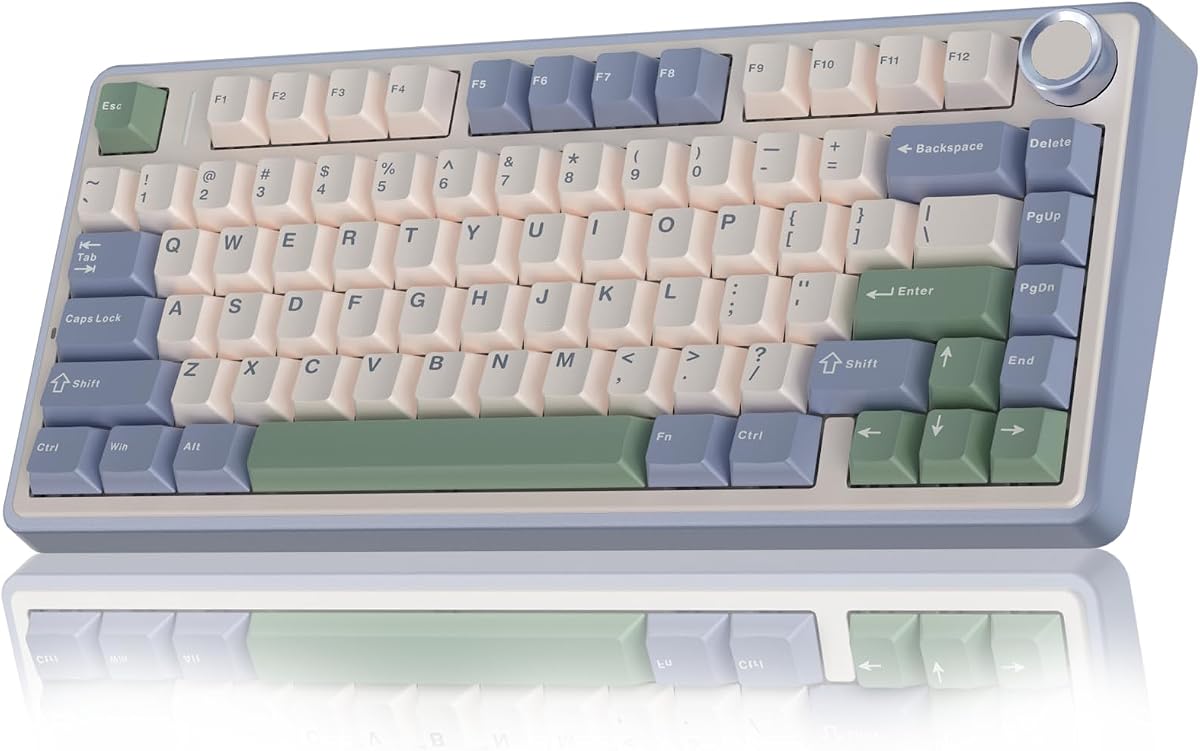
For budget-conscious buyers, the Womier DK75 offers impressive features without the high cost. It delivers a mechanical-inspired design using silent membrane switches suitable for shared environments.
We may earn a commission when you buy through this link, at no additional cost to you.
PBT keycaps resist wear and oil better than standard ABS. The rotary knob controls volume and lighting easily. A screen displays battery status and connection mode at a glance.
Membrane switches lack tactile feedback compared to mechanical ones. Software customization is limited to FN key combinations. This suits users prioritizing quiet operation and affordability.
An excellent entry point for wireless keyboards. It suits students and professionals needing reliable input without noise. The battery life supports extended use between charges effectively.
Silent membrane switches minimize noise during late-night typing or collaborative workspaces.
A small screen shows connection status and battery levels without needing apps.
We may earn a commission when you buy through this link, at no additional cost to you.
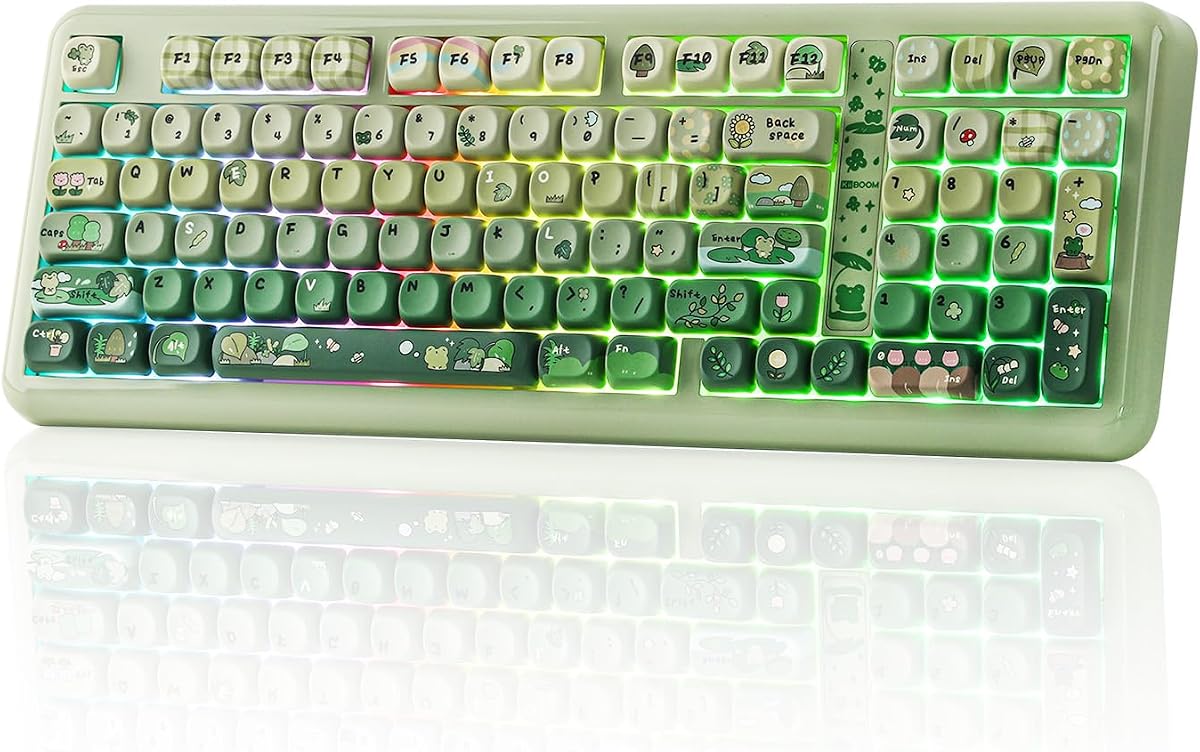
The KiiBoom Phantom98 Lite leads with top-tier features including VIA support for deep customization. Its 4.8 rating highlights exceptional quality and versatility among premium enthusiasts.
We may earn a commission when you buy through this link, at no additional cost to you.
A gasket-mounted structure provides a satisfying typing experience. Linear switches deliver smooth keystrokes pre-lubed at the factory. South-facing LEDs maximize lighting uniformity and RGB impact.
VIA requires setup time but unlocks limitless key remapping. The high capacity battery lasts weeks on single charge. Premium pricing reflects advanced engineering and durability.
Perfect for users seeking ultimate control over their setup. It balances full functionality with compact design. The 96 layout retains essential keys while saving space efficiently.
VIA support allows deep remapping of keys and macros without external software.
The 8000mAh battery provides weeks of use on a single charge cycle.
We may earn a commission when you buy through this link, at no additional cost to you.
The AULA S99 offers versatile connectivity with a unique dual-mode knob for easy adjustments. Its 4.2 rating shows solid performance for general users seeking convenience.
We may earn a commission when you buy through this link, at no additional cost to you.
Switching between Bluetooth and wired modes happens instantly. The 96 layout includes a numeric keypad while saving space. A foldable stand allows ergonomic angle adjustments.
Membrane switches may feel soft to mechanical enthusiasts. Software customization is limited compared to higher-end models. It remains reliable for everyday office and gaming tasks.
Ideal for users juggling multiple devices frequently. The knob simplifies volume and light controls effectively. It balances simplicity with useful features for varied workflows.
A rotary knob adjusts volume and lighting instantly without software.
Bluetooth, wireless, and wired modes allow seamless switching between devices.
We may earn a commission when you buy through this link, at no additional cost to you.
Keymatic combines membrane comfort with modern features like a status display and media knob. Its 4.4 rating indicates strong performance for mixed use scenarios.
We may earn a commission when you buy through this link, at no additional cost to you.
The integrated number pad aids data entry. Anti-ghosting ensures accurate commands in games. An iron plate adds stability to the lightweight plastic construction.
Silver paste membrane offers mechanical-like feedback but lacks durability. Weight makes portability challenging compared to lighter options. It suits stationary desktop setups best.
A strong choice for users needing a full layout and display features. The battery lasts long with moderate use. It balances functionality with modern connectivity well.
A status screen displays connection info and battery levels clearly.
The included number pad supports spreadsheet and data tasks easily.
We may earn a commission when you buy through this link, at no additional cost to you.
The Womier SK80 features a colorful screen for custom GIFs and system status. This 4.6 rated model appeals to users valuing visual customization.
We may earn a commission when you buy through this link, at no additional cost to you.
A gasket mount reduces typing noise effectively. Hot-swap sockets allow easy switch upgrades. The Frog Green aesthetic adds a playful yet professional touch.
Full software features work only on Windows systems. Mac users get basic functionality without driver support. This limits customization for cross-platform users.
Best for PC users wanting expressive displays and modding options. It blends mechanical performance with creative display features. The compact 75 layout saves space well.
A multimedia screen supports custom GIFs and system status indicators.
Hot-swap sockets allow switch swaps without soldering or tools.
We may earn a commission when you buy through this link, at no additional cost to you.
This full-size keyboard meets productivity needs with dedicated function keys. Its 4.5 rating confirms reliability for office and gaming environments.
We may earn a commission when you buy through this link, at no additional cost to you.
Linear red switches provide smooth keystrokes. The XDA profile offers uniform heights for ergonomic comfort. RGB modes enhance aesthetics without distracting users.
Wired connectivity limits flexibility compared to wireless models. Larger footprint may overwhelm smaller desks. It suits stationary setups prioritizing full functionality over portability.
Ideal for professionals needing a numeric keypad daily. It offers a budget-friendly mechanical entry point. The build ensures durability over years of regular use.
A complete 104-key layout retains essential function and number keys.
Linear red switches offer frictionless travel for rapid tapping.
We may earn a commission when you buy through this link, at no additional cost to you.
Nova75 combines aesthetics with performance through a TFT display and knob controls. The 4.7 rating highlights strong user satisfaction regarding build quality.
We may earn a commission when you buy through this link, at no additional cost to you.
White and green PBT keycaps offer a premium look. The gasket mount provides a soft, quiet typing feel. An 8000mAh battery extends endurance significantly.
Software is required to customize display GIFs. The price reflects higher-end materials. It remains competitive for feature-rich mechanical keyboards.
Perfect for users who value aesthetics and endurance equally. It balances compact size with full features. The warranty ensures long-term peace of mind.
A small screen displays battery status and custom media content.
Double-shot PBT keycaps resist wear and maintain texture.
We may earn a commission when you buy through this link, at no additional cost to you.
This model offers a robust wireless experience with mechanical flexibility. Its 4.8 rating reflects high reliability and user satisfaction overall.
We may earn a commission when you buy through this link, at no additional cost to you.
Gasket layers dampen noise while providing a soft feel. Hot-swap sockets allow customization. The multi-function knob controls volume and lighting directly.
Software macros are best used in wired mode. macOS support is limited. These trade-offs are acceptable for the price and performance offered.
Excellent for gamers needing a responsive compact keyboard. It balances performance and battery life well. The design ensures long-term usability.
Five sound-absorbing layers reduce noise for a cleaner experience.
2.4GHz and Bluetooth modes offer low latency connection.
We may earn a commission when you buy through this link, at no additional cost to you.
K742 features QMK and VIA support for ultimate customization. Its 4.6 rating shows strong performance for advanced users.
We may earn a commission when you buy through this link, at no additional cost to you.
A gasket structure ensures quiet and tactile typing. The 98 layout saves space while keeping essential keys. An 4000mAh battery lasts over 16 hours backlit.
Customizing via JSON requires technical knowledge. The package includes switch pullers and spares. It suits DIY enthusiasts seeking control.
Best for users wanting full key remapping capabilities. It balances performance with modern wireless features. The build quality stands out at this price.
VIA support enables advanced macro and key mapping setups.
Package includes switch pullers and spares for easy DIY changes.
We may earn a commission when you buy through this link, at no additional cost to you.
Selecting the right keyboard requires evaluating several key factors that influence performance and comfort.
Switches determine tactile feedback and sound. Mechanical switches like linear or tactile options offer durability, while membrane models provide quiet, budget-friendly alternatives.
Choose switches that match your typing and gaming preferences for the best experience.
Tri-mode connectivity including Bluetooth and wireless ensures flexibility. Wired connections offer the lowest latency for competitive gaming.
Select a model with modes that fit your device ecosystem and workflow needs.
Layouts range from full-size to compact 75 percent. Full layouts keep function keys, while compact ones save desk space without sacrificing essentials.
Pick a size that aligns with your available desk area and keyboard habits.
Wireless models require sufficient capacity for extended use. Larger batteries reduce frequent charging interruptions during work sessions.
Prioritize models with high mAh ratings for reliability and convenience.
Hot-swap sockets and programmable macros allow personalization. Software support enables detailed key mapping and lighting effects.
Look for hot-swap and software support if you plan to customize your keyboard.
Keycaps made from PBT resist wear better than ABS. Gasket mounts improve sound and typing comfort.
Check for PBT caps and gasket mounting for long-term durability.
Prices vary widely based on features. Budget models offer basic functionality while premium ones include advanced customization.
Balance cost with essential features you need for daily use.
Adjustable feet and proper height reduce wrist strain. A comfortable typing angle prevents fatigue.
Look for adjustable feet and ergonomic design to maintain comfort.
Connect the keyboard via the preferred method—Bluetooth, wireless receiver, or USB. Ensure drivers are installed for full customization features.
Customize lighting and macros using the provided software. Adjust brightness to match your environment and save preferred profiles.
Clean the surface regularly with compressed air and a soft cloth. Avoid excessive moisture and keep liquids away to prevent damage.
Green backlighting offers a distinct aesthetic that stands out in dark rooms. It provides clear visibility without the distraction of multiple colors. Many users prefer it for its calming effect.
Mechanical keyboards typically offer better durability and tactile feedback. They provide faster actuation, beneficial for gaming. However, membrane models are quieter and more budget-friendly.
Most keyboards support Mac via standard Bluetooth. Full driver features may vary. Check product details for macOS compatibility before purchasing to ensure full functionality.
Battery life depends on capacity and lighting settings. Most models last 16 to 50 hours with backlighting off. Usage patterns impact total runtime significantly.
A hot-swap keyboard allows switch replacement without soldering. This enables customization of typing feel. It is ideal for enthusiasts wanting to upgrade switches later.
Many models support macros via software. Macros allow automated actions for efficiency. Check software compatibility before purchase for detailed customization.
Compact layouts save desk space while retaining essential keys. They improve ergonomics by reducing reach distance. Ideal for minimalist setups and gaming rigs.
Keep it clean and dry. Avoid pressing keys excessively hard. Store in a protective cover when not in use to prevent dust accumulation.
Our top three picks include the AULA F75 for overall performance, the Womier DK75 for budget efficiency, and the KiiBoom Phantom98 Lite for premium features.
Consider your workflow needs like wireless flexibility and switch feel when choosing. Customization options should align with your technical comfort level.
Prices and availability may change. Always verify current details before purchasing to ensure you get the best value.