
Hosmart UltraSpeak Intercoms Wireless for Home Two-Way Real-time Intercom
4.1Editor score
Full-duplex wireless communication
Auto-answer mode for convenience
Crystal-clear sound quality
This comprehensive guide compares the top intercom systems for businesses and offices to help you choose the most reliable communication solution for your
Modern workplaces demand seamless communication tools that bridge gaps between departments and floors without disrupting workflows. Wireless intercom systems offer a practical solution for offices, retail spaces, and large facilities needing instant voice connectivity across multiple rooms.
We evaluated ten leading intercom models based on range, sound clarity, ease of setup, and feature sets suitable for professional environments. Each product was analyzed for its ability to support hands-free operation, group calls, and reliable performance in busy business settings.
Our selections highlight top performers ranging from budget-friendly units to advanced systems with multi-channel capabilities. Keep in mind that availability and offers may shift, so verify current details before making a purchase decision for your organization.
4.1Editor score

4.4Editor score

3.8Editor score
Below is a side-by-side comparison of all ten selected intercom systems, detailing their core specifications to help you quickly identify the model that fits your office layout and communication requirements.



The Hosmart UltraSpeak stands out as a budget-friendly entry into wireless intercom systems. With a 4.1 star rating, it delivers reliable performance for offices needing straightforward communication without complex configurations. Its full-duplex design allows natural conversation without pressing buttons.
We may earn a commission when you buy through this link, at no additional cost to you.
This model shines in its user-friendly approach. Users simply plug in the units, press a channel button, and start talking. The auto-answer feature ensures calls are picked up automatically, which is invaluable for busy reception desks or staff with occupied hands.
While the 1200ft range is sufficient for most indoor office layouts, it may not cover large warehouses. The units require a power source and cannot run on batteries, limiting placement options in areas without nearby outlets. However, for standard office floors, this is rarely an issue.
Ideal for small to medium offices, this intercom offers a low-cost solution for maintaining team connectivity. If you need a system that works instantly with minimal training, the UltraSpeak remains a strong candidate for your communication setup.
The system requires no pairing or manual reading. Just plug in and press the channel to communicate.
Auto-answer mode eliminates the need to rush to the unit, keeping hands free during critical tasks.
We may earn a commission when you buy through this link, at no additional cost to you.
With a strong 4.4 rating, this Sanzuko intercom system earns its spot as an Editor's Choice for business environments. It combines high fidelity audio with an impressive 5300ft range, making it suitable for large campuses or multi-building facilities.
We may earn a commission when you buy through this link, at no additional cost to you.
The system offers seven key functions including silent mode and replay, providing flexibility for different office scenarios. Two independent private channels (A and B) allow simultaneous conversations without interference, which is crucial for departmental separation.
While the system is robust, it comes at a higher price compared to basic models. The manual notes it was written by a US client, ensuring clarity for English-speaking users. However, some users may find the setup slightly more involved than plug-and-play units.
For offices prioritizing range and clarity, this model delivers exceptional value. Its ability to handle group calls and private chats makes it a versatile tool for large teams requiring organized communication channels.
The 5300ft range ensures connectivity even in sprawling office complexes or outdoor storage areas.
A and B channels allow separate teams to communicate independently without overlapping signals.
We may earn a commission when you buy through this link, at no additional cost to you.
The Sanzuko 60D system is designed for larger operations needing extensive unit capacity. Supporting up to 18 units per channel, it accommodates multi-floor buildings or large departments without signal overlap. The instant group call feature is perfect for emergency announcements or daily briefings.
We may earn a commission when you buy through this link, at no additional cost to you.
Despite a 3.8 rating, its capacity makes it a premium choice for scalability. The system supports real-time two-way conversation without button holding, promoting natural interaction. Volume levels are adjustable to suit noisy environments like warehouses or kitchens.
Setup can be more complex due to the number of channels and units involved. Users must manage A and B channels carefully to avoid confusion. While the hardware is durable, the user experience may vary based on technical proficiency of the admin.
Businesses with more than ten staff members will appreciate the ability to connect many points simultaneously. If your priority is coverage over simplicity, this model provides the necessary infrastructure for enterprise-level communication.
Each channel supports up to 18 units, allowing growth as your organization expands.
Group calls reach all units at once, ensuring critical information is shared instantly.
We may earn a commission when you buy through this link, at no additional cost to you.
This upgraded intercom model emphasizes range and safety in transmission. With 5300ft coverage, it serves remote offices or industrial sites well. The conference call function allows dialing all sites, making it useful for management briefings across shifts.
We may earn a commission when you buy through this link, at no additional cost to you.
Safety features include operation at safe frequencies that avoid interference with other devices. This ensures that communication lines stay clear even in environments with heavy electronic equipment. The rubber footpads protect surfaces while providing stability.
Outside users need a power bank since the units run on cords. This adds a layer of logistical planning for outdoor setups. The 18 channels offer flexibility but may require careful allocation in smaller teams to avoid confusion.
For facilities needing long-range connectivity without Wi-Fi dependency, this system offers a reliable alternative. It balances cost and functionality, making it a strong contender for mid-sized businesses seeking extended reach.
Safe frequency transmission ensures your calls do not conflict with other business electronics.
Dial all sites at once to coordinate large teams without sequential calling.
We may earn a commission when you buy through this link, at no additional cost to you.
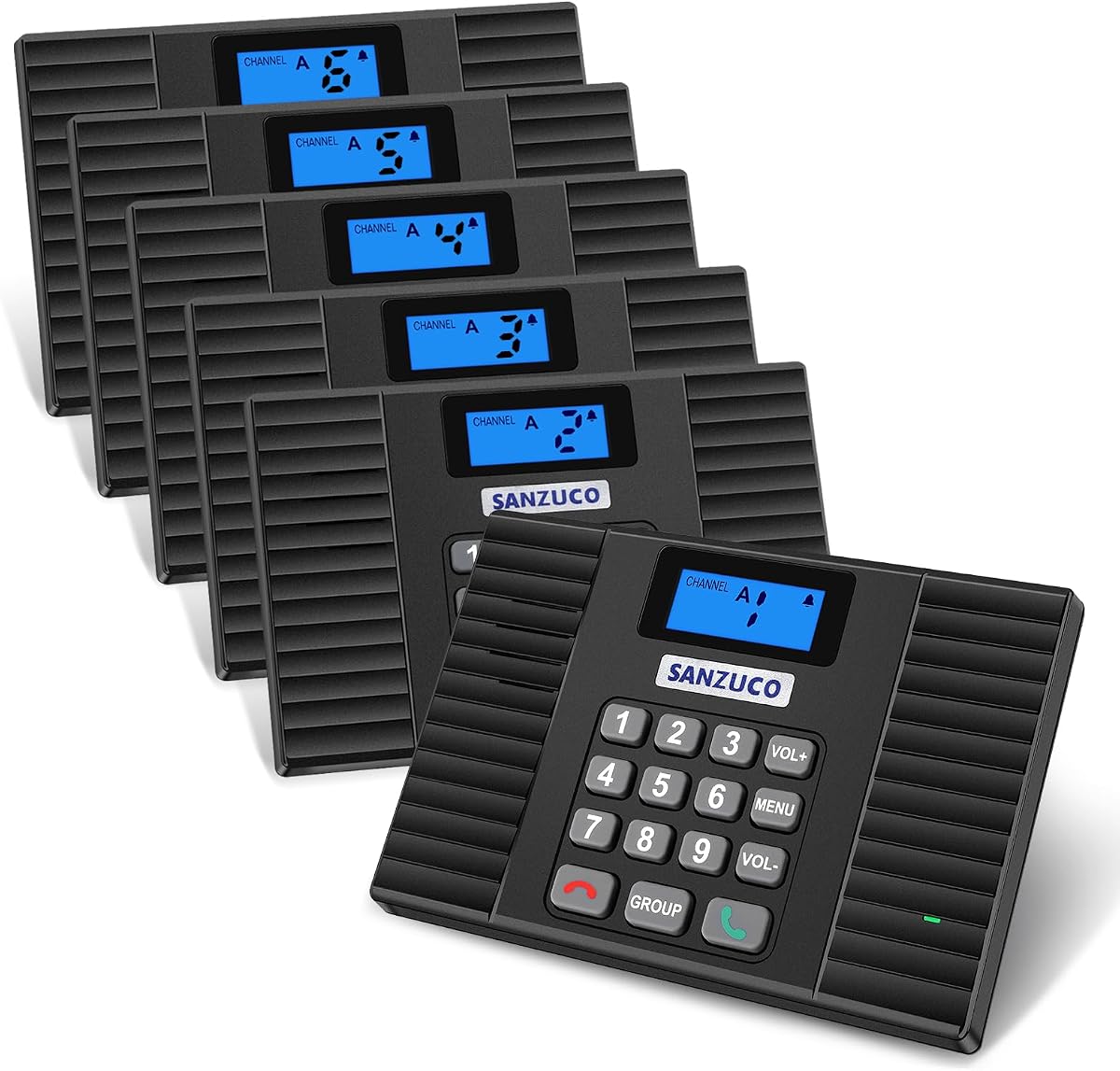
This Sanzuko model is packaged as a 9-unit set, ideal for filling out office floors. With a 4.1 rating, it offers natural conversation capabilities thanks to full-duplex technology. Staff can talk and listen simultaneously, mimicking phone call ease.
We may earn a commission when you buy through this link, at no additional cost to you.
The 3200ft range bridges gaps between distant departments like sales and warehouse. Its plug-and-talk design reduces setup time significantly. Auto-answer features help in busy environments where quick response is critical for customer service.
While versatile, the 9-pack may exceed needs for smaller teams. Users should check if the extra units justify the cost. Additionally, the system requires constant power, limiting use in areas without accessible outlets.
For organizations needing immediate multi-point communication, this set offers a comprehensive starting point. The balance of range and audio quality makes it suitable for diverse indoor business environments.
Full-duplex ensures conversations feel like phone calls without awkward pauses.
Plug in and select a number to start calling immediately without pairing.
We may earn a commission when you buy through this link, at no additional cost to you.
Designed specifically for business use, this Hosmart model features a high 4.4 rating. Its 3000ft range covers most commercial buildings efficiently. The audio quality is noted for being crystal clear, ensuring that instructions are understood correctly the first time.
We may earn a commission when you buy through this link, at no additional cost to you.
The system includes auto-answer mode, which is particularly useful for reception areas. Users do not need to rush to press buttons; calls are answered automatically. This keeps hands free for typing or handling other tasks while staying connected.
With only four stations, it is best for smaller business units or specific teams rather than whole offices. Setup is simple, requiring no complex pairing. The units can be wall-mounted or placed on tables depending on office layout needs.
If your team is small but requires reliable communication, this model is a top contender. Its focus on business scenarios like reception and office floors makes it a practical choice for streamlined operations.
Auto-answer ensures no calls are missed during busy periods at the front desk.
Superior sound quality prevents misunderstandings in noisy office environments.
We may earn a commission when you buy through this link, at no additional cost to you.
Wuloo brings years of expertise to this intercom model. It boasts a 5280ft range, equivalent to one mile, making it ideal for campuses or large estates. The display screen provides clear feedback on channel status and codes, reducing user errors.
We may earn a commission when you buy through this link, at no additional cost to you.
Security is enhanced with 100 digital codes, allowing different teams to isolate their lines. The monitor function lets you listen to a channel without calling, useful for security monitoring. VOX technology allows voice activation for hands-free operation.
While powerful, the system requires external power for outdoor use, which adds cost. The manual is detailed, which helps but may overwhelm simple users. However, the clarity of audio and signal stability are significant advantages.
For large organizations requiring secure and long-range communication, Wuloo is a strong option. The combination of range and security features ensures that communication lines remain private and reliable across distances.
100 digital codes ensure that unauthorized units cannot intercept your business conversations.
Display screens show active channels clearly, simplifying navigation for all staff.
We may earn a commission when you buy through this link, at no additional cost to you.
This Sanzuko model offers noise-canceling technology that is essential for warehouses. The 1400ft range covers industrial floors effectively. Users benefit from auto-answer features that streamline workflow in production environments where hands are occupied.
We may earn a commission when you buy through this link, at no additional cost to you.
Group calls allow broadcast messages like safety alerts to the whole floor. The system is designed for efficiency, aiming to minimize communication delays. Channels are set for private conversation, ensuring operational details stay within the team.
The rating of 3.5 suggests some users find setup tricky. The channels can be confusing if not labeled clearly. However, once operational, the system provides a solid backbone for communication in noisy industrial settings.
For warehouses where clarity is paramount, this unit offers specialized features like noise-canceling. It may require an initial setup investment to ensure optimal performance but delivers reliable results over time.
Noise-canceling technology ensures messages are heard clearly even near loud machinery.
Broadcast features allow quick dissemination of safety or emergency notices.
We may earn a commission when you buy through this link, at no additional cost to you.
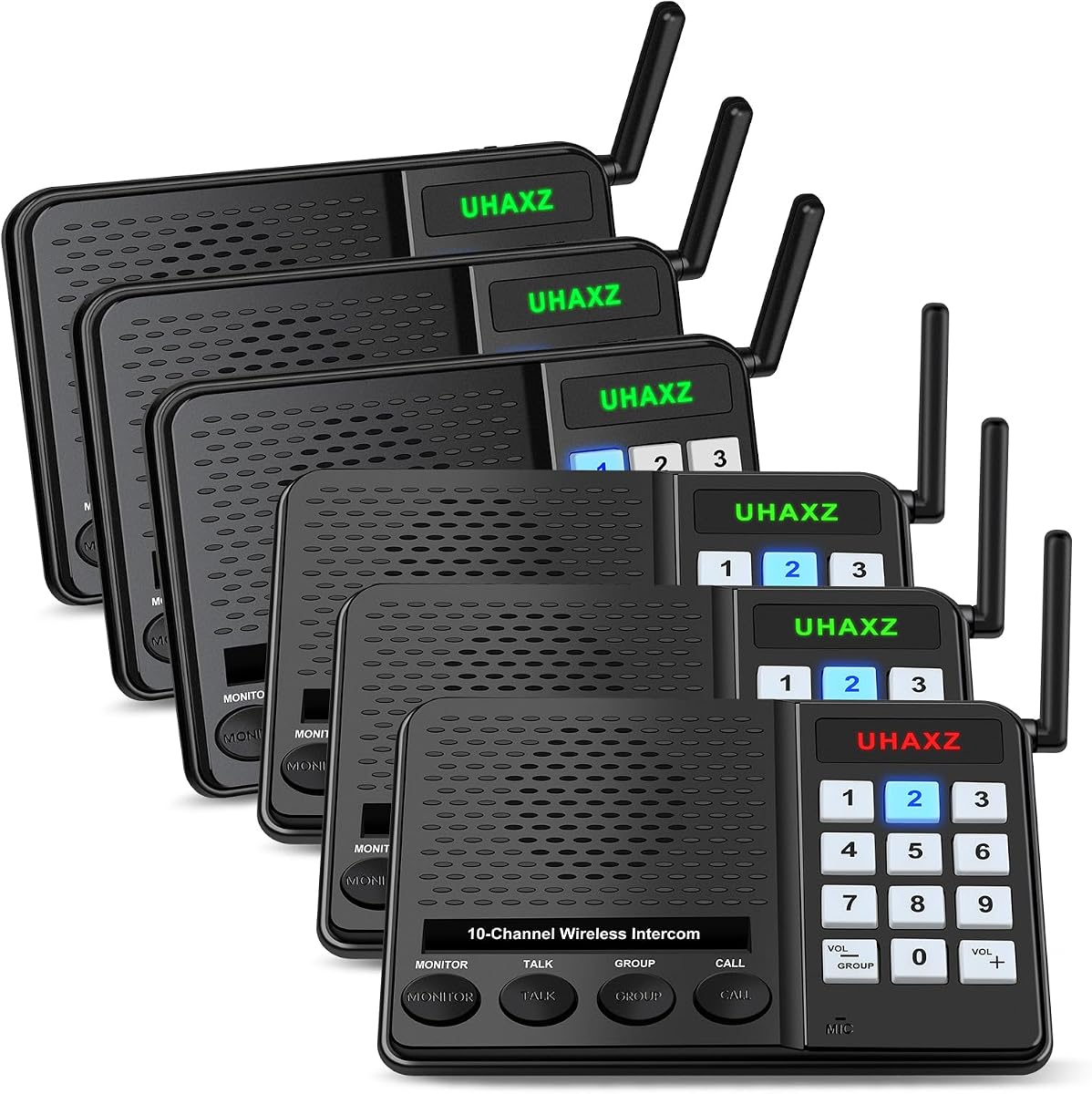
The UHAXZ system offers three independent privacy codes to prevent interference. This is crucial for businesses sharing space with neighbors or other tenants. The system handles group broadcasts effectively, connecting up to nine units on the same channel.
We may earn a commission when you buy through this link, at no additional cost to you.
Volume levels are adjustable, making it adaptable for quiet offices or loud retail floors. The voice-activated standby reduces power usage and keeps the system ready. User guides are simple, helping non-technical staff get started quickly.
While the range is strong, setup may require watching videos for best results. The hardware is intuitive, but the initial configuration can be a hurdle. Once running, it provides a secure line for daily business tasks.
Businesses needing privacy in shared environments will find this model valuable. The ability to isolate channels helps maintain professional boundaries between departments or nearby tenants.
Three privacy codes ensure your team lines do not overlap with others nearby.
Adjustable levels mean you can set the system for quiet or noisy environments.
We may earn a commission when you buy through this link, at no additional cost to you.
Wuloo offers this model with extensive range and clear signals. The 5280ft reach ensures connectivity across large properties. Three digital codes allow for secure channels, separating public and private business conversations easily.
We may earn a commission when you buy through this link, at no additional cost to you.
The monitor function allows silent listening, which is useful for security or quality control. VOX operation supports hands-free communication. The detailed manual aids in setup, ensuring users can maximize the system's potential without frustration.
Outdoor use depends on power banks, which may add complexity. However, the clarity and stability of the connection are high. For organizations needing robust connectivity without relying on internet infrastructure, this is a viable solution.
If you need a reliable system for a large estate or industrial site, Wuloo provides the necessary range. Its focus on signal quality ensures that messages get through even in challenging environments.
Extended range capabilities ensure you stay connected across the entire property.
Three codes provide flexibility to segregate communication lines by team.
We may earn a commission when you buy through this link, at no additional cost to you.
Selecting the right intercom system involves balancing range, clarity, and specific business needs. We outline key factors to help you make an informed decision for your workspace.
The range determines how far units can be from each other while maintaining clear audio. For large warehouses or campuses, look for systems offering 3000ft or more. Ensure the range covers your entire operational area to avoid dead zones.
Check specifications for open environment versus indoor range. Walls and metal structures can reduce signal strength, so choose a model with a buffer beyond your actual needs.
Clear sound is essential for safety and instruction. Look for systems with noise-canceling technology or full-duplex audio. This ensures voices are heard without overlap or static, which is critical in noisy environments.
Prioritize models known for high-fidelity processing. Crisp audio reduces misunderstandings and ensures messages are conveyed accurately the first time.
Businesses often need to separate communications by department. Systems with multiple channels allow different teams to talk simultaneously without interference. Consider how many channels and units your organization currently needs.
Check if the system is expandable. If you plan to hire more staff, the ability to add units to existing channels saves the cost of a new system later.
Most intercoms require a constant power source. Check if the units run on outlets or support batteries. For portable use across sites, models compatible with power banks offer more flexibility.
Consider the physical mounting options. Wall mounts or table stands allow for flexible placement based on your office layout and safety requirements.
The best systems are intuitive. Look for features like plug-and-play setup and auto-answer modes. Staff should be able to start using the system immediately without extensive training or technical knowledge.
Avoid systems with complex pairing processes. If your team changes frequently, simple channel switching is vital for maintaining operational efficiency.
Business communication often involves sensitive information. Systems with digital codes prevent other units from intercepting your conversations. This is important in shared office spaces or public areas.
Ensure the chosen model offers privacy modes. This protects your discussions from unintended listeners in multi-tenant buildings or open workspaces.
For announcements or emergency alerts, broadcast capabilities are essential. The ability to call all units at once saves time and ensures everyone receives the message simultaneously.
Check if the group call mode is easy to activate. Quick access to this feature can be vital during safety drills or urgent operational changes.
Workplace equipment must withstand daily use. Look for intercoms with robust casing and rubber footpads. This prevents scratches and ensures the unit stays in place during busy shifts.
Verify warranty and support options. A good support policy ensures you can resolve issues quickly without disrupting business operations.
Begin by connecting the units to power sources and selecting a specific channel for your team. Ensure all devices are within range of each other to avoid connection drops during initial setup.
Test each station by initiating a call to confirm the volume and clarity. If interference occurs, switch to a different channel code to isolate your team's communication line effectively.
Regularly clean the microphone and speaker grilles to prevent dust buildup. Store the units in a dry area when not in use to maintain the longevity of the electronic components.
Most of these wireless intercom systems operate on their own radio frequencies and do not need Wi-Fi. This makes them reliable even if your internet goes down, ensuring continuous communication during critical times.
Yes, many models offer ranges up to 5000 feet. For very large buildings, check the specifications for wall penetration capabilities. Some systems include group features that ensure everyone hears important messages regardless of location.
Interference can be minimized by using digital codes or distinct channels. Choose a system with anti-interference technology to ensure your communication remains clear in environments with many electronic devices.
Yes, but units typically require a power bank for outdoor operation. Always check if the device is weather-resistant before leaving it outside. Some models are specifically designed to handle outdoor conditions.
Yes, systems with multiple channels allow different teams to communicate privately. Assign a unique channel code to each department to prevent cross-talk and maintain confidentiality.
Most systems are scalable. Look for models that specify expandability. If the system supports adding units to existing channels, you can grow the network without replacing the main hardware.
Many models include adjustable volume levels. This is useful for noisy environments like warehouses. Ensure the system has enough volume to be heard over background noise.
Several models include auto-answer modes to help busy staff. This feature allows calls to be picked up automatically without pressing a button, keeping hands free for other tasks.
Choosing the right intercom system depends on your specific business needs and layout. Whether you prioritize range, privacy, or budget, the top picks provide strong options for reliable communication.
Remember to consider factors like channel capacity and power options before purchasing. A system that fits your current workflow will save time and improve coordination across your organization.
Always verify current availability and offers before buying. These systems are essential tools for modern businesses, ensuring that your team stays connected efficiently and securely.