
VAYDEER Volume Control Knob
4.5Editor score
One click mute
Metal shell build
Driver free setup
Explore the top Bluetooth Volume Control Knob options for desktop and mobile use. Our guide compares connectivity, build quality, and features to help you
Finding the right way to manage audio on your devices can transform your workflow. A Bluetooth Volume Control Knob offers tactile precision that software sliders simply cannot match for daily tasks.
We evaluated ten leading models based on connectivity options, build durability, and software customization. Each product was assessed for ease of setup and compatibility with major operating systems.
Each pick highlights specific strengths for different user needs from budget options to premium builds. Remember that availability and terms may shift over time so check current listings before buying.
4.5Editor score

4.7Editor score

3.8Editor score
This side by side comparison outlines the core specifications and capabilities of each reviewed model. It helps you identify the right fit for your specific hardware and workflow requirements quickly.


This device stands out for its seamless blend of Bluetooth wireless freedom and reliable USB wired options. Its 4.7 rating reflects strong user satisfaction with both form and function in daily desktop use.
We may earn a commission when you buy through this link, at no additional cost to you.
The standout feature is its customizable shortcut capability which allows you to map complex commands to a simple twist or click. This level of programmability makes it ideal for power users managing audio and workflow tasks simultaneously.
While the setup requires initial software interaction the flexibility gained is worth the effort. The infinite 360 degree rotation ensures you never run out of volume adjustment range regardless of your current settings.
If you need a versatile controller that grows with your workflow this is the top choice. It balances premium features with practical durability making it a solid investment for any modern workspace.
Custom shortcuts let you trigger multi-step actions instantly saving time during media editing or presentations.
Switch between devices or connection types without re pairing thanks to the robust dual mode support.
We may earn a commission when you buy through this link, at no additional cost to you.
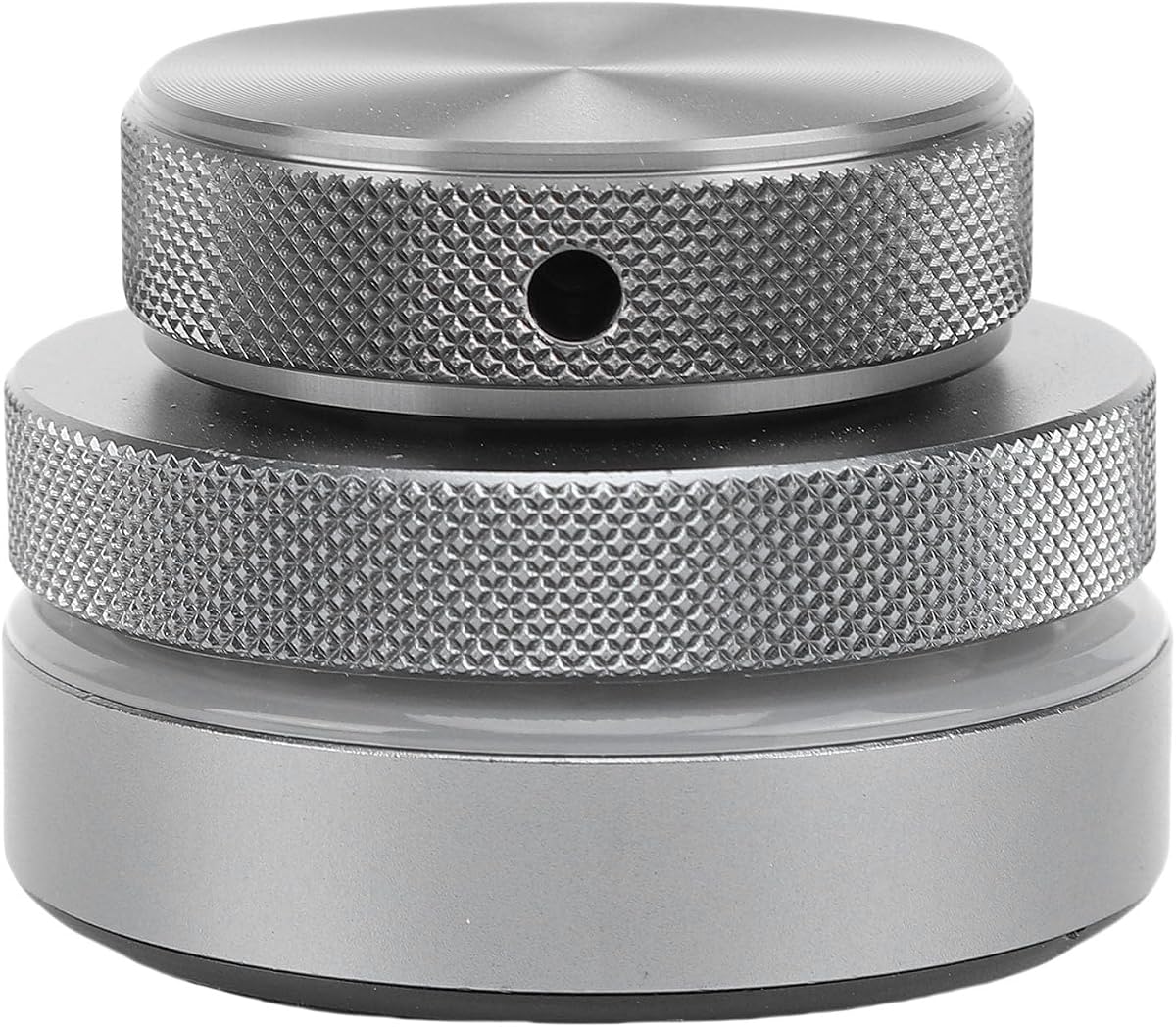
The Anticater VK-01 offers a professional grade aesthetic with its CNC aluminum construction that looks great on any desk. Users appreciate the solid feel and the precision texture that aids in accurate volume adjustments.
We may earn a commission when you buy through this link, at no additional cost to you.
Its custom macro software allows for deep integration with your system enabling you to automate repetitive tasks alongside audio control. This makes it a strong candidate for creative professionals needing fine grained control over their environment.
However the software experience varies across systems which can lead to a lower average rating. The need to configure macros carefully means it may not suit those seeking immediate plug and play simplicity.
Choose this if you value build quality and cross platform compatibility over instant ease of use. It serves as a robust tool for those willing to invest time in configuration for long term benefits.
The anodized silver finish and metal construction provide a high end look that matches premium tech gear.
Seamless switching between Windows and Mac ensures you can use one device for all your devices.
We may earn a commission when you buy through this link, at no additional cost to you.
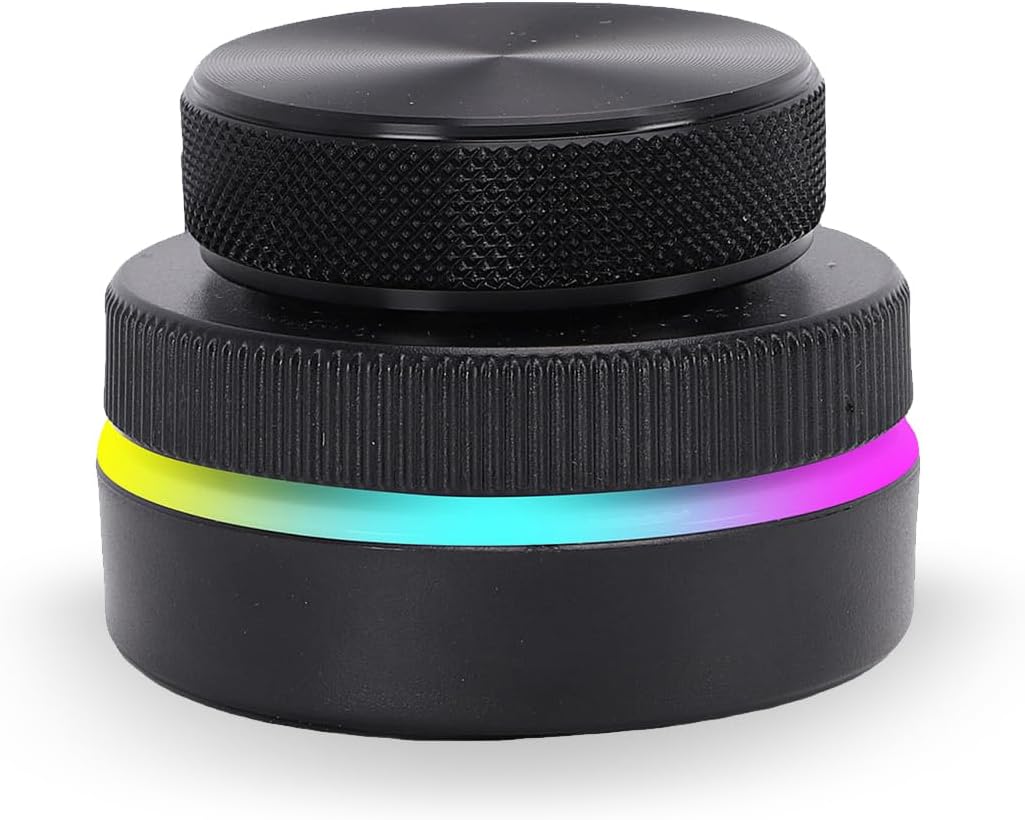
This model targets tech enthusiasts who want a modern look combined with advanced Bluetooth capabilities. The aluminum alloy body gives it a durable feel while the RGB lighting adds a customizable touch to your setup.
We may earn a commission when you buy through this link, at no additional cost to you.
It focuses heavily on sound control allowing you to manage playback and volume through simple physical actions. The Bluetooth 5.1 ensures a stable connection to your PC or mobile device without significant latency.
Users note that the programmable features are powerful but require specific software to unlock their full potential. Without this setup the device functions more like a standard volume dial which might limit its appeal.
If you enjoy tinkering with settings and want a sleek device this is a viable option. It balances technical specs with aesthetic appeal making it a fun addition to a dedicated gaming or work station.
Bluetooth 5.1 provides a reliable link that reduces dropouts during critical listening or calling sessions.
RGB effects can be tuned to match your mood or theme adding a personal layer to your hardware.
We may earn a commission when you buy through this link, at no additional cost to you.
The Razer Wireless Control Pod is designed for users invested in the Razer ecosystem offering deep Chroma lighting control. It allows you to manage audio and lighting settings from a single convenient device on your desk.
We may earn a commission when you buy through this link, at no additional cost to you.
Built with durable aluminum alloy it withstands daily wear while providing a satisfying tactile feel. The source button makes switching between devices effortless a feature highly valued by users with multiple connected systems.
While it is priced at a premium level the functionality it provides for Razer users is unmatched. You can cycle through EQ presets or change lighting effects without touching your main computer interface.
This device is best for those already using Razer peripherals who want unified control. It is a specialized tool that delivers high value within its intended context but may be less useful elsewhere.
Manage lighting and audio in one place reducing the need to navigate multiple software interfaces.
Powered by standard AAA batteries it offers long runtime reducing the frequency of power changes.
We may earn a commission when you buy through this link, at no additional cost to you.
This model highlights the benefits of Bluetooth 5.3 ensuring a stable and fast connection to your devices. Its zinc alloy construction feels solid and prevents sliding during use which is a common issue with lighter units.
We may earn a commission when you buy through this link, at no additional cost to you.
It supports a wide range of media controls including track skipping and volume adjustments making it versatile for daily use. The RGB lighting provides a vibrant backdrop that can enhance your workspace aesthetic significantly.
Users report that the battery life is decent but requires regular charging for optimal performance. The learning curve for pairing and setup is minimal but may still require patience for first time users.
Ideal for those wanting a modern metal device with wireless capabilities this fits well in various setups. It provides a balance of utility and design that suits general desktop audio management needs.
Bluetooth 5.3 ensures low latency and stable pairing for consistent audio control across sessions.
The weighted base and metal casing provide a premium feel that resists accidental movement.
We may earn a commission when you buy through this link, at no additional cost to you.
The VAYDEER model is a solid entry level option for those seeking basic volume control without complexity. Its one click mute function is particularly useful for quick silencing during calls or media playback.
We may earn a commission when you buy through this link, at no additional cost to you.
Made with a sturdy metal shell it offers better durability than many plastic alternatives at this price point. Users appreciate the driver free setup which means you can start using it immediately after plugging in.
While it lacks wireless options the simplicity of a wired connection ensures zero latency and constant power. The anti slip base keeps it secure on your desk preventing accidental movement during adjustments.
This is the ideal choice for anyone needing a reliable simple volume knob for their computer. It offers high value for the cost and performs its core functions with consistent reliability.
No installation required means you can control audio right away without waiting for software updates.
Combines metal durability with essential functions at a price point that is accessible to most users.
We may earn a commission when you buy through this link, at no additional cost to you.
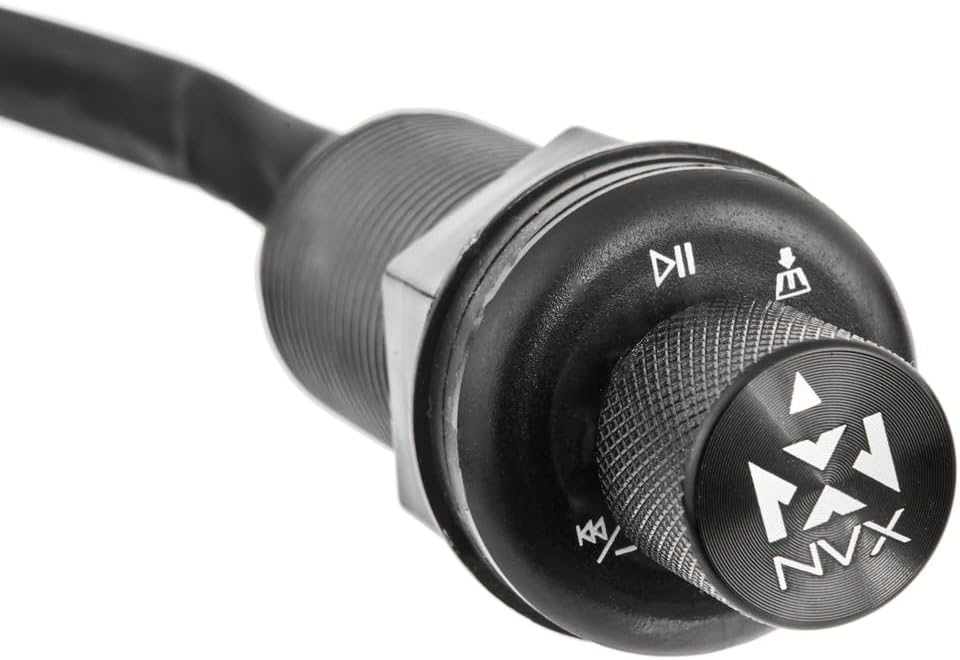
This device is unique as it targets automotive use rather than desktop setups. It allows you to add modern Bluetooth control to older car systems via an AUX input for a seamless experience.
We may earn a commission when you buy through this link, at no additional cost to you.
The design supports flush mounting options which keeps the look clean and professional inside your vehicle. Users find it easy to control tracks and volume without taking their hands off the steering wheel.
It works with both iPhone and Android devices making it versatile for different drivers. The receiver ensures a stable connection for music and calls while the knob provides tactile access to essential functions.
Choose this if you want to upgrade your car audio without replacing the head unit. It bridges the gap between legacy systems and modern streaming needs effectively.
Adds modern control to older car systems easily without complex wiring or expensive replacements.
Physical knobs for volume and tracks reduce distraction while driving compared to phone screens.
We may earn a commission when you buy through this link, at no additional cost to you.
This controller stands out for its ability to work seamlessly across phones tablets and desktops. The dual mode connection ensures you can switch between devices without interruption or complex reconfiguration steps.
We may earn a commission when you buy through this link, at no additional cost to you.
The RGB lighting adds a vibrant touch that complements gaming or entertainment setups. It is designed for comfort with a smooth knob that allows for precise adjustments even during long sessions.
However the feature set is somewhat basic compared to higher end programmable models. It focuses on core tasks like volume and mute which makes it reliable but less flexible for power users.
Ideal for those needing a universal remote for multiple devices this delivers consistent performance. It balances simplicity with style to serve a broad audience of casual users effectively.
Works across mobile and desktop platforms to provide unified control for all your screens.
The design ensures comfortable handling during extended use reducing hand fatigue over time.
We may earn a commission when you buy through this link, at no additional cost to you.
This model focuses on providing deep customization through its dedicated app interface. Users can program various actions to the knob allowing for a tailored experience that fits specific workflow needs.
We may earn a commission when you buy through this link, at no additional cost to you.
The build quality is highlighted by its aluminum alloy construction which adds durability and a sleek look. RGB lighting further enhances the visual appeal allowing you to personalize the device style.
It does require software interaction to unlock the full range of capabilities which can be a barrier for some. However those willing to invest time in setup will find it highly versatile.
If you need a controller that adapts to your unique tasks this is a strong option. It combines practical audio controls with customizable features for a more dynamic user experience.
Custom programming lets you assign specific keys to match your unique workflow requirements.
RGB options allow the device to blend into your aesthetic theme or stand out as needed.
We may earn a commission when you buy through this link, at no additional cost to you.
The VBESTLIFE model offers a unique feature set that includes page turning for electronic books. This makes it particularly useful for avid readers who want to navigate content without touching the screen.
We may earn a commission when you buy through this link, at no additional cost to you.
It supports multiple connection modes including Bluetooth and USB C ensuring compatibility with a wide range of devices. The rechargeable battery means you can use it for extended periods without worry.
While the features are appealing some users report setup inconsistencies that require patience to resolve. The build quality is generally acceptable but may feel less solid than premium competitors.
Choose this if you need a versatile controller that supports media and navigation tasks. It serves well for specific workflows that benefit from tactile input beyond simple volume adjustment.
Page turning functions allow easy navigation through digital documents and books hands free.
Multiple connection types ensure you can keep working even when wireless pairing is not an option.
We may earn a commission when you buy through this link, at no additional cost to you.
Choosing the right controller depends on your specific setup needs and usage habits. We break down the key factors to consider before making a purchase.
Modern controllers offer various ways to connect including Bluetooth and USB C. Bluetooth provides freedom from cables but may introduce slight latency compared to wired connections. Ensure the device supports your primary operating system for seamless integration.
Look for dual mode options that let you switch between wireless and wired as needed. This flexibility ensures you can maintain control even if battery power runs out.
The construction material affects both durability and the tactile feel of the knob. Metal options like aluminum or zinc alloy generally feel more premium and resist wear better than plastic. A textured grip can also improve accuracy when adjusting settings quickly.
Consider how the device sits on your desk. A weighted base or anti slip rubber feet will keep the controller steady during use without sliding around.
Some devices allow you to map custom shortcuts or macros to the knob via software. This can significantly boost productivity by allowing complex commands with a simple action. Check if the software is compatible with your specific version of Windows or Mac.
If you prefer simplicity stick to models that work out of the box without requiring additional app installation. Basic volume control is often sufficient for casual users.
Battery life is a critical factor for wireless controllers. Look for models that offer long standby times or easy recharging via USB C. Some use replaceable batteries which can be convenient for travel.
Ensure the battery indicator is clear so you do not lose control unexpectedly. A low power warning helps prevent sudden disconnection during important tasks.
Beyond volume some controllers offer mute, track skipping, and playback pause functions. These features reduce the need to touch your keyboard or screen during media consumption. Check if the device supports specific apps you use regularly.
Some high end models integrate with lighting systems or audio EQ settings. While not essential these extras can enhance the overall experience if you value ecosystem consistency.
Always verify that the device works with your computer or phone operating system. Most support standard versions of Windows and Mac but specific features may vary. Mobile compatibility is a bonus if you switch between desktop and tablet often.
Compatibility also extends to older hardware. Ensure the connection type matches your available ports so you do not need extra dongles to use the controller.
The look of the device matters if it sits on your desk. Consider whether you prefer a minimal look or one with RGB lighting effects. A design that matches your existing gear helps create a cohesive workspace.
Ergonomics are also key. The knob should be easy to grasp without strain and the button layout should be intuitive. Comfort improves the longer you use the device each day.
Prices vary based on features and build quality. Basic wired models are affordable and reliable for simple volume needs. Wireless programmable versions cost more but offer greater flexibility for power users.
Set a budget that aligns with your needs. If you just need volume control a cheaper model might suffice. If you need custom macros investing a bit more could pay off in productivity.
Start by charging the device fully if it is wireless before attempting to pair. This ensures stable connectivity and prevents early shutdowns during initial setup. Plug it into your PC via USB C or turn on Bluetooth pairing mode.
Install any required software if the model supports customization. This step allows you to map shortcuts and enable advanced features. Once configured test the knob by rotating it to see if volume adjusts smoothly.
Clean the device regularly with a soft dry cloth to prevent dust buildup. Avoid harsh chemicals that could damage the finish or buttons. Store it in a safe place when not in use to maintain its condition.
Many models support mobile devices including Android and iOS. Check the product details to confirm compatibility with your specific phone version. You may need to use Bluetooth or a specific adapter for connection.
Most modern knobs work plug and play without drivers. However some programmable models require software to unlock custom features. Basic volume control usually works instantly without extra steps.
Most devices reset by holding a specific button combination or using the companion app. Refer to the user manual for the exact steps for your model. Unplugging and re plugging the USB can also help reset connection issues.
Some use rechargeable batteries while others use replaceable AAA or AA cells. Check the product specs to see which type you are getting. Rechargeable options are often more convenient for desktop use.
Most models support basic playback controls like pause and skip. High end models offer more detailed media management. Check the feature list to see which actions are supported by the knob.
Many models support macOS but features may vary. Some require specific software versions to work correctly. Ensure you check system requirements before purchasing to avoid compatibility issues.
We reviewed ten diverse options ranging from simple wired units to sophisticated wireless controllers. The top picks offer a balance of reliability and features that suit different user needs effectively.
Prioritize connectivity and build quality to ensure a smooth experience. If you need custom shortcuts invest in a programmable model. For basic use a simple knob is often sufficient.
Always check current availability and terms before buying. Prices and stock can fluctuate so verify the details on the retailer site for the most accurate information.