
Yealink SP92
4.1Editor score
AI Noise Cancellation
20 Hour Battery Life
Microsoft Teams Certified
Discover the top Bluetooth speakerphone home office solutions for crystal clear calls, noise cancellation, and seamless connectivity across all major platforms.
Finding the right Bluetooth speakerphone home office setup is essential for professionals who need clear audio during virtual meetings. A good device ensures everyone hears you clearly while reducing background distractions effectively.
We compared ten top-rated models based on microphone quality, battery life, connectivity options, and compatibility with popular conferencing platforms to find the best performers available today.
Each pick highlights key strengths and ideal use cases so you can choose confidently. Note that availability and pricing may vary over time as products update or change stock.
4.1Editor score
4.4Editor score

4.6Editor score
This side-by-side comparison highlights key specifications and features across all ten selected models to help you identify the best fit for your specific home office needs.
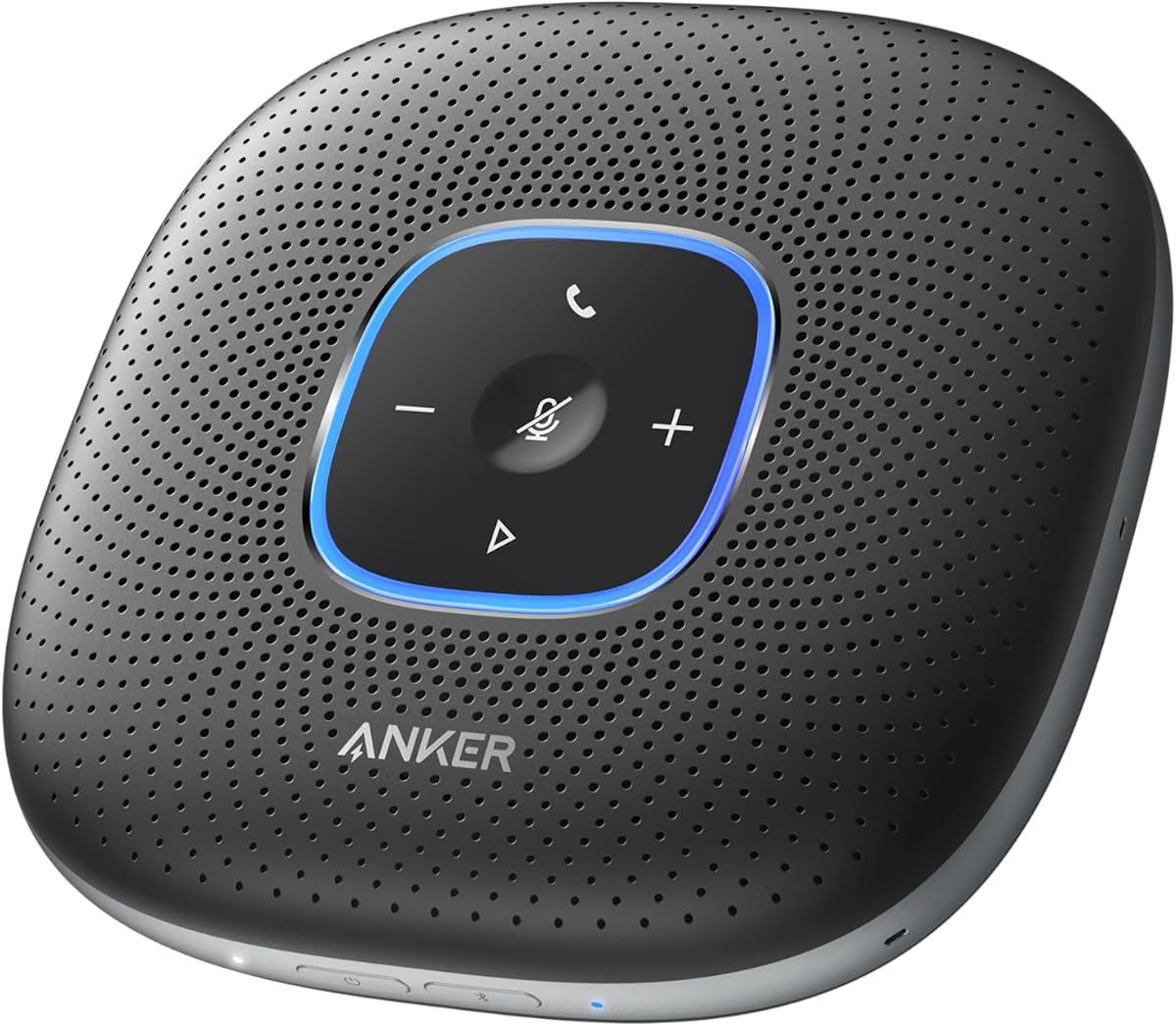


The Anker PowerConf stands out as the top choice for home offices needing reliable conference audio. With a 4.4 rating and strong AI features, it ensures every voice is heard clearly.
We may earn a commission when you buy through this link, at no additional cost to you.
Its six microphones arranged in a 360-degree array capture voices from any direction. Voice Radar 3.0 technology reduces background noise effectively so meetings remain professional.
While the battery lasts up to 24 hours, you may need to recharge after intensive multi-day usage. The design is compact but still requires a flat surface to perform optimally.
Ideal for remote workers who host frequent video calls. Its seamless connectivity and certified performance make it a smart investment for productivity.
The six-mic array ensures that even when you move around the room, your voice remains loud and clear without manual volume adjustments.
Whether you prefer wireless Bluetooth or a stable USB-C connection, this device adapts to your laptop or phone without requiring extra drivers.
We may earn a commission when you buy through this link, at no additional cost to you.
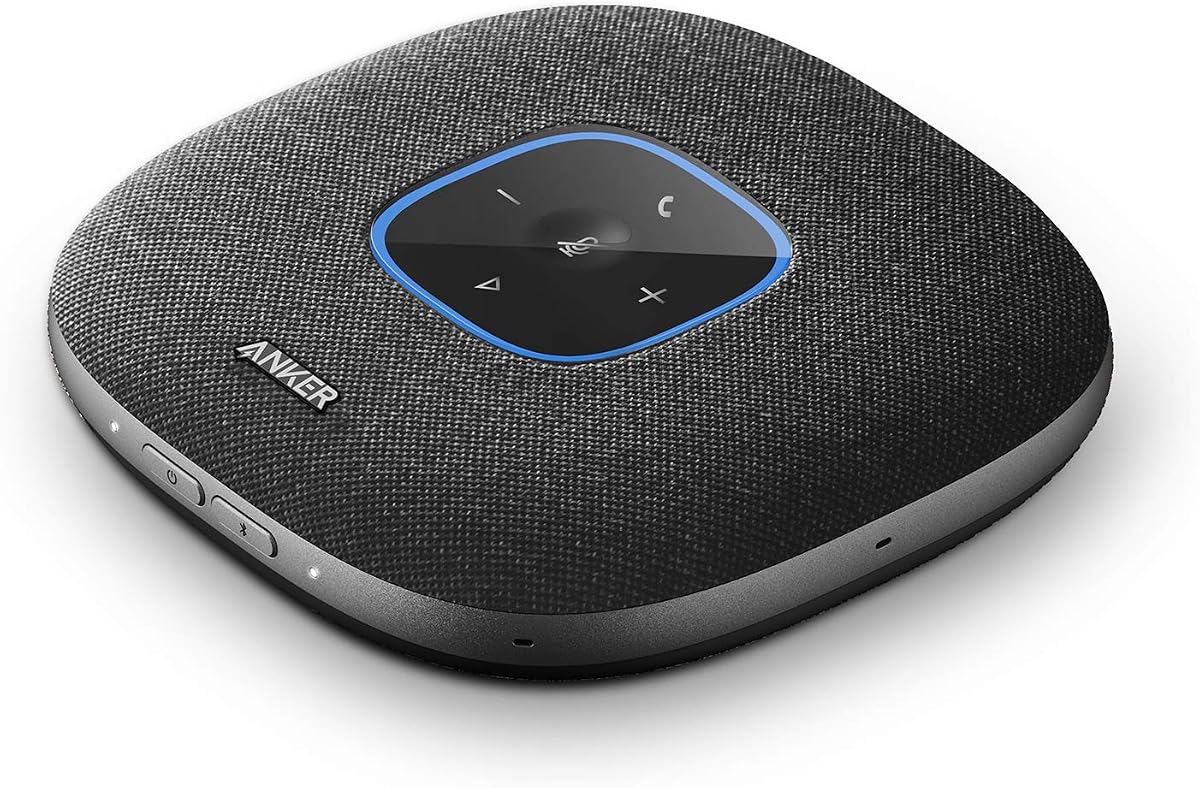
The Yealink SP92 offers impressive value for small teams working from home. Its 4.1 rating reflects solid performance in filtering noise during calls while keeping costs manageable.
We may earn a commission when you buy through this link, at no additional cost to you.
Real-time AI noise cancellation filters out over 1,000 background sounds like keyboard taps. The 360-degree mic picks up voices within a 13-foot radius effectively.
The battery life is decent at 20 hours, though it may not last as long as premium models under heavy use. Setup is straightforward but lacks advanced app controls.
Best for budget-conscious users needing reliable Microsoft Teams integration. It delivers professional sound without breaking the bank for small home offices.
Advanced AI algorithms actively detect and suppress ambient noises so your colleagues focus on your words rather than background distractions.
Weighing just 276 grams and coming with a case, this speaker fits easily in laptop bags for travelers and hybrid workers.
We may earn a commission when you buy through this link, at no additional cost to you.
The Jabra Speak 710 delivers top-tier audio for professionals seeking premium performance. With a 4.6 rating, it excels in sound quality and universal platform support for seamless meetings.
We may earn a commission when you buy through this link, at no additional cost to you.
Its immersive sound and omnidirectional mic ensure clarity for up to six people. The included Link 370 adapter simplifies USB connections for laptops without Bluetooth.
While it is pricier than average, the build quality and reliability justify the cost. It works across platforms like Zoom and Google Meet without issues.
Ideal for frequent travelers and executives who need dependable audio. Its portable design and excellent sound make it a standout high-end option.
The speaker provides rich, balanced sound that makes long meetings feel more engaging and reduces listener fatigue during extended calls.
Works seamlessly with Zoom, Google Meet, and Skype without needing special software, ensuring compatibility across different corporate IT environments.
We may earn a commission when you buy through this link, at no additional cost to you.
The Anker PowerConf S330 focuses on reliability with a wired USB connection. Its 4.4 rating highlights consistent performance for home offices that prefer stability over battery use.
We may earn a commission when you buy through this link, at no additional cost to you.
Four high-sensitivity microphones pick up voices clearly within three meters. The Smart Voice Enhancement feature eliminates background noise effectively during calls.
Since it relies on a wired connection, you cannot move it freely around the room. However, this ensures no interruptions due to connectivity issues or charging.
Best for desk-bound professionals who prioritize stability. It delivers clear, professional audio without the need to manage charging or wireless pairing.
Simply connect via USB-C and join meetings instantly without installing drivers, making it perfect for shared workspaces or quick access.
The dual passive radiators add depth to audio, ensuring voices sound natural and full during conversations and conference calls.
We may earn a commission when you buy through this link, at no additional cost to you.
The Anker PowerConf S3 combines app control with strong hardware features for a versatile experience. It matches the S330 with similar mic counts but adds wireless flexibility.
We may earn a commission when you buy through this link, at no additional cost to you.
Real-time voice optimization keeps audio clear regardless of distance. The full duplex feature ensures no words are skipped even when multiple people speak simultaneously.
You might need to download the app to unlock all settings, which adds a step for some users. Battery life is solid but depends on usage intensity.
Perfect for users wanting wireless freedom with control. It handles multi-person meetings well and connects easily to any conferencing platform.
You can speak while others talk without interruption, creating a natural conversation flow similar to an in-person meeting.
The companion app lets you adjust settings and update firmware, giving you full control over your audio experience and device management.
We may earn a commission when you buy through this link, at no additional cost to you.
The Jabra Speak 510 remains a reliable classic with a high 4.7 rating. It offers simple, effective audio for home office needs without complex setup requirements.
We may earn a commission when you buy through this link, at no additional cost to you.
You can connect via USB or Bluetooth instantly to any laptop or phone. Its portable design lets you carry it anywhere while maintaining sharp audio quality.
It lacks advanced AI features found in newer models but excels in straightforward usability. Some may find its physical buttons less intuitive than touch interfaces.
Ideal for users who want simplicity. It delivers professional sound for basic calls without the need for advanced customization or apps.
Get started in seconds with plug-and-play connectivity, allowing you to focus on your meeting instead of troubleshooting device connections.
Switch between Bluetooth and USB easily to stay connected whether you are using a mobile phone or a stationary laptop.
We may earn a commission when you buy through this link, at no additional cost to you.
The Lenovo Speakerphone is designed for enterprise environments with a strong Microsoft Teams certification. It features eight beamforming microphones to capture voice clearly even in noisy settings.
We may earn a commission when you buy through this link, at no additional cost to you.
Full duplex performance allows natural conversation flow while the dedicated Teams button speeds up access. Its IP54 rating adds durability for busy offices.
While it connects to multiple devices, it is optimized for Teams which might limit appeal for other platforms. The price is higher but justified for corporate use.
Best for hybrid workers in business environments. It ensures reliable, secure calls and withstands daily wear and tear better than consumer models.
The beamforming microphones focus on voices while ignoring background noise, ensuring that remote participants hear only the necessary conversation.
IP54 dust and splash resistance protects the device during travel or in shared workspaces where spills or dirt are common risks.
We may earn a commission when you buy through this link, at no additional cost to you.
The Jabra Speak 510 MS is tailored for legacy softphone systems like Microsoft Lync. It delivers HD Voice quality for clear and professional conversations.
We may earn a commission when you buy through this link, at no additional cost to you.
Its USB and Bluetooth connectivity ensures it works with PCs and tablets. The battery lasts up to 15 hours, enough for most daily work schedules.
While it does not support modern AI features, it remains reliable for specific corporate setups. The compact design makes it easy to store on a desk.
Ideal for organizations using specific legacy systems. It provides consistent audio quality without the complexity of modern smart features.
High-definition audio ensures that every word is transmitted clearly, reducing misunderstandings during important business discussions.
Works with a range of mobile phones and tablets, ensuring you can stay connected across different devices and operating systems.
We may earn a commission when you buy through this link, at no additional cost to you.
The Yamaha YVC-330 is a professional-grade speakerphone designed for small meeting rooms. It features SoundCap technology that filters out background noise outside a 3-foot range.
We may earn a commission when you buy through this link, at no additional cost to you.
Its 3 unidirectional microphones detect human voice activity to pick up speech rather than ambient sounds. The self-silence feature mutes the mic when no one speaks.
While expensive and slightly heavier, its reliability makes it worth the investment for regular meetings. It handles 5 to 8 people effectively during calls.
Best for small home offices hosting formal meetings. It offers studio-quality audio control and ensures professional standards are maintained.
This system filters background noise effectively so participants hear your voice clearly without distractions from fans or outside sounds.
The microphone automatically mutes when there is no speaking, preventing accidental transmission of ambient noise during pauses in conversation.
We may earn a commission when you buy through this link, at no additional cost to you.
The N newline Conference speaker offers a modern, lightweight design with strong AI noise reduction. It aims to deliver HiFi-level audio for a premium feel in smaller spaces.
We may earn a commission when you buy through this link, at no additional cost to you.
Two microphones provide 360-degree pickup for clear sound within 16 feet. The double talk feature ensures clarity even when both parties speak simultaneously.
Its battery lasts about 12 hours, which is decent for daily use. While it is newer, the mesh design looks stylish on any desk.
Ideal for users wanting a stylish, compact option. It balances modern AI features with portability for efficient home office workflows.
A unique sound cavity design produces rich tones that make voices sound natural and music playback enjoyable during breaks.
AI algorithms remove echoes and noise in real time, ensuring that remote participants hear clean audio without feedback or static.
We may earn a commission when you buy through this link, at no additional cost to you.
Selecting the right speakerphone involves balancing audio quality, connectivity, and portability. This guide breaks down the key factors to consider before buying.
Look for omnidirectional microphones with a wide range to ensure voices are picked up from any angle. Devices with 360-degree coverage are ideal for larger desks or open spaces.
Choose models with multiple microphones for better clarity.
AI-driven noise cancellation helps filter out background sounds like typing or air conditioning. This ensures your voice remains the focus during virtual meetings.
Prioritize units with advanced DSP algorithms.
Verify support for both Bluetooth and USB connections. USB ensures stable wired audio while Bluetooth offers flexibility for wireless pairing.
Check if dongles or adapters are included.
For wireless use, aim for devices with at least 15 hours of talk time. This allows you to work through the day without needing to recharge.
Consider standby time for multi-day trips.
Certified models for Zoom or Teams optimize performance for specific apps. These devices ensure features like mute buttons work seamlessly.
Verify compatibility with your main tools.
If you travel often, choose lightweight units that fit in laptop bags. Protective cases and durable build materials add value for mobile workers.
Focus on compact designs under one pound.
Robust materials and resistance to dust or water increase durability. High-quality plastics or metal grills protect internal components during daily use.
Check for warranty coverage on defects.
Full duplex audio allows simultaneous speaking and listening without cutting off voices. This feature is crucial for natural conversation flow.
Ensure the speaker handles overlapping speech well.
Place the speakerphone on a flat, stable surface to ensure microphones pick up sound clearly. Avoid placing it inside cabinets or under cluttered areas.
Keep the firmware updated using the companion app to benefit from performance improvements and security patches. Check for updates monthly.
Clean the device regularly with a soft, dry cloth to remove dust from the speaker grill. Avoid using liquid cleaners that might damage the electronics.
A good home office speakerphone should have a range of at least 3 to 6 meters. This ensures voices are picked up clearly even if you move slightly away from the device.
Yes, many modern speakerphones support dual Bluetooth or USB connections. This allows you to switch between your laptop and smartphone seamlessly during calls.
Most Bluetooth models work with mobile phones or tablets directly. However, wired USB options usually require a computer or specific host device.
Echo often occurs when microphones pick up speaker output. Ensure the device is placed away from other speakers and lower the volume slightly.
Yes, most models support music streaming via Bluetooth. However, they are optimized for voice clarity rather than high-fidelity music performance.
Most devices offer between 12 to 24 hours of talk time. This range ensures you can work through full workdays or multiple meetings without recharging.
No, most modern speakerphones are plug-and-play. They install as standard audio devices without requiring extra software on Windows or Mac.
We highlighted the Anker PowerConf, Yealink SP92, and Jabra Speak 710 as top contenders for home offices. Each offers unique strengths in audio quality, battery life, and connectivity.
Prioritize noise cancellation and mic range if you work in busy environments. Battery life and platform certification matter most for frequent travelers.
Always check current availability and specific feature updates before buying. Technology evolves quickly so ensure you get the latest version for best support.