
ASUS Prime X470-Pro
4.6Editor score
Strong VRM Power Delivery
Comprehensive USB Connectivity
Aura Sync RGB Support
This guide compares the top Amd Ryzen Gen 2 X470 Motherboards for performance and value helping you choose the right AM4 platform for your next PC build in
Choosing the right motherboard is critical for building a reliable PC. The Amd Ryzen Gen 2 X470 Motherboards offer robust power delivery and advanced features for enthusiasts. These boards support high performance CPUs and provide excellent connectivity options for gamers and creators alike.
We evaluated ten top models based on VRM quality connectivity features and user reviews. Our comparison covers boards from major brands like Asus Gigabyte and MSI. Each product offers unique strengths whether you need premium overclocking support or solid everyday performance for workloads.
Each pick highlights key specs pros and cons to help you decide. Prices vary by retailer and availability so check current listings before buying. We focus on real world performance and durability to ensure your investment lasts for years of computing needs and gaming sessions.
4.6Editor score

4.3Editor score

4.4Editor score
This table provides a side-by-side look at all ten selected motherboards. It highlights key specifications like socket type memory support and unique features to help you quickly identify the best fit for your specific build requirements and budget constraints.


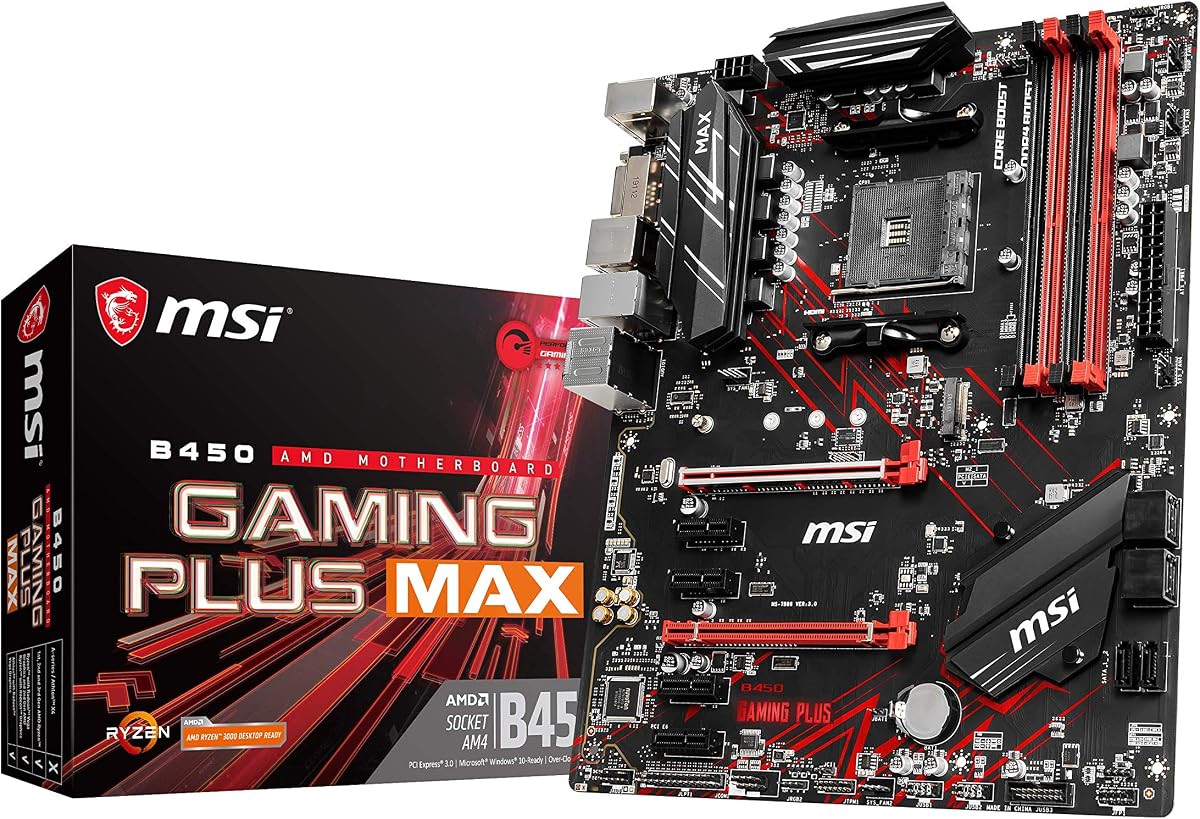
This board delivers exceptional performance for modern Ryzen systems. It features robust power stages and high-speed connectivity. Users praise its reliability and ease of setup in various builds.
We may earn a commission when you buy through this link, at no additional cost to you.
The WiFi 6E integration ensures fast wireless performance. The power design supports high core count CPUs effectively. BIOS Flashback makes updating firmware convenient without a CPU.
It carries a premium price compared to basic boards. Some users note the RGB lighting requires software setup. These are minor issues given the overall feature set and quality.
Ideal for gamers wanting top tier connectivity and power. It balances performance and features well for most enthusiasts. Check availability before purchasing as stock varies.
WiFi 6E offers lower latency and higher throughput for gaming and streaming needs.
The 12+2 power stages provide stable voltage for demanding Ryzen processor operations.
We may earn a commission when you buy through this link, at no additional cost to you.
This model stands out for its premium construction and audio features. It was designed for serious overclockers and audiophiles. The build quality remains impressive even today in 2026.
We may earn a commission when you buy through this link, at no additional cost to you.
The 10+2 phase PWM ensures stable power under load. The ESS DAC provides high fidelity audio for gaming and music. Fins-Array heatsinks keep temperatures low during intense sessions.
It may be harder to find in stock compared to newer boards. The chipset is older which limits PCIe 4.0 support. These tradeoffs are acceptable for those prioritizing raw power delivery.
Best for users seeking top tier power and audio quality. It fits high end builds where performance is critical. Verify stock status before adding to your cart today.
ESS 9018 DAC delivers crystal clear sound for immersive gaming experiences.
Fins-Array heatsinks maximize surface area for efficient heat dissipation.
We may earn a commission when you buy through this link, at no additional cost to you.
This board offers a balanced mix of features and durability. It supports multi GPU setups and modern connectivity. Many users appreciate the reliable performance and sturdy construction.
We may earn a commission when you buy through this link, at no additional cost to you.
The 8+3 phase design handles Ryzen CPUs well. Front USB-C adds versatility for peripherals and charging. Ultra Durable components ensure longevity in various operating environments.
Lack of WiFi might require a separate adapter card. The older chipset means fewer modern protocol speeds. These are minor drawbacks for a board focused on core performance.
Great for builders needing reliability without excessive cost. It fits mid range gaming and workstation builds well. Check current pricing to ensure best value today.
Supports 2-Way CrossFire for enhanced graphical rendering in games.
Front Type C port simplifies connecting modern devices and peripherals.
We may earn a commission when you buy through this link, at no additional cost to you.
A solid choice for general users and entry level enthusiasts. It provides essential features without unnecessary complexity. The Prime series is known for straightforward functionality and stability.
We may earn a commission when you buy through this link, at no additional cost to you.
5-Way Optimization simplifies system tuning automatically. SafeSlot protects heavy graphics cards from physical damage. The audio codec delivers clear sound for standard use cases.
RGB lighting is functional but less customizable than ROG. Absence of WiFi requires external adapter for wireless needs. These limitations are acceptable for a budget friendly workhorse board.
Perfect for office or casual gaming builds. It offers dependable performance for daily tasks. Verify compatibility with your specific CPU before ordering.
5-Way Optimization adjusts performance settings automatically for efficiency.
SafeSlot technology secures GPU against bending and physical stress.
We may earn a commission when you buy through this link, at no additional cost to you.
An excellent entry point for budget builders. It supports newer Ryzen CPUs and fast storage. Ideal for compact cases where size matters more than high power.
We may earn a commission when you buy through this link, at no additional cost to you.
The 3+3 phase design handles entry level CPUs well. Micro-ATX fits small cases easily. PCIe 4.0 M.2 ensures fast SSD performance.
Not suited for high end overclocking due to VRM limits. Fewer ports limit peripheral choices. These tradeoffs fit the low price profile perfectly.
Best for small home office or budget gaming rigs. It maximizes value in a small footprint. Check dimensions to ensure case compatibility.
3+3 phase design provides sufficient power for standard Ryzen chips.
PCIe 4.0 M.2 slot enables high speed SSD data transfers.
We may earn a commission when you buy through this link, at no additional cost to you.
This board bridges the gap between basic and premium features. It includes WiFi and strong power delivery at a moderate price. Users find it reliable for daily computing tasks.
We may earn a commission when you buy through this link, at no additional cost to you.
8+1 DrMOS power stages ensure stable performance. Dual M.2 slots allow fast multi drive storage setups. Front USB-C adds convenience for modern peripherals.
WiFi 5 is older than WiFi 6 or 6E options. RGB headers are minimal for lighting enthusiasts. These factors make it a functional mid-range workhorse board.
Suitable for home systems needing wireless capability. It balances cost and features well. Verify specific ports before purchase to match needs.
WiFi 5 provides stable connectivity without extra adapters.
Dual M.2 slots support fast NVMe SSDs for loading times.
We may earn a commission when you buy through this link, at no additional cost to you.
Built for gamers who want performance and features. The power design supports overclocking well. Q-Flash Plus allows BIOS updates without a CPU installed.
We may earn a commission when you buy through this link, at no additional cost to you.
10+3 VRM ensures stable power delivery. RGB Fusion offers extensive customization options. Front USB-C improves modern device connectivity.
Missing WiFi means separate purchase if wireless needed. Price can fluctuate with market conditions. These are manageable for most dedicated gaming builds.
Recommended for performance focused system builders. It offers great value in its segment. Check regional availability before placing order.
Q-Flash Plus simplifies firmware updates without CPU or RAM.
RGB Fusion supports synchronized lighting across compatible components.
We may earn a commission when you buy through this link, at no additional cost to you.
Ideal for small cases needing fast WiFi. It includes HDMI 2.1 for modern displays. The compact size saves space without sacrificing core features.
We may earn a commission when you buy through this link, at no additional cost to you.
WiFi 6 ensures low latency for online gaming. HDMI 2.1 supports high refresh rate 4K displays. PCIe 4.0 ensures SSD speed and GPU performance.
Limited slots restrict additional cards like capture cards. Fewer USB ports might need hubs. These constraints are common for Micro-ATX boards.
Best for SFF builds and home media PCs. It delivers connectivity and size efficiency. Check case dimensions for fit.
WiFi 6 delivers faster speeds and better performance in crowded networks.
HDMI 2.1 enables 4K at 60Hz for crisp visuals.
We may earn a commission when you buy through this link, at no additional cost to you.
A legacy option for tight budgets. It supports older Ryzen CPUs well. The StoreMI feature can speed up storage on limited budgets.
We may earn a commission when you buy through this link, at no additional cost to you.
Turbo M.2 slots provide fast SSD speeds. Audio Boost enhances sound quality for games. Compatibility covers 1st to 3rd Gen Ryzen.
Chipset limits PCIe 4.0 and newer protocols. Lack of WiFi requires extra adapter. These are expected trade-offs for low cost boards.
Good for upgrading old systems economically. It offers basic performance reliably. Check CPU compatibility specifically.
StoreMI technology combines storage for faster load times.
Audio Boost delivers studio grade sound for gaming and media.
We may earn a commission when you buy through this link, at no additional cost to you.
An alternative listing for the same model. It shares key specs and pricing. Useful for checking stock across different sellers.
We may earn a commission when you buy through this link, at no additional cost to you.
ATX size fits standard cases easily. Crossfire support allows dual GPU setups. USB 3.0 ports are sufficient for peripherals.
Limited modern connectivity like Type-C or WiFi. Older chipset features compared to newer boards. Acceptable for basic budget gaming needs.
Check stock availability across sellers for better deals. It offers functional performance for basic builds. Verify listing details before purchase.
Crossfire support enables multi GPU graphics configurations for games.
ATX form factor ensures compatibility with most PC cases.
We may earn a commission when you buy through this link, at no additional cost to you.
Selecting the right motherboard requires evaluating power delivery connectivity and form factor. This guide breaks down key factors to ensure compatibility and performance for your Ryzen build.
VRM quality determines stable power to the CPU. Look for at least 8+2 phases for high end CPUs and more for overclocking. Good VRMs prevent throttling during heavy loads.
Prioritize boards with robust VRMs for longevity and performance.
X470 offers features like overclocking and dual GPU support but lacks PCIe 4.0. B450 or B550 boards may offer newer speeds. Choose based on your needs.
Match chipset features to your CPU and future upgrade plans.
Ensure the board supports your RAM speed and capacity. DDR4 slots vary in maximum frequency support. Higher speeds improve system responsiveness.
Check memory QVL lists to confirm compatibility.
Consider USB ports including Type-C. Also check for Ethernet speed and WiFi if needed. Adequate ports reduce need for adapters.
Select boards matching your peripheral requirements.
ATX fits most cases and offers more slots. Micro-ATX is smaller and cheaper. Choose based on case size and expansion needs.
Verify case compatibility before buying.
Heatsinks on VRMs and chipsets keep temps low. Passive cooling is common on budget boards. Active fans may be needed for high power use.
Ensure adequate cooling for your usage.
BIOS Flashback allows updates without CPU. Look for user friendly interfaces. Regular updates fix bugs and improve compatibility.
Prioritize boards with easy update tools.
Integrated audio codecs vary in quality. Look for S1220A or similar codecs for clear sound. Dedicated DACs improve fidelity further.
Check codec specs for audio needs.
Install the motherboard in a static free environment using anti-static wrist straps. Align the standoffs properly to avoid short circuits during assembly.
Update the BIOS to the latest version as soon as possible. This ensures CPU compatibility and access to performance optimizations.
Keep the motherboard free of dust with compressed air. Maintain proper airflow in the case to prevent overheating and component stress.
Most X470 boards can support Ryzen 5000 series after a BIOS update. Check the manufacturer support page for specific model compatibility. Not all boards may support the latest CPUs.
No X470 is PCIe 3.0 only. You will need B550 or X570 for PCIe 4.0 SSDs. However PCIe 3.0 devices work without issue.
3200MHz is the sweet spot for Ryzen Gen 2 CPUs. Higher speeds work but may need manual tuning. Faster RAM helps performance in gaming.
Unless your CPU has integrated graphics a GPU is required. Most Ryzen Gen 2 CPUs lack video output. Check CPU specs before deciding.
Locate the CMOS jumper or battery on the board. Remove the battery briefly to clear settings. Follow manual instructions for safe reset.
ROG series offers better VRMs RGB and audio. Prime focuses on value and essentials. Choose based on budget and feature needs.
Yes if they support the required PCIe slots. Many users utilize AM4 boards for mining due to cost efficiency. Ensure enough power connectors.
Some AM4 boards support ECC memory with compatible CPUs. Check manufacturer specs for explicit ECC support. Non-ECC works with most systems.
This guide reviewed ten top options ranging from budget picks to premium models. Each board offers unique strengths tailored to different user needs and system goals.
Prioritize VRM quality and connectivity based on your specific workload. Reliable power and features will ensure your system runs smoothly for years.
Prices and availability change often so verify current details before purchasing. Your choice depends on balancing performance features and cost effectively.