
ANCEL AD310 Classic Enhanced
4.6Editor score
Compact and durable design
Supports all OBDII protocols
No batteries required
This guide compares the top Android OBDII scanner tools for 2026, evaluating connectivity, compatibility, and features to help you choose the right diagnostic
Finding a reliable Android OBDII scanner tool can save you time and money on vehicle maintenance. These devices plug into your car's diagnostic port to read error codes and monitor performance in real time. Choosing the right one depends on your specific vehicle make and the depth of information you need.
We have analyzed ten top-rated scanners based on user feedback, connectivity options, and diagnostic capabilities. Our comparison covers everything from budget-friendly Bluetooth adapters to advanced bidirectional tools. Each product was evaluated for ease of use, app support, and compatibility with modern vehicles.
Each pick highlights key strengths, limitations, and ideal use cases for different drivers. You will find options for casual users who just want to clear check engine lights and professionals needing detailed system analysis. Note that prices and availability may change, so verify details before purchasing.
4.6Editor score

4.5Editor score

4.4Editor score
This side-by-side comparison helps you evaluate the top ten Android OBDII scanner tools available today. We have organized key specifications to highlight differences in connectivity, supported protocols, and additional features like live data streaming and reset functions.



The BlueDriver OBD2 Scanner Bluetooth stands out as a top choice for Android users seeking professional-grade diagnostics without the complexity. With a solid 4.5 rating, it offers a seamless experience by turning your smartphone into a powerful scan tool. The device eliminates guesswork by providing verified repair reports matched to your vehicle's VIN.
We may earn a commission when you buy through this link, at no additional cost to you.
One of its strongest features is the ability to read and clear more codes than basic readers, including ABS, SRS, and TPMS. The app provides real-time data monitoring and freeze frame analysis, helping you understand exactly what is wrong before visiting a shop. This level of detail ensures you avoid unnecessary repairs and save money on dealership fees.
While the device is slightly more expensive than basic adapters, the one-time purchase model means no recurring fees. The hardware is compact and plugs directly into the OBDII port, connecting wirelessly to your phone. Some users note that it works best with gas vehicles from 1996 onward, so checking compatibility for newer hybrids or diesels is advised.
If you want a reliable tool that balances ease of use with deep diagnostic capabilities, the BlueDriver is an excellent investment. It is ideal for DIYers who need more than just a check engine light reader but do not want to buy a full handheld scanner. The 24/7 support further adds to its value for long-term ownership.
The tool provides enhanced diagnostics similar to what you would get at a repair shop, including live data and Mode 6 test results.
Bluetooth connectivity allows you to move around the vehicle freely while monitoring data, without being tethered by cables.
We may earn a commission when you buy through this link, at no additional cost to you.
The OBDLink MX+ is widely recognized as a top adapter for users who want deeper access to vehicle systems. It is specifically praised for its enhanced OEM support, particularly for Ford, GM, and Mazda vehicles. With a high 4.6 rating, it offers a robust connection that is suitable for both casual checks and serious diagnostics.
We may earn a commission when you buy through this link, at no additional cost to you.
This device turns your Android phone into a professional-grade diagnostic tool. It supports advanced parameters like ABS, SRS, and TPMS, which are often locked behind expensive tools. The inclusion of over-voltage and battery drain protection makes it safe for long-term connection without risking damage to your vehicle's electrical system.
However, the MX+ is more expensive than standard Bluetooth dongles. It requires compatible third-party apps to function, which may have their own learning curves. Users should check the troubleshooting guide before purchase to ensure it matches their specific vehicle model year and diagnostic needs.
For owners of supported brands who need reliable performance and detailed data, the OBDLink MX+ is a worthy investment. It bridges the gap between simple code readers and full shop scanners, offering flexibility across multiple operating systems including Windows and Android.
It unlocks live parameters beyond standard OBDII, giving you insight into transmission and brake systems on supported cars.
Built-in protection features ensure that leaving the device plugged in does not drain your battery or cause voltage issues.
We may earn a commission when you buy through this link, at no additional cost to you.
The ANCEL AD310 Classic Enhanced is a fantastic option for drivers who need a basic, reliable code reader without breaking the bank. It has earned a strong 4.6 rating for its simplicity and performance. This device is designed to read and clear emission-related trouble codes quickly, making it perfect for clearing check engine lights at home.
We may earn a commission when you buy through this link, at no additional cost to you.
One of its standout features is the ability to support all OBDII protocols, including KWP2000 and CAN. The scanner is powered directly from the vehicle's port, so you never need to buy or replace batteries. Its compact design makes it easy to store in a glove box or tool kit, ready whenever a light turns on.
Keep in mind that this model only works with emission systems and does not support advanced modules like ABS or SRS. It is also a wired device, meaning you must stay connected to the car while using it. However, for its price point, these limitations are minimal for standard diagnostic needs.
If you are a DIYer or mechanic looking for a straightforward tool to troubleshoot engine issues, the AD310 is highly recommended. It delivers accurate results fast and is built to last. It is an ideal first scanner for anyone wanting to take control of their car maintenance.
The scanner draws power directly from the car, eliminating the need for internal batteries and ensuring it is always ready to use.
It covers all major OBDII protocols used in cars from 1996 onwards, ensuring broad compatibility with domestic and foreign vehicles.
We may earn a commission when you buy through this link, at no additional cost to you.
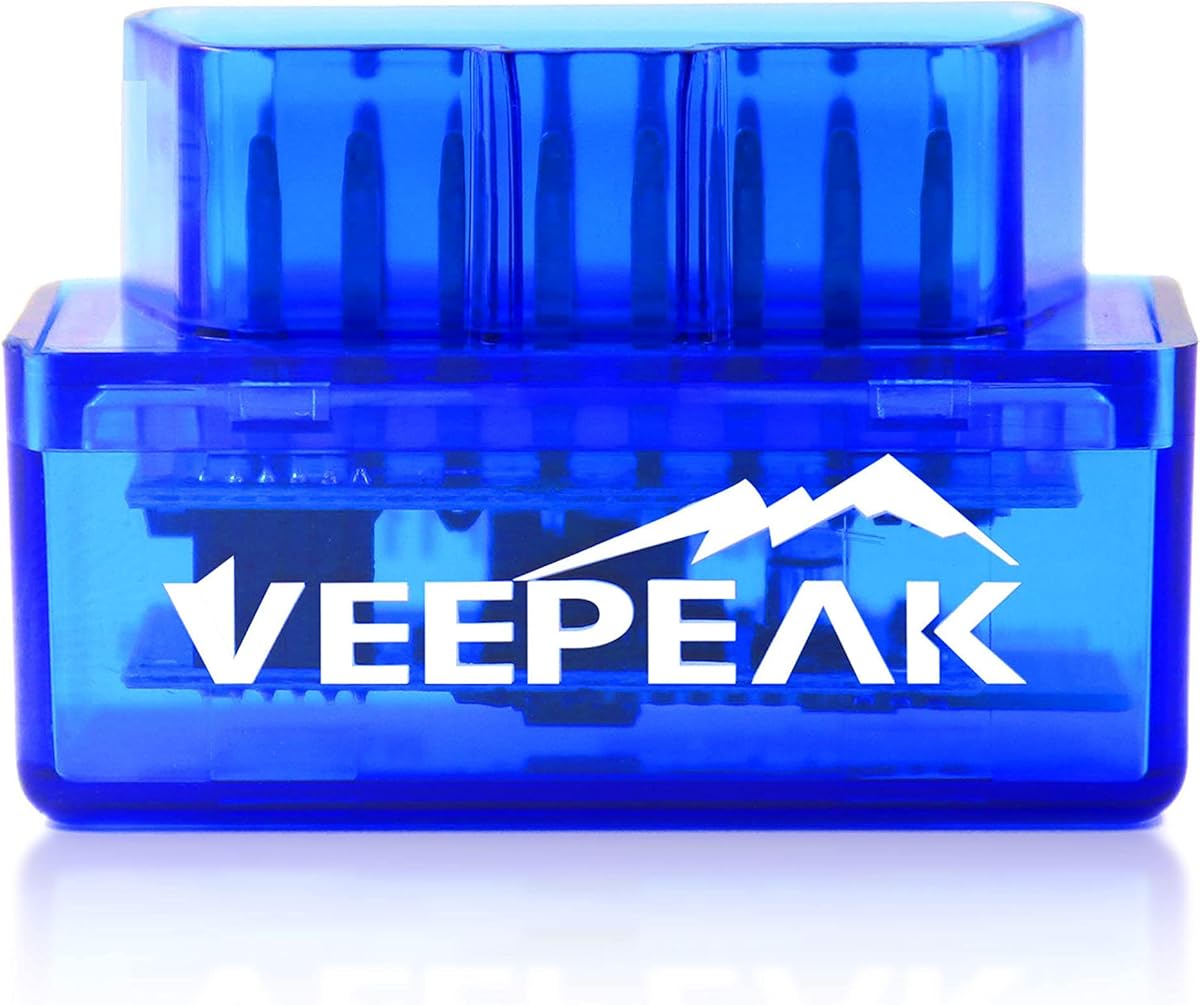
The Veepeak OBDCheck BLE is a popular choice for users who want a wireless solution at an accessible price. It connects via Bluetooth Low Energy, allowing you to monitor your vehicle health from your Android phone without tangled wires. The 4.5 rating reflects its reliability for standard check engine light diagnostics.
We may earn a commission when you buy through this link, at no additional cost to you.
This device is designed to work with generic OBDII functions, including reading trouble codes and viewing live sensor data. You will need to download a compatible third-party app to use it, but options like Car Scanner and Torque are widely available. This flexibility lets you customize your interface and data views.
However, the device does not support advanced features like ABS bleeding or oil resets. App compatibility can vary by vehicle make, so checking specific profiles before purchase is recommended. It is primarily focused on standard diagnostics, so users seeking deep system access may need a more specialized tool.
For most daily drivers, the Veepeak OBDCheck BLE offers excellent value. It provides the essential tools to diagnose engine issues and monitor performance without high costs. It is a great starter device for anyone new to OBDII diagnostics who prefers a wireless setup.
By using various third-party apps, you can tailor the data display to match your specific preferences and technical needs.
The Bluetooth LE connection allows you to sit in the driver's seat while the scanner communicates with the car's system.
We may earn a commission when you buy through this link, at no additional cost to you.
The Veepeak OBDCheck BLE+ builds on the success of its predecessor by adding support for both Bluetooth LE and classic Bluetooth. This makes it versatile for a wider range of Android devices and apps. With a 4.5 rating, it is a solid choice for users needing to monitor EV or hybrid vehicle health.
We may earn a commission when you buy through this link, at no additional cost to you.
Like other Veepeak devices, it requires a third-party app to function but supports popular choices like Car Scanner and Torque. The device allows you to view live sensor data and diagnose check engine problems efficiently. It is particularly useful for owners of hybrids who need to track battery health.
Advanced diagnostics like ABS or SRS may be available depending on the app and vehicle, but hardware resets are not supported. Users should note that some Android head units may not support this device directly. It is best used with standard smartphones for the most reliable connection.
If you drive a hybrid or need a dual-mode Bluetooth adapter, the BLE+ is a strong contender. It offers the balance of compatibility and cost that makes it a favorite among budget-conscious tech enthusiasts. Always verify app compatibility for your specific model before buying.
This adapter supports apps that can read specific hybrid battery data, giving you insight into your electric system's condition.
Supporting both classic and LE Bluetooth ensures you can connect with older and newer Android devices seamlessly.
We may earn a commission when you buy through this link, at no additional cost to you.
The FOXWELL NT301 is a professional-style handheld scanner designed to give you detailed insights into engine performance. It has a 4.5 rating due to its comprehensive feature set, including live data graphing and smog check preparation. This tool is great for users who want a standalone device without relying on phone apps.
We may earn a commission when you buy through this link, at no additional cost to you.
It supports advanced OBDII modes like EVAP system checks and O2 sensor tests, helping you optimize fuel economy and reduce emissions. The scanner features a bright 2.8-inch color screen that is readable in sunlight, and built-in audio feedback alerts you to key statuses. It also offers lifetime free updates, keeping it current with new car models.
While it is a powerful tool, it requires a physical connection to the car, which can be less convenient than Bluetooth for on-the-go checks. The device is also heavier and bulkier than phone-based scanners. However, the professional-level data access makes it a favorite for serious DIYers who prefer dedicated hardware.
If you need to prepare for an emissions test or diagnose complex engine issues, the NT301 is an excellent choice. It provides the confidence of professional diagnostics at a fraction of the cost. The one-year seller assurance adds peace of mind to your purchase.
A dedicated I/M readiness feature helps you know if your vehicle will pass inspection before you drive to the test center.
Beyond reading codes, it runs system checks like EVAP and oxygen sensor tests to diagnose underlying performance issues.
We may earn a commission when you buy through this link, at no additional cost to you.
The BlueDriver Next-Gen offers updated hardware and software improvements for the latest vehicles on the road. It retains the core benefits of the BlueDriver brand, such as no subscription fees and verified repair reports. However, it currently has a lower rating of 3.9, suggesting some users may prefer the established stability of the Pro model.
We may earn a commission when you buy through this link, at no additional cost to you.
This version is optimized for strong support across major brands including Ford, GM, Toyota, and Honda. It includes expanded communication on select 2024+ models, making it a good choice for new car owners who need reliable diagnostics. The device connects wirelessly to your phone, turning it into a powerful diagnostic tool.
While it offers great features, the lower rating indicates potential inconsistencies in user experience compared to other top picks. It may be worth checking if your specific vehicle is listed in the compatibility chart before buying. The price point is higher than basic adapters but justified by the deep diagnostics.
For owners of newer vehicles who want the convenience of smartphone diagnostics, this tool is a solid option. It ensures you have the right hardware to access modern car systems effectively. If you prioritize compatibility with very recent models, the Next-Gen is designed for that.
The updated hardware is designed to support newer communication protocols used in 2024 and later vehicle models.
It is marketed as a versatile tool for checking multiple cars in a family driveway, from new trucks to teenagers' first cars.
We may earn a commission when you buy through this link, at no additional cost to you.
The XTOOL A30D is a premium tool that brings professional-level bi-directional control to your Android smartphone. With a 4.4 rating, it is highly regarded for its ability to send commands to the vehicle, allowing you to test components like fuel pumps and windows. It is an all-in-one solution for serious maintenance.
We may earn a commission when you buy through this link, at no additional cost to you.
One of its most powerful features is the inclusion of 19 reset functions without extra charges. This includes tasks like EPB reset, oil resets, and ABS bleeding. These are usually expensive add-ons for other tools, making the A30D a cost-effective choice for home mechanics who need these specific services.
The scanner connects via Bluetooth for up to 33 feet of range, giving you freedom to walk around the car while monitoring data. It supports CAN-FD and FCA protocols for certain models, expanding its reach. However, you may need to confirm compatibility with specific VINs before purchasing for advanced functions.
If you need a comprehensive diagnostic tool that goes beyond reading codes, the A30D is an excellent investment. It saves money on shop visits by allowing you to perform resets and tests yourself. The two-year warranty further supports its value as a long-term professional-grade tool.
Unlike passive scanners, this device can actively trigger components to test their functionality, helping pinpoint faults faster.
It handles routine tasks like oil light resets and brake pad resets, keeping your vehicle's maintenance indicators up to date.
We may earn a commission when you buy through this link, at no additional cost to you.
The Veepeak Mini Bluetooth is an ultra-affordable option specifically designed for Android users. With a 4.4 rating, it is a compact device that plugs into the OBDII port and connects via classic Bluetooth. It is perfect for basic check engine light checks and live data monitoring on a budget.
We may earn a commission when you buy through this link, at no additional cost to you.
It supports live engine data streams such as speed, RPM, and coolant temperature. The device works with popular apps like Torque and Car Scanner. However, it is not compatible with iOS devices, so iPhone users will need to look at other options from the same brand. It focuses on engine diagnostics rather than ABS or SRS.
Because of its small size and low cost, it is easy to keep in your glove box or keychain. The connection tips advise pressing firmly into the port for stability. While it lacks advanced features, it delivers exactly what it promises for standard diagnostics at a very accessible price point.
If you are on a tight budget and only need to check engine codes on an Android phone, this is a practical choice. It is simple to set up and use for basic health checks. Just be sure to avoid imitation apps and stick to trusted ones for the best experience.
The mini profile makes it one of the smallest scanners available, easy to carry and store in small spaces.
Designed exclusively for Android users, this device uses classic Bluetooth to pair with phones and tablets directly.
We may earn a commission when you buy through this link, at no additional cost to you.
The V011 OBD2 Scanner stands out with its use of Bluetooth 5.4 technology, offering faster and more reliable connections than older models. It comes with a dedicated free app that helps interpret check engine lights and suggests possible fixes. With a 4.4 rating, it is a user-friendly option for both novices and enthusiasts.
We may earn a commission when you buy through this link, at no additional cost to you.
It supports broad compatibility with over 96% of car makes and models from 1996 to present. The app displays data in clear visual charts, making it easy to understand values like coolant temperature and vehicle speed. It also supports multiple languages, making it accessible to a global audience of drivers.
While it is a capable device, it focuses on standard OBDII functions rather than deep system resets. Users should ensure they turn on Bluetooth before opening the app for the connection to work properly. The free app and visual data make it a strong contender for those who value ease of use.
If you want a modern scanner with updated connectivity and helpful visual data, the V011 is a great choice. It empowers you to diagnose and understand your vehicle without expensive tools. The included how-to guides and video tutorials further support its user-friendly approach.
The app turns raw data into easy-to-read charts, helping you quickly spot irregularities in engine performance.
Bluetooth 5.4 ensures a stable and fast connection between your phone and the vehicle's diagnostic port.
We may earn a commission when you buy through this link, at no additional cost to you.
Choosing the right OBDII scanner involves considering your vehicle type, desired features, and budget. This guide outlines the key factors to help you make an informed decision.
Most modern scanners use Bluetooth to connect to your Android device, allowing you to view data on your phone screen. Some models use Bluetooth Low Energy (LE), which is more power efficient, while others use classic Bluetooth for broader compatibility with older apps. Wired scanners are also available and are often more stable but require a physical connection to your phone or tablet.
Look for a scanner that matches your phone's Bluetooth capabilities and your preference for convenience versus stability.
Ensure the scanner supports your vehicle's make, model, and year. While all OBDII scanners work with 1996+ US cars, some tools offer better support for specific brands like Ford or BMW. Advanced features like ABS or transmission diagnostics may only work on certain models depending on the scanner's protocol support.
Check the manufacturer's compatibility list before buying to avoid issues with your specific car.
Many Bluetooth scanners require a third-party app to function. Some come with dedicated apps, while others work with popular choices like Torque or Car Scanner. Review the app's features to ensure it provides the data you need, such as live graphing or repair reports.
Choose a scanner that works with a reliable and well-supported app for the best user experience.
Basic scanners read and clear check engine codes, but advanced models offer live data streaming, freeze frame analysis, and access to ABS or SRS systems. Consider whether you need to reset oil lights or service codes, as this requires specific tools. Bidirectional control is a premium feature that lets you test components remotely.
Prioritize features that match your maintenance needs and technical expertise level.
Some scanners offer free lifetime software updates, while others require subscriptions to access advanced features or reports. Always check if the tool is a one-time purchase to avoid recurring costs. Tools like BlueDriver are popular for including all features without hidden fees.
Select a device with a clear pricing model to avoid unexpected charges.
A good scanner should have an intuitive interface and clear instructions. Look for features like large displays or visual charts if you find reading raw data difficult. The connection process should be straightforward, allowing you to start diagnostics quickly without complex setup steps.
Ease of use is critical if you are new to vehicle diagnostics or need quick results.
Check the warranty period and customer support options provided by the manufacturer. A longer warranty and accessible support can be valuable if you encounter connection issues or need help interpreting codes. Some brands offer lifetime technical support to assist you with vehicle-specific questions.
Choose a tool backed by reliable customer service for peace of mind.
Prices range from under $20 for basic adapters to over $100 for professional-grade tools. Determine your budget and compare it against the features offered. Sometimes paying a bit more for better app support or broader compatibility provides better long-term value than a cheap but limited scanner.
Balance cost with functionality to find the best value for your specific needs.
To start diagnosing your vehicle, locate the OBDII port, which is usually found under the dashboard on the driver's side. Plug in your scanner and ensure your phone's Bluetooth is turned on. Launch the compatible app and follow the connection instructions to pair the device with your vehicle.
Once connected, you can read trouble codes to identify issues. If you see an error code, use the app to look up its meaning. After making repairs, you can clear the codes using the scanner. Always verify that the check engine light stays off after clearing to confirm the fix worked.
To maintain your scanner, keep it in a protective case when not in use to avoid damage from dust or moisture. Ensure the connection points are clean and free from debris. Regularly update your phone's app to access the latest vehicle data and features.
OBDII became the standard for vehicles sold in the US after 1996. It supports a wider range of diagnostic functions compared to OBDI. Most modern Android scanners are designed specifically for OBDII vehicles, so verify your car's year before purchasing.
Yes, you should keep the ignition on but the engine off for most diagnostic tasks. This ensures the vehicle's systems are active and providing data without running the engine unnecessarily. It also helps prevent battery drain while you are reading codes or viewing live data.
Most Bluetooth scanners draw minimal power when connected, but leaving them plugged in for weeks can eventually drain the battery. It is best to unplug the device after you are done using it. Some models have built-in protection to mitigate this risk.
Many standard scanners can read basic codes on hybrids and EVs, but they may not access battery-specific data. Some tools like the Veepeak BLE+ offer EV support through specific apps. Always check compatibility details if you need detailed hybrid battery diagnostics.
Some scanners come with a dedicated free app, while others require you to download a third-party application like Torque. Always verify app requirements before buying to ensure you have the right software. Some advanced features within these apps may require separate in-app purchases.
Yes, a scanner can clear codes, but the check engine light will return if the underlying issue is not fixed. Clearing codes temporarily does not repair the mechanical problem. Use the code read to diagnose and fix the root cause before clearing the light.
Bluetooth 5.4 offers faster data transfer and more reliable connections than older versions. This is particularly useful for streaming live data without interruptions. If your phone supports it, a scanner with Bluetooth 5.4 can provide a smoother user experience.
No, compatibility varies by brand and model year. While most tools work with standard OBDII protocols, some manufacturers like BMW or Subaru require specific adapters for full access. Check the product's compatibility list to ensure it supports your specific vehicle make.
Choosing the right Android OBDII scanner tool depends on your specific needs and vehicle type. The BlueDriver OBD2 Scanner is a top pick for its balance of features and ease of use. For budget-conscious buyers, the ANCEL AD310 offers reliable basic diagnostics at a low price.
If you require advanced features like bidirectional control or reset functions, the XTOOL A30D provides professional capabilities without a subscription. Wireless options like the Veepeak BLE are great for casual monitoring. Always prioritize compatibility and app support to ensure a smooth experience.
Prices and availability may change, so verify the latest details on the product pages before purchasing. With the right tool, you can take control of your vehicle's maintenance and avoid unnecessary repair shop visits. Keep this guide handy as you compare your options.