
HP x900w USB 3.0
4.5Editor score
Compact and lightweight build
USB 3.0 interface speed
Two year limited warranty
This guide compares the best Flash Drive for HP Laptop models based on speed, capacity, and durability to help you choose the right storage solution today.
Finding the right flash drive for your HP laptop requires careful consideration of speed and compatibility. Modern USB drives offer significant improvements over older standards. Selecting a model that matches your workflow ensures efficient data transfers.
We evaluated ten top-rated options using detailed specifications and user feedback. Our comparison focuses on read speeds, build quality, and portability. This list covers various capacities and connector types for broad compatibility.
Each pick highlights unique strengths and potential trade-offs for different users. Prices and availability can change frequently so always verify current listings. Use this guide to find the perfect storage companion for your device.
4.5Editor score

4.6Editor score

4.3Editor score
The following table provides a side-by-side comparison of all ten selected flash drives. It highlights key specifications and features to help you differentiate between models quickly.

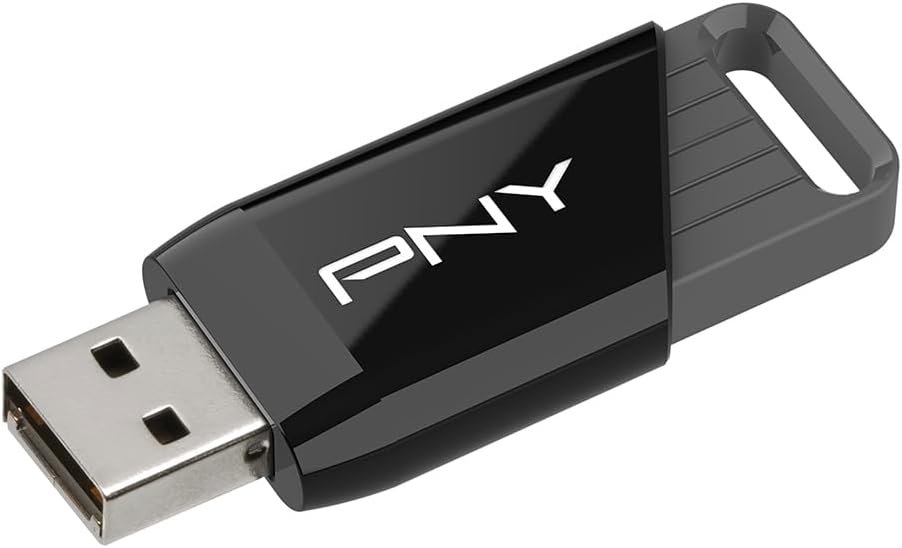

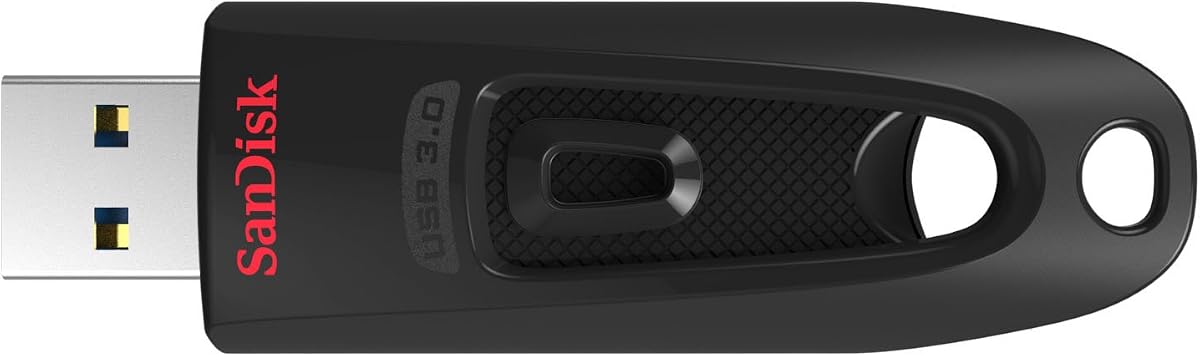

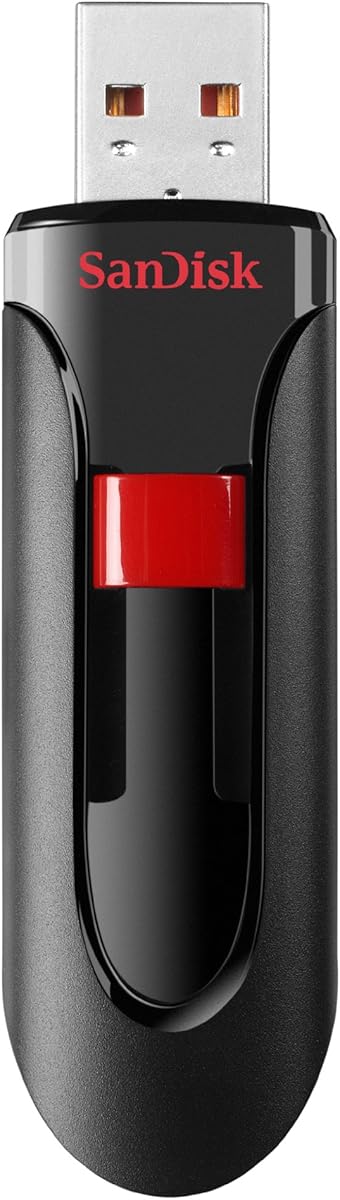

This drive delivers exceptional performance for HP laptop users needing reliable storage. It features high read speeds that significantly reduce wait times during file transfers.
We may earn a commission when you buy through this link, at no additional cost to you.
The metal casing provides robust protection against physical damage and heat. Password protection ensures your sensitive data remains secure from unauthorized access.
While it lacks USB-C compatibility, its USB 3.0 speed is excellent for most laptops. The price reflects its premium build and performance capabilities.
Ideal for professionals transferring large files frequently. We recommend it for its balance of speed, durability, and security features.
Experience rapid file movement with read speeds up to 150MB/s for efficient workflows.
The sleek metal casing withstands daily wear and protects internal components from damage.
We may earn a commission when you buy through this link, at no additional cost to you.
This dual-drive solution offers unmatched versatility for modern HP laptops with USB-C ports. It bridges the gap between older and newer device interfaces seamlessly.
We may earn a commission when you buy through this link, at no additional cost to you.
The 256GB capacity provides ample space for extensive media libraries and documents. Advanced encryption software keeps your private files protected from prying eyes.
Transfer speeds are decent but not the fastest available on the market. The swivel design adds convenience but may feel less secure than a cap.
Perfect for users needing both USB-A and USB-C connectivity. Choose this for its unique dual connector design and solid build quality.
Switch easily between USB-A and USB-C devices with a single compact drive.
Protect sensitive data with 256-bit AES encryption for secure file storage.
We may earn a commission when you buy through this link, at no additional cost to you.
A cost-effective solution designed specifically for HP laptop users seeking speed. It delivers reliable performance without breaking the bank for everyday storage needs.
We may earn a commission when you buy through this link, at no additional cost to you.
The 64GB capacity suits general document and photo storage well. USB 3.0 speeds ensure quick access to files when you are on the go.
Build quality is basic but sufficient for light daily use. The warranty provides peace of mind against manufacturing defects over time.
Best for students or casual users needing extra storage quickly. We recommend this for its value and compatibility with your HP device.
Get reliable USB 3.0 speeds at a price point accessible to everyone.
Its lightweight form factor fits easily in pockets for instant access.
We may earn a commission when you buy through this link, at no additional cost to you.
This drive excels at connecting multiple device types with one compact unit. It supports a wide range of operating systems and hardware interfaces effectively.
We may earn a commission when you buy through this link, at no additional cost to you.
Read speeds reach up to 130MB/s which is impressive for the price. The dual connectors eliminate the need for adapters in most scenarios.
The plastic build is functional but lacks the premium feel of metal drives. Write speeds are slower than read speeds which may affect backup tasks.
Great for mixed environments using both Mac and Windows PCs. Consider this if you need versatility and decent speed without spending much.
Seamlessly transfer files between Windows, Mac, Android, and iOS devices.
Connect to both USB-A and USB-C ports without extra dongles.
We may earn a commission when you buy through this link, at no additional cost to you.
PNY offers a solid choice for those needing significant storage space. This drive handles large multimedia files and heavy document backups with ease.
We may earn a commission when you buy through this link, at no additional cost to you.
The 130MB/s read speed ensures quick access to your data. Its sliding cap protects the connector while maintaining a sleek modern look.
The design is robust but may feel bulkier than compact metal drives. It lacks USB-C compatibility which limits future-proofing for new laptops.
Best for users who prioritize capacity and speed over portability. We suggest this for desktop users or those needing large file access.
Store thousands of photos and videos with 256GB of total capacity.
The sliding collar keeps the connector safe from damage without losing caps.
We may earn a commission when you buy through this link, at no additional cost to you.
This bundle offers exceptional value for households needing multiple storage solutions. You get two drives with versatile connectivity options for backup and sharing.
We may earn a commission when you buy through this link, at no additional cost to you.
The combined storage is significant enough for daily use across devices. Plug-and-play functionality ensures immediate use without complex setup processes.
Speed is limited to USB 2.0 which is slower than newer standards. Build quality is basic but suitable for light data storage tasks.
Perfect for families or offices needing backup redundancy. Choose this if you want maximum capacity per dollar spent today.
Get double the storage with two drives in one convenient bundle.
Both drives support Type-C and USB-A for broad device support.
We may earn a commission when you buy through this link, at no additional cost to you.
SanDisk continues to lead with a reliable 256GB option for HP users. This drive offers fast read speeds suitable for HD video and large archives.
We may earn a commission when you buy through this link, at no additional cost to you.
The encryption software helps protect personal files effectively from theft. Its familiar branding suggests consistent quality and support availability over time.
Like others it uses USB-A which may not fit newer laptop ports. The price reflects the brand value and capacity but not always top performance.
Ideal for media professionals needing reliable large capacity storage. We recommend it for its balance of speed and security features.
Transfer high-definition video files quickly with 130MB/s read speeds.
Keep personal data safe with included encryption software tools.
We may earn a commission when you buy through this link, at no additional cost to you.
This compact drive is perfect for carrying essential documents without bulk. Its small size ensures it fits easily in tight spaces or small pockets.
We may earn a commission when you buy through this link, at no additional cost to you.
Password protection software is included for basic file security needs. The low price makes it ideal for bulk distribution or temporary backups.
Storage space is limited to 16GB which may not suit large media. USB 2.0 speeds are slow but acceptable for small text files.
Best for emergency storage of critical files or system keys. Consider this for its portability and low cost if high capacity is not needed.
This ultra-compact design fits effortlessly in any pocket or bag.
Protect your files with SecureAccess software and encryption support.
We may earn a commission when you buy through this link, at no additional cost to you.
The retractable design keeps the connector safe without needing to lose caps. This feature ensures you always have a ready-to-use drive on hand.
We may earn a commission when you buy through this link, at no additional cost to you.
It offers a high reliability rating based on user feedback over time. Encryption software is available for protecting sensitive personal or work data.
USB 2.0 speeds are a limitation for large media transfers. The design is sturdy but adds some bulk compared to modern slim drives.
Great for users who hate losing caps and need reliability. We suggest this for its convenient design and solid security features.
The retractable mechanism protects the plug and prevents loss.
High user ratings confirm long-term reliability and consistent operation.
We may earn a commission when you buy through this link, at no additional cost to you.
This model offers solid USB 3.0 performance at a budget-friendly price point. It serves well for older laptops needing faster data access than USB 2.0.
We may earn a commission when you buy through this link, at no additional cost to you.
A five-year warranty provides significant peace of mind for long-term use. It is a reliable choice for users prioritizing durability and basic speed.
Storage capacity is lower than modern options which may require frequent management. The design is classic but lacks modern aesthetics found in newer drives.
Best for those needing simple USB 3.0 storage without premium costs. Consider this for its warranty coverage and proven reliability over time.
Enjoy five years of coverage ensuring reliable service and protection.
Get four times faster transfer speeds than standard USB 2.0 drives.
We may earn a commission when you buy through this link, at no additional cost to you.
Selecting the right flash drive involves evaluating several technical and practical factors that affect performance and longevity. Understanding these elements helps you avoid common mistakes.
Determine how much data you typically store to choose the right size. If you handle large media files like 4K video you will need at least 128GB or 256GB. For basic document storage 64GB or 32GB may suffice.
Always choose slightly more capacity than you currently need to accommodate future growth and temporary files.
Check your HP laptop ports to decide between USB-A USB-C or dual connectors. Newer laptops often lack USB-A ports making a Type-C drive essential. Dual drives offer the most flexibility across devices.
Select a drive that matches your laptop's ports or buy a cheap adapter if needed.
Look for USB 3.0 or higher interfaces to ensure fast data transfers. Read speeds matter for accessing files while write speeds matter for backups. Slower USB 2.0 drives can be frustrating for large file transfers.
Prioritize drives with 100MB/s or higher read speeds for efficient daily use.
Metal enclosures generally offer better heat dissipation and physical protection than plastic. Swivel caps and retractable designs add convenience by preventing lost caps. Durability matters if you travel often with your drive.
Choose a build style that matches your environment and handling habits.
If you store sensitive data look for built-in encryption software or hardware protection. Password protection adds a layer of security against unauthorized access to your files. Some drives include dedicated encryption tools.
Ensure the drive offers robust security options if privacy is a priority for you.
Most drives work with Windows and macOS out of the box but verify specifics. Some drives may require drivers for Linux or older systems. Cross-platform compatibility ensures you can use the drive anywhere.
Check that the drive supports your specific operating system version before buying.
Well-known brands often provide better quality control and customer support. A warranty period of two years or more indicates confidence in product durability. Long warranties reduce risk if the drive fails prematurely.
Opt for reputable brands that offer substantial warranty coverage for peace of mind.
Compare price per gigabyte to find the best overall value for your budget. Higher prices do not always guarantee better performance but often mean better build quality. Sales and bundles can offer significant savings.
Balance your budget against the features you actually need to avoid overspending.
Insert the drive into a USB port gently until it clicks into place. Wait for your operating system to recognize it as a removable drive. Always use the safe eject feature before physically removing the drive.
Store your drive in a cool dry place away from magnetic fields and liquids. Avoid bending or twisting the connector as it is fragile. Dust covers or retractable designs help keep the port clean.
Regularly back up important files stored on the drive to avoid data loss. Formatting the drive periodically can maintain its health and remove temporary errors. Keep your software or firmware up to date if provided by the manufacturer.
USB 3.0 offers significantly faster data transfer speeds compared to USB 2.0 which matters for large files. Most modern HP laptops support both standards but USB 3.0 provides better performance. You can use a 3.0 drive in a 2.0 port but it will run slower.
Most modern flash drives are plug and play and require no drivers on Windows or Mac. However some specialized drives with encryption might need specific software. Always check product details before purchasing to ensure compatibility with your system.
Yes you can use a flash drive to install or run an operating system on your laptop. This process usually requires formatting the drive correctly and using specific tools. Ensure you have enough capacity such as 16GB or higher for system files.
A quality flash drive can last several years with normal usage without issues. Lifespan depends on how often you read write and eject the drive. Proper handling and safe ejection help extend its operational life significantly.
Manufacturers use decimal capacity while operating systems use binary capacity which results in less displayed space. For example a 128GB drive may show around 119GB usable space. This is normal behavior and not a defect with the drive.
Using encryption software adds security and protects your files from unauthorized access. This method is safe and recommended for sensitive business or personal data. Ensure you remember your password as lost credentials may mean data loss.
For video backups you should choose at least 128GB or 256GB capacity depending on your footage. Higher resolutions like 4K consume significant storage space quickly. Consider your total video library size when selecting a drive.
If your laptop has only USB-C ports you will need a drive with a Type-C connector or an adapter. Dual connector drives are the easiest solution for this situation. Verify port types on your laptop before buying to avoid compatibility issues.
We highlighted the top picks including the SanDisk Ultra Flair Lexar D40E and HP x900w models. Each option balances speed capacity and price for different user needs. Choosing the right one depends on your specific workflow and device requirements.
Prioritize speed and connection type if you transfer files frequently. Security and build quality should also play a role if you handle sensitive data. Evaluate your storage needs against your budget for the best long term value.
Always check current prices and availability before making your final purchase decision. Promotions and sales can change the value proposition of any model. Use this guide as a reference point to make an informed choice.