
HP Chromebook 14 Laptop
4.3Editor score
Long battery life up to 14 hours
Lightweight and portable design for students
Chrome OS with secure and updated browser
Finding the right laptop for back to school is crucial for academic success and daily productivity. You need a device that balances performance, portability, and price without compromising on essential features like battery life and display quality.
We have rigorously evaluated ten top models from HP and other leading brands to bring you this comprehensive roundup. Our analysis focuses on processor speed, memory capacity, storage options, and real-world usability for students and professionals.
Each pick in this list highlights specific strengths tailored to different needs, from budget-friendly Chromebooks to powerful Windows machines. Please note that product availability and pricing can change frequently, so verify details before purchasing.
4.3Editor score

4.7Editor score

4.6Editor score
As an Amazon Associate we earn from qualifying purchases.
The following comparison table provides a side-by-side overview of all ten products included in this guide to help you quickly identify the best fit for your academic and professional needs.


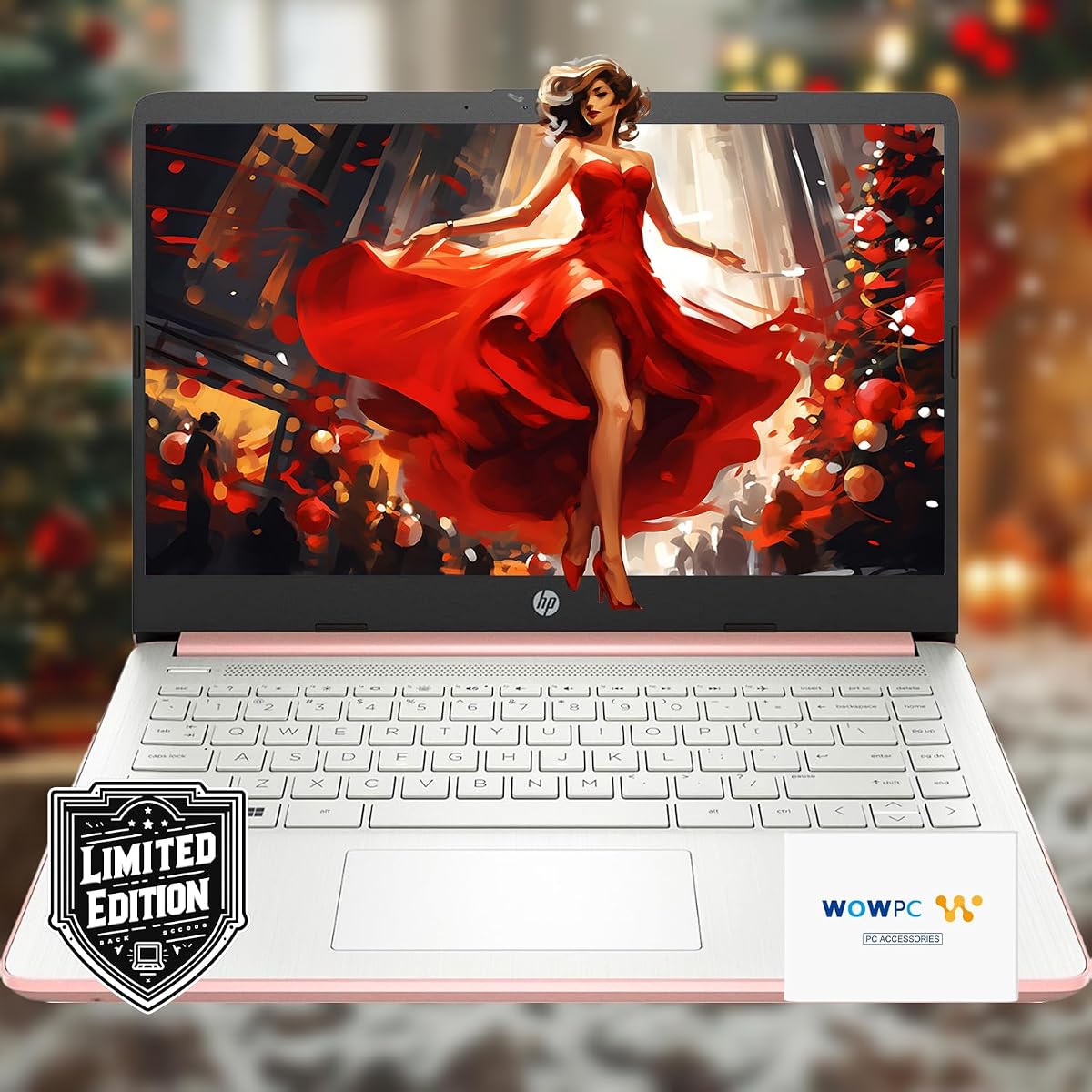
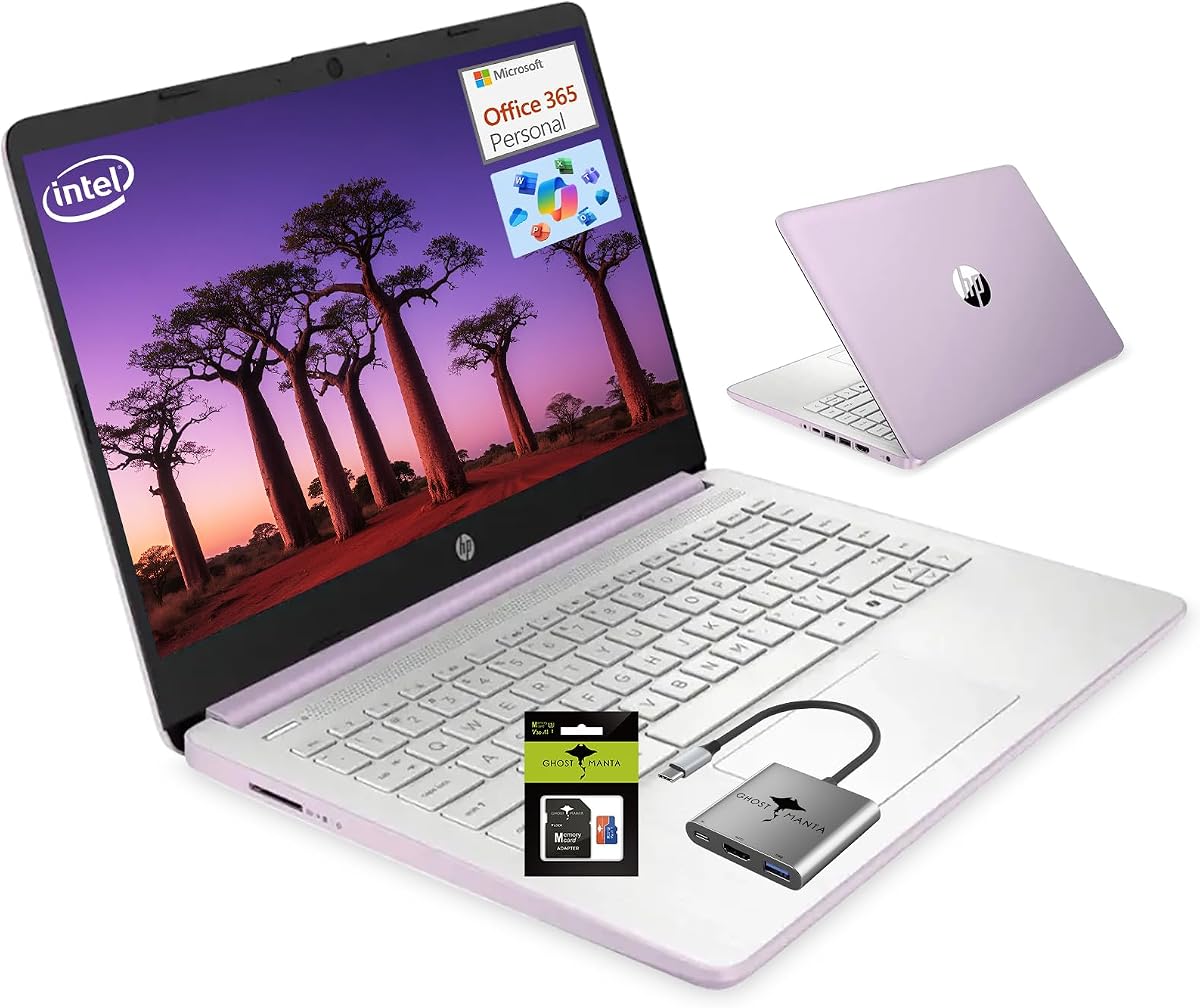
The HP 15.6 Laptop Back to School Limited Edition stands out as a top contender for students needing reliable performance without breaking the bank. With a strong rating from users, this device offers a compelling mix of hardware and software tools essential for academic work. Its standout quality lies in the generous RAM and storage configuration which is rare at this price point.
We may earn a commission when you buy through this link, at no additional cost to you.
This laptop is powered by an Intel Pentium N5030 quad-core processor that handles web browsing and media consumption efficiently. The 16GB of DDR4 RAM ensures that you can keep multiple tabs and applications open without lag. Additionally the inclusion of a 512GB SSD plus a 512GB external drive provides ample space for projects files and media libraries.
While the display resolution is HD rather than Full HD the brightness and color accuracy are decent for daily tasks. The main trade-off is the processor speed which is sufficient for light productivity but may struggle with heavy video editing or gaming. However for the average student the performance is more than adequate for coursework and research.
We recommend this laptop for students who prioritize storage and multitasking capability over raw processing power. The inclusion of Microsoft 365 makes it ready for work out of the box. If you need a reliable machine for essays presentations and online classes this bundle offers exceptional value.
The 16GB RAM allows for seamless switching between word processors spreadsheets and video calls without performance drops.
The package includes a microfiber cloth and hotkey stickers to help you maintain and use your device more effectively.
We may earn a commission when you buy through this link, at no additional cost to you.
The HP Chromebook 14 Laptop is an excellent choice for students who need a lightweight and reliable device for basic computing tasks. With a solid user rating it delivers on promises of portability and long battery life. The Chrome OS environment ensures that updates are automatic and the system remains secure without extra maintenance.
We may earn a commission when you buy through this link, at no additional cost to you.
This model features a 14-inch display that offers clear visuals with an anti-glare coating. The quad-core Intel Celeron N4120 processor is capable of handling daily schoolwork streaming and light gaming. While the storage is limited to 64GB eMMC cloud storage and Android apps provide a way to extend utility.
The battery life is a significant highlight allowing you to work throughout the day without needing a charger. Fast charge technology ensures that you can get back to work quickly if you do need a power boost. The design is thin and easy to carry in a backpack for commuting.
We suggest this Chromebook for students who primarily use web-based tools and cloud storage. It is not suitable for heavy software that requires Windows or macOS. However for general education tasks and browsing it offers a streamlined and cost-effective solution.
With up to 14 hours of battery life you can attend lectures and study sessions without worrying about finding an outlet.
Chrome OS is built to be secure and always up-to-date reducing the need for antivirus software or manual updates.
We may earn a commission when you buy through this link, at no additional cost to you.
The HP 14 Laptop with Intel N150 processor is designed to deliver efficient performance for students and professionals. Its high rating reflects user satisfaction with its speed and portability. The combination of DDR5 RAM and a modern processor ensures that tasks are completed quickly and smoothly.
We may earn a commission when you buy through this link, at no additional cost to you.
This laptop includes 1TB of cloud storage which compensates for the smaller local SSD. The anti-glare display makes it comfortable to use in bright environments. Windows 11 combined with Microsoft 365 provides a complete software suite for productivity and collaboration needs.
The chassis is slim and lightweight making it easy to transport between classes or meetings. Connectivity is versatile with USB-C and HDMI ports allowing for easy external display connections. The anti-glare coating helps reduce eye strain during long study sessions.
We recommend this model for students who rely on cloud storage and need a fast responsive system. The DDR5 RAM is a significant upgrade over older generations. If you prioritize speed and modern features over large internal storage this laptop is an ideal choice.
The DDR5 RAM provides faster data rates and improved power efficiency for better multitasking and battery performance.
With 1TB of cloud storage you can access your files from anywhere without worrying about running out of local space.
We may earn a commission when you buy through this link, at no additional cost to you.
The HP 14 Laptop Computer for 2026 is a premium offering tailored for business and student productivity. It features Windows 11 Pro which provides enhanced security and management tools. The inclusion of Copilot AI assists with tasks streamlining workflows for efficient work.
We may earn a commission when you buy through this link, at no additional cost to you.
This model comes with a bundle that includes wireless earbuds and a mouse making it ready for multimedia and presentation use. The 128GB UFS storage delivers faster performance compared to traditional SSDs. WiFi 6 ensures you have a stable and fast internet connection wherever you are.
The lavender design adds a touch of style to the professional look. The display is anti-glare and vibrant enough for media consumption and presentations. Security is a priority with hardware-based isolation and encryption features built into the system.
We suggest this laptop for professionals and students who need advanced OS features and accessories in one package. The AI capabilities and Pro features make it stand out from standard models. If you value security and convenience this is a top premium choice.
Windows 11 Pro offers hardware-based isolation encryption and malware protection to keep your data safe.
The bundle includes wireless earbuds and a mouse so you do not need to buy peripherals separately.
We may earn a commission when you buy through this link, at no additional cost to you.
The HP Essential Laptop 2026 is built for efficiency and everyday computing. It features an Intel N150 processor that handles web browsing and document editing smoothly. The design is lightweight and stylish making it suitable for both home and school use.
We may earn a commission when you buy through this link, at no additional cost to you.
This model includes a dedicated Copilot key for instant AI assistance. The HD Micro-Edge display offers a high screen-to-body ratio for an immersive viewing experience. Noise reduction technology improves voice clarity during calls which is essential for remote learning.
Battery life is sufficient for a full day of usage without frequent recharging. The Willow Green cover adds a unique aesthetic to the device. Connectivity is robust with USB-C and USB-A ports to support various peripherals.
We recommend this laptop for students who need a reliable and modern device for daily tasks. The AI features and noise reduction are thoughtful additions. If you want a balance of style and functionality this model is a strong contender.
The dedicated Copilot key allows you to access Microsoft Copilot instantly for faster task completion.
AI Noise Reduction filters background sounds to improve voice clarity during video calls and meetings.
We may earn a commission when you buy through this link, at no additional cost to you.
The HP 14 Laptop with 8GB RAM is designed for reliable multitasking and professional use. It features a robust processor that handles daily tasks efficiently. The high rating indicates strong user satisfaction with its performance and build quality.
We may earn a commission when you buy through this link, at no additional cost to you.
With 8GB of memory this laptop can run multiple applications without slowdown. The 128GB UFS storage ensures faster access to files and apps. WiFi 6 provides ultra-fast connectivity for video conferences and streaming content seamlessly.
The laptop weighs only 3.24 LB making it easy to carry between classes. The camera resolution is sufficient for virtual meetings and online lectures. Security features help protect your data during business or academic activities.
We suggest this model for students who need to run several programs at once. The 8GB RAM is a significant advantage over standard 4GB models. If multitasking is a priority this laptop offers a stable and efficient environment.
8GB RAM allows for smoother switching between video calls and document editing without performance drops.
Next-Gen WiFi 6 offers ultra-fast speeds and stability for professional video conferences and gaming.
We may earn a commission when you buy through this link, at no additional cost to you.
The HP Essential 14 Laptop is a lightweight solution for students and professionals on the go. It features a Celeron processor that handles basic tasks effectively. The design is sleek and modern fitting well in professional or academic environments.
We may earn a commission when you buy through this link, at no additional cost to you.
The micro-edge display provides a wide viewing area with minimal bezels. Security is enhanced with a secure microcontroller to protect your data. WiFi 6 and Bluetooth 5.3 ensure fast and reliable wireless connectivity.
Battery life supports extended usage throughout the day. The grey finish is stylish and durable. Ports include USB-C and HDMI for versatile connections to external devices and monitors.
We recommend this laptop for users who prioritize portability and security. It is ideal for basic browsing and document work. If you need a light device for commuting this model is a practical choice.
The lightweight chassis and grey finish make it easy to carry and stylish to display anywhere.
A secure microcontroller provides enhanced protection for your data and online activities.
We may earn a commission when you buy through this link, at no additional cost to you.
The HP 14 Student Laptop is designed specifically for school needs with a focus on efficiency. It features a quad-core processor that handles multiple browser tabs and video calls well. The natural silver finish is sleek and professional.
We may earn a commission when you buy through this link, at no additional cost to you.
Copilot AI assistance helps streamline workflows and boost productivity for students. The anti-glare screen reduces eye strain during long study sessions. Windows 11 and Office 365 are included for immediate productivity.
Battery life is enhanced by energy-efficient design. The lightweight build fits easily in backpacks. Port selection supports connecting to projectors and external monitors for presentations.
We suggest this laptop for students who need a balanced machine for daily tasks. The AI features are a unique selling point. If you value productivity tools and modern connectivity this is a good fit.
Copilot AI assists with tasks to streamline workflows and boost productivity for students.
Anti-glare coating and lightweight build help reduce eye strain and improve portability.
We may earn a commission when you buy through this link, at no additional cost to you.
The HP 14 Laptop Back to School Limited Edition offers massive storage and memory for demanding users. It features a quad-core processor that handles daily tasks efficiently. The rose gold design adds a stylish touch to the device.
We may earn a commission when you buy through this link, at no additional cost to you.
With 16GB of RAM this laptop ensures smooth multitasking and performance. The storage configuration includes built-in cloud storage to provide a huge total capacity. Battery life is excellent for all-day use without interruptions.
Ports include USB-C and HDMI for versatile connections. The external drive included in the bundle adds physical storage options. This makes it ideal for users with large media libraries or project files.
We recommend this model for students who need significant storage and memory capacity. The battery life and design are notable highlights. If you want a powerful machine for extensive tasks this is an excellent choice.
Lightweight at just 3.24 pounds it is easy to carry and carry.
Total 1600GB space includes external drive and cloud storage for large files.
We may earn a commission when you buy through this link, at no additional cost to you.
The HP 14 Student Laptop in Honey Lavender is a stylish option for students. It features an 8GB RAM configuration which supports smooth multitasking. The unique color makes it stand out from standard models.
We may earn a commission when you buy through this link, at no additional cost to you.
Copilot AI helps streamline workflows and boost productivity. The anti-glare screen is comfortable for long hours of use. WiFi 6 ensures fast and reliable internet access for online classes.
Storage is expanded with an SD card for additional space. The build is lightweight and portable for daily commuting. Windows 11 and Office 365 provide a complete work environment.
We suggest this laptop for users who value aesthetics and performance. The 8GB RAM is a key benefit for daily tasks. If you want a device with a unique look and solid specs this is a great pick.
The honey lavender design adds a personal and stylish touch to your device.
256GB total storage includes SD card for additional space and flexibility.
We may earn a commission when you buy through this link, at no additional cost to you.
Selecting the right laptop requires evaluating several key factors to ensure it meets your specific academic and professional needs.
The processor is the brain of your laptop and determines how quickly it can handle tasks. For back to school you should look for at least a quad-core processor like the Intel N150 or Celeron which offers a balance of speed and efficiency. These processors are sufficient for web browsing document editing and streaming without consuming excessive battery.
Prioritize newer generation processors to ensure longevity and better performance in the long run.
RAM or memory is crucial for multitasking allowing you to run multiple applications simultaneously without slowdown. 4GB is the minimum for basic tasks but 8GB or 16GB is recommended if you plan to keep many browser tabs open or use video conferencing tools regularly. Higher RAM ensures smoother performance during busy study periods.
Always check that the laptop supports DDR5 or LPDDR5 memory for the best energy efficiency and speed.
Storage determines how many files and applications you can keep directly on your device. Solid State Drives (SSD) and Universal Flash Storage (UFS) are preferred over older HDDs for faster boot times and application loading. Many laptops in this guide include external drives or cloud storage options to compensate for smaller internal drives.
Consider models that offer expandable storage or bundled external drives if you have large media files.
A good display is essential for reading documents and watching lectures for long periods. Look for at least an HD display with anti-glare coating to reduce eye strain. Brightness levels around 250 nits are standard and sufficient for indoor use. Higher resolution displays provide sharper images but may consume more battery.
Choose a screen size between 14 and 15 inches for the best balance of portability and viewing area.
Long battery life is a must for students who move between classes or study in different locations. Aim for a laptop that offers at least 10 hours of usage on a single charge. Fast charging features are also beneficial as they allow you to quickly top up your battery between classes.
Verify battery specs in real-world usage reviews to ensure the claims match actual performance.
Modern laptops should offer versatile connectivity options to connect to projectors external monitors and other peripherals. USB-C ports are essential for future-proofing and allow for charging and data transfer. Ensure there are enough USB-A ports for mouse and keyboard connections without needing adapters.
WiFi 6 support is recommended for faster and more stable internet connections in crowded networks.
Choose an operating system that fits your workflow and the software you need for your courses. Windows 11 Pro offers enhanced security and features for business users while Chrome OS is lightweight and secure for web-based tasks. Check if Microsoft 365 is included as it saves on subscription costs.
Ensure the OS is updated and supported for the duration of your academic program.
A lightweight and durable build is important for students carrying their laptops daily. Look for thin profiles and lightweight chassis that fit easily in backpacks. Materials that resist wear and tear will ensure the laptop lasts throughout your academic journey.
Consider the weight and dimensions carefully to avoid unnecessary strain during commuting.
Start by setting up your user profile and installing essential applications before heading to school. Configure your power settings to maximize battery life and ensure your operating system is fully updated for security patches and new features.
Keep your laptop clean by wiping the screen with a microfiber cloth and avoiding placing it directly on soft surfaces like beds that may block vents. Regularly clear unused files and organize your folders to maintain optimal performance and storage availability.
Use sleep mode instead of shutting down completely when you are only taking a short break to save time on booting up. Ensure you have a physical copy of your important documents stored on an external drive or cloud service to prevent data loss during travel.
For basic web browsing and document editing 4GB RAM is sufficient. However if you plan to run multiple applications simultaneously or use video conferencing tools regularly upgrading to 8GB or more is recommended to ensure smooth performance without slowdowns.
DDR5 RAM offers faster data rates and improved power efficiency compared to DDR4. This results in quicker multitasking and longer battery life making it a valuable upgrade for students who need reliable performance throughout the day.
An external drive is useful if you work with large media files or need backups. Many laptops in this guide include external drives or cloud storage options to help you manage files effectively without relying solely on internal storage.
Windows is ideal if you need specific software for engineering or business courses. Chrome OS is great for lightweight and secure browsing tasks. Choose based on the requirements of your courses and the applications you plan to use.
Battery life is critical for students who attend classes throughout the day. Aim for a laptop with at least 10 hours of battery life to ensure you can work without interruption. Fast charging capabilities are also a significant bonus for quick top-ups.
Look for USB-C and USB-A ports to connect peripherals and external monitors. HDMI ports are useful for presentations. WiFi 6 support ensures stable internet connections which are essential for online learning and research.
Our top picks include the HP Chromebook 14 for budget needs the HP 14 Intel N150 for balanced performance and the HP 14 Business Productivity for premium features. Each model offers unique strengths to suit different academic requirements and preferences.
Prioritize battery life and memory capacity when making your final decision. Ensure the laptop supports the software you need and has enough ports to connect your peripherals. These factors will significantly impact your daily productivity and comfort.
Remember to check current prices and availability before purchasing as product details can change frequently. Verify the warranty and return policy to ensure you are protected after buying your device.