
Samsung 65-Inch Class Neo QLED QN990F
3.5Editor score
NQ8 AI Gen3 Processor
Wireless One Connect
4K 240Hz Motion
Finding the perfect display for high-end PC gaming requires careful consideration of resolution and response times. As 8K technology matures, gamers seek screens that deliver unparalleled clarity and immersive detail for modern titles.
We evaluated ten leading models based on processing power, connectivity options, and motion handling. Our analysis focuses on features that directly impact competitive and single player gaming experiences.
Each selection highlights unique strengths tailored to different needs and budgets. Please note that specifications and availability may vary, so verify current details before making your final purchase decision.
3.5Editor score

3.8Editor score

4.4Editor score
As an Amazon Associate we earn from qualifying purchases.
The following table provides a side-by-side comparison of all ten selected models, highlighting their key specifications and unique selling points to assist your buying decision.



The Sony Z9K Series leads our list with its Cognitive Processor XR and Mini LED technology. It offers exceptional contrast and brightness suitable for immersive gaming.
We may earn a commission when you buy through this link, at no additional cost to you.
Its processing handles motion and upscaling effectively. The Game Menu centralizes settings for quick adjustments during gameplay sessions.
While expensive, the visual fidelity justifies the cost for enthusiasts. The integration with PlayStation 5 adds convenience for console users.
Recommended for those seeking top-tier picture quality and robust smart TV features.
This processor analyzes content like humans do, optimizing contrast and color naturally without artificial effects.
Exclusive features like Auto HDR Tone Mapping streamline setup for compatible consoles instantly.
We may earn a commission when you buy through this link, at no additional cost to you.
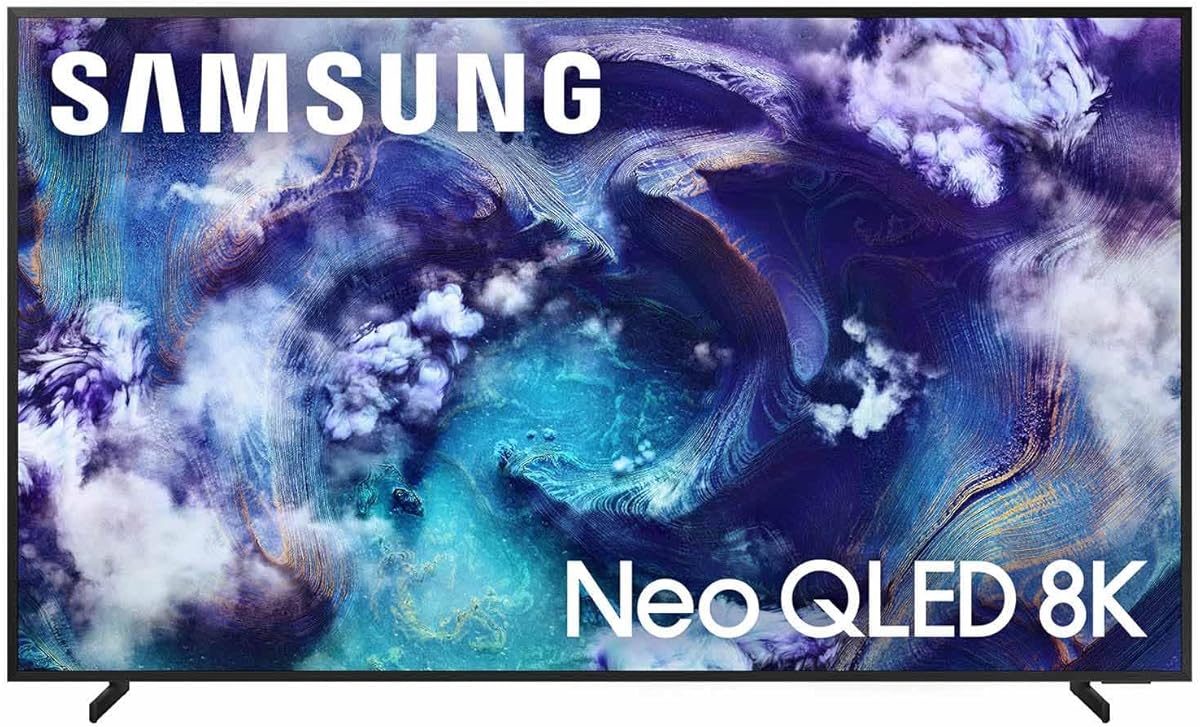
Samsung's QN990F stands out with its NQ8 AI Gen3 Processor enhancing content detail. The Wireless One Connect box reduces cable clutter effectively.
We may earn a commission when you buy through this link, at no additional cost to you.
Motion handling reaches up to 240Hz at 4K, beneficial for fast-paced competitive gaming. The glare-free coating helps in bright environments.
Setup can be intricate due to numerous AI settings. Performance is strong but may require calibration for specific gaming scenarios.
Ideal for tech-savvy users wanting advanced AI optimization and clean cable management.
This feature uses neural networks to enhance lower resolution content to near 8K quality.
Support for high refresh rates ensures smooth visuals during rapid action sequences.
We may earn a commission when you buy through this link, at no additional cost to you.
This bundle offers a large 75-inch display alongside a protection plan, adding long-term value. The Neo QLED technology provides strong brightness.
We may earn a commission when you buy through this link, at no additional cost to you.
The inclusion of cleaning solutions and warranty coverage makes it attractive for worried buyers. It delivers solid performance for its size.
Some users report lower satisfaction scores possibly due to bundle specifics. The core TV remains capable for gaming tasks.
A practical choice for those prioritizing screen size and included warranty coverage.
Extends warranty coverage and includes accessories for maintenance and longevity.
Neo QLED ensures high contrast and vibrant colors for immersive viewing.
We may earn a commission when you buy through this link, at no additional cost to you.
The QN900F Series features Object Tracking Sound+ for immersive 3D audio that follows on-screen action. Its design is sleek and blends well with decor.
We may earn a commission when you buy through this link, at no additional cost to you.
Motion handling supports up to 165Hz for smooth visuals during gaming. The glare-free surface minimizes distractions in bright rooms.
It is a substantial unit requiring sturdy mounting. Power consumption is notable given the high brightness capabilities.
Best suited for users wanting top-tier audio sync and visual clarity.
This technology tracks movement on screen to direct audio accordingly for realism.
A flat metal back allows flush mounting for a clean aesthetic appearance.
We may earn a commission when you buy through this link, at no additional cost to you.
This model delivers high brightness levels suitable for HDR content. The Real Depth Enhancer Pro adds dimensional quality to scenes.
We may earn a commission when you buy through this link, at no additional cost to you.
AI Motion Enhancer ensures smooth transitions. The Tizen OS provides access to popular streaming applications easily.
While good, it may lack the contrast depth of higher-end OLEDs. Input lag is low for responsive play.
Recommended for bright room environments where brightness is a priority.
Adjusts focus points in frames to create a more three-dimensional view.
Provides precise local dimming for better detail in dark scenes.
We may earn a commission when you buy through this link, at no additional cost to you.
The QN900D Series features an Infinity Air Design with almost invisible borders for an expansive view. It supports up to 240Hz motion.
We may earn a commission when you buy through this link, at no additional cost to you.
Sound output is robust with Dolby Atmos and Object Tracking Sound Pro. The processor ensures high-quality upscaling for games.
The premium build comes at a cost. It requires ample space for wall mounting to appreciate the design fully.
Excellent for viewers prioritizing immersive screen presence and motion speed.
Nearly edgeless viewing creates a seamless visual experience without distractions.
Sharpens moving objects to maintain clarity during fast action sequences.
We may earn a commission when you buy through this link, at no additional cost to you.
The Hisense E7 offers an 85-inch display with Mini-LED backlighting for improved contrast. It supports a native 144Hz refresh rate.
We may earn a commission when you buy through this link, at no additional cost to you.
Dolby Vision IQ adapts brightness to room lighting. Fire TV provides familiar navigation for streaming content.
It lacks true 8K resolution but offers value in screen size. Performance is solid for casual to competitive gaming.
A great choice for those needing a large screen without premium pricing.
Ensures fluid motion and responsiveness during high-speed gaming sessions.
Uses precise light zones to control brightness and shadow detail effectively.
We may earn a commission when you buy through this link, at no additional cost to you.
LG's C6 Series features an 83-inch OLED panel with perfect blacks and vibrant colors. It supports NVIDIA G-Sync and AMD FreeSync Premium.
We may earn a commission when you buy through this link, at no additional cost to you.
Response time is incredibly low at 0.1ms for instant reactions. WebOS offers a user-friendly interface with Google Gemini integration.
OLED technology carries some burn-in risk over time. Brightness is lower than Mini-LEDs in very bright rooms.
Ideal for dark room gaming where contrast and speed are paramount.
Self-lit pixels allow individual control for true black and vivid colors.
High refresh rate and synchronization tech prevent screen tearing.
We may earn a commission when you buy through this link, at no additional cost to you.
This Sony BRAVIA 3 offers an 85-inch display with Google TV for seamless app access. It features Triluminos Pro for accurate colors.
We may earn a commission when you buy through this link, at no additional cost to you.
Voice control via Google Assistant simplifies navigation. It is optimized for PlayStation 5 with specific picture modes.
Lacks advanced local dimming found in higher models. Good for general entertainment rather than high-end competitive play.
Suitable for users needing a large screen with smart features at a lower price.
Delivers over a billion accurate colors for natural image reproduction.
Aggregates streaming services into one unified and easy to use interface.
We may earn a commission when you buy through this link, at no additional cost to you.
The Hisense U8 Series reaches up to 5000 nits peak brightness. It features a native 165Hz panel with VRR up to 288Hz.
We may earn a commission when you buy through this link, at no additional cost to you.
Audio includes 4.1.2 channels with Dolby Atmos for spatial sound. Google TV provides access to a wide range of content.
Setup involves many settings for optimization. It excels in brightness for HDR gaming in bright rooms.
Recommended for gamers wanting high peak brightness and advanced control options.
Delivers exceptional brightness for HDR content visibility in bright spaces.
Allows real-time monitoring and adjustment of performance settings.
We may earn a commission when you buy through this link, at no additional cost to you.
Selecting the right display involves evaluating resolution, refresh rates, and connectivity to ensure they meet your specific gaming needs.
8K resolution offers immense detail but requires powerful hardware to render. If native 8K content is scarce, strong upscaling technology becomes crucial for maintaining image quality.
Look for AI processors that enhance lower resolution inputs effectively to keep visuals sharp without unnecessary hardware costs.
Higher refresh rates like 144Hz or 240Hz provide smoother motion essential for competitive gaming. Response time affects ghosting during fast movements.
Prioritize displays with high native refresh rates and low input lag to ensure responsive controls and fluid action sequences.
HDMI 2.1 is essential for transmitting high bandwidth data needed for 8K at high refresh rates. Ensure your PC has compatible ports or adapters.
Multiple HDMI ports allow connecting consoles and other devices simultaneously without switching cables constantly.
High Dynamic Range improves contrast and color depth. Peak brightness ensures highlights pop even in bright environments.
Choose models with robust HDR support and high nits ratings for vivid and realistic image representation.
Variable Refresh Rate reduces screen tearing by synchronizing the display with the GPU output. Game Modes optimize settings like latency automatically.
Verify compatibility with your GPU brand for features like G-Sync or FreeSync to maximize performance benefits.
OLED offers perfect blacks and speed while Mini-LED provides high brightness and contrast. LED panels balance cost and performance.
Select based on your lighting conditions; OLED for dark rooms and Mini-LED for bright spaces.
Smart operating systems like Google TV or Fire TV integrate apps directly into the display. Voice control can simplify navigation.
Ensure the OS is intuitive and supports necessary streaming services for entertainment outside of gaming sessions.
Built-in sound quality varies widely. Dolby Atmos and Object Tracking Sound enhance immersion without external speakers.
Check audio specs to determine if you need a soundbar or external system to match the visuals.
Connect your PC using a high-speed HDMI cable to support 8K resolution and refresh rates. Adjust graphics settings on your computer to match the display's capabilities.
Calibrate picture settings to your room's lighting conditions using built-in tools or external sensors. Enable game modes to minimize input lag during sessions.
Clean the screen gently with a microfiber cloth to avoid scratches. Avoid placing heavy objects on the stand and ensure proper ventilation around the unit.
Yes, rendering native 8K requires a powerful GPU capable of high bandwidth output. Ensure your PC hardware supports HDMI 2.1 and has sufficient processing power to drive the resolution effectively.
They offer superior detail but require compatible content and hardware. If your games support it, the clarity is unmatched, though 4K remains more common today.
Mini-LED uses thousands of tiny lights for precise dimming zones. This results in deeper blacks and brighter highlights compared to standard LED displays.
Enable Game Mode or Auto Low Latency Mode to bypass image processing. This ensures the fastest response time for your inputs during gameplay.
Yes, most support features like Auto HDR Tone Mapping and VRR for consoles. Ensure the console firmware is updated for the best experience.
OLED screens have a risk of burn-in with static images. Modern models have protections, but avoid leaving UI elements static for long periods to preserve screen life.
Absolutely, since most content is 4K or lower. A good processor enhances lower resolution images to appear sharp and detailed on the 8K screen.
We reviewed ten top models ranging from OLED panels to Mini-LED technology. Each offers unique strengths in resolution, brightness, and smart features.
Prioritize refresh rates and connectivity to ensure your PC can utilize the display's potential. Consider your room's lighting when choosing between OLED and LED options.
Verify current pricing and availability before purchasing to get the best value for your setup.