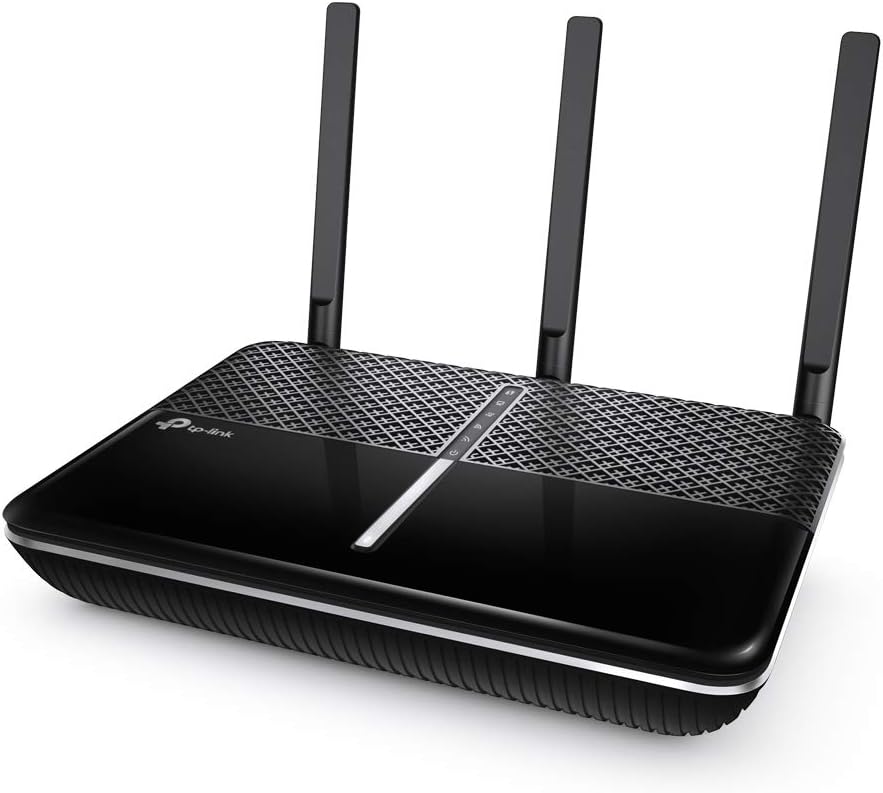
TP-Link AC2600 Smart WiFi Router (Archer A10)
4.5Editor score
Dual band Wi-Fi speeds
External and internal antennas
MU-MIMO Smart Connect
This expert guide compares the top AC2600 WiFi Router models for performance, range, and security features to help you choose the right networking device today.
Finding a reliable wireless network is essential for modern homes filled with smart devices. An AC2600 WiFi Router offers high-speed connectivity to ensure smooth streaming and gaming without interruptions or lag during peak usage times.
We evaluated ten top-rated models based on real-world performance data, user feedback, and technical specifications. Our comparison focuses on coverage area, device capacity, security features, and ease of setup for all types of users.
Each pick highlights unique strengths like parental controls or gaming optimization. Please note that prices and availability change frequently so verify current offers before making your final purchase decision online.
4.5Editor score
4.4Editor score

4.3Editor score
This side-by-side comparison highlights key specifications across all ten models to help you quickly identify which router fits your home network requirements and budget constraints effectively.


The TP-Link Archer A10 stands out as a top contender for those seeking high speed connectivity without overspending. With a solid rating from users, it delivers reliable dual band performance that handles streaming and browsing efficiently.
We may earn a commission when you buy through this link, at no additional cost to you.
Its extreme dual band Wi-Fi speeds ensure that 5 GHz devices get up to 1733 Mbps while 2.4 GHz devices still get 800 Mbps. The combination of MU-MIMO and Airtime Fairness helps maximize throughput when many devices connect at once.
While it lacks USB ports for storage sharing, this omission keeps costs down and focus on wireless stability. The included VPN server allows secure remote access which is rare at this price point.
Buyers looking for an affordable router that covers a typical home well will find this model fits their needs perfectly. Its intuitive setup process makes it accessible even for non technical users.
The dual band architecture provides ample bandwidth for multiple users streaming 4K video simultaneously without buffering issues.
Voice control via Amazon Alexa lets you toggle guest WiFi instantly using simple spoken commands for added convenience.
We may earn a commission when you buy through this link, at no additional cost to you.
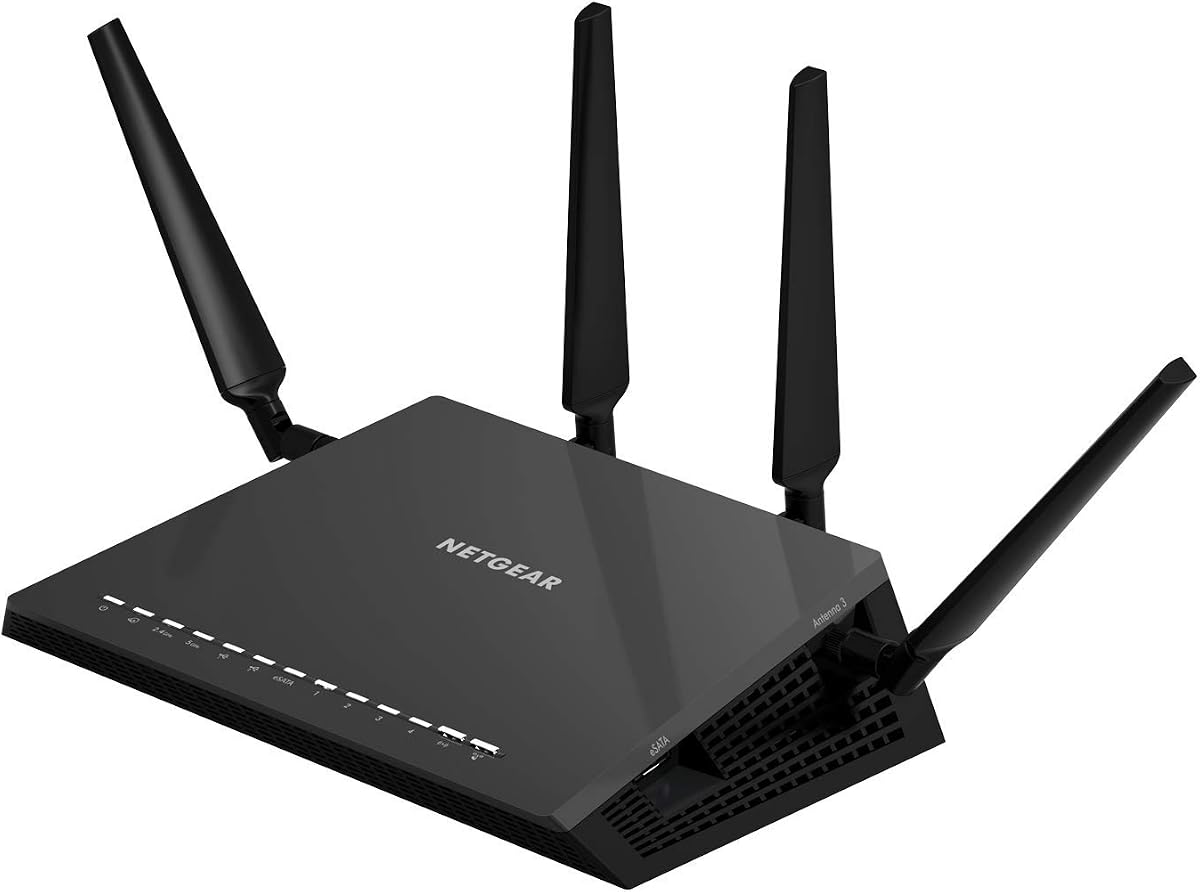
The NETGEAR Nighthawk X4S is a powerhouse designed for large households with many connected devices. Its ability to cover up to 2500 square feet ensures signal reaches every corner of a spacious home reliably.
We may earn a commission when you buy through this link, at no additional cost to you.
Equipped with a 1.7GHz dual core processor and 4×4 WiFi on both bands it handles heavy traffic with ease. Users can stream video game and surf the internet across 45 devices without significant slowdowns.
The inclusion of two USB 3.0 ports and an eSATA port allows for flexible network storage solutions. This feature sets it apart from competitors that only offer basic LAN connectivity options.
For families needing robust performance and extensive wired connectivity options this router remains a top choice despite the higher cost. It balances raw power with smart features well.
With 4 amplified antennas and advanced beamforming the signal remains strong even through walls and multiple floors.
Attach a hard drive via USB to create a personal cloud accessible by any device on the network remotely.
We may earn a commission when you buy through this link, at no additional cost to you.
The Nighthawk R7450 delivers solid AC2600 speeds suitable for most modern internet plans. It balances cost and capability effectively making it a reliable option for households needing consistent wireless access.
We may earn a commission when you buy through this link, at no additional cost to you.
Its dual core processor boosts both wireless and wired performance ensuring smooth WAN to LAN transfers. Advanced QoS features prioritize gaming and streaming traffic to reduce lag during heavy use.
While it does not include the extensive USB options of the X4S it focuses on core routing stability. The external antennas and amplifiers provide adequate range for medium sized living spaces.
Buyers seeking a straightforward router without unnecessary bloatware will appreciate this model's efficiency. It offers strong performance at a competitive price point.
Dynamic QoS intelligently manages bandwidth to ensure lag free gaming sessions and high quality streaming.
The dual core architecture handles network management tasks efficiently to prevent bottlenecks during peak hours.
We may earn a commission when you buy through this link, at no additional cost to you.
The D-Link DIR-2640 is designed to work seamlessly within a broader mesh network ecosystem. It supports Smart Mesh technology allowing users to add units later for whole home coverage without compatibility issues.
We may earn a commission when you buy through this link, at no additional cost to you.
A powerful dual core processor ensures applications run smoothly across the network. Users can connect multiple smart TVs and game consoles via wired ports for minimal latency and stable performance.
Parental controls are a highlight here letting you create profiles and limit access times easily. This feature is crucial for parents managing internet usage across various devices in the home.
Homeowners planning to expand their network eventually will find this router a solid foundational unit. Its ease of use via the mobile app adds to its appeal.
Create specific profiles for family members to control internet access and time limits individually.
Expand your network coverage by adding compatible mesh units to eliminate dead zones effectively.
We may earn a commission when you buy through this link, at no additional cost to you.
The ASUS Blue Cave stands out for its inclusion of lifetime internet security powered by Trend Micro. This adds significant value for users concerned about protecting connected IoT devices from external threats.
We may earn a commission when you buy through this link, at no additional cost to you.
It features Intel WiFi technology with 4×4 support to maximize data throughput across the network. Voice control via Alexa allows users to manage settings and guest networks hands free for convenience.
While some users report mixed experiences with the app interface the core networking performance remains solid. The unique white design also fits well in modern living spaces without looking like standard tech.
Security conscious buyers who want built-in protection without extra monthly fees will appreciate this option. It balances privacy features with reliable wireless connectivity.
AiProtection blocks malicious sites and vulnerable devices automatically to keep your network safe.
Use voice commands to control guest WiFi access instantly without needing to open an app.
We may earn a commission when you buy through this link, at no additional cost to you.
Although not strictly AC2600 this router offers next generation WiFi 6E capabilities for future growth. The 6 GHz band provides near-zero latency essential for real-time gaming and video conferencing.
We may earn a commission when you buy through this link, at no additional cost to you.
Its tri-band design increases capacity by four times allowing simultaneous transmission to many more devices. This reduces congestion significantly compared to older dual band models in busy households.
The unique housing design helps dissipate heat efficiently ensuring long-term reliability and sustained performance. It supports VPN server and client features for enhanced remote access capabilities out of the box.
Tech enthusiasts wanting the latest speeds and security features will find this model compelling. It represents a strong step forward in home networking technology.
The new 6 GHz band offers wider channels for faster speeds and less interference from neighbors.
512 MB high-speed memory handles multiple data streams smoothly without slowing down the network.
We may earn a commission when you buy through this link, at no additional cost to you.
The RS90 is built for households that demand the absolute highest speeds available today. Its WiFi 7 support ensures it stays relevant for years as more devices adopt this new standard.
We may earn a commission when you buy through this link, at no additional cost to you.
It delivers speeds up to 3.6 Gbps across dual bands which is over 1.2 times faster than previous generations. Multi-gig ready wired connections allow you to fully utilize fast fiber internet plans without bottlenecks.
Security is baked in with automatic firmware updates and optional Armor protection. While expensive it justifies the cost with cutting edge technology that supports heavy data usage scenarios well.
Early adopters looking for maximum bandwidth and low latency gaming will appreciate this hardware. It ensures your network keeps pace with rapid tech evolution.
The 2.5 Gig WAN port unlocks the full potential of multi-gigabit internet plans without throttling.
The Nighthawk app provides simple guided setup and remote management for guest networks and devices.
We may earn a commission when you buy through this link, at no additional cost to you.
The R6700AX is an ideal choice for apartments or small homes needing reliable connectivity without overspending. It supports WiFi 6 standards to handle multiple devices efficiently even with modest coverage area needs.
We may earn a commission when you buy through this link, at no additional cost to you.
With speeds up to 1.8 Gbps it meets the demands of most cable and fiber plans. Backward compatibility ensures older phones and laptops connect seamlessly without requiring immediate device upgrades.
WPA3 encryption adds an extra layer of security to keep your data private against modern threats. The app simplifies network management tasks like speed tests and device pausing for busy parents.
Budget conscious buyers in smaller spaces will find this router delivers essential features well. It balances cost with modern standards effectively.
WiFi 6 ensures devices communicate efficiently so you don't experience slowdowns during busy times.
WPA3 encryption keeps your personal data safe from intruders trying to access your network.
We may earn a commission when you buy through this link, at no additional cost to you.
This router is engineered to minimize latency and maximize performance for competitive gamers. The renewed status offers an affordable way to access high-end gaming features without paying full retail prices.
We may earn a commission when you buy through this link, at no additional cost to you.
Its geo-filtering tool lets you connect only to servers and players in your region to reduce response times. Advanced Quality of Service prioritizes gaming traffic to bypass network congestion effectively.
With four gigabit ports you can connect consoles directly for stable wired connections when needed. The dual core processor ensures network efficiency remains high even during intense multi-device usage.
Gamers needing low ping without investing in top tier gear should consider this specialized unit. It focuses purely on optimizing the connection for fast-paced online play.
Filter by location to join matches closer to you for faster reaction times and better gameplay.
Advanced QoS manages traffic to bypass congestion and reduce spikes during competitive sessions.
We may earn a commission when you buy through this link, at no additional cost to you.
The Archer C2600 brings legacy performance with strong hardware specifications like four dual band antennas. It offers a reliable foundation for basic home networking needs where advanced smart features are not required.
We may earn a commission when you buy through this link, at no additional cost to you.
Its high-speed Wi-Fi maintains stability during heavy traffic thanks to the 1.4GHz dual-core processor. Beamforming sends targeted signals to devices improving range and connection quality throughout the house.
Parental controls allow time limits to be set to keep children safe online. The two-year warranty and live support provide peace of mind for buyers who prioritize manufacturer assistance.
Those looking for a straightforward router with good antenna design will find this model works well. It serves as a dependable backup or secondary network device.
Beamforming technology directs signals to connected devices rather than broadcasting in all directions.
Access 24/7 live support and a two-year warranty to resolve setup or configuration issues quickly.
We may earn a commission when you buy through this link, at no additional cost to you.
Selecting the right router depends on your home size device count and specific usage needs. Consider these factors to find a model that offers reliable performance and long-term value.
Check the square footage coverage specified by the manufacturer to ensure it matches your home size. Larger homes may require routers with more antennas or mesh compatibility to eliminate dead zones effectively.
Look for models with high gain antennas if your space is expansive or has many physical obstacles like thick walls.
Modern households often have dozens of connected devices including smartphones smart bulbs and streaming boxes. Ensure the router supports at least the number of devices you plan to connect simultaneously.
Models with MU-MIMO technology handle multiple devices better by sending data to each one individually without slowdown.
Security should be a priority when protecting personal data from online threats. Look for routers with WPA3 encryption and built-in firewalls to defend against unauthorized access effectively.
Some models include subscription based services for advanced protection but check if basic features are free forever.
A dual-core processor helps the router manage heavy data traffic and multiple connected apps smoothly. This is crucial for maintaining stability during peak hours when many family members are online.
Higher processing power ensures features like VPN and QoS run without slowing down your general internet speed.
If you have children you need a way to manage their screen time and access to certain websites. Check if the router allows you to schedule internet access or block specific content categories easily.
Advanced models let you create profiles for each family member so you can manage limits independently.
A user-friendly app makes installation and daily management much simpler than complex web interfaces. Look for guided setup processes that walk you through connecting the modem and configuring WiFi settings quickly.
Models that offer QR code scanning or simple naming conventions save time for non technical users.
Consider whether the router supports newer standards like WiFi 6 or has firmware update policies that last years. This ensures your investment remains viable as your internet plan speeds increase over time.
Check if the manufacturer promises long-term security updates to protect against new threats as they emerge.
While most traffic is wireless gaming consoles and desktop PCs still benefit from stable wired connections. Ensure the router has enough Gigabit Ethernet ports for your essential stationary devices.
USB ports allow you to share printers or storage drives across the network which adds valuable functionality.
Place your router in a central location away from metal objects or large appliances that can block signal waves. This positioning helps distribute the WiFi evenly throughout your home for optimal connectivity.
Regularly update the firmware through the admin dashboard to patch security vulnerabilities and improve performance features. Most routers check for updates automatically but verifying this setting ensures you stay protected.
Reboot your router every few weeks to clear its memory and resolve minor connection issues. This simple step keeps the device running efficiently without requiring a full factory reset.
AC2600 indicates the combined theoretical maximum speed of the router across both 2.4 GHz and 5 GHz bands. Specifically it means up to 800 Mbps on 2.4 GHz and 1733 Mbps on 5 GHz totaling 2600 Mbps.
Yes many AC2600 models include features like MU-MIMO and Quality of Service to prioritize gaming traffic. This reduces lag and ping times making them suitable for competitive online gaming.
Yes you still need a separate modem to connect to your internet service provider. The router distributes that internet connection wirelessly to your devices but does not connect to the ISP directly.
You can extend the range by adding a compatible extender or mesh satellite unit. Many modern routers support mesh protocols allowing you to expand coverage without compatibility issues later.
Typically AC2600 routers support between 20 to 45 devices depending on the specific model. Higher-end units with dual-core processors handle more connections simultaneously without performance drops.
Yes AC2600 offers significantly higher speeds and better bandwidth than AC1200 models. It supports more data streams which is beneficial for households with multiple users streaming and gaming.
Secure your router by changing the default admin password and enabling WPA3 encryption. Also update firmware regularly and disable WPS if it is not needed to reduce vulnerabilities.
No AC2600 routers typically support WiFi 5 (802.11ac) standards. WiFi 6 is a newer standard found in AX series routers which offer different benefits like OFDMA.
We reviewed ten excellent models ranging from budget-friendly picks to high-performance gaming routers. Each option offers a unique balance of speed, security, and smart features to suit different home needs.
Prioritize models with strong processors and MU-MIMO support if you have many devices streaming simultaneously. Security features like parental controls should also guide your decision if safety is a top concern.
Always verify the current price and availability before buying as these details change often. Investing in a reliable AC2600 router ensures your home network stays fast and secure for years to come.