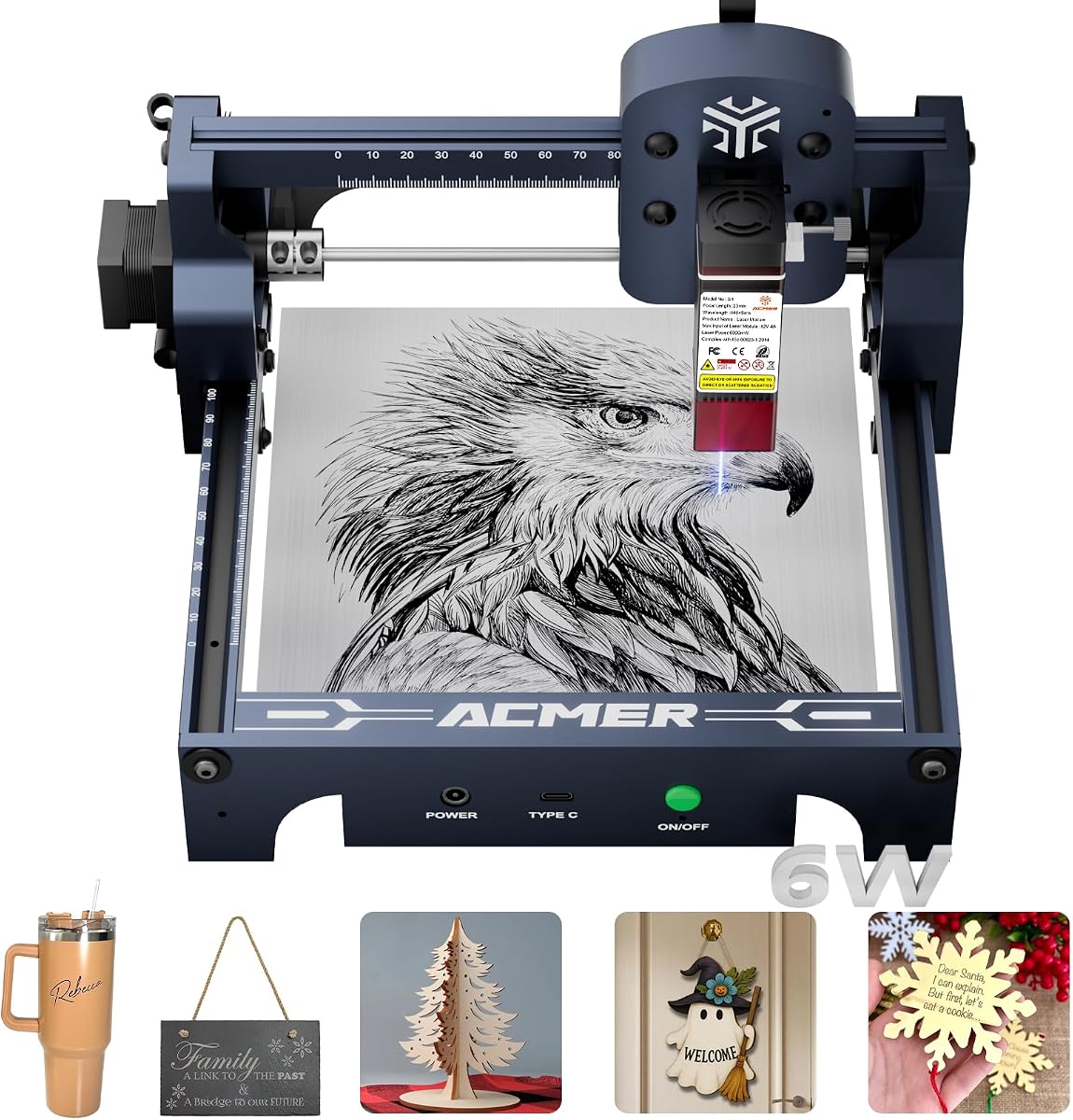
ACMER S1 Laser Engraver Machine
4.3Editor score
6000mW laser power
130x130mm workspace
99% preassembled design
Compare the top Acmer laser engraver models for precision cutting and engraving across wood, acrylic, and more in this comprehensive October 2026 guide.
Choosing the right laser engraver can transform your creative projects into professional-grade results. Whether you are a hobbyist or a small business owner, finding a machine that balances power, precision, and ease of use is essential for success in your workshop or studio space.
We evaluated ten leading Acmer laser engraver models based on their laser power, working area, software compatibility, and safety features. Our analysis focuses on real-world performance metrics to help you understand which machine best fits your specific material needs and project complexity requirements today.
Each pick in this list highlights unique strengths such as budget-friendly entry points, high-speed production capabilities, or enclosed safety designs. Please note that product availability and pricing can change frequently, so verify current details before making your final purchasing decision online.
4.3Editor score

4.4Editor score

5.0Editor score
This side-by-side comparison breaks down the key specifications of every Acmer laser engraver model to help you quickly identify the right tool for your specific engraving and cutting needs.



The ACMER S2 Laser Engraver stands out as a top-tier option for makers seeking precision and versatility. With a 4.4-star rating, it balances power and ease of use effectively for various projects across wood, leather, and acrylic materials.
We may earn a commission when you buy through this link, at no additional cost to you.
Its true 12W laser module cuts up to 15mm paulownia wood and 12mm black acrylic with multiple passes. The 0.01mm positioning accuracy ensures intricate details remain sharp whether you engraving personalized gifts or small business signs.
While the 300x300mm workspace is generous, users should note that optional accessories like rotary modules are sold separately for expanded capability. However, the anti-UV shield and motion protection make it a safe choice for home studios.
This machine is ideal for intermediate users who want room to grow. Its software flexibility with ACMER Studio, LightBurn, and LaserGRBL ensures you can manage complex designs without feeling restricted by proprietary tools.
The refined 0.08×0.08mm laser spot enables fine text and photo engraving with clean results.
Add risers or rotary modules later to handle cylindrical objects or taller workpieces easily.
We may earn a commission when you buy through this link, at no additional cost to you.
This ACMER S2 variant emphasizes user-friendly software with AI design tools for beginners who feel overwhelmed by traditional CAD programs. The free Acmerstudio app lets you turn text prompts into engraving designs instantly.
We may earn a commission when you buy through this link, at no additional cost to you.
It shares the 12W power and 300x300mm workspace of the standard model but adds a 32-bit chip for speeds up to 10,000mm/min. This performance rivals typical 10W machines while offering smoother operation during long runs.
Users should expect to spend time calibrating settings for optimal results on different materials. However, the ability to use LightBurn provides a safety net for advanced users who prefer industry-standard software.
Consider this if you prioritize quick setup and creative freedom. The AI features reduce friction for non-technical makers while still delivering professional-quality cuts on wood and acrylic projects.
Convert photos or text prompts into ready-to-engrave files without manual vector tracing.
Advanced chip architecture supports higher speeds without sacrificing positional accuracy or detail.
We may earn a commission when you buy through this link, at no additional cost to you.
The ACMER S1 is perfect for hobbyists needing a lightweight, affordable solution for small projects. At just 2kg with 99% preassembly, it arrives ready to use within minutes of unboxing.
We may earn a commission when you buy through this link, at no additional cost to you.
While its 6000mW power limits it to thinner cuts like plywood or leather, the 0.01mm accuracy ensures sharp detail on jewelry tags or phone cases. The 130x130mm workspace suits small crafts well.
Budget users might find the workspace restrictive for larger signs or multiple items. However, the portability allows you to store it in a drawer when not in use.
Choose this if you want to test laser engraving without a major investment. It delivers solid performance for basic DIY tasks and supports LightBurn for future growth.
Minimal assembly means you start creating immediately without complex mechanical setup steps.
Lightweight aluminum design makes it easy to transport to maker fairs or classrooms.
We may earn a commission when you buy through this link, at no additional cost to you.
This model prioritizes safety with an anti-UV shield and motion detection that pauses operation during abnormal movement. It achieves a perfect 5.0 rating, likely due to family-friendly reliability for home classrooms.
We may earn a commission when you buy through this link, at no additional cost to you.
The 7W laser handles detailed engraving well but cuts slightly less than the 12W versions. Still, it manages 13mm paulownia wood and 6mm acrylic with multiple passes for most craft needs.
Users might wish for a fully enclosed design for smoke containment, but the included goggles and shield mitigate exposure risks significantly during standard operation cycles.
It suits beginners teaching kids or working in shared spaces where safety is paramount. The large workspace supports signs and decorations without needing frequent material repositioning.
Sensors detect unexpected movement and halt operation to prevent accidents during engraving.
Optional risers and rotary modules let you customize the setup as skills improve.
We may earn a commission when you buy through this link, at no additional cost to you.
The P1 S Pro 20W brings significant power for cutting and engraving with a built-in air assist pump. This pump minimizes burn marks on wood and acrylic, which is rare at this price point.
We may earn a commission when you buy through this link, at no additional cost to you.
Its 20W module handles deeper cuts than 12W units and features a lens with 8000 hours of lifespan. Precision remains sharp at 0.01mm, ideal for photo engraving and complex artwork details.
The workspace is not specified but typically fits smaller production runs. If you prioritize cut quality over size, this machine offers excellent value for professional hobbyists.
Ideal for small businesses needing reliable output without buying separate air pumps. The limit switches protect the frame, ensuring long-term durability during frequent daily use.
25L air assist keeps debris off the lens and reduces soot on cut edges significantly.
High-hour lens technology reduces replacement costs over the life of the device.
We may earn a commission when you buy through this link, at no additional cost to you.
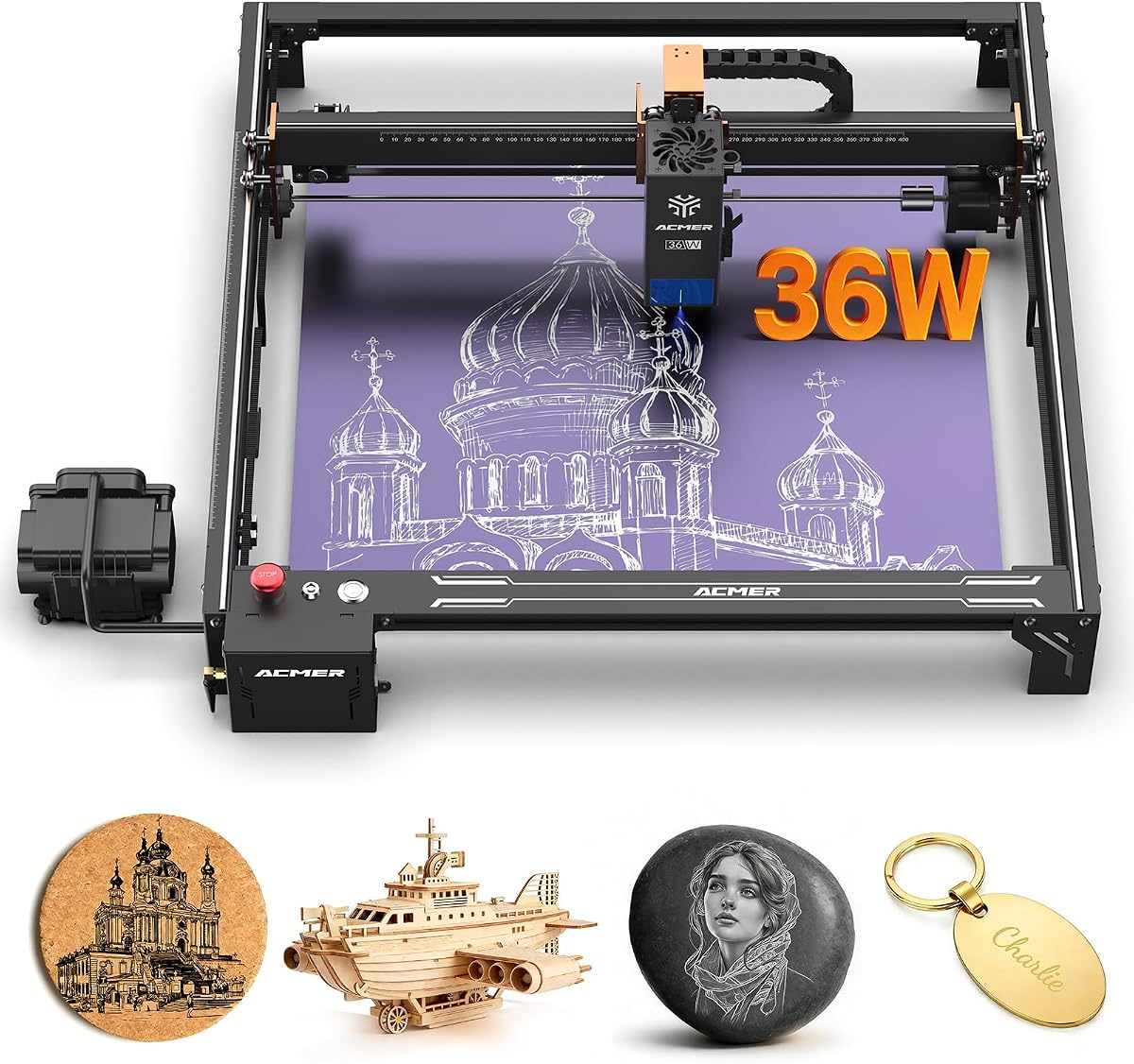
This powerhouse features dual linear rails for stability at high speeds and a 30L air assist pump for clean cuts. It targets users who need batch production capabilities for small business scaling.
We may earn a commission when you buy through this link, at no additional cost to you.
At 36W, it cuts through thick wood easily and engraves over 24,000mm/min. The 400x400mm workspace allows for larger signs or multiple pieces at once without repositioning often.
Safety features like tilt protection and child lock make it safer for commercial environments. However, the higher cost and complexity mean it is better for experienced users.
Choose this for serious production work where speed and stability matter most. It balances industrial features with accessibility for makers upgrading from entry-level devices.
Dual linear rails minimize vibration ensuring sharp lines even at maximum engraving speeds.
WiFi and TF card support allow offline operation without tethering to a PC.
We may earn a commission when you buy through this link, at no additional cost to you.
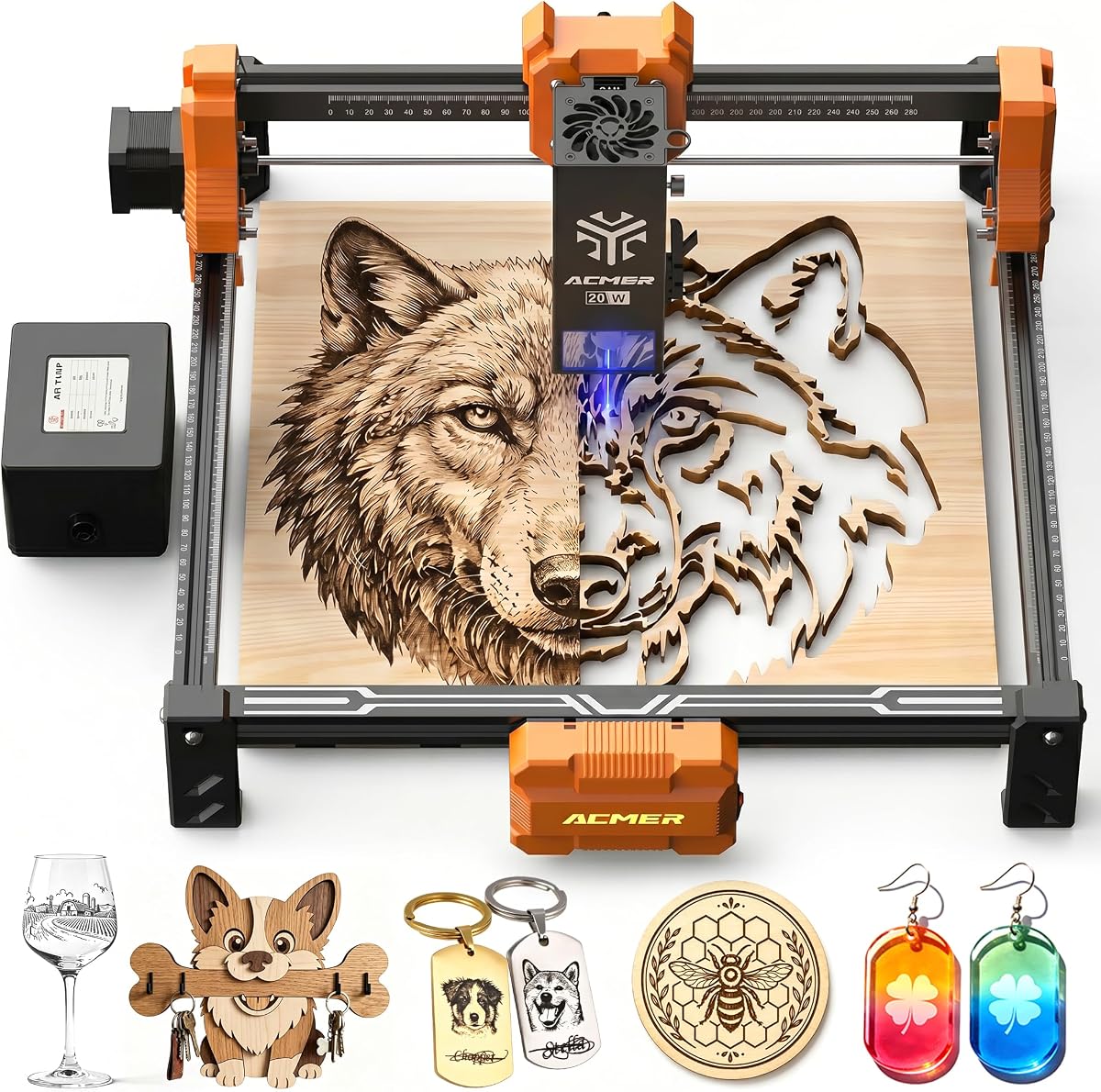
With a perfect 5.0 rating, this 20W model combines strong performance with essential safety features. It is a balanced choice for users wanting power without the complexity of pro-tier machines.
We may earn a commission when you buy through this link, at no additional cost to you.
The 25L air assist helps achieve clean edges on acrylic and wood. Its limit switches protect the frame, ensuring longevity even during heavy daily use in a workshop.
While it lacks the dual-rail system of the Pro model, its precision remains high at 0.01mm. This makes it suitable for detailed logos and photo engraving tasks.
It offers excellent value for small shops needing reliable daily operation. The included air pump saves extra costs compared to models where it is sold separately.
20W output ensures enough heat for cutting thicker materials without excessive pass counts.
Limit switches prevent head collisions with the frame protecting both machine and user.
We may earn a commission when you buy through this link, at no additional cost to you.
The P3 stands as the flagship model with a closed-box design that reduces smoke and sound by 90%. It offers switchable 48W and 24W laser outputs for flexible material handling.
We may earn a commission when you buy through this link, at no additional cost to you.
Its CoreXY structure ensures speed and accuracy down to 0.01mm. The built-in camera and visual alignment features simplify setup, making it easier to position projects precisely.
Safety is paramount with automatic fire detection and tilt protection. While expensive, these features make it a safe investment for studios or classrooms with strict safety protocols.
Best for professional use where budget allows for premium safety and speed. The enclosure makes it suitable for shared or indoor spaces without ventilation concerns.
Automatic fire detection and alarms provide peace of mind during unattended engraving runs.
Visual camera lets you drag and drop engraving positions directly on screen easily.
We may earn a commission when you buy through this link, at no additional cost to you.
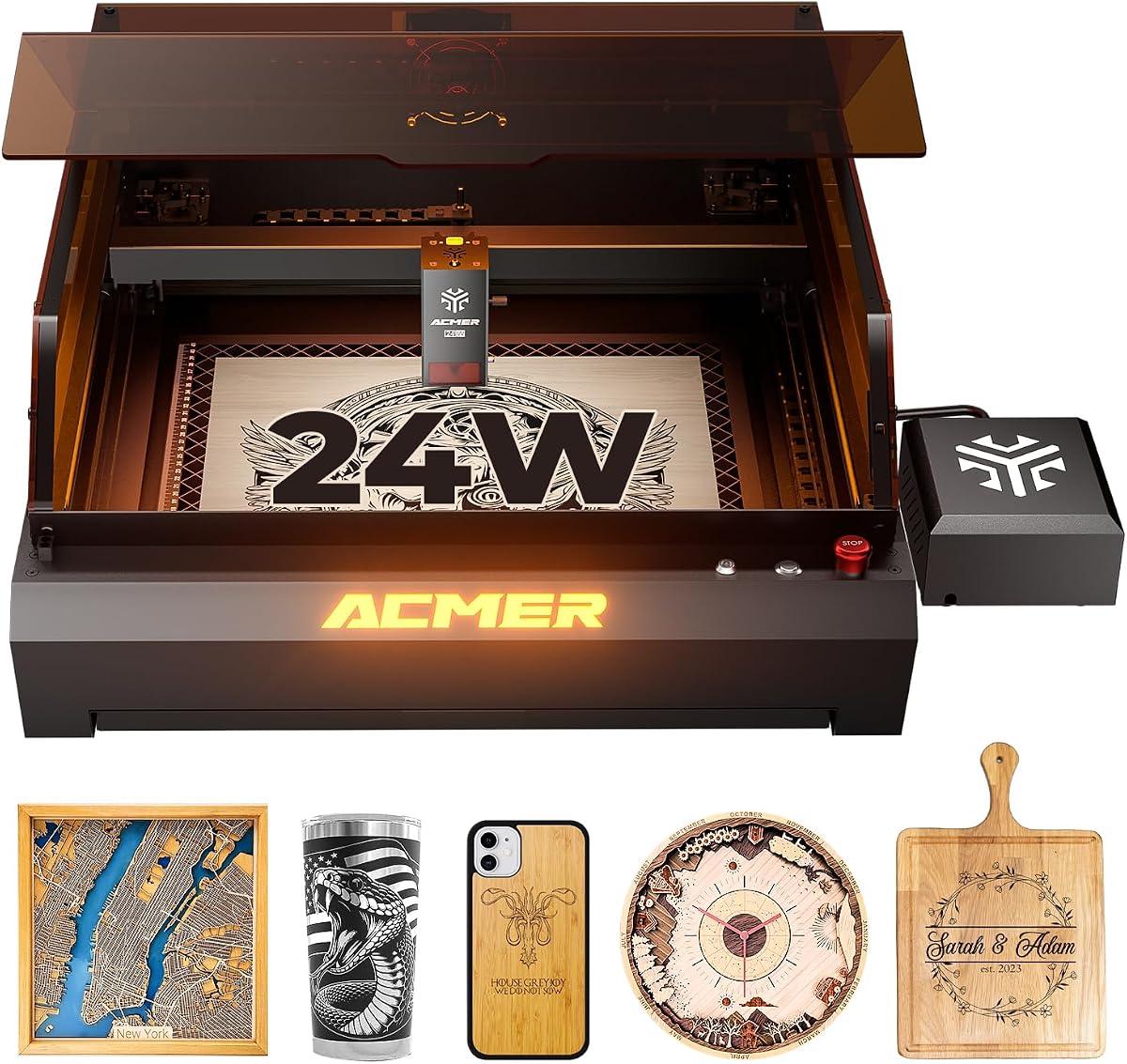
This desktop model features an integrated housing to block smoke and noise while delivering 24W power. Its 400x400mm workspace supports large format engraving without compromising safety.
We may earn a commission when you buy through this link, at no additional cost to you.
The aviation-grade aluminum frame ensures stability at high speeds, solving issues with blurring. A built-in camera module aids positioning accuracy to 2mm for precise material placement.
It includes over-temperature protection and flame detection for safe indoor operation. Users should note the desktop nature requires proper ventilation if not using the exhaust system.
Ideal for studios needing a clean, quiet workflow. The mobile app compatibility allows control from anywhere within the workshop range for added convenience.
Aviation-grade aluminum increases stability by 20% compared to standard frames for smoother cuts.
Waste drawer and honeycomb plate make cleanup after cutting jobs quick and simple.
We may earn a commission when you buy through this link, at no additional cost to you.
This 6W model prioritizes workspace size, offering a 380x370mm area that rivals larger machines. It is perfect for those needing room for signs but working with thinner materials.
We may earn a commission when you buy through this link, at no additional cost to you.
Its dual-beam module focuses to 0.06mm for precision. While it cannot cut thick wood, it excels at engraving on metal or leather with sharp detail across large surfaces.
WiFi control adds modern convenience for flexible operation. The Class 1 laser certification ensures it is safe for various indoor settings with proper protection gear.
Choose this if workspace is your priority over cutting depth. It balances affordability with large-format capabilities suitable for personalized gifts and signage.
Large 380x370mm area allows for bigger signs without needing external extension kits.
WiFi control enables wireless operation directly from your phone or computer.
We may earn a commission when you buy through this link, at no additional cost to you.
Selecting the right model depends on balancing power, workspace, and safety to match your specific projects and environment.
Higher wattage like 20W or 36W allows deeper cuts in wood and acrylic but requires more safety precautions. For light engraving on leather or paper, 6W to 12W models are sufficient and cost-effective.
Prioritize power based on the thickest material you plan to cut regularly to avoid frustration.
Workspace dimensions determine the maximum size of items you can engrave in one pass. Small units like the S1 suit jewelry while larger ones like the S2 handle signs or multiple items.
Choose a workspace that accommodates your typical project dimensions plus a margin for fixtures.
Most models support LightBurn and LaserGRBL, but proprietary tools like Acmerstudio offer AI features for beginners. Ensure the software runs on your operating system before purchasing.
Open-source compatibility gives you flexibility to switch tools if you grow beyond basic needs.
Look for motion detection, anti-UV shields, or closed-box designs to reduce exposure risks. Models with air assist also reduce smoke which improves visibility and health safety.
Safety should be a priority if you operate in shared spaces or with children present.
Lighter units like the S1 are easy to move and store but may lack stability for high-speed runs. Heavier industrial frames ensure precision but require dedicated floor space.
Select based on whether you need to transport the machine frequently or keep it stationary.
Optional rotary modules and risers expand functionality to cylindrical objects like tumblers. Check if these are included or sold separately to estimate the true total cost.
A modular system allows you to upgrade capabilities without buying a new machine later.
Air pumps reduce burn marks and improve cut quality especially on wood and acrylic. Integrated pumps save space while external ones may offer higher airflow for demanding cuts.
Verify if the model comes with a pump or if you must buy one separately.
WiFi and USB connections allow wireless operation and offline engraving via SD cards. This flexibility reduces cable clutter and lets you move around the workshop freely.
Modern connectivity ensures you can update firmware easily without direct hardware tethering.
Start by calibrating the laser focus using the provided template to ensure sharp engravings. Test settings on scrap wood to determine the right speed and power for your material.
Always wear appropriate eye protection and ensure proper ventilation or use an air assist pump to clear smoke. Secure your material firmly to the bed to prevent shifting during operation.
Clean the lens regularly with alcohol and check linear rails for dust. Store the machine in a dry place when not in use to prevent corrosion on metal parts.
Standard diode lasers struggle with clear transparent acrylic because they pass through without absorbing light. Use opaque or coated acrylic for best results with these machines.
ACMER offers a free Acmerstudio software, but LightBurn requires a separate license. Both are supported on most models giving you flexibility in design workflows.
Avoid PVC, vinyl, and treated leathers which release toxic chlorine gas when lasered. Check material safety data sheets before cutting any unknown substance to ensure health safety.
Clean the lens weekly if you use the machine daily or after every ten hours of operation. Dust and smoke residue can scatter the beam reducing quality and efficiency.
Yes, most ACMER models support macOS along with Windows and Linux. Verify the software version before buying to ensure full compatibility with your system.
Typical diode modules last around 8000 hours of use with proper ventilation and care. Replacing the module is usually cheaper than buying a new machine for most users.
The ACMER S2 offers the best balance of power and workspace for most users. Budget buyers can trust the S1 while professionals may prefer the P3 for its safety features.
Focus on laser wattage and workspace size since these directly dictate what you can create. Safety features like motion detection or closed enclosures add peace of mind for any setting.
Prices and availability change often so double check current listings before purchasing. Selecting the right model today ensures you can create stunning projects for years to come.