
Vilros Raspberry Pi 5 AI Kit
5.0Editor score
Includes Pi 5 and AI HAT
Up to 26 TOPS Performance
Complete Hardware Bundle
Explore the top AI Raspberry Pi Kits for October 2026. We compare hardware, sensors, and learning resources to help you choose the right AI development kit.
Artificial intelligence is transforming how we build and interact with technology. AI Raspberry Pi Kits offer an accessible entry point for hobbyists, students, and developers to experiment with machine learning, computer vision, and robotics. These kits combine the versatility of the Raspberry Pi platform with specialized hardware and software tools.
To compile this guide, we evaluated ten leading kits based on hardware quality, sensor variety, software support, and educational value. We looked at how each kit handles modern AI workloads like large language models, object detection, and voice recognition. Our analysis ensures you get a comprehensive view of what each product offers.
Each pick in this list highlights specific strengths, from budget-friendly learning modules to high-performance server setups. Whether you want to build a voice assistant or an autonomous robot, these kits provide the components you need. Please note that availability and pricing can change frequently, so check current listings before purchasing.
5.0Editor score

4.6Editor score

4.3Editor score
This table provides a side-by-side comparison of the ten best AI Raspberry Pi Kits available in November 2026. We highlight key specifications such as included hardware, sensor counts, and specific AI capabilities to help you make an informed decision.
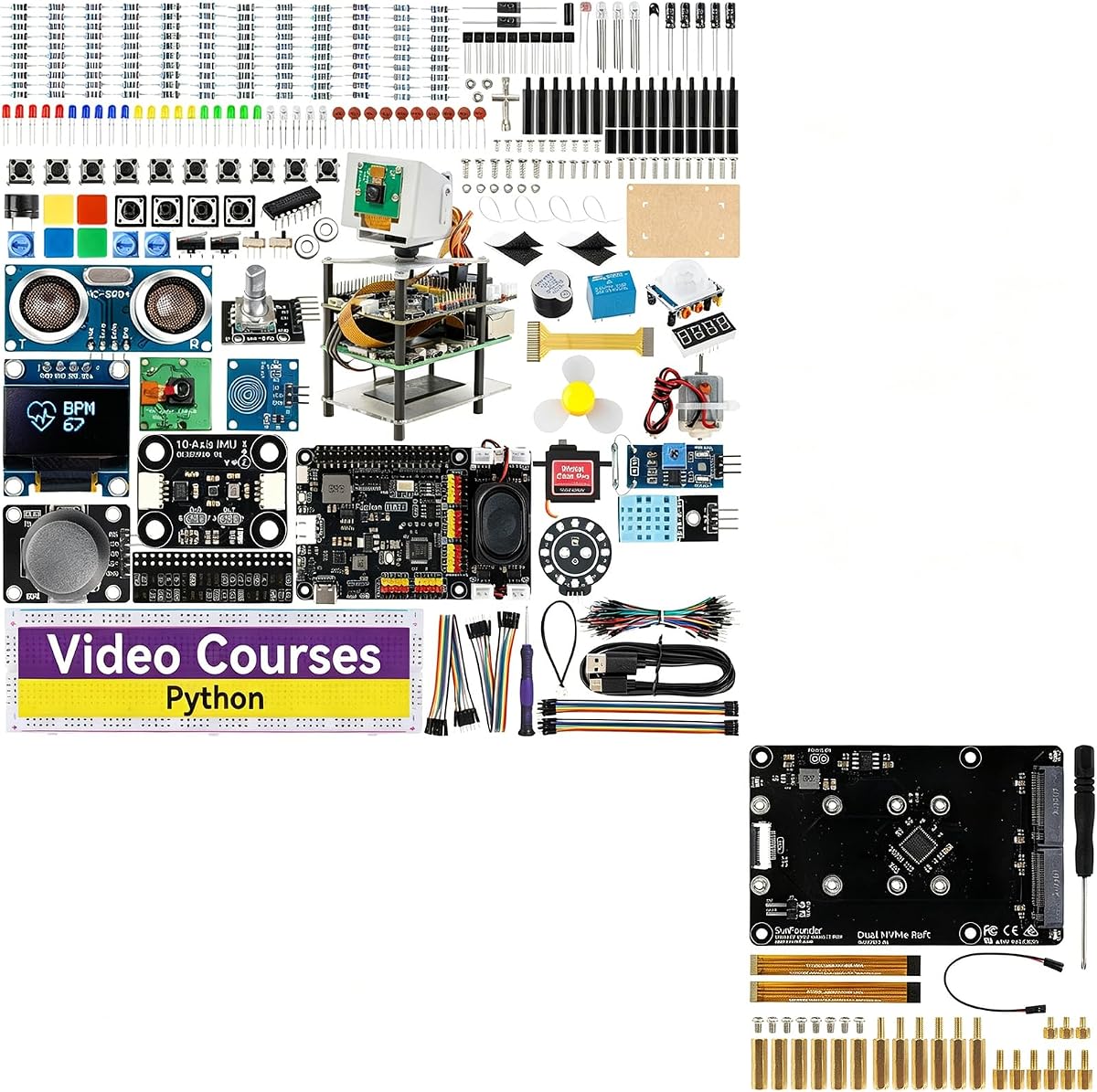


The SunFounder AI Fusion Lab Kit stands out as the top choice for those serious about learning AI on Raspberry Pi. With a rating of 4.6, it offers a comprehensive suite of tools including support for multiple large language models like ChatGPT, Gemini, and Grok. This kit transforms your Pi into a robust learning environment.
We may earn a commission when you buy through this link, at no additional cost to you.
Its standout feature is the Fusion HAT+ which integrates power management and voice interaction capabilities. You get a Pan-Tilt HAT for vision projects and a 10-axis sensor module. The curriculum, created with educator Paul McWhorter, provides guided video lessons that make complex AI concepts accessible to beginners.
While the kit is powerful, it does require you to purchase a Raspberry Pi separately. Additionally, the depth of content might overwhelm absolute beginners who have no prior coding experience. However, the detailed documentation and responsive support team help mitigate these challenges significantly.
This kit is ideal for engineers, students, and hobbyists who want a structured path from Python basics to advanced AI projects. If you want to build multi-modal systems involving voice, vision, and sensors, this is the most complete solution available on the market today.
The kit supports a wide range of LLMs including DeepSeek, Qwen, and Ollama. This flexibility allows you to experiment with different models to find the best fit for your specific AI tasks and performance needs.
Using OpenCV and MediaPipe, you can create vision projects that detect objects and human movement. The Pan-Tilt HAT lets your robot actively follow targets, demonstrating how AI vision translates into real world motion control.
We may earn a commission when you buy through this link, at no additional cost to you.
The Vilros Raspberry Pi 5 AI Kit earns a perfect 5.0 rating for its comprehensive approach to AI hardware. It includes the Raspberry Pi 5 board, the official AI HAT+, and all necessary accessories like a case, power supply, and active cooler. This eliminates the guesswork of sourcing compatible components.
We may earn a commission when you buy through this link, at no additional cost to you.
Powered by a Hailo-8 or Hailo-8L accelerator, this kit delivers up to 26 TOPS of performance. This power is crucial for running real-time neural networks for object detection and segmentation without lag. The active cooler ensures sustained performance even under heavy AI workloads.
The primary drawback is the premium price tag compared to buying components separately. It is designed for users who value convenience and guaranteed compatibility over cost savings. If you want to jump straight into serious AI development without configuration headaches, this is the best investment.
We recommend this kit for developers and makers who need reliable, high performance hardware immediately. The inclusion of the 128GB microSD card preloaded with the OS means you can start building AI applications minutes after unboxing the package.
Every component is tested to work together. The AI HAT+ fits perfectly with the active cooler and case, ensuring that your system runs cool and stable during demanding AI inference tasks.
The dedicated AI accelerator provides significant speed boosts for computer vision tasks. This allows you to process video streams in real time, making it ideal for robotics and autonomous system projects.
We may earn a commission when you buy through this link, at no additional cost to you.
The SunFounder AI Robot Kit is a fantastic budget-friendly option for those who want to build a physical AI robot. It supports various Raspberry Pi models including the Zero 2 W. The kit comes with 12 servos allowing for realistic movements like walking and sitting.
We may earn a commission when you buy through this link, at no additional cost to you.
What makes this kit special is its integration with ChatGPT-4o. You can have natural conversations with your robot and use its camera for visual recognition. This combination of voice and vision creates engaging interactive experiences that are perfect for educational settings.
While it is affordable, the Pi Zero 2 W limits complex AI tasks compared to larger boards. You may need to offload heavy processing to the cloud. However, for learning robotics and basic AI interactions, it provides excellent value and fun.
This kit is perfect for students and beginners interested in robotics. If you want a tangible project that moves and responds to voice commands without spending a fortune, this is an excellent starting point. The app control makes it easy to test features quickly.
The built-in microphone and camera enable the robot to hear commands and see its environment. With ChatGPT-4o, it can interpret gestures and solve simple problems using its camera input.
Twelve powerful servos allow the robot to perform 32 different actions. This range of motion makes it capable of walking, shaking its head, and performing tricks that mimic real pets.
We may earn a commission when you buy through this link, at no additional cost to you.
This kit combines the SunFounder AI Fusion Lab with a Dual NVMe Raft, making it ideal for users who need both AI capabilities and high-speed storage. It supports two M.2 SSDs for RAID 0/1 configurations or one SSD and an AI accelerator. This setup is perfect for NAS builders.
We may earn a commission when you buy through this link, at no additional cost to you.
The Dual NVMe Raft adds significant performance with PCIe Gen 2.0 speeds up to 500MB/s. You get the same comprehensive AI learning tools as the base kit. including LLM support and video courses. This expands the utility of your Pi into a powerful server.
While there are no explicit cons listed in the data, the setup requires careful management of power and cooling. It is best suited for advanced users who need storage flexibility alongside their AI projects. The integration ensures your Pi can handle large datasets efficiently.
We recommend this for developers building home assistants or media servers with AI features. If you want to store large models locally and access them quickly, the dual NVMe option provides the necessary throughput. It combines learning with serious server utility.
The dual NVMe slots provide fast data access for loading models. This reduces latency when running large language models or processing video files locally.
It supports OpenMediaVault and various server applications. You can turn your Pi into a reliable NAS for your home or office while still running AI experiments.
We may earn a commission when you buy through this link, at no additional cost to you.
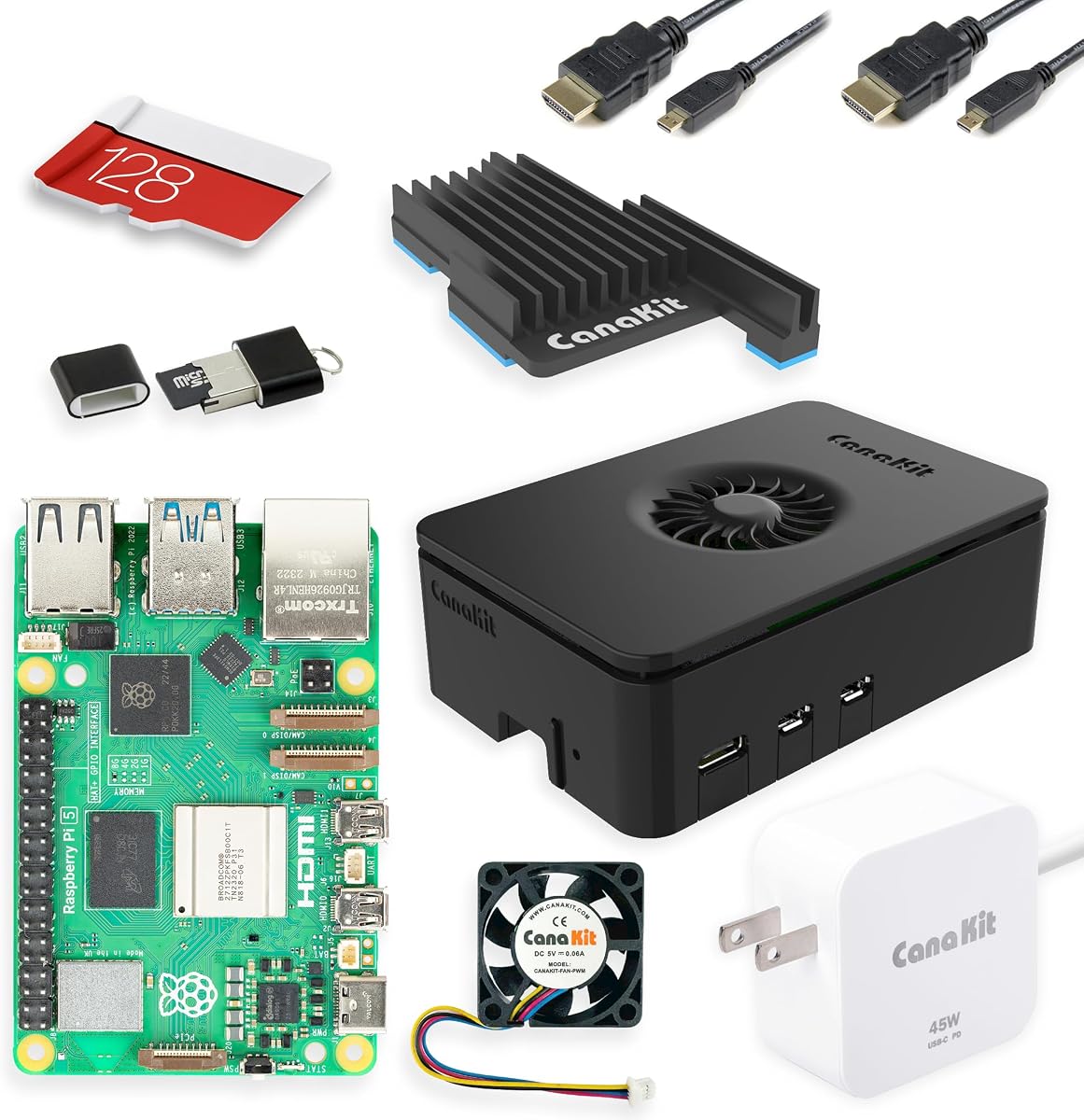
The CanaKit Raspberry Pi 5 Starter Kit PRO is a robust foundation for any AI project. It includes the Pi 5 board with 8GB RAM, a 45W power supply, and a turbine case. While it does not include specific AI accelerators, it provides the reliable base needed to run AI software.
We may earn a commission when you buy through this link, at no additional cost to you.
With a 4.7 rating, users appreciate its build quality and cooling system. The turbine case with a low noise bearing fan keeps the Pi 5 running at optimal temperatures. This is critical when running compute-heavy tasks like inference on the CPU.
The downside is that you will need to source AI HATs and sensors separately. It is a general-purpose kit rather than a specialized learning lab. However, the performance of the Pi 5 makes it capable enough for many AI tasks with the right add-ons.
We recommend this for those who want to choose their own AI components. If you prefer to select specific accelerators or sensors, this high-quality base kit ensures stability. It is an excellent starting point for a custom AI setup.
The 45W power supply ensures stable voltage for high-performance tasks. The turbine case design prevents overheating, extending the lifespan of your Pi during long AI training sessions.
This kit offers GPIO access for connecting any custom hardware. You can adapt it to your specific AI needs without being locked into a proprietary ecosystem.
We may earn a commission when you buy through this link, at no additional cost to you.
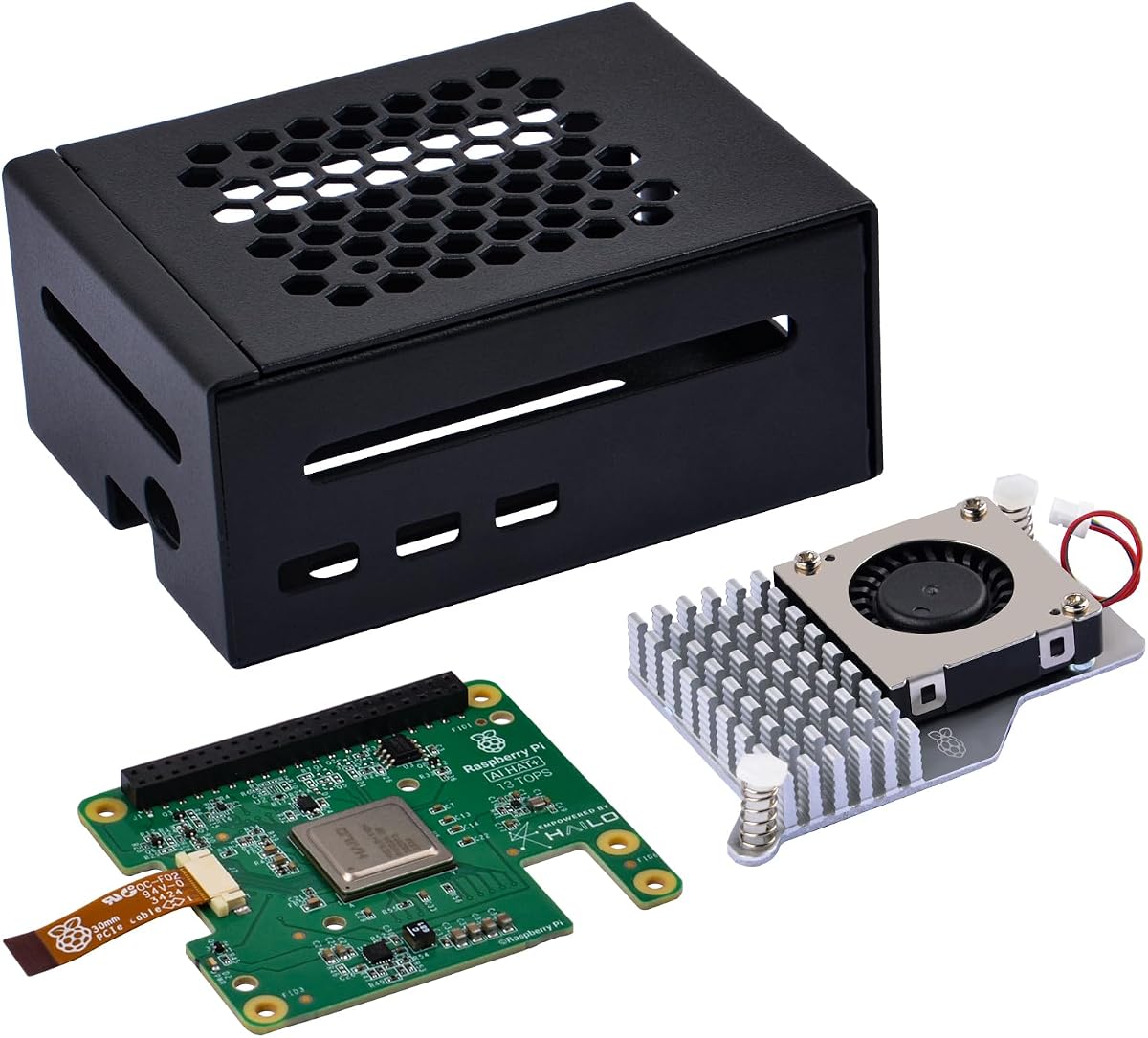
The GeeekPi AI HAT+ Kit focuses on providing high-performance acceleration for Raspberry Pi 5. It features a Hailo NPU capable of 13 TOPS. This makes it highly efficient for running neural networks for object detection and segmentation without taxing the main CPU.
We may earn a commission when you buy through this link, at no additional cost to you.
It includes a metal case and active cooler to protect your board and keep it cool. The AI HAT+ fits perfectly with the Pi 5 active cooler. When you boot into Raspberry Pi OS, it automatically detects the NPU to accelerate post-processing tasks.
The main limitation is that you must buy the Pi 5 separately. Also, it locks you into the Hailo accelerator. If you need different performance levels or want more flexibility, this might not fit. But for solid acceleration, it is reliable.
This kit is best for users focused on computer vision tasks. If you want to run real-time video analysis efficiently, the dedicated NPU is a huge benefit. The metal case adds durability, making it great for projects exposed to handling.
The Pi OS integrates natively with the NPU. You do not need complex drivers. The system automatically uses the accelerator for compatible camera tasks.
The metal case shields the electronics from dust and physical damage. It also aids in heat dissipation, ensuring your board stays safe during heavy use.
We may earn a commission when you buy through this link, at no additional cost to you.
The Seeed Studio Pi 5 Starter PRO kit is built on official Raspberry Pi components. It includes the Pi 5 board, official case with active cooling, and official power supply. This reliability makes it a strong choice for stable AI development environments.
We may earn a commission when you buy through this link, at no additional cost to you.
The official active cooling fan maintains stable performance during AI projects. You get a 128GB card preloaded with the OS. This means you can start building immediately without complex setup. It is designed for Edge AI, Docker, and pro workstations.
While it lacks specialized AI hardware, the Pi 5 board itself is powerful. You will need to add HATs for dedicated AI tasks. However, the stability of official components is worth it for critical projects. It ensures compatibility and reduces hardware issues.
We recommend this for developers who value stability. If you are running AI servers or complex workloads, official hardware minimizes risk. It is a solid base that you can expand with AI add-ons as your project grows.
The integrated active cooling fan keeps the processor cool. This ensures your system can run intensive AI tasks without throttling or crashing due to heat.
Backed by Seeed Studio, this kit comes with warranty and technical support. This gives you peace of mind when deploying projects for education or production.
We may earn a commission when you buy through this link, at no additional cost to you.
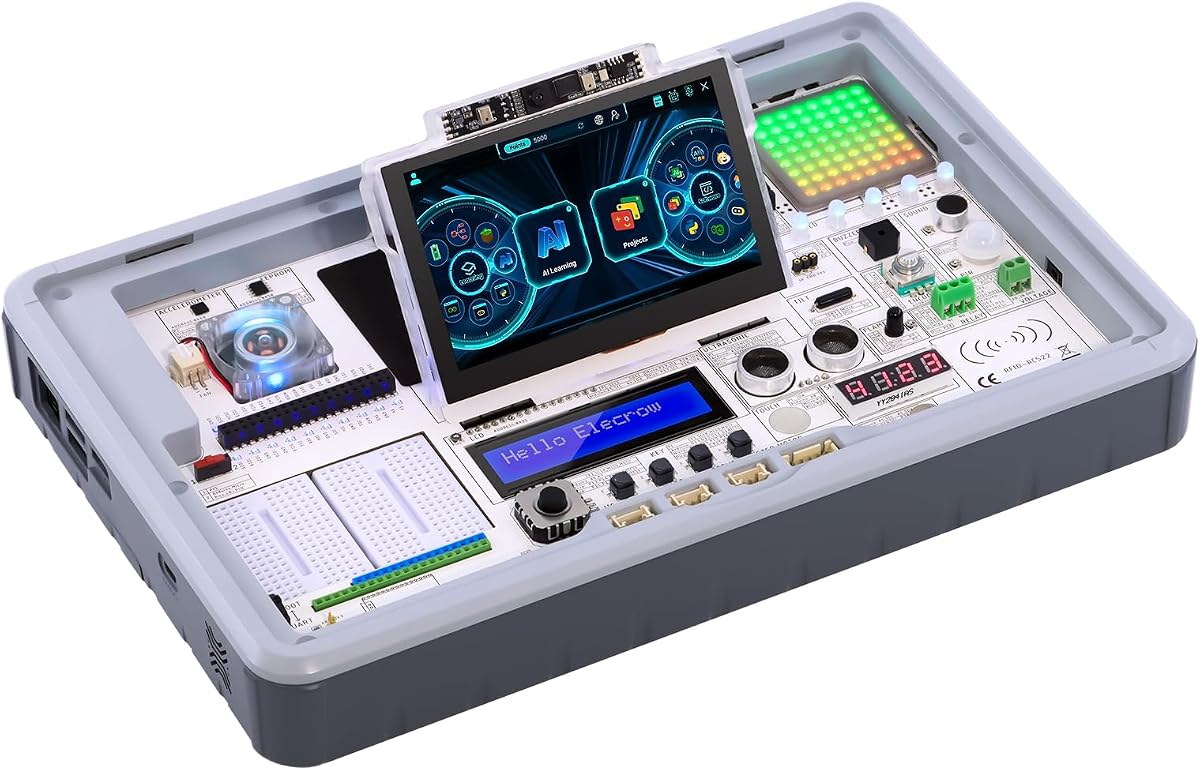
The ELECROW CrowPi3 Basic is a dedicated AI learning station. It comes with a 4.3-inch capacitive touch display and over 40 sensors. This design makes it easy to start coding without complex wiring. It supports OpenCV and facial recognition.
We may earn a commission when you buy through this link, at no additional cost to you.
You get 200 step-by-step lessons to guide you through. The kit runs large language models and AI exploration. It is designed to be an all-in-one station that simplifies the learning curve. You can focus on logic instead of physical connections.
The main caveat is that you need to provide a Raspberry Pi 5. Also, while the sensors are integrated, the learning curve can still be steep for some. However, for students and educators, the structured curriculum is a huge benefit.
This is ideal for classrooms and self-learners. If you want a platform that bundles sensors and lessons, it saves time. The touch display adds an interactive element that enhances the learning experience significantly.
The kit includes 41 different sensors and modules. You can plug them in and start testing immediately. This removes the barrier of breadboarding and wiring.
With 200 lessons, you cover everything from component ID to advanced projects. This helps you progress from a beginner to a proficient developer.
We may earn a commission when you buy through this link, at no additional cost to you.
The ELECROW CrowPi 3 offers a complete AI learning environment with a touch display and microphone. It supports voice recognition and interaction. With 41 sensors onboard, it enables seamless visual and audio development. This makes it great for creating interactive AI applications.
We may earn a commission when you buy through this link, at no additional cost to you.
It is compatible with multiple boards like Pi 5 and Arduino Nano. This flexibility allows users to explore different development platforms. The kit includes over 200 courses covering AI and IoT. This ensures you have enough content to grow your skills.
The rating of 4.1 suggests some users may find setup or compatibility issues. Also, the Pi 5 is not included. However, the interactive experience provided by the touch screen and voice features is unique. It encourages hands-on learning.
We recommend this for educators and makers who want interactive projects. If you need a station that supports voice and touch, this is a strong choice. It simplifies complex projects into manageable, engaging lessons.
You can use this station with Pi 5, Arduino Nano, or Pico. This allows you to learn across different ecosystems without buying new hardware.
The touch display and microphone enable direct interaction with your code. You can build apps with buttons and voice commands right out of the box.
We may earn a commission when you buy through this link, at no additional cost to you.
The CrowPi 3 with Pi 5 16GB combines a powerful board with a full learning station. It includes the 16GB Pi 5, touch display, and sensors. This removes the need to source components separately. You get a ready-to-use environment for AI prototyping.
We may earn a commission when you buy through this link, at no additional cost to you.
The 16GB RAM is excellent for running large models locally. The station supports LLM projects and object detection. It is designed for rapid prototyping. The layout is clearly labeled to speed up your learning process.
While it is a premium price, the value of a complete bundle is significant. If you want to avoid compatibility issues, this is a solid choice. The 16GB memory gives you room to handle complex datasets without swapping memory.
This is the best option for serious students and professionals. If you need high memory and a structured environment, it delivers. It simplifies the path to advanced AI development significantly.
The 16GB RAM allows for larger model loading. You can run multiple tasks simultaneously without running out of system resources.
No wiring is required. Everything is integrated. This lets you focus on software and algorithms rather than troubleshooting hardware connections.
We may earn a commission when you buy through this link, at no additional cost to you.
Choosing the right AI Raspberry Pi Kit depends on your specific goals, budget, and technical skill level. This guide outlines the key factors to consider to ensure you select a kit that meets your needs.
The Raspberry Pi 5 offers a significant performance boost over previous models with its 2.4GHz quad-core processor. For AI tasks, having 8GB of RAM is recommended to handle image processing and machine learning libraries efficiently. If you plan to run large language models locally, consider kits with 16GB RAM or additional storage options.
Always check the RAM capacity before purchasing. Higher memory allows for smoother multitasking and more complex AI models without constant reloading.
For heavy AI workloads like real-time object detection, a dedicated AI HAT is essential. Kits with Hailo-8 accelerators provide up to 26 TOPS of performance. This offloads processing from the main CPU, ensuring smooth operation during inference tasks.
Look for kits that include these accelerators if you plan to do computer vision. This ensures you get the power needed for real-time applications.
Many AI projects require cameras, microphones, and various sensors. Kits that include cameras or sensor packs save you from buying separate components. Integrated sensors like in the CrowPi kits simplify the setup process.
Choose a kit with sensors that match your project needs. Integrated solutions reduce wiring errors and speed up prototyping.
High-quality kits come with structured learning resources. Look for video courses, code samples, and documentation. Platforms that offer lessons on Python, OpenCV, and LLMs provide better value for beginners.
Curriculum quality matters as much as hardware. Ensure the kit offers step-by-step guidance to help you learn effectively.
AI tasks are computationally intensive and generate heat. A reliable 45W power supply and active cooling are critical for stable performance. Avoid generic power bricks that may cause voltage drops during heavy use.
Check that the kit includes a dedicated power adapter and a cooling solution to prevent overheating.
If you use multiple development boards like Arduino or Pico, check if the kit supports them. Some stations like CrowPi offer compatibility across different platforms, providing more flexibility for your projects.
Multi-board compatibility ensures your investment is useful even if you switch between different microcontrollers.
AI models and datasets require significant storage. Kits with dual NVMe slots or high-capacity SD cards allow you to store large files locally. This improves loading times and system performance.
Opt for kits with expandable storage if you plan to run large models or save multiple project datasets.
Robust cases and secure mounting protect your components. Metal cases and organized layouts help with durability. Kits with sturdy build quality last longer and are safer to use in classrooms or workshops.
Prioritize kits with protective cases to ensure your hardware remains safe during handling and transport.
Start by setting up the operating system correctly. Most kits come with a preloaded microSD card. If not, use the official Raspberry Pi Imager tool to install the OS. Connect your monitor, keyboard, and mouse to begin initial configuration.
Install necessary AI libraries and frameworks. Use Python package managers to install OpenCV, PyTorch, or TensorFlow. If your kit includes a specific AI HAT, install the provided drivers to ensure the NPU is recognized by the system.
Maintain your kit by keeping it clean and well-ventilated. Dust can clog fans and sensors, so clean them regularly with compressed air. Ensure the cooling fan runs freely and replace it if it becomes noisy or stops working to prevent overheating.
Not all kits include the Raspberry Pi board. Some specialized AI kits like the SunFounder Fusion Lab require you to purchase the Pi separately. However, bundles like the Vilros or CrowPi with Pi 5 include the board. Always check the product description to see what is included before buying.
Yes, you can run large language models like ChatGPT on a Raspberry Pi using local inference tools. However, performance depends on the model size and available memory. For best results, use a Pi 5 with 8GB or 16GB RAM and consider an AI accelerator for faster processing.
The Hailo-8 and Hailo-8L are AI accelerators for the Pi. The Hailo-8 offers up to 26 TOPS of performance while the Hailo-8L provides 13 TOPS. Choose the 8 for higher performance needs and the 8L for more cost-effective projects with moderate requirements.
Many kits are designed with beginners in mind and include video lessons and structured tutorials. Platforms like SunFounder and CrowPi offer guided content to help you start. However, basic knowledge of Python is helpful. If you are new to coding, start with the kits that have the most educational support.
AI tasks are power-intensive. Most modern kits recommend a 45W power supply for the Pi 5. If you add AI HATs and external storage, ensure your power supply can deliver stable voltage. The recommended 27W or 45W adapters are usually sufficient for most configurations.
Raspberry Pi OS (64-bit) is the standard choice for most kits. It supports all major AI frameworks and drivers. Ensure you use the latest version to access the newest features and security updates for your specific hardware components.
Yes, many AI kits support robotics projects. They include servos, motors, and sensors suitable for building robots. Kits like the SunFounder Robot Kit come with servos specifically for movement. You can control them via voice or vision AI for advanced robotic applications.
Most vendors offer technical support through forums, documentation, and email. Kits from companies like SunFounder and Vilros often include community access and active support channels. Check the product listing to confirm the level of support provided with your purchase.
We have explored ten distinct kits for AI Raspberry Pi development in this guide. The SunFounder AI Fusion Lab stands out as the best overall due to its comprehensive sensor suite and curriculum. For high performance, the Vilros Raspberry Pi 5 AI Kit with 26 TOPS is unmatched. The SunFounder AI Robot Kit remains the best budget-friendly option for interactive robotics.
When choosing your kit, prioritize your project goals. If you need vision and voice, look for integrated HATs and sensors. If you want to learn, pick a kit with structured lessons. Ensure your power supply and cooling are adequate for the workload you plan to run to maintain system stability.
Remember that technology changes quickly. Always check current availability and prices on the product pages. We hope this guide helps you select the right kit to build your next AI project. Happy building and exploring the world of AI.