
Alienware 34 240Hz QD-OLED Curved Gaming Monitor – AW3425DW
4.5Editor score
240Hz refresh rate for ultra speed
QD-OLED panel with infinite contrast
1800R curve for deep immersion
Finding the right curved monitor transforms your gaming setup into an immersive experience. We examine key features like refresh rate, panel type, and curve radius to help you choose.
Our team analyzed detailed specifications and user feedback to rank these models. We focus on performance metrics, build quality, and real-world gaming capabilities across the range.
Each pick highlights specific strengths for different needs and budgets. Prices and availability change frequently, so verify current details before purchasing to ensure you get the best value.
4.5Editor score

4.6Editor score

4.3Editor score
As an Amazon Associate we earn from qualifying purchases.
This side-by-side comparison details the core specifications of all ten models to help you find the perfect match for your system.





This model brings virtual worlds to life with WQHD quality and a 1500R curve. It holds a strong 4.6 rating for its fluid visuals and detailed landscapes.
We may earn a commission when you buy through this link, at no additional cost to you.
Key strengths include the smooth 180Hz refresh rate and 1ms response time. AMD FreeSync Premium and VESA AdaptiveSync ensure tear-free gameplay across different graphics cards.
Trade-offs involve lower contrast compared to OLED panels. However, the 95% DCI-P3 color coverage delivers vibrant hues that satisfy most gamers.
This monitor suits those wanting high refresh rates and sharp detail. It is a reliable choice for competitive and immersive gaming sessions.
The 180Hz refresh rate ensures smooth motion during fast-paced games without visible stutter.
DCI-P3 95% coverage provides cinematic color depth for realistic visuals.
We may earn a commission when you buy through this link, at no additional cost to you.
This monitor delivers seamless speed with a 240Hz refresh rate and 0.03ms response. Its QD-OLED panel offers infinite contrast and vivid colors for elite gameplay.
We may earn a commission when you buy through this link, at no additional cost to you.
It supports both NVIDIA G-SYNC Compatible and AMD FreeSync Premium Pro. The 1800R curve wraps around your view for deep immersion in expansive open worlds.
Trade-offs include a premium price tag compared to LCD models. Burn-in risk exists but modern protections mitigate it during typical usage.
Competitive players seeking maximum speed and color will love this option. It sets a new standard for ultra-fast curved gaming displays.
The 240Hz rate and 0.03ms response eliminate motion blur in intense scenes.
QD-OLED technology enables infinite contrast for deep blacks in dark games.
We may earn a commission when you buy through this link, at no additional cost to you.
This monitor boasts a sleek QD-OLED panel with a 1800R curve and 175Hz speed. It offers a 4.3 rating and excellent color accuracy for creators.
We may earn a commission when you buy through this link, at no additional cost to you.
It features NVIDIA G-SYNC ULTIMATE certification and a 0.1ms response time. Creator Mode provides precise color options between native DCI-P3 and sRGB spaces.
Trade-offs include a 175Hz refresh rate which is slower than 240Hz options. Some users find initial calibration necessary for peak performance.
Gamer and creators looking for value get OLED quality here. It remains a strong choice for those wanting deep blacks and high resolution.
The 175Hz rate and 0.1ms response deliver ultra-low latency gameplay.
Switch between color spaces for precise work or immersive gaming.
We may earn a commission when you buy through this link, at no additional cost to you.
This monitor combines immersive features with a 120Hz refresh rate and 1900R curve. It maintains a high 4.6 rating for its solid color depth.
We may earn a commission when you buy through this link, at no additional cost to you.
NVIDIA G-SYNC syncs GPU and monitor for smooth gameplay without tearing. The 98% DCI-P3 coverage delivers deep color and accuracy for most titles.
Trade-offs include a 120Hz refresh rate and 2ms response time. These are acceptable for casual play but may lag behind newer models.
Users seeking reliability and vibrant color without extreme speed will appreciate this. It provides a consistent experience for standard gaming needs.
The 1900R curve maximizes field of view for consistent viewing.
IPS Nano color technology exceeds sRGB for cinematic visuals.
We may earn a commission when you buy through this link, at no additional cost to you.
This bundle offers a complete solution with cables and a cleaning kit. The monitor itself delivers expansive immersion with QD-OLED technology.
We may earn a commission when you buy through this link, at no additional cost to you.
It provides up to 175Hz refresh rate and 0.1ms gray-to-gray response. G-Sync Ultimate ensures fluid gameplay during fast-paced action and camera movements.
Trade-offs include a N/A rating which indicates limited user data. Pricing may vary based on bundle contents and retailer promotions.
Buyers wanting a ready-to-play setup will find this convenient. It covers connectivity needs without extra purchases.
Accessories like cables and cleaning kits save time and money.
Quantum Dot OLED provides deep blacks and precise highlights.
We may earn a commission when you buy through this link, at no additional cost to you.
This bundle includes a headphone extender and cleaning kit for easy setup. The monitor produces lifelike color accuracy and deep blacks with QD-OLED.
We may earn a commission when you buy through this link, at no additional cost to you.
It supports 175Hz refresh rate and NVIDIA G-SYNC Ultimate for smooth visuals. The stand offers tilt and swivel adjustments for ergonomic comfort.
Trade-offs include a low 3.0 rating from user feedback. Connectivity options should be verified against specific hardware requirements.
Users needing a full accessory set will find it valuable. Ensure compatibility before purchase to avoid potential issues.
Cables and extenders ensure high-performance use out of the box.
Futuristic design meets ergonomic comfort with premium build.
We may earn a commission when you buy through this link, at no additional cost to you.
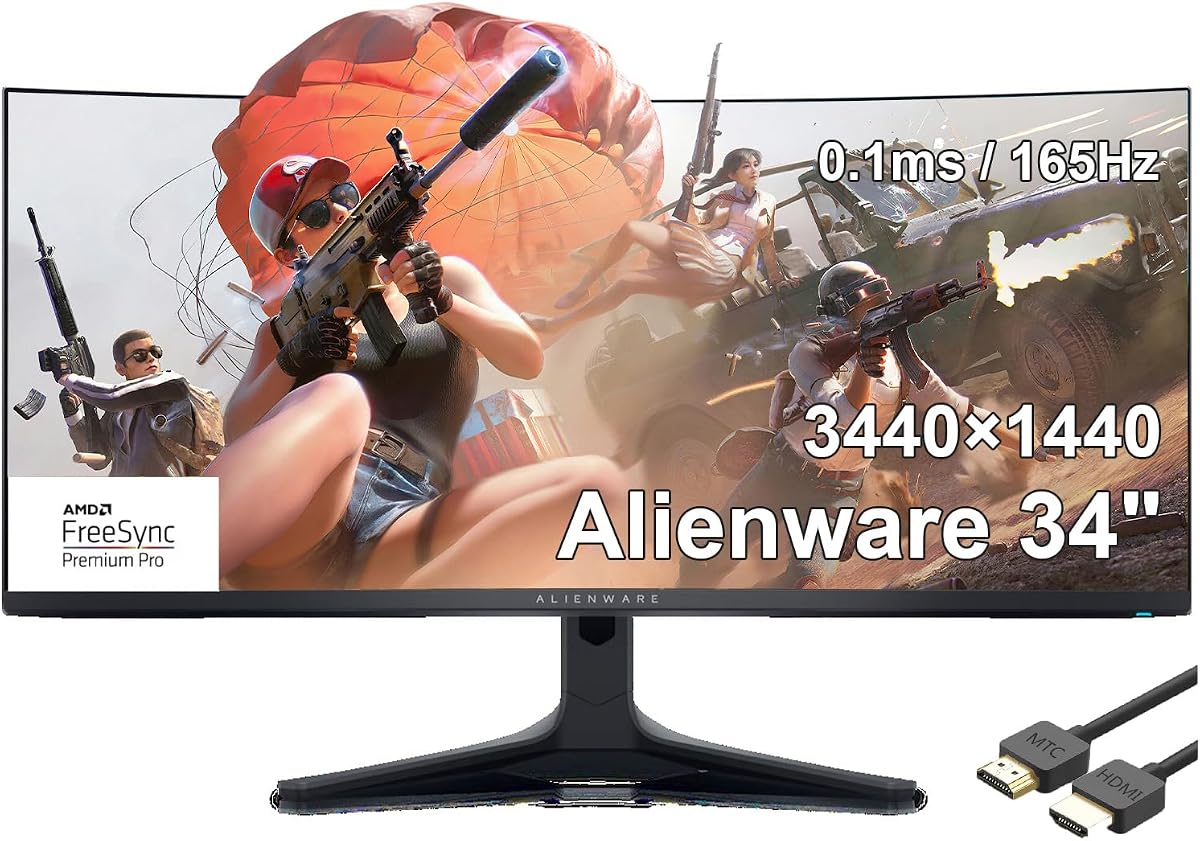
This curved gaming monitor features a QD-OLED panel and 165Hz refresh rate. It supports 1.07 billion colors for vivid immersion in various scenes.
We may earn a commission when you buy through this link, at no additional cost to you.
AMD FreeSync Premium Pro ensures smooth visuals with compatible GPUs. The 0.1ms gray-to-gray response time minimizes motion blur in action.
Trade-offs include a low 1.0 rating indicating potential reliability concerns. Verify system compatibility before finalizing your purchase.
Users prioritizing AMD technology might find this suitable. Check current support details for best experience.
FreeSync Premium Pro provides seamless synchronization for AMD users.
QD-OLED panel supports 1.07 billion colors for depth.
We may earn a commission when you buy through this link, at no additional cost to you.
This computer monitor offers a 3840 x 2160 resolution with QD-OLED tech. It is a solid choice for high-resolution visual fidelity and color depth.
We may earn a commission when you buy through this link, at no additional cost to you.
The 32-inch screen provides ample workspace and immersion for games. Its color depth supports realistic visuals and detailed textures.
Trade-offs include limited refresh rate details in product specs. Power usage may be higher due to OLED technology.
Those prioritizing resolution and color accuracy will appreciate it. Verify refresh specs for competitive gaming needs.
3840 x 2160 pixels deliver crisp and detailed image quality.
This panel type enables vibrant color and deep blacks.
We may earn a commission when you buy through this link, at no additional cost to you.
This bundle includes a USB printer cable and cleaning kit for setup. The monitor features a 27-inch IPS panel with 1.07 billion colors.
We may earn a commission when you buy through this link, at no additional cost to you.
It supports refresh rates up to 280Hz via DisplayPort overclock. Vision overlays allow real-time visual enhancements for dark or clear scenes.
Trade-offs include a 27-inch size instead of ultrawide and lower contrast. These are minor compared to its high-speed capabilities.
Competitive gamers needing high refresh rates will love this. Its perfect 5.0 rating confirms its reliability and performance.
Overclock to 280Hz for lightning-fast competitive gaming.
Night and Clear Vision overlays enhance visibility in games.
We may earn a commission when you buy through this link, at no additional cost to you.
This monitor provides breathtaking realism with a 40-inch WUHD curved display. It holds a 4.5 rating for its next-level immersive viewing experience.
We may earn a commission when you buy through this link, at no additional cost to you.
The 1000R extreme curve wraps around your field of vision. DisplayHDR 600 delivers deeper blacks and brighter whites for clarity.
Trade-offs include its size requiring significant desk space and not being an Alienware brand. It remains a strong alternative for extreme immersion.
Buyers wanting maximum size and curve will find it unmatched. Ensure your desk can accommodate its large footprint.
The 1000R curve provides deep wrapping immersion for visuals.
High brightness and contrast enhance dark scene clarity.
We may earn a commission when you buy through this link, at no additional cost to you.
Choosing the right curved monitor depends on balancing speed, color, and resolution. These factors determine how immersive and responsive your gaming experience will be.
Refresh rate measures how many times per second the screen updates. Higher rates like 240Hz provide smoother motion for competitive gaming.
Prioritize rates above 144Hz if you play fast-paced shooters or racing games.
Panel type affects color accuracy and contrast. OLED panels offer infinite contrast and vivid colors but may have burn-in risks.
Choose OLED for immersive visuals or IPS for longevity depending on your needs.
Resolution determines image clarity. WQHD is the standard for ultrawide monitors offering sharp detail without heavy GPU load.
Ensure your graphics card can support the chosen resolution at high refresh rates.
Curve radius defines how much the screen bends. Lower numbers like 1000R wrap around you more tightly than 1900R.
Select a tighter curve for maximum immersion in single-player or simulation games.
Response time measures how quickly pixels change color. Lower numbers like 0.1ms reduce ghosting in fast movements.
Look for response times below 1ms for the clearest motion in action scenes.
Sync technologies prevent screen tearing by matching GPU output to monitor refresh. FreeSync supports AMD cards while G-SYNC supports NVIDIA.
Check your GPU brand to select the compatible sync option for smooth play.
Color coverage shows how many hues the display can reproduce. Higher percentages of DCI-P3 mean richer and more accurate visuals.
Aim for at least 90% DCI-P3 coverage for professional-grade color quality.
Ergonomic features like height and tilt adjustments help maintain comfort. Long gaming sessions require a setup that reduces strain on your neck.
Ensure the stand supports your preferred viewing position to avoid discomfort.
Connect the monitor using DisplayPort for maximum refresh rate support. Ensure your graphics card drivers are updated to utilize the latest features.
Use the On-Screen Display joystick to adjust brightness and color settings. Calibration tools help achieve accurate colors for gaming and creation.
Keep the screen clean using a microfiber cloth to avoid scratches. Avoid harsh chemicals or direct water contact during cleaning sessions.
The Alienware 34 240Hz QD-OLED offers the fastest refresh rate at 240Hz. This provides ultra-smooth motion essential for competitive titles. It is ideal for players seeking speed advantage.
OLED monitors carry a slight risk of burn-in over time. However, modern monitors include protections like pixel shifting to mitigate this risk. Typical usage patterns rarely cause visible issues.
1500R curves are flatter than 1800R curves. The latter wraps around your field of view more tightly for deeper immersion. Choose based on your preference for curvature.
Most models support both AMD FreeSync and NVIDIA G-SYNC Compatible technologies. Always verify the specific sync protocols for each monitor model. This ensures smooth gameplay across hardware types.
Standard units usually come with DisplayPort or HDMI cables. Some bundles include extra accessories like cleaning kits or extra cables. Check the product listing details for exact contents.
A 175Hz refresh rate provides smooth and responsive visuals for most players. It balances performance and GPU demand effectively for high-end PCs. It is more than adequate for immersive experiences.
We highlighted top models like the 3425DWM and 3425DW for their speed and quality. Each pick addresses different needs from budget to premium OLED immersion.
Prioritize features like refresh rate and panel type based on your games. Your GPU capability and desk space should also guide your final decision.
Remember that prices fluctuate often so check current availability before buying. Verifying deals ensures you get the best value for your investment.