
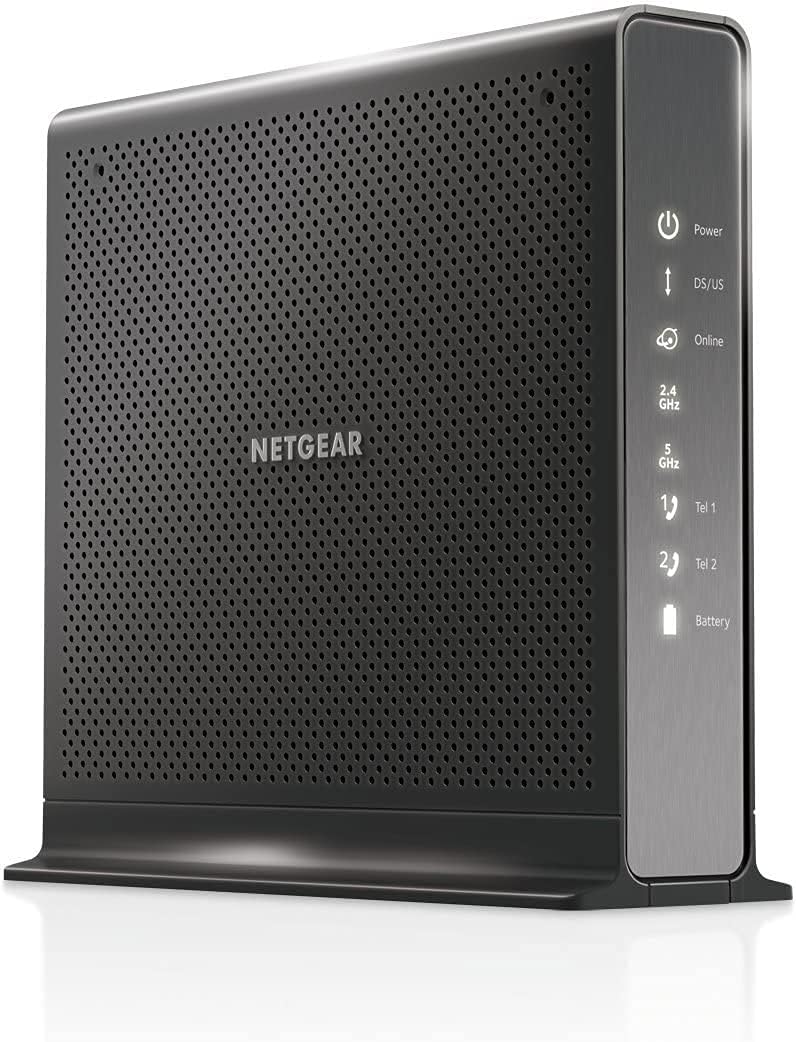
NETGEAR Nighthawk Cable Modem and WiFi 5 Router Combo (C7000)
4.2Editor score
AC1900 WiFi 5 speed
DOCSIS 3.0 standard
USB 2.0 port included
This guide compares the top Cable Modem WiFi Router Combo options for home internet. We evaluate speed, compatibility, and coverage to help you choose.
Finding the right Cable Modem WiFi Router Combo can transform your home internet experience. These devices combine two essential pieces of hardware into one sleek unit. This integration saves space and reduces monthly rental fees significantly. A good combo unit delivers fast speeds and reliable coverage throughout your entire property.
We have carefully evaluated ten top-rated models to help you make an informed decision. Our comparison focuses on technical specifications, provider compatibility, and real-world performance metrics. We considered factors like WiFi generation, DOCSIS standards, and Ethernet port availability. Each product was selected based on its ability to handle modern digital demands.
Each pick in this list highlights specific strengths and ideal use cases for different households. You will find options ranging from budget-friendly choices to high-performance premium units. Please note that product availability and pricing can change rapidly over time. Always verify compatibility with your specific internet service provider before purchasing any device.
4.2Editor score

4.1Editor score

3.9Editor score
This side-by-side comparison allows you to quickly assess the key specifications of each model. We have organized the data to highlight differences in speed capabilities, coverage areas, and connectivity options. Understanding these technical distinctions will help you match a device to your specific bandwidth needs and home layout.





This model represents a robust choice for households seeking reliable high-speed internet. It combines a modern DOCSIS 3.1 modem with a WiFi 6 router in a single unit. The device supports gigabit+ speeds and offers solid coverage for typical home sizes.
We may earn a commission when you buy through this link, at no additional cost to you.
Performance is driven by the AX2700 standard which ensures efficient data handling. Four Gigabit Ethernet ports allow you to hardwire critical devices like gaming consoles. The Nighthawk app provides convenient remote management and network monitoring capabilities.
While it offers excellent performance, users must ensure their provider plans support the speeds. The device is not compatible with DSL or fiber connections. You will also need to activate it with your internet service provider upon receipt.
This unit is ideal for families wanting to eliminate rental fees while upgrading speed. It balances cost and performance effectively for most cable subscribers. We recommend it for anyone needing reliable whole-home coverage.
WiFi 6 provides improved capacity for multiple connected devices. This reduces congestion during peak usage hours significantly.
Verified compatibility ensures smooth setup with Xfinity and Spectrum plans. Always confirm your specific speed tier before purchase.
We may earn a commission when you buy through this link, at no additional cost to you.
This model offers exceptional value for users on a strict budget. It utilizes proven DOCSIS 3.0 technology and WiFi 5 standards. Despite being older tech, it handles everyday streaming and browsing tasks with ease.
We may earn a commission when you buy through this link, at no additional cost to you.
The AC1900 speed rating provides sufficient bandwidth for most households. Four Ethernet ports allow for stable wired connections for key devices. The included USB 2.0 port adds basic storage sharing functionality.
Users should note this model does not support the latest WiFi 6 standards. This may limit performance in environments with many simultaneous connected devices. However, it remains a reliable choice for standard home use cases.
We recommend this device for small to medium homes with modest internet needs. It effectively replaces rental equipment and saves monthly fees. For those prioritizing cost over cutting-edge features, this is a top choice.
This unit delivers reliable speeds without premium pricing. It saves significant monthly rental costs over time.
Guided setup via the app makes installation quick. No technical expertise is required for most users.
We may earn a commission when you buy through this link, at no additional cost to you.
This renewed version offers the same powerful specifications as the new model. It provides a cost-effective way to access high-end networking features. The unit retains full functionality for speed and coverage needs.
We may earn a commission when you buy through this link, at no additional cost to you.
The WiFi 6 technology ensures you can handle multiple streaming streams. Link aggregation supports faster data transfer for advanced users. It covers typical home sizes effectively with stable signal quality.
Buyers should expect standard renewed product condition which may show minor signs. The warranty might differ from a brand new purchase. However performance testing confirms these units meet original performance standards.
This option suits buyers seeking premium features at a reduced cost. It is ideal for those comfortable with certified refurbished electronics. You get top tier performance without paying full retail price.
Certified refurbishment ensures quality without the high price tag. It is a smart move for budget conscious tech buyers.
Link aggregation allows for faster wired transfers. This helps when using high speed file storage drives.
We may earn a commission when you buy through this link, at no additional cost to you.
This model stands out with its USB 3.0 port for storage sharing. It combines modern speed standards with versatile connection options. The device supports a wide range of cable internet plans effectively.
We may earn a commission when you buy through this link, at no additional cost to you.
The USB 3.0 port allows for fast external drive connections. This is useful for creating a home media server. The AX2700 rating ensures smooth performance for all connected devices.
Users must ensure their provider supports DOCSIS 3.1 standards. The device is not designed for DSL or satellite connections. You will need to verify your plan limits before activation.
We recommend this for users needing both high speed and storage access. It balances features and performance well for most homes. The built in security features provide peace of mind.
This port supports fast storage sharing across your network. It enables quick media streaming to other devices.
Built-in firewall helps protect your home network. Armor security trials offer additional layers of safety.
We may earn a commission when you buy through this link, at no additional cost to you.
ARRIS delivers a clean and simple combo unit with this model. It focuses on essential performance with a space-saving design. The LED indicators make status checks quick and easy.
We may earn a commission when you buy through this link, at no additional cost to you.
The AX3000 rating provides solid speeds for daily tasks. It supports plans up to 2.5 Gbps for future upgrades. The compact footprint fits easily in any small office or home.
Users might find the app features less detailed than competitors. Coverage may be slightly less than larger units in big homes. However it offers reliable performance for standard internet needs.
This is a great choice for those who prefer simplicity. It works well in apartments or small houses. We recommend verifying your provider compatibility before purchase.
The small footprint frees up valuable shelf space. It blends into modern home decor easily.
Simple LEDs show power and connection status. No need to log into a dashboard to check.
We may earn a commission when you buy through this link, at no additional cost to you.
This renewed model brings significant savings to buyers today. It offers proven reliability for standard home internet usage. The specs remain relevant for most current broadband plans.
We may earn a commission when you buy through this link, at no additional cost to you.
The AC1900 speed is adequate for streaming 4K video. It handles basic gaming and video calls without lag. The coverage area suits most medium sized homes comfortably.
Being renewed means it has been checked for quality assurance. It is a solid option for those not needing the latest tech. You still get the savings of owning your own hardware.
We suggest this for households with modest bandwidth requirements. It is ideal for secondary homes or basic setups. Check your speed tier to ensure compatibility.
Buying this used or renewed cuts costs significantly. It saves you from ongoing monthly rental fees.
DOCSIS 3.0 is a proven stable standard. It works reliably with most cable internet plans.
We may earn a commission when you buy through this link, at no additional cost to you.
This premium unit delivers top-tier speeds for advanced home networks. It includes a 2.5G port for blazing fast wired connections. The AX6000 rating supports many high speed devices simultaneously.
We may earn a commission when you buy through this link, at no additional cost to you.
Coverage reaches up to 2500 sq ft ensuring full home signal. It handles large families with dozens of connected devices well. The Multi-Gig port is perfect for network storage or PCs.
Investment is higher than standard models. To justify the cost you need a compatible high speed plan. Without a fast plan some features may not be fully utilized.
We recommend this for large homes and power users. It is ideal for professionals needing stable fast connections. This is the best choice for future-proofing your network.
This port supports speeds over standard 1 Gigabit. It maximizes high speed internet plans effectively.
Extended range ensures signal reaches distant rooms. It reduces dead zones in big floor plans.
We may earn a commission when you buy through this link, at no additional cost to you.
This unit is specifically designed for users with voice services. It combines data and phone lines in one device seamlessly. The battery backup helps keep phone lines active during outages.
We may earn a commission when you buy through this link, at no additional cost to you.
Two voice ports allow for two separate phone lines. This suits homes that need dedicated landlines. The AC1900 speed covers standard data needs efficiently.
Users without voice services may not need this specific model. It is more specialized than general combo units. You should check if your provider supports this specific hardware.
We recommend this only for Xfinity Voice plan holders. It simplifies wiring by merging phone and internet. Ensure you need the voice features before buying.
This device handles both data and phone lines. It removes the need for a separate voice modem.
Battery support keeps phones working during outages. This ensures safety communication remains active.
We may earn a commission when you buy through this link, at no additional cost to you.
This entry level model covers basic internet needs well. It supports plans up to 300 Mbps which is good for streaming. The AC1600 speed handles general browsing and video effectively.
We may earn a commission when you buy through this link, at no additional cost to you.
It has two Gigabit ports which is fewer than other units. This limits hardwired devices but works for most users. Setup is straightforward with standard coaxial connections.
It is less powerful than newer DOCSIS 3.1 models. However it remains a stable choice for slower plans. The price reflects its entry level positioning accurately.
We suggest this for small apartments or basic users. It works well where high speed isn't critical. Verify your speed tier to match this device.
This model handles standard internet tasks well. It is perfect for light browsing and streaming.
Minimal ports keep setup easy and clean. It avoids clutter for smaller spaces.
We may earn a commission when you buy through this link, at no additional cost to you.
ARRIS brings decades of connectivity experience to this unit. It handles speeds up to 800 Mbps reliably. The AC2350 rating offers decent performance for most households.
We may earn a commission when you buy through this link, at no additional cost to you.
Four Gigabit ports ensure plenty of wired options. The Central app simplifies monitoring and parental controls. It is robust enough for heavy streaming and gaming.
It does not support the newer DOCSIS 3.1 standard. This limits future speed potential compared to newer models. However it remains a workhorse for current cable plans.
We recommend this for users with medium to fast plans. It offers a balance of features and brand trust. Check compatibility with your provider before buying.
ARRIS has a long history of reliable hardware. It is a trusted choice for connectivity.
The app gives real time device monitoring. It allows easy control over home network.
We may earn a commission when you buy through this link, at no additional cost to you.
Selecting the right combo unit requires understanding your internet needs and home environment. We have outlined key factors to help you make a smart choice.
You must match your device's maximum speed to your internet plan. If your plan is 300 Mbps, a DOCSIS 3.0 modem is sufficient. For 1Gbps or higher, look for DOCSIS 3.1.
Choose a modem rated for your speed tier or higher. This ensures you do not throttle your connection unnecessarily.
DOCSIS 3.1 is the current standard for high speed cable internet. It supports faster download speeds than DOCSIS 3.0. Look for the 3.1 label if you have gigabit plans.
DOCSIS 3.0 remains viable for lower speed plans but lacks future headroom.
WiFi 6 offers better capacity for multiple devices than WiFi 5. If you have many smart devices, choose a WiFi 6 model. This improves performance during peak hours.
WiFi 5 is acceptable for basic needs but may struggle with congestion.
Match the device's coverage rating to your home size. Larger homes need units with higher square footage ratings. Mesh systems might be needed for very large properties.
Consider walls and layout. A higher rated unit provides better penetration.
Check the number of Gigabit ports available for wired connections. Four ports are standard for hardwiring devices like TVs. This reduces wireless congestion effectively.
More ports give you flexibility to connect desktops or consoles.
Not all devices work with every provider. Always check your ISP's approved list before buying. Some models are restricted to specific cable companies.
Verify your plan speed requirements on the provider website.
Look for WPA3 support and built-in firewalls. Some models include security subscriptions like Armor. This adds protection against online threats.
Basic security is essential for protecting your data.
If you use landline phone services, check for voice ports. Not all models support voice. Ensure you need this feature before choosing a voice specific model.
Voice support adds a specific use case for some households.
Connect the coaxial cable from your wall outlet directly to the modem's cable port. Ensure the connection is tight to prevent signal loss. Power on the device and wait for the online light to stabilize.
Use the manufacturer's app or web interface to set your network name and password. Change default credentials to secure your network from unauthorized access. Place the device in a central location for best coverage.
Keep the device cool by leaving space around it for airflow. Avoid direct sunlight or heat sources to prevent overheating. Restart the unit once a month to maintain optimal performance.
No. A combo unit integrates the modem and router functions into one device. This eliminates the need for two separate boxes. It also reduces cable clutter.
Activation is usually done online via the ISP's website or by calling their support line. You will need the MAC address of the device. The ISP will authorize it on their network.
Most combo units are designed for cable internet only. Fiber connections typically require an Optical Network Terminal (ONT). Always verify with your provider before buying.
High quality units can last 5 to 7 years with proper care. Heat and power surges can shorten lifespan. Using a surge protector helps extend the life.
DOCSIS 3.1 is the latest standard for cable internet. It supports faster speeds and better efficiency. It is essential for gigabit speed plans.
Speeds can drop during peak hours due to network congestion. This is common on shared cable lines. Upgrading to a newer DOCSIS standard helps reduce this.
We have reviewed ten distinct options ranging from budget friendly to high performance units. Our top picks balance speed coverage and value effectively for most users. Choose based on your provider and speed tier.
Prioritize compatibility with your ISP and your specific plan speed. Ensure your home size matches the device coverage rating. Future proofing with newer standards like WiFi 6 is wise.
Remember to check current compatibility and pricing before purchasing. Prices fluctuate frequently based on market supply. Verify details with the seller for the latest info.