
Arsvita CD Laser Lens Cleaner Disc Cleaning Set
4.2Editor score
Includes glasses cloth
Two brush process
Compatible with standard players
This guide compares the top rated CD and DVD player cleaner kits to help you restore playback quality and extend the lifespan of your disc devices.
Maintaining your optical disc players requires regular attention to ensure smooth playback and clear audio. Dust and debris often accumulate on laser lenses over time causing skipping or freezing issues during use.
We evaluated ten popular cleaning solutions focusing on effectiveness compatibility and ease of use. Each product was assessed based on user feedback technical features and included accessories to determine overall value.
Every selection below highlights key strengths and limitations to help you find the right tool for your setup. Please note that availability and pricing may vary by region and retailer at any given time.
4.2Editor score

4.2Editor score

4.3Editor score
The following table provides a side by side overview of key specifications and features for each of the ten selected products to help you make an informed decision.





This Arsvita cleaner kit is designed to tackle slow loading and skipping issues in CD VCD and DVD players. With a solid rating it offers a straightforward solution for users seeking to maintain their optical devices without breaking the bank.
We may earn a commission when you buy through this link, at no additional cost to you.
The two brush clean process works to remove dirt and dust deposits that often cause audio and video dropouts during playback. Cleaning the lens helps extend the service life of your player while improving sound and image quality simultaneously.
While effective for standard players it is not compatible with gaming consoles like Xbox or PlayStation which limits its versatility for households with mixed media setups. The lack of fluid or additional accessories keeps costs low but may require separate purchases for thorough cleaning.
This option is ideal for budget conscious users who need a reliable maintenance tool for home entertainment systems. It provides essential cleaning capabilities in a compact set that includes a glasses cloth for added convenience.
Regular cleaning helps prevent wear on the laser lens ensuring your player functions smoothly for longer periods.
Removing debris from the lens restores clear audio and video output reducing distractions during media consumption.
We may earn a commission when you buy through this link, at no additional cost to you.
The ARCD-04 variant adds disc cleaning fluid to the standard set providing a more comprehensive cleaning experience for optical players. It maintains the core benefits of the brand while offering additional resources for maintaining your device.
We may earn a commission when you buy through this link, at no additional cost to you.
Like its siblings it uses a two brush process to target dust and dirt that cause skipping. The inclusion of cleaning fluid allows for a deeper clean which can be particularly useful for heavily used players in dust prone environments.
Support is available around the clock which is a notable advantage for users who encounter issues or need guidance. However the compatibility limitations remain the same as other models in this line excluding most modern gaming consoles.
This kit is well suited for households relying on standard CD or DVD players for music and video. The added fluid and responsive support make it a strong choice for those wanting slightly more than the basic option.
The included fluid helps dissolve stubborn grime on the lens for more thorough maintenance results.
24 hour availability ensures you can get help whenever issues arise with the product or usage.
We may earn a commission when you buy through this link, at no additional cost to you.
The ARCD-02 model sits in the middle of the Arsvita lineup offering a balance between cost and functionality. It includes one bottle of cleaning fluid and maintains the proven two brush technology for effective dust removal.
We may earn a commission when you buy through this link, at no additional cost to you.
Cleaning the laser lens with this disc helps prevent skipping and freezing issues that degrade the viewing experience. It is designed to extend the service life of players while improving sound and image quality at the same time.
Users should note that this product is not compatible with gaming consoles such as Xbox or PlayStation. This restriction limits its utility for multi-purpose entertainment centers where game consoles share space with optical disc players.
For users seeking a mid tier solution with fluid included this model provides decent value. It is best suited for dedicated CD or DVD players that see regular use and require periodic maintenance.
This option balances price and features to offer a practical cleaning solution for everyday users.
The two brush process ensures dirt and dust are removed effectively to restore clear playback.
We may earn a commission when you buy through this link, at no additional cost to you.
Endust is a well known brand for electronics care and this lens cleaner reflects their focus on safety and reliability. It is designed to safely clean the lens of any CD DVD compatible device without causing damage.
We may earn a commission when you buy through this link, at no additional cost to you.
The product is perfect for office desktops school use and home offices where professional and reliable maintenance is key. It effectively removes dust and dirt from disc players ensuring consistent performance in environments where reliability matters.
Users must ensure the device audio is on during use to follow the instructions properly which is a specific requirement for this disc. While effective it focuses purely on lens cleaning and does not include extras like cloths or fluids.
This cleaner is ideal for professional settings or users who prioritize brand reputation and safety. It provides a straightforward solution for maintaining optical drives in environments where equipment longevity and performance are critical.
Designed to clean optical components safely without risking damage to sensitive laser systems.
Tailored for professional and educational environments where consistent equipment function is essential.
We may earn a commission when you buy through this link, at no additional cost to you.
Maxell is a trusted name in media storage and this cleaner leverages their expertise to offer a robust solution for DVD players and select gaming systems. The Thunderon brush system features ultra fine synthetic fibers impregnated with copper for maximum cleaning.
We may earn a commission when you buy through this link, at no additional cost to you.
It is safe for use with Blu Ray players all DVD players computers laptops and older Xbox and PlayStation systems. The product can enhance DVD player quality fixing issues like slow loading skipping and freezing during playback effectively.
Recommendations suggest cleaning the lens after every ten hours of use and replacing the product when the brush shows signs of wear. This maintenance schedule helps ensure optimal performance though it does not cover newer PS3 PS4 or WiiU consoles.
This option is perfect for households with mixed media and gaming needs. The copper impregnated brushes and game system compatibility make it a versatile choice for maintaining older optical drives and consoles alike.
Supports select gaming consoles making it a versatile choice for entertainment systems.
Copper impregnated fibers provide maximum cleaning and demagnetization for better performance.
We may earn a commission when you buy through this link, at no additional cost to you.
The Nicer NS-2 kit offers a comprehensive approach to cleaning optical players with voice guidance to simplify the process. It is designed to help players bring better playback effects when the device has not been cleaned for a long time.
We may earn a commission when you buy through this link, at no additional cost to you.
This kit solves common problems like stuck playback unclear pictures and slow loading by targeting the dirty laser lens. It includes cleaning fluid and a microfiber cloth to provide a complete maintenance solution for your CD VCD or DVD equipment.
Voice guidance and left and right channel testing ensure the user can monitor the cleaning process effectively. The entire process takes about three minutes which is efficient for regular maintenance without requiring technical expertise.
For users who appreciate guided instructions and included accessories this kit is a strong contender. It is best suited for standard optical players and provides peace of mind with six month after-sales service support.
Built in voice commands make the cleaning process simple and easy to follow for all users.
Includes fluid and cloth to handle both lens and disc surface cleaning in one purchase.
We may earn a commission when you buy through this link, at no additional cost to you.
The NS-1 variant from Nicer focuses on speed with a process that takes only one and a half minutes to complete. It shares the voice guidance and support features of the NS-2 model but simplifies the contents for quicker maintenance.
We may earn a commission when you buy through this link, at no additional cost to you.
This kit is designed to improve playback effects when loading is slow or pictures are unclear due to dirt on the lens. It includes a microfiber cloth for cleaning discs alongside the main cleaning disc for added convenience.
While it lacks the cleaning fluid found in the NS-2 version the quick operation makes it ideal for routine checks. The support team is available for six months to assist with any questions or issues that may arise.
This model is best for users who need a fast and easy maintenance solution without extra accessories. It works well for standard players and offers a straightforward way to keep optical devices running smoothly.
The one and a half minute cleaning cycle is perfect for quick maintenance checks.
Six months of service access ensures help is available if you need assistance.
We may earn a commission when you buy through this link, at no additional cost to you.
This pack of twenty wipes from Maxell is designed to restore discs to peak performance by removing dirt dust and fingerprints. It offers a quick and safe way to clean your CDs and DVDs without causing damage to the disc surface.
We may earn a commission when you buy through this link, at no additional cost to you.
These wipes help prevent skipping ensuring a smooth and uninterrupted experience while enjoying your media. The non abrasive material is gentle on discs yet effective at removing smudges that can impact playback quality.
It is important to note these are for disc surfaces and not for the player lens itself. For lens cleaning Maxell recommends using their dedicated lens cleaner product at least once a month for optimal results.
This product is ideal for routine maintenance of your disc library. It is a convenient tool for keeping your media in top condition to ensure they play back smoothly in any compatible player.
Soft non abrasive wipes ensure discs are cleaned without scratches or damage.
Ideal for quick cleaning of media to ensure smooth playback every time.
We may earn a commission when you buy through this link, at no additional cost to you.
Allsop offers this Ultra ProLens Cleaner with an eight brush carbon system designed to remove static build-up effectively. It is intended for DVD and CD drives as well as game players to help prevent skipping issues.
We may earn a commission when you buy through this link, at no additional cost to you.
The carbon system works to remove static which can attract dust and lead to reading errors during playback. This model has been a consistent option for users looking to maintain optical drives with a focus on static reduction.
While specific details on compatibility with newer devices are not extensive it remains a reliable choice for standard drives. The brand has a history of producing optical maintenance tools which adds confidence to this selection.
This cleaner is well suited for users who prioritize static control in their maintenance routine. It provides a dedicated solution for keeping lenses clear and functional in environments where static electricity is common.
Carbon brushes remove static build-up to prevent dust from attracting to the lens.
Designed for a range of devices including drives and players for broad utility.
We may earn a commission when you buy through this link, at no additional cost to you.
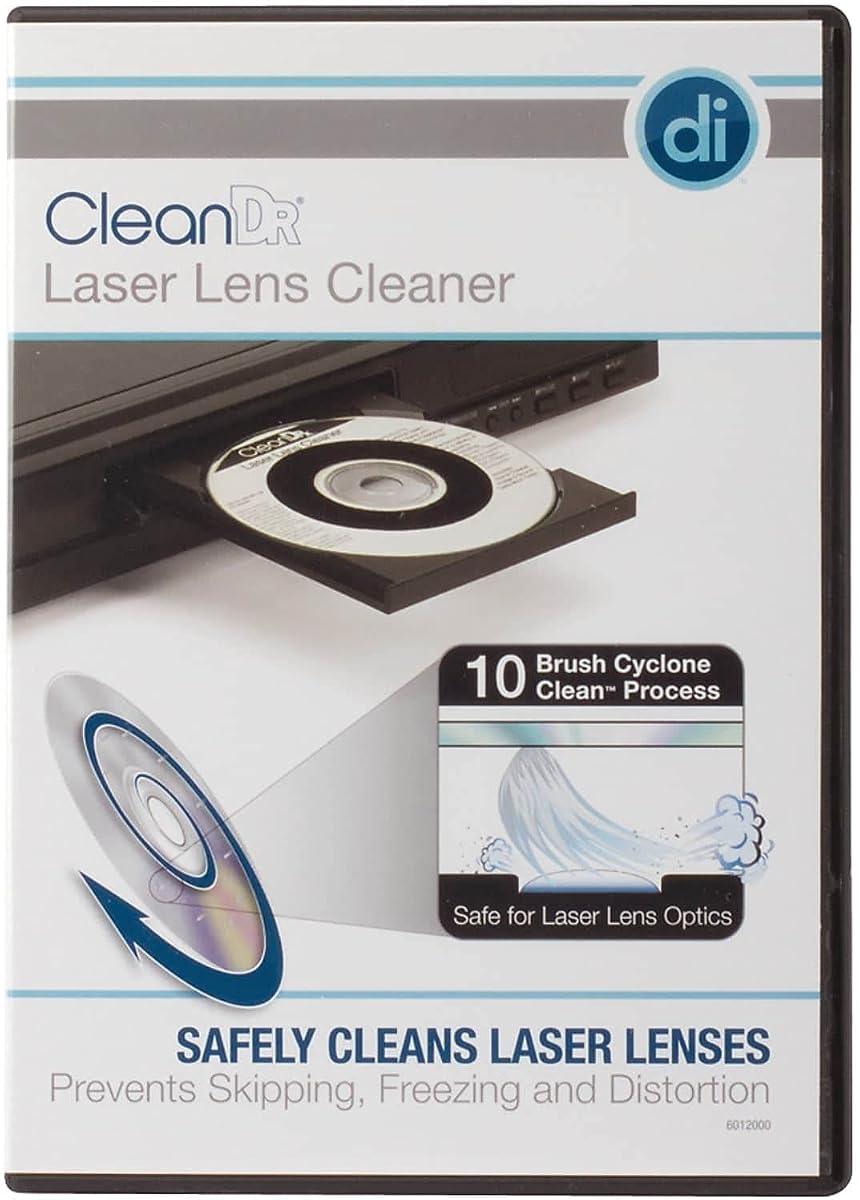
This CleanDr model from Digital Innovations features an exclusive ten brush Cyclone Clean Process that removes dust dirt and debris from the laser lens. It is designed to optimize CDs DVDs and game system performance effectively.
We may earn a commission when you buy through this link, at no additional cost to you.
The three stage process not only cleans but also demagnetizes the lens to ensure optimal performance. It is safe for use with computers Xbox and older PlayStation systems making it a versatile option for mixed setups.
It is not recommended for multi disc players or newer devices like WiiU Xbox One or PS3 PS4. This limitation is important to consider if you have a complex entertainment center with multiple generations of hardware.
This premium option is ideal for users seeking a comprehensive cleaning and demagnetizing solution. It offers advanced features for maintaining optical performance in standard single disc players and computers.
The three stage process demagnetizes the lens to prevent dust attraction and reading errors.
More brushes in the cyclone process ensure thorough removal of dust and debris.
We may earn a commission when you buy through this link, at no additional cost to you.
Selecting the right cleaner depends on your specific device types and maintenance needs. Consider these factors to find a product that offers the best results for your setup.
Always check the product description to ensure it supports your specific player or console. Many cleaners are designed for standard CD DVD players but may not work with modern gaming systems or Blu Ray devices.
Verify compatibility before buying to avoid purchasing a product that cannot be used with your equipment.
Look for cleaners that use soft brushes or specialized materials like carbon or copper to avoid scratching the lens. The number of brushes and the cleaning process design impact how thoroughly debris is removed.
Advanced systems with multiple stages often provide better results by combining cleaning with demagnetization.
Some kits include cleaning fluids cloths or extra discs which can enhance the maintenance process. Accessories help ensure both the lens and the discs are clean for optimal playback performance.
Choose a kit that includes what you need to avoid buying additional items separately later.
User friendly designs with clear instructions or voice guidance make cleaning simpler for everyone. A shorter cleaning time is often preferred for routine maintenance to keep the process hassle free.
Prioritize products with straightforward steps to ensure you maintain your devices regularly.
Trusted brands often provide reliable products with better quality control and customer support. Established names in electronics care may offer more consistent performance and durability.
Research the manufacturer to ensure they have a history of producing effective maintenance tools.
Access to after-sales service can be valuable if you have questions about usage or product issues. Look for products that offer warranty or support periods to protect your investment.
Good support ensures you can resolve any concerns quickly without hassle.
Consider how often you will need to clean your devices to determine the value of different kits. Heavily used players may require more durable cleaners that can be used multiple times effectively.
For occasional use a basic set may suffice while frequent users might prefer comprehensive kits.
While cost is a factor ensure the product offers sufficient features to justify the price. More expensive kits may include useful extras that enhance long term value and convenience.
Balance your budget with the features you need to find the best overall value.
Insert the cleaning disc into the player ensuring the labeled side is facing up or as instructed. Start the playback function and let the disc run through its cleaning cycle without interruption.
Allow the process to finish completely before ejecting the disc to ensure the lens is properly cleaned. Some models require the audio to be on during use so check the specific instructions for your product.
Store the cleaning disc in its protective case when not in use to prevent dust accumulation. Replace the product periodically as recommended to ensure the brushes remain effective for future use.
It is recommended to clean the lens every ten to twenty hours of use or whenever you notice skipping or freezing. Regular maintenance helps prevent issues before they become severe and extends the life of the player.
Some products support older consoles like PS1 PS2 or Xbox360 but most do not work with modern systems. Always check the compatibility list on the product details before purchasing for a console.
Most standard cleaning discs are not designed for Blu Ray players as they have different laser mechanisms. Use a cleaner specifically labeled for Blu Ray compatibility to avoid damage.
Try stopping the player and waiting a moment before attempting to eject it manually. If it remains stuck consult your device manual or seek professional help to avoid internal damage.
Yes if used according to the instructions they are designed to be safe for the laser lens. Avoid using harsh chemicals or abrasive materials that could scratch or damage the sensitive components.
Most kits focus on the player lens though some include microfiber cloths for cleaning disc surfaces. Check the included items to see if they offer both lens and disc cleaning options.
The top picks provide reliable solutions for maintaining optical disc players with different strengths for various needs. Whether you need a budget friendly option or a premium kit with extra features there is a choice available for you.
Prioritize compatibility and ease of use when selecting a cleaner to ensure it works seamlessly with your setup. Investing in regular maintenance keeps your media playing smoothly and protects your investment over time.
Always check current availability and pricing details before purchasing to get the best deal possible. Products may vary slightly by region or retailer so review the latest information for accuracy.