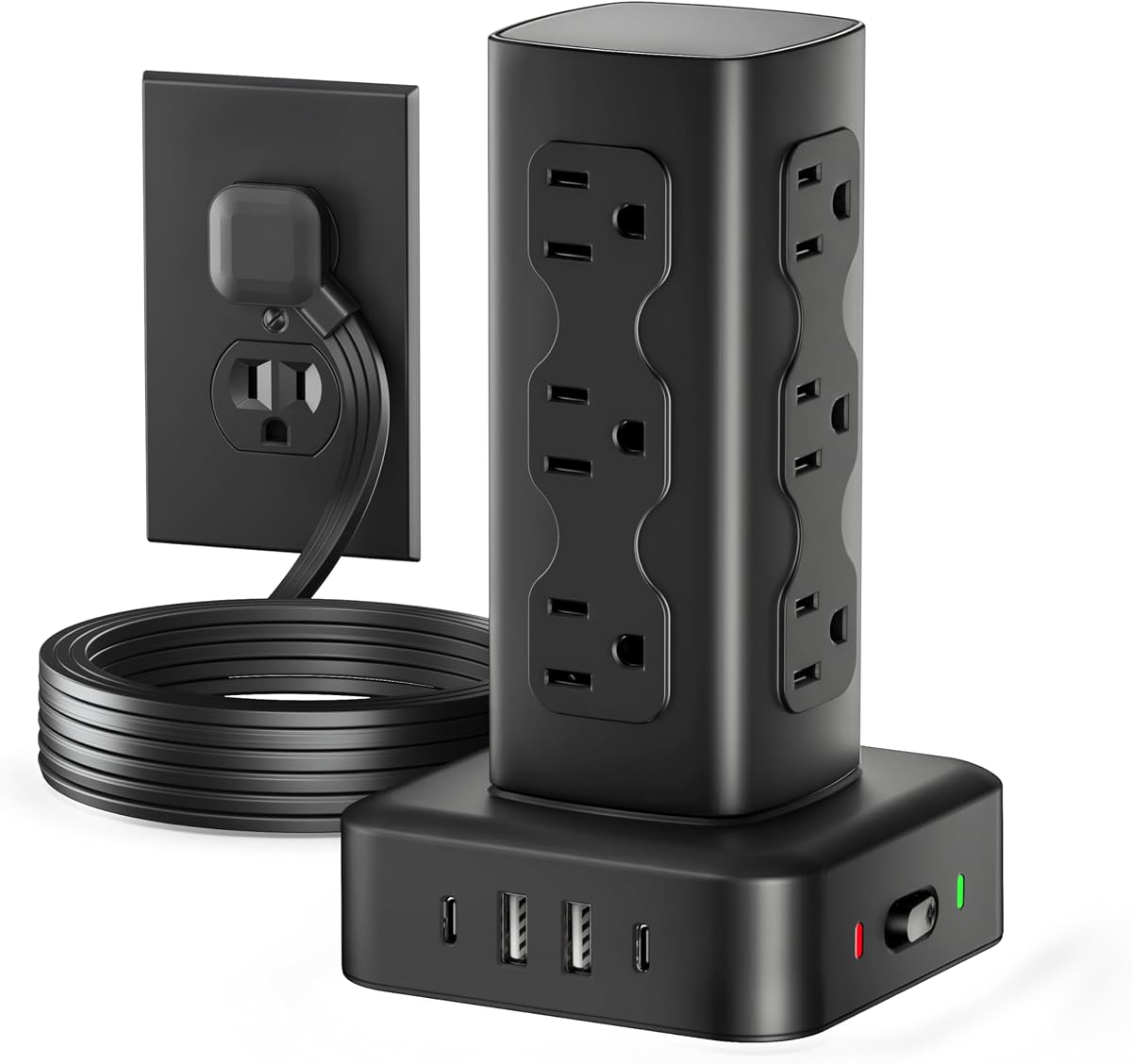
Power Strip Tower with 12 AC Outlets & 4 USB Ports(2 USB C), 6FT Cord
4.7Editor score
12 AC Outlets
4 USB Ports Including 2 USB C
2000 Joule Surge Protection
6 Foot Extension Cord
Ultra Thin Flat Plug Design
This guide compares the top charging tower models for home and office use, evaluating power output, surge protection, port counts, and safety features to help
In modern workspaces, keeping devices powered is essential. A charging tower organizes outlets vertically, saving desk space while providing multiple AC and USB ports for seamless connectivity across all your electronics.
We evaluated ten leading models based on output capacity, build quality, and safety certifications. Each unit was assessed for port variety, cord length, and design efficiency to determine which offers the best value for home or office environments.
Every pick includes detailed specs and real-world performance notes. Prices fluctuate often, so check current listings before buying. This guide ensures you find a reliable power solution that matches your specific device count and space constraints.
4.7Editor score

4.7Editor score

4.7Editor score
The following table provides a side-by-side comparison of all ten selected charging tower models. We highlight key specifications such as outlet count, USB port types, surge protection ratings, and cord length to help you quickly identify the model that fits your specific power requirements.


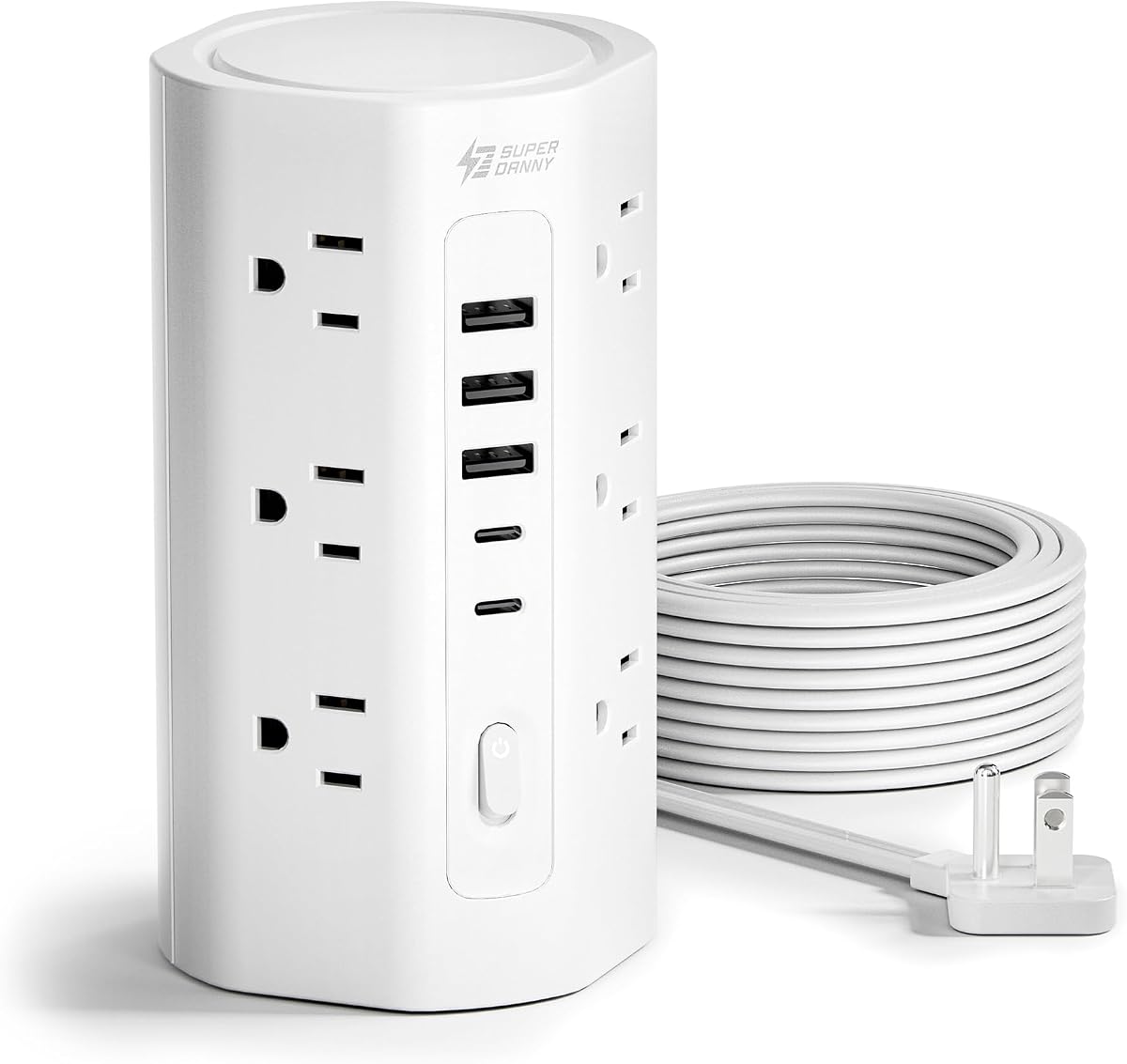
The Power Strip Tower Kakyanill stands out as a top contender in the vertical power strip market. With a 4.5 rating from thousands of users, it delivers reliable performance for dense device setups. Its unique retractable base allows for tidy cord management, making it ideal for offices where space is premium.
We may earn a commission when you buy through this link, at no additional cost to you.
This model offers 17 ports in total, including 9 AC outlets and 8 USB ports. The USB-C and USB-A mix supports fast charging up to 4.8A total. Each outlet is spaced 1.5 inches apart, ensuring bulky adapters do not block adjacent sockets. The flat plug design fits snugly behind furniture, reducing visual clutter significantly.
While highly capable, the unit is heavier than standard strips, which might be a consideration for travel. However, the built-in circuit breaker and fire-resistant shell provide industrial-grade safety that justifies the weight. It handles high-wattage appliances like mini-fridges without tripping, making it versatile for various environments.
Choose this tower if you need maximum connectivity in a compact footprint. It balances power density with safety features effectively. The retractable cord is a standout feature that few competitors offer. For home offices or dorms needing to charge laptops, phones, and peripherals simultaneously, this model is a robust investment.
The rotating base lets you extend the 6-foot cord when needed and retract it when not in use. This eliminates tangled wires and keeps your workspace clean without needing extra cable management tools.
Equipped with 1875W overload protection and a fire-resistant ABS shell rated for 1382F, this tower prioritizes safety. Individual outlet switches allow you to cut power to specific devices instantly, preventing overheating risks.
We may earn a commission when you buy through this link, at no additional cost to you.
The Power Strip Tower with 12 AC outlets offers exceptional value for budget-conscious buyers. It scores a 4.7 rating thanks to its reliable performance and robust safety features. This tower is perfect for students or small offices that need to power multiple devices without breaking the bank.
We may earn a commission when you buy through this link, at no additional cost to you.
It provides 12 AC outlets, which is more than many competitors at this price. The 2000-joule surge protection exceeds standard requirements, offering peace of mind against voltage spikes. The flat plug ensures it fits behind tight spaces, and the 6-foot cord gives decent reach for most setups.
While the USB ports are present, they lack the high-speed PD charging found on premium models. This might limit rapid charging for newer phones. However, the core function of powering devices is solid. The build quality feels durable despite the lower cost.
This tower is the best choice for those prioritizing outlet count over speed. It handles standard peripherals, lamps, and chargers with ease. The surge protection is a key selling point for protecting expensive electronics. If you need to plug in many items cheaply, this is a logical pick.
Priced lower than most full-featured towers, this model does not compromise on core safety. You get 12 outlets and 2000J surge protection for a fraction of the cost of high-end alternatives.
The built-in overload system cuts power if the load exceeds limits. This prevents fire hazards and keeps your connected devices safe from damage due to excessive current draw.
We may earn a commission when you buy through this link, at no additional cost to you.
JACKYLED tower is known for its retractable cord feature, which solves the messy wire problem effectively. It holds a 4.7 rating from satisfied users who appreciate the convenience. The 6.5-foot cord can be rolled up by rotating the base, keeping your desk surface clean and safe from tripping.
We may earn a commission when you buy through this link, at no additional cost to you.
This model includes 12 AC outlets and 6 USB ports, with smart charging technology detecting device needs. Each layer has an independent switch, allowing you to control power to specific devices without unplugging them. The 1050-joule surge protection is standard for this category, providing basic safety.
The plug is slightly bulky, which might limit placement in tight spots. Also, the surge protection is lower than the 2000J models. However, the independent switches add a layer of control that saves energy. It is ideal for setups where you often toggle power to different zones.
Choose this if cord management is your primary concern. The retractable base is a unique feature that sets it apart. It balances outlet count and usability well. For home use where you want to turn off lights or fans without touching the main switch, this is a convenient solution.
Each layer has its own switch, so you can turn off power to specific devices. This saves electricity and makes it easy to manage your devices without reaching for plugs.
The base rotates to extend or retract the cord, eliminating tangles. This keeps your floor safe from tripping and makes storage easier when you need to move the tower.
We may earn a commission when you buy through this link, at no additional cost to you.
The Kakyanill 115W model focuses on fast USB charging capabilities. It supports up to 115W across multiple ports, including 65W PD for laptops. This makes it excellent for charging phones and computers quickly without separate brick adapters. It features a retractable cord for neat organization.
We may earn a commission when you buy through this link, at no additional cost to you.
With 9 AC outlets and 8 USB ports, it offers a high density of ports. The anti-slip rubber feet keep it stable on desks. However, the AC count is lower than some competitors. The 115W total power is split among ports, so not all can run at max simultaneously.
The body is robust to handle the heat from fast charging. It is heavier than standard strips, which aids stability but makes moving it harder. Safety features include reset/off switches and overload protection. It is great for power users who need quick charging speeds.
Select this if speed is critical for your workflow. The PD ports eliminate the need for laptop bricks. It organizes cables well with the retractable base. For offices with many laptops and phones, this tower ensures everyone gets charged quickly without clutter.
With up to 65W PD per port, you can charge laptops efficiently. This reduces the need for multiple wall chargers and keeps your desk organized while powering up devices.
Anti-slip rubber feet prevent sliding on smooth surfaces. This stability is crucial when plugging and unplugging heavy adapters or when multiple devices are connected.
We may earn a commission when you buy through this link, at no additional cost to you.
The TenTrend tower leads in total USB charging power with 230W output. It features color-coded ports to indicate charging speeds. This tower is designed for heavy charging needs, supporting laptops and tablets at high speeds. The slim design saves space while delivering high wattage.
We may earn a commission when you buy through this link, at no additional cost to you.
It has 6 AC outlets and 8 USB ports. The compact 3-inch width ensures it fits easily on narrow shelves. Safety is maintained with overcurrent and overheat protection. However, the cord length is only 5 feet, which might limit placement options compared to 6 or 10-foot models.
The build quality is robust to handle the heat. While the AC count is lower, the USB capability is superior. It is ideal for environments where USB devices dominate. If you have many phones and tablets, this model ensures they charge quickly without lag.
Pick this for high-speed charging requirements. It simplifies power needs by replacing multiple bricks. The compact size helps save desk space. For power users who need fast charging for multiple devices, this tower offers unmatched USB performance.
Ports are color coded to show speed, helping you plug in devices correctly. Orange ports support higher wattages for laptops, while green supports standard charging for phones.
With a width of just 3 inches, this tower fits into tight spots. It saves desk space without sacrificing power output, making it perfect for smaller workstations.
We may earn a commission when you buy through this link, at no additional cost to you.
This TenTrend model is distinct for its 10-foot extension cord. It allows placement in large rooms without needing an extra adapter. The flat plug is ultra-thin at 0.27 inches, ensuring it does not protrude from the wall. It is ideal for setups where the outlet is far away.
We may earn a commission when you buy through this link, at no additional cost to you.
It offers 12 AC outlets and 8 USB ports, providing good port density. However, the USB power is limited to 40W total. The fire-resistant ABS PC material adds safety for high-heat environments. It is lightweight and portable, making it easy to move between rooms.
The short cord limits its use in large spaces. The USB power is lower than other fast-charging models. But the length is its main selling point. For living rooms or bedrooms where the outlet is on the other side, this tower reaches further than standard options.
Choose this for long-distance reach. It handles standard devices well without needing extra extension cords. The thin plug keeps it out of sight. If you need to place a tower far from the wall, this is the most practical solution for cable management.
The 10-foot cord lets you position the tower anywhere in the room. This eliminates the need for separate extension cords and keeps your workspace clutter-free.
With a plug thickness of just 0.27 inches, it sits flush against the wall. This prevents blocking adjacent outlets and reduces visual clutter in tight spaces.
We may earn a commission when you buy through this link, at no additional cost to you.
Anker is a top brand for charging accessories. This desktop charger delivers 100W on USB C ports, ideal for powering laptops directly. It features 3 AC outlets and 6 USB ports. It is designed to sit safely on a desk without tipping over, with a robust safety system.
We may earn a commission when you buy through this link, at no additional cost to you.
The 100W USB C supports high-speed charging for professional gear. The compact design saves space on desks. It is heavier to prevent sliding. The 300J surge protection is standard for premium gear. Safety is ensured with 8 points of protection against electrical faults.
The AC count is lower than tower models. This is more for desktops than floor use. However, the quality is top-notch. It handles high-power devices safely. For office desks, the stability and speed are worth the premium price.
Select this for high-end laptops and devices. The 100W output replaces multiple chargers. It fits perfectly on a desktop. If you need reliable power for professional equipment, this model offers the best build quality and charging speed.
This output supports fast charging for laptops and large tablets. You can leave your heavy adapter at home, using only this tower for all your power needs.
Weighted design prevents tipping when you plug in devices. This stability is essential for desktop use where accidental bumps happen.
We may earn a commission when you buy through this link, at no additional cost to you.
This tower offers 10 feet of cord length combined with PD charging. It supports fast charging for phones and tablets. It is ideal for large rooms. The weighted base keeps it steady on desks. The 1800J surge protection is strong.
We may earn a commission when you buy through this link, at no additional cost to you.
It has 12 AC outlets and 5 USB ports. The cord is flat to avoid tripping hazards. However, the PD is only 20W. The weight makes it less portable. For large spaces, the reach is a key benefit.
The price is higher for the extra cord. The 20W PD is limited compared to 65W models. But for general use, it is sufficient. It handles most devices well. The safety features are reliable.
Choose this if you need reach and some PD. It works well in large offices. The flat cord reduces clutter. If you have long distances between outlets, this tower bridges the gap effectively.
The 10-foot cord reaches across rooms. It is flat to prevent tripping and runs neatly along baseboards.
A non-slip base keeps the tower upright. This prevents tipping when you plug in heavy items.
We may earn a commission when you buy through this link, at no additional cost to you.
This tower has a mini vertical design. It saves space while providing 12 AC outlets. It fits in tight areas. The flat plug works well behind furniture. It is great for small desks.
We may earn a commission when you buy through this link, at no additional cost to you.
It has 4 USB ports. The surge protection is 1800J. It uses flat cord to reduce clutter. The height is low. It is ideal for nightstands. The rubber feet keep it stable.
The USB ports are standard speed. The cord is 6 feet. It balances power and size well. It is durable and reliable. Safety features protect devices.
Choose this for small spaces. It handles high device counts. If you need outlets but no space, this is a top pick.
Takes less space than flat strips. Perfect for small desks.
Allows bulky plugs without blocking neighbors.
We may earn a commission when you buy through this link, at no additional cost to you.
This tower offers a 10-foot cord for reach. It has 12 AC outlets. The casing is fire-retardant. It comes with a 3-year maintenance plan. The flat plug fits behind furniture.
We may earn a commission when you buy through this link, at no additional cost to you.
It has 5 USB ports. The surge protection is 1700J. It is heavy to stay stable. The cord is flat to prevent tripping. It is durable for long-term use.
The price is higher. The USB count is lower. But the cord length and warranty are great. It is ideal for large rooms. It keeps devices safe.
Choose this for long distances. It has a strong safety rating. The warranty adds value. For offices with long cords, this model is ideal.
The 10-foot cord reaches distant walls without extra plugs.
Provides peace of mind with long-term support and protection.
We may earn a commission when you buy through this link, at no additional cost to you.
Selecting the right charging tower requires balancing outlet counts with power needs. This guide explains key factors to ensure you get a safe and efficient power hub.
Always check the total wattage rating. High-wattage devices like printers need 1500W or more. If the tower cannot handle the load, it may overheat. Ensure the rating matches your device needs.
Check the total wattage rating. Ensure it handles all devices without overloading.
Outlets should be spaced at least 1.5 inches apart. Bulky adapters block neighbors if spaced too closely. Wide spacing allows multiple plugs to fit. This ensures efficient use of every socket.
Outlets should be spaced at least 1.5 inches apart. This prevents blocking adjacent sockets.
Check for USB-C ports for faster charging. USB-A ports are standard but slower. Some towers offer 60W USB-C to charge laptops. Ensure the ports match your phone or tablet needs.
Check for USB-C ports for faster charging. USB-A ports are standard but slower.
Look for at least 1000 joules of surge protection. Higher ratings protect electronics better. This guards against power spikes during storms. It is a critical safety feature for expensive gear.
Look for at least 1000 joules of surge protection. This guards against power spikes.
Choose a cord length that fits your room. 6 feet is standard for most. 10 feet helps in larger spaces. Flat cords prevent tripping hazards on floors. This ensures safe placement.
Choose a cord length that fits your room. Flat cords prevent tripping hazards.
Look for ABS+PC fire-resistant material. This prevents overheating risks. A heavy base keeps the tower stable. Do not choose lightweight plastic that tips easily.
Look for ABS+PC fire-resistant material. This prevents overheating risks.
Ensure overload and overheat protection. Reset switches help in emergencies. UL certification adds trust. These features keep your home safe.
Ensure overload and overheat protection. Reset switches help in emergencies.
Switches allow per-device power control. This saves energy when unused. It is a smart feature for offices. Consider this if you want to turn off devices easily.
Switches allow per-device power control. This saves energy when unused.
Place the tower on a stable surface. Ensure the plug is accessible. Do not use on rugs to avoid overheating. This keeps the tower safe and functional.
Plug in devices evenly. Do not exceed the rated load. If lights flicker, remove items. This prevents fire risks and keeps the tower working.
Clean dust regularly. Use a dry cloth. Check cables for fraying. Proper care extends the life of the tower and protects your devices.
Yes, but check the wattage rating. Most towers handle up to 1875W. Avoid high-power heating devices. Always ensure the total load does not exceed limits.
A flat plug fits flush against walls. This saves space behind furniture. It prevents blocking other outlets. It also makes the unit look cleaner and sleek.
Most do. Some offer USB-C PD fast charging. This allows faster charge for phones. Always check the wattage to confirm speed.
Yes, for neatness. They reduce wire clutter. They extend when needed and retract otherwise. This keeps desks clean and safe from trips.
Yes, especially in areas with unstable power. It protects sensitive electronics. It prevents damage from voltage spikes. It is a standard feature for safety.
Count your devices. Ensure enough outlets. Check cord length for reach. Measure the space. The right fit prevents clutter and ensures safety.
The top picks include models with retractable cords and high wattage. They offer safety and efficiency for all users. The Kakyanill models lead in overall performance.
Prioritize safety features like surge protection. Ensure outlet spacing matches your needs. These factors determine usability and device safety in your workspace.
Prices change frequently so check current listings before buying. Verify specs match your requirements. This ensures you get the best value for your money.