
HP 14" HD Chromebook Laptop
4.4Editor score
Intel Quad-Core N4120 Processor
14 Hours Battery Life
64GB eMMC Storage
Finding a reliable laptop on a tight budget can be challenging, but cheap Chromebook options offer excellent value for everyday tasks. These devices provide fast boot times, secure operating systems, and long battery life without breaking the bank for students or professionals.
We compared ten top models based on processor speed, memory capacity, display quality, and port selection. Each product was evaluated for real-world usability, ensuring you get a device that handles multitasking and media streaming smoothly within your budget constraints.
Every pick in this list highlights specific strengths like touchscreen capability or expanded storage. Note that prices change frequently, so check current listings before purchasing to ensure you get the best deal available for your specific needs today.
4.4Editor score

4.2Editor score
4.4Editor score
As an Amazon Associate we earn from qualifying purchases.
This side-by-side comparison breaks down the key specifications of all ten models to help you decide which device fits your workflow and budget requirements most effectively.




The HP 14" HD Chromebook Laptop stands out as a top contender for budget-conscious buyers needing reliable daily performance. With a 4.4 rating from verified users, it delivers consistent speed for web browsing and document editing without overheating issues.
We may earn a commission when you buy through this link, at no additional cost to you.
Its Intel Celeron N4120 processor provides four cores and threads that handle multitasking smoothly even when many browser tabs are open. The 14-inch HD display offers a clear view for media consumption while the anti-glare coating reduces eye strain during long study sessions.
While the 64GB eMMC storage is limited compared to traditional hard drives, it boots quickly and supports cloud storage effectively. The battery life of up to 14 hours ensures you can work through a full day of classes or meetings without needing a charger nearby.
This model is ideal for students and home users who prioritize portability and endurance over heavy graphical tasks. Its inclusion of USB-A and USB-C ports adds versatility for connecting peripherals like printers or external drives easily.
The quad-core architecture ensures smooth application switching without lag or freezing during critical work moments.
Enjoy up to 14 hours of mixed usage so you can travel without carrying a heavy power adapter.
We may earn a commission when you buy through this link, at no additional cost to you.
The HP Chromebook 14 Laptop is designed for users who value portability without sacrificing daily productivity. It boasts a thin and lightweight design that fits easily into backpacks for students or commuters who need mobility on the go.
We may earn a commission when you buy through this link, at no additional cost to you.
Its Intel Celeron N4120 processor supports 4K content streaming smoothly thanks to Intel UHD Graphics 600. This makes it suitable for entertainment needs as well as work assignments requiring high-definition video playback capabilities.
Battery life reaches up to 14 hours with HP Fast Charge technology that gets you from 0 to 50% in about 45 minutes. This rapid charging capability ensures you are never stuck waiting for power during urgent moments in your schedule.
We recommend this laptop for travelers and students who need a reliable device that can last through long days. The ENERGY STAR certification also appeals to environmentally conscious buyers looking for efficient power consumption.
The thin profile makes it easy to carry between rooms or on trips without adding bulk to your bag.
4K ready graphics allow you to watch high-quality streams with smooth playback and clear details.
We may earn a commission when you buy through this link, at no additional cost to you.
The Dell Chromebook 11 offers a versatile 2 in 1 design with a touchscreen that adapts to your preferred usage style. This flexibility is perfect for users who want to switch between laptop mode and tablet mode for note-taking or reading.
We may earn a commission when you buy through this link, at no additional cost to you.
Its Intel Celeron N4020 dual-core processor handles basic web tasks and document editing efficiently for everyday use. The 11.6-inch HD display provides a compact viewing area that is easy to manage in small spaces or on the move.
While the 32GB flash memory is on the lower side, the device includes USB Type-C connectivity for modern peripherals. As a renewed model, it offers a budget-friendly entry point into the Chromebook ecosystem without compromising essential features.
This model is best suited for light users or children who need a durable and interactive device for education. The touchscreen adds an extra layer of engagement that can make learning activities more intuitive and enjoyable.
The 2 in 1 design allows you to flip the screen for tablet use during creative or reading tasks.
USB Type-C ensures you can connect to newer displays and accessories without extra adapters.
We may earn a commission when you buy through this link, at no additional cost to you.
The Lenovo Flagship Chromebook combines a beautiful Full HD touchscreen with a powerful MediaTek Kompanio 520 processor for a premium feel at a competitive price. The 1920 x 1080 resolution ensures sharp text and vibrant colors for media and documents alike.
We may earn a commission when you buy through this link, at no additional cost to you.
Its octa-core architecture delivers class-leading performance that keeps up with modern web apps and video calls seamlessly. The integrated privacy shutter on the webcam adds an essential layer of security for remote work or online learning environments.
With WiFi 6 connectivity, this device offers faster and more reliable wireless performance than older standards. The slim and lightweight design makes it easy to carry around while the Abyss Blue finish adds a touch of style to the professional look.
We recommend this Chromebook for professionals and students who need a responsive device with high-quality visuals. The combination of performance and display clarity makes it a standout option for those who value screen real estate.
The FHD touchscreen provides crisp clarity that reduces eye strain during long reading or typing sessions.
The physical privacy shutter allows you to block the camera lens when not in use for peace of mind.
We may earn a commission when you buy through this link, at no additional cost to you.
The Acer Chromebook 2023 brings a large 15.6-inch HD display to the budget category, offering more workspace for multitasking. The anti-glare coating ensures comfortable viewing even in bright environments like classrooms or outdoor cafes.
We may earn a commission when you buy through this link, at no additional cost to you.
Its dual-core Intel Celeron N4020 processor supports everyday tasks with efficiency while the 4GB RAM handles multiple browser tabs smoothly. The inclusion of a 5-in-1 value bundle with wireless earbuds and accessories adds significant value to the purchase price.
This model is ideal for users who want a bigger screen for spreadsheets or media without paying premium prices. The long battery life ensures you can work through extended sessions without interruption from power outlets.
We suggest this Chromebook for home users or students who need a larger visual area for productivity. The additional accessories make it a ready-to-use solution right out of the box for immediate daily tasks.
The 15.6 inch display offers more room to view documents side by side or use split screen effectively.
Included items like wireless earbuds save you the cost of buying extras separately for your setup.
We may earn a commission when you buy through this link, at no additional cost to you.
The ASUS 2026 15" FHD Chromebook provides ample 128GB storage which is rare in budget models and reduces the need for external drives. The IPS display ensures wide viewing angles and consistent colors for any user sitting at the laptop.
We may earn a commission when you buy through this link, at no additional cost to you.
With an Intel Processor capable of speeds up to 2.80GHz, it handles daily workflows with responsiveness. The 15-inch screen offers a comfortable size for media consumption while the HDMI port allows easy connection to external monitors for presentations.
As a renewed model, it delivers high performance at a lower cost with rigorous testing before sale. This makes it an excellent choice for buyers who want more storage without spending on a premium brand new device.
We recommend this Chromebook for users who need space for local files or media libraries. The combination of screen size and storage capacity makes it a practical workstation for school or light office tasks.
128GB of storage lets you keep more photos and documents offline without relying solely on cloud services.
IPS technology ensures colors remain accurate even when viewed from the side during group work sessions.
We may earn a commission when you buy through this link, at no additional cost to you.
The HP Chromebook 14-inch is a reliable pick for those who prioritize endurance above all else in their daily workflow. With up to 13 hours and 30 minutes of mixed usage battery life, you can work unplugged through most of your day.
We may earn a commission when you buy through this link, at no additional cost to you.
Its dual-core Intel Celeron N4000 processor keeps basic tasks running smoothly while the B&O tuned speakers enhance audio quality for calls and media. The ceramic white design offers a clean aesthetic that fits well in professional or school environments.
While the 32GB storage is limited, the fast charge technology ensures you can quickly top up power when needed. The sleek design supports comfortable typing and navigation thanks to the responsive multi-touch touchpad that supports four-finger gestures.
We suggest this model for travelers and students who need a device that lasts through long transit or class hours. The audio quality is a standout feature that sets it apart from other budget options in the same category.
With up to 13.5 hours of battery you can attend multiple lectures or meetings without searching for an outlet.
Speakers tuned by B&O provide richer sound for video calls and entertainment without external headphones.
We may earn a commission when you buy through this link, at no additional cost to you.
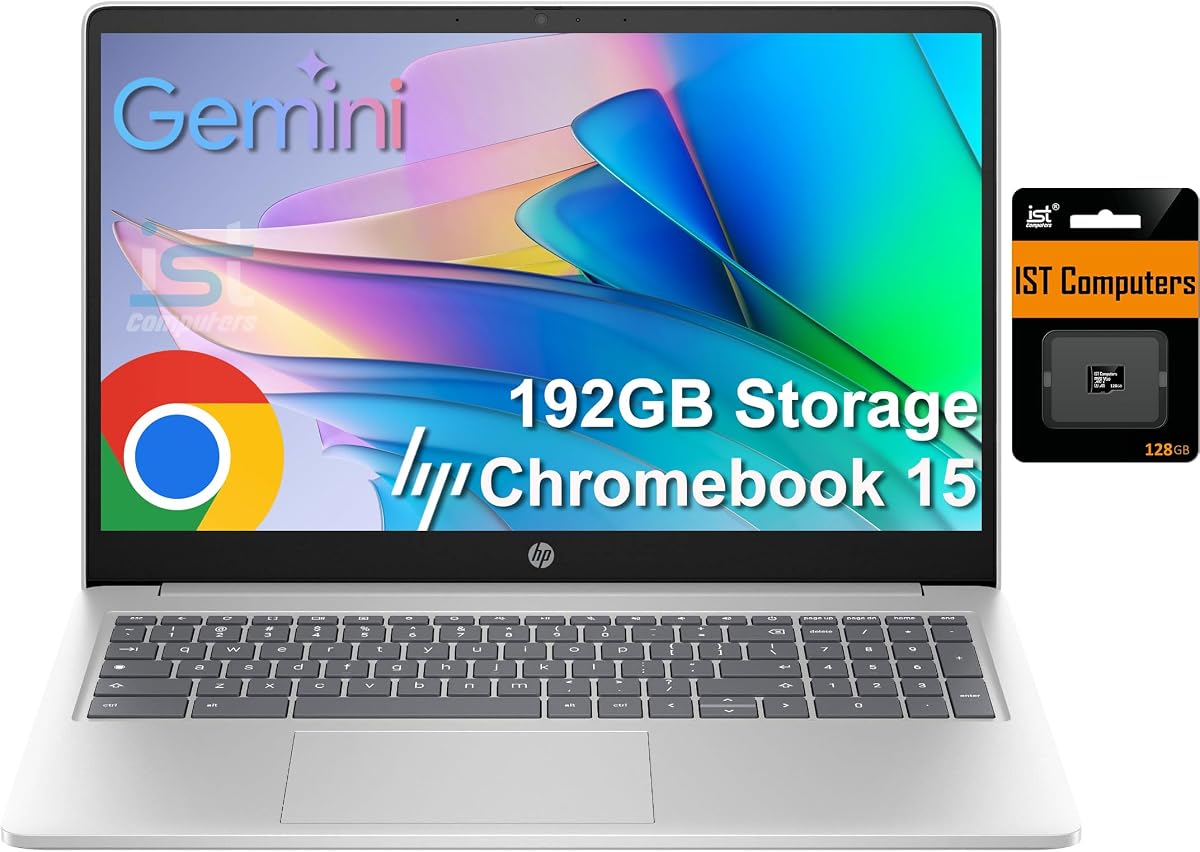
The HP Chromebook 15 stands out as a premium option within the budget category due to its 8GB DDR5 RAM and 192GB storage capacity. These specifications allow for smoother multitasking and more space for local files compared to standard entry-level models.
We may earn a commission when you buy through this link, at no additional cost to you.
Powered by an Intel N200 processor with 4 cores, it delivers superior efficiency and speed for daily work and education needs. The numeric keypad is a rare feature in this class that aids users who frequently input data or work with spreadsheets.
While the screen is HD rather than FHD, the connectivity options include Type-C with displayPort support to connect external 4K monitors. This makes it a versatile hub for home offices where external displays are preferred for productivity.
We recommend this Chromebook for professionals and students who need extra power without leaving the Chrome ecosystem. The availability of an extended warranty adds peace of mind for those relying on the device for critical tasks.
8GB DDR5 RAM ensures smooth operation even when running heavy applications with multiple browser tabs open.
Type-C displayPort support lets you connect to 4K monitors for an expanded workspace at home or office.
We may earn a commission when you buy through this link, at no additional cost to you.
The Acer 2026 15" FHD Chromebook brings modern WiFi 6 technology and DDR5 RAM to a renewed device that fits tight budgets. The 15-inch FHD IPS display offers excellent visual quality that is crisp and clear for various viewing angles.
We may earn a commission when you buy through this link, at no additional cost to you.
Its Intel Celeron Processor supports speeds up to 2.78GHz ensuring snappy performance for web browsing and video streaming. The renewal process ensures the device is tested for functionality while providing cost savings over buying brand new directly.
The 4GB DDR5 RAM is a significant upgrade over older DDR4 models offering better efficiency and speed for daily tasks. This model is particularly useful for environments with many connected devices where WiFi 6 reduces congestion significantly.
We suggest this Chromebook for tech-savvy users who want modern connectivity standards at a reduced price. The combination of display quality and wireless performance makes it a strong contender for home office or remote learning.
WiFi 6 ensures faster wireless speeds and better connection stability even when many devices are online at once.
DDR5 RAM provides improved efficiency which helps the system manage background apps and updates more effectively.
We may earn a commission when you buy through this link, at no additional cost to you.
The Lenovo 100E Chromebook represents the most affordable option on this list making it accessible for tight budgets. Despite its low price it still offers essential features like 4GB RAM and an 11.6 inch HD display for basic tasks.
We may earn a commission when you buy through this link, at no additional cost to you.
Its MediaTek MT8173C processor handles light browsing and document editing effectively for casual users or young students. The compact size makes it easy to store in small spaces or carry in a small backpack without adding much weight.
While the 16GB storage is very limited it works well when paired with cloud storage for documents and media. As a renewed model it provides a tested and functional device at a fraction of the cost of new hardware.
We recommend this Chromebook for users who need a spare device or a simple tool for basic web access. Its affordability and compactness make it an ideal choice for secondary household use or emergency backups.
The ultra-low price makes it possible for more families to access a laptop for basic school tasks.
The small 11.6 inch design takes up minimal desk space and fits easily in small bags for travel.
We may earn a commission when you buy through this link, at no additional cost to you.
Selecting the right cheap Chromebook requires balancing performance needs with your budget limits and daily usage patterns.
The processor is the brain of your Chromebook and determines how fast it can run apps and handle multitasking. For basic tasks like browsing and document editing, entry-level dual-core or quad-core processors such as Intel N4020 or N4120 are sufficient. If you need more power for heavier web apps or longer usage sessions look for models with 4-core processors that offer better efficiency.
Look for at least a quad-core processor to ensure smooth performance when many browser tabs are open.
Most cheap Chromebooks come with 4GB of RAM which is adequate for standard use but limited for heavy multitasking. Storage is typically handled via eMMC flash memory ranging from 32GB to 128GB depending on the model. Since Chrome OS relies heavily on cloud storage, local storage capacity is less critical than on traditional laptops but still impacts how many apps and files you can keep offline.
Prioritize models with at least 64GB storage if you need offline access to files and media.
Screen resolution varies between HD and Full HD options with FHD providing sharper text and better media quality. A larger 15-inch screen offers more workspace for spreadsheets but adds weight while 14-inch or 11-inch models are more portable. Consider if you need a touchscreen which allows for intuitive navigation and gesture control in specific applications.
Choose an FHD display if you prioritize sharp visuals for media consumption or reading.
Battery life on Chromebooks is generally strong often reaching 10 to 14 hours depending on usage and hardware efficiency. Models with energy-efficient processors and smaller screens tend to last longer so consider your daily mobility needs carefully. Fast charging technology is also available on some models allowing quick power boosts when you are short on time.
Select a device with at least 10 hours of battery life for all-day use without a charger.
Ports are essential for connecting peripherals like printers or external drives and vary by model. Look for a mix of USB-C and USB-A ports to ensure compatibility with older and newer accessories. WiFi standards also impact connectivity speed so opt for WiFi 6 on newer models if your home network supports it for faster wireless speeds.
Ensure the device has at least one USB-C port and one USB-A port for versatility.
For students or travelers build quality affects how well the device withstands daily wear and tear. Look for models with reinforced hinges or spill-resistant keyboards if the device will be used frequently by younger users. Renewed devices can offer significant savings but check their condition ratings to ensure they are free from physical damage.
Consider durable designs with reinforced hinges if the Chromebook will be carried daily.
Chrome OS is designed for speed and security with built-in protection against malware and regular updates. Android app support allows you to run mobile apps directly on your laptop expanding functionality significantly. Check the Auto Update Expiration date to ensure the device will receive security updates for a reasonable period after purchase.
Verify the Auto Update Expiration date to ensure long-term software support.
Cheap Chromebooks offer great value but compare specific features to avoid paying extra for unnecessary specs. A slightly higher price might be worth it for better storage or a sharper screen if you use the device for media. Renewed or refurbished models can provide significant savings with minimal risk when bought from reputable sources.
Compare features carefully to ensure you are not overpaying for specs you do not need.
Keep your Chromebook clean by using a microfiber cloth to wipe the screen and keyboard regularly to prevent dust buildup. Avoid using harsh chemicals that could damage the anti-glare coating on the display or the plastic casing. Store the device in a protective sleeve when carrying it to avoid scratches and accidental bumps during transport.
Maximize battery life by adjusting screen brightness to the lowest comfortable setting and closing unused browser tabs when not in use. Disable unnecessary background apps that might run constantly and drain your power. Keep the device in a moderate temperature environment and avoid leaving it in hot cars to protect internal components.
Maintain your storage by regularly cleaning up downloaded files and using Google Drive to offload documents and media. Update your Chrome browser and system software promptly to ensure security and performance remain optimized. If the device slows over time restart it occasionally to clear memory caches and refresh system resources.
No Chromebooks run Chrome OS which is separate from Windows. However you can run many web-based tools and Android apps that offer similar functionality. If you need specific Windows programs you may need to use remote desktop solutions or stick to a Windows laptop for those tasks.
Most cheap Chromebooks offer between 10 to 14 hours of battery life on a single charge depending on usage. This allows you to use the device throughout a full day of classes or work without needing to plug in. Battery life may vary slightly based on screen brightness and connected peripherals.
For general use such as web browsing document editing and streaming video 4GB RAM is typically sufficient. It allows you to keep multiple tabs open without significant slowdowns. If you plan to run many heavy web apps simultaneously consider a model with more RAM if available within your budget.
Many Chromebooks include a microSD card slot that allows you to add additional storage for media and files. Built-in storage is fixed so checking the slot availability before buying is important if you need more space. Alternatively you can use cloud storage solutions to store documents and photos securely.
Renewed Chromebooks are tested and certified to work properly often at a lower cost than new devices. They come with warranties from the seller which protect against defects. Look for certified renewed options from reputable sellers to ensure quality and support if issues arise.
This date indicates when the Chromebook will stop receiving automatic software updates and security patches. It is important to check this date to ensure your device remains secure and compatible with new apps. Many modern models support updates for several years which helps future proof your purchase.
Yes many Chromebook features work offline including document editing and email drafts. You can also download media for offline viewing within specific apps. However full functionality requires an internet connection for most apps and cloud services.
All Chromebook laptops come with a built-in keyboard suitable for typing emails documents and messages. Some models also have touchscreens which add a layer of interaction but the keyboard remains the primary input method for most tasks.
We explored ten top models ranging from the affordable Lenovo 100E to the powerful HP Chromebook 15 offering options for various needs and budgets. The HP 14" HD Chromebook stands out as the best overall value while the Lenovo Flagship Chromebook offers the best performance for touch users.
Prioritize features that align with your daily tasks such as battery life for students or storage for professionals. Ensure you select a model with enough RAM and processing power to handle your typical workload without lag or slowdowns over time.
Remember to check current prices and availability before purchasing since deals change frequently on online platforms. By choosing the right Chromebook you can enjoy a reliable fast and secure device without spending a fortune on unnecessary high-end specs.