
Switch 2 Pro Controller Charging Station
3.5Editor score
Dual Switch 2 Pro support
5V/2A fast charging input
LED charging status indicators
This guide compares the top 10 controller charging dock for Switch 2 options based on compatibility, charging speed, design features, and user ratings to help
Finding the right controller charging dock for Switch 2 ensures your game stays powered during long sessions. A good dock offers fast charging, clear indicators, and a sturdy design that fits your setup.
We compared ten top-rated charging stations using product specifications, user feedback, and compatibility features. Each option supports multiple controllers and includes safety protections to prevent overcharging.
Every pick highlights key strengths and potential limitations to help you decide. Prices and availability change frequently, so check current listings before purchasing your next gaming accessory today.
3.5Editor score

4.7Editor score

4.7Editor score
This side-by-side comparison covers ten distinct charging stations for Switch 2 controllers. Each entry lists core specifications to help you identify the best fit for your gaming needs.



This controller charging dock for Switch 2 Pro controllers offers a dual port solution for charging two units simultaneously. With a 4.0 rating, it provides a stable base for various official controller types from multiple brands.
We may earn a commission when you buy through this link, at no additional cost to you.
The dock supports Switch Pro and Switch 2 Pro controllers alongside PS5 and Xbox Series X|S units. Removable Type-C adapters reduce port wear and allow for easy drop-in charging on compatible devices.
Users should note that this station does not support PowerA or third-party pro controllers. Low-power USB ports may cause slow charging, so a dedicated 5V2A adapter is recommended for best performance.
Ideal for gamers needing a simple charging base for official controllers, this dock balances compatibility and compact size. Check current pricing and availability before adding it to your gaming station.
Supports official controllers from Switch, PS5, and Xbox Series X|S for versatile use.
Built-in smart chip protects against low power consumption and ensures stable charging.
We may earn a commission when you buy through this link, at no additional cost to you.
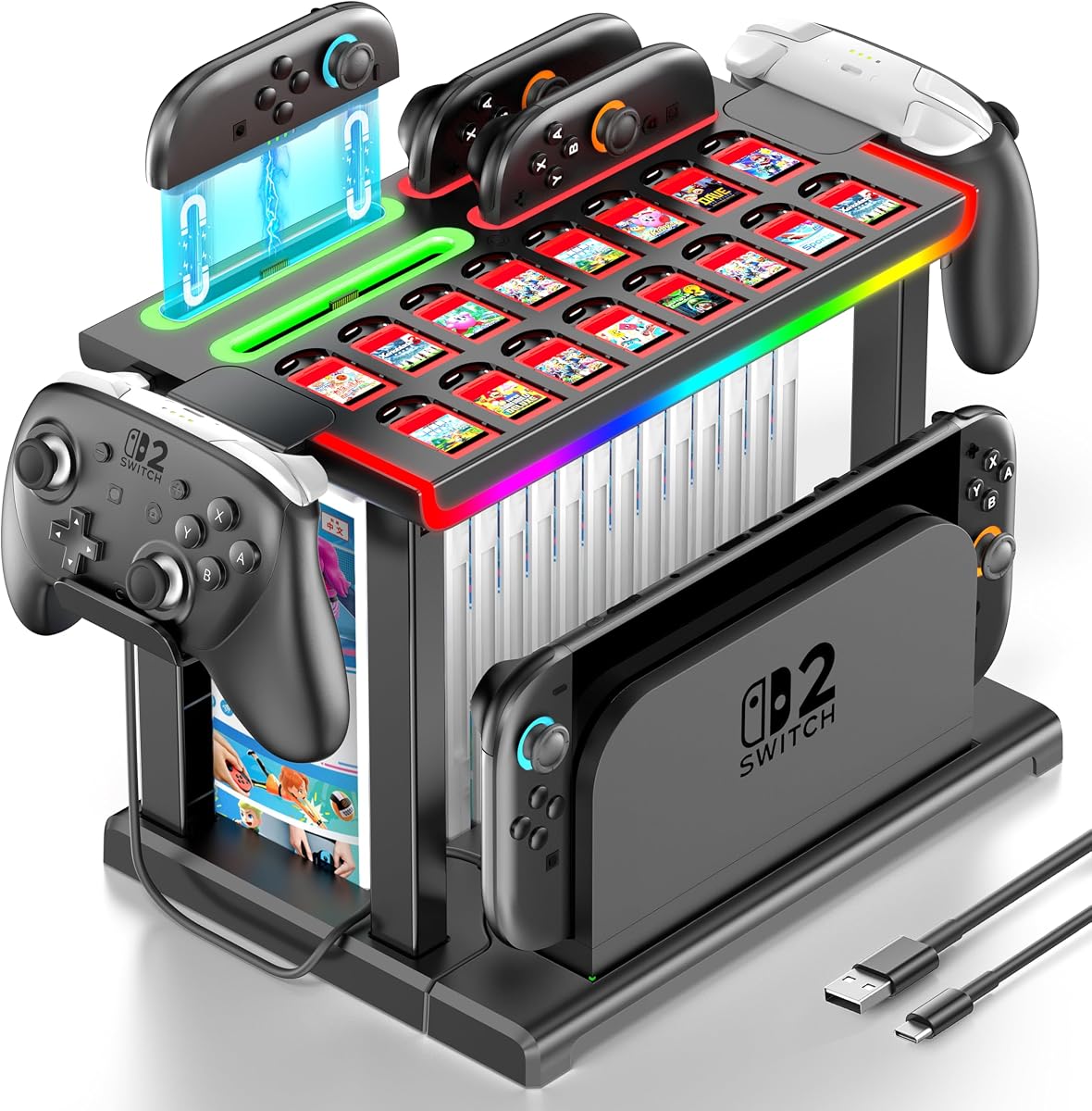
This organizer station combines storage and charging for Switch 2 accessories. With a 4.6 rating, it holds 16 game cases, 16 game cards, and charges four Joycons simultaneously, making it a comprehensive solution.
We may earn a commission when you buy through this link, at no additional cost to you.
The RGB lighting features seven single-color modes and two multi-color breathing modes to enhance your gaming setup. Clear indicator lights show red during charging and green when fully charged or in standby.
Assembly is tool-free and quick, with non-slip pads ensuring the stand stays sturdy. Note that the Switch 2 TV dock is not included, so verify you have that component before ordering.
Best for gamers seeking a tidy setup with added lighting effects, this station keeps everything accessible. Review the dimensions to ensure it fits your available desk space comfortably.
Holds up to 16 game cases and 4 Joycons for a complete gaming library.
Cycle through multiple lighting modes with a simple button press to set the mood.
We may earn a commission when you buy through this link, at no additional cost to you.
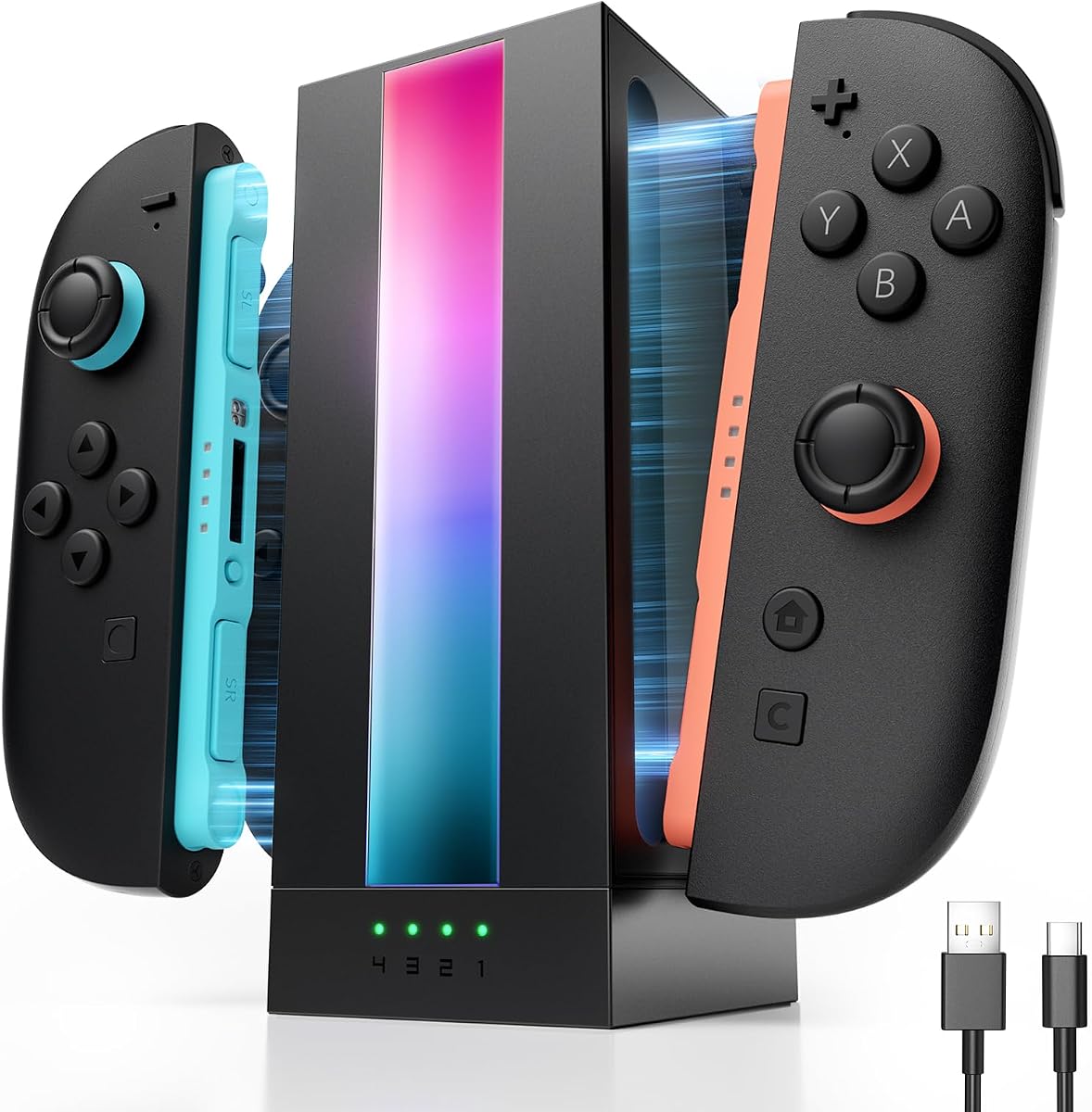
Designed exclusively for Switch 2 Joycons, this dock features magnetic alignment for effortless charging. With a 4.7 rating, it allows charging four Joycons at once and includes customizable RGB lighting to enhance ambiance.
We may earn a commission when you buy through this link, at no additional cost to you.
The memory function retains your last lighting setting, and touch controls let you manage indicators easily. Clear LED colors show orange during charging and blue when fully charged or in standby.
While a full charge takes about 2.5 to 3 hours, simultaneous charging means you always have ready-to-play controllers. Compatible with AC adapters, console docks, or computer power supplies for flexibility.
Top choice for Switch 2 users who value convenience and style, this dock reduces port wear and keeps your desktop organized. Verify compatibility with your specific Joycon model before purchasing.
Dual-direction magnetic alignment ensures secure placement and prevents charging port wear.
Choose from 9 vivid lighting modes including static colors and dynamic effects.
We may earn a commission when you buy through this link, at no additional cost to you.
This dual charging stand supports two Switch 2 Pro controllers at once, featuring a 3.5 rating from users. It provides fast and stable 5V/2A input to reduce waiting time and keep your controllers powered up.
We may earn a commission when you buy through this link, at no additional cost to you.
LED indicators display red while charging and green when fully charged, making power levels easy to monitor. Built-in smart protection helps prevent overcharging, overheating, overcurrent, and short circuits during use.
While the price point is affordable, be aware that some users may have had mixed experiences given the lower rating. Ensure it fits your specific Pro controller model for proper alignment and charging.
Best for budget-conscious gamers needing a simple dual Pro controller stand, this option balances cost and basic functionality. Check current stock and user feedback before making a final decision.
Supports 5V/2A input for efficient and stable charging to reduce waiting times.
Intelligent charging protection prevents overheating and overcurrent for safe use.
We may earn a commission when you buy through this link, at no additional cost to you.
This PowerA charging base offers a bold design that fits well with most gaming setups. With a 4.6 rating, it charges Joy-Con and wireless controllers simultaneously, including full compatibility with Pro Controllers.
We may earn a commission when you buy through this link, at no additional cost to you.
LED lights clearly indicate when your controllers are charged, ensuring you always know when they are ready. It supports all PowerA Wireless Nintendo Switch Controllers for consistent performance across your accessory lineup.
While it lacks advanced RGB features, its reliability and brand reputation make it a solid choice for users invested in the PowerA ecosystem. Verify your controller model matches the supported types before ordering.
A reliable option for those prioritizing brand trust and straightforward charging, this base keeps your controllers powered. Check the product details for any updated compatibility notes on recent controller versions.
Charges both Joy-Con and wireless controllers at the same time for convenience.
Built-in LED lights show charging status clearly so you never guess battery levels.
We may earn a commission when you buy through this link, at no additional cost to you.
This versatile charging station supports Nintendo JoyCon, Pro, and PS5 controllers, earning a 4.7 rating. It can charge 4 Joycons or 2 Pro controllers simultaneously, making it ideal for multi-platform gaming setups.
We may earn a commission when you buy through this link, at no additional cost to you.
The USB Type-C port design allows for easy power connection via console, hub, or wall charger. A built-in smart IC chip provides over-charging, over-voltage, over-current, and short-circuit protection for safe use.
The package includes an 80cm USB-C charging cable and comes with a one-year quality promise. Verify your controller models match the supported list to ensure proper fit and charging functionality.
Great for households with mixed controller types, this dock reduces clutter with a single charging solution. Review the included cable length to ensure it reaches your power source comfortably.
Works with Nintendo Switch JoyCon, Pro, and PS5 controllers for one universal station.
Built-in smart IC chip safeguards against over-charging, short circuits, and voltage issues.
We may earn a commission when you buy through this link, at no additional cost to you.
This dual USB-C charger dock is designed for Switch Pro and Switch 2 Pro controllers with compatibility for PS5 and Xbox Series X|S units. With a 3.9 rating, it lets you charge two controllers together to reduce downtime.
We may earn a commission when you buy through this link, at no additional cost to you.
Stable charging requires a 5V/2A power adapter for best performance, and USB-C adapters are included for convenient use. LED indicators show charging status at a glance, fitting neatly on desks without taking extra space.
Users should confirm their controller models are supported, as some third-party units like PowerA may not work. If you value compact design and dual-port convenience, this dock might fit your needs well.
A solid option for those needing a dual USB-C charger for official controllers, this dock prioritizes simplicity. Check user reviews for current reliability trends before purchasing to ensure it meets expectations.
Dual USB-C ports allow charging two controllers simultaneously with included adapters.
Requires 5V/2A power adapter for efficient and stable charging performance.
We may earn a commission when you buy through this link, at no additional cost to you.
This premium charging dock supports up to 4 Joy Cons with dual-side charging and magnetic alignment for easy placement. With a 4.7 rating, it offers 9 RGB lighting modes and real-time LED status indicators for each slot.
We may earn a commission when you buy through this link, at no additional cost to you.
The built-in smart chip automatically detects charging status and stops when fully charged to prevent overcharging. Its compact and organized design keeps your gaming area neat while providing dedicated space for all your controllers.
Magnetic design improves charging efficiency and reduces wear on ports, extending controller lifespan. While the price is higher than basic models, the advanced safety features and customization options justify the investment for many users.
Best for gamers seeking a high-quality charging station with premium features, this dock combines functionality and aesthetics. Verify the model compatibility with your specific Joy Con version before finalizing your purchase.
Supports dual-side charging ensuring stable connection regardless of Joy Con placement.
Choose from 9 RGB lighting modes to personalize your gaming space mood.
We may earn a commission when you buy through this link, at no additional cost to you.
This 10-in-1 charging dock supports Switch 2/1/OLED models for Joycon and P-controllers with clear LED indicators. With a 4.2 rating, it charges up to 4 Joycons and 2 P-controllers simultaneously to solve the trouble of buying multiple chargers.
We may earn a commission when you buy through this link, at no additional cost to you.
Recommended to use the included Y-Type cable with the NS2 official dock as power source. The touch-sensitive switch allows you to turn off charging and LED for a sleep-friendly environment while maintaining safety via protection chips.
Extra USB 2.0 ports provide flexibility for data transfer or charging additional devices. Note that third-party controllers are not compatible, so verify your models before purchasing to avoid issues.
A versatile option for households with mixed Switch models, this dock centralizes charging needs. Review the cable requirements and power recommendations to ensure smooth operation with your setup.
Designed for Nintendo Switch 2/1/OLED models supporting multiple controller types.
Built-in advanced multi-protection chip ensures safe charging and extends battery lifespan.
We may earn a commission when you buy through this link, at no additional cost to you.
Designed exclusively for Switch 2 JoyCon, this dock can charge 4 units at high speed to reduce waiting time. With a 4.3 rating, it features immersive RGB lighting and independent LED indicators for each port to track status easily.
We may earn a commission when you buy through this link, at no additional cost to you.
Up to 30% more efficient than previous models, the 2.5-hour charge time eliminates low-battery interruptions during multiplayer sessions. Included cable is 1.5m USB C, but power adapter is not included in the package contents.
Each port has its own independent LED indicator showing flashing green for charging or solid green when fully charged. Note that it is not compatible with older Switch 2017 model or OLED version JoyCons.
Best for Switch 2 users prioritizing charging speed and efficiency, this dock keeps all controllers ready. Verify your JoyCon model matches the 2025 release before purchasing to ensure compatibility.
Simultaneously charge 4 JoyCons at high speed to eliminate low-battery interruptions.
Each port has independent LED indicators for clear charging status at a glance.
We may earn a commission when you buy through this link, at no additional cost to you.
Selecting the right charging dock involves evaluating several key factors to ensure compatibility and reliability for your Switch 2 setup.
Verify the dock supports your specific Switch 2 JoyCon or Pro Controller models. Some docks are exclusive to 2025 releases while others support multiple versions or brands.
Choose a dock with enough ports for your household needs. Options range from dual ports to multi-slot stations that charge four or more controllers simultaneously.
Look for docks recommending 5V/2A power input for stable fast charging. Some include cables while others require separate wall adapters for operation.
Assess the physical design to ensure it fits your desk or TV stand. Compact docks save space while organizers offer extra storage for game cases and cards.
Prioritize docks with built-in smart chips for overcharge and overheating protection. These safeguards extend controller lifespan and ensure safe operation during charging cycles.
LED indicators showing charging status at a glance help avoid guesswork. Touch controls or buttons add convenience for adjusting settings or turning off lights.
If ambiance matters, consider docks with customizable RGB lighting modes. These add a modern touch to your setup but may increase the overall cost.
Compare prices across models to find a fit within your budget. Check for quality promises or warranties to ensure support in case of issues.
Connect the dock to a suitable power source using the provided cable or recommended adapter. Ensure the USB port supports the required voltage for stable charging performance.
Insert controllers carefully into the designated slots, aligning contacts properly for efficient charging. For magnetic docks, simply drop the controller in place without forcing alignment.
Monitor LED indicators to know when controllers are fully charged and remove them to avoid unnecessary stress. Clean the dock regularly to prevent dust buildup that may affect connection.
Most docks do not include a wall adapter and require you to use your own 5V/2A USB power source. Some may include a USB cable but you will need to source the adapter separately.
Many docks support multiple official controller brands like Switch PS5 and Xbox but always check compatibility lists. Third-party controllers may not work depending on the model of the dock.
Full charge times typically range from 2.5 to 3.5 hours depending on the dock model and battery size. Simultaneous charging means all slots fill at similar rates when using sufficient power input.
Most docks have built-in protection chips that stop charging when fully charged to prevent overcharging. However removing controllers once done helps preserve battery health over the long term.
Some docks use standard USB connections while others include magnetic or proprietary connectors for alignment. Verify if cables are included or if you need to provide them separately.
Compatibility varies by model. Many new docks are designed for 2025 Switch 2 JoyCons which may not match older OLED versions so check the product details before purchasing.
A red LED typically indicates that the controller is currently charging or low on power. Green or blue usually means the battery is fully charged or in standby mode.
Many docks arrive fully assembled and ready to use. Some organizer stations may require minimal tool-free assembly to connect storage pieces to the main charging base.
We reviewed ten top charging docks ranging from simple dual ports to comprehensive organizers with RGB lighting. Each offers unique features to suit different gaming setups and budget preferences.
Prioritize compatibility with your specific controller models and ensure the dock supports enough simultaneous charging for your needs. Safety protections and clear indicators are also essential for reliable long-term use.
Always check current prices and stock availability as these can fluctuate frequently on online retailers. Invest in a dock that balances quality and features to keep your gaming sessions uninterrupted.