
Dell Optiplex 9020 Desktop Computer PC
3.6Editor score
Intel Quad-Core i5 Processor
500GB HDD Storage
20 Inch Monitor Included
Finding the right desktop computer for kids requires balancing performance, durability, and ease of use. Parents need machines that handle schoolwork, creative projects, and entertainment without breaking the bank or overwhelming young users with complex setups.
We evaluated ten reliable models based on processor speed, memory capacity, storage options, and display quality. Each system was assessed for its ability to run modern applications smoothly and support multitasking during busy study or play sessions.
Every pick highlights key strengths and potential limitations to guide your decision. Note that product availability and pricing can shift frequently, so verify current details before purchasing to ensure you get the best value for your family's needs.
3.6Editor score

4.5Editor score

4.2Editor score
As an Amazon Associate we earn from qualifying purchases.
The following table provides a side-by-side comparison of all ten desktop computers selected for this guide. Reviewing these specifications helps you quickly identify which model fits your specific requirements for speed, storage, and screen size.




This HP all-in-one desktop stands out as the top recommendation due to its exceptional memory configuration and modern processor architecture. With a rating of 4.5 stars, users appreciate the smooth performance provided by 32GB DDR5 RAM which ensures no lag during multitasking.
We may earn a commission when you buy through this link, at no additional cost to you.
The system features an Intel N100 quad-core processor capable of boosting up to 3.4GHz, making it suitable for schoolwork and light creative tasks. The 21.5-inch FHD display offers a VA panel with anti-glare properties, providing clear visuals for long study sessions without eye strain.
While the price is higher than basic models, the included 8-in-1 docking hub and substantial storage capacity justify the investment. The adjustable stand allows for comfortable viewing angles, and the front-facing camera supports video calls seamlessly for remote learning.
Parents looking for a reliable, all-in-one solution that grows with their child should consider this model. It balances performance and usability effectively, making it the best overall choice for family computing needs in 2026.
The 32GB DDR5 RAM allows for rapid application switching and smooth handling of multiple browser tabs or educational software simultaneously.
Included USB-C and USB-A ports provide flexible connectivity for peripherals like printers, external drives, and headphones without needing extra adapters.
We may earn a commission when you buy through this link, at no additional cost to you.
The Dell Optiplex 9020 offers a cost-effective entry point for families needing a functional desktop computer for kids. Rated at 3.6 stars, it provides reliable performance for basic tasks like web browsing, document editing, and media consumption at a budget-friendly price.
We may earn a commission when you buy through this link, at no additional cost to you.
Equipped with an Intel Quad-Core i5 processor and 8GB of DDR3 RAM, this system handles everyday applications reasonably well. The included 20-inch monitor and RGB productivity bundle mean users get a complete setup right out of the box without additional purchases.
One trade-off is the use of DDR3 RAM and a traditional HDD which may feel slower compared to modern SSD systems. However, the 90-day warranty and technical support provide peace of mind for those concerned about longevity of renewed hardware.
This option is ideal for parents seeking a simple, affordable machine for younger students or casual use. It delivers solid value and essential functionality without the complexity or cost of high-end configurations.
The package includes a monitor and peripherals, reducing the total cost of ownership and simplifying the initial setup process for parents.
Pre-installed with Windows 11 Pro, the system offers robust security features and support for modern educational software applications.
We may earn a commission when you buy through this link, at no additional cost to you.
This Lenovo all-in-one desktop impresses with its high-quality display and professional-grade specifications. With a 4.2 star rating, it appeals to families wanting a premium device that looks stylish and performs reliably for both school and entertainment tasks.
We may earn a commission when you buy through this link, at no additional cost to you.
The Intel N100 processor paired with 16GB DDR4 RAM ensures smooth multitasking across various applications. The 23.8-inch FHD IPS panel covers 99% sRGB color space, making it excellent for visual projects or watching videos with vibrant and accurate colors.
While storage is limited to 256GB SSD, the fast PCIe drive provides quick boot times and responsive performance. The included wireless keyboard and mouse plus WiFi 6 support ensure a clean and efficient user experience without cable clutter.
For households prioritizing build quality and visual fidelity, this model is a strong premium choice. It combines business-grade reliability with user-friendly features suitable for advanced home use.
The 99% sRGB IPS display provides accurate colors ideal for art projects or media consumption.
Bluetooth 5.2 and WiFi 6 ensure stable and fast connections for smart home devices or remote learning.
We may earn a commission when you buy through this link, at no additional cost to you.
The HP Elite Desktop offers significant storage space for families managing large media collections or numerous school files. Rated at 3.5 stars, it balances decent performance with ample room to store photos, videos, and applications without external drives.
We may earn a commission when you buy through this link, at no additional cost to you.
Featuring an Intel Core i5 processor and 16GB of RAM, this system supports multitasking effectively. The 22-inch LED monitor provides a spacious screen for detailed work, and the included RGB keyboard and speaker add a modern touch to the setup.
While the hard drive may load apps slower than solid-state alternatives, the 1TB capacity is a major advantage. The certified refurbished status ensures functionality and longevity while keeping costs manageable for budget-conscious shoppers.
This desktop is perfect for kids who need storage for creative projects or gaming libraries. It provides essential power and space in a reliable refurbished package.
The 1TB hard drive provides room for years of photos and documents.
16GB of RAM allows multiple programs to run simultaneously without slowing down.
We may earn a commission when you buy through this link, at no additional cost to you.
The Dell OptiPlex stands out for its massive storage capacity and solid performance at a reasonable cost. With a 3.6 star rating, it appeals to users needing extensive space for media while relying on proven hardware architecture.
We may earn a commission when you buy through this link, at no additional cost to you.
Powered by an Intel Core i5 3.2GHz processor and 16GB RAM, it handles daily tasks efficiently. The included 22-inch monitor and RGB accessories make this bundle ready for immediate use without extra investment.
Although the processor is older, the 2TB hard drive ensures you never run out of space for videos, games, or school files. This trade-off is acceptable for families prioritizing storage over high-speed performance.
For households needing maximum storage on a budget, this model delivers excellent value. It provides all necessary components in a single package for seamless home computing.
2TB of storage allows for large libraries of movies and documents.
Includes monitor and keyboard so no extra purchases are needed.
We may earn a commission when you buy through this link, at no additional cost to you.
This HP desktop offers a balanced combination of modern SSD storage and strong memory. With a 3.8 star rating, it is a reliable choice for general home use, providing fast boot times and responsive application launches.
We may earn a commission when you buy through this link, at no additional cost to you.
The Intel Core i5 8th Gen processor paired with 16GB DDR4 RAM ensures smooth performance for schoolwork and entertainment. The included 24-inch monitor and RGB accessories make it ready for immediate setup without additional components.
While the 500GB SSD is smaller than HDD options, its speed significantly improves system responsiveness. The inclusion of a webcam and WiFi 6 adds essential connectivity for online learning and video communication.
Ideal for families wanting a quick and reliable desktop without overspending. This all-rounder covers most daily computing needs effectively.
Solid-state drive ensures the computer starts quickly for homework sessions.
Integrated camera supports video calls for remote learning or family chats.
We may earn a commission when you buy through this link, at no additional cost to you.
The HP ProDesk 600 G4 Mini is perfect for limited spaces without sacrificing essential performance. Rated at 4.2 stars, it offers a compact footprint ideal for desks or small rooms while maintaining solid computing power.
We may earn a commission when you buy through this link, at no additional cost to you.
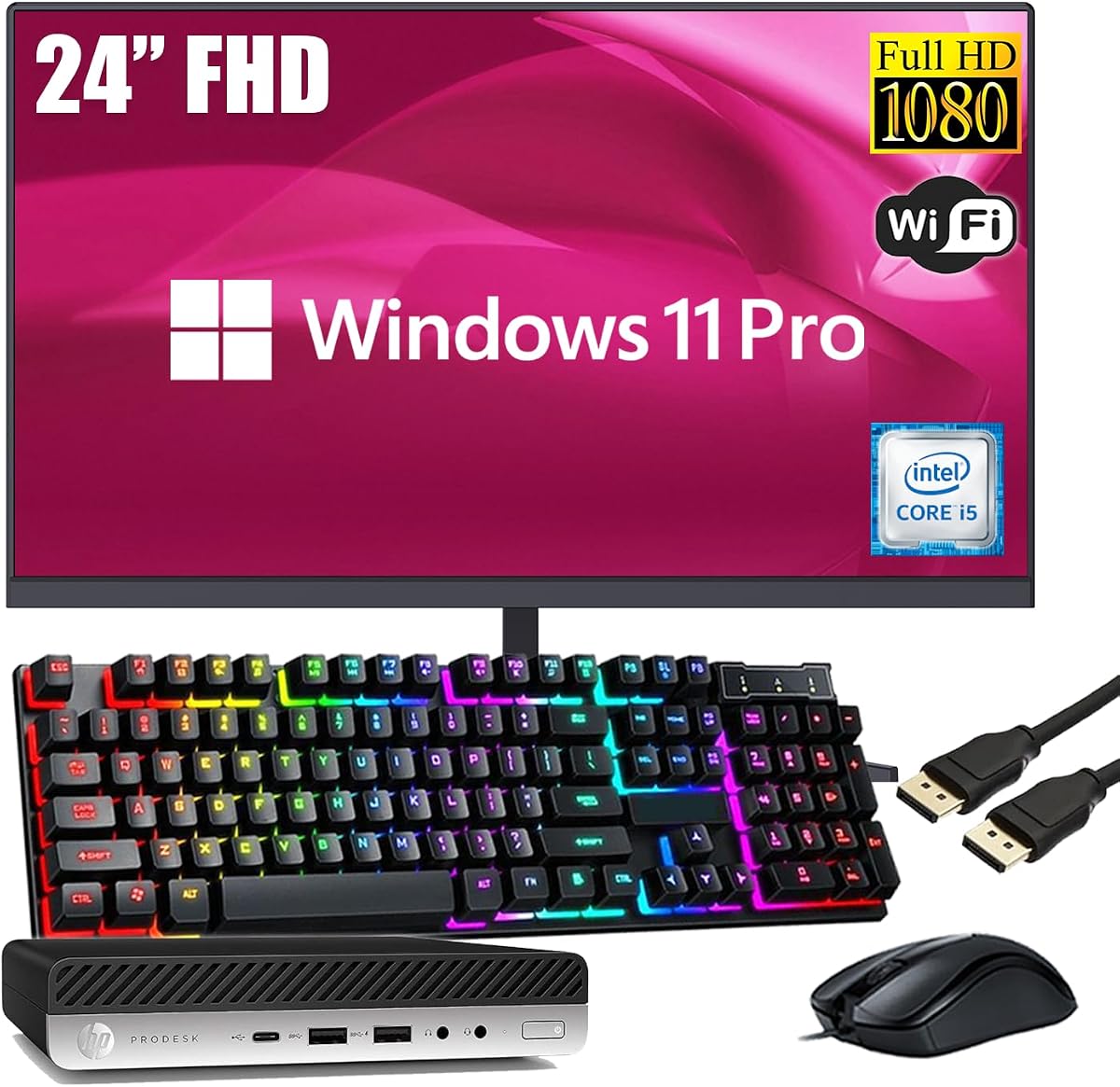
Equipped with an Intel Core i5-8500T processor and 256GB SSD, this system boots quickly and runs smoothly for everyday tasks. The pre-built bundle includes a 24-inch monitor, simplifying setup for parents.
While 8GB RAM may limit heavy multitasking compared to higher specs, it remains adequate for school and browsing. The USB-C port adds modern connectivity for peripherals and external displays.
For families with space constraints, this mini desktop provides efficient performance. It balances size and functionality well for typical home use.
Mini tower fits easily on desks saving valuable room for study.
USB-C connectivity supports latest peripherals and monitors easily.
We may earn a commission when you buy through this link, at no additional cost to you.
This Lenovo all-in-one desktop features a stunning borderless display and efficient storage. With a 4.3 star rating, users praise the immersive screen experience and clean design that fits modern home decor.
We may earn a commission when you buy through this link, at no additional cost to you.
The Intel Core i3-N305 octa-core processor paired with 512GB PCIe SSD ensures smooth performance for multitasking. The 23.8-inch FHD display with minimal bezels provides ample screen real estate for documents and media.
Wireless peripherals and an HD webcam make setup simple and modern. While the processor is balanced for efficiency, the combination of RAM and SSD ensures responsiveness for daily tasks.
For those valuing aesthetics and display quality, this model excels. It offers a stylish, space-saving computing experience for students and professionals alike.
Borderless design offers more screen area for viewing content.
Included wireless keyboard and mouse reduce desk clutter.
We may earn a commission when you buy through this link, at no additional cost to you.
This Dell package provides a functional entry-level desktop suitable for basic tasks. Rated at 3.8 stars, it offers essential computing capabilities for students on a tight budget.
We may earn a commission when you buy through this link, at no additional cost to you.
Powered by an Intel Quad Core i5 processor and 8GB RAM, it handles web browsing and word processing effectively. The 19-inch LCD monitor and included keyboard ensure a complete setup ready for use.
While the screen size and older components may limit high-end usage, this system meets fundamental needs. The included DVD drive adds versatility for media consumption or installation from discs.
For families needing a simple and affordable solution for younger kids, this package works well. It ensures reliable operation without unnecessary complexity or cost.
All necessary components included for immediate use.
Handles schoolwork and browsing efficiently for younger users.
We may earn a commission when you buy through this link, at no additional cost to you.
The Lenovo IdeaCentre all-in-one offers simplicity and reliability for everyday computing. With a 4.3 star rating, it delivers clean design and solid performance suitable for home offices and study areas.
We may earn a commission when you buy through this link, at no additional cost to you.
Equipped with an Intel N100 processor and 512GB SSD, it ensures quick startup and ample space. The 23.8-inch FHD IPS display provides clear visuals for reading and video calls.
WiFi 6 and dual speakers enhance the multimedia experience. While RAM is limited to 8GB, it is sufficient for standard productivity tasks.
For families wanting a straightforward desktop with modern features, this is a reliable choice. It balances ease of use with essential performance.
All-in-one design reduces cables and setup complexity.
Built-in dual speakers support quality sound for calls.
We may earn a commission when you buy through this link, at no additional cost to you.
Selecting the right desktop computer for kids involves understanding performance needs and space requirements. This section covers key factors to consider to ensure a smart purchase.
The processor determines how fast a computer runs applications. For kids, an Intel N100 or Core i3/i5 processor provides sufficient speed for schoolwork and light gaming. Modern processors also manage energy use efficiently to prevent overheating.
RAM allows the computer to run multiple programs simultaneously. 8GB is a minimum, but 16GB ensures smooth performance when browsing and using study apps. More memory means less lag and faster task switching.
SSD drives offer faster boot times than traditional hard drives. While 256GB or 512GB SSDs are great for speed, HDDs provide more space for media. Balance speed and capacity based on file needs.
A good screen protects eyes and improves learning. Look for FHD resolution and anti-glare coatings on IPS panels. Sizes between 21 and 24 inches offer comfortable viewing distances for desks.
Modern desktops need USB-C and HDMI ports for peripherals and monitors. WiFi 6 ensures stable internet for remote learning. Bluetooth support simplifies connections to wireless headsets and mice.
Renewed systems often include warranties to guarantee performance. Check for at least 90-day coverage. Sturdy builds resist daily wear in a family environment better than fragile components.
Windows 11 provides modern security tools essential for families. Pro editions offer extra management features for schools. A clean OS without bloatware ensures the computer starts fast and runs smoothly.
Refurbished models offer the best balance of cost and quality. Compare specs like RAM and storage to find value. A higher upfront cost may save money by lasting longer through school years.
Start by placing the desktop in a well-ventilated area away from direct sunlight. Keep cables organized using ties to prevent tripping or accidental disconnects during use.
Install essential antivirus software and parental controls immediately after setup. Update the operating system regularly to ensure security patches are applied for safe internet browsing.
Clean the keyboard and monitor weekly with a soft microfiber cloth. Avoid liquids on the screen and unplug the unit before dusting internal vents for optimal performance and longevity.
A reliable all-in-one model like the Lenovo 24-inch or a budget Dell bundle works well for elementary students. These systems offer durable screens and sufficient power for basic web browsing and document editing without complexity.
Desktops provide better performance and value for home desks. They are more repairable and ergonomic. Laptops offer portability but desktops are ideal for dedicated study areas where mobility is not a priority.
8GB RAM is the minimum for standard browsing and Word tasks. However, 16GB is recommended if your child uses video editing software or multiple browser tabs simultaneously to ensure smooth operation.
Yes, certified renewed desktops undergo testing and warranty checks. They offer excellent value and performance similar to new units. Check seller ratings and warranty terms to ensure quality before buying.
Most bundles listed include a monitor and peripherals. Always verify the product description to confirm. Some standalone PC towers require separate screen purchase so check specifications carefully.
Entry-level Intel integrated graphics can handle casual games well. Systems with Core i5 and 16GB RAM perform better. For intensive gaming, dedicated graphics cards are recommended but not needed for basic fun.
This guide highlights top options ranging from budget bundles to premium all-in-ones. The HP 21.5-inch model offers the best performance while the Dell Optiplex provides solid affordability for families.
Prioritize RAM and storage speed over processor generation for smoother daily use. Look for systems with anti-glare screens and reliable warranties to protect your investment and your child's experience.
Verify current availability and prices before purchasing to ensure you get the best deal. Technology evolves quickly so confirming the latest specs guarantees satisfaction with your family computer setup.