
New IR Remote Control Replecement for Dish Network 20.1
3.7Editor score
Affordable pricing
Basic IR control
Simple setup process
This guide compares the top Dish Network Replacement Remote options to help you find the best compatible remote for your Hopper, Wally, or legacy receiver
Finding a reliable Dish Network Replacement Remote can be challenging when your original controller stops working or gets lost. Whether you need voice search capabilities or a basic infrared unit, there are several options available to restore full functionality to your entertainment setup.
We evaluated ten distinct replacement remotes based on compatibility, build quality, ease of pairing, and user feedback. Our analysis covers everything from modern UHF models for Hopper systems to classic IR remotes for older receivers to ensure you make an informed decision.
Each pick below highlights key features, pros, and cons to help you match the right device to your specific Dish Network receiver model. Please note that availability and pricing may change over time, so verify details before completing your purchase.
3.7Editor score

4.5Editor score

4.6Editor score
The following table provides a side-by-side comparison of all ten replacement remotes, detailing their specific compatibility, connection type, and key features to help you quickly identify the right match for your receiver.

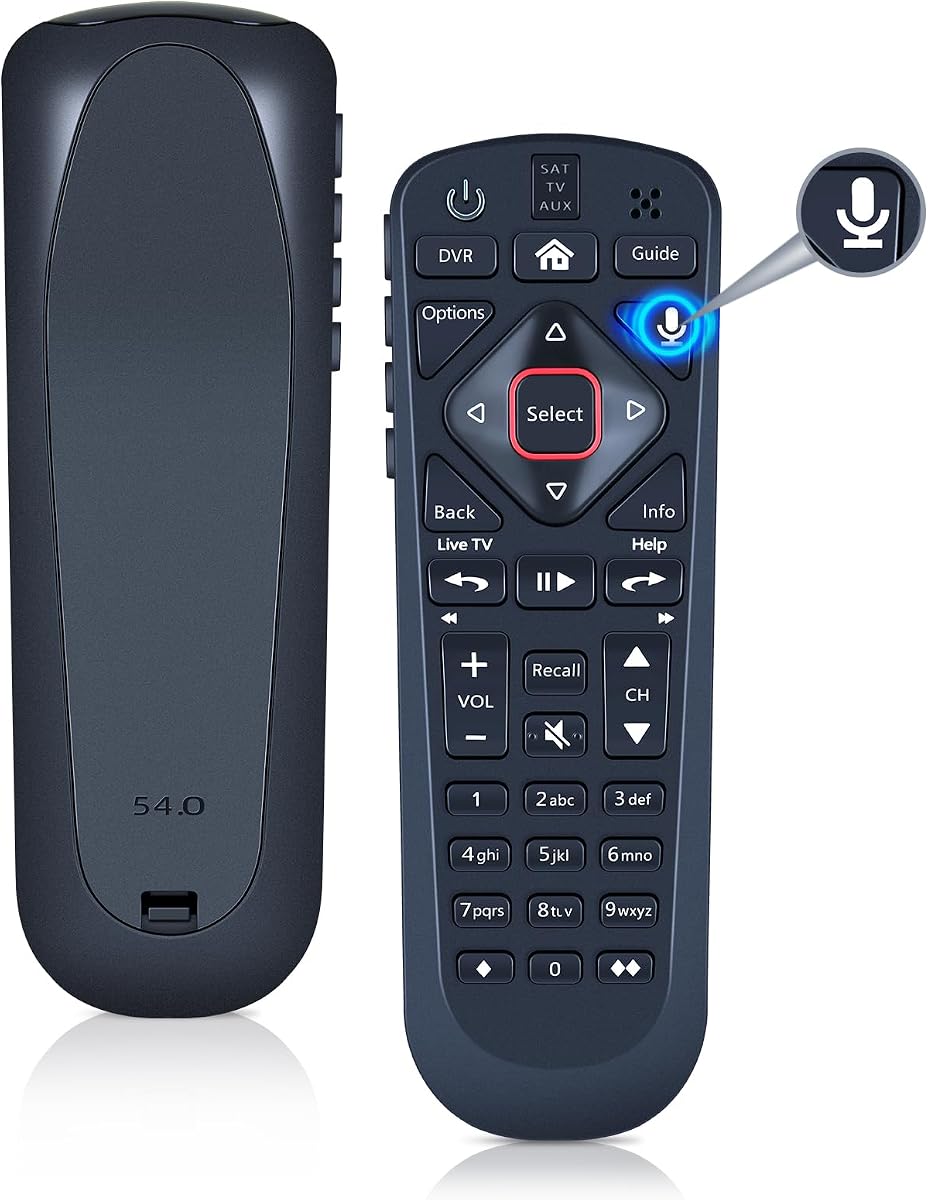



This replacement remote stands out as the top choice for users seeking a modern upgrade to their Dish Network setup. With a solid 4.5 rating, it offers seamless integration with the 54 Series receivers while delivering voice search capabilities that simplify navigation.
We may earn a commission when you buy through this link, at no additional cost to you.
The UHF wireless technology ensures a strong connection even when you are not pointing the remote directly at the receiver. Users appreciate the quick pairing process involving the SYS INFO and SAT buttons, which makes setup straightforward without needing complex programming codes.
While the remote performs exceptionally well, it is important to note it does not support the Hopper 3 receiver. Additionally, like most remotes, it requires batteries that are not included in the package, which is a minor inconvenience for immediate use.
This remote is ideal for households using the 54 Series Upgraded Network who want voice control without upgrading their entire receiver system. We recommend it for anyone looking to restore full functionality with modern features like hands-free searching.
The built-in microphone allows you to find shows and programs using natural language commands, reducing the need to scroll through channel guides manually.
Unlike older infrared remotes, this model uses UHF signals to maintain a reliable link with your receiver through obstacles like furniture or walls.
We may earn a commission when you buy through this link, at no additional cost to you.
This official remote control is designed specifically for the Hopper family of receivers, offering a premium experience with features like backlit keys and a remote locator. Its high 4.6 rating reflects strong satisfaction among users who rely on these advanced conveniences daily.
We may earn a commission when you buy through this link, at no additional cost to you.
The backlit keypad automatically illuminates in dark settings, making it easy to find buttons without searching. Additionally, the remote locator feature lets you press a button on your DVR to make the remote beep, which is invaluable for lost devices.
However, full search functionality requires an internet connection, which might be a limitation for some setups. The price point is also higher than third-party alternatives, but the added features often justify the cost for serious viewers.
Ideal for Hopper owners, this remote provides a polished user experience that matches the quality of the original equipment. We suggest it for those who frequently watch in low light or need reliable tracking capabilities for their devices.
The automatic backlighting ensures you can navigate menus and inputs easily during evening viewing sessions without straining your eyes.
The remote locator simplifies finding misplaced remotes by triggering a sound from the device when activated via the main receiver unit.
We may earn a commission when you buy through this link, at no additional cost to you.
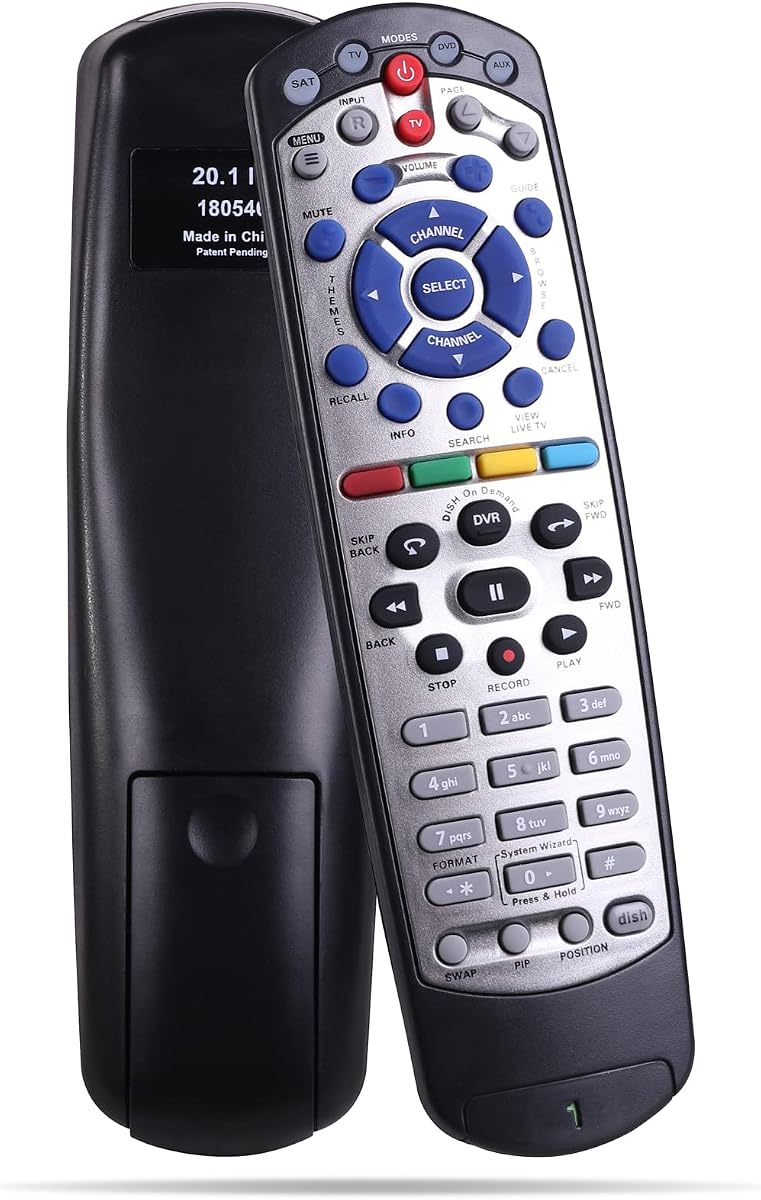
This IR remote serves as a straightforward and affordable solution for older Dish Network 20.1 receivers. While it has a lower rating compared to premium options, it provides essential functionality without requiring a significant financial investment for basic needs.
We may earn a commission when you buy through this link, at no additional cost to you.
The setup involves manual programming to match your TV brand, which may take a few minutes but ensures basic control is restored. It does not feature learning or Bluetooth capabilities, focusing purely on infrared signals for standard operation.
Given its budget-friendly nature, some users might experience minor reliability issues reflected in the 3.7 rating. However, for those simply needing a working replacement without extra features, it remains a viable option for many households.
We recommend this remote for budget-conscious users with legacy equipment who do not need advanced features. It is a practical choice when the priority is cost savings over premium functionality or wireless connectivity.
This remote strips away extra features to provide core control functions at a price point that is accessible for all users.
The setup process relies on standard code entry, making it compatible with a wide range of TV brands without complex menus.
We may earn a commission when you buy through this link, at no additional cost to you.
This UHF remote offers voice search capabilities similar to the top pick but at a slightly different price point. It is compatible with the 54 Series Upgraded Network, providing a convenient way to navigate menus using voice commands without manual typing.
We may earn a commission when you buy through this link, at no additional cost to you.
Pairing involves standard steps like pressing the SYS INFO and SAT buttons, which users find generally straightforward. The UHF technology ensures a stable connection, allowing you to point the remote in any direction without losing signal strength.
Despite its features, the 3.7 rating indicates some users may face intermittent issues or compatibility constraints. It is explicitly not compatible with the Hopper 3 receiver, so checking your model number is essential before purchasing this unit.
This remote is a solid alternative for those needing voice control on compatible systems. We suggest it for users who value hands-free operation but are working within a specific budget range for their setup.
The integrated microphone allows you to speak directly to the remote to locate channels or recorded shows quickly and easily.
The UHF signal allows for operation even if the remote is not directly in the line of sight of the receiver unit.
We may earn a commission when you buy through this link, at no additional cost to you.
This remote control is designed for the 54 Series and includes a built-in microphone for voice search functionality. With a 4.2 rating, it offers a balanced mix of features and reliability, making it a strong contender for modern Dish network setups.
We may earn a commission when you buy through this link, at no additional cost to you.
The pairing process is straightforward, involving the SYS INFO and SAT buttons to establish a connection with your receiver. Users appreciate the ease of finding shows faster with voice commands, which enhances the overall viewing experience significantly.
While it carries a warranty for added peace of mind, it requires batteries that are not included. The warranty covers quality issues but may not extend to physical damage, so careful handling is recommended to maintain performance.
We recommend this remote for anyone needing voice control on a 54 Series receiver without buying a brand new package. It provides excellent value with its functional features and customer support options included in the package.
The built-in microphone supports voice search, allowing you to find your shows faster without typing with arrow keys.
A six-month warranty is offered to ensure that you have support if any quality issues arise after purchase.
We may earn a commission when you buy through this link, at no additional cost to you.
This universal remote is a great option for users with multi-location setups involving TV1 and TV2 zones. Its ability to handle both infrared and UHF signals makes it versatile for various receiver configurations and room layouts.
We may earn a commission when you buy through this link, at no additional cost to you.
The PRO designation suggests enhanced functionality compared to standard remotes, catering to users who need consistent performance across different areas of the home. Its 4.4 rating reflects satisfaction with its ability to control multiple zones effectively.
While it may be less common in current markets, it remains a reliable choice for specific multi-receiver systems. Users value its ability to control all necessary functions without switching between different devices for different TVs.
We recommend this remote for those managing Dish network service in multiple rooms or requiring dual zone support. It is particularly useful for households that need a single remote to manage various receiver outputs.
Supports TV1 and TV2 locations, allowing you to control multiple receivers from one device without switching remotes.
Combines IR and UHF technology to ensure compatibility with both modern and legacy receivers for broader utility.
We may earn a commission when you buy through this link, at no additional cost to you.
This remote is designed for quick and easy replacement on Dish 20.1 receivers. With a 4.1 rating, it offers a plug-and-play experience where you simply install batteries and start using it without complex pairing or configuration steps.
We may earn a commission when you buy through this link, at no additional cost to you.
The build quality is noted for being comfortable to hold, with sensitive keys that respond well to input. It stores receiver settings directly, ensuring that your configurations remain consistent without manual reentry.
Since it is tailored for TV1 #1 receivers, it may not suit those with secondary receivers or different models. However, for users needing a direct swap for a broken unit, it delivers reliable performance without frustration.
We recommend this remote for anyone needing a straightforward replacement for their 20.1 TV1 receiver. It is ideal for those who want to get back to watching TV immediately without dealing with complex setup procedures.
No programming or pairing is needed, allowing you to use the remote immediately after installing two AAA batteries.
The remote is designed to feel comfortable to hold, ensuring that daily use is pleasant and convenient.
We may earn a commission when you buy through this link, at no additional cost to you.
This value pack provides two remotes, making it a smart choice for households that need a backup or want one for each room. With a 4.3 rating, it offers good stability and performance for the price compared to single-unit options.
We may earn a commission when you buy through this link, at no additional cost to you.
Each unit is rigorously tested to ensure it operates like the original, covering all necessary functions for TV, DVD, and VCR. The simple setup requires minimal effort, making it easy to swap in for a broken remote quickly.
The compact design ensures the remote is easy to hold without slipping, which is a practical feature for daily use. However, batteries are not included, so you will need to purchase them separately to get started right away.
We recommend this pack for users who want a spare remote or need multiple units for different locations. It offers excellent value with its dual-unit offering and reliable performance for basic control needs.
Having two remotes ensures you always have a working unit available even if one is misplaced or needs battery replacement.
Each item is inspected before shipment to ensure it works perfectly, providing peace of mind with your purchase.
We may earn a commission when you buy through this link, at no additional cost to you.
This IR remote is a standard replacement designed to replicate the functionality of the original unit for 20.1 receivers. Its 4.0 rating suggests consistent performance for basic operations, making it a solid everyday choice for many users.
We may earn a commission when you buy through this link, at no additional cost to you.
The setup requires manual pairing and code selection for your TV, but the process is straightforward with the provided manual. Once set up, it can perform just like your original remote, ensuring full control over your entertainment system.
While it lacks modern smart features, its simplicity is often a benefit for users who just need reliable channel and volume control. The one-year warranty adds a layer of security against defects or early failures of the unit.
We recommend this remote for users needing a dependable replacement for their 20.1 system without extra complexity. It is a practical choice for households that value reliability and ease of use over advanced features.
The remote performs just like the original, allowing you to maintain full control over your satellite receiver and TV.
A one-year warranty is carried by the remote to protect your investment against potential manufacturing defects.
We may earn a commission when you buy through this link, at no additional cost to you.
This remote is an excellent option for owners of Hopper, Joey, and Wally receivers who need a reliable replacement. Its 4.6 rating highlights strong user satisfaction, particularly with the convenience features that enhance daily use.
We may earn a commission when you buy through this link, at no additional cost to you.
Key features include backlit keys that illuminate automatically in the dark, making navigation easy during night viewing. The remote finder function allows you to locate the device quickly by pressing a button on the main receiver.
You can also program hot keys to launch popular apps like Netflix or turn on closed captioning instantly. While it is designed specifically for Hopper systems, it provides a high-quality experience that matches premium expectations.
We recommend this remote for Hopper users seeking a replacement that retains all original convenience features. It is a top choice for those who value customization and easy access to frequently used functions.
The remote finder function allows you to locate your remote by pressing a button on your receiver if it gets lost.
Hot keys can be programmed to launch apps like Netflix or record shows with a single button press for efficiency.
We may earn a commission when you buy through this link, at no additional cost to you.
Selecting the right replacement remote requires understanding your specific receiver model and desired features.
The most critical factor is ensuring the remote works with your specific receiver. Models like the 54 Series and Hopper family have different requirements compared to legacy units like the 20.1 or 21.1. Always verify the product description matches your model number before buying.
Check the product title and compatibility list to confirm it supports your exact receiver model to avoid return hassles.
Modern remotes use UHF wireless signals that work without line of sight, while older ones rely on infrared (IR) which require pointing at the receiver. UHF is more convenient for hiding receivers in cabinets, whereas IR is standard for older systems.
Choose UHF for flexibility and IR for basic needs on older equipment.
Many newer remotes include voice search functionality allowing you to find shows by speaking instead of typing. This feature adds significant convenience for navigation but requires specific hardware like a built-in microphone.
Look for voice search labels if hands-free operation is a priority.
Backlit keys illuminate automatically in low light making it easier to find buttons during evening viewing sessions. This feature is often found on premium models and improves usability significantly for those watching in dark rooms.
Prioritize models with backlit keys if you watch TV frequently at night.
Some remotes require manual programming with codes for your TV brand while others pair automatically with the receiver. Simpler units with plug-and-play features save time but may lack advanced settings.
Consider how much time you want to spend setting up the remote before first use.
Check the warranty duration offered by the manufacturer. A longer warranty indicates confidence in product quality and protects you from defects. Some brands also offer customer support for pairing issues.
Opt for models with at least a six-month warranty to ensure peace of mind.
Most remotes use standard AAA batteries but some may use proprietary types. Ensure you know the required battery type and budget for replacements if not included in the package.
Standard AAA batteries are easiest to find and replace.
Look for features like remote finders which help you locate lost devices using your main receiver or hot keys that launch apps directly. These conveniences add value to the remote experience beyond basic control.
Identify features that match your lifestyle to maximize utility.
To start using your new remote, open the battery compartment on the back and insert the required batteries ensuring polarity matches the markings. Close the compartment firmly and test basic buttons like volume or channel to ensure power is flowing.
If pairing is required, follow the on-screen prompts on your TV. For UHF remotes, press the pairing button on the remote and then navigate to the system info menu on your receiver. For IR remotes, ensure you point it directly at the receiver's sensor.
Keep your remote clean by wiping it with a dry soft cloth to remove dust and oils. Avoid exposing it to liquids or extreme temperatures and replace batteries promptly when they drain to prevent leakage damage.
Yes, most UHF replacement remotes require pairing with your receiver to establish a connection. This process typically involves accessing the system info menu and pressing the pairing button on the remote. Older IR remotes may not need pairing but require code entry for your TV brand.
Generally no, as the 54 Series remotes are not compatible with the Hopper 3 receiver. You need to check the specific compatibility list on the product page. The Hopper 3 often requires its own specific remote model or a newer compatible version.
Most Dish Network replacement remotes use two standard 1.5V AAA batteries. They are typically not included in the package so you will need to purchase them separately. Always check the battery compartment for exact requirements.
Common reasons include dead batteries, unpaired status, or incorrect pairing steps. Ensure batteries are fresh and properly inserted. Try unpairing and repairing the remote following the manual instructions to reset the connection.
No, voice search is a feature found mostly on newer UHF remotes compatible with upgraded systems. Many IR remotes for older receivers lack this feature and rely on traditional button navigation. Check the product description for microphone support.
If your remote has a remote finder feature, press the corresponding button on your main receiver to trigger a sound on the remote. This helps you find it even if it is hidden under cushions or in another room.
You can use universal remotes but they may not support all Dish-specific functions like voice search or app navigation. Original or official replacement remotes ensure full compatibility with all features of your receiver.
Many third-party replacements offer a one-year or six-month warranty covering defects. Official remotes may have limited manufacturer support. Always review the product details to confirm the warranty terms before buying.
This guide has explored ten top-rated options for Dish Network Replacement Remote units catering to various receiver models and feature needs. From budget-friendly IR remotes to advanced UHF models with voice control, there is a suitable choice for every household.
When making your decision, prioritize compatibility with your specific receiver and consider features like voice search and backlit keys that enhance daily usability. Choosing a model that matches your lifestyle will ensure a smoother viewing experience.
Before purchasing, always verify current availability and pricing as these details can change frequently. Selecting the right replacement remote restores full functionality to your entertainment system efficiently.