
DisplayPort to USB C Cable with Power 4K@60Hz
4.8Editor score
Stable signal with USB power
Full touch and audio sync
Graphene shielding technology
This guide compares the top Displayport Adapter for AR Glasses options available in 2026, evaluating video quality, power delivery, and device compatibility.
Augmented reality glasses are transforming how we interact with digital content. To get the most out of your device, you need a reliable adapter that ensures crisp visuals and stable connections. We have analyzed the market to find the best solutions.
Our team evaluated ten top-rated adapters based on resolution support, power delivery capabilities, and compatibility with popular AR headsets. We considered user feedback and technical specifications to ensure each recommendation meets real-world demands.
Each pick highlights key strengths and potential limitations. We focus on performance and value rather than just price. Keep in mind that product details and pricing can change over time, so verify specifications before purchasing.
4.8Editor score
4.5Editor score

4.2Editor score
Below you will find a side-by-side comparison of all ten products. Each entry includes key specifications and direct links to product details to help you make an informed decision.


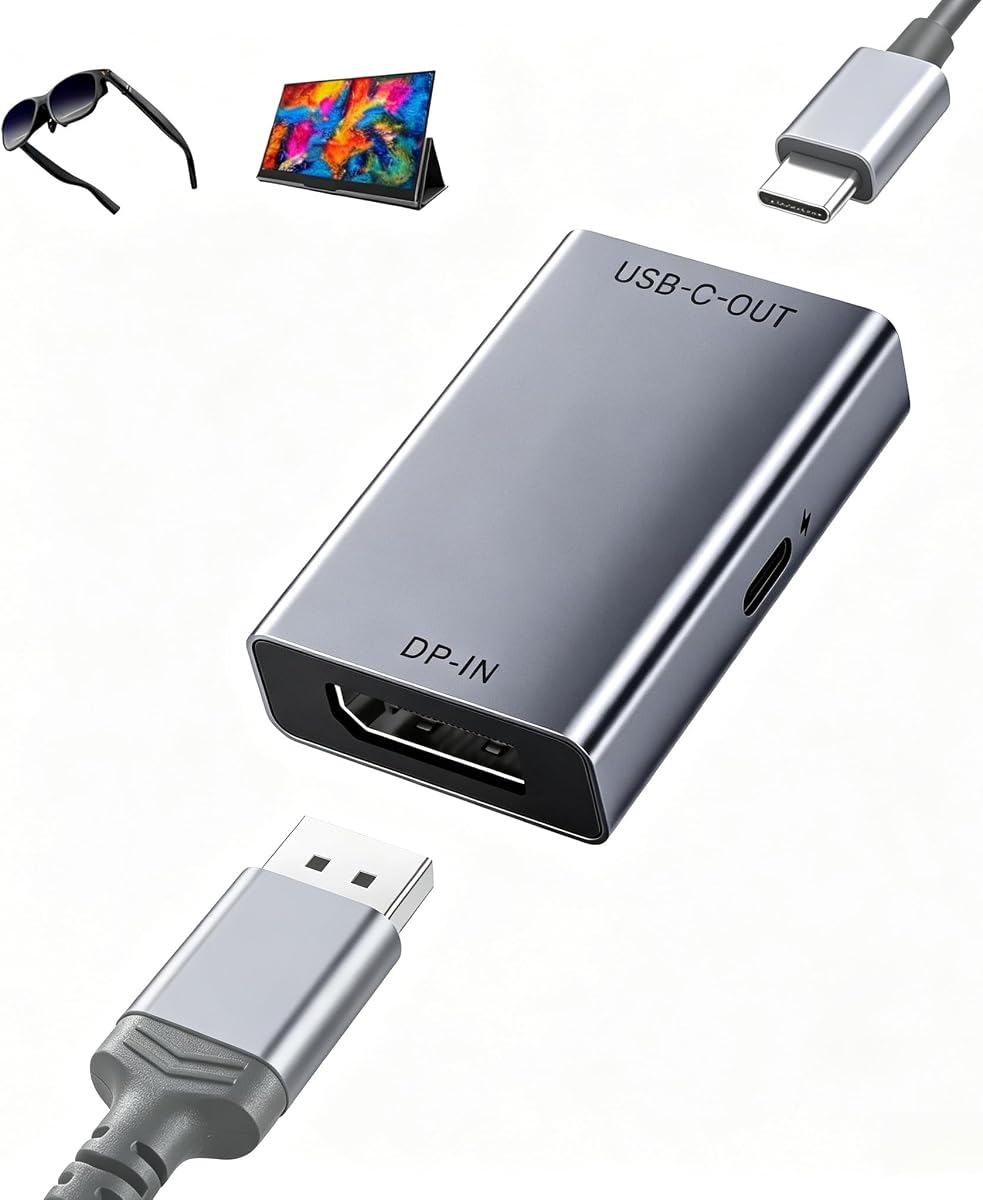
This adapter stands out as the best overall choice for users seeking high performance. It supports 4K@120Hz resolution which is ideal for gaming and movies. The aluminum build ensures durability while keeping the device compact for travel.
We may earn a commission when you buy through this link, at no additional cost to you.
The wide compatibility is a major strength. It works with XREAL, Rokid, and Viture glasses making it a versatile option for many users. The included chipset stabilizes the connection to reduce latency during critical moments.
One trade-off is the one-way signal transmission. You cannot use it to send video from a USB-C device to a DisplayPort monitor. Also audio support may vary depending on the firmware settings of your AR glasses.
If you prioritize smooth visuals and broad device support this is the top recommendation. It balances performance and portability well. Check your device settings before use to ensure optimal performance.
The 120Hz refresh rate provides fluid motion which is essential for fast-paced gaming. This reduces motion blur and creates a more immersive experience for AR applications.
The premium aluminum housing helps dissipate heat efficiently. This ensures stable performance during long sessions and adds a sleek look to the adapter.
We may earn a commission when you buy through this link, at no additional cost to you.
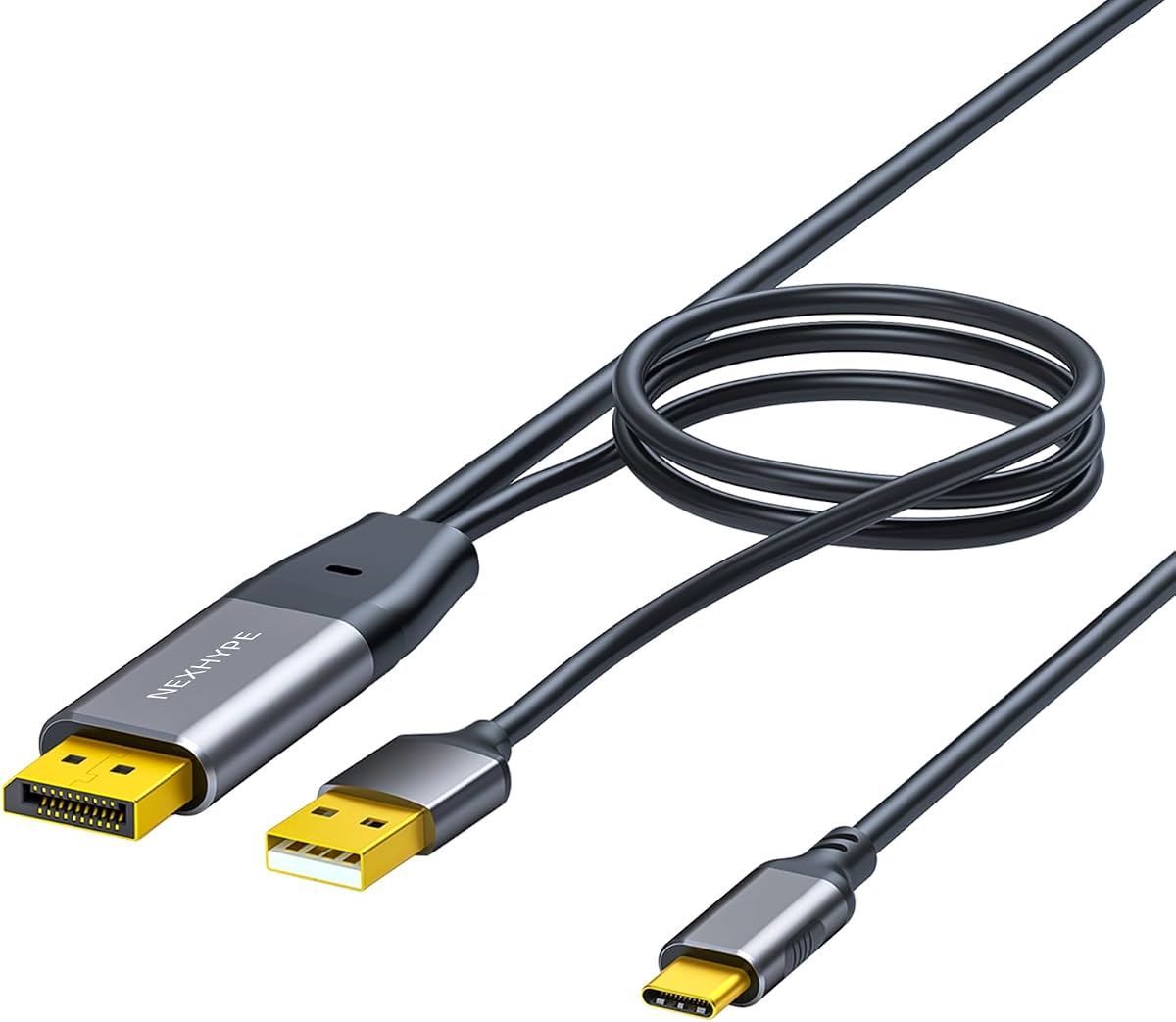
This cable offers excellent value for those needing a reliable connection without extra cost. The 6.6ft length allows comfortable placement. It includes an integrated USB cable for power and data transmission.
We may earn a commission when you buy through this link, at no additional cost to you.
The design is simple and effective for most AR glasses. It supports 1080P resolution which is sufficient for casual use. The gold-plated connectors prevent corrosion and ensure signal stability over time.
However the power output is limited by the USB-A port. Larger monitors may require additional power. Also it does not convert HDMI signals so you need an adapter for consoles like PS5.
For budget-conscious users this is a solid choice. It meets basic needs well and provides flexibility with the cable length. Verify power requirements before purchasing to avoid issues.
The 6.6ft cable gives you freedom to position your glasses comfortably. This is especially useful when sitting far from your computer or entertainment source.
The extra USB cable helps stabilize the signal. This reduces flickering and ensures consistent image quality during use without extra power adapters.
We may earn a commission when you buy through this link, at no additional cost to you.
This premium cable leads in user satisfaction with top ratings. It delivers crystal clear 4K@60Hz visuals and supports full touch functionality. The graphene shielding enhances signal integrity.
We may earn a commission when you buy through this link, at no additional cost to you.
It is optimized for creative pros and Apple users. Connecting Mac Mini or MacBook Pro is seamless. The integrated USB-A power port stabilizes the signal for smooth touch interactions.
One limitation is compatibility with Switch 2. Also DSC support is required for some high-end displays. These are minor issues for most standard setups but worth noting.
If you need reliable touch support and high clarity this is the best pick. It justifies the cost with performance and build quality. Ideal for professionals needing precision.
The graphene material reduces interference and ensures a stable signal. This results in fewer dropouts and a smoother viewing experience overall.
Unlike many adapters this supports full touch. You can interact with your AR display directly without needing additional input devices or complex setups.
We may earn a commission when you buy through this link, at no additional cost to you.
This adapter brings extra versatility with a built-in USB hub. It supports 4K@120Hz and HDR for professional color accuracy. The aluminum housing keeps it cool during heavy use.
We may earn a commission when you buy through this link, at no additional cost to you.
The hub allows keyboard and mouse connectivity. This is useful for extended sessions without extra cables. The low latency performance makes it great for gaming and interactive apps.
However the hub requires a separate data cable. Also the power output is limited so monitors need external power. These constraints may inconvenience users needing more power.
If you need extra ports and professional color this adapter fits well. It balances performance and convenience. Just be aware of power limitations before buying.
The three USB ports let you connect peripherals directly. This reduces cable clutter and makes setup easier for work or gaming stations.
With HDR and 10-bit color support you get accurate visuals. This is crucial for designers and editors working on AR content.
We may earn a commission when you buy through this link, at no additional cost to you.
This adapter focuses on high power and speed. It supports 8K and 4K@144Hz which is rare in this category. The 65W delivery helps power your display while streaming.
We may earn a commission when you buy through this link, at no additional cost to you.
The graphene-coated cable is durable and portable. Its short length makes it perfect for travel. You can connect to USB-C monitors easily without extra power supplies.
However the short cable limits flexibility. Also it does not support touchscreens. These are trade-offs for portability so consider your setup carefully.
If you need high speed and power this is a strong candidate. It simplifies mobile workstations well. Ensure your display supports the required power.
The integrated power port charges your display as you use it. This eliminates the need for extra power bricks and keeps your desk clean.
The 0.5m length is compact and lightweight. You can easily slip it into a bag for use on the go without taking up space.
We may earn a commission when you buy through this link, at no additional cost to you.
This compact adapter is designed for portability. The 1.6FT length keeps setup minimal. It includes USB-A power supply for signal stability.
We may earn a commission when you buy through this link, at no additional cost to you.
It works with major AR brands like Viture and Xreal. The gold-plated connectors resist corrosion and ensure stable connections. The aluminum housing dissipates heat efficiently.
The short cable may limit positioning options. Also high power devices may need extra power. Firmware updates might be necessary for sound.
For travel and simple setups this is a great option. It provides reliable performance in a small package. Check power requirements before purchase.
The short length makes it easy to carry. You can keep it in a pocket or small case without adding bulk.
These connectors prevent rust and ensure signal stability. This means consistent performance over time without degradation.
We may earn a commission when you buy through this link, at no additional cost to you.
This cable provides a reliable connection for AR glasses. The 6FT length offers comfortable distance. It includes power for signal stability without extra power.
We may earn a commission when you buy through this link, at no additional cost to you.
The PVC jacket is flexible and durable. It withstands bending conditions well. The gold-plated connector ensures smooth connection and signal integrity.
However it does not support touch functionality. Also it cannot power monitors. These are limitations for interactive setups.
For general video streaming this works well. The length and durability make it a good choice. Verify your monitor power needs before buying.
The material allows flexibility without breaking. This ensures the cable lasts longer even with regular movement and bending.
The 6ft length lets you sit further away. This provides comfort for viewing movies or gaming without cramping your space.
We may earn a commission when you buy through this link, at no additional cost to you.
This adapter is optimized for gaming consoles and AR glasses. It supports Switch 2 dock mode which is unique. The 1080P@144Hz refresh rate is smooth.
We may earn a commission when you buy through this link, at no additional cost to you.
The PD3.0 pass-through keeps devices powered. The aluminum construction helps with heat dissipation. Its compact size is great for portable setups.
However the short cable may be limiting. Also it generates heat and needs 60W power. Proper ventilation is essential.
If you play on consoles this is a top choice. It offers versatility for gaming scenarios. Ensure you have sufficient power supply.
The adapter works with Switch 2 dock for TV output. This enables seamless gameplay on AR glasses with a powerful setup.
The 144Hz support ensures smooth motion in games. This reduces motion blur and improves responsiveness for immersive play.
We may earn a commission when you buy through this link, at no additional cost to you.
This cable offers solid general purpose performance. The 6.6ft length provides good reach. It supports 4K@60Hz resolution for clear visuals.
We may earn a commission when you buy through this link, at no additional cost to you.
It works well with MacBook Pro and iPad. The USB power ensures stability. It is easy to use without drivers.
However some setups may experience flickering. It may not work with all VR devices. Verify compatibility before purchase.
For general use this is a reliable option. It handles basic needs well. Check your devices for DP Alt Mode support.
This cable is designed for everyday tasks. It handles movies and basic work well with consistent performance.
The adapter works with Mac Mini and MacBook Pro. It ensures smooth video transmission for creative professionals.
We may earn a commission when you buy through this link, at no additional cost to you.
This adapter is designed for VITURE neckband users. The magnetic connector makes it easy to plug in. It supports high transfer rates for smooth streaming.
We may earn a commission when you buy through this link, at no additional cost to you.
It is clean and easy to use. The magnetic feature keeps the connection secure. It works well with the Mobile Dock for dual displays.
However it is limited to VITURE gear. You cannot use it with other brands. This restricts flexibility for multi-brand users.
If you use VITURE products this is the best choice. It simplifies connectivity. Check compatibility before purchasing.
The magnetic design allows for quick and secure attachment. This prevents accidental disconnection during use.
When paired with Mobile Dock you can use two screens. This is useful for multitasking and productivity.
We may earn a commission when you buy through this link, at no additional cost to you.
Choosing the right adapter requires looking at several technical factors. Understanding these will help you avoid compatibility issues.
Look for adapters that support at least 4K@60Hz for clear visuals. If you play fast games prioritize 120Hz or higher. This ensures smooth motion and reduces blur.
Higher refresh rates are essential for immersion. Check if the adapter supports the resolution your glasses can display.
Some adapters include USB power ports to stabilize the signal. This is important for battery-free monitors. Ensure the power output meets your device requirements.
If your display needs more power check for PD support. Adequate power prevents flickering and signal loss.
Consider how far you sit from your device. A longer cable offers more flexibility for seating. Flexible materials prevent wear and tear.
A short cable is portable but limits movement. Choose based on your usage environment.
Verify that the adapter supports your AR brand. Not all adapters work with Xreal Rokid or Viture. Check firmware requirements for audio support.
Ensure your source device outputs DP signals. Some adapters do not support bidirectional connections.
Look for aluminum housing or graphene shielding. These materials improve heat dissipation and signal integrity. Durable connectors prevent corrosion.
Quality build ensures longevity. Avoid plastic housings for heavy use.
If you need to interact with your display ensure touch is supported. This feature requires specific chipset capabilities. Most standard adapters do not offer this.
Check if touch data transmission is included. This is vital for interactive apps.
Select adapters that do not require drivers. This makes setup quick and easy for all users. Software installation can be a barrier.
Drivers-free operation is standard for most. Confirm this before buying.
Ensure the product comes with a return policy. This allows you to test compatibility risk-free. Look for warranty support as well.
A good warranty protects your investment. Check terms for technical support.
First connect the DisplayPort end to your source device. Ensure the port is clean and aligned. A loose connection can cause signal loss.
Second connect the USB-C end to your AR glasses. Plug in any required power cables. This stabilizes the signal and prevents flickering.
Third keep the adapter cool during use. Avoid bending the cable sharply. Store it in a case to prevent damage.
Most adapters support audio but it depends on firmware. Some glasses require switching to DP mode. If no sound check your device settings.
Only specific models support Switch 2 dock mode. Others may not work for TV output. Check the product details for console compatibility.
Flickering often means low power. Ensure you plug in the USB power cable. Also verify the cable length is within limits.
No most adapters are one-way only. They convert DP to USB-C not vice versa. Do not expect to send video from USB-C to DP.
Use a USB port that supports sufficient power. Some devices need more than standard USB. For high power use a wall adapter.
Xbox uses HDMI so you need an HDMI to DP adapter. The USB-C cable alone does not support HDMI signals. Check your console ports first.
Not all adapters support touch. You need a model with touch data support. Check the product specs before purchasing.
No you need one adapter per glasses. Some models allow docking but not direct multi-glasses. Use compatible docks for multi-user setups.
We found that the DisplayPort to USB-C Adapter with Power 4K@120Hz leads in overall performance. It balances high refresh rates and compatibility effectively.
For budget shoppers the 4K@60Hz cable offers great value. For those needing high power the 65W adapter is the top choice.
Always check current specs before buying. Prices and details change so verify compatibility for your devices.