
Canon Color imageCLASS LBP646Cdw
4.1Editor score
Fast 26 ppm speed
Compact wireless design
High capacity toner
This guide compares the top 10 duplex color laser printers for 2026, evaluating speed, connectivity, and value for home and business offices.
Choosing a duplex color laser printer is essential for modern productivity. These devices save paper with automatic two-sided printing and deliver sharp text and graphics efficiently for professional needs.
We analyzed ten top models based on print speed, connectivity options, and user feedback. Our comparison highlights performance across home offices and small business environments to help you find the right fit.
Each pick shows specific strengths like wireless ease or high toner yield. Prices and availability change frequently, so verify current details before purchasing to ensure you get the best deal available today.
4.1Editor score

4.2Editor score

4.4Editor score
Here is a side-by-side look at all ten selected printers. This table helps you quickly compare key specifications like speed and connectivity to make an informed decision.


This all-in-one printer delivers reliable color duplex printing with solid connectivity options. It scores well for home offices needing scanning and fax capabilities without extra devices.
We may earn a commission when you buy through this link, at no additional cost to you.
Its color laser engine produces crisp text and vibrant graphics for professional documents. The wireless integration allows seamless printing from laptops and mobile devices with ease.
While it has a standard paper tray, frequent refills might be needed for high volume users. Toner replacements can add up over time compared to high yield alternatives.
Buy this if you need a versatile machine that handles daily tasks efficiently. It balances performance and features well for most small office environments.
The combination of print scan copy and fax functions reduces desk clutter significantly.
Color laser technology ensures sharp graphics suitable for client presentations and reports.
We may earn a commission when you buy through this link, at no additional cost to you.
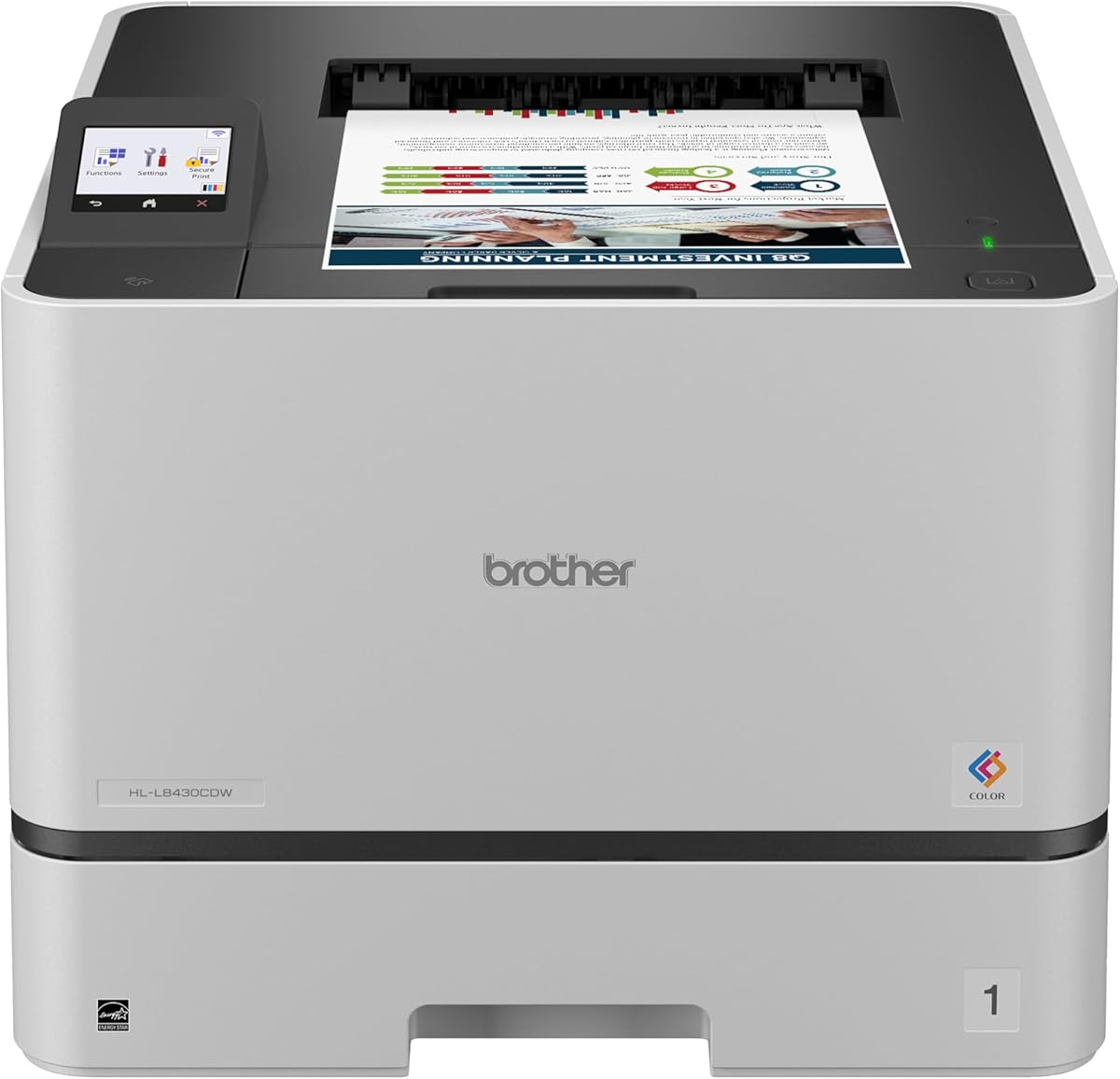
This model focuses on core printing needs with strong connectivity and paper handling. It suits users who prioritize wireless convenience and decent volume without scanning.
We may earn a commission when you buy through this link, at no additional cost to you.
The 250-sheet tray reduces refill frequency while wireless protocols protect sensitive documents. Mobile apps allow printing directly from smartphones and tablets effortlessly.
Speed is moderate at 19 ppm which may lag behind faster competitors for large jobs. Lack of scanning limits it to print-only tasks requiring separate hardware.
Choose this for a reliable dedicated printer in a space-saving footprint. It works well where scanning is handled by another device.
Advanced wireless security features keep data safe during transmission to the device.
Duplex printing helps reduce paper waste and operational costs over time.
We may earn a commission when you buy through this link, at no additional cost to you.
A streamlined option for users needing fast color duplex printing without extras. Its speed and efficiency make it ideal for budget-conscious environments focused on output.
We may earn a commission when you buy through this link, at no additional cost to you.
The 26 ppm speed ensures quick turnaround for documents and reports. Wireless setup is simple and mobile printing options add flexibility for remote work.
It lacks scanning and copying which limits multitasking on a single unit. The LCD interface is functional but not as intuitive as touchscreen models.
Pick this for pure printing power at a lower price point. It excels where speed and cost are the top priorities.
High-speed printing reduces wait times while high yield toner lowers long-term costs.
Quick wireless configuration gets you printing within minutes of unpacking.
We may earn a commission when you buy through this link, at no additional cost to you.
This printer combines printing and scanning in a package with cloud integration. The touchscreen and app support streamline workflows for modern users.
We may earn a commission when you buy through this link, at no additional cost to you.
Dual-band wireless ensures stable connections for multiple devices. The ADF helps automate scanning of multi-page documents efficiently for file management.
Speed lags behind high-performance models which may slow heavy office use. Toner and maintenance costs are average but add to overall spending.
Consider this for small teams needing connectivity and basic scanning. It offers good value for versatile tasks.
Direct cloud access allows saving documents to storage without intermediate steps.
Customizable shortcuts on the touchscreen speed up common daily tasks.
We may earn a commission when you buy through this link, at no additional cost to you.
Top-tier performance and robust security make this a standout for business environments. Its speed and low-cost features justify the investment for demanding users.
We may earn a commission when you buy through this link, at no additional cost to you.
The 33 ppm engine handles high volumes efficiently while NFC readers secure access. High yield toners keep operating costs manageable over the device lifecycle.
Advanced features like the large touchscreen may require learning time for staff. Initial setup can be more involved than basic home models.
Select this for professional offices needing speed and security. It delivers reliability and cost savings long-term.
Triple layer security and badge access protect sensitive corporate data effectively.
EPEAT Gold rating and recycled materials support green office initiatives.
We may earn a commission when you buy through this link, at no additional cost to you.
Designed for small offices needing speed and connectivity options. The ethernet port adds stability while cloud apps simplify printing from various devices.
We may earn a commission when you buy through this link, at no additional cost to you.
The refresh trial encourages exploring new toner options for long-term savings. Output quality remains consistent for professional documents and internal reports.
Lack of an ADF makes scanning multi-page tasks slower. Controls are basic which might limit advanced customization preferences.
Opt for this if you value stability and speed over scanning features. It fits well in dedicated workstations.
Ethernet ensures a stable connection for busy networks without signal drops.
Cloud-based app integration lets you print directly from common productivity tools.
We may earn a commission when you buy through this link, at no additional cost to you.
A balanced all-in-one with strong duplex scanning speeds and warranty coverage. The touchscreen and mobile features make it friendly for tech-savvy users.
We may earn a commission when you buy through this link, at no additional cost to you.
The 50-sheet duplex ADF speeds up scanning two-sided documents efficiently. Mobile printing supports AirPrint and Mopria for seamless device integration.
It may feel pricey compared to competitors with similar specs. Paper tray capacity limits high-volume use without manual refills.
Consider this if warranty and duplex scanning are priorities. It suits offices needing quick document processing.
Three-year coverage provides confidence against defects or performance issues.
Automatic duplex scanning keeps files neat and organized for easy digital access.
We may earn a commission when you buy through this link, at no additional cost to you.
This unit offers strong 26 ppm performance in a compact 3-in-1 package. The touchscreen and warranty make it a safe choice for regular users.
We may earn a commission when you buy through this link, at no additional cost to you.
Mobile printing apps simplify getting documents out quickly from anywhere. High yield toner helps manage ongoing supply expenses reasonably well.
The lack of fax limits it to modern digital workflows. Toner replacement costs can still add up over long periods.
Ideal for home offices needing quality and speed. It delivers consistent results with minimal fuss.
Customizable app access on the screen makes frequent tasks easier.
Robust warranty terms ensure support is available when needed for repairs.
We may earn a commission when you buy through this link, at no additional cost to you.
A reliable model from a trusted brand focusing on color quality and speed. The self-reset Wi-Fi helps maintain connectivity during network changes.
We may earn a commission when you buy through this link, at no additional cost to you.
TerraJet toner brings vivid color to reports and presentations for professional output. The standard tray handles daily needs without constant refills.
Firmware may restrict third-party toners increasing long-term costs significantly. User ratings reflect some frustration with connectivity or support issues.
Choose if brand reputation and color quality matter most. Ensure you accept the toner policies before buying.
Self-reset features detect and fix connection drops automatically for uptime.
Enhanced toner chemistry delivers sharp vibrant graphics for marketing materials.
We may earn a commission when you buy through this link, at no additional cost to you.
Focused on high speed and low operational costs for business environments. Its speed and NFC features offer security and efficiency for teams.
We may earn a commission when you buy through this link, at no additional cost to you.
The included toner provides substantial page yields to lower immediate expenses. Optional trays allow scaling capacity as office needs grow over time.
It lacks scanning which requires a separate scanner for digital files. The initial investment is higher but offsets long-term printing expenses.
Select this for print-heavy workloads needing speed. It supports expansion for growing business demands.
Additional trays expand paper capacity significantly for high-volume teams.
NFC card readers provide badge authentication for secure print release.
We may earn a commission when you buy through this link, at no additional cost to you.
Selecting the right printer requires understanding key features that match your workflow. We break down the most important factors to consider.
Print speed measured in pages per minute (PPM) determines how quickly you get documents. Faster speeds like 33 ppm suit busy offices while 19 ppm works for homes.
Prioritize higher speeds if you produce large batches regularly to avoid waiting.
Duplex or two-sided printing saves paper and reduces bulk in physical files. Automatic duplex printing handles this internally without manual intervention.
Ensure the printer supports automatic duplex on both sides for maximum efficiency.
Wireless options like Wi-Fi and Ethernet allow multiple devices to print without cables. Mobile printing via apps or AirPrint adds flexibility for remote users.
Check for dual-band Wi-Fi to ensure stable connections in crowded networks.
High yield toners cost more upfront but provide more pages per cartridge. Look for standard yield pages and compatible high yield alternatives for savings.
Calculate the cost per page to compare total ownership costs accurately.
Models with scan copy and fax functions replace multiple devices. This saves desk space and simplifies workflow for small offices.
If you rarely scan, a print-only model may offer better value.
Paper trays holding 250 sheets reduce how often you refill the printer. Higher capacity is essential for high-volume environments.
Look for multipurpose trays to handle envelopes and labels easily.
Advanced printers include features like secure printing and user authentication. NFC readers and password protection prevent unauthorized access to sensitive docs.
For businesses, prioritize models with strong built-in security standards.
A longer warranty like three years reduces risk during the ownership lifecycle. Reliable customer support helps resolve issues quickly.
Check if extended warranty plans are available for additional peace of mind.
Set up the printer on a level stable surface near a power outlet and internet router. Connect cables if using wired Ethernet before powering the device on.
Install the correct drivers on your computer using the provided software or website links. Ensure the toner cartridges are securely installed in their designated slots.
Regularly clean the exterior with a dry cloth and avoid harsh chemicals. Keep the paper trays filled with dry paper to prevent jams and maintain print quality.
Color laser printers use cyan magenta yellow and black toners to produce multi-colored documents. Monochrome uses only black toner which is cheaper and faster for text only tasks.
Automatic duplex printing flips the page internally to print on both sides in one pass. This saves paper and time compared to manually refeeding single-sided pages.
Modern wireless printers use encryption protocols and authentication to protect data. Look for features like secure print and secure network integration to keep your documents safe.
Many printers work with third-party cartridges but some brands block non-original chips. Check the manufacturer policy before buying to avoid firmware or warranty issues.
PPM stands for pages per minute and measures how fast the printer outputs pages. Higher PPM means faster production for large document volumes or heavy workloads.
Yes automatic duplex printing reduces paper usage by printing on both sides. This lowers environmental impact and costs especially in high-volume office environments.
Touchscreens provide intuitive menus and customizable shortcuts for frequent tasks. They make navigating settings and scanning features faster than buttons or dials.
Clean the exterior monthly and check internal rollers every few months for dust. Regular cleaning prevents jams and ensures consistent print quality over time.
We reviewed ten options ranging from budget-friendly models to premium business workhorses. Top picks like the Canon MF753Cdw II and Brother MFC-L8930CDW lead in performance.
Prioritize speed and connectivity based on whether you need scan functions or just output. Consider total cost of ownership with toner and warranty terms in mind.
Check current listings for real-time pricing and availability before finalizing your purchase. A well-chosen printer can significantly boost daily office productivity.