
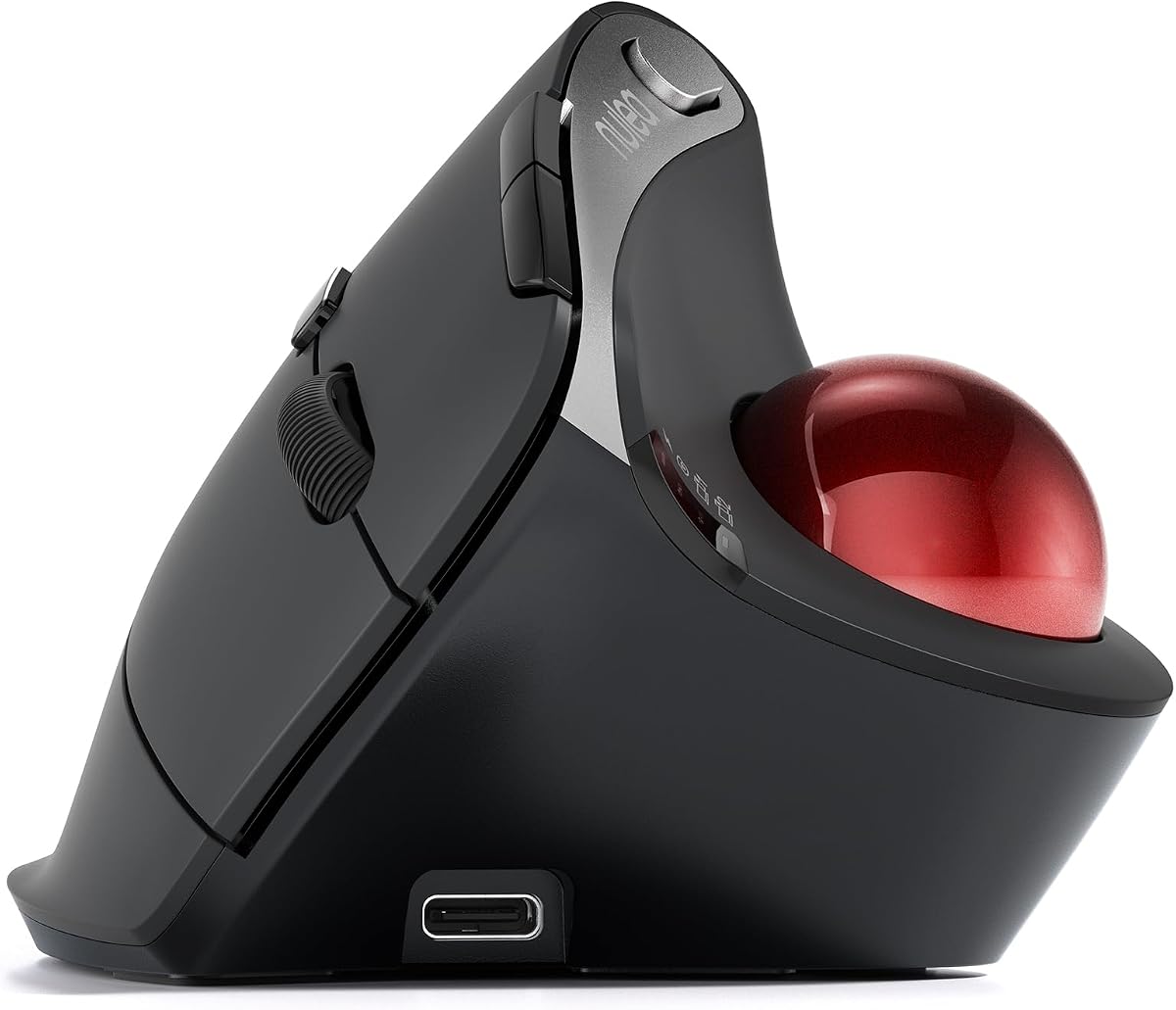
Nulea M501 Wireless Trackball Mouse
4.4Editor score
Adjustable DPI levels
Rechargeable battery
Multi-device connection
This comprehensive guide compares the top ten ergonomic trackball mice to help you choose the right device for comfort and precision.
Ergonomic trackball mice offer a unique solution for users seeking reduced wrist strain during long computer sessions. These devices replace the traditional scrolling motion with a stationary thumb-controlled ball, allowing for precise cursor movement without shifting your hand position. This design is particularly beneficial for individuals experiencing discomfort or those working in confined spaces.
To compile this list, we evaluated various models based on ergonomic design, tracking precision, connectivity options, and overall build quality. Each product was selected for its ability to provide comfort and efficiency across different user needs. Our analysis considers factors like tilt angles, button customization, and battery life to ensure a well-rounded selection.
Each entry in this guide highlights key features, pros, and cons to help you make an informed decision. We also include detailed specifications and usage tips to maximize your experience. Please note that product availability and pricing can change frequently, so verify current details before purchasing.
4.4Editor score
4.5Editor score

4.4Editor score
This section provides a side-by-side comparison of all ten selected trackball mice to highlight their unique specifications and strengths.




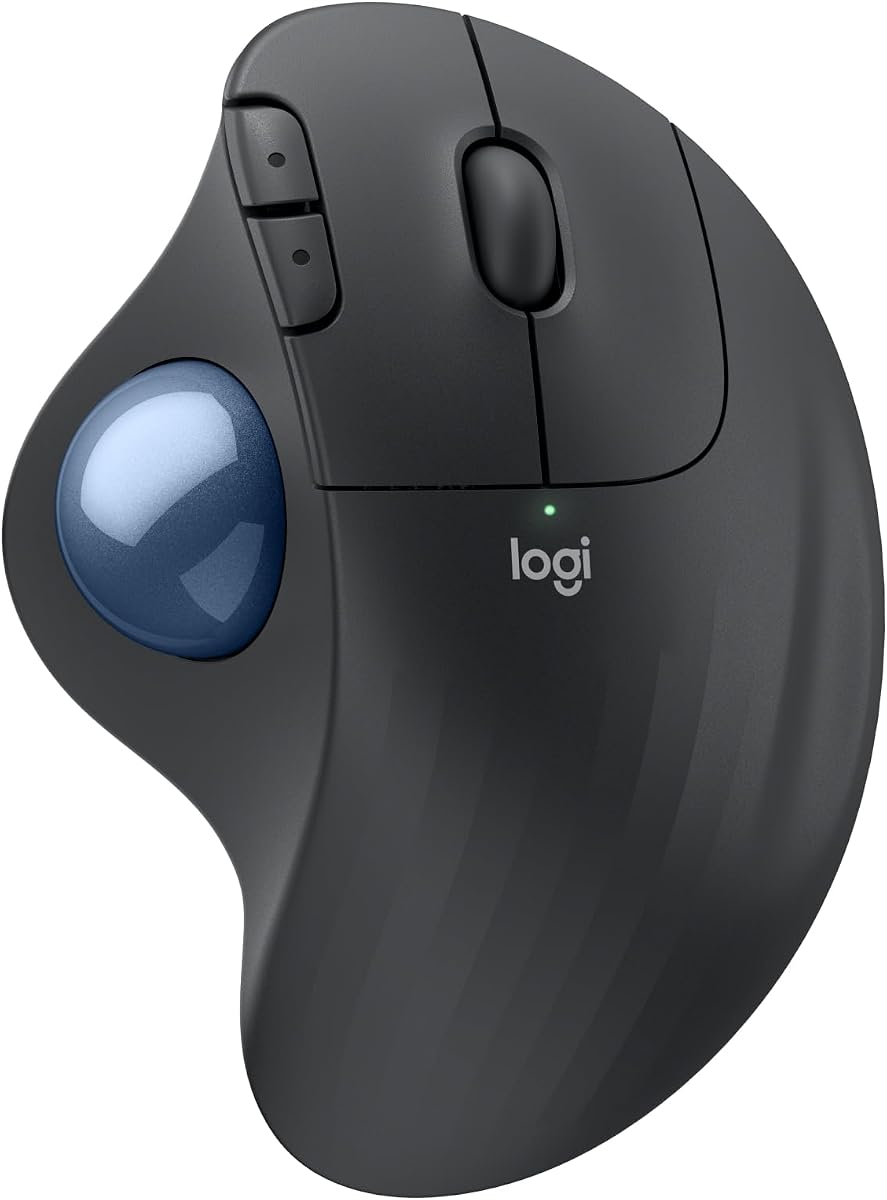
The Logitech Ergo M575S stands out as a top contender in the ergonomic trackball market. With a 4.5-star rating, users consistently praise its comfort and precision. The sculpted shape ensures your hand remains relaxed during extended work sessions, addressing common ergonomic concerns effectively.
We may earn a commission when you buy through this link, at no additional cost to you.
Its standout feature is the proven reduction of forearm muscle strain by 25%. Developed with Logi Ergo Lab experts, this mouse aligns your forearm for better posture. Additionally, the inclusion of quiet clicks makes it suitable for shared office environments where noise can be disruptive.
While the software adds significant value through customizable shortcuts, some users may find the initial setup time-consuming. However, the learning curve is minimal compared to the long-term ergonomic benefits. The 18-month battery life ensures minimal downtime and maintenance.
Ideal for professionals seeking a reliable, high-performance ergonomic solution, the M575S balances comfort with functionality. Whether you work in tight spaces or prioritize health-conscious computing, this model delivers consistent performance. It remains our top recommendation for most users.
The M575S features a sculpted shape that supports your hand and realigns your forearm. This design helps maintain a natural position, reducing strain and enhancing comfort throughout the workday.
With both Bluetooth and USB receiver options, this mouse offers versatile connectivity. The long battery life means you won't need to frequently replace batteries, making it cost-effective over time.
We may earn a commission when you buy through this link, at no additional cost to you.
The Nulea M501 offers an excellent entry point into ergonomic trackball mice without compromising essential features. Its 4.4-star rating reflects user satisfaction with its performance and value. Designed for smooth thumb control, it helps reduce muscle stress effectively.
We may earn a commission when you buy through this link, at no additional cost to you.
Key strengths include its rechargeable battery and adjustable DPI levels. This allows you to switch between precision and speed easily. The ability to connect to three devices via Bluetooth or USB dongle enhances productivity for multi-device workflows.
While the buttons are not programmable, which limits customization for power users, the mouse still delivers solid performance for standard tasks. The charging cable requires care to avoid fast chargers, but this is a minor inconvenience given the low price.
For budget-conscious buyers looking for quality and comfort, the M501 is a compelling choice. It provides the core ergonomic benefits of trackball mice at an accessible price. It’s ideal for students or casual users needing a reliable, comfortable input device.
The M501 allows you to keep your palm in a natural position with its optimal trackball angle. This design significantly reduces muscle stress and supports all-day comfort during work or leisure.
Supporting both Bluetooth and USB connections, this mouse can easily switch between three devices. This feature is particularly useful for users who manage multiple computers or tablets simultaneously.
We may earn a commission when you buy through this link, at no additional cost to you.
The Logitech MX Ergo S is a premium offering designed for those who demand the best ergonomic support. With a 4.4-star rating, it is acclaimed for its tilt angle and customizable features. The advanced thumb control provides exceptional precision for detailed tasks.
We may earn a commission when you buy through this link, at no additional cost to you.
Its 20-degree tilt reduces muscle strain by 27%, significantly aiding forearm posture. The quiet clicks and USB-C charging further enhance user experience. These features make it ideal for professional settings where comfort and productivity are paramount.
The main drawback is its high price, which might not be justified for casual users. However, for power users or those with ergonomic concerns, the investment pays off. The software integration allows for deep customization to fit specific workflows.
If you seek top-tier comfort and advanced features, the MX Ergo S is unmatched. It combines sophisticated design with practical functionality. This model is perfect for professionals willing to invest in their health and long-term productivity.
Certified by ergonomists, the MX Ergo S features a sculpted design with a 20-degree tilt. This reduces strain and improves posture, making it ideal for medium to large-handed users seeking extended comfort.
With six customizable buttons and support for Smart Actions, this mouse boosts workflow efficiency. The Logi Options+ App allows you to tailor shortcuts and cursor speeds for your specific needs.
We may earn a commission when you buy through this link, at no additional cost to you.
The Logitech 910007026 variant offers a sleek black finish while maintaining the ergonomic excellence of the M575 series. With a high 4.6-star rating, users appreciate its comfort and reliability. It focuses on improved forearm posture and easy connectivity.
We may earn a commission when you buy through this link, at no additional cost to you.
Key strengths include its long battery life and simple connection options. The thumb control design allows you to save space and maintain a relaxed hand position. This makes it suitable for those prioritizing health without needing extra customization.
The lack of detailed product descriptions might limit understanding for some buyers. However, its solid rating and core ergonomic benefits speak to its quality. It shares many features with the M575S but in a distinct color.
Ideal for users seeking a classic black ergonomic mouse, this model delivers consistent performance. It is perfect for office environments where a professional appearance is desired. Overall, it is a reliable choice for those focused on posture improvement.
This model emphasizes improved forearm posture through its ergonomic shape. By realigning your forearm, it helps reduce strain over time, promoting healthier computer usage habits.
Connecting is straightforward with standard wireless options. The long battery life ensures uninterrupted use, making it convenient for daily tasks without constant recharging or battery changes.
We may earn a commission when you buy through this link, at no additional cost to you.
TECKNET Wireless Trackball Mouse distinguishes itself with a unique 16-degree vertical angle. With a 4.5-star rating, it is praised for reducing muscle strain by up to 50%. This design encourages a more natural wrist position during use.
We may earn a commission when you buy through this link, at no additional cost to you.
Its standout feature is the 500mAh rechargeable battery, which offers fast charging. The 5 DPI levels provide flexibility for various tasks. The mouse ensures a strong, lag-free signal up to 34 feet for reliable performance.
Some users note that it is specially designed for larger hands, which may require an adjustment period. However, the ergonomic benefits quickly outweigh the initial learning curve. The silent operation is another plus for shared spaces.
Ideal for users struggling with traditional mouse strains, this vertical design offers relief. The quick charging and wireless reliability make it practical for daily use. It is a strong contender for those seeking ergonomic innovation.
The 16-degree vertical angle promotes better forearm posture and reduces strain. This helps maintain a natural palm position, making it suitable for all-day comfort and preventing wrist fatigue.
With a 500mAh battery, just 15 minutes of charging powers a full day. This ensures you can work continuously without worrying about battery life, making it highly convenient.
We may earn a commission when you buy through this link, at no additional cost to you.
The Nulea M506 boasts the highest 4.7-star rating in our lineup. Its 54-degree vertical design keeps wrists relaxed, reducing wrist burden significantly. The contoured shell and textured surface enhance grip and cursor stability.
We may earn a commission when you buy through this link, at no additional cost to you.
Key strengths include the detachable trackball for easy cleaning and fingertip-controlled essential functions. The battery lasts up to 21 days on a single charge. With 4 DPI levels, it adapts well to design work and browsing.
While the buttons are not programmable, the seamless workflow and smooth operation compensate for this limitation. The 3-device connection supports efficient multitasking. It is ideal for users needing a clean, reliable tool.
For office workers and creatives, the M506 offers a balance of comfort and utility. Its easy maintenance and reliable performance make it a top choice. It is especially recommended for those experiencing wrist discomfort.
All frequently used controls are within easy reach of your fingers. This seamless operation helps prevent workflow breaks, ensuring productivity during browsing and creative tasks.
The removable trackball allows quick cleaning without tools. Keeping the ball free of dust ensures smooth rolling and precise control, extending the mouse's lifespan.
We may earn a commission when you buy through this link, at no additional cost to you.
Nulea's ergonomic vertical trackball mouse features a 65-degree angle that promotes a natural hand position. Its smart infinite scroll wheel automatically switches between precise and fast modes. This allows effortless navigation through long pages with a gentle spin.
We may earn a commission when you buy through this link, at no additional cost to you.
The completely noise-free operation is perfect for shared spaces. The seamless workflow connection up to three devices makes it versatile for multi-device users. The sculpted shape and wave texture ensure a comfortable grip.
While it has a lower rating of 4.3, users appreciate the unique scroll feature and silent control. However, the automatic switching might feel unpredictable initially. With practice, it becomes a powerful tool for browsing.
Ideal for users navigating long documents or websites, this mouse excels at scrolling tasks. Its silence and ergonomic design support long work sessions. It is a specialized choice for those prioritizing noise reduction and scrolling efficiency.
The advanced scroll wheel adapts to your speed for either precision or fast scrolling. This reduces finger strain when navigating long content, making it ideal for research and document work.
Every button and trackball click is noise-free. This is beneficial for late-night work or shared offices, ensuring no distractions for you or colleagues.
We may earn a commission when you buy through this link, at no additional cost to you.
Nulea's model with 21.7-degree tilt stand offers a naturally elevated wrist position. The silent control ensures noise-free operation, ideal for focus. The contoured design provides a precise and comfortable grip for extended periods.
We may earn a commission when you buy through this link, at no additional cost to you.
Key features include the 6-button high-performance layout for added productivity. The 4 adjustable DPI levels support various precision needs. Its seamless multi-device connection enhances workflow efficiency for multitaskers.
While the buttons are not programmable, the extra physical buttons offer quick access to common actions. The tilt stand helps prevent wrist bending. It may not suit everyone due to its specific angle, but offers unique comfort.
For users needing an elevated, silent trackball mouse, this model fits the bill. The ergonomic tilt and button layout improve daily interaction. It is a solid choice for office tasks and long sessions.
The 21.7-degree tilt stand fits your palm precisely for a more natural position. This elevates the wrist to reduce bending and enhance comfort during extended use.
With six buttons and a thumb-controlled trackball, this mouse balances precision and productivity. It allows easy operation of common tasks with added comfort.
We may earn a commission when you buy through this link, at no additional cost to you.
Logitech Ergo M575 for Business is designed for scalable deployment in large organizations. With a 4.4-star rating, it offers enterprise-grade wireless reliability. It reduces muscle activity by 25% and supports better forearm posture.
We may earn a commission when you buy through this link, at no additional cost to you.
Its ability to be remotely deployed and monitored via Logitech Sync is a major advantage for IT teams. The mouse features time-saving shortcuts and customizable buttons through Logi Options+. It ensures a smooth transition for employees.
The long battery life and sustainable materials make it cost-effective and eco-friendly. While regular users can benefit, some business features may be overkill for home use. It is a robust, professional-grade tool.
For businesses or those needing reliable, scalable ergonomic solutions, this model is ideal. Its remote management and solid build ensure minimal downtime. It is a strong choice for office environments prioritizing employee comfort and efficiency.
The Logitech Sync capability allows remote deployment and monitoring. This simplifies IT management and ensures consistent ergonomic support across a workforce.
Plastic parts include 52% post-consumer recycled material. This commitment to sustainability makes it an environmentally conscious choice for organizations.
We may earn a commission when you buy through this link, at no additional cost to you.
The Logitech MX Ergo S Advanced offers enhanced security and programmability. With a 4.5-star rating, it delivers premium ergonomic support. Its encrypted dongle ensures secure connections for sensitive environments.
We may earn a commission when you buy through this link, at no additional cost to you.
Key strengths include six programmable buttons and a 20-degree tilt angle. The USB-C fast charging allows up to 24 hours from a single minute. The contoured design and soft rubber grip suit medium to large hands.
While the complexity and price might deter casual users, the advanced features are unmatched. It supports Smart Actions and detailed customization for productivity. It is ideal for power users requiring security and control.
For professionals needing secure, highly customizable ergonomic tools, this model stands out. Its blend of security and comfort ensures efficient and protected work. It is the ultimate choice for those who demand the best in technology.
The encrypted dongle provides an added layer of security for wireless data transmission. This is crucial for corporate environments and users handling sensitive information.
Six programmable buttons and Smart Actions allow deep workflow customization. This boosts efficiency by enabling time-saving shortcuts tailored to specific tasks.
We may earn a commission when you buy through this link, at no additional cost to you.
Selecting the right ergonomic trackball mouse involves considering various factors to ensure comfort and functionality.
The shape and angle of the mouse are crucial for preventing strain. Look for models that offer tilt angles or vertical structures to keep your wrist in a neutral position. A sculpted design ensures your hand remains relaxed during long sessions.
Prioritize models that align with your hand size to avoid discomfort.
Trackball mice often connect via Bluetooth or USB receivers. Choose a model that supports multiple devices if you switch between computers. Wireless technology should be stable to prevent lag or interruptions.
Ensure compatibility with your operating system for seamless integration.
Consider whether you prefer rechargeable batteries or disposable ones. Rechargeable options are cost-effective and eco-friendly. Fast charging features add convenience by minimizing downtime.
Long battery life ensures uninterrupted workflow and less maintenance.
Programmable buttons and software support enhance productivity. Look for mice that allow shortcut creation or cursor speed adjustments. Customization adapts the mouse to your specific workflow needs.
Check if the software is user-friendly for easier setup and use.
Durable materials ensure the mouse lasts longer and performs consistently. Look for recycled plastic options for sustainability. Textured surfaces improve grip and stability.
Quality construction prevents wear and tear over time.
Adjustable DPI levels allow you to switch between speed and precision. A smooth trackball ensures accurate cursor movement without hesitation. Test tracking capabilities on different surfaces for reliability.
Precision is key for detailed tasks like design or photo editing.
Quiet clicks benefit shared spaces or late-night work. A noise-free experience enhances focus and reduces distractions for others. Check product details to confirm silent operation.
Silent models are ideal for open offices or quiet home environments.
Determine a budget that aligns with your needs. Higher-end models offer advanced features, but basic models provide essential comfort. Assess if the extra cost justifies the added benefits.
Balance features with price to find the best value for your usage.
To begin using your trackball mouse, place it on a flat surface and adjust the DPI settings to your preference. Move your cursor by rotating the ball with your thumb rather than sliding the mouse across the desk.
For optimal comfort, take short breaks to stretch your hand and forearm. Adjust the cursor speed via software settings to suit your workflow. Ensure the thumb control feels natural and reduces wrist movement.
Regularly clean the trackball to maintain precision. Most models allow the ball to be removed for cleaning. Use a soft cloth to wipe away dust and debris. Proper maintenance ensures smooth performance and longevity.
An ergonomic trackball mouse is a stationary input device that allows you to move the cursor by rolling a ball with your thumb. It reduces wrist strain by eliminating the need to move the entire hand across a surface, promoting better posture during computer use.
Yes, trackball mice can help alleviate symptoms of carpal tunnel syndrome. By minimizing wrist movement and keeping the hand in a neutral position, they reduce pressure on the median nerve. Many users find them more comfortable than traditional mice for long sessions.
Most trackball mice allow the ball to be ejected for cleaning. Remove the ball, wipe it with a soft cloth, and clean the inside of the cage. This prevents dust buildup and ensures smooth rolling. Always consult the manual for specific instructions.
Yes, trackball mice do not require a specific surface because the device itself does not move. They work effectively on desks, tables, or even uneven surfaces like a bed or couch. This makes them ideal for environments with limited workspace.
While basic functionality works without software, advanced features like button customization require companion apps. Software allows you to adjust cursor speed and create shortcuts. Many brands provide free, user-friendly tools for enhanced control and productivity.
Battery life varies by model. Some offer up to 18 months on a single AA battery, while rechargeable models provide weeks of use per charge. Fast charging and efficient power management help minimize interruptions and maintenance needs.
The top picks for ergonomic trackball mice offer a range of features to suit different needs and budgets. Whether you prioritize advanced customization or affordability, there is a model that delivers comfort and precision.
Consider your workspace, hand size, and specific tasks when choosing. Prioritize ergonomic design and connectivity options that align with your workflow to maximize benefits and productivity.
Always verify current availability and features before purchasing. Product specifications can change, so checking the latest details ensures you select the right tool for your ergonomic computing needs.