
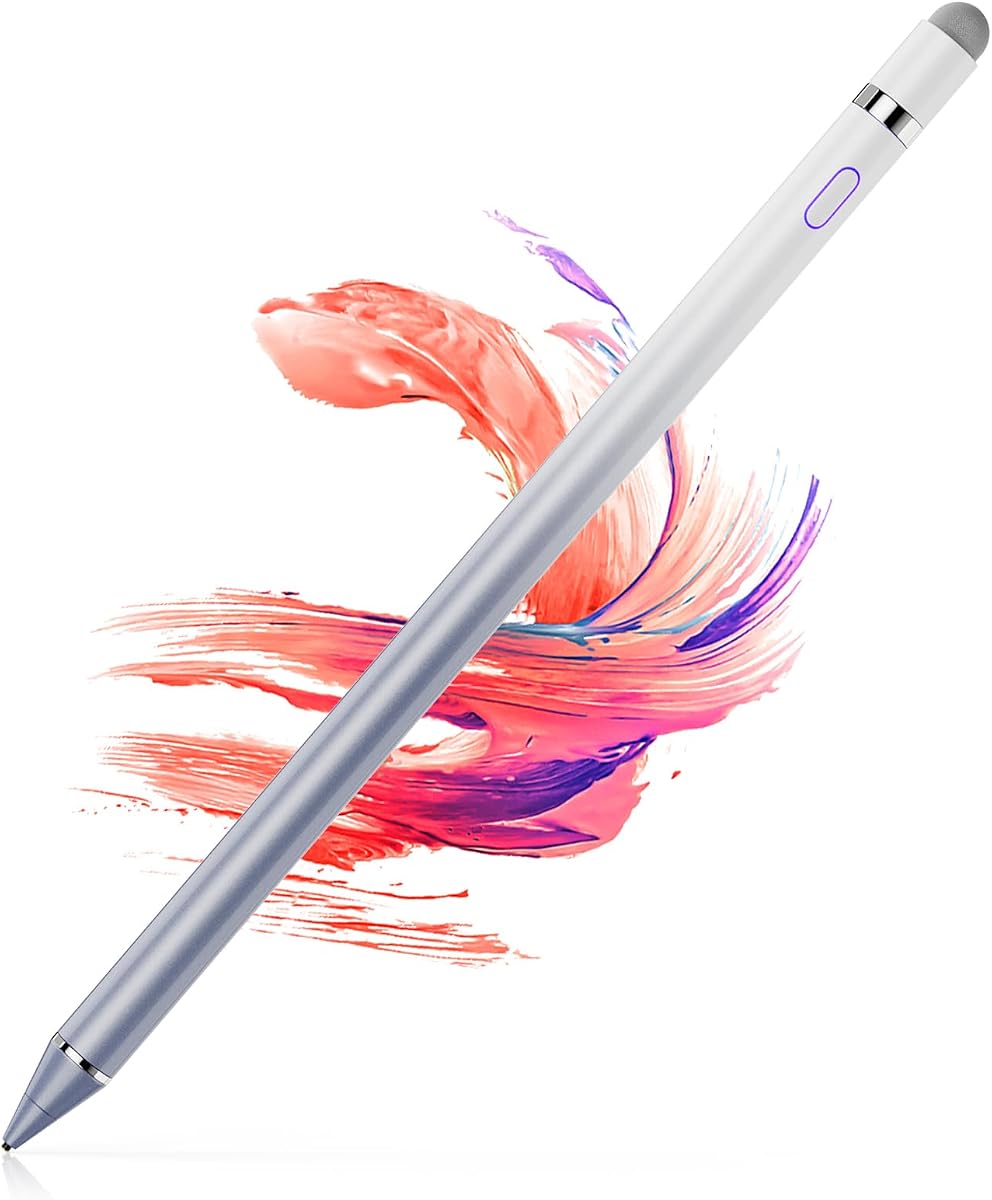
ChaoQ Stylus Pen for Touchscreen
4.6Editor score
Lightweight aluminum body
Dual rubber tips for control
Includes three color options
This guide compares the best fine tip stylus pens for touchscreens, highlighting precision, compatibility, and value for students and professionals alike.
Finding the right fine tip stylus can transform how you interact with touchscreens daily. Whether you are drawing, taking notes, or browsing, a precise pen reduces friction and improves accuracy significantly.
We evaluated ten top-rated stylus pens based on tip precision, build quality, and user feedback. Our comparison focuses on capacitive models that offer fine control without requiring Bluetooth pairing or active charging cycles.
Each pick below showcases specific strengths like disc tips or rubber nibs for varied tasks. Remember that availability and pricing fluctuate often, so verify details before making your final purchase decision today.
4.6Editor score

4.6Editor score
4.0Editor score
The following table provides a side-by-side comparison of all ten selected stylus pens. Review key specifications like tip type, compatibility, and unique features to identify the best match for your specific device needs.


The MEKO Stylus Pen stands out as the top choice for general users seeking precision and versatility. With a 4.6 rating, it combines a transparent disc tip for visibility with durable rubber options for daily tasks.
We may earn a commission when you buy through this link, at no additional cost to you.
Its design allows you to see exactly where the pen touches the screen, which is crucial for detailed work. The flexible writing angle ensures comfort during long sessions without causing screen scratches.
While it lacks advanced active features like pressure sensitivity, the inclusion of multiple replaceable tips makes it cost-effective. The protective cap adds a nice touch for portability and tip safety.
This stylus is ideal for students and professionals who need a reliable tool for notes and browsing. It delivers consistent performance across various devices without the need for charging.
The transparent disc tip lets you see the contact point clearly, reducing guesswork during drawing or typing tasks.
Replaceable rubber tips and a long lifespan mean you spend less on replacements over time compared to single-use styluses.
We may earn a commission when you buy through this link, at no additional cost to you.
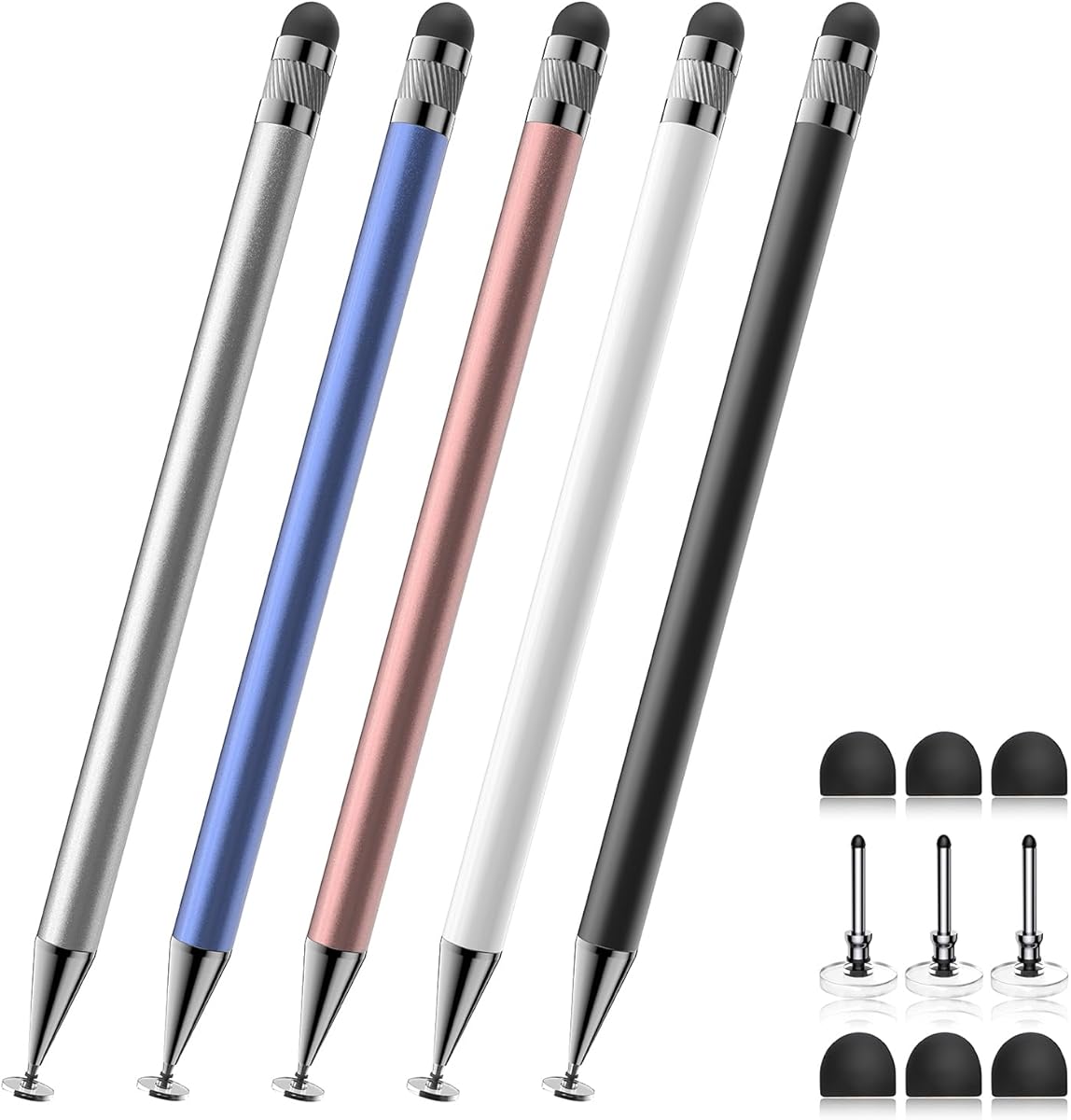
The Bopomofo Stylus offers exceptional value by providing five distinct pens in a single package. This makes it perfect for families or offices where multiple styluses are needed simultaneously.
We may earn a commission when you buy through this link, at no additional cost to you.
Each pen features a combination of rubber and disc tips to suit different tasks. The patented design adds a premium look that appeals to users who care about aesthetics alongside functionality.
While the plastic piece on the disc tip is fixed, the flexibility of the rubber tips ensures stable contact. The variety of colors helps users personalize their tools easily.
This set is recommended for those who need a backup option or want to share with colleagues. It balances cost and quality effectively for everyday touchscreen interactions.
Having multiple colors and tips in one box allows you to assign styluses to specific tasks or users effortlessly.
The unique design patent reflects a commitment to quality and style that distinguishes it from generic alternatives.
We may earn a commission when you buy through this link, at no additional cost to you.
This upgraded 3-in-1 stylus is designed to assist users who may struggle with fine motor skills. It offers high precision without requiring heavy pressure, making it accessible for seniors or those with arthritis.
We may earn a commission when you buy through this link, at no additional cost to you.
The transparent disc tip enhances visibility, which is helpful for accurate navigation. The ability to switch tips without tools adds convenience for users who need different controls for various apps.
While the rubber tips are durable, they may wear faster with heavy use. However, the replacement process is straightforward, ensuring the pen remains functional for a long time.
It is a practical choice for anyone needing a supportive tool for daily device usage. The ergonomic design reduces strain during extended note-taking or gaming sessions.
The ergonomic shape and lightweight build minimize wrist fatigue, allowing for comfortable use over long periods.
Advanced sensitivity ensures the pen responds quickly to light touches, reducing the need for repeated attempts.
We may earn a commission when you buy through this link, at no additional cost to you.
The Stylus Pens Universal set is unique because it supports both modern capacitive screens and older resistive devices. This versatility makes it a practical backup for various environments.
We may earn a commission when you buy through this link, at no additional cost to you.
The silicone round head works well on smartphones and tablets, while the plastic tip caters to older GPS units. It is a functional tool for diverse technical needs.
However, the overall rating is lower due to the specific limitations of the plastic tip. Users must ensure they use the correct tip for their device to avoid damage.
This set is recommended for users with legacy hardware or specific industrial needs. It provides a cost-effective solution for maintaining interaction with non-standard touch interfaces.
The inclusion of tips for both capacitive and resistive screens offers flexibility that few other styluses provide today.
At a low price point, this two-pack delivers essential functionality without compromising on basic usability standards.
We may earn a commission when you buy through this link, at no additional cost to you.
With seven pens in the box, this set offers exceptional value for groups or extensive usage needs. The alloy body adds a touch of durability and weight that feels more premium.
We may earn a commission when you buy through this link, at no additional cost to you.
The high sensitivity ensures smooth interaction on screens without delays. It is a reliable choice for general navigation and basic drawing tasks across multiple devices.
While it lacks advanced features like active charging, the simplicity means no maintenance is required. The multicolor options make it easy to distinguish between different styluses quickly.
This bundle is best for classrooms or offices where loss or damage is a common concern. It ensures there is always a ready-to-use stylus available for everyone.
The alloy construction provides a solid weight that mimics traditional writing tools, improving control during use.
Having seven units means you can distribute them across a team without worrying about immediate replacement needs.
We may earn a commission when you buy through this link, at no additional cost to you.
The ChaoQ Stylus Pen is a top budget choice that does not compromise on build quality. The aluminum body offers durability that plastic alternatives often lack.
We may earn a commission when you buy through this link, at no additional cost to you.
Its ergonomic design reduces wrist strain, making it comfortable for extended use. The high sensitivity rubber tips glide smoothly, preventing scratches on your device.
While it does not have active features, the value it provides is unmatched for casual users. The inclusion of multiple tips ensures longevity and convenience.
This stylus is perfect for students or casual users looking for a reliable tool. It combines style and function at an accessible price point.
The aluminum casing resists wear and tear better than standard plastic, ensuring a longer lifespan for daily use.
Ergonomic shaping supports natural hand positioning, reducing fatigue during long drawing or note-taking sessions.
We may earn a commission when you buy through this link, at no additional cost to you.
This stylus introduces magnetic adsorption, allowing it to attach securely to the side of compatible iPads. This feature prevents loss and keeps the pen within easy reach.
We may earn a commission when you buy through this link, at no additional cost to you.
The one-touch switch makes activation effortless, saving time during use. With a 10-hour battery life, it remains ready for long creative sessions without interruption.
While it is limited to specific iPad models, the precision it offers is excellent for digital artists. The quick charge time ensures downtime is minimal.
It is a great choice for iPad users who need a passive-like experience with active convenience. The magnetic cap adds a layer of protection and utility.
Magnetic adsorption keeps the pen attached to your device, preventing loss and damage during transport or storage.
Full charges in just 40 minutes, ensuring you are rarely without power when you need to capture ideas or work.
We may earn a commission when you buy through this link, at no additional cost to you.
The OASO Stylus Pen stands out with its storage design, keeping an extra tip inside the pen body. This ensures you always have a replacement at hand without searching.
We may earn a commission when you buy through this link, at no additional cost to you.
The magnetic cap and leather case provide excellent protection and portability. It is a thoughtful design for users who travel frequently with their tablets.
While it requires manual swapping of tips, the simplicity ensures no charging is needed. The disc tip offers high sensitivity for detailed work across devices.
This stylus is recommended for travelers who value convenience and protection. The included accessories add significant value to the purchase price.
Having an extra disc tip stored inside the pen means you never run out of replacements during important tasks.
The leather case and magnetic cap protect the pen from damage and loss, making it ideal for on-the-go use.
We may earn a commission when you buy through this link, at no additional cost to you.
With a 1.5mm copper tip, this stylus offers exceptional detail control for artists and designers. The fine point allows for precise lines that standard tips cannot achieve.
We may earn a commission when you buy through this link, at no additional cost to you.
The magnetic cap locks securely to prevent loss, and the 12-hour battery life ensures it lasts through long workdays. It is a robust tool for professional tasks.
While it lacks palm rejection, the accuracy makes up for it in detailed tasks. The lack of Bluetooth simplifies pairing and reduces interference.
This is the best option for those who need pro-level control on various tablets. It delivers precision and reliability for serious creative work.
The copper tip ensures high conductivity and fine detail, allowing for intricate design work and accurate signatures.
The magnetic cap ensures the pen stays secure on your device, protecting the charging port and preventing loss.
We may earn a commission when you buy through this link, at no additional cost to you.
This active stylus offers a realistic writing feel without requiring Bluetooth pairing for setup. It simplifies the experience for those who want advanced features without complex connections.
We may earn a commission when you buy through this link, at no additional cost to you.
The 1.5mm tip provides good precision for drawing and handwriting. With a 10-12 hour battery life, it is ready for daily use without frequent charging cycles.
However, it lacks pressure sensitivity, which may limit advanced artists. The micro USB charge is standard but less convenient than modern alternatives.
It is a solid choice for general drawing and note-taking. The balance of active features and simplicity makes it a strong contender for everyday users.
Powering on in one second without Bluetooth pairing saves time and avoids connection issues during use.
The long battery life ensures the stylus lasts through extended sessions, keeping you productive without interruption.
We may earn a commission when you buy through this link, at no additional cost to you.
Choosing the right stylus involves understanding your device compatibility and specific use cases. This guide helps you evaluate features like tip type and battery life to find the best fit.
The tip material and shape determine the precision and comfort of your writing experience. Disc tips offer high accuracy for detailed work, while rubber tips provide a natural feel for general use.
Consider your primary tasks when selecting a tip. If you draw, choose a fine or disc tip. If you browse, a soft rubber tip may be more comfortable.
Ensure the stylus works with your specific tablet or phone model. Some styluses are universal, while others are designed for specific brands like Apple or Samsung.
Check the product description for supported devices. Compatibility ensures the stylus functions correctly without needing extra software or drivers.
Styluses come in two main types: passive and active. Passive styluses do not need batteries, while active ones require charging for features like pressure sensitivity.
Decide if you want a battery-free option for simplicity or an active one for advanced features. Passive options are generally cheaper and easier to maintain.
The grip and weight of the stylus affect comfort during long sessions. Look for ergonomic designs that reduce strain on your fingers and wrist.
A lightweight aluminum or plastic body can be comfortable. Test different shapes if possible to find what feels best for your hand size.
Build quality impacts how long the stylus lasts. Materials like metal or reinforced plastic resist wear and tear better than cheaper alternatives.
Consider models with replaceable tips to extend the product's life. This feature saves money over time and ensures consistent performance.
Compare the features offered against the price point. High-end styluses may offer more features, but budget options often suffice for basic tasks.
Determine what you truly need before spending. For casual users, affordable options provide excellent value without unnecessary complexity.
Some styluses come with magnetic caps, cases, or extra tips. These accessories add convenience and protection, especially for travelers.
Evaluate if these extras are worth the cost. For students or professionals, a case or extra tips can be a practical addition to the package.
To use your stylus effectively, ensure your screen is clean and dry. Dirt or moisture can interfere with the touch sensitivity of capacitive screens.
Hold the stylus comfortably at a slight angle to the screen. Apply light pressure to avoid damaging the display while ensuring accurate tracking.
Clean the tip regularly with a soft cloth to remove dust. Store the stylus in a safe place, preferably in a case, to prevent tip damage or loss.
Most fine tip styluses are designed for capacitive screens, which includes most modern tablets and smartphones. However, compatibility can vary by model. Always check the product details to ensure it supports your specific device brand and generation before purchasing.
A disc tip is transparent, allowing you to see the contact point for higher precision, ideal for drawing. A rubber tip is softer and mimics a finger, making it better for browsing and general navigation. Both serve different purposes based on your needs.
Yes, most capacitive styluses work through standard screen protectors. However, thicker tempered glass may reduce sensitivity. If you use a heavy protector, ensure the stylus has high sensitivity settings or a conductive tip for best results.
Passive styluses do not require charging as they rely on screen technology. Active styluses may need USB or wireless charging for advanced features. Check the product specs to see if your chosen model is battery-powered or passive.
Typical lifespan depends on usage intensity. Rubber tips may wear out after months of daily use, while disc tips are durable but fragile. Many products include spare tips to extend usability significantly without needing a full replacement.
Yes, fine tip styluses are excellent for digital signatures due to their precision. They allow for detailed strokes and better control compared to fingers. Ensure the stylus is compatible with your e-signature software for optimal performance.
Many models come with replaceable tips to extend their life. Check the packaging to see if spare tips are included or available. Simple twist mechanisms often allow easy replacement without tools.
Lag can occur if the screen is dirty, the stylus tip is worn, or the device has software issues. Cleaning the screen and checking for updates usually resolves this. Ensure the stylus tip is making solid contact.
We reviewed ten top models ranging from budget-friendly options to premium designs. Each offers unique benefits like magnetic caps or ultra-fine tips to suit various needs.
Prioritize tip precision and device compatibility when making your choice. For most users, a disc tip or replaceable rubber tips provide the best balance of performance and value.
Remember that prices and availability change frequently. Always verify the latest details on the product page before finalizing your purchase to ensure you get the best deal available today.