
Time Clock for Small Business H4
4.8Editor score
Standalone operation
Three verification methods
Night shift support
This guide compares the top fingerprint time clocks for employees to help you choose the right biometric attendance system for your business needs.
Finding the right attendance system is crucial for modern businesses. Fingerprint time clocks offer secure, accurate tracking that eliminates buddy punching and simplifies payroll.
We reviewed ten top-rated models based on features, ease of use, and reliability. Our list covers standalone and cloud options suitable for various business sizes.
Each pick highlights key strengths to help you decide quickly. Remember that product availability and pricing can change frequently, so check current listings before buying.
4.8Editor score

4.6Editor score

4.4Editor score
Compare the top ten fingerprint time clocks side by side to find the perfect match for your team's size and operational requirements.

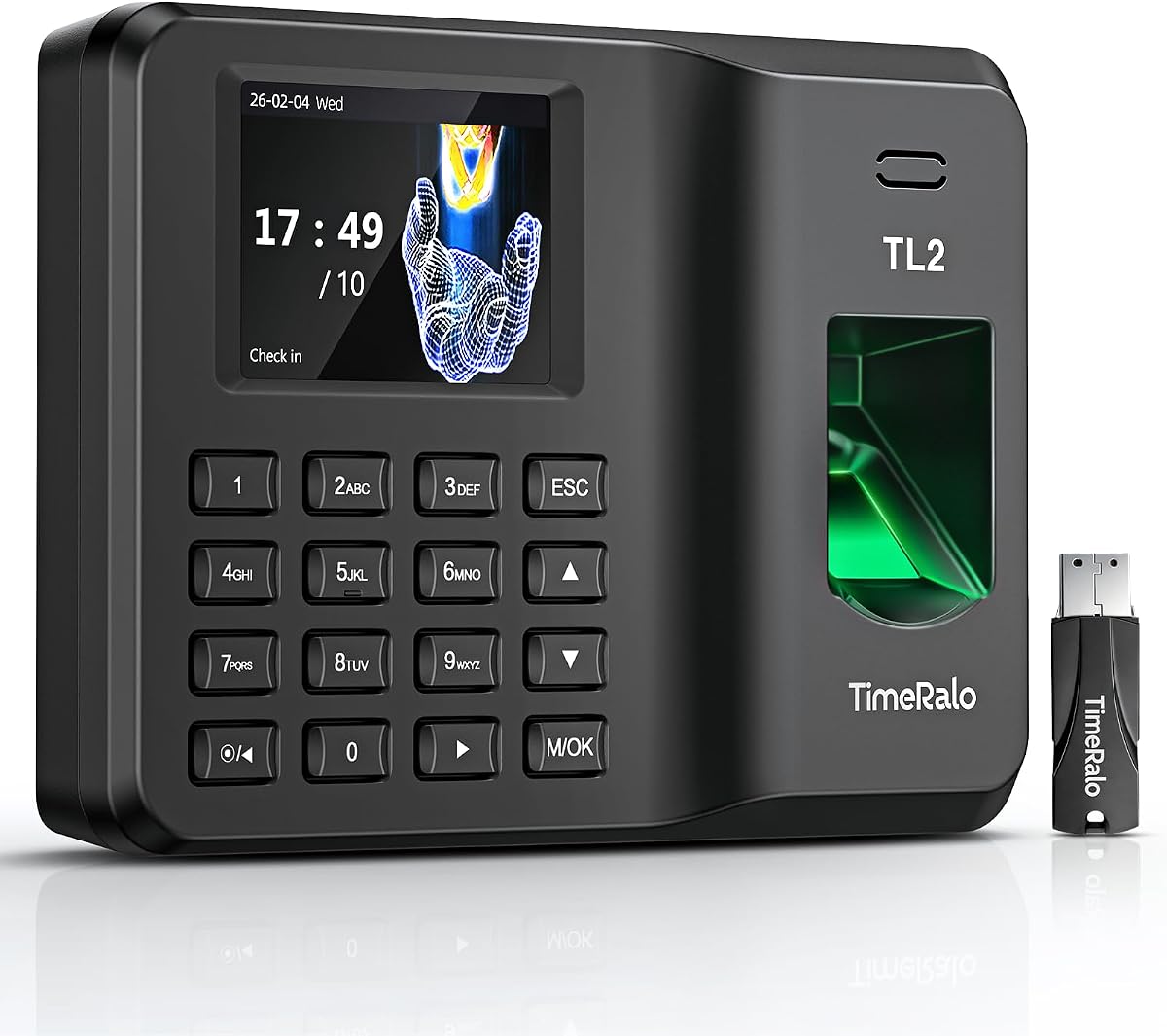


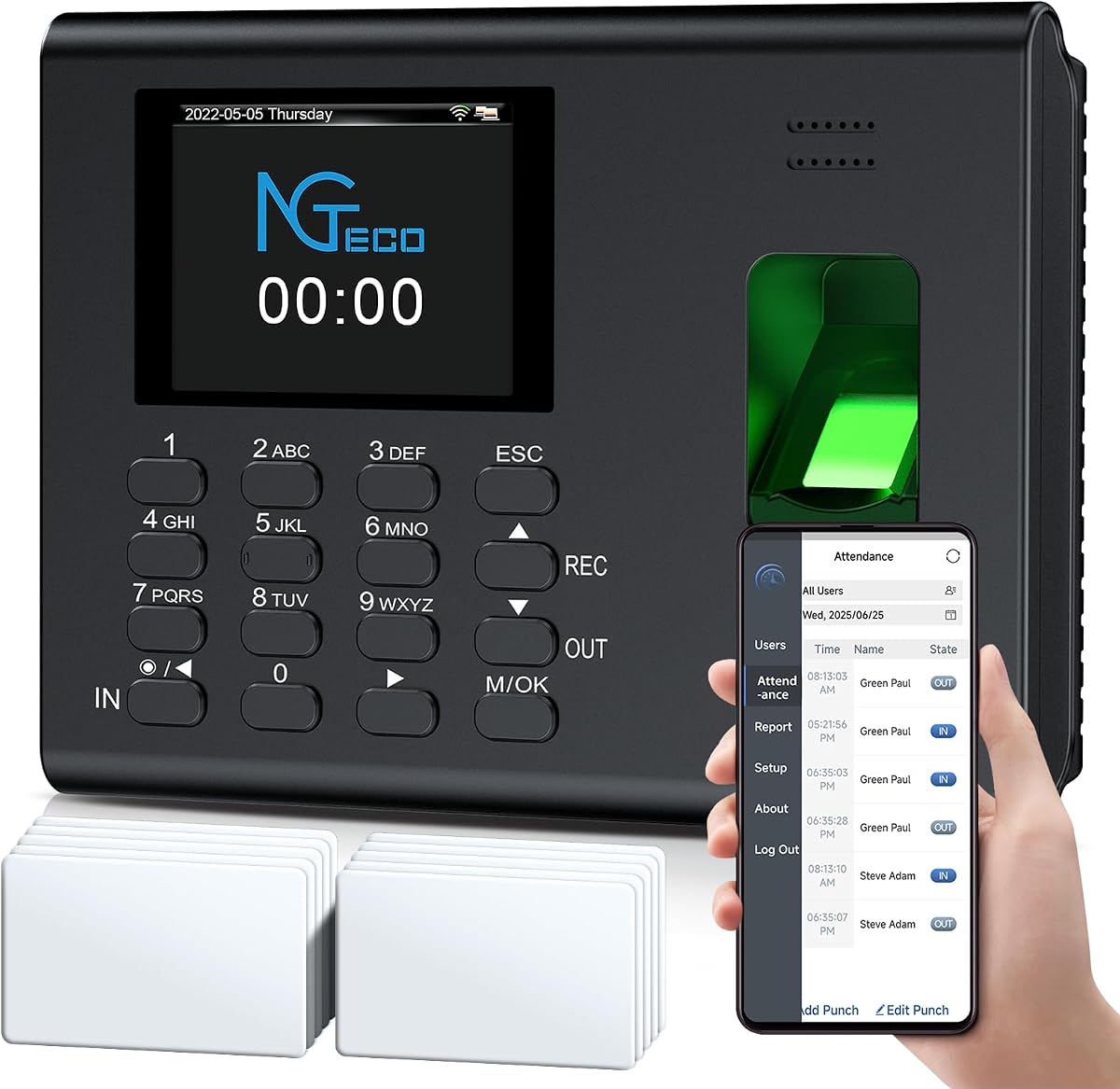
The NGTeco Time Clock for Small Business stands out as the top choice for its balance of features and reliability. With a 4.6 rating, it delivers quick fingerprint recognition and auto-calculated work hours that simplify admin tasks significantly.
We may earn a commission when you buy through this link, at no additional cost to you.
Its advanced sensor authenticates wet or dry fingerprints in just 0.5 seconds, ensuring consistent performance for all shifts. Real-time punch detection keeps attendance records accurate, which streamlines payroll processing when syncing with email or USB exports.
While editing punches requires the same local network, the process is simple and instant. The built-in backup safeguards records during power outages, minimizing disruptions and ensuring data remains secure and recoverable at all times.
This clock is ideal for small businesses needing secure, automated tracking without complex setup. Its 1-year warranty and lifetime US support make it a trustworthy investment for maintaining efficient team attendance.
Auto-calculated work hours and real-time detection simplify admin tasks by removing manual entry errors and reducing time spent on attendance corrections.
Integrated backup and secure sync ensure attendance records stay safe even during power outages or network changes, keeping your business data intact.
We may earn a commission when you buy through this link, at no additional cost to you.
The HapAttend H4 time clock is a standout budget option with a 4.8 rating for its simplicity and efficiency. It offers standalone operation with three verification methods and automatic hours calculation, eliminating manual errors entirely.
We may earn a commission when you buy through this link, at no additional cost to you.
Employees can use fingerprint, RFID, or PIN to clock in securely. The advanced sensor recognizes wet or dry fingerprints in 0.5 seconds, and the system supports night shifts automatically, ensuring accurate records across all work hours.
While it lacks cloud features, local storage keeps data private and secure. The built-in backup system protects records during power outages, so you never lose attendance data or need to reset the device after an unexpected shutdown.
This clock suits small businesses needing reliable, affordable tracking without subscriptions. With setup done in minutes and no recurring costs, it provides a seamless upgrade from paper time cards.
A one-time purchase with no monthly fees lets you enjoy accurate attendance tracking while cutting ongoing supply costs associated with traditional paper systems.
Keeping data locally ensures privacy and security without relying on internet connections, ideal for workplaces without consistent network access.
We may earn a commission when you buy through this link, at no additional cost to you.
The NGTeco Touchscreen clock delivers premium features with a 4.4 rating, including four punch methods and real-time remote monitoring. Its high-definition touchscreen makes the punch process smooth and efficient for all employees.
We may earn a commission when you buy through this link, at no additional cost to you.
You can customize shifts, breaks, and overtime rules easily to match your business needs. Dual-band WiFi ensures stable connectivity, while AWS cloud storage with end-to-end encryption keeps sensitive data secure and private.
While a subscription unlocks advanced app features, the free management tools cover most basic needs. The device supports 100,000 records and up to 500 employees, making it scalable for growing teams.
This clock is best for businesses needing flexibility and security. With reliable US support and powerful cloud capabilities, it simplifies team management without requiring physical presence at the site.
Tailor the system to your operations by configuring shifts, breaks, and overtime rules to align with unique business policies and workflows.
AWS servers and end-to-end encryption ensure your attendance data remains protected and compliant with global privacy standards at all times.
We may earn a commission when you buy through this link, at no additional cost to you.
This NGTeco model is a robust standalone solution with a 4.2 rating, ideal for businesses wanting zero setup and no internet dependency. It supports up to 500 users and 50,000 punch records easily.
We may earn a commission when you buy through this link, at no additional cost to you.
Setup takes minutes with no complex software. You can export attendance data via USB to ready-to-use Excel reports, making payroll integration simple without needing network infrastructure or external connections.
The internal backup system preserves punch records during power outages, ensuring no data loss. Its industrial-grade materials make it durable for daily use in warehouses, offices, or retail environments.
Best for teams seeking simplicity and cost-effectiveness. This clock eliminates paper waste and offers reliable performance without monthly fees or hidden subscription charges.
Zero setup hassle and no internet needs let you get started quickly with a fully independent system that tracks attendance reliably.
Internal backups protect your records during power failures, ensuring your employee data stays secure and retrievable at all times.
We may earn a commission when you buy through this link, at no additional cost to you.
This standalone clock offers a 4.4 rating for its ease of use and efficiency. It stores 500 fingerprints and 50,000 records, supporting growing teams without requiring monthly software or Wi-Fi setup.
We may earn a commission when you buy through this link, at no additional cost to you.
Excel reports export via USB drive for instant payroll integration. The high-quality ABS plastic construction ensures long-term durability, while flexible multi-angle installation lets you mount it on walls or desktops easily.
Power failure protection keeps all punch data secure without needing a reset. This makes it a green office option that cuts paper and ink ribbon costs while maintaining precise attendance records.
It suits businesses needing reliable, budget-friendly tracking. The straightforward setup and industrial design make it suitable for factories, schools, hospitals, and retail spaces alike.
Replacing paper cards with digital records saves money on supplies and manual entry errors while supporting eco-friendly office practices.
Multi-angle installation options mean you can place the clock wherever it fits your workspace layout and workflow requirements best.
We may earn a commission when you buy through this link, at no additional cost to you.
The NGTeco Cloud Time Clock provides a 4.1 rating with intuitive mobile and web portal access. Manage real-time clock-ins and generate reports on the go without staying tied to your office desk.
We may earn a commission when you buy through this link, at no additional cost to you.
Dual-band WiFi ensures stable performance for uninterrupted attendance tracking. Overtime rules can be configured for dual-level rates, and AWS cloud storage keeps your data secure with end-to-end encryption.
The built-in 2000mAh battery keeps the clock running during power cuts, preventing data loss. Basic management features are free, while advanced tools like GPS check-ins require a separate subscription.
Ideal for remote or growing teams needing flexible tracking. This system adapts to diverse business needs and simplifies payroll with automated reports.
Busy managers can monitor attendance from anywhere via mobile app or web portal, improving oversight without physical presence.
AWS servers and encryption ensure your attendance records are protected and private, adhering to the latest data protection standards.
We may earn a commission when you buy through this link, at no additional cost to you.
The uAttend JR2000 offers cloud-based tracking with a 3.7 rating, focusing on payroll efficiency. It automates tasks like tax filings and attendance data syncing, making switching from other systems easier.
We may earn a commission when you buy through this link, at no additional cost to you.
Real-time data access lets you track attendance from any device. The intuitive interface and straightforward setup make it accessible even for first-time users, while comprehensive reporting tools provide labor cost insights.
Automatic cloud backups keep employee data secure and available. However, some users may find the subscription costs add up over time compared to standalone options with no recurring fees.
Best for businesses needing full payroll integration. If you want a single system for attendance and taxes, this offers a convenient all-in-one solution.
Complete payroll tasks with ease as the system handles tax filings and automates attendance data syncing for efficient processing.
Real-time access from any device ensures you stay in control of your team's attendance while maintaining robust data security.
We may earn a commission when you buy through this link, at no additional cost to you.
This NGTeco cloud model scores 3.7 but offers flexible shift configs and free cloud service. It supports fixed, rotating, and split-shifts, perfect for multi-department operations and 24/7 workplaces.
We may earn a commission when you buy through this link, at no additional cost to you.
Offline punch capture syncs automatically to the cloud once the network is restored, preventing data loss. Bank-grade data security via AWS servers and encryption keeps sensitive workforce records protected.
You can manage basic team affairs with the free app, unlocking full features like GPS with a separate subscription. Multi-language support helps international workforces stay aligned with attendance policies.
Ideal for teams needing adaptability without monthly fees. This clock balances free features with premium options to suit varying operational needs.
Custom shifts for any workflow eliminate manual scheduling errors and support diverse team structures and operational needs.
Offline punch capture ensures no data loss during network issues, syncing automatically once connectivity is restored.
We may earn a commission when you buy through this link, at no additional cost to you.
This cloud clock has a 4.2 rating for its instant self-service attendance feature. Staff can view timesheets on phones without needing approval, boosting transparency and cutting administrative hassle.
We may earn a commission when you buy through this link, at no additional cost to you.
Smart scheduling handles cross-day shifts and transfers easily. Built-in intelligence calculates working hours and overtime automatically, generating visual payroll-ready reports that reduce paperwork and errors.
You can view and correct attendance via the mobile app without a web portal. One-time purchase with no recurring fees makes it cost-effective, while offline tracking ensures records are saved even at remote sites.
Best for high-turnover teams needing simplicity and flexibility. Its quick setup and smart features make managing attendance seamless for restaurants and retail.
Staff can verify hours and breaks on their phones without needing approval, eliminating delays and reducing admin work.
Built-in intelligence handles calculations and breaks automatically, ensuring accurate timesheets and saving valuable administrative time.
We may earn a commission when you buy through this link, at no additional cost to you.
The NGTeco APP Time Clock earns a 4.0 rating for its reliable auto-punch feature. With fingerprint, PIN, and card modes, it prevents buddy punching and resolves attendance conflicts effectively.
We may earn a commission when you buy through this link, at no additional cost to you.
Remote management via the app on the same local network lets you view and edit attendance data easily. Auto-generated reports streamline HR statistics and boost office efficiency without complex configurations.
The built-in 2000mAh backup battery ensures continuous operation during power outages. Dual USB and app export modes keep data secure, while one-time purchase means no hidden fees or subscriptions.
Ideal for businesses needing simple, secure tracking. Its durable design and flexible installation options make it a practical choice for varied work environments.
Multiple recognition modes eliminate buddy punching and ensure fair payroll by verifying each employee's attendance accurately.
Remote report export and flexible shift rules allow easy adaptation to changing business needs and efficient team management.
We may earn a commission when you buy through this link, at no additional cost to you.
Selecting the right clock involves considering connectivity, features, and budget.
Decide between standalone or cloud models based on your need for remote access. Standalone clocks use USB for exports, while cloud models offer real-time monitoring and automatic backups.
Choose cloud if you manage remote teams, or standalone for simplicity.
Check the maximum number of employees the clock supports. Most models handle up to 500 users, which is sufficient for small businesses but may need scaling for larger teams.
Ensure capacity matches your current workforce size.
Different clocks offer fingerprint, PIN, RFID, or facial recognition. More methods enhance security and prevent buddy punching effectively.
Prioritize multi-mode options for strict security needs.
Look for customizable shift and overtime rules. Some clocks support night shifts or split hours automatically, simplifying complex scheduling.
Opt for flexible shift configuration tools.
Secure storage is vital for compliance. Cloud models often use encryption, while standalone models rely on local backups and password protection.
Ensure your clock meets privacy standards.
Wall-mount or desktop options allow placement based on space. Durable materials ensure long-term use in harsh environments.
Pick the physical setup that fits your site best.
Consider upfront versus recurring costs. Standalone clocks usually have no subscriptions, while cloud models may charge for advanced features.
Calculate total cost of ownership before buying.
Check warranty and service availability. U.S.-based support with free technical assistance reduces risks after purchase.
Prioritize brands with strong support policies.
Start by registering employee fingerprints and profiles through the device menu. Follow the setup guide to ensure all names and details match your payroll system.
Train staff on clocking in correctly using fingerprints or PINs. Clear instructions reduce errors and keep records accurate for payroll processing.
Regularly export attendance data via USB or email to keep payroll organized. Keep the device clean and protected from moisture to maintain sensor accuracy.
Most modern sensors handle wet or dry fingerprints quickly. However, extremely wet hands may require drying for consistent accuracy. Check the product specs for moisture tolerance details.
Standalone clocks need physical access for USB exports. Cloud models require internet but allow mobile app access. Choose based on your connectivity needs.
Use clocks with biometric verification like fingerprints. Multiple methods such as RFID or facial recognition add layers of security to prevent sharing credentials.
Many cloud models offer free basic features but charge for advanced tools like GPS. Standalone models typically have no recurring fees at all.
Most clocks have backup batteries to save punch data. This ensures no loss of attendance records during unexpected power failures or shutdowns.
Some models include apps for staff to see timesheets. This transparency reduces questions and speeds up verification of logged hours.
Most models handle up to 500 users and tens of thousands of records. Verify capacity before scaling to avoid storage limitations.
Most clocks offer plug-and-play setups. Simple wall or desk mounting means no professional IT help is required for initial configuration.
The NGTeco Time Clock stands out for its balance of speed and admin tools. The H4 is perfect for budget needs, while the Touchscreen offers premium features.
Prioritize connectivity and security based on your business type. Flexible shifts and reliable backups ensure smooth payroll processing for any team.
Check current availability and prices before buying as details may change. These models offer reliable upgrades from manual systems for efficient workforce tracking.