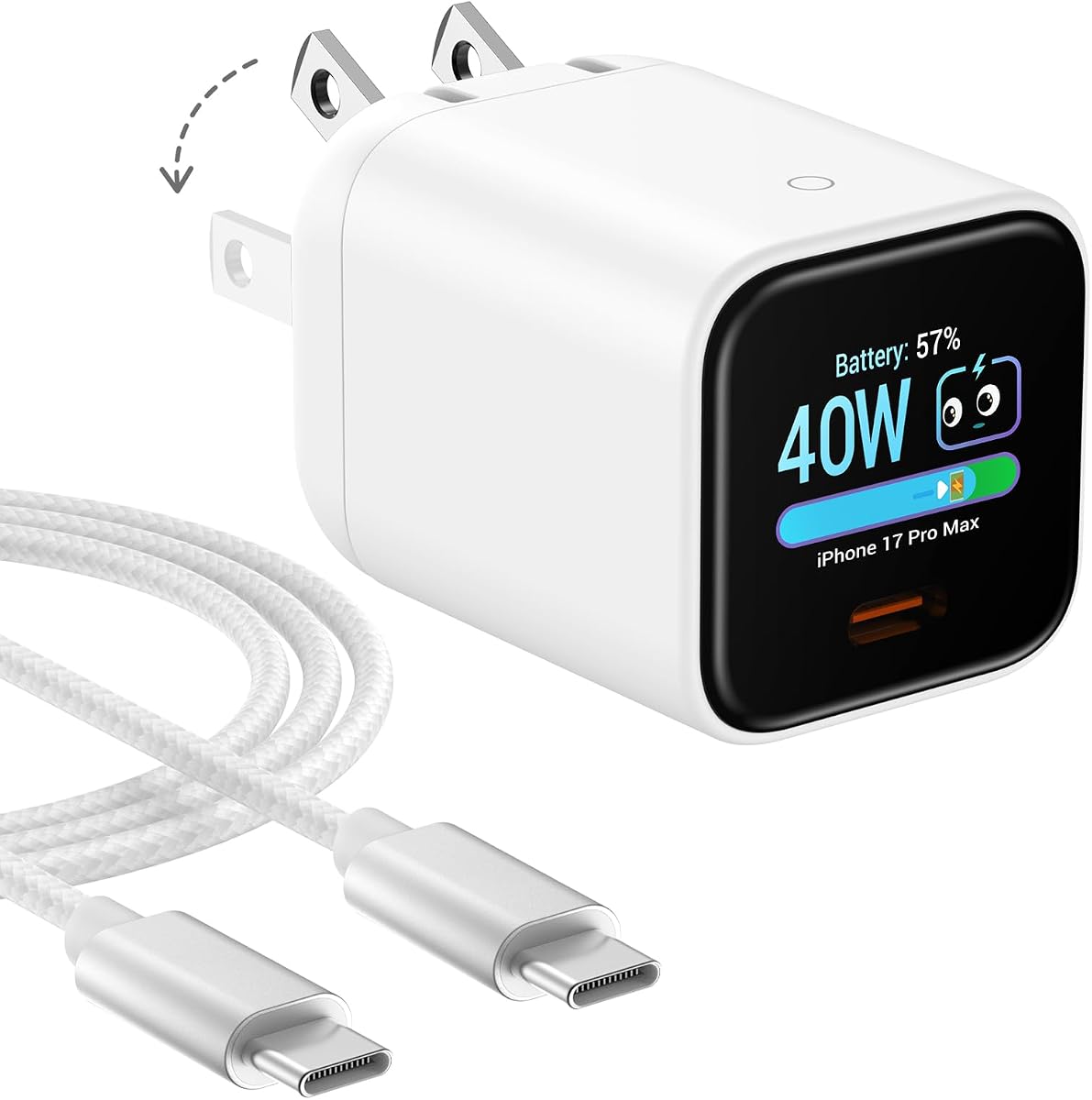
Smart Charging Butler 45W
4.5Editor score
AI Powered Battery Care Mode
Pocket Sized Travel Design
Affordable Price Point
This guide compares the top Gan Charger with Display models based on power output, smart screen features, port counts, and safety ratings for modern tech users.
Modern users demand faster charging solutions that provide real-time visibility into power delivery and device health. A Gan Charger with Display meets this need by combining high-efficiency gallium nitride technology with an interactive screen showing wattage and temperature data.
We evaluated ten leading models focusing on total output capacity, port versatility, and the clarity of their digital interfaces. Each product was analyzed for safety certifications, physical build quality, and compatibility with laptops phones and tablets to ensure reliable daily performance.
Each pick highlights key strengths like compact travel design or high-wattage single-port output to help you choose quickly. Please note that product availability and pricing fluctuate frequently so verify current details before making your final purchase decision today.
4.5Editor score

4.7Editor score

4.6Editor score
This table provides a side-by-side overview of all ten selected chargers highlighting their maximum wattage port configurations and unique display features to simplify your comparison process.




The UGREEN Nexode Pro Charger stands out as a top contender with its massive 160W output and intelligent rotatable touch display. It achieves a 4.7 rating from users who appreciate the ability to monitor real-time power and temperature data while charging multiple devices simultaneously.
We may earn a commission when you buy through this link, at no additional cost to you.
This unit delivers up to 140W on a single USB-C port making it ideal for high performance laptops like the MacBook Pro 16 inch. The screen shows total output wattage per port data and internal temperature which provides transparency and control over your charging sessions.
While the price is higher than average models the value comes from replacing multiple chargers with one comprehensive station. The compact travel friendly construction with a foldable plug ensures it fits easily in luggage for business trips or outdoor camping adventures.
Buy this if you need maximum power for laptops and phones without compromising on safety or convenience. It is the best all around solution for professionals who demand speed visibility and port density in a single GaN charger with display.
The screen clearly displays active charging protocols and temperature to prevent overheating during intense sessions.
With five ports you can charge a laptop tablet and phone together without needing extra adapters or outlets.
We may earn a commission when you buy through this link, at no additional cost to you.
The Anker Prime Charger offers a sleek 160W solution that rivals the size of an AirPods case while delivering significant power. Users rate it at 4.6 stars for its ability to maintain high output without derating even when multiple devices are connected simultaneously.
We may earn a commission when you buy through this link, at no additional cost to you.
It features PowerIQ 5.0 technology that distributes power intelligently across three ports allowing you to charge a laptop and two phones at once. The built-in display lets you monitor power consumption in real time and switch modes or unlock custom settings via a Bluetooth app.
The trade-off is the lower port count compared to some competitors which might limit users with many devices. However the power density and advanced control features make it a preferred choice for those who prioritize minimalism and smart connectivity over raw port numbers.
Choose this premium option if you want a highly efficient charger that fits in a small bag and offers app driven insights. It is excellent for MacBook users who value consistent performance and modern connectivity in their daily carry.
Connect via Bluetooth to view detailed history and customize power settings for your specific devices.
Achieves 160W in a footprint that is small enough for easy daily transport in pockets or bags.
We may earn a commission when you buy through this link, at no additional cost to you.
This Anker 140W model provides a solid balance of power and port count making it suitable for charging multiple family devices at once. With a 4.4 rating it is praised for its ActiveShield 4.0 system that monitors temperature millions of times a day for safety.
We may earn a commission when you buy through this link, at no additional cost to you.
The high-definition color display gives a clear view of charging status temperature and port details so you always know what is happening. It supports two high-speed USB-C ports capable of delivering up to 140W each ensuring your laptop charges rapidly without slowdown.
While it does not reach the 160W peak of other units it covers most daily needs effectively for most users. The included 5ft cable adds value and convenience so you do not need to source your own high power cable separately.
Pick this unit if you need four ports for laptops phones and tablets in a safe reliable setup. It is a great middle ground for users who want Anker quality and safety features without the highest price premium.
Advanced monitoring checks temperatures constantly to protect your expensive devices from heat damage during charging.
The color screen offers easy visibility of status details ensuring you stay informed at a glance.
We may earn a commission when you buy through this link, at no additional cost to you.
The Anker 100W 3-Port charger is optimized for travel with a small frame that fits easily into coats or bags. It holds a 4.7 rating because it provides full speed charging for most laptops and phones while being significantly smaller than standard blocks.
We may earn a commission when you buy through this link, at no additional cost to you.
Its display shows real-time details on charging status temperature and port performance so you can monitor efficiency effortlessly. The device adapts to low power devices automatically switching to a safe low current mode when output drops below 5W for one minute.
Although it lacks the extreme power of 160W units it is sufficient for MacBook Air users and general phone charging needs. The foldable plug and durable design ensure it withstands the rigors of frequent packing and unpacking during trips.
Opt for this charger if you want a portable reliable unit that handles everyday devices without bulk. It is the best fit for business travelers who need simplicity and efficiency in a small form factor.
Automatically detects earbuds or watches and switches to a safe low current mode to protect them.
The small frame and foldable plug make it a perfect companion for daily carry and short trips.
We may earn a commission when you buy through this link, at no additional cost to you.
The Smart Charging Butler offers an entry point into smart display chargers with a focus on battery health and affordability. It is rated 4.5 stars for its ability to lower charging temperatures and protect batteries using built-in AI technology during overnight charging.
We may earn a commission when you buy through this link, at no additional cost to you.
Users can rotate the screen or switch display modes with simple taps ensuring they can see power details clearly. The charger supports PD 3.0 and QC 3.0 standards to deliver fast charging to iPhones and Android phones efficiently.
The power limit of 45W makes it unsuitable for high-end laptops but perfect for phones and tablets. This trade-off is acceptable given the very low price point and inclusion of a durable braided cable in the box.
Buy this budget friendly model if you prioritize battery health and cost over raw power for laptops. It is an excellent gift or secondary charger for keeping mobile devices safe and charged throughout the day.
Intelligent software adjusts charging speed to reduce heat and extend the lifespan of your battery.
Simple tap gestures allow quick checks of charging status without complex navigation or setup.
We may earn a commission when you buy through this link, at no additional cost to you.
The Anker Prime Charging Station is a powerhouse designed for home or office desks rather than travel bags. With a 4.6 rating it delivers an impressive 250W total output allowing users to charge multiple laptops phones and accessories simultaneously without speed loss.
We may earn a commission when you buy through this link, at no additional cost to you.
It features a 2.26 inch LCD display that shows charging status and a control dial for adjusting energy output manually. This personalized charging capability ensures each device gets optimal power for efficiency and longevity in demanding environments.
The unit is heavy and large making it unsuitable for packing in a suitcase but perfect for a fixed workstation. The IoT capabilities allow for app integration which adds a layer of modern control for tech savvy users.
Choose this premium desktop unit if you have many devices and need maximum power reliability. It is the best choice for creators who need to keep multiple high draw devices powered up continuously.
Physically adjust power output for immediate control over how devices charge during different tasks.
Connect four USB-C and two USB-A devices to ensure every piece of gear stays powered up.
We may earn a commission when you buy through this link, at no additional cost to you.
The MOKiN 70W charger is a compact solution for travelers needing a balance of power and portability. It holds a 4.4 rating for its HD interactive display that allows viewing of charging data and temperature with a simple touch.
We may earn a commission when you buy through this link, at no additional cost to you.
The charger offers smart power distribution to adapt to laptops and phones while staying small enough for any pocket. Its unique feature is a charging summary provided after disconnection giving users insight into usage after the session ends.
While it lacks the cable in the box the price is low enough to offset the cost of buying one separately. The ultra compact size ensures it fits easily in carry-on luggage or backpacks for convenient travel use.
Select this model for affordable travel power with a fun interactive display experience. It is great for budget conscious users who still want the visual feedback of a smart screen.
Shows usage data after unplugging so you know exactly how much power was delivered.
Tap or long press to change views or rotate the screen for better visibility.
We may earn a commission when you buy through this link, at no additional cost to you.
This MOKiN 140W unit provides high power for laptops at a price point that competes well with smaller models. It is rated 4.4 stars for delivering up to 140W on either USB-C port making it versatile for charging MacBook or Dell devices efficiently.
We may earn a commission when you buy through this link, at no additional cost to you.
The live screen display informs you of real-time status temperature and power details ensuring safe operation. It also supports simultaneous charging of up to four devices with intelligent power allocation to meet different needs.
The inclusion of a 140W cable adds convenience and value saving you from buying an extra accessory. Safety features include active monitoring of temperature millions of times daily to protect connected hardware.
Pick this for a balance of high power and reasonable cost without sacrificing features. It is a strong candidate for users who need four ports and high wattage but prefer a lower budget.
Instantly view status and temperature details to ensure your devices are charging safely.
A high power cable is included in the box ready for immediate use.
We may earn a commission when you buy through this link, at no additional cost to you.
The DJI Power 140W Combo offers a unique charging solution with a digital display cable showing real-time current and status. It holds a 4.9 rating making it the highest rated product on this list for reliability and specialized performance.
We may earn a commission when you buy through this link, at no additional cost to you.
It supports three ports including two USB-C and one USB-A ports with dynamic power allocation optimized for DJI devices and batteries. The GaN tech ensures efficient charging with cool stable operation even during intensive sessions.
The included 7A high-current cable is braided for durability and resistance to wear and tangling. While it works well with standard devices the specific optimization makes it ideal for photography and drone crews.
Choose this if you work with DJI batteries and need a high reliability charging setup. It is the top choice for visual artists who value the cable display and optimized performance.
The cable itself shows charging status allowing you to monitor without looking at the charger block.
Prioritizes power to DJI devices ensuring your drones and cameras charge quickly and safely.
We may earn a commission when you buy through this link, at no additional cost to you.
The Anker Nano 45W is the smallest option on our list tailored for iPhone users needing a pocket friendly charger. It is rated 4.7 stars for its Care Mode which lowers charging temperatures and protects battery health during overnight use.
We may earn a commission when you buy through this link, at no additional cost to you.
Unlike touch displays this model uses tap controls and auto-off to save energy and simplify interaction. It supports fast charging for iPhones and select iPad models adjusting output based on battery levels for safety.
While it has a single port and lower power the portability is unmatched for everyday carry. The foldable prongs ensure it fits easily in any bag or pocket without snagging on other items.
Buy this if you want the lightest possible charger for your phone. It is the best pocket solution for iPhone users who prioritize convenience and battery safety over high wattage.
Simple tap gestures manage display views without needing to touch a screen directly.
Smaller and lighter than many original chargers making it easy to carry everywhere.
We may earn a commission when you buy through this link, at no additional cost to you.
Selecting the right charger involves checking power output, port count, and display functionality to match your specific needs.
Look for a total output that matches your most demanding device such as a high performance laptop requiring 100W or more.
Choose higher wattage if you plan to charge multiple high-power devices at once to avoid slow charging times.
Determine how many devices you need to charge simultaneously and select a model with enough USB-C and USB-A ports.
Ensure the number of ports meets your daily routine without needing to unplug and replug frequently.
Check if the display is touch-enabled or static and whether it can rotate for different viewing angles.
A clear screen showing wattage and temperature is vital for understanding performance and safety during use.
Verify that the charger uses Gallium Nitride for efficient heat management and compact size compared to older tech.
GaN ensures the device stays cooler and lasts longer under heavy loads than standard silicon chargers.
Confirm if a high quality cable is included in the box or if you must buy one separately for high speed charging.
Cables rated for the charger’s max wattage are essential to prevent power throttling and ensure full speed.
Stick with reputable brands known for safety standards and responsive customer service in case of issues.
A solid warranty period gives you peace of mind that the manufacturer stands behind the product quality.
If you travel often choose a model with foldable prongs and a small footprint to save space in your luggage.
Lightweight compact chargers make it easier to carry your tech kit without adding bulk to your daily bag.
Consider extras like app control or battery care modes that can extend the life of your devices.
These features add value beyond simple charging by offering advanced monitoring and safety protocols.
Connect your devices securely to the appropriate ports ensuring the cables are fully inserted for stable power delivery.
Check the display periodically to verify that the wattage matches expectations and temperature remains within safe limits.
Store the charger in a cool dry place and fold the prongs carefully to avoid damaging the plug mechanism during travel.
The display typically shows real-time wattage per port total output temperature and sometimes the active charging protocol. This helps you verify your device is charging at full speed and that the charger is not overheating.
Yes most modern GaN chargers include safety features like overvoltage and overheat protection to safely charge laptops. Always ensure the charger supports the required wattage for your specific laptop model to avoid slow charging.
Yes they work with iPhones and support fast charging protocols like PD 3.0 and 3.1 for quick charging. Some models even offer specific recognition modes to optimize power delivery for iPhone batteries.
Most models with multiple ports allow simultaneous charging though total power is shared across all active ports. If you connect many devices each may receive less power than a single port would deliver alone.
Some heat is normal during high power delivery but GaN chargers are designed to stay cooler than older units. If the temperature exceeds safe limits check the display reading and ensure the device is in a ventilated area.
Yes to achieve maximum speed you should use cables rated for the charger's wattage such as 5A or 7A cables. Using thin or standard cables can limit power delivery and slow down your charging process significantly.
Our top picks offer a range of solutions from the powerful UGREEN Nexode Pro to the compact Anker Nano for different needs.
Prioritize wattage and port count based on your devices and check the display features for the level of control you prefer.
Always review current prices and availability on the retailer site since offers change frequently and ensure the model fits your budget.